PDF Scanner App - Scan to Docs

PDF Scanner App - Scan to Docs

ダウンロード: App Store
ロゴ: PDF Scanner App - Scan to Docs

PDFスキャナーアプリ - 書類へスキャン: サブスクリプションゼロのプロスキャナー

書類を瞬時にスキャン、変換、保護。インターネットや月額料金なしで、無制限のスキャンと完全なプライバシーをお楽しみください。すべてオンデバイス処理です。

ダウンロード: App Store

開発元

RHO DEVELOPERS LLC

カテゴリ

Business

ダウンロード

68K+

ユーザー評価

4.5/5

評価数

400

対応言語

5

ペーパーレスオフィスを実際に

このインターフェースを利用する 68K+ 人のユーザー.

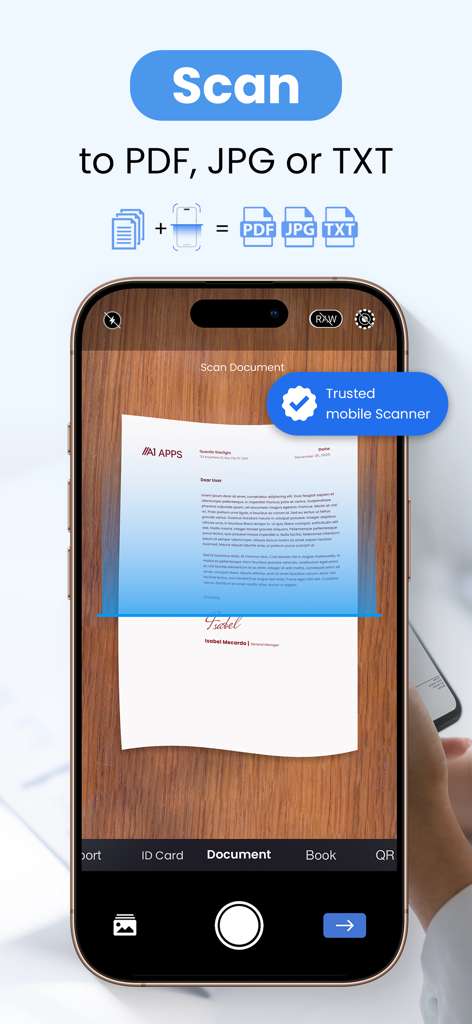
スマートフォンがテーブル上の紙の書類をスキャンして、PDF、JPG、またはTXT形式に変換している様子。

スマートフォンがテーブル上の紙の書類をスキャンして、PDF、JPG、またはTXT形式に変換している様子。

PDFスキャナーアプリを使用し、高いユーザー評価とスキャン回数が表示されている笑顔の女性。

PDFスキャナーアプリを使用し、高いユーザー評価とスキャン回数が表示されている笑顔の女性。

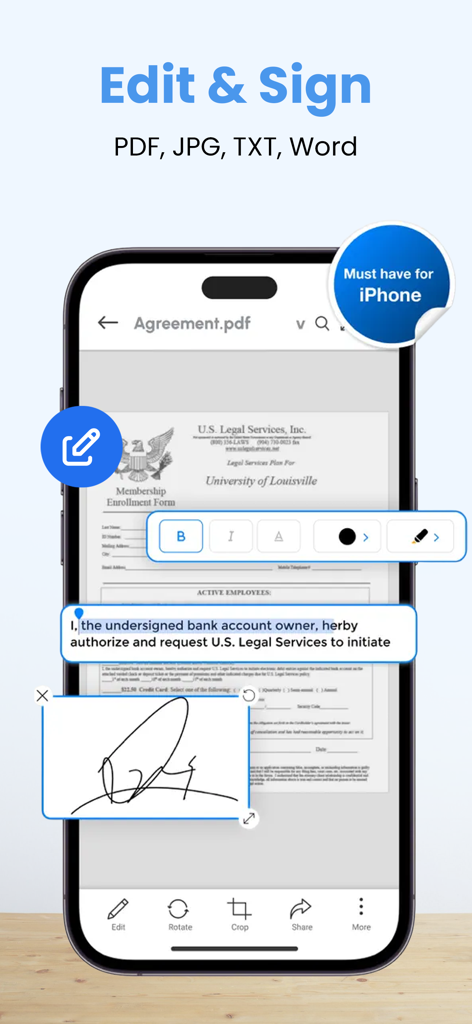
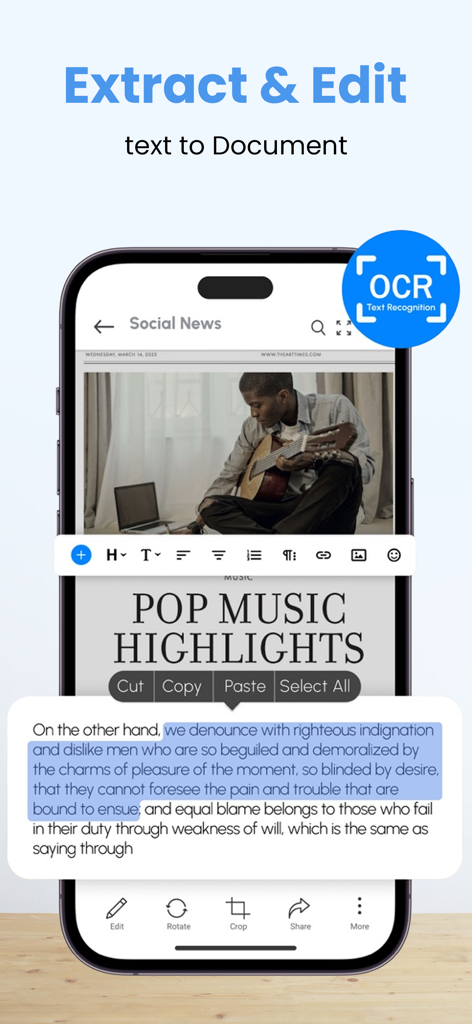
PDFスキャナーアプリのインターフェースで、iPhone上でデジタルドキュメントのテキストを編集したり署名を追加したりする方法を示しています。

PDFスキャナーアプリのインターフェースで、iPhone上でデジタルドキュメントのテキストを編集したり署名を追加したりする方法を示しています。

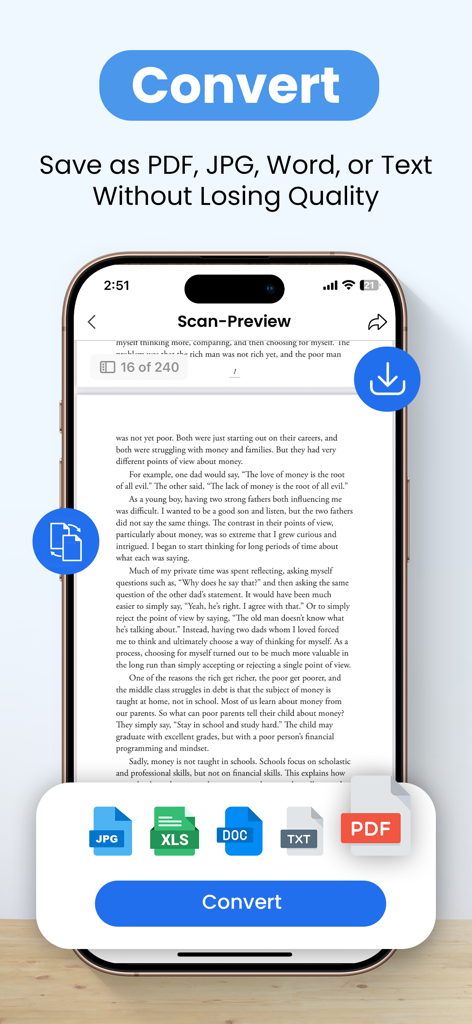
モバイルアプリのインターフェースで、スキャンされたドキュメントを品質を損なうことなくPDF、JPG、Word、テキスト形式に変換するオプションが表示されています。

モバイルアプリのインターフェースで、スキャンされたドキュメントを品質を損なうことなくPDF、JPG、Word、テキスト形式に変換するオプションが表示されています。

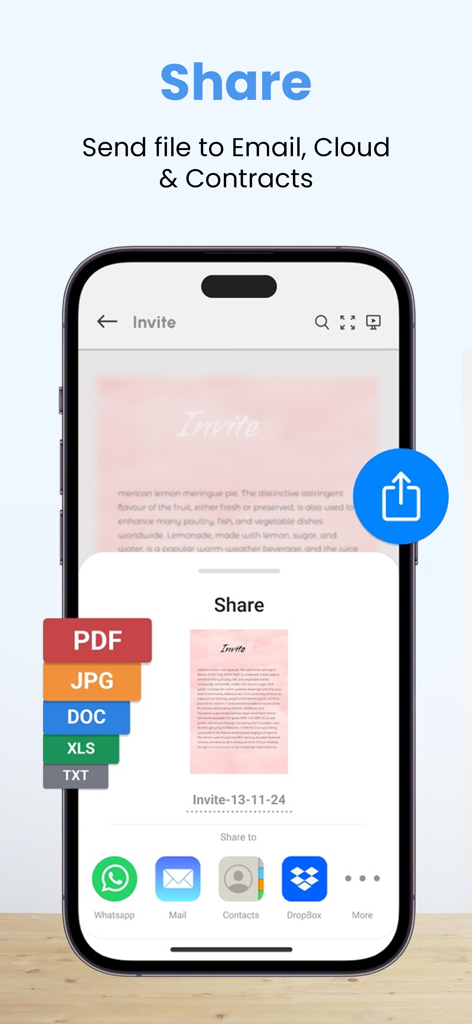
PDFスキャナーアプリの共有メニューを示すスマートフォンの画面で、PDF、JPG、DOC形式でエクスポートし、メールやクラウドサービス経由で送信するオプションが表示されています。

PDFスキャナーアプリの共有メニューを示すスマートフォンの画面で、PDF、JPG、DOC形式でエクスポートし、メールやクラウドサービス経由で送信するオプションが表示されています。

OCRテキスト認識と、スキャンされたドキュメントからのテキスト編集を示すモバイルアプリのインターフェース。

OCRテキスト認識と、スキャンされたドキュメントからのテキスト編集を示すモバイルアプリのインターフェース。

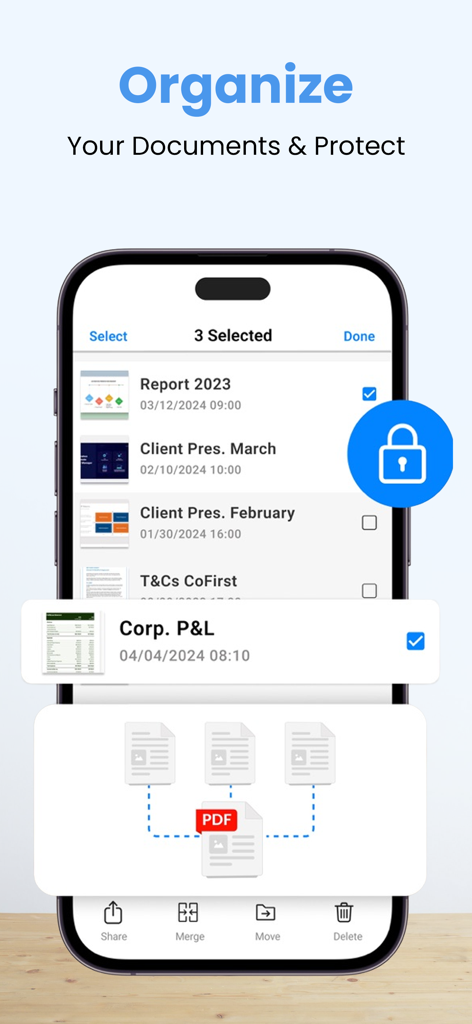
PDFファイルをマージおよび保護するオプションを備えた、ドキュメント整理および保護機能を示すモバイルアプリのインターフェース。

PDFファイルをマージおよび保護するオプションを備えた、ドキュメント整理および保護機能を示すモバイルアプリのインターフェース。

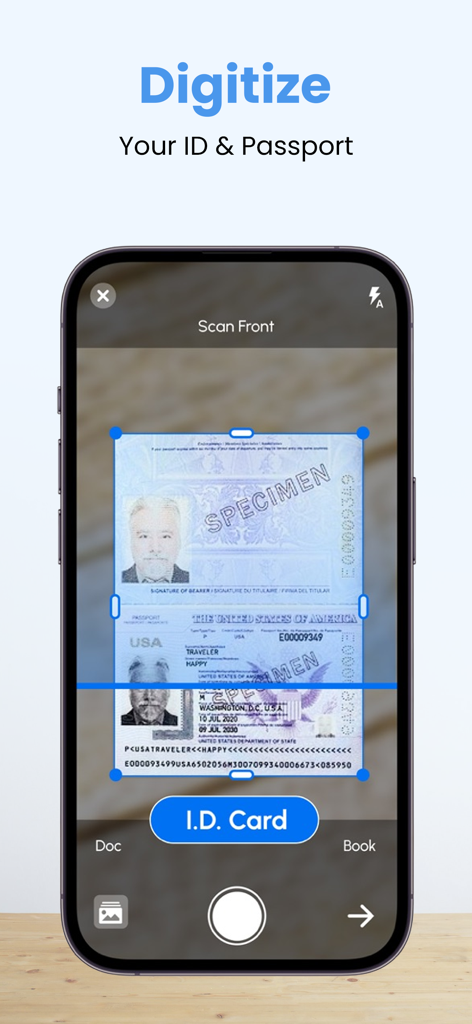
PDFスキャナーアプリを使用してデジタルドキュメントストレージのためにパスポートをスキャンしているiPhone画面。

PDFスキャナーアプリを使用してデジタルドキュメントストレージのためにパスポートをスキャンしているiPhone画面。

価格なしのプロスキャン

このアプリを際立たせるツール、 68K+ 人のユーザーが選択.

💸

無制限のスキャン、料金ゼロ

基本的なツールに毎月サブスクリプションを支払うのはやめましょう。すべてのプロ機能を無料でアンロックし、無制限のスキャンと高品質のエクスポートをお楽しみください。

🔒

プライベート&完全オフライン

あなたの書類はデバイスから離れることはありません。インターネット接続なしでスキャンを処理し、機密データを安全に100%プライベートに保ちます。

📑

プロフェッショナルドキュメントツールキット

スキャナー以上の機能。ExcelをPDFに変換し、カスタム透かしを追加し、ファイルをパスワードで保護して、安全でプロフェッショナルな共有を実現しましょう。

アプリについて

について知っておくべきこと PDF Scanner App - Scan to Docs.

説明

PDF Scanner - Camera Scanner, is a powerful Cam and Document Scanner application for scanning documents anywhere and anytime. You can scan, save, archive, and share the documents. PDF Scanner or Document Scanner is the Best Indian Camera scanner app. It turns your phone camera into a PDF Scanner or PDF Maker. You can easily share scanned files as PDF or JPG. Easy to use PDF converter app. PDF Scanner, The Camera Scanner App is the best Doc Scanner & a must-have application for those people who are always traveling for business purposes. They can easily send scanned documents while being on the move. In this Document Scanner, PDF Conversion is completely offline and requires no internet connection. Using this Pdf Maker, save your PDF file in history and in the list of recently used documents. The documents scanned in Camera Scanner or Document scanner are not uploaded to any server for any processing. Document recognition in the photos after scanning is done on the device. Scan almost anything with the Camera scanner or Document scanner or pdf scanner. How to scan documents with PDF Scanner App – 1. Just click on the create new pdf tab and start scanning your document. 2. You can also select an image or a document from your gallery to scan. 3. Crop the edges according to your requirement. 4. Free filters for your documents and also you can use a brush to add your own colors. 5. You can compress your file according to the size you need in our PDF Scanner 6. You can choose the page type e.g A4, Legal, Ledger, etc 7. You can add your watermark to the document you are scanning. 8. After you have scanned your document, you can send and share it via email, WhatsApp, etc Features of Documents Scanner or PDF Scanner 1. Unlimited scans of documents & pdf allowed. 2. Completely free with no subscriptions whatsoever 3. No internet is needed to scan the documents or pdf. 4. PDF Maker: Select images to make a single pdf, Also use pdf converter 5. PDF reader, Additional pdf converter features added recently e.g text to pdf, excel to pdf, images to pdf. You can create a password-protected pdf file also. 6. Remove the duplicate pages easily from the pdf 7. Easily open the pdf with any pdf viewer. Privacy policy - https://blog.a1apps.co/privacy-policy-for-pdf-scanner/ Terms of Use - https://blog.a1apps.co/terms-of-use-a1-pdf-scanner/

最新バージョン

1.0.31

サイズ

169.4 MB

リリース日

2022年10月7日

スキャンにお金を払うのはやめよう。プロツールを無料で手に入れよう。

68,000人以上の賢いユーザーに加わり、サブスクリプションなしで書類をスキャン、署名、保護しましょう。あなたのデータはあなたのデバイスに、あるべき場所に保管されます。

ダウンロード: App Store

App information, icons, screenshots, and descriptions displayed on this page are sourced from the Apple App Store and are the property of their respective developers. Download estimates and rankings are based on MWM's proprietary models and may not reflect actual figures. This page is provided for informational and analytical purposes only.

Believe this page infringes your intellectual property? File a dispute