PDF Scanner & PDF Converter

PDF Scanner & PDF Converter

Download on App Store
Logo of PDF Scanner & PDF Converter

PDF Scanner & PDF Converter: Your All-in-One Mobile Office

Transform your iPhone into a professional scanning powerhouse. Scan, sign, and share high-quality documents instantly to streamline your workflow and go paperless.

Download on App Store

Publisher

Alfred Lewis

Category

Business

Downloads

0

User Rating

4.7/5

Total Ratings

0

Locales

1

Efficiency at Your Fingertips

Discover the interface used by 0 users.
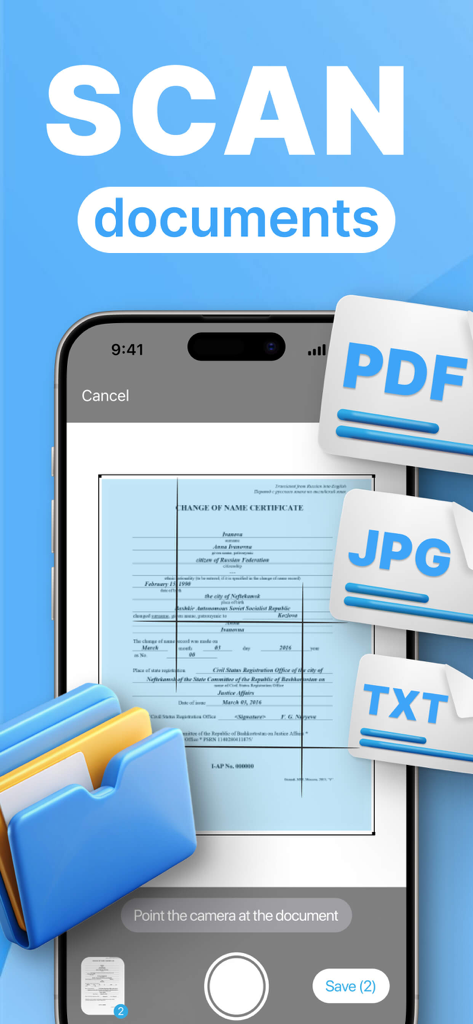
Smartphone app screen showing a document being scanned with PDF JPG and TXT file format options

Smartphone app screen showing a document being scanned with PDF JPG and TXT file format options

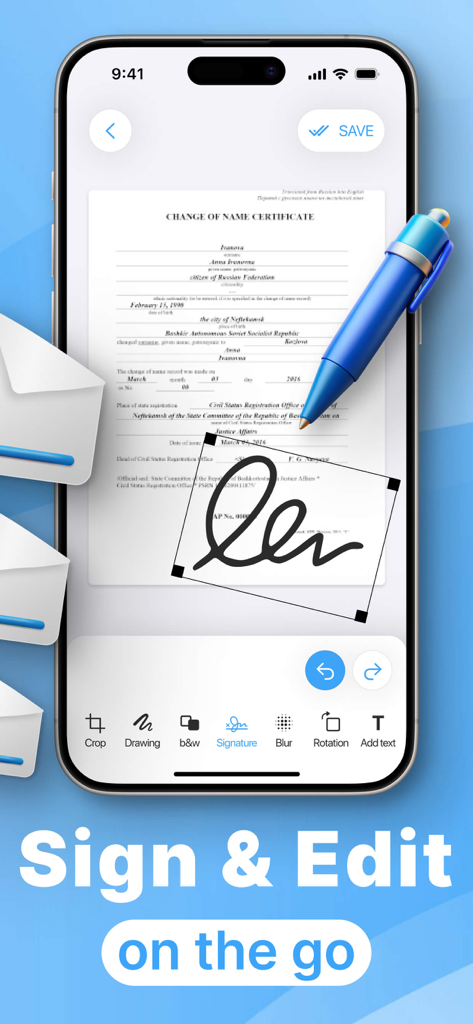
iPhone interface showing a document being digitally signed and edited in the PDF Scanner app

iPhone interface showing a document being digitally signed and edited in the PDF Scanner app

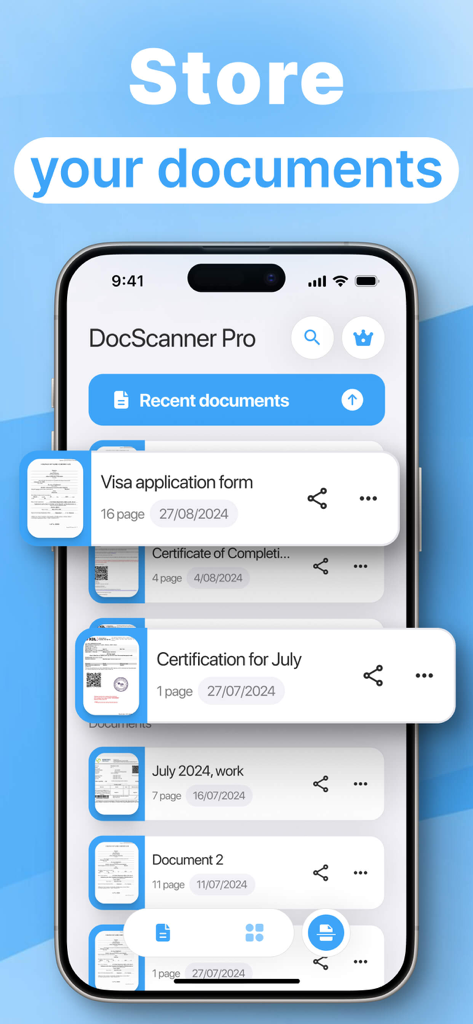
Smartphone screen showing a list of organized digital documents like visa applications and certificates in the PDF Scanner app.

Smartphone screen showing a list of organized digital documents like visa applications and certificates in the PDF Scanner app.

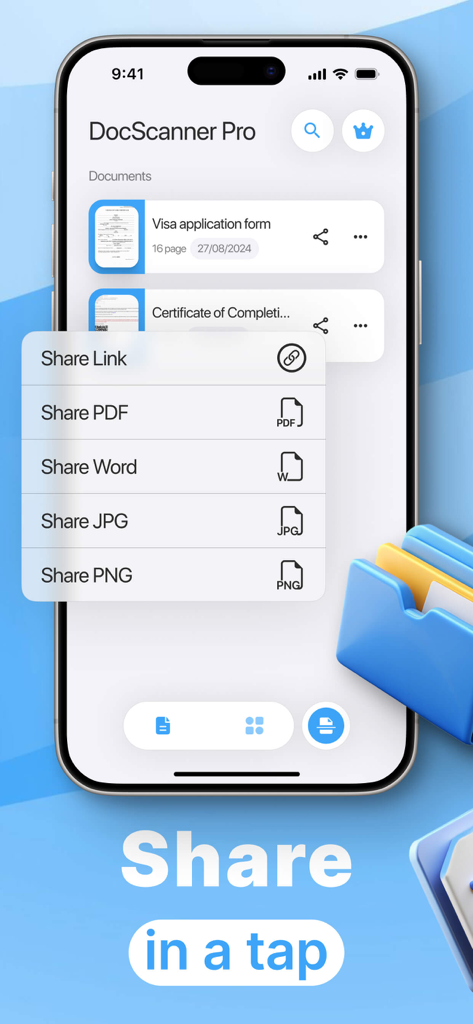
Mobile app screen displaying quick share options for PDF Word and image files

Mobile app screen displaying quick share options for PDF Word and image files

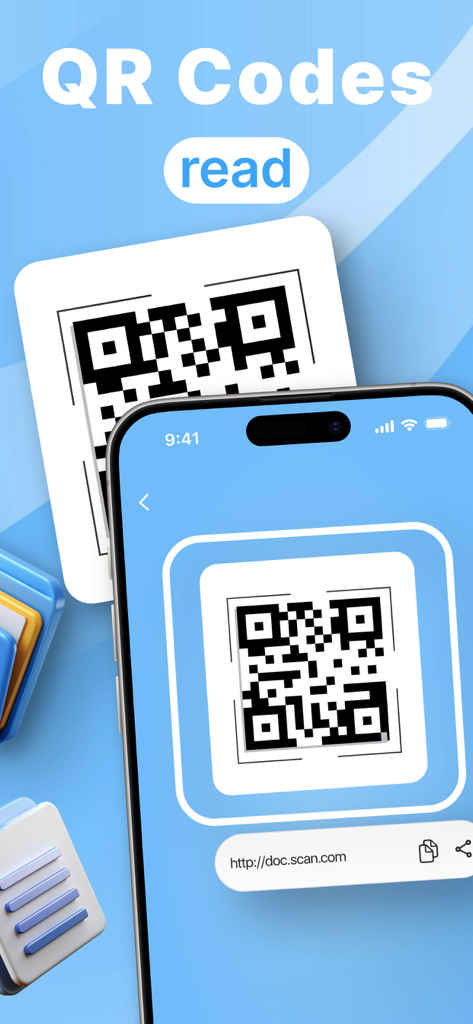
iPhone screen displaying a scanned QR code with a web link in the PDF Scanner and Converter app

iPhone screen displaying a scanned QR code with a web link in the PDF Scanner and Converter app

Streamline Your Professional Workflow

The tools that make this app stand out, trusted by 0 users.

๐Ÿ“„

Pro-Grade Document Scanning

Convert paper contracts and receipts into crisp, high-quality PDFs. Use Black & White mode for professional, office-standard clarity that saves storage space.

โœ๏ธ

Instant Signatures & Editing

Close deals faster by adding your signature, text, or annotations directly to scans. Skip the printer and manage your entire contract lifecycle on the go.

๐Ÿ”

Smart Search & Organization

Never lose a document again. Effortlessly organize your digital filing cabinet and find any invoice, 1099, or lease in seconds with our lightning-fast search.

About the app

Everything you need to know about PDF Scanner & PDF Converter.

Description

Our application is a universal document scanning and processing tool that offers many useful features. Users can easily scan paper documents and convert them into high-quality digital files. Built-in editing tools allow you to add text, draw, and put signatures directly on scanned pages. Black and white mode helps to improve readability and saves space on the device. In addition, the application provides the ability to crop and rotate images to achieve the perfect document format. Users can send files in various formats, including PDF and JPEG, which simplifies document sharing. Our application also supports scanning QR codes, extending its functionality. The ability to share documents with colleagues and friends makes it an ideal tool for work and study. Finally, the document search function by name allows you to quickly find the files you need, which saves a lot of time. This application contains auto-renewable subscriptions and in-app purchases: 1 week - $4.99, 1 month - $12.99, 1 year - $39.99, lifetime - $59.99 Privacy Policy Link: https://docs.google.com/document/d/1yc5srE_jINtUFz0zujslUucxRCi8uDVqk2Rdobjhg0I/edit?usp=sharing Terms of Use Link: https://www.apple.com/legal/internet-services/itunes/dev/stdeula/

Latest Version

1.7.1

Size

27.8 MB

First Released

Feb 18, 2025

Professional Scanning & Signing, Anywhere You Are

The all-in-one tool for high-quality PDFs, instant signatures, and paperless organization. Empower your workflow and handle every document with ease.

Download on App Store

App information, icons, screenshots, and descriptions displayed on this page are sourced from the Apple App Store and are the property of their respective developers. Download estimates and rankings are based on MWM's proprietary models and may not reflect actual figures. This page is provided for informational and analytical purposes only.

Believe this page infringes your intellectual property? File a dispute