PDF to Excel

PDF to Excel

ダウンロード: App Store
ロゴ: PDF to Excel

PDFをExcelに:プロフェッショナルのための安全で即座な表変換

複雑なPDFレポートを数秒で完璧にフォーマットされたスプレッドシートに変換します。100%ローカル処理により、機密性の高いビジネスデータはインターネット接続がなくてもデバイス上で安全に保護されます。

開発元

Flyingbee Software Co., Ltd.

カテゴリ

Business

ダウンロード

519K+

ユーザー評価

4.0/5

評価数

200

対応言語

12

一目でわかる精度

このインターフェースを利用する 519K+ 人のユーザー.

ドキュメントタイプ、ページ範囲、注釈設定などの変換オプションを表示するPDF to Excelアプリのインターフェース
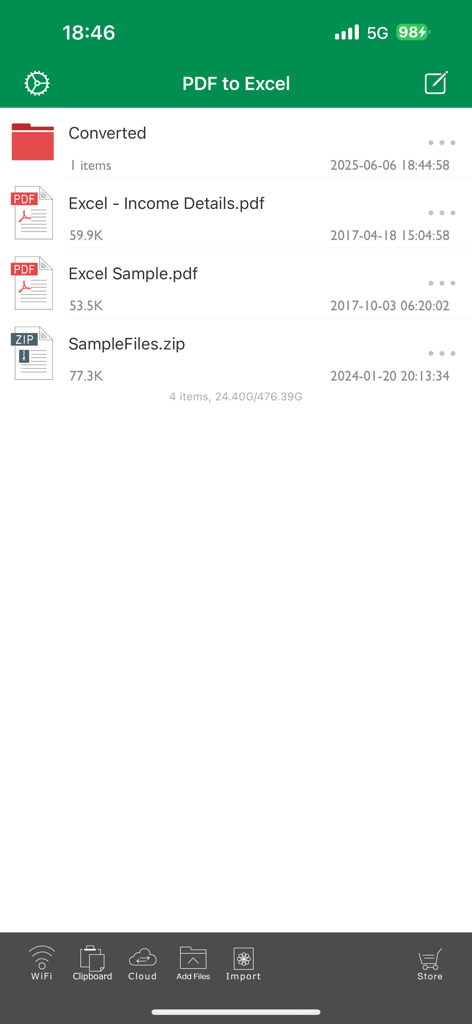
ドキュメントタイプ、ページ範囲、注釈設定などの変換オプションを表示するPDF to Excelアプリのインターフェース

ドキュメントのリストと変換オプションを表示するPDF to Excelアプリのファイル管理インターフェース
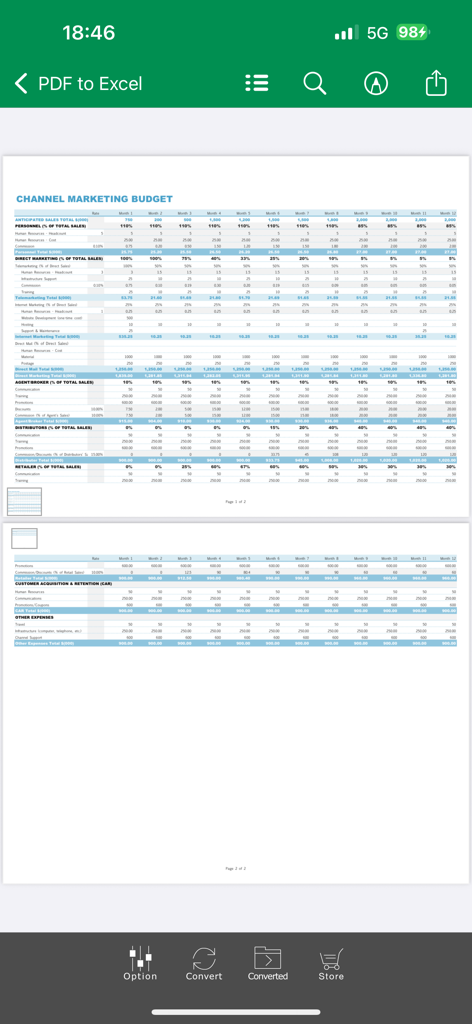
ドキュメントのリストと変換オプションを表示するPDF to Excelアプリのファイル管理インターフェース

PDF to Excelコンバーター内でチャネルマーケティング予算表を表示するモバイルアプリのインターフェース
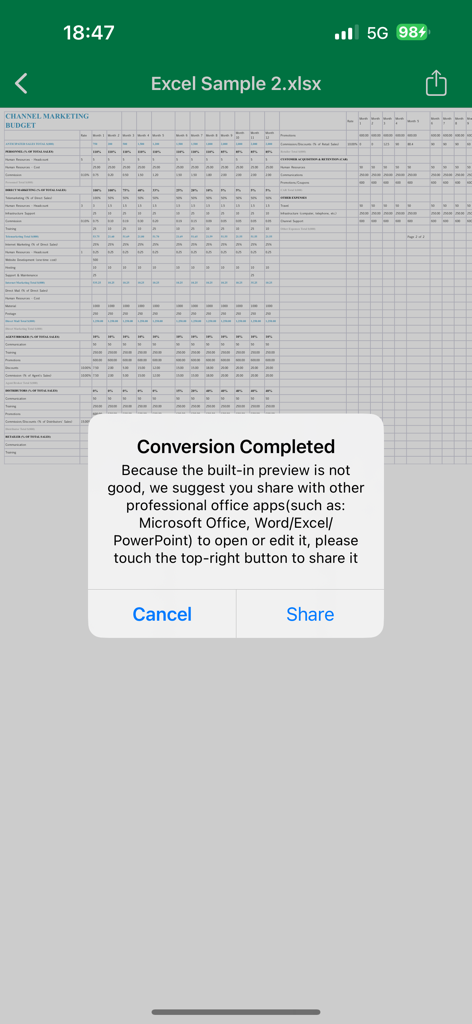
PDF to Excelコンバーター内でチャネルマーケティング予算表を表示するモバイルアプリのインターフェース

共有オプション付きの、PDFからExcelスプレッドシートへの変換成功を確認する通知ポップアップ
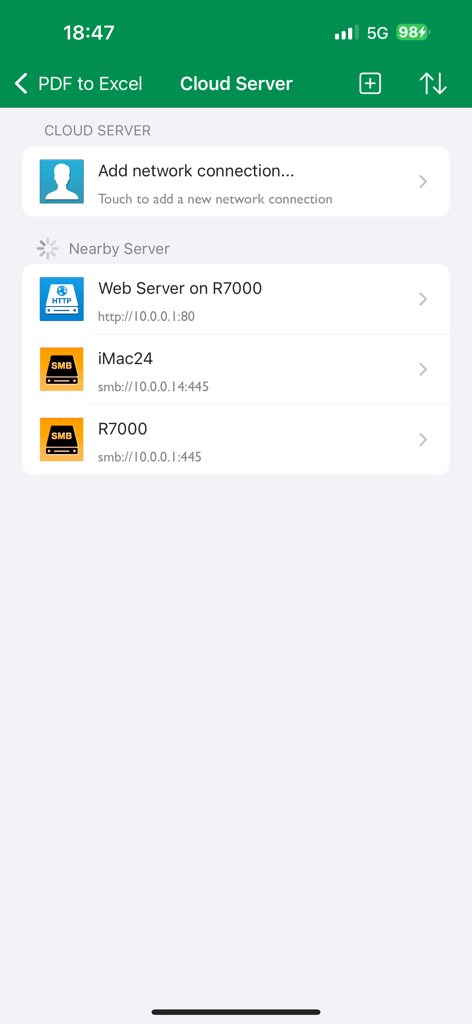
共有オプション付きの、PDFからExcelスプレッドシートへの変換成功を確認する通知ポップアップ

クラウドサーバー設定と、SMBやHTTPなどの近隣ローカルネットワーク接続を表示するPDF to Excelアプリのインターフェース

クラウドサーバー設定と、SMBやHTTPなどの近隣ローカルネットワーク接続を表示するPDF to Excelアプリのインターフェース

データ駆動型プロフェッショナルのための強力な機能

このアプリを際立たせるツール、 519K+ 人のユーザーが選択.

🔒

プライベートで安全なローカル処理

100%オフライン変換で企業の機密データを保護します。ファイルがデバイスから送信されることはなく、処理にインターネット接続は必要ありません。

電光石火の効率性

50ページのドキュメントを20秒以内に変換。ビジネスのペースに合わせた高速処理を実現。

📊

精密な表フォーマット

元のレイアウト、フォント、表構造を完全に維持。面倒な再フォーマットなしで、すぐに分析可能なスプレッドシートを作成します。

アプリについて

について知っておくべきこと PDF to Excel.

説明

Flyingbee PDF to Excel Converter can convert PDF to Excel documents quickly and efficiently. It convert PDF file back to editable and modifiable Microsoft Office Excel spreadsheets with well-preserved original texts, layouts, font style, tables. And you can easily edit, reuse and calculate the data in output excel(.xlsx) documents. It support opened in popular mobile office editor app(such as: Microsoft Excel, Polaris Office, WPS or QuickOffice). Key Features: • Easily import PDF, convert a 50 pages PDF to Excel within 20 secs, Extremely fast!! • Conversion Process 100% on your local iOS device, No internet connection need. • Output well organized Excel content, preserving content layout, the color, font style, tables remain the same as the original pdf document, Very convenient tool, Reusing the presentation cannot be easier. • Convert any particular pages (e.g. 1, 3-8, 26 or all pages) to save your time. • Save time on learning complicated Excel editing knowledge; • Save energy on skipping ads and annoying pop-up window ask for buying; • Connect to online cloud storage support, include any FTP or WebDAV Server. • Offer you 4 ways to transfer files(Open in.., iTunes USB file sharing, Wifi Sharing and Cloud Disk) • Support Microsoft Office 2007, 2008, 2011 and 2024 Excel Application, not completely compatible with iWorks apps. == Quick Start == Convert PDF to Excel in mail app can be as easy as three steps: 1. Open Mail app, use "Open In.." to send source PDF file to PDF to Excel. 2. Go to PDF to Excel app, touch to open the source PDF file where text come from. 3. Click "Convert" button to extract PDF to Excel files. Notice: Currently PDF to Excel version don't have OCR function, the scanned PDF files will be extracted to image in Excel xlsx. However, we suggest you to use other professional OCR app to recognize editable text from image. Several sample files have been included, you can test it right now! Q&A 1. Why I get "Converting failed" error message when I extracting from a PDF file? Do you have a PDF (Adobe Acrobat) file which cannot be printed, copied, or edited? Your PDF file has had password security and other restrictions added, you need remove restrictions. 2. Why some text in PDF file can not be extracted out? The PDF file format is complex, there are cases that text in a PDF file are actually pictures. We do not grantee PDF to Excel will work for every PDF file, especially ones that have picture text, we suggest you to use our professional OCR app to recognize text from image. Please send us your PDF file for testing before buying our app, we will test it, and give you the result! We are continuously developing this app, so please feel free to contact us with your questions, suggestions or any problems, and we will reply ASAP.

最新バージョン

8.8.7

サイズ

78.2 MB

リリース日

2015年8月12日

複雑なPDFを即座に活用可能なデータに変換

安全、オフライン、高精度なコンバーターで手入力の時間を節約している50万人以上のプロフェッショナルの仲間に加わりましょう。

ダウンロード: App Store

App information, icons, screenshots, and descriptions displayed on this page are sourced from the Apple App Store and are the property of their respective developers. Download estimates and rankings are based on MWM's proprietary models and may not reflect actual figures. This page is provided for informational and analytical purposes only.

Believe this page infringes your intellectual property? File a dispute