
このページはアプリまたはその開発者の公式ページではなく、情報提供および論評を目的として作成された独立した編集出版物です。明示的に別段の記載がない限り、アプリおよびその開発者は、MWM、Apple、Google Play、アプリのパブリッシャー、またはアプリの開発者と提携、承認、後援、認可、またはその他の公式的な関係はなく、このページのいかなる内容も、アプリがMWMのサービスを使用して開発されたことを意味するものではありません。すべての商標、ロゴ、スクリーンショット、その他のコンテンツはそれぞれの所有者の財産です。


ダウンロード
50M+ユーザー評価
評価数
1.3M開発元
カテゴリ
Photo & Video対応言語
29最新バージョン
2026.13.02サイズ
274.5 MBリリース日
2019年3月26日Photoroom: AI Photo Editorの主要機能分析
中小企業経営者とクリエイターのための効率的なビジュアルコンテンツ作成
一括編集機能
複数の画像を一度に編集することで、時間と労力を大幅に節約し、作業効率を最大化することが可能です。
AIによる背景の除去と生成
このアプリは、商品画像から背景を瞬時に除去し、様々なAI生成の背景に置き換えることで、プロフェッショナルな外観を提供します。
Shopifyとの連携
本ツールはShopifyとの直接連携を備えており、最適化された商品画像をシームレスに出品し、販売プロセスを効率化することを可能にします。
ECサイト向け画像サイズ調整
ユーザーは、Shopify、Amazon、Etsyなど、様々なECプラットフォームの要件に合わせて画像を自動的にリサイズし、出品準備の手間を省くことができます。
ゴーストマネキンとバーチャルモデル
このアプリは、物理的なマネキンやモデルを使用せずに、商品が着用されているかのようなプロフェッショナルなイメージを作成する機能を提供し、コストを削減します。
AIを活用した商品色の変更
ユーザーは、AIを活用して商品や衣服の色を瞬時に変更し、多様なバリエーションを簡単に作成して、顧客の選択肢を広げることが可能です。
編集可能なプロフェッショナルテンプレート
本ツールは、プロフェッショナルなデザインの編集可能なテンプレートを備えており、デザインスキルがないユーザーでも短時間で魅力的な商品ビジュアルを作成できます。
ブランドキットによる一貫性維持
このアプリは、ブランドの一貫性を保つために、色、フォント、ロゴなどのブランドアセットを一元管理する機能を提供し、ブランドイメージの強化に貢献します。
よくある質問
について知っておくべきこと Photoroom: AI Photo Editor
What is Photoroom: AI Photo Editor?
Photoroom is an AI-powered photo editing app that allows users to create studio-quality product photos, remove backgrounds, generate AI visuals, and enhance images. It serves over 300 million users.
Does Photoroom offer AI background removal?
Yes, Photoroom features one-tap AI background removal, allowing users to easily remove or replace backgrounds for polished and professional images. This functionality is a core feature of the app.
Can I create custom AI backgrounds with Photoroom?
Yes, Photoroom allows users to create custom AI backgrounds. You can describe your idea, and the AI generates custom scenes, logos, and more in seconds to stage products.
Can Photoroom generate virtual models for clothing?
Yes, Photoroom offers virtual models. Users can showcase clothing on AI-generated models without the need for a physical photoshoot, providing a versatile solution for e-commerce.
Does Photoroom support batch editing for photos?
Yes, Photoroom supports batch editing. This feature allows users to edit multiple photos at once, which is ideal for e-commerce businesses managing many product images.
How does Photoroom handle subscription renewals and cancellations?
Photoroom subscriptions automatically renew unless cancelled at least 24 hours before the current period ends. Payment is charged to your Apple ID, and you can manage or cancel it in your App Store account settings.
Can Photoroom resize images for social media and e-commerce platforms?
Yes, Photoroom optimizes images for social media and marketplaces. It can resize photos for platforms like Instagram, YouTube, Amazon, Shopify, Etsy, Depop, and Poshmark.
What kind of businesses or users benefit from Photoroom: AI Photo Editor?
Photoroom is designed for e-commerce sellers, content creators, and social media managers who need to produce high-quality visuals. It also caters to anyone seeking professional photo editing capabilities.
Does Photoroom offer tools for product beautification?
Yes, Photoroom provides AI-powered product beautification. This feature enhances shots with improved lighting and detail, helping products achieve a professional studio look.
Can I animate my designs using Photoroom?
Yes, Photoroom includes video generation capabilities. Users can turn any image into an animation, adding dynamic elements to their designs within the app.
以下のスクリーンショットと説明は、アプリの公式ストアリスティングから直接取得されたものであり、アプリ開発者の所有物です。
アプリストア
スクリーンショット
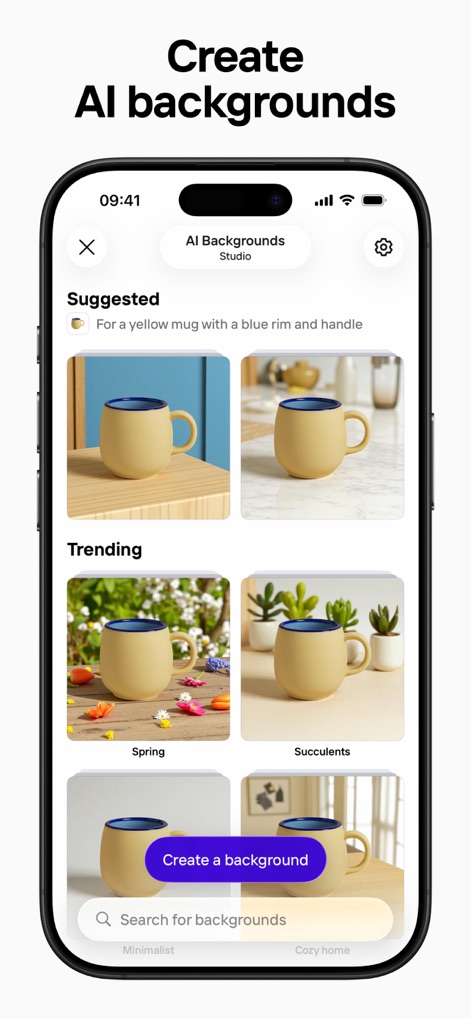
AI背景を生成
本アプリは、マグカップなどの商品画像に、多様なAI生成背景とトレンドの背景オプションを適用し、魅力的でプロフェッショナルなビジュアルを作成できます。
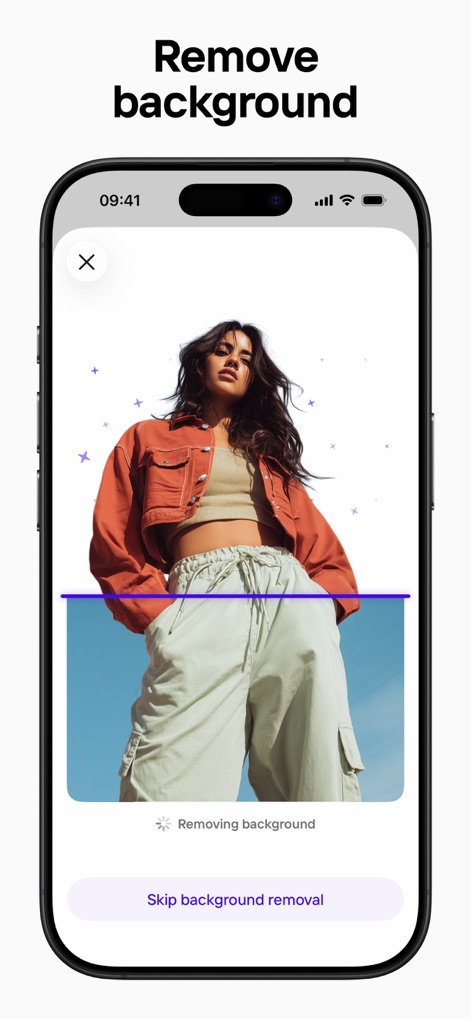
背景を瞬時に除去
ユーザーは、AIが人物の背景を自動で識別し除去するプロセスを視覚的に確認でき、背景削除機能とスキップオプションを直感的に操作できます。
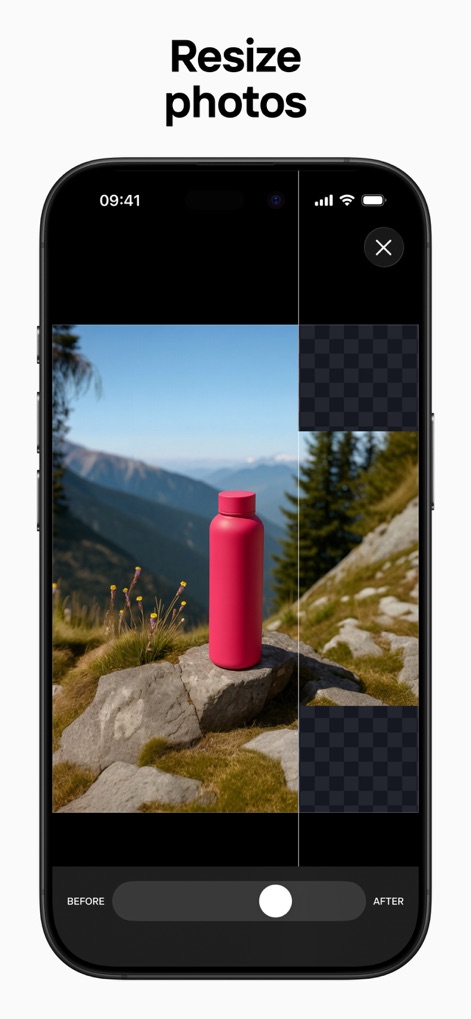
画像サイズを調整
この機能では、商品の画像を特定の比率に効率的にリサイズでき、リサイズ前後の比較スライダーで変更を即座に確認し、最適な出力が可能です。
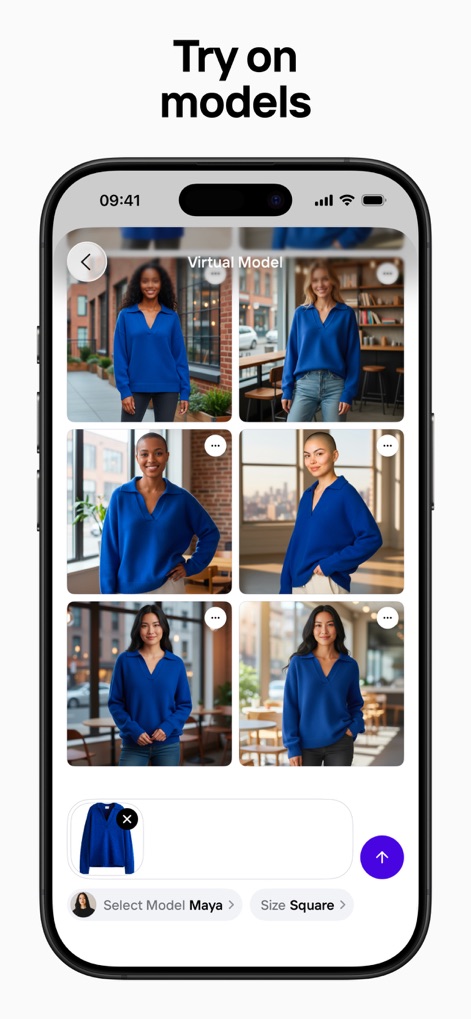
バーチャルモデル試着
ユーザーは、多様なバーチャルモデルに衣料品画像を適用し、複数のポーズやスタイルのモデルをグリッド表示で比較検討できるため、商品の魅力を最大限に引き出せます。

スタジオ品質の仕上がり
本ツールは、様々な家具やオブジェをプロフェッショナルなスタジオショット風に変換し、製品を際立たせるクリーンな背景と高品質なレンダリングを提供します。
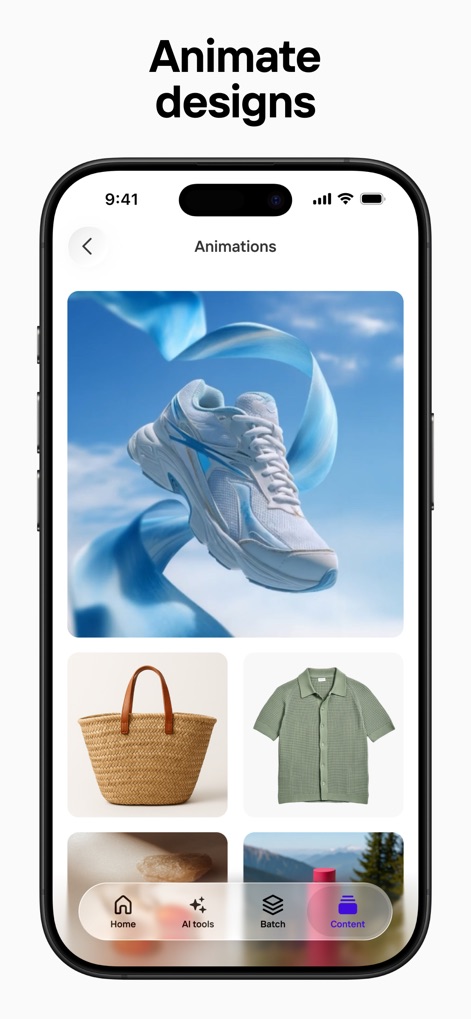
デザインに動きを
アプリは、商品画像にダイナミックなアニメーション効果(スニーカー周りのリボン)を加え、静止画を魅力的な動画コンテンツに変換する機能と、その効果をプレビューするオプションを提供します。
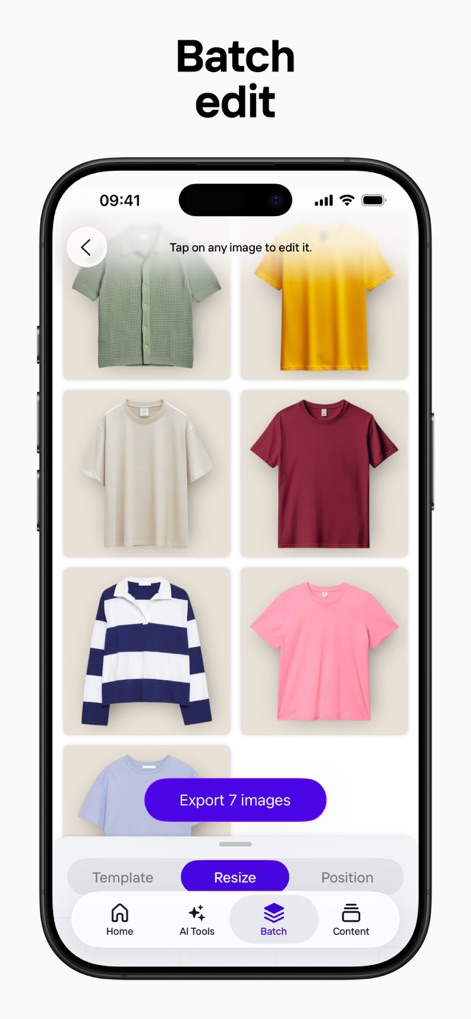
一括編集で効率化
ユーザーは、複数のTシャツ画像を一括で選択し、まとめて編集・エクスポートする機能を利用することで、時間と労力を節約し、商品カタログの管理を効率化できます。
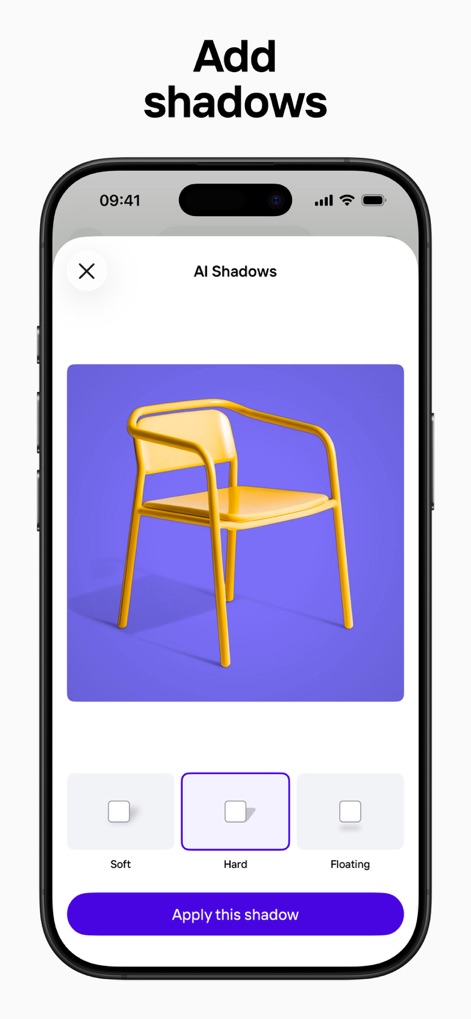
リアルな影を追加
本アプリは、商品(黄色い椅子)にリアルな影効果を追加する機能を提供し、「ソフト」「ハード」「フローティング」といった影の種類から選択して、深みと立体感を演出できます。

白背景で際立つ商品
この機能により、複雑な背景を持つ商品(エビの丼)を瞬時に純粋な白背景に変換でき、ビフォーアフターのスライダーでその効果を簡単に比較確認できます。
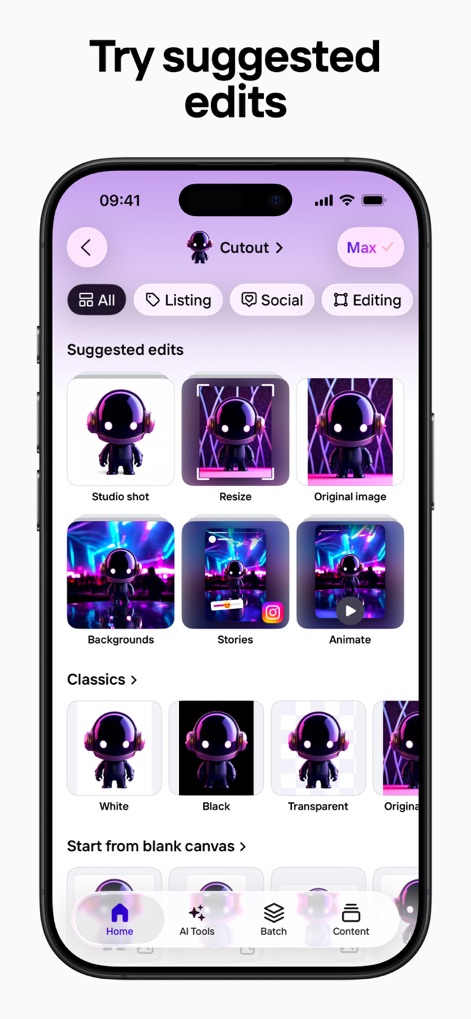
おすすめ編集を試す
ユーザーは、選択した画像(ロボットのフィギュア)に対して、スタジオショットや背景変更、アニメーションなどの多様な「おすすめ編集」オプションを一覧から選択し、コンテンツ作成を加速できます。
説明
Download
類似アプリ
似た機能とユーザー体験を持つアプリ

Blend: AI Models Logos Videos
Blendit Studios Private Limited

AI Background - Pokecut Studio
Guangzhou Guangzhuiyuan Information Technology Co., Ltd.

微脉水印相机,私域、微商必备运营工具
Beijing Help Dream Works Technology Inc.

Background Remover - PNG Maker
TAPUNIVERSE LLC

Frameit:Framed Art &Video edit
Guangzhou Jiahua Information Technology Co., Ltd.

Background Eraser AI
Yalex FZC LLC

Artrooms: Superimpose Wall Art
Art Rooms LLC

ArtStage: Preview your Artwork
ArtStage LLC

Superimpose+:Background Eraser
KALEIDOSCOPE Inc.
このページはアプリまたはその開発者の公式ページではなく、情報提供および論評を目的として作成された独立した編集出版物です。明示的に別段の記載がない限り、アプリおよびその開発者は、MWM、Apple、Google Play、アプリのパブリッシャー、またはアプリの開発者と提携、承認、後援、認可、またはその他の公式的な関係はなく、このページのいかなる内容も、アプリがMWMのサービスを使用して開発されたことを意味するものではありません。すべての商標、ロゴ、スクリーンショット、その他のコンテンツはそれぞれの所有者の財産です。