Piano Doctor - A Piano Tuner
ダウンロード: App Store

このページはアプリまたはその開発者の公式ページではなく、情報提供および論評を目的として作成された独立した編集出版物です。明示的に別段の記載がない限り、アプリおよびその開発者は、MWM、Apple、Google Play、アプリのパブリッシャー、またはアプリの開発者と提携、承認、後援、認可、またはその他の公式的な関係はなく、このページのいかなる内容も、アプリがMWMのサービスを使用して開発されたことを意味するものではありません。すべての商標、ロゴ、スクリーンショット、その他のコンテンツはそれぞれの所有者の財産です。


ロゴ: Piano Doctor - A Piano Tuner
ダウンロード: App Store

Piano Doctor - A Piano Tuner

真剣なミュージシャンや技術者向けに設計された高度な倍音帯検出とリアルタイムスペクトラム分析により、低音チューニングの課題をマスターしましょう。

主要数値

ダウンロード

100

ユーザー評価

1.0/5

評価数

0

開発元

Jongseung Park

カテゴリ

Music

対応言語

1

最新バージョン

1.1.0

サイズ

6.3 MB

リリース日

2024年12月12日
機能

コンサートグレードの精度を実現

すべての88鍵にわたる科学的な精度を求める技術者およびDIY愛好家向けに設計された、プロレベルの周波数分析。

フルレンジ倍音トラッキング

低音弦も簡単にチューニングできます。当社のアルゴリズムは最大7つの倍音帯を分析し、標準的なマイクが見逃すA0のような超低周波数を検出します。

デュアルゲージ視覚フィードバック

チューニングに完全な自信を持ちましょう。デュアルゲージとリアルタイムスペクトラムビューアを使用して、トーンの安定性と周波数スプレッドを同時に監視します。

以下のスクリーンショットと説明は、アプリの公式ストアリスティングから直接取得されたものであり、アプリ開発者の所有物です。

アプリストア

スクリーンショット
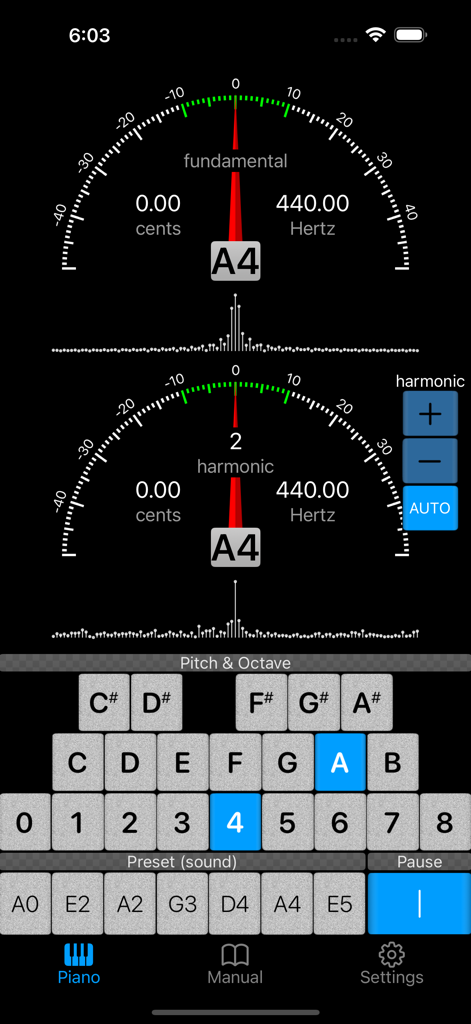
Piano Doctor - A Piano Tuner - ピアノチューニングアプリのインターフェース。ノートA4の基本周波数と倍音周波数のゲージを表示。
ピアノチューニングアプリのインターフェース。ノートA4の基本周波数と倍音周波数のゲージを表示。

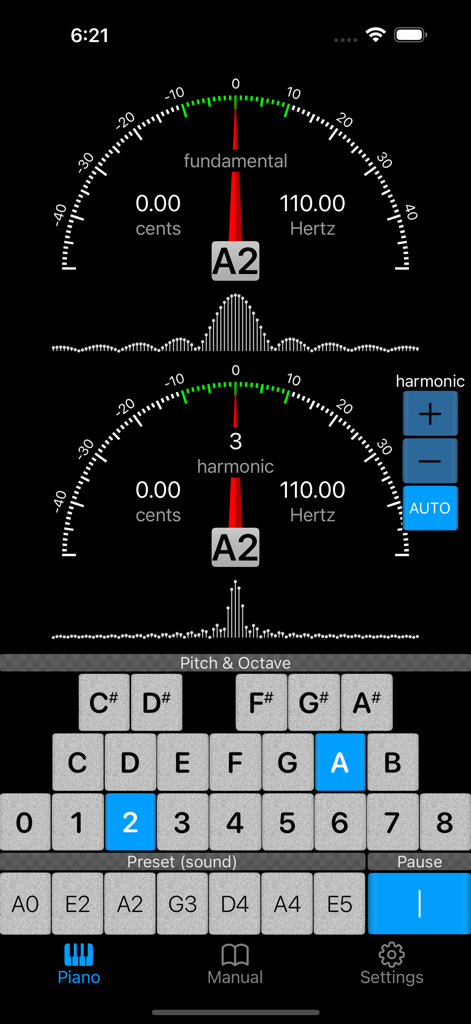
Piano Doctor - A Piano Tuner - ピアノドクターアプリのインターフェース。基本周波数と倍音周波数のチューニングゲージとピッチ選択を表示。
ピアノドクターアプリのインターフェース。基本周波数と倍音周波数のチューニングゲージとピッチ選択を表示。

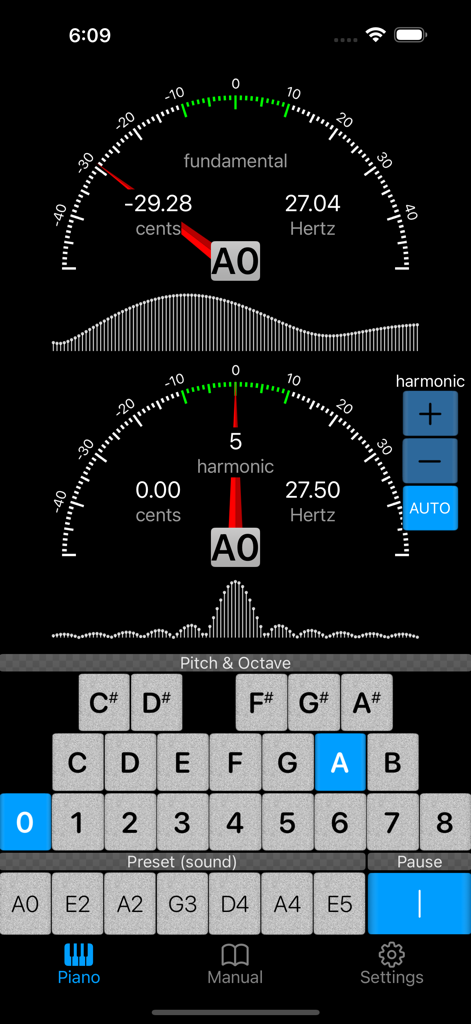
Piano Doctor - A Piano Tuner - 基本周波数と倍音周波数のゲージを備えたプロフェッショナルピアノチューナーアプリのインターフェース
基本周波数と倍音周波数のゲージを備えたプロフェッショナルピアノチューナーアプリのインターフェース

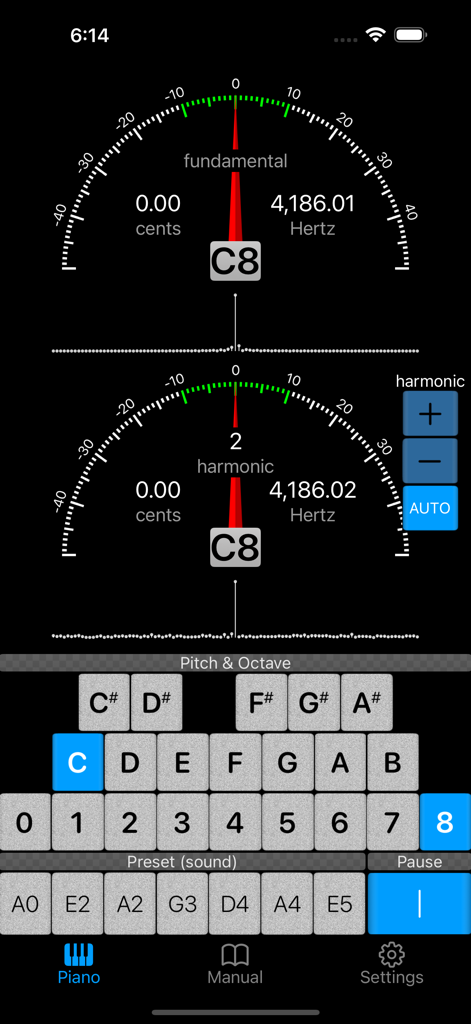
Piano Doctor - A Piano Tuner - ピアノドクターアプリのインターフェース。正確なピアノチューニングのための基本周波数と倍音周波数のゲージを表示。
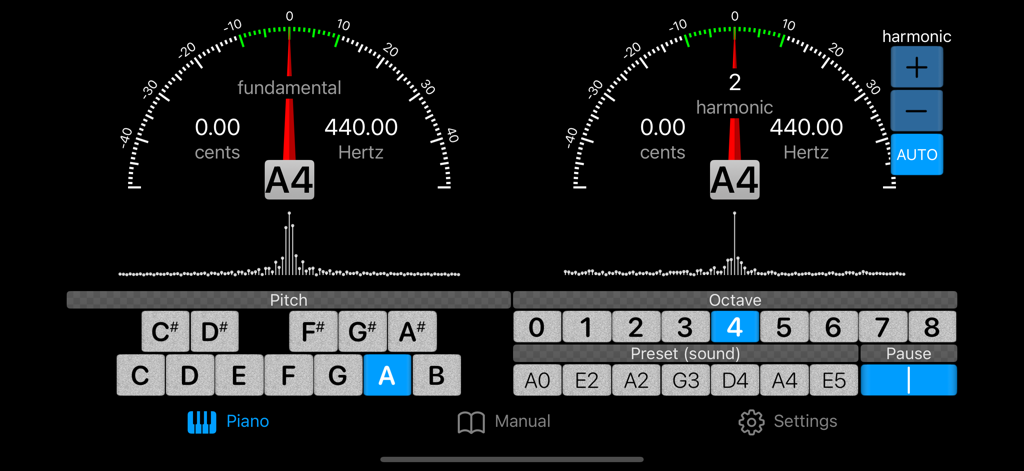
ピアノドクターアプリのインターフェース。正確なピアノチューニングのための基本周波数と倍音周波数のゲージを表示。

Piano Doctor - A Piano Tuner - ピアノチューニングアプリのインターフェース。基本周波数と倍音周波数のゲージとスペクトラムビューアを表示。
ピアノチューニングアプリのインターフェース。基本周波数と倍音周波数のゲージとスペクトラムビューアを表示。

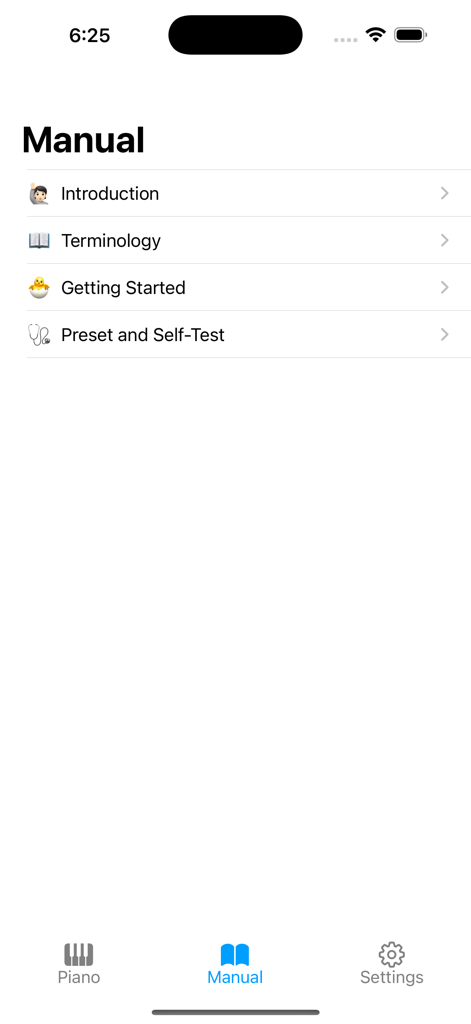
Piano Doctor - A Piano Tuner - ピアノドクターアプリのマニュアル画面。はじめに、専門用語、開始方法のセクションを表示。
ピアノドクターアプリのマニュアル画面。はじめに、専門用語、開始方法のセクションを表示。

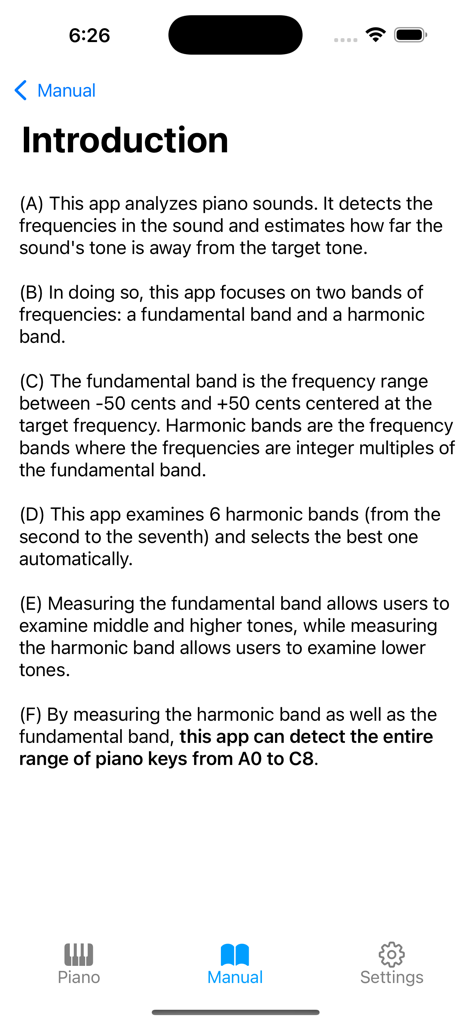
Piano Doctor - A Piano Tuner - ピアノドクターアプリのマニュアルの「はじめに」画面。ピアノチューニングのための周波数検出について説明。
ピアノドクターアプリのマニュアルの「はじめに」画面。ピアノチューニングのための周波数検出について説明。

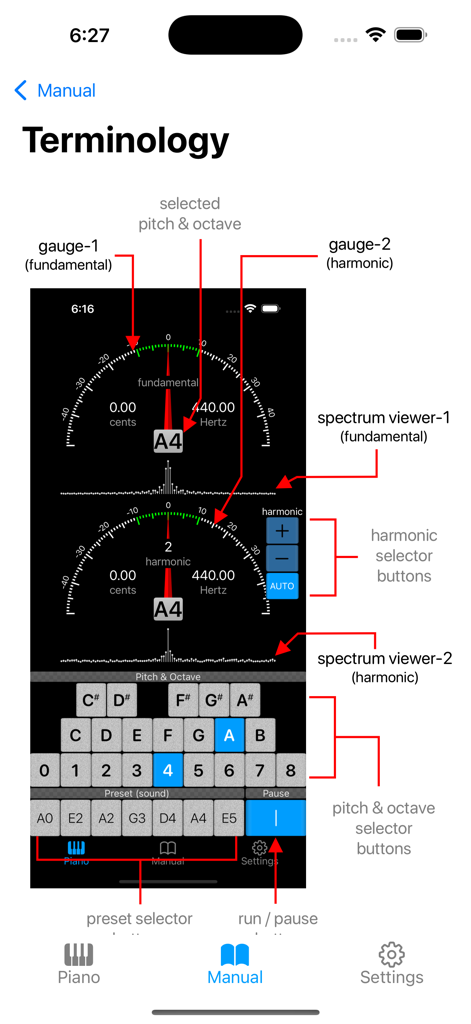
Piano Doctor - A Piano Tuner - ゲージやスペクトラムビューアなどのピアノドクターアプリのユーザーインターフェースコンポーネントを説明する図。
ゲージやスペクトラムビューアなどのピアノドクターアプリのユーザーインターフェースコンポーネントを説明する図。

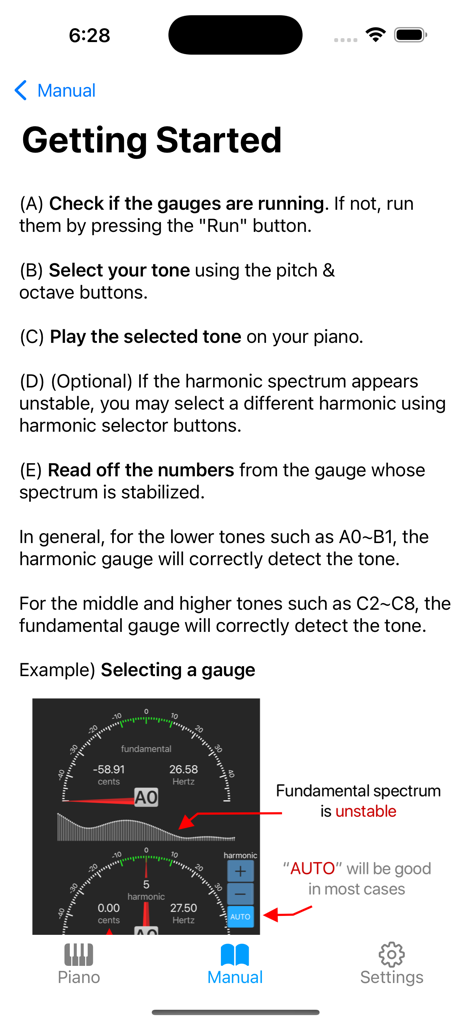
Piano Doctor - A Piano Tuner - ピアノドクターアプリの「開始方法」ページのスクリーンショット。チューニング手順とゲージの例を表示。
ピアノドクターアプリの「開始方法」ページのスクリーンショット。チューニング手順とゲージの例を表示。

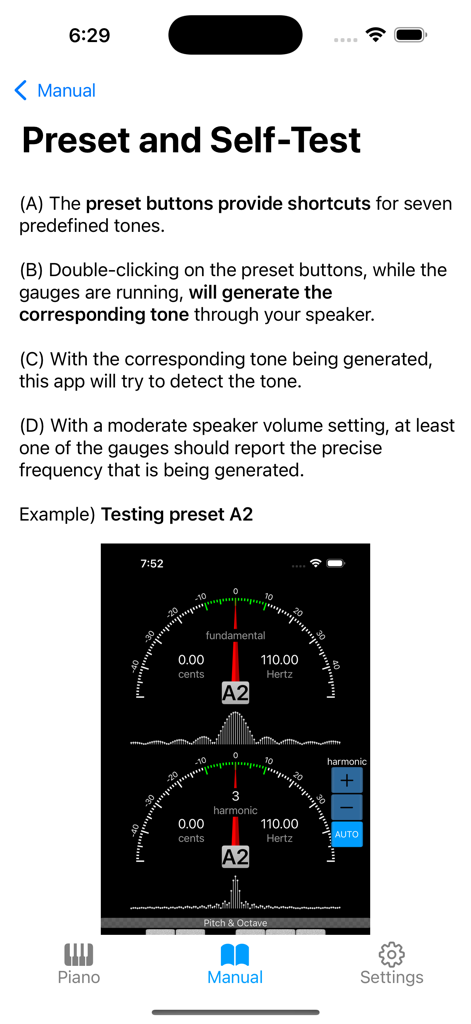
Piano Doctor - A Piano Tuner - ピアノドクターアプリの取扱説明書ページ。チューニングゲージを使用したプリセットとセルフテスト機能について説明。

ピアノドクターアプリの取扱説明書ページ。チューニングゲージを使用したプリセットとセルフテスト機能について説明。

説明

This app analyzes piano sounds. It detects the frequencies in the sound and estimates how far the sound's tone is away from the target tone. While detecting the middle and higher tones of a piano can be done with little difficulty, detecting lower tones such as A0 (27.5Hz) raises a challenge. This is because most mobile devices' microphones cannot pick up such low tones. To overcome the difficulty, this app looks at two bands of frequencies: a fundamental band and a harmonic band. The fundamental band is the frequency range between -50 cents and +50 cents centered at the target frequency. Harmonic bands are the frequency bands where the frequencies are integer multiples of the fundamental band. This app examines 6 harmonic bands (from the second to the seventh) and selects the best one automatically. Measuring the fundamental band allows users to detect middle and higher tones, while measuring the harmonic band allows users to detect lower tones. By measuring the harmonic band as well as the fundamental band, this app can detect the entire range of piano tones from A0 to C8. To graphically show the detected tones, two gauges are provided: one for the fundamental tone and another for the harmonic tone. Two spectrum viewers are also provided alongside the corresponding gauges. While gauges are good at showing peak tones, spectrum viewers are showing frequency spreads in two-dimensional shapes. Spectrums help identify which band's measurement is stabilized and ready to be read. Buttons are used to select target pitch and octave quickly and randomly. Preset buttons are available for 7 preselected tones for easy-tone-selection and self-test. The preset buttons can also generate their corresponding tones through the device's speaker if they are double-clicked. This provides a self-test feature: with the self-generated tone on and the speaker at the proper volume, at least one of the gauges should report the precise tone that is being generated.

Download

ダウンロード: App Store

このページはアプリまたはその開発者の公式ページではなく、情報提供および論評を目的として作成された独立した編集出版物です。明示的に別段の記載がない限り、アプリおよびその開発者は、MWM、Apple、Google Play、アプリのパブリッシャー、またはアプリの開発者と提携、承認、後援、認可、またはその他の公式的な関係はなく、このページのいかなる内容も、アプリがMWMのサービスを使用して開発されたことを意味するものではありません。すべての商標、ロゴ、スクリーンショット、その他のコンテンツはそれぞれの所有者の財産です。







