PianoRemote
PianoRemote
ダウンロード: App Store

このページはアプリまたはその開発者の公式ページではなく、情報提供および論評を目的として作成された独立した編集出版物です。明示的に別段の記載がない限り、アプリおよびその開発者は、MWM、Apple、Google Play、アプリのパブリッシャー、またはアプリの開発者と提携、承認、後援、認可、またはその他の公式的な関係はなく、このページのいかなる内容も、アプリがMWMのサービスを使用して開発されたことを意味するものではありません。すべての商標、ロゴ、スクリーンショット、その他のコンテンツはそれぞれの所有者の財産です。


ロゴ: PianoRemote
ダウンロード: App Store

PianoRemote

洗練されたタッチスクリーンインターフェースで、楽器の可能性を最大限に引き出します。バーチャルテクニシャンでサウンドを簡単にカスタマイズし、数百の組み込みレッスンにアクセスし、Bluetooth MIDI経由で音楽ライブラリをシームレスに管理できます。

主要数値

ダウンロード

48K+

ユーザー評価

2.5/5

評価数

200

開発元

Kawai Musical Instruments Manufacturing Co., Ltd.

カテゴリ

Music

対応言語

2

最新バージョン

1.1.12

サイズ

79.9 MB

リリース日

2020年4月10日
機能

パフォーマンスを簡単にマスター

洗練された直感的なインターフェースでカワイ デジタルピアノの可能性を最大限に引き出します。複雑な物理ボタンをモダンなタッチコントロールに置き換えられます。

直感的なタッチインターフェース

複雑なマニュアルコードは不要です。カワイ楽器のプレミアムな外観を反映した美しいUIを使用して、サウンドの選択や設定の調整を簡単に行えます。

プロフェッショナルな音色カスタマイズ

あなた自身のピアノテクニシャンになりましょう。iPadまたはiPhone経由で、ハンマーディレイからダンパーレゾナンスまで、音響を微調整できるバーチャルテクニシャンを使用します。

以下のスクリーンショットと説明は、アプリの公式ストアリスティングから直接取得されたものであり、アプリ開発者の所有物です。

アプリストア

スクリーンショット
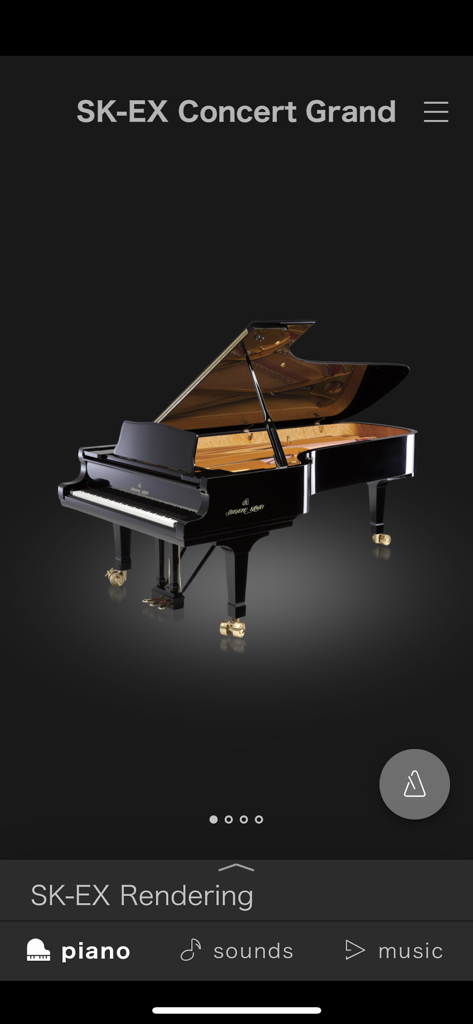
PianoRemote - 「PianoRemote」アプリのインターフェースで、SK-EXコンサートグランドサウンド選択画面が表示されており、詳細なピアノのレンダリングがされています。
「PianoRemote」アプリのインターフェースで、SK-EXコンサートグランドサウンド選択画面が表示されており、詳細なピアノのレンダリングがされています。

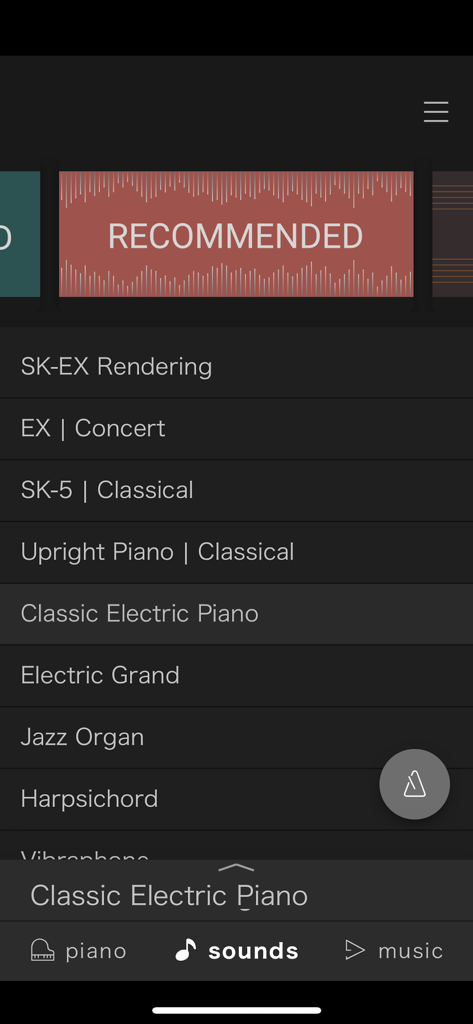
PianoRemote - 「PianoRemote」アプリのインターフェースで、コンサートグランド、アップライト、エレクトリックピアノのオプションを含む、選択可能なデジタルピアノサウンドのリストが表示されています。

「PianoRemote」アプリのインターフェースで、コンサートグランド、アップライト、エレクトリックピアノのオプションを含む、選択可能なデジタルピアノサウンドのリストが表示されています。
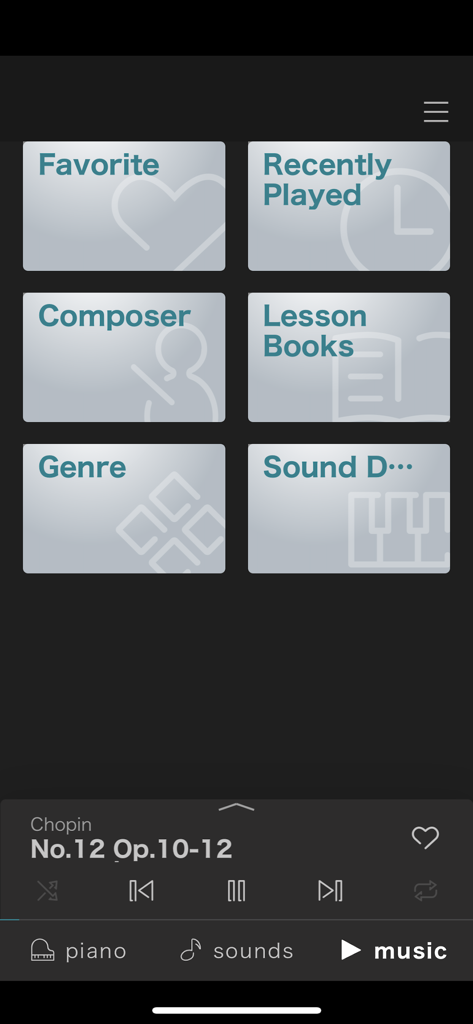
PianoRemote - 「PianoRemote」アプリの音楽ライブラリインターフェースには、作曲家やレッスンブックなどのカテゴリと再生コントローラーが表示されています。
「PianoRemote」アプリの音楽ライブラリインターフェースには、作曲家やレッスンブックなどのカテゴリと再生コントローラーが表示されています。

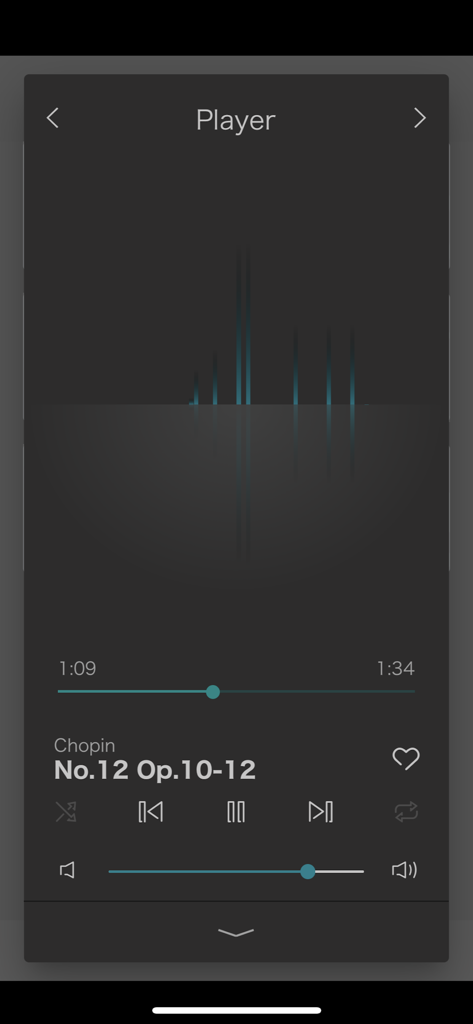
PianoRemote - 「PianoRemote」アプリの音楽プレイヤーのスクリーンショットで、再生コントロールとショパンのピアノ曲が表示されています。
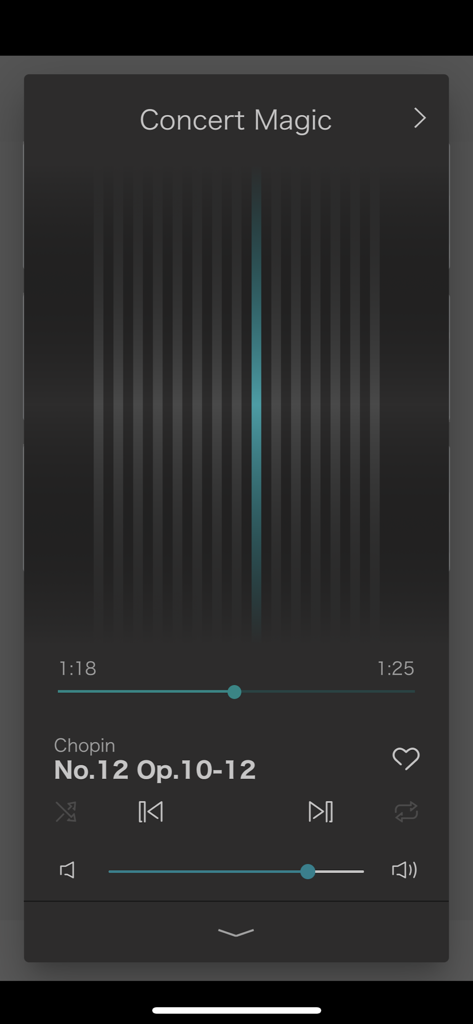
「PianoRemote」アプリの音楽プレイヤーのスクリーンショットで、再生コントロールとショパンのピアノ曲が表示されています。

PianoRemote - 「PianoRemote」アプリ内のコンサートマジックミュージックプレイヤーのインターフェース。
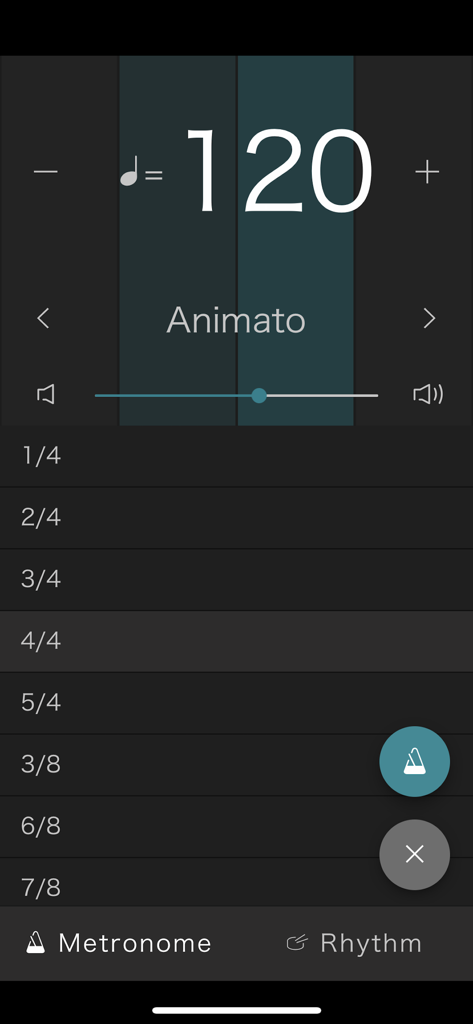
「PianoRemote」アプリ内のコンサートマジックミュージックプレイヤーのインターフェース。

PianoRemote - カワイデジタルピアノ用の「PianoRemote」アプリのメトロノーム画面。テンポは120 BPM、拍子記号のリストが表示されています。
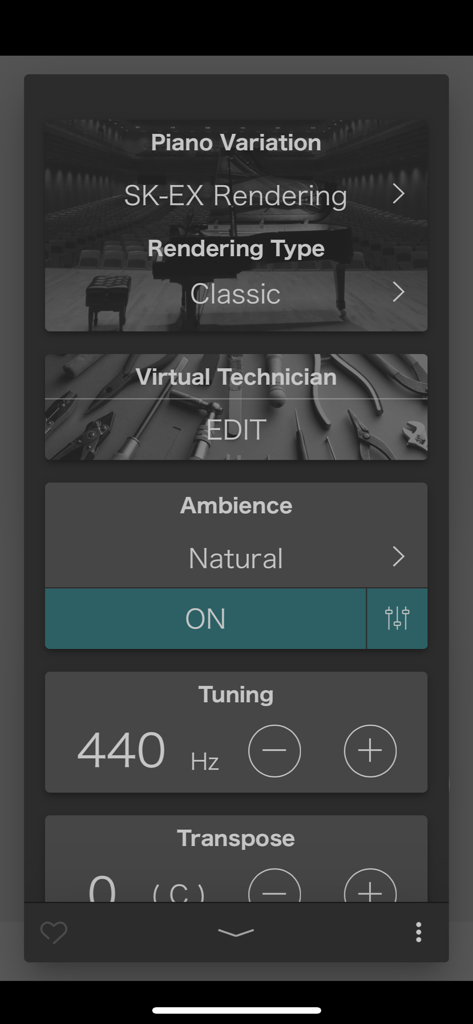
カワイデジタルピアノ用の「PianoRemote」アプリのメトロノーム画面。テンポは120 BPM、拍子記号のリストが表示されています。

PianoRemote - カワイ「PianoRemote」アプリのインターフェースで、ピアノのバリエーションと音色設定が表示されています。

カワイ「PianoRemote」アプリのインターフェースで、ピアノのバリエーションと音色設定が表示されています。

説明

PianoRemote is a control app developed for Kawai digital pianos, allowing players to change sounds, adjust settings, and enjoy the wide variety of built-in music.[*1] ■ Please note that PianoRemote requires Bluetooth permission in order to scan for Bluetooth MIDI devices. Please approve the Bluetooth permission request to ensure that PianoRemote functions correctly. ・ Easy operation of your Kawai digital piano using a smartphone or tablet PianoRemote allows various functions of the digital piano to be easily selected. ・ Consistent UI design with Kawai digital piano touch panel PianoRemote is designed to allow easy, intuitive operation via a smartphone or tablet. The user interface is standardised, meaning there is no need to learn new operations. ・ Music player feature that can be used like a music app PianoRemote includes a wide variety of songs and classical pieces that are built-in to Kawai digital pianos.[*2] This music can be controlled in the same way as regular music app. However, it’s also possible to change the sound used for playback, allowing songs and classical to be enjoyed with a different tonal character and atmosphere. ・ Interact with music using “Lesson” and “Concert Magic” modes In addition to listening to the built-in songs and classical pieces, the additional “Lesson” and “Concert Magic” modes allow musicians to practice the music, and non-musicians to enjoy playing pieces and learning rhythm with a single finger.[*3] ・ Control various built-in functions PianoRemote can be used to control various functions of the Kawai digital piano. For example, the Metronome is an essential aid for practise, the Virtual Technician allows the sound and other aspects of the piano to be adjusted to suit one’s person preference, while the Dual and Split functions allow different sounds to be combined for more engaging performances.[*4] ・ Straightforward connection using Bluetooth MIDI PianoRemote supports Bluetooth MIDI wireless communication, allowing immediate connection to the Kawai digital piano without the need for additional cables.[*5] *1 A compatible Kawai Digital Piano must be connected to a smartphone or tablet. *2 Copyrighted songs are not included among the piano’s built-in songs. *3 Some songs do not support “Lesson” and “Concert Magic” modes due to the composition of the data. *4 “Recorder” and “USB Memory Player” function control is not supported. *5 Connection via USB cable or a Bluetooth MIDI adapter such as the QuiccoSound mi.1 also supported.

Download

ダウンロード: App Store

このページはアプリまたはその開発者の公式ページではなく、情報提供および論評を目的として作成された独立した編集出版物です。明示的に別段の記載がない限り、アプリおよびその開発者は、MWM、Apple、Google Play、アプリのパブリッシャー、またはアプリの開発者と提携、承認、後援、認可、またはその他の公式的な関係はなく、このページのいかなる内容も、アプリがMWMのサービスを使用して開発されたことを意味するものではありません。すべての商標、ロゴ、スクリーンショット、その他のコンテンツはそれぞれの所有者の財産です。







