
このページはアプリまたはその開発者の公式ページではなく、情報提供および論評を目的として作成された独立した編集出版物です。明示的に別段の記載がない限り、アプリおよびその開発者は、MWM、Apple、Google Play、アプリのパブリッシャー、またはアプリの開発者と提携、承認、後援、認可、またはその他の公式的な関係はなく、このページのいかなる内容も、アプリがMWMのサービスを使用して開発されたことを意味するものではありません。すべての商標、ロゴ、スクリーンショット、その他のコンテンツはそれぞれの所有者の財産です。


PicWish: AI Photo Editor
300万人以上の販売者や個人事業主が、ワンタップで背景を削除し、写真を鮮明にし、一括編集する機能を使って、日常のスナップをコンバージョン率の高いスタジオ写真に変えています。
ダウンロード
3M+ユーザー評価
評価数
2K+開発元
カテゴリ
Graphics & Design対応言語
8最新バージョン
2.3.8サイズ
139.0 MBリリース日
2022年3月9日ブランドを瞬時に格上げ
忙しい起業家や販売者向けに設計されたAI搭載ツールで、商品写真をプロフェッショナルなアセットに変えましょう。
ワンタップ背景透過
雑然とした背景を、スタジオのようにクリーンな白やAI生成のライフスタイルシーンに瞬時に置き換えて、あなたの製品を目立たせます。
強力な一括編集
一度に最大30枚の画像を処理して、手作業の時間を節約しましょう—ぼかし解除、リサイズ、背景透過をワンクリックで実行できます。
よくある質問
について知っておくべきこと PicWish: AI Photo Editor
PicWish: AI Photo Editorとは何ですか?
PicWishは、背景を自動的に削除し、写真を鮮明にし、画像を強化し、オブジェクトの削除や背景生成などの高度なAI機能を提供するAI写真編集アプリです。チャットのように簡単な写真編集が可能です。
PicWishは写真から背景を削除できますか?
はい、PicWishは自動的に写真の背景を削除します。ユーザーは詳細を手動で編集したり、背景を変更したり、複数の切り抜きを追加したり、サイズを変更したり、影を追加したりできます。AIによる背景生成も提供しています。
PicWishは機能の無料トライアルを提供していますか?
はい、PicWishはPicWish Proの3日間の無料トライアルを提供しています。これにより、月額450のAIクレジットと高解像度エクスポートを含むすべての機能にフルアクセスできます。
PicWishは写真のオブジェクト削除をどのように処理しますか?
PicWishを使用すると、ユーザーは画像から折り目、汚れ、テキストなどの不要なオブジェクトを削除できます。PicWish AIが自動的にテキストを検出して削除する自動削除モードをサポートしています。
PicWishは複数の写真を一度に鮮明にできますか?
はい、PicWishは複数の写真を即座に鮮明にすることができます。また、写真の品質を向上させたり、白黒写真をカラー化したり、フィルターを追加したりする機能も提供しています。
PicWish Proのサブスクリプションオプションは何ですか?
PicWish Proは、週次、月次、年次のサブスクリプションを提供しており、すべて3日間の無料トライアルから始まります。期間終了の24時間前にキャンセルされない限り、サブスクリプションは自動更新されます。
PicWish Proのサブスクリプションをキャンセルするにはどうすればよいですか?
PicWish Proサブスクリプションの自動更新を停止するには、購入後、期間終了の少なくとも24時間前にiTunesのアカウント設定にアクセスする必要があります。
PicWishは証明写真を作成する機能を提供していますか?
はい、PicWishには証明写真機能が含まれています。これにより、ユーザーは証明写真の規格や2x2写真などのカスタムサイズに合わせるために、背景色とサイズを変更できます。証明写真の鮮明度を上げることもできます。
PicWishはAIを使用して商品写真の新しい背景を生成できますか?
はい、PicWish AI Backgroundは既存の背景を自動的に削除し、商品写真やあらゆる写真に適した新しい背景を生成します。
PicWish: AI Photo Editorは誰向けですか?
PicWishは、初心者、プロユーザー、再販業者、中小企業、グラフィックデザイナー、および大量の画像を定期的に扱い、精度を重視するすべての人向けに設計されています。
PicWishはテキストコマンドを使用して写真を編集できますか?
はい、PicWishにはAI Premiumの下に「チャット編集&AIデザイナー」機能があります。ユーザーは簡単なテキストコマンドで編集するようにチャットすることで、写真を変換できます。
PicWishは複数の画像を一度に編集できますか?
はい、PicWishは複数の画像を処理するためのバッチモードを提供しています。一度に最大30枚の画像のバッチ背景削除または強化をサポートしています。
PicWishはカスタマーサポートを提供していますか?
はい、ユーザーはsupport@picwish.comにメールを送信して、質問、問題、またはフィードバックについてPicWishサポートに連絡できます。デザインのヒントについてはTikTokでも活動しています。
以下のスクリーンショットと説明は、アプリの公式ストアリスティングから直接取得されたものであり、アプリ開発者の所有物です。
アプリストア
スクリーンショット
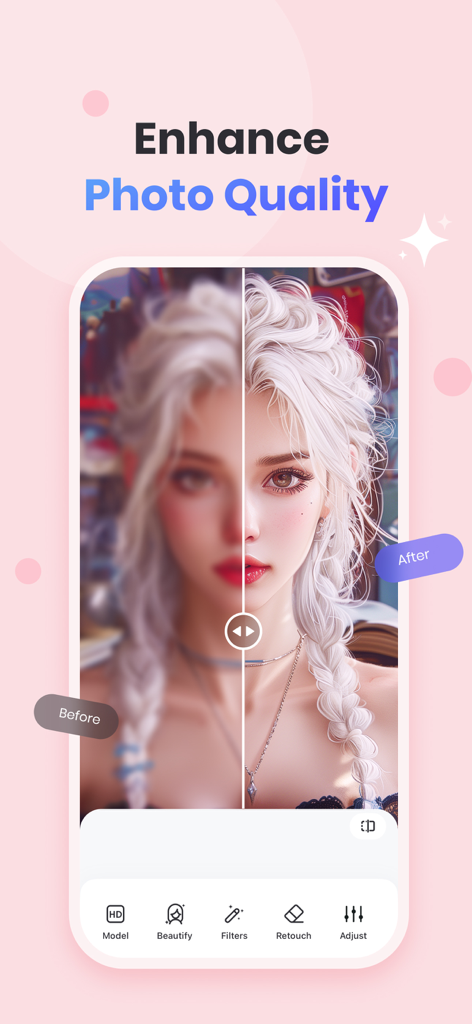
ぼやけたポートレートがPicWish AI Photo Editorアプリによって鮮明化・強調された、編集前後の比較画像。
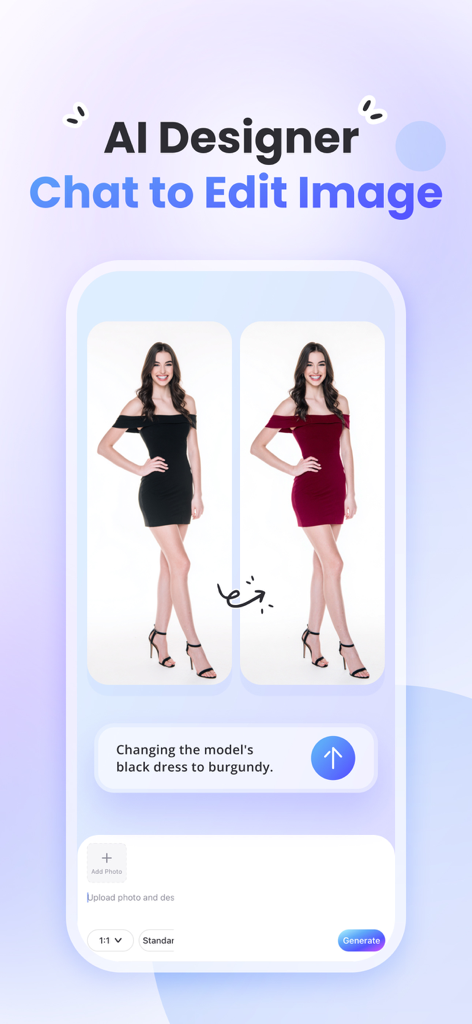
PicWish AI写真編集アプリのチャットで編集機能がモデルのドレスの色を変更している様子
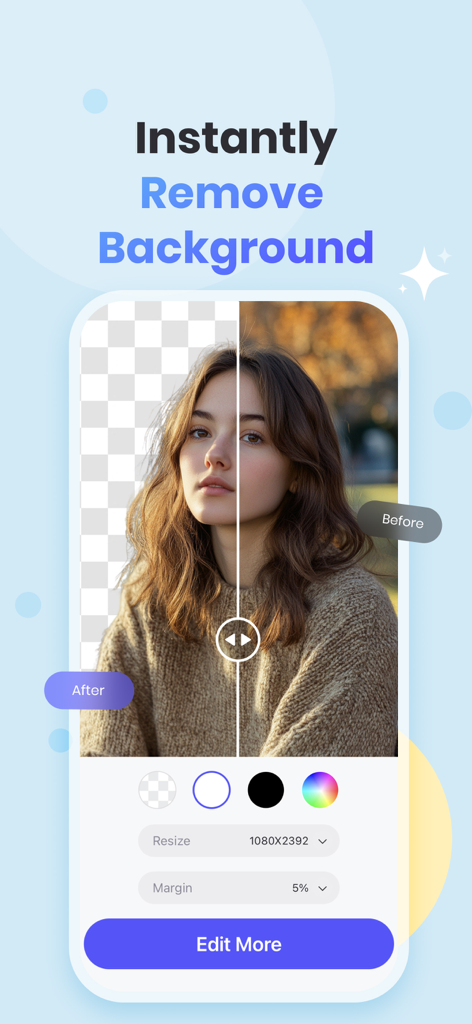
PicWish AI写真編集アプリで背景を透過したポートレートと元の画像が並べて表示された分割画面
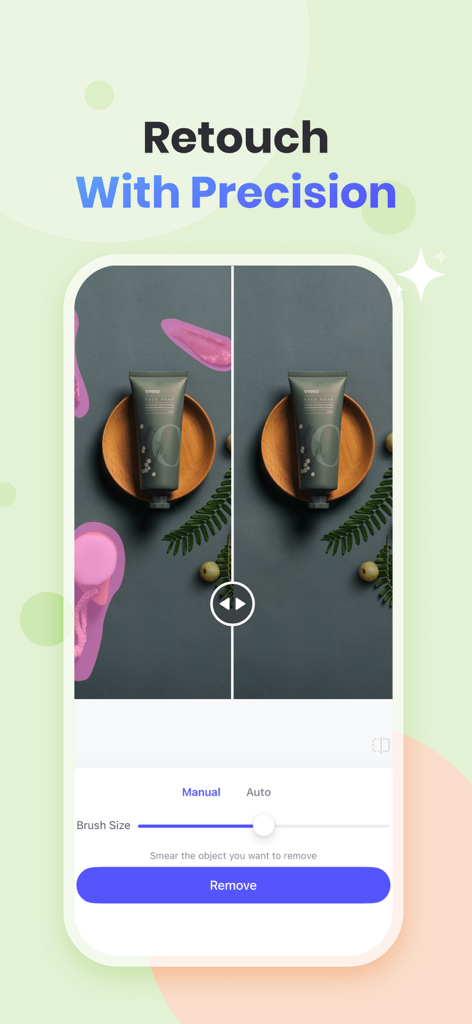
PicWishアプリのインターフェースで、商品写真から不要なオブジェクトを削除するための精密レタッチツールが表示されている様子
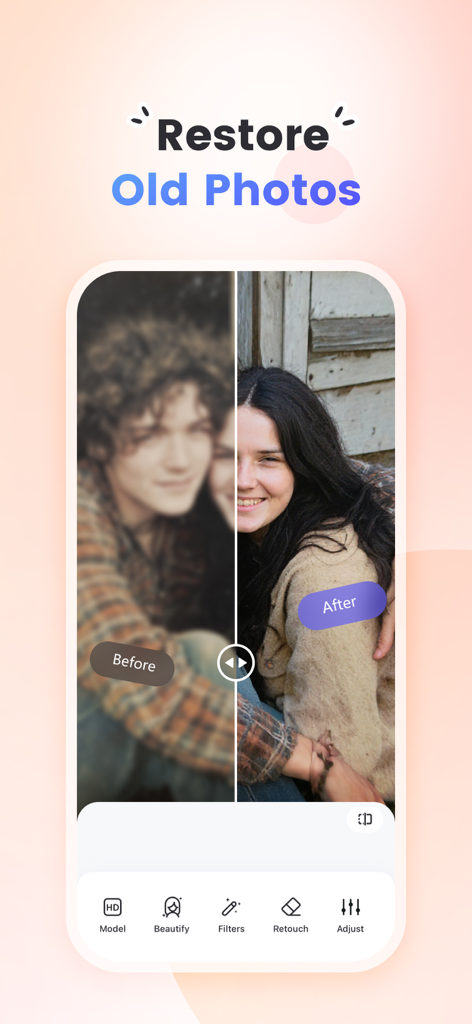
PicWish AIを使用して古い写真が復元・ぼかし解除された編集前後の比較画像
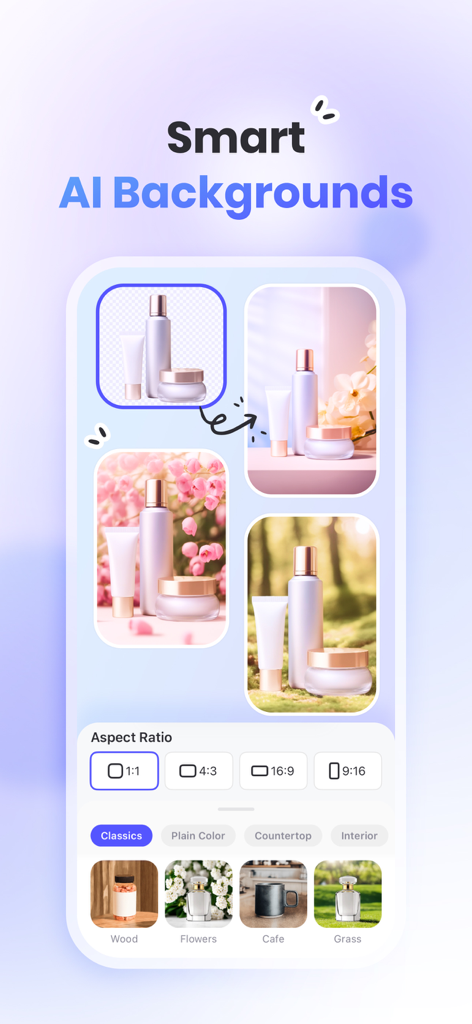
PicWishアプリの画面で、さまざまなライフスタイル背景やアスペクト比でプロの商品写真を作成するためのスマートAI背景機能が表示されている様子
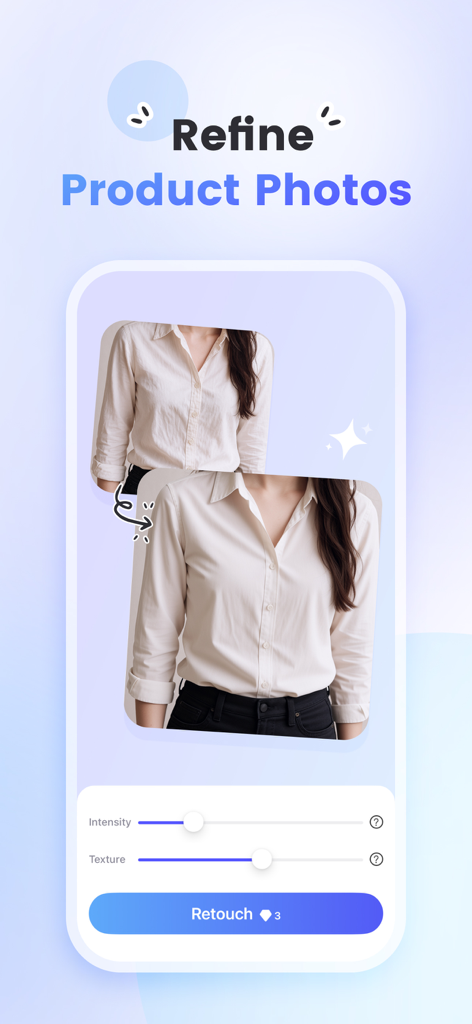
PicWish AI写真編集アプリのインターフェースで、衣類の商品の写真を補正するためのレタッチツールが表示されている様子
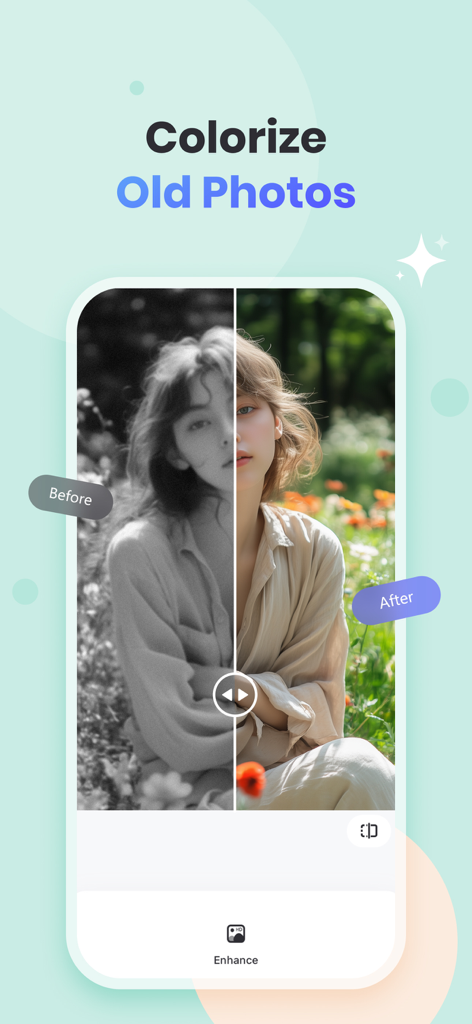
PicWish AIを使用して古い白黒写真をカラー化する編集前後の比較
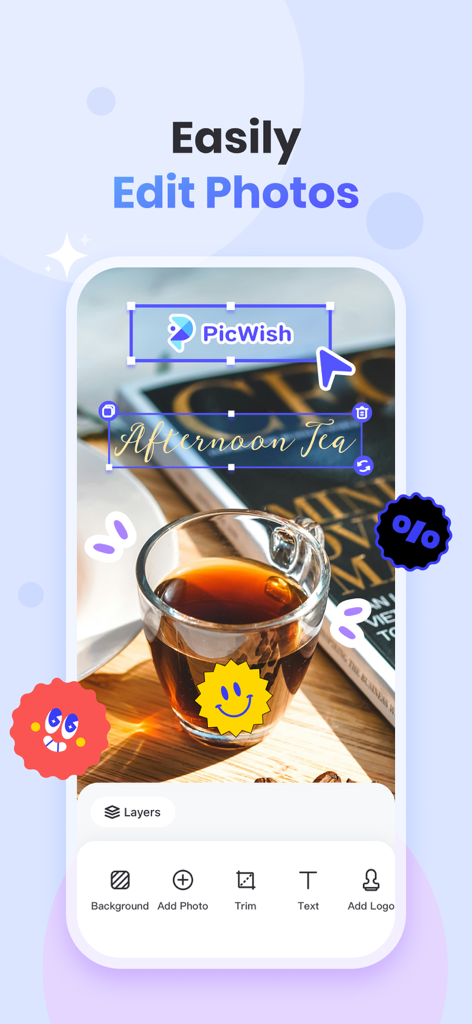
PicWishモバイルアプリの画面で、画像にテキストやロゴを追加するための写真編集ツールが表示されている様子
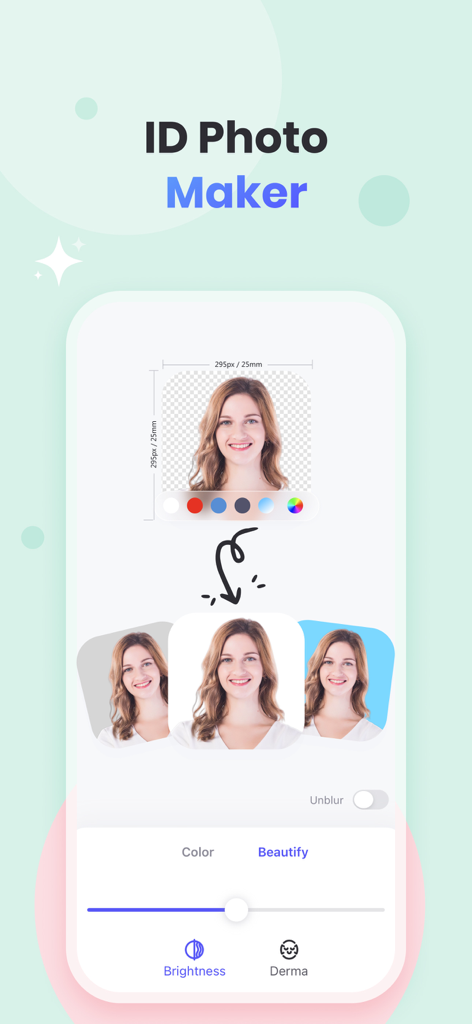
PicWishアプリの画面で、ポートレートの背景色オプションや美容編集ツールを備えたID写真メーカー機能が表示されている様子
説明
Download
類似アプリ
似た機能とユーザー体験を持つアプリ

EPIK - AI Photo & Video Editor
SNOW Corporation

Citrus: AI 1 Tap Perfect Photo
Wemagine.ai LLP

SnapEdit: Photo Editor AI
SilverAI Joint Stock Company

Background Eraser 〜 Stickers
handyCloset Inc.

PhotoScan by Google Photos
Google LLC

Magic Eraser - Remove Object
Creatix Technology Global Limited

Magic Eraser Background Editor
Honk Honk Punch Pty Ltd

ProKnockOut-Cut Paste Photos
Shenzhen Qianhai Happy Tour Network Technology Co., Ltd.

Background Eraser - Remove BG*
SHANTANU PTE. LTD.
このページはアプリまたはその開発者の公式ページではなく、情報提供および論評を目的として作成された独立した編集出版物です。明示的に別段の記載がない限り、アプリおよびその開発者は、MWM、Apple、Google Play、アプリのパブリッシャー、またはアプリの開発者と提携、承認、後援、認可、またはその他の公式的な関係はなく、このページのいかなる内容も、アプリがMWMのサービスを使用して開発されたことを意味するものではありません。すべての商標、ロゴ、スクリーンショット、その他のコンテンツはそれぞれの所有者の財産です。