Planning Center Music Stand

Planning Center Music Stand


ダウンロード: App Store
ロゴ: Planning Center Music Stand

Planning Center Music Stand:礼拝チームのための究極のデジタルバインダー

紙の楽譜にさよなら。Planning Center Servicesのレパートリーにアクセスし、チームで楽譜に注釈を付け、ワイヤレスでページめくりを同期して、シームレスで邪魔のない演奏を実現しましょう。

開発元

Ministry Centered Technologies

カテゴリ

Business

ダウンロード

340K+

ユーザー評価

3.5/5

評価数

600

対応言語

1

ステージでの卓越性

このインターフェースを利用する 340K+ 人のユーザー.

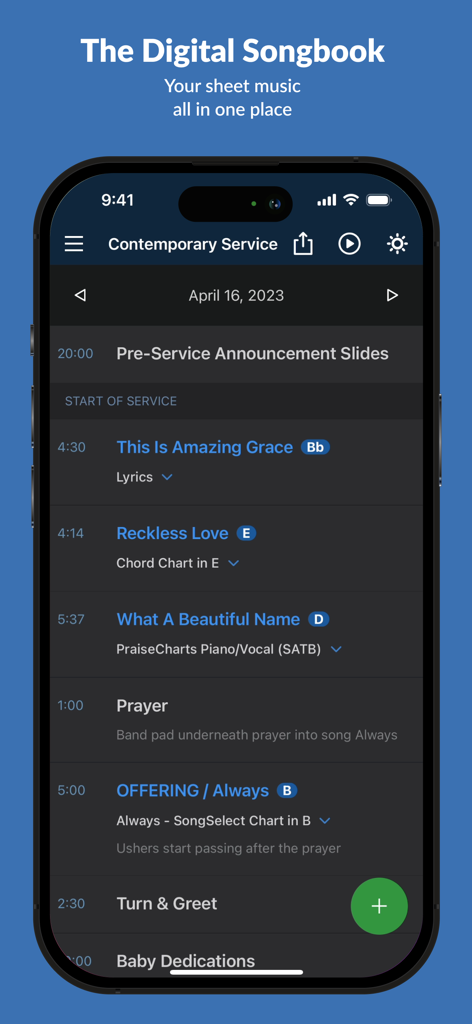
Planning Center Music Standアプリに、曲名とキーが表示されたデジタル礼拝サービススケジュールが表示されている

Planning Center Music Standアプリに、曲名とキーが表示されたデジタル礼拝サービススケジュールが表示されている

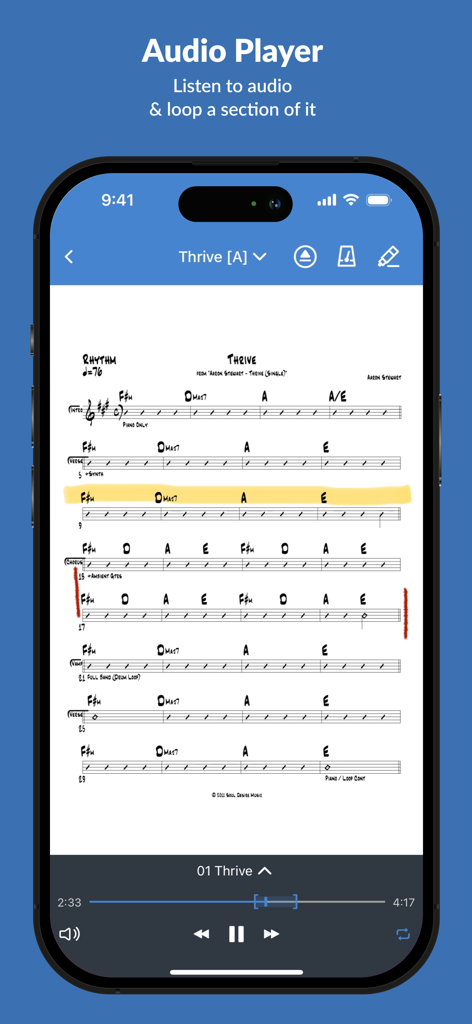
Planning Center Music Standアプリのインターフェースに、リハーサル用の統合オーディオプレーヤーを備えたThriveのコードシートが表示されている

Planning Center Music Standアプリのインターフェースに、リハーサル用の統合オーディオプレーヤーを備えたThriveのコードシートが表示されている

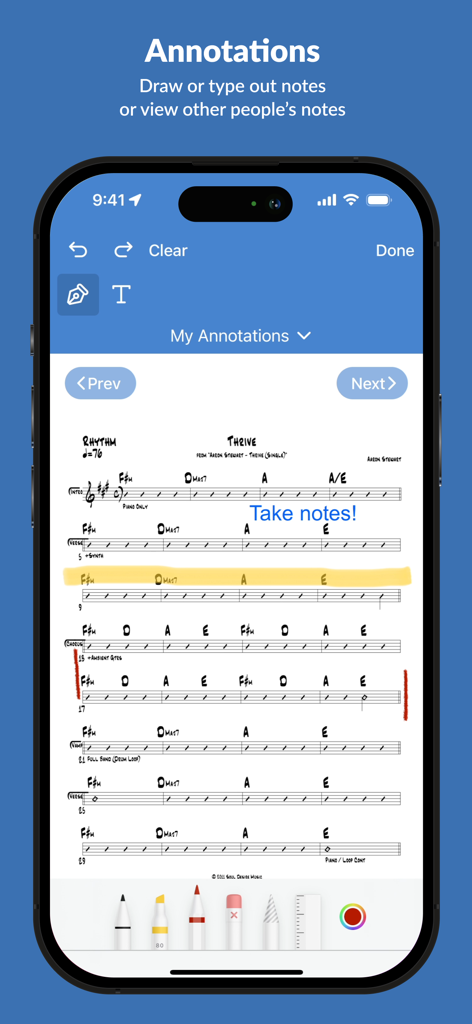
Planning Center Music Standの注釈機能に、楽譜チャート上のデジタルノートが表示されている

Planning Center Music Standの注釈機能に、楽譜チャート上のデジタルノートが表示されている

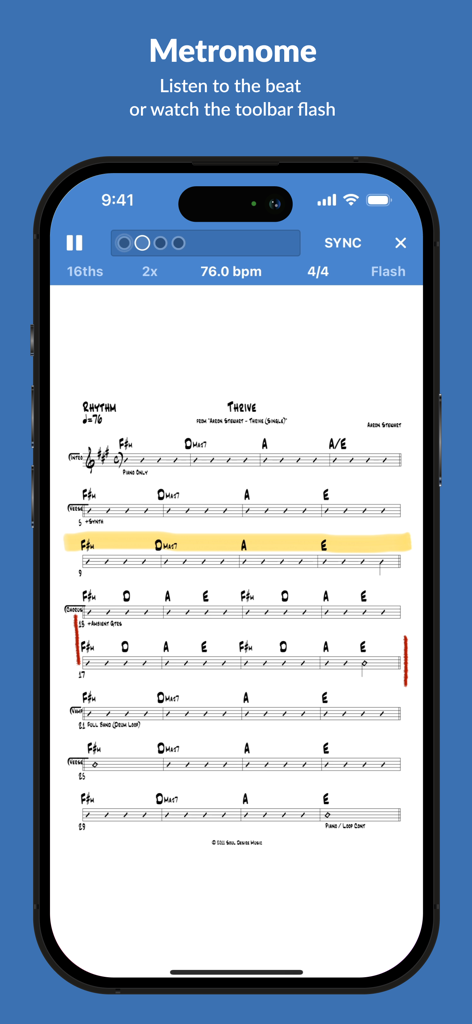
Planning Center Music Standアプリの統合メトロノームとデジタル楽譜

Planning Center Music Standアプリの統合メトロノームとデジタル楽譜

完璧な日曜日のためのすべて

このアプリを際立たせるツール、 340K+ 人のユーザーが選択.

☁️

インスタントエコシステム同期

セットリスト、楽譜、キーがPlanning Center Servicesから自動的に取得されるため、手動でのアップロードなしで常に正しいファイルでリハーサルできます。

🦶

ハンズフリー演奏

Bluetoothフットペダルを使用して、ページめくりを簡単に行い、演奏に集中できます。「セッション」機能を使えば、1つのマスターデバイスからすべてのミュージシャンの画面をワイヤレスで制御できます。

✏️

スマートステージツール

デジタルインクで楽譜に書き込み、統合されたメトロノームでビートを刻み、ダークモードを切り替えてステージライトの下でも画面を控えめに保ちましょう。

アプリについて

について知っておくべきこと Planning Center Music Stand.

説明

Planning Center Music Stand is a digital music reader that connects to your Planning Center Services account to let you flip through pages and take notes. Features include: 1.) Log in to Planning Center, open any plan in your schedule, and choose which PDF to view for each song. 2.) Turn pages hands-free using a Bluetooth foot pedal, by swiping, tapping the edge of the page, or using a MIDI device. 3.) Use Annotation Tools (highlighter, pen, text) to take notes which are stored online for each user. See your notes from other files and keys. View other user's annotations, merge them with your own, or print your annotated PDFs. 4.) Listen to audio attached to each song and loop sections of the audio. 5.) The integrated metronome changes tempo as you advance to new songs. Listen to the beat or watch the toolbar flash. 6.) Rearrange the pages for any PDF to prevent awkward page turns. 7.) Pinch to Zoom the pages to your liking and save that setting for the future. 8.) Use online or offline. Offline mode stores the last 10 viewed plans. Notes taken offline sync when you reconnect. 9.) Sessions: Allow 1 device to wirelessly control the page turns of any connected devices. 10.) External display: Connect any TV or projector via an HDMI or VGA adapter, or via Airplay mirroring to an Apple TV. Displays two pages at a time. 11.) Use "dark mode" to keep your screen dim on stage. 12.) Editors can reorder items in the plan, add new songs to the plan, edit existing items, or delete them. NOTE: This application requires a Planning Center Services account with Music Stand enabled.

最新バージョン

4.7.2

サイズ

90.3 MB

リリース日

2010年5月4日

重いバインダーはもうやめませんか?

34万人以上の礼拝リーダーやミュージシャンに加わりましょう。楽譜を同期し、アレンジに注釈を付け、信頼できるPlanning Centerのエコシステム内で自信を持ってチームをリードしましょう。

ダウンロード: App Store

App information, icons, screenshots, and descriptions displayed on this page are sourced from the Apple App Store and are the property of their respective developers. Download estimates and rankings are based on MWM's proprietary models and may not reflect actual figures. This page is provided for informational and analytical purposes only.

Believe this page infringes your intellectual property? File a dispute