POIViewer
POIViewer
ダウンロード: App Store

このページはアプリまたはその開発者の公式ページではなく、情報提供および論評を目的として作成された独立した編集出版物です。明示的に別段の記載がない限り、アプリおよびその開発者は、MWM、Apple、Google Play、アプリのパブリッシャー、またはアプリの開発者と提携、承認、後援、認可、またはその他の公式的な関係はなく、このページのいかなる内容も、アプリがMWMのサービスを使用して開発されたことを意味するものではありません。すべての商標、ロゴ、スクリーンショット、その他のコンテンツはそれぞれの所有者の財産です。


ロゴ: POIViewer
ダウンロード: App Store

POIViewer

パワーユーザーやプランナー向けの高性能ブリッジ。あらゆるファイル形式から数千ものウェイポイントをインポートし、カスタムデータセットを整理し、好みのGPSアプリを起動して完璧に計画された旅を実現します。

主要数値

ダウンロード

222K+

ユーザー評価

4.1/5

評価数

100

開発元

David Epinette

カテゴリ

Navigation

対応言語

5

最新バージョン

1.43.1

サイズ

14.9 MB

リリース日

2010年4月1日
機能

カスタム目的地をマスターする

パワーユーザーが手術のような精度で数千もの地点情報を管理、視覚化、ナビゲートするための究極のユーティリティ。

比類なきパフォーマンス

10,000以上のカスタム地点を遅延なく即座に読み込み、表示します。キャンプ場、トレイルヘッド、フィールドの場所などの大規模なデータセットの管理に最適です。

ユニバーサルデータ同期

iCloud、Dropbox、またはメールからGPX、KML、CSV、および従来のTomTomファイルをシームレスにインポートします。専門的なGPSデータをすべて1か所に整理します。

以下のスクリーンショットと説明は、アプリの公式ストアリスティングから直接取得されたものであり、アプリ開発者の所有物です。

アプリストア

スクリーンショット
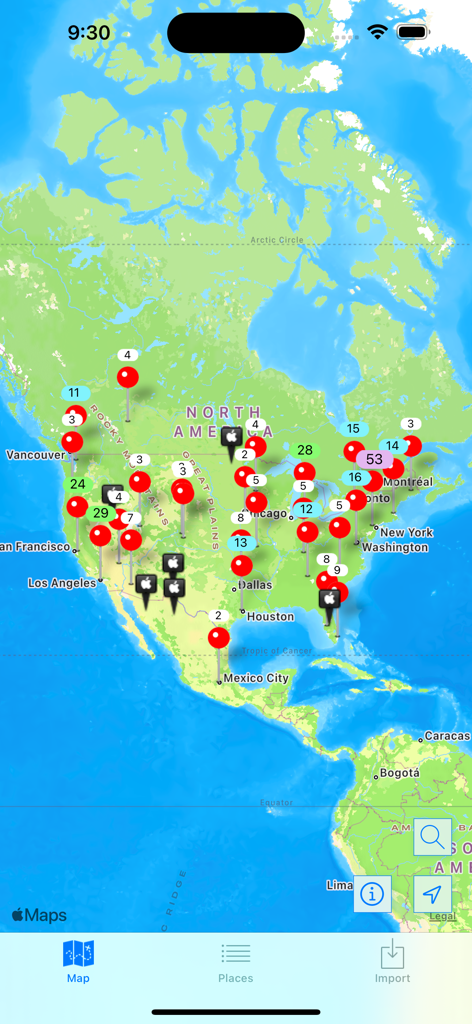
POIViewer - 北米全域にわたる複数の地点情報とクラスターを表示するPOIViewerマップインターフェース。
北米全域にわたる複数の地点情報とクラスターを表示するPOIViewerマップインターフェース。

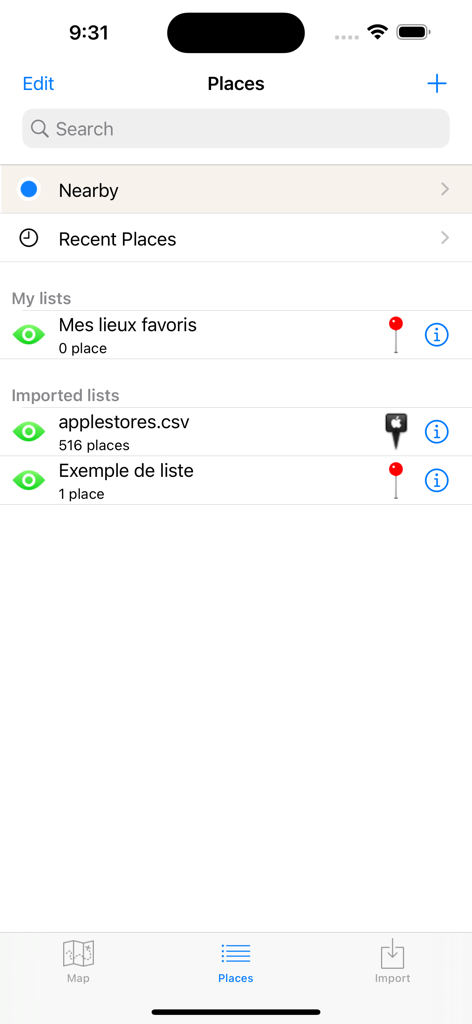
POIViewer - インポートされたカスタム地点情報のリストを表示するPOIViewerアプリのスクリーンショット。
インポートされたカスタム地点情報のリストを表示するPOIViewerアプリのスクリーンショット。

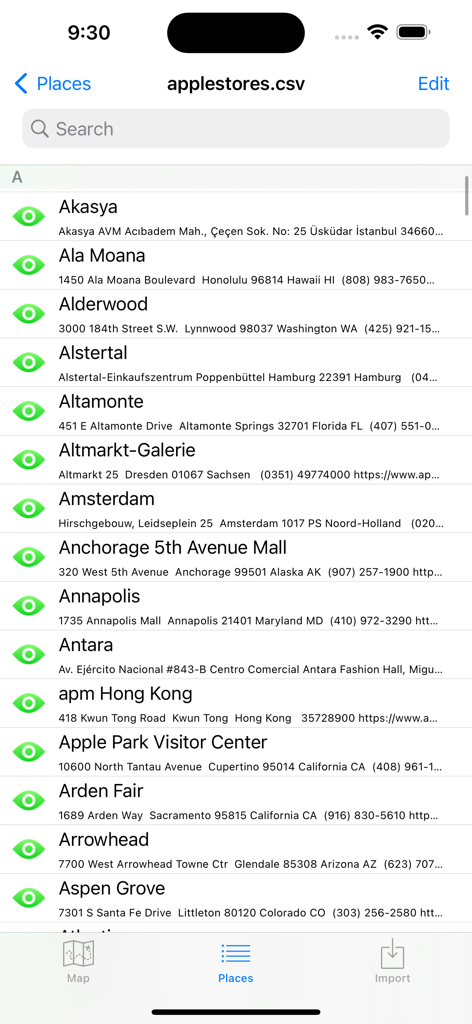
POIViewer - POIViewerアプリでCSVファイルからインポートされた地点情報の検索可能なリスト。
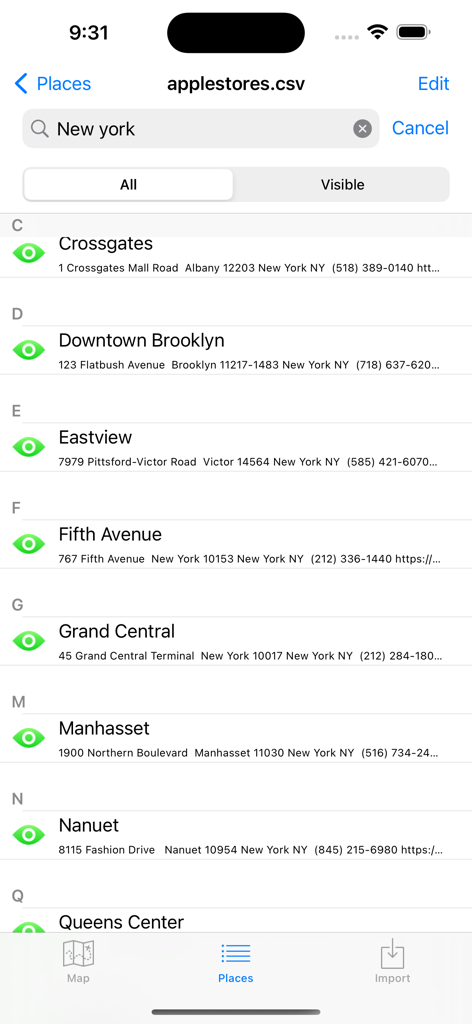
POIViewerアプリでCSVファイルからインポートされた地点情報の検索可能なリスト。

POIViewer - POIViewerアプリ画面、CSVファイルからインポートされた場所の検索可能なリストを表示。
POIViewerアプリ画面、CSVファイルからインポートされた場所の検索可能なリストを表示。

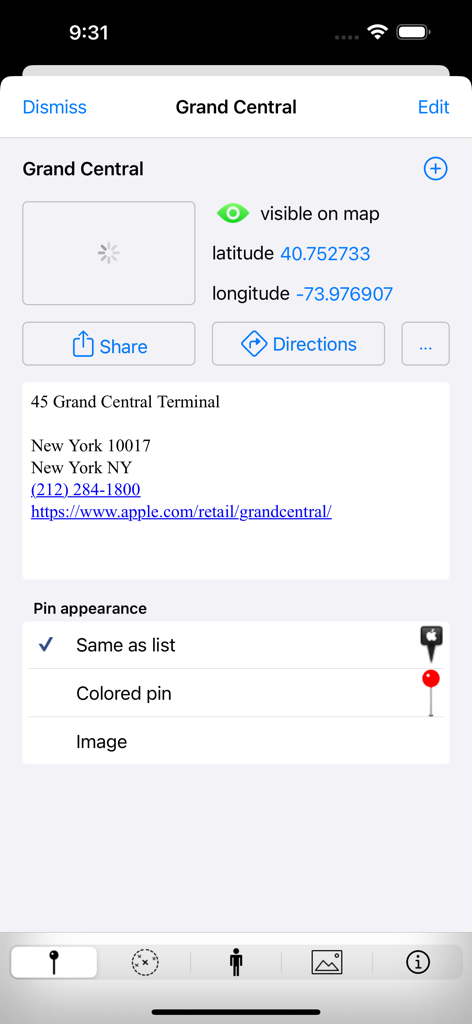
POIViewer - 座標とピンの外観オプションを備えたグランドセントラル駅の場所情報を示すPOIViewerアプリの詳細画面。

座標とピンの外観オプションを備えたグランドセントラル駅の場所情報を示すPOIViewerアプリの詳細画面。

POIViewer - POIViewerアプリの分割画面、グランドセントラル駅のGoogleストリートビューとその地図上の場所を表示。
POIViewerアプリの分割画面、グランドセントラル駅のGoogleストリートビューとその地図上の場所を表示。

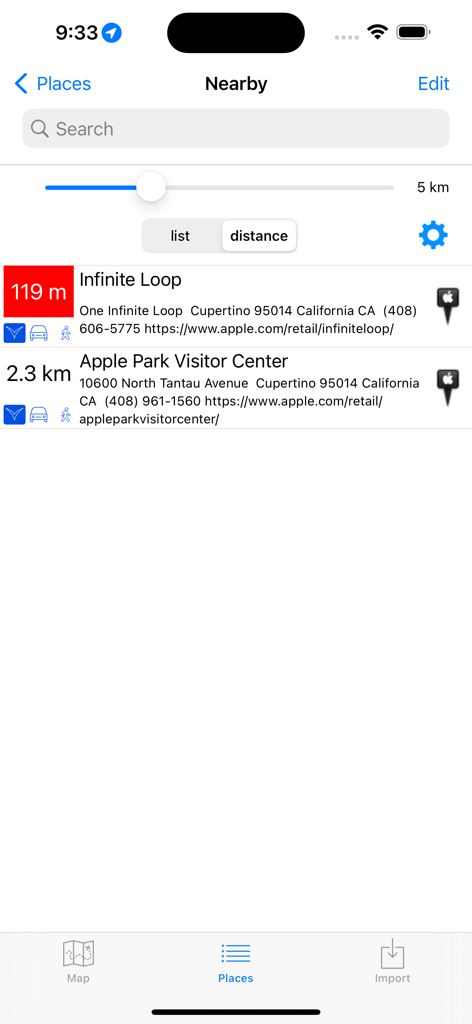
POIViewer - POIViewerアプリの近くの場所リスト、距離と場所の詳細を表示。

POIViewerアプリの近くの場所リスト、距離と場所の詳細を表示。
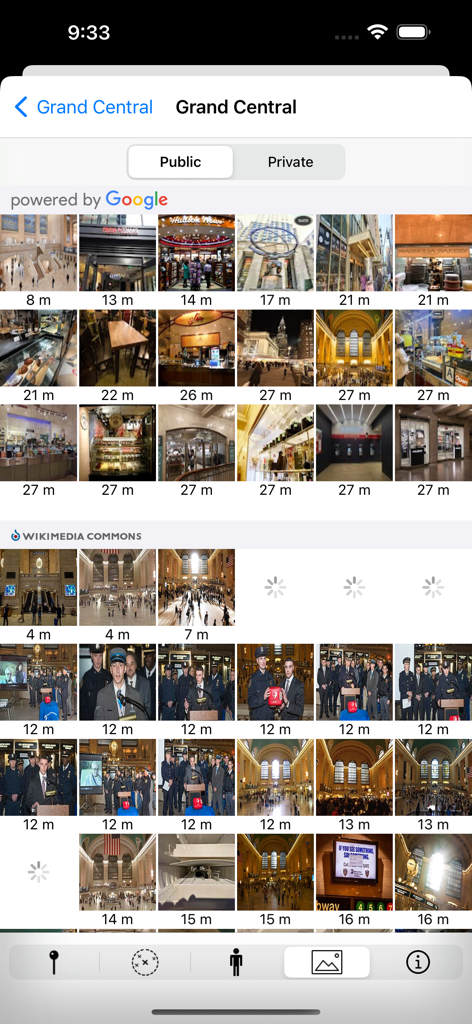
POIViewer - GoogleとWikimedia Commonsからのグランドセントラルターミナルの画像を表示するPOIViewerアプリの写真ギャラリービュー。

GoogleとWikimedia Commonsからのグランドセントラルターミナルの画像を表示するPOIViewerアプリの写真ギャラリービュー。

説明

POIViewer is a POI management tool with a lot of features. POIViewer can load, manage and display POIs (Points of Interest) on maps. Places, waypoints, placemarks can be imported and exported, show as pin or configurable icon on maps. This universal app is very fast even with thousands points, making it the perfect complement to existing apps for navigation or route planning. And if you really have a lot (>10000), you can selectively show/hide groups of POI on the map. A few reviews from App stores (thank you): ***** Very good as usual - Working since years with this jewel: keep up the wonderful job. ***** Nearby POIs - Great enhancement! ***** This is the best poi app so far //Bosse. ***** Sehr praktische App und toller Support (Very handy app and great support) ***** At last my poi back POI import from: • Supported POI Files: .csv (Garmin), .ov2 (Tomtom), .zip, .asc., .gpx (only places can be imported), KML/KMZ (only places can be imported), GPI (including icons, images, mp3) • A moveable marker on the map • Your current location • Foursquare places • Wikipedia geotagged articles • The POI search results • Your contacts POIViewer does not provide navigation, but it can launch your favorite GPS app: • Tomtom • Tomtom GO • Waze • Navigon • Apple Maps • Google Maps • Here • Garmin StreetPilot • CoPilot GPS • Sygic • IGO (the new iGO navigation is not well supported, due to a bug in IGO, write them an email) • MappyGPS • Where To? Maps provider (online only): • Apple Maps • Bing Maps • OpenCycleMap POI files can be imported via: • Email, Safari, Airdrop, etc (via iOS "Open In...") • iTunes file sharing • Cloud Providers on iOS 8 (iCloud Drive, Google Drive, Dropbox, ...) • The integrated web browser POI Edition: • POI title and comment can be edited. • POI coordinate can be displayed in various format (decimal, degrees, what3words.com) and edited in decimal. • HTML comment from KML file can be viewed. • POI are organized into lists. You can copy/move POI from one list to another. For each POI, you can view: • Nearby POIs • Google Streetview • Photos (provided by Google Places, Wikimedia Commons, flickr and your photo library) • Foursquare places and tips • Wikipedia articles Monitor: • Monitor nearby POI while you move (for geocaching or other alerts). POI Icons • Pin icon can be modified per list or per POI. • Pin icon can be imported via iTunes (zip files supported). • Pin icon can be pasted into the pin library. • Pin icon can be imported from the internet with the integrated browser. Share • Places and list can exported in KMZ or KML format. • Exported KMZ can be sent by email • Exported KMZ/KML can be sent to PC/Mac via iTunes File Sharing • Exported KMZ/KML can be opened on the iPad/iPhone with apps such as Goodreader, Dropbox app, or Google Earth (KML only). Advanced features: URL scheme • In order to launch POIViewer from an external launcher, use the URL scheme: poiviewer://. • Navigate to coordinates using poiviewer://navigate?lat=[lat]&lon=[lon]&name=[name] • Navigate to what3words address using poiviewer://navigate?3wa=[three.words.address] • Display a POI using POIViewer://show?lat=[lat]&lon=[lon]  • or poiviewer://show?3wa=[three.words.address] • Import a POI into POIViewer using poiviewer://import?lat=[lat]&lon=[lon] &name=[name] Notification sound You can now customize the notification sound by copying a file named alert.wav in the Documents directory. Visit our web site for more details. http://www.fkdev.fr/en/poiviewer Notes: Continued use of GPS running in the background can dramatically decrease battery life. The use of this monitoring feature to provide speed camera detection might be forbidden in some country.

Download

ダウンロード: App Store

このページはアプリまたはその開発者の公式ページではなく、情報提供および論評を目的として作成された独立した編集出版物です。明示的に別段の記載がない限り、アプリおよびその開発者は、MWM、Apple、Google Play、アプリのパブリッシャー、またはアプリの開発者と提携、承認、後援、認可、またはその他の公式的な関係はなく、このページのいかなる内容も、アプリがMWMのサービスを使用して開発されたことを意味するものではありません。すべての商標、ロゴ、スクリーンショット、その他のコンテンツはそれぞれの所有者の財産です。