POS S Pro

POS S Pro

ダウンロード: App Store
ロゴ: POS S Pro

POS S Pro:中小企業の売上をシンプルに

カフェ、ブティック、インターネット販売業者向けオールインワンiPad POS。複雑な設定は不要で、取引の記録、レシートの印刷、レポートの管理が簡単に行えます。

ダウンロード: App Store

開発元

CenHo Co., Ltd.

カテゴリ

Business

ダウンロード

7K+

ユーザー評価

4.9/5

評価数

0

対応言語

4

指先での精度

このインターフェースを利用する 7K+ 人のユーザー.

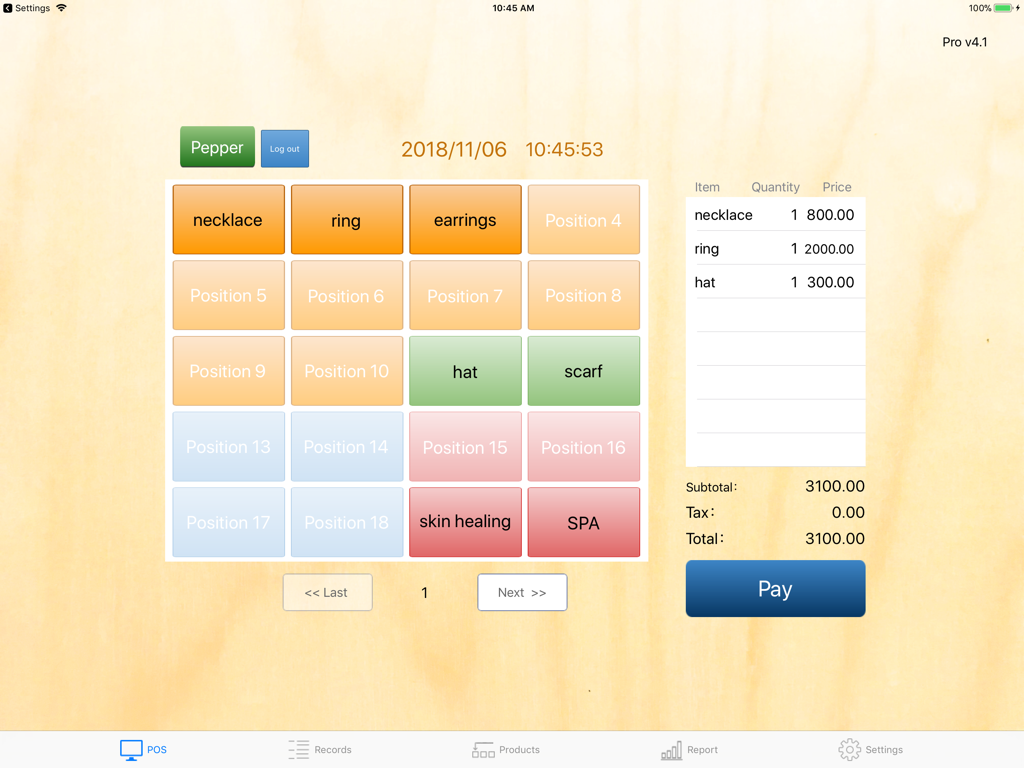
POS S Pro iPadアプリのチェックアウト画面。商品ボタンと取引概要が表示されています。

POS S Pro iPadアプリのチェックアウト画面。商品ボタンと取引概要が表示されています。

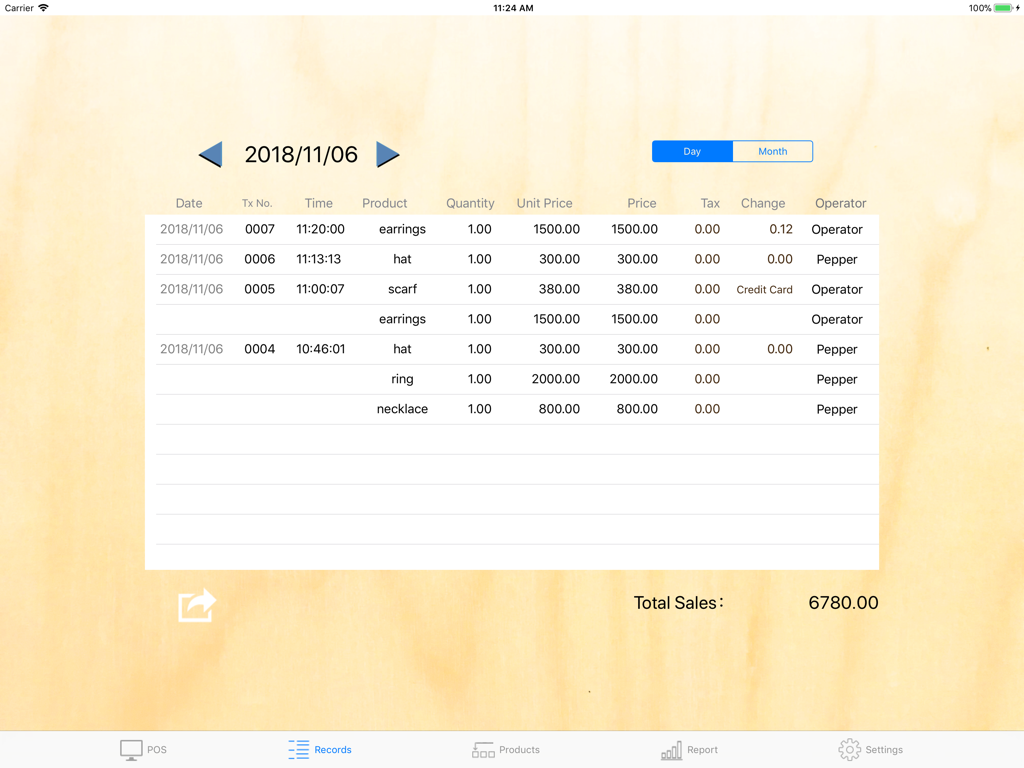
POS S Proアプリの売上取引記録画面。ブティック商品の毎日の売上が表示されています。

POS S Proアプリの売上取引記録画面。ブティック商品の毎日の売上が表示されています。

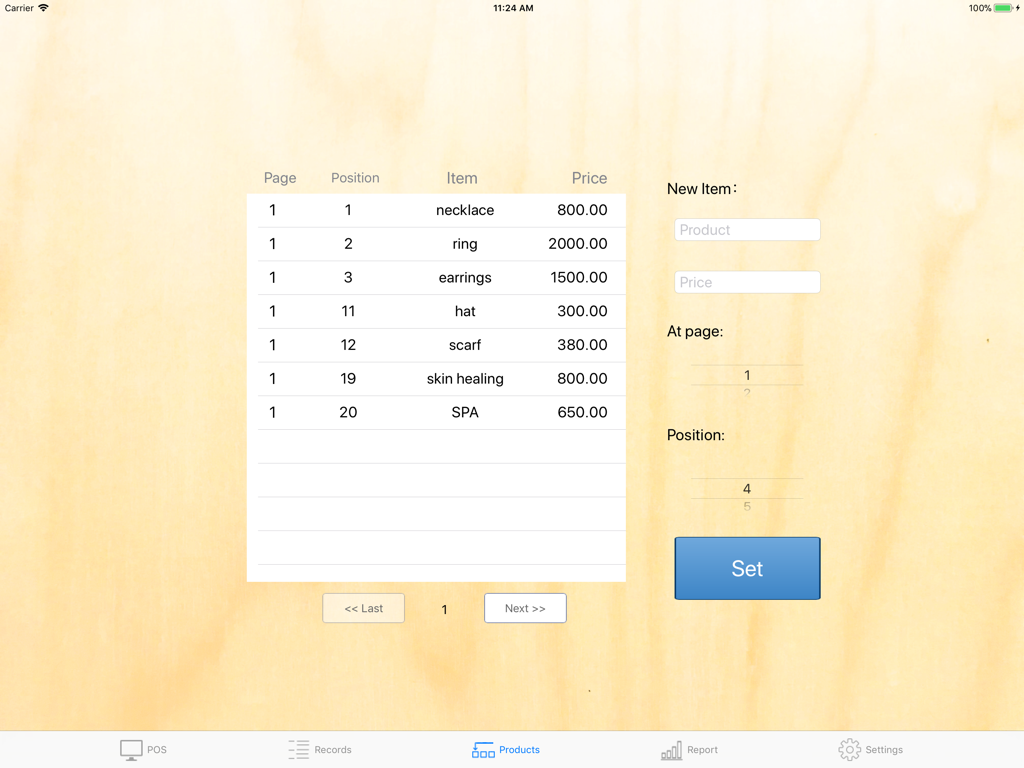
POS S Proのインターフェース。iPad上の商品リストとアイテム設定が表示されています。

POS S Proのインターフェース。iPad上の商品リストとアイテム設定が表示されています。

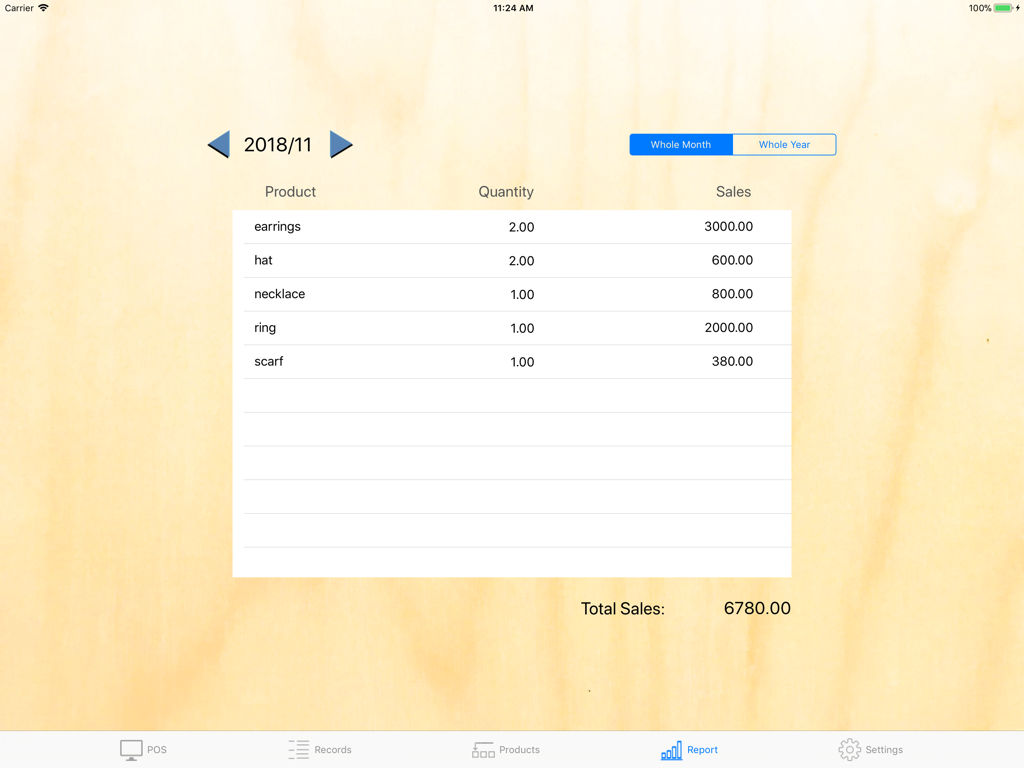
POS S Proアプリの月次売上レポート画面。ジュエリーやアクセサリーなどの小売商品の数量と総売上が表示されています。

POS S Proアプリの月次売上レポート画面。ジュエリーやアクセサリーなどの小売商品の数量と総売上が表示されています。

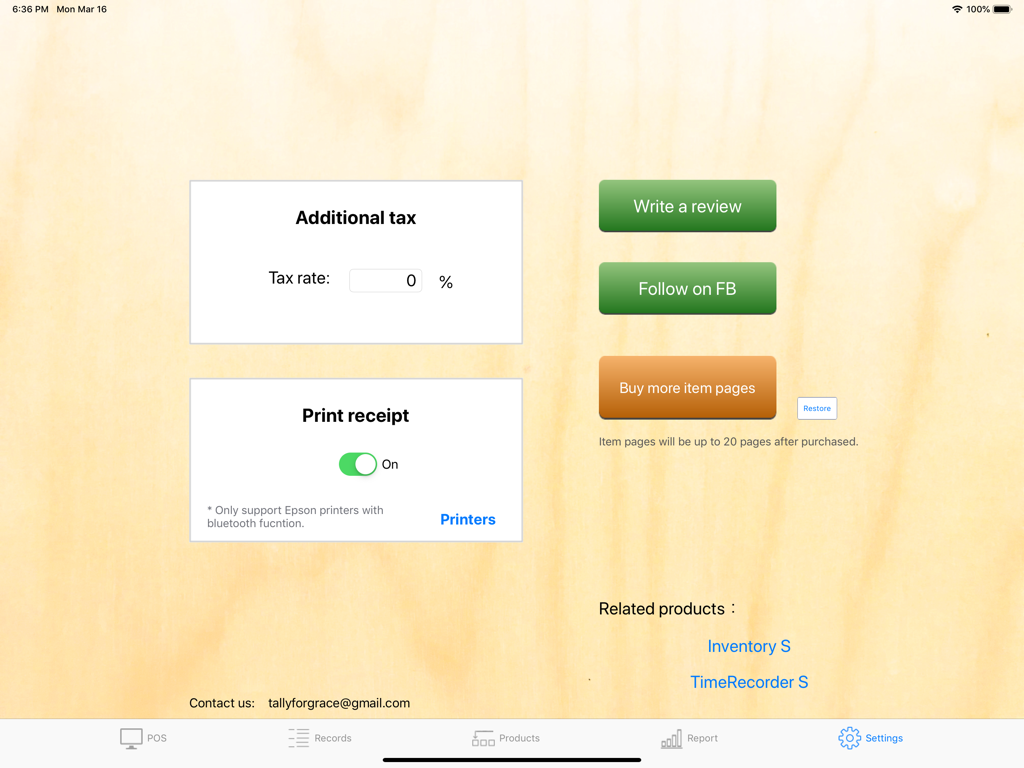
iPad上のPOS S Proアプリ設定画面。税率とBluetoothレシート印刷のオプションが表示されています。

iPad上のPOS S Proアプリ設定画面。税率とBluetoothレシート印刷のオプションが表示されています。

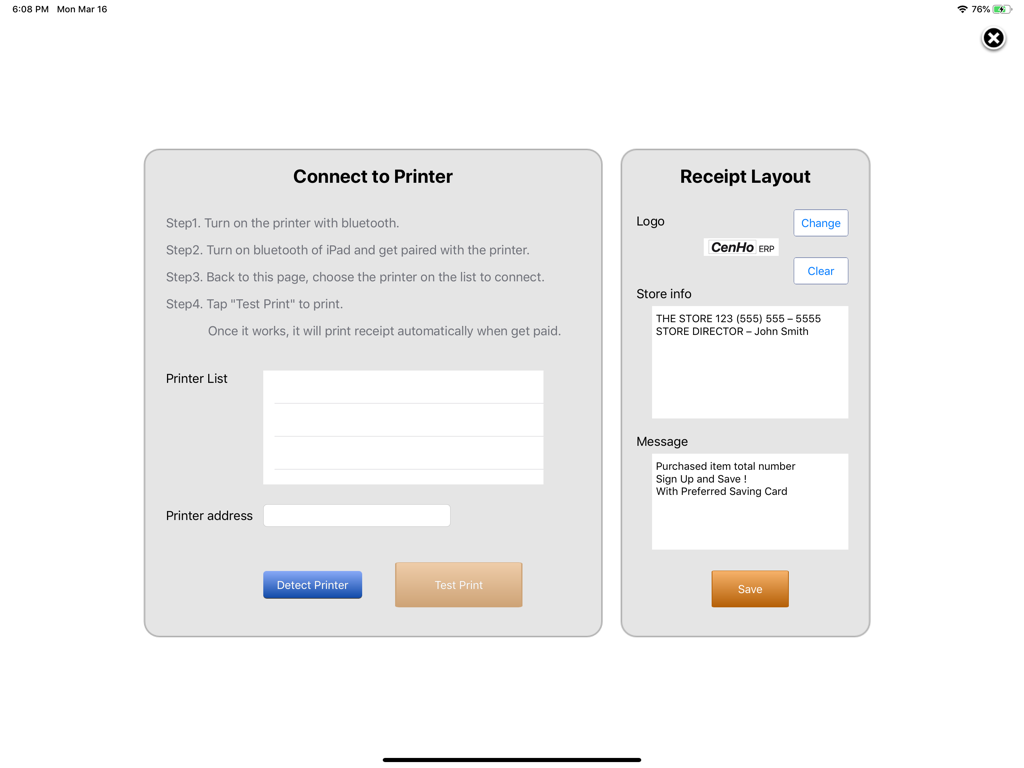
POS S Proアプリの画面。プリンター接続手順とレシートレイアウトオプションが表示されています。

POS S Proアプリの画面。プリンター接続手順とレシートレイアウトオプションが表示されています。

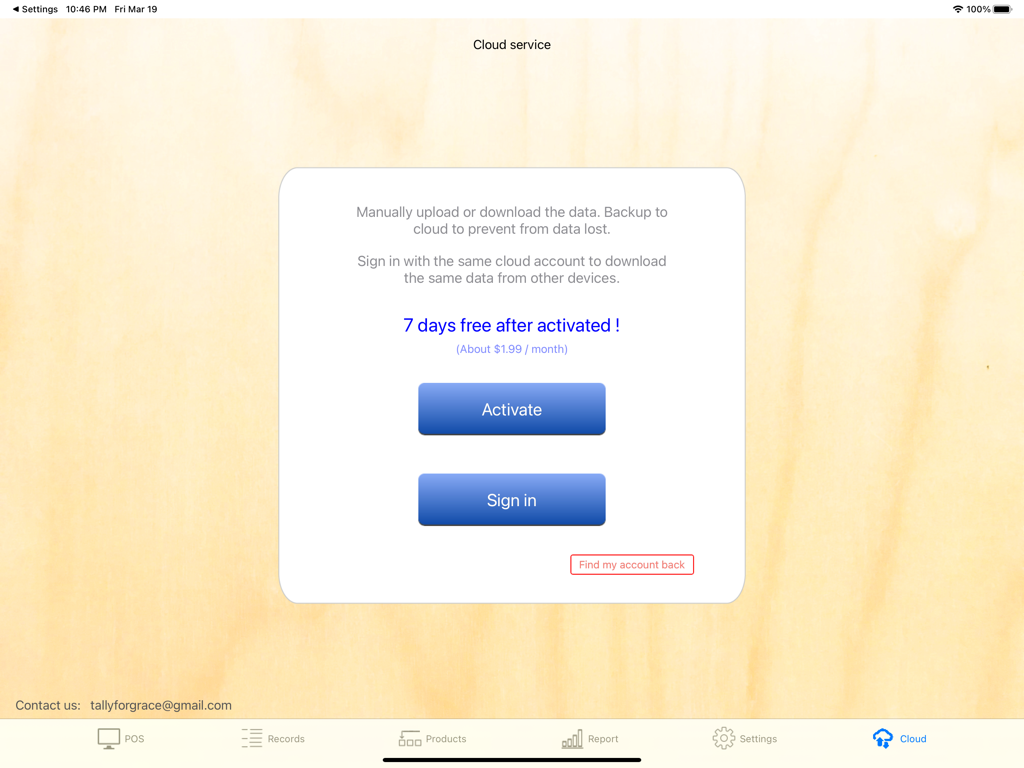
iPad上のPOS S Proクラウドサービスインターフェース。データバックアップの有効化とサインインオプションが表示されています。

iPad上のPOS S Proクラウドサービスインターフェース。データバックアップの有効化とサインインオプションが表示されています。

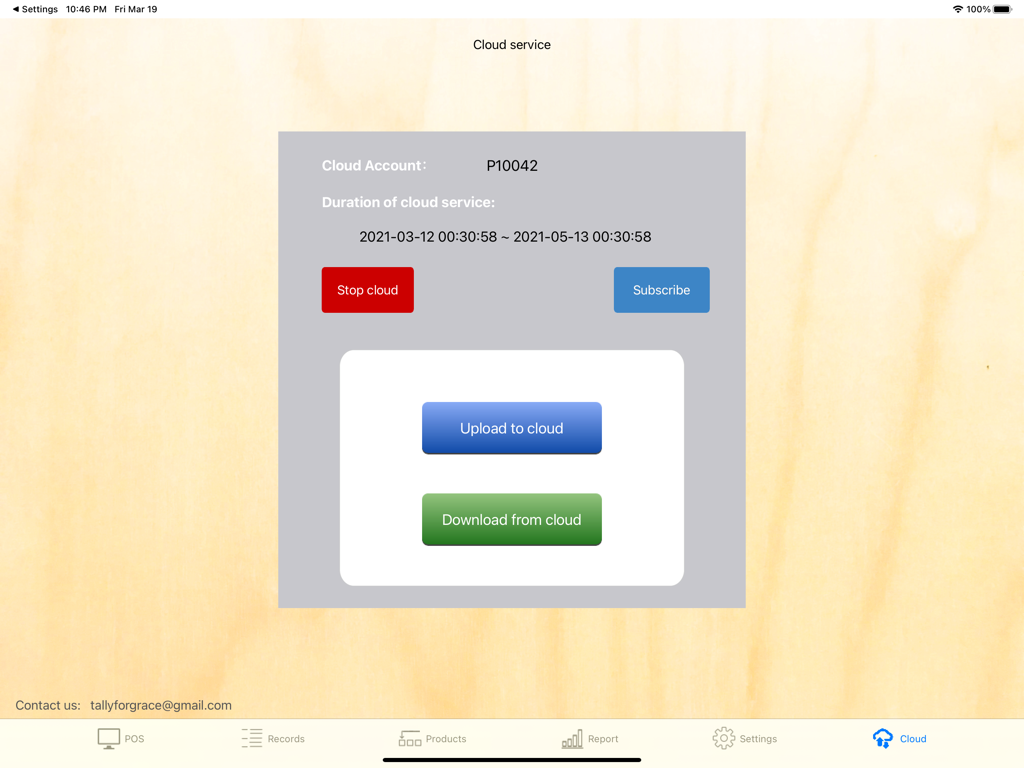
iPad上のPOS S Proクラウドサービス画面。データアップロードとダウンロードオプションが表示されています。

iPad上のPOS S Proクラウドサービス画面。データアップロードとダウンロードオプションが表示されています。

中小企業を強化する

このアプリを際立たせるツール、 7K+ 人のユーザーが選択.

🚀

超高速チェックアウト

洗練されたインターフェースで最大60のベストセラー商品を整理し、ピーク時でも顧客をお待たせしません。

📈

スマートな売上分析

日次、月次、年次のパフォーマンスを確認し、CSVにデータをエクスポートして、税務シーズンを楽にし、会計をスムーズにします。

☁️

安全なクラウド同期

自動クラウドバックアップでビジネスデータを保護し、複数のiPad間で取引記録を簡単に共有できます。

アプリについて

について知っておくべきこと POS S Pro.

説明

"POS S Pro" is suit for retailers, cafes, restaurants, internet sellers, eBayers....etc.. It helps you to record the selling-transactions easily. Features: -"POS" screen: 。20 items per page and 3 pages total. So maximum 60 items can be assigned. 。Operators: Transaction is recorded with the operator. It is clear to see whom the responsibility belongs to. 。Cash or Credit card: The payment can be chosen. 。Tax: The rate of additional tax is assignable. -"Records" screen: To review all transactions of the day or month. Also, it shows the total sales. 。Export to csv file by Mail of iPad. -"Products" screen: To allocate products to buttons as you wish. -"Report" screen: To show total sales whole day / month / year by product. - Receipt printing: It will print receipt automatically after a transaction. (This function requires only EPSON printers with Bluetooth interface.) PS. Choose to print the transaction number more obvious is possible. It is convenient for those who take the receipt for a wait number. -Cloud service (in-app purchase): User may upload data to cloud to prevent from data lost. Also, share the data by cloud is possible. Any suggestion, please contact us: tallyforgrace@gmail.com CenHo ERP

最新バージョン

6.10

サイズ

10.7 MB

リリース日

2018年11月7日

今すぐ売上をプロフェッショナルにしませんか?

複雑なシステムをPOS S Proに切り替えた7,000人以上の起業家に加わりましょう。今すぐダウンロードして、iPadを最も強力なビジネスツールに変えましょう。

ダウンロード: App Store

App information, icons, screenshots, and descriptions displayed on this page are sourced from the Apple App Store and are the property of their respective developers. Download estimates and rankings are based on MWM's proprietary models and may not reflect actual figures. This page is provided for informational and analytical purposes only.

Believe this page infringes your intellectual property? File a dispute