PSOFT Audio Player
PSOFT Audio Player
ダウンロード: App Store

このページはアプリまたはその開発者の公式ページではなく、情報提供および論評を目的として作成された独立した編集出版物です。明示的に別段の記載がない限り、アプリおよびその開発者は、MWM、Apple、Google Play、アプリのパブリッシャー、またはアプリの開発者と提携、承認、後援、認可、またはその他の公式的な関係はなく、このページのいかなる内容も、アプリがMWMのサービスを使用して開発されたことを意味するものではありません。すべての商標、ロゴ、スクリーンショット、その他のコンテンツはそれぞれの所有者の財産です。


ロゴ: PSOFT Audio Player
ダウンロード: App Store

PSOFT Audio Player

オーディオ品質を損なうことなく、複雑なソロをスローダウンしたり、キーを変更したり、ボーカルを抽出したりできます。あらゆる速度で自然に聞こえるプロレベルの操作を体験してください。

主要数値

ダウンロード

17K+

ユーザー評価

4.2/5

評価数

100

開発元

P SOFTHOUSE Co., Ltd.

カテゴリ

Music

対応言語

2

最新バージョン

1.13

サイズ

5.1 MB

リリース日

2014年7月24日
機能

比類なきオーディオコントロールでスキルをマスター

スタジオグレードのPhaseGearテクノロジーのパワーを体験してください。完璧を求めるミュージシャン、ダンサー、クリエイターのために設計された、クリスタルクリアな結果で速度、ピッチ、ボーカルを操作できます。

歪みのない精密な練習

再生速度を0倍から4倍に調整しながら、サウンドを完全に自然に保ちます。オーディオ品質を失うことなく、自分のペースで複雑なソロや複雑な振り付けをマスターしてください。

ボーカルと楽器の分離

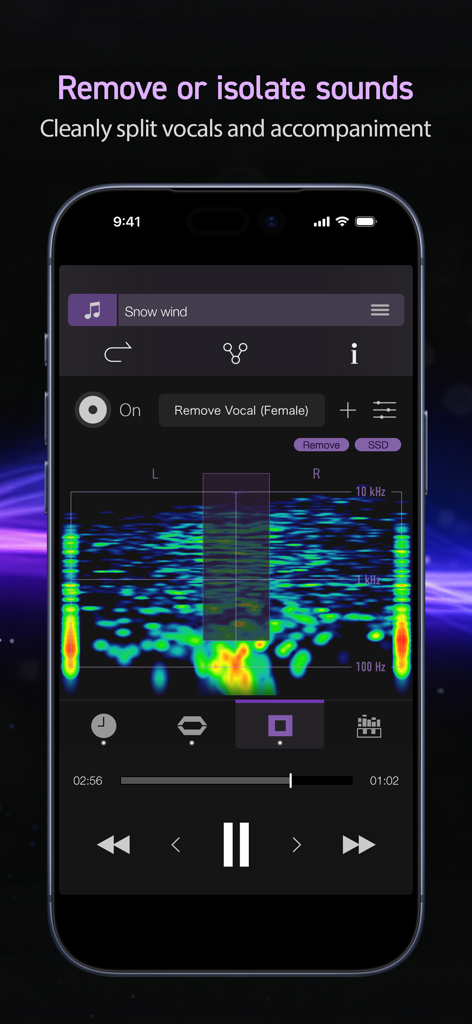
オーディオバンドを視覚化して、特定のサウンドを抽出または削除します。高品質のバッキングトラックを作成したり、特定の楽器を分離して、数秒で深い音楽の文字起こしを行います。

以下のスクリーンショットと説明は、アプリの公式ストアリスティングから直接取得されたものであり、アプリ開発者の所有物です。

アプリストア

スクリーンショット
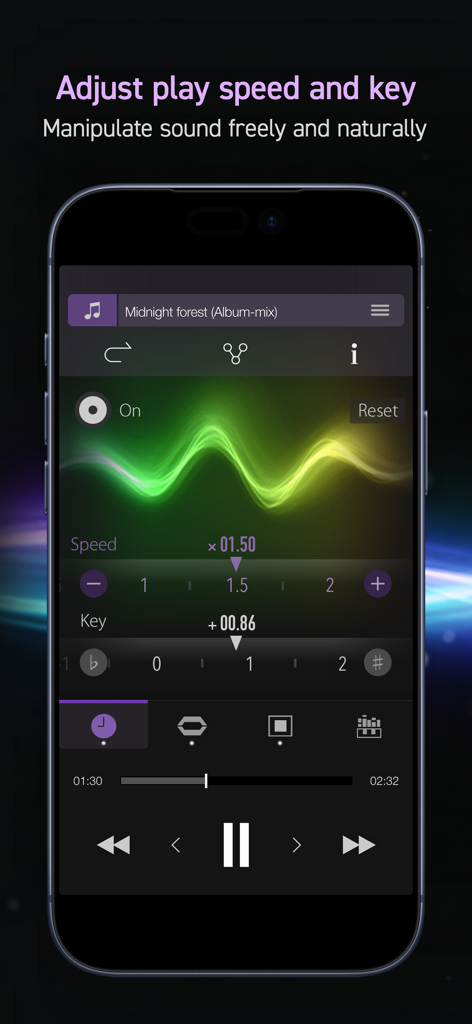
PSOFT Audio Player - 再生速度と音楽キーを調整するためのPSOFT Audio Playerのインターフェース。
再生速度と音楽キーを調整するためのPSOFT Audio Playerのインターフェース。

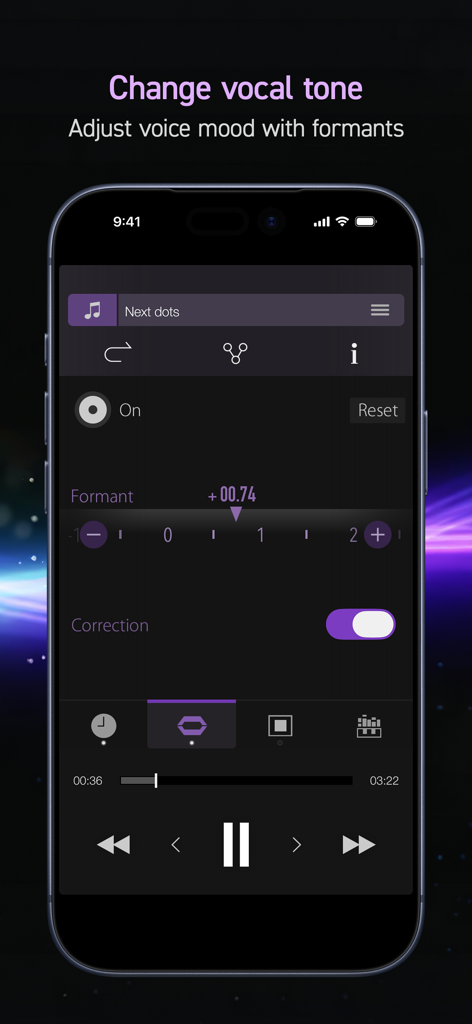
PSOFT Audio Player - PSOFT Audio Playerアプリのボーカルトーンとフォーマット調整画面
PSOFT Audio Playerアプリのボーカルトーンとフォーマット調整画面

PSOFT Audio Player - 周波数スペクトル視覚化を備えたボーカル除去およびサウンド分離機能を示すPSOFT Audio Playerモバイルインターフェース。
周波数スペクトル視覚化を備えたボーカル除去およびサウンド分離機能を示すPSOFT Audio Playerモバイルインターフェース。

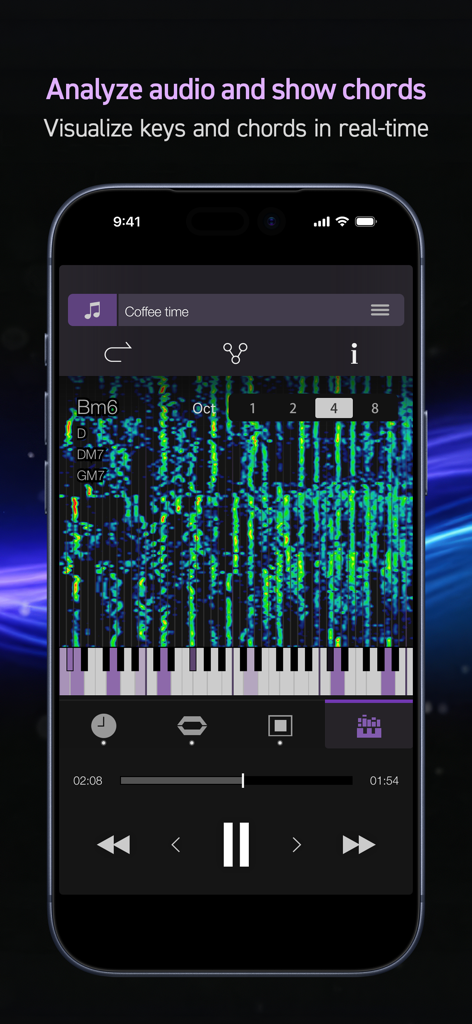
PSOFT Audio Player - モバイルオーディオプレーヤーでのリアルタイムコード分析と音楽スケール視覚化
モバイルオーディオプレーヤーでのリアルタイムコード分析と音楽スケール視覚化

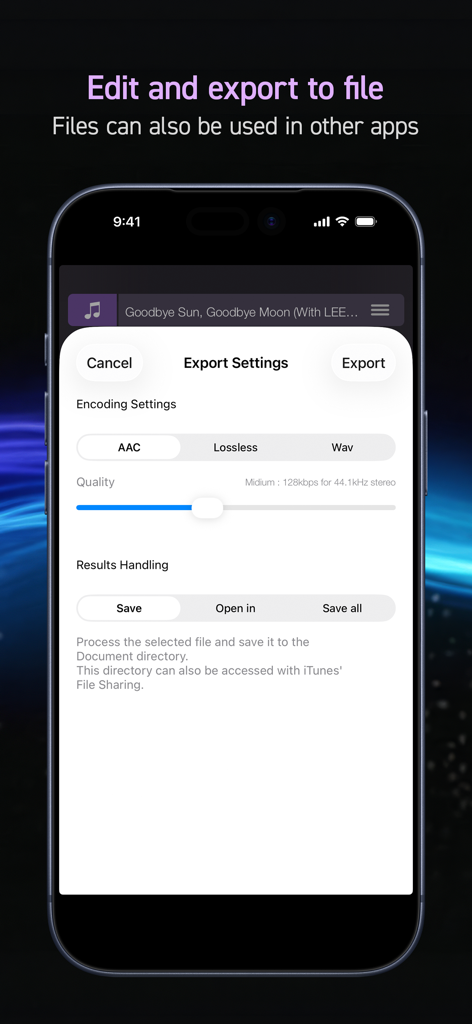
PSOFT Audio Player - さまざまなエンコーディングオプションを表示するPSOFT Audio Playerアプリのエクスポート設定画面
さまざまなエンコーディングオプションを表示するPSOFT Audio Playerアプリのエクスポート設定画面

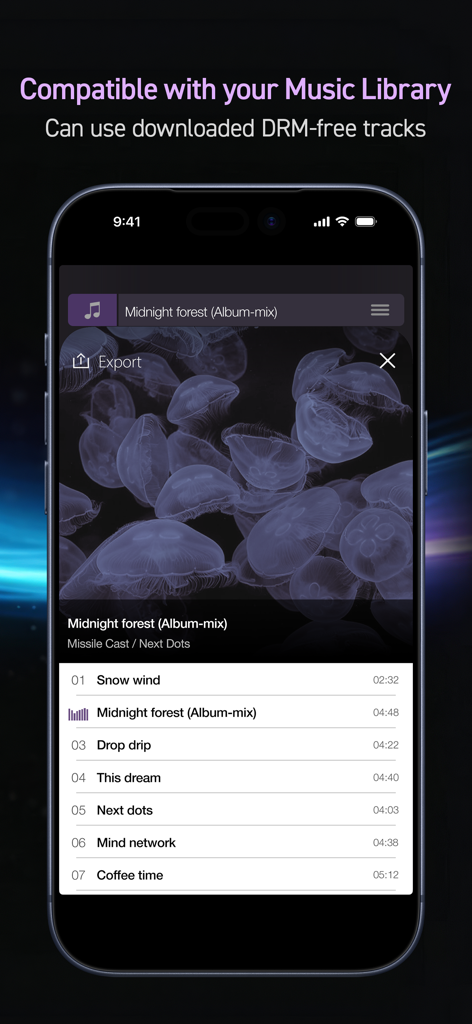
PSOFT Audio Player - ユーザーの音楽ライブラリからのDRMフリートラックのリストを表示するPSOFT Audio Playerインターフェース。

ユーザーの音楽ライブラリからのDRMフリートラックのリストを表示するPSOFT Audio Playerインターフェース。

説明

“Freely manipulate sound with incredibly natural results.” Make the comparison with your own ears. This music player makes it easy to independently change your music's key and playing speed and remove or extract specified sounds, while preserving an overwhelming audio quality that cannot be matched. Recommended for: ・ Musical instrument practice. ・ Making karaoke tracks. ・ Musical transcription. ・ Creating audio tracks for dance practice. ・ Learning foreign languages by listening to podcasts. ・ Efficiently gathering information from podcasts. ・ Audio-typing comfortably. With usual audio equipment, large changes to key and playing speed typically result in a heavy degradation of the audio quality. However, by using our company's “PhaseGear” technology, this app succeeds in reducing audio degradation to its utmost minimum. The result is surprisingly natural-sounding audio. ============== [ Main Features ] ============== ▼ Change playing speed [Time stretch] Change the playing speed without affecting the key (0.00x – 4.00x). ▼ Change key [Pitch shift] Change the key without affecting the playing speed (±24.00 semitones). ▼ Change voice [Formant] Apply changes to voices (±24.00). Includes the [Correction] function which restrains voice alterations caused by changing the key. ▼ Remove / extract sounds [Audio masking] Visualize the audio and remove / pick out sound from a specified band. Obtain exceptional audio quality thanks to a new technology preventing mixing in rhythm sound. * Depending on the musical structure, it might not be possible to obtain the desired results. ▼ Analyze audio and display chords [Musical scale analysis] Analyzes music as it plays and displays the musical scale on a keyboard. Also allows on-screen display of inferred chords. ▼ Output the modified audio [Export (*Add-on)] Output the audio data file with modified key, sound masking, etc. The exported file can also be used with a PC or other device. * This function must be purchased as an add-on. ====================================== ■ Specifications - Play menu - Play / Pause - Skip 15s / Back 15s (*Only available on 4 inch displays) - Fast forward / Rewind - Next song / Previous song - Play position adjustment slider - Play mode - Play all songs - Repeat all songs - Play 1 song - Repeat 1 song - Shuffled play - Shuffled repeat - Share song information - Send the current song info to other apps, share functionality. - Select songs by - Playlist - Song - Artist - Album - Composer - Genre - Compilation - Podcast - Audiobook - Document - Supports background play * Note Contents on iCloud and protected contents not supported. ■ About PhaseGear PhaseGear is our company's audio signal processing engine based on patented technology. It implements high quality time stretch and pitch shift processing as well as superior sound masking. Please refer to the link below for more details about this technology. (*In Japanese) http://www.psoft.co.jp/jp/corporate/technology/phasegear.html * Patent registered in Japan, USA and South Korea.

Download

ダウンロード: App Store

このページはアプリまたはその開発者の公式ページではなく、情報提供および論評を目的として作成された独立した編集出版物です。明示的に別段の記載がない限り、アプリおよびその開発者は、MWM、Apple、Google Play、アプリのパブリッシャー、またはアプリの開発者と提携、承認、後援、認可、またはその他の公式的な関係はなく、このページのいかなる内容も、アプリがMWMのサービスを使用して開発されたことを意味するものではありません。すべての商標、ロゴ、スクリーンショット、その他のコンテンツはそれぞれの所有者の財産です。







