QR, Barcode Scanner for iPhone
ダウンロード: App Store

このページはアプリまたはその開発者の公式ページではなく、情報提供および論評を目的として作成された独立した編集出版物です。明示的に別段の記載がない限り、アプリおよびその開発者は、MWM、Apple、Google Play、アプリのパブリッシャー、またはアプリの開発者と提携、承認、後援、認可、またはその他の公式的な関係はなく、このページのいかなる内容も、アプリがMWMのサービスを使用して開発されたことを意味するものではありません。すべての商標、ロゴ、スクリーンショット、その他のコンテンツはそれぞれの所有者の財産です。


ロゴ: QR, Barcode Scanner for iPhone
ダウンロード: App Store

QR, Barcode Scanner for iPhone

隠されたデジタル情報を瞬時に暴き出し、そのすべてを掌握する。そして、あなたのオンラインセキュリティを次のレベルへ引き上げる。

主要数値

ダウンロード

12.5M+

ユーザー評価

4.4/5

評価数

85.8K

開発元

堃 汪

カテゴリ

Utilities

対応言語

10

最新バージョン

2.1.3

サイズ

82.2 MB

リリース日

2017年12月28日
機能

QR・バーコードスキャナーアプリの機能分析

高度なセキュリティと多様な情報管理を重視するユーザー向けの評価

2要素認証(2FA)機能

本アプリは、サイバー攻撃からユーザーアカウントを保護するための2要素認証機能を提供し、複数のウェブサービスに対する認証コードの生成を可能にします。

多様なQRコード・バーコードのスキャン

このツールは、ウェブリンク、テキスト、Wi-Fi、連絡先、ISBN、商品など、幅広い種類のQRコードとバーコードを迅速かつ安全にスキャンし、結果に応じたスマートなアクション(ウェブサイトへの自動遷移、Wi-Fi接続、商品情報検索など)を実行します。

QRコードの作成と共有

ユーザーは、ウェブサイトのURL、テキストメッセージ、連絡先、Wi-Fi接続情報など、多岐にわたる目的のQRコードを無制限に生成し、様々なメッセージングアプリやソーシャルメディアを通じて容易に共有することが可能です。

以下のスクリーンショットと説明は、アプリの公式ストアリスティングから直接取得されたものであり、アプリ開発者の所有物です。

アプリストア

スクリーンショット
QR, Barcode Scanner for iPhone - 簡単QRスキャン

簡単QRスキャン

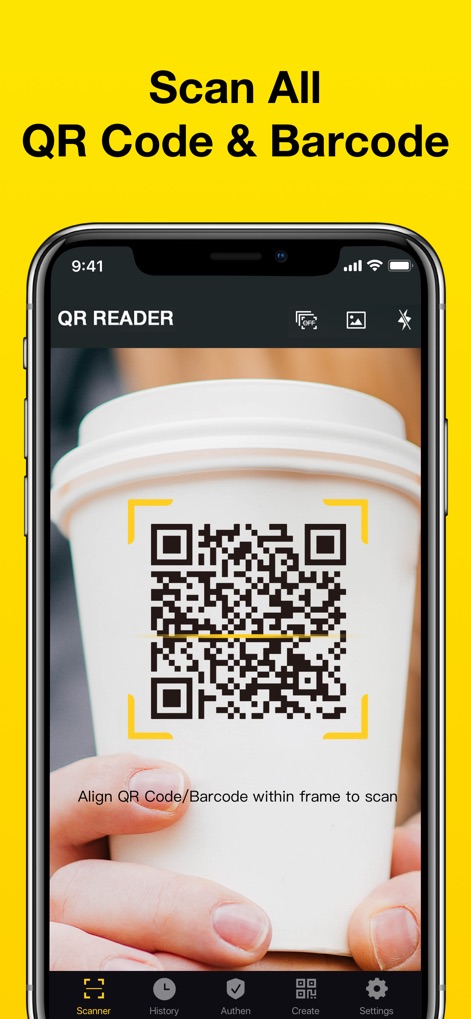
このアプリはiPhoneのカメラを使用してQRコードを認識し、画面中央のフレーミングガイドと下部の「Scanner」タブが直感的な操作をサポートします。

QR, Barcode Scanner for iPhone - バーコードを瞬時に

バーコードを瞬時に

商品のバーコードを迅速に読み取ることが可能で、ユーザーはカメラをかざすだけで、バーコードの枠と下部の「Scanner」アイコンを通じて効率的に情報を取得できます。
QR, Barcode Scanner for iPhone - 安全な二段階認証

安全な二段階認証

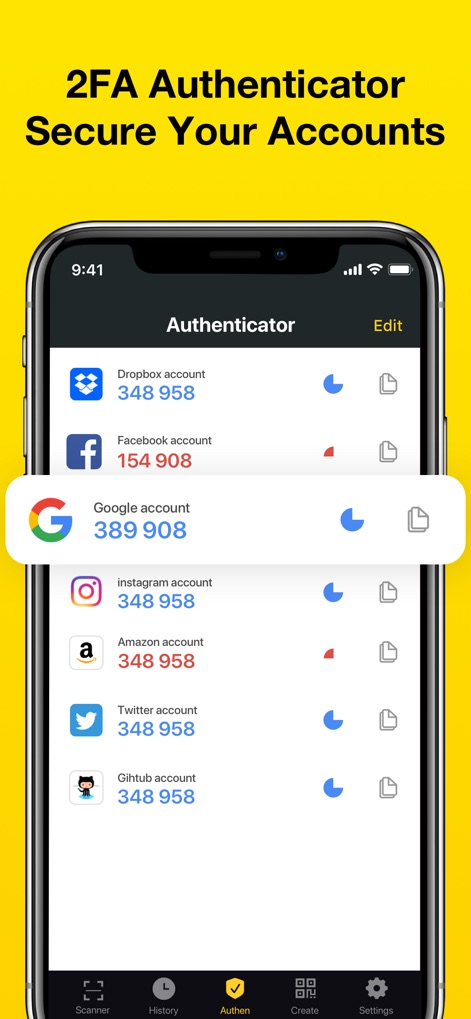
主要なオンラインアカウント向けの二段階認証コードを管理し、ユーザーは一覧表示されたアカウント名と動的に表示される認証コードを通じて、セキュリティを強化できます。

QR, Barcode Scanner for iPhone - 多様なコード対応

多様なコード対応

Webリンクやテキスト、WiFiなどの多岐にわたるQRコードタイプに対応しており、ユーザーはアイコンで視覚的に区別された各機能を通じて、様々な情報を効率的に処理できます。
QR, Barcode Scanner for iPhone - 暗所でも安心スキャン

暗所でも安心スキャン

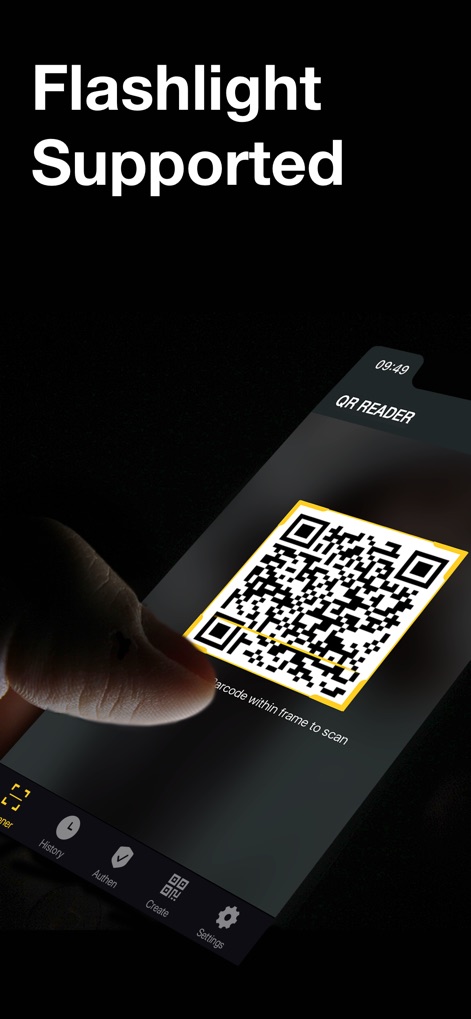
暗い場所でもQRコードの読み取りを可能にするフラッシュライト機能が搭載されており、ユーザーは画面上部の懐中電灯アイコンとQRコードを囲む明るい枠によって、どんな環境でも確実にスキャンを実行できます。

QR, Barcode Scanner for iPhone - QRコードを簡単作成

QRコードを簡単作成

ユーザーはWebリンク、テキスト、連絡先など、さまざまな種類のQRコードを無制限に生成でき、直感的なアイコン選択と入力フィールドを通じて、素早くカスタムコードを作成できます。
QR, Barcode Scanner for iPhone - 履歴を管理・確認

履歴を管理・確認

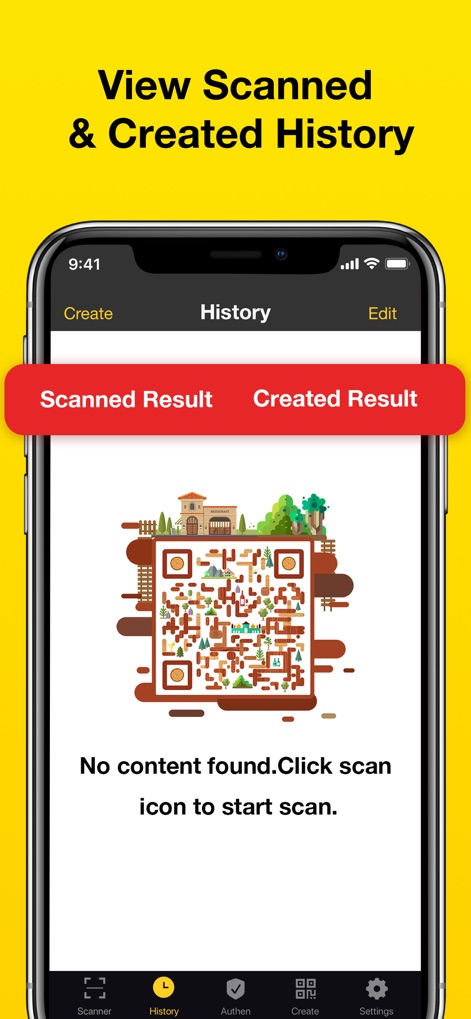
スキャンおよび作成されたQRコードの履歴を一元管理し、ユーザーは「Scanned Result」と「Created Result」のタブで結果を簡単に切り替えながら、過去の活動を効率的に参照できます。

QR, Barcode Scanner for iPhone - スキャン結果を共有

スキャン結果を共有

読み取ったWebリンク情報を友人や同僚と手軽に共有でき、ユーザーは「Share」ボタンと多種多様なSNSアイコンを通じて、瞬時に情報を拡散できます。

説明

QR Reader is the best & fastest free QR code/barcode scanner & QR code creator for both iPhone and iPad! By using your phone's or pad's camera, QR reader will automatically scan and recognize the information of the QR code or barcode and supports all major barcode and QR code formats, even includes 2FA authenticator. With QR Reader app, you can also create & share unlimited QR codes anytime as you want. 【Key Features】 -Easy to Use QR code reader and barcode scanner can automatically detect and scan any code. You can also scan the QR code or barcode in the image gallery. If you are in a low-light environment, the flashlight supports you to scan and read QR codes and barcode. QR reader supports full iOS 15, and iPhone XR/XS/XS Max/11/11 Pro. -Create QR Code & Share QR Reader app helps you create unlimited QR codes, such as Weblink, text, vcard, phone number, email adress, SMS, WIFI, Geo Location and Calendar, etc. You can share QR code reader and scanner results via WhatsApp, Facebook, Twitter, Gmail, WeChat, Line, E-mail, SMS, etc. -Support Batch Scan We provide a convenient and fast batch scanning function, if you have a lot of QR codes/barcodes to scan, you can use this function to improve the scanning speed. -Provide 2FA Authenticator for All Your Accounts Two Factor Authentication is a proven security guarantee against a wide range of cyber attacks. You can scan the QR code and get verification codes with our app for all your web accounts. -Scan Multiple Types Quickly and securely scan many types of QR codes and barcodes, such as Weblink, text, WiFi, contact, ISBN, and product, etc. If the result of scan is a Website link, you can click the URL to jump to the webpage. If it's a wifi QR code, this app will automatically connect to it without the password. If the result of scan is a product, you can choose to search and get some detail information. And you can also compare prices with online ones to save money. -View and Retrieve Scan History All your results of scan will be included in the scan history and sorted by category. Our app also supports iCloud backup. And these results of scan can also be exported as a CVS file. You can choose to turn on the history option, so that even if you change the phone, you can retrieve the scanned history. -APP Lock You can set a separate secure password for your own QR Code Reader app to protect your personal app security. -Customize QR Code Color Available to set different colors for your QR code. Download QR reader to scan QR codes and barcodes! ◆ SUBSCRIPTION TERMS ◆ You will receive unrestricted access to QR Reader in the duration of the subscription. • Payment will be charged to iTunes Account at confirmation of purchase • Subscription automatically renews unless auto-renew is turned off at least 24-hours before the end of the current period • Account will be charged for renewal within 24-hours prior to the end of the current period, and identify the cost of the renewal • Subscriptions may be managed by the user and auto-renewal may be turned off by going to the user's Account Settings after purchase If you have any suggestions or questions, feel free to contact us at any time: iosmobilecontact@gmail.com Read more about our terms and conditions here: Terms of Service: http://adqr.callstudio.cc/useragreement.html Privacy Policy: http://adqr.callstudio.cc/privacy.html

Download

ダウンロード: App Store

このページはアプリまたはその開発者の公式ページではなく、情報提供および論評を目的として作成された独立した編集出版物です。明示的に別段の記載がない限り、アプリおよびその開発者は、MWM、Apple、Google Play、アプリのパブリッシャー、またはアプリの開発者と提携、承認、後援、認可、またはその他の公式的な関係はなく、このページのいかなる内容も、アプリがMWMのサービスを使用して開発されたことを意味するものではありません。すべての商標、ロゴ、スクリーンショット、その他のコンテンツはそれぞれの所有者の財産です。








