QR/Barcode Scanner for iPhone
ダウンロード: App Store

このページはアプリまたはその開発者の公式ページではなく、情報提供および論評を目的として作成された独立した編集出版物です。明示的に別段の記載がない限り、アプリおよびその開発者は、MWM、Apple、Google Play、アプリのパブリッシャー、またはアプリの開発者と提携、承認、後援、認可、またはその他の公式的な関係はなく、このページのいかなる内容も、アプリがMWMのサービスを使用して開発されたことを意味するものではありません。すべての商標、ロゴ、スクリーンショット、その他のコンテンツはそれぞれの所有者の財産です。

ロゴ: QR/Barcode Scanner for iPhone
ダウンロード: App Store

QR/Barcode Scanner for iPhone

標準カメラを超えた機能。手間なく価格を比較し、内蔵2FAでオンラインアカウントを保護し、高速でプライバシーも保護された単一アプリですべてのスキャンの履歴を記録しましょう。

主要数値

ダウンロード

33K+

ユーザー評価

4.8/5

評価数

300

開発元

AKRURA PTE. LTD

カテゴリ

Utilities

対応言語

24

最新バージョン

1.2.0

サイズ

74.6 MB

リリース日

2022年4月21日
機能

あなたの日常のためのスマートスキャン

高速スキャン、価格追跡、アカウントセキュリティを単一アプリに統合した強力なユーティリティツールで、単純なリンクを超えましょう。

スマート価格比較

店舗でバーコードをスキャンするだけで、オンライン価格を即座に比較し、常に最良の取引を得ていることを確認しましょう。

内蔵2FAセキュリティ

統合された2要素認証でオンラインアカウントを保護し、ログインを安全かつアクセス可能に保ちましょう。

以下のスクリーンショットと説明は、アプリの公式ストアリスティングから直接取得されたものであり、アプリ開発者の所有物です。

アプリストア

スクリーンショット
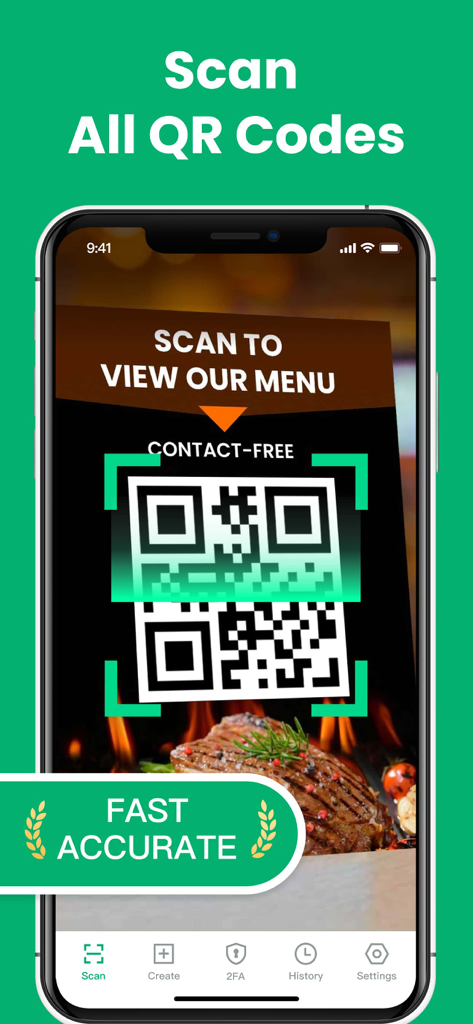
QR/Barcode Scanner for iPhone - iPhoneで、QR・バーコードスキャナーアプリを使用して、連絡先交換不要のレストランメニューQRコードをスキャンしている様子。
iPhoneで、QR・バーコードスキャナーアプリを使用して、連絡先交換不要のレストランメニューQRコードをスキャンしている様子。

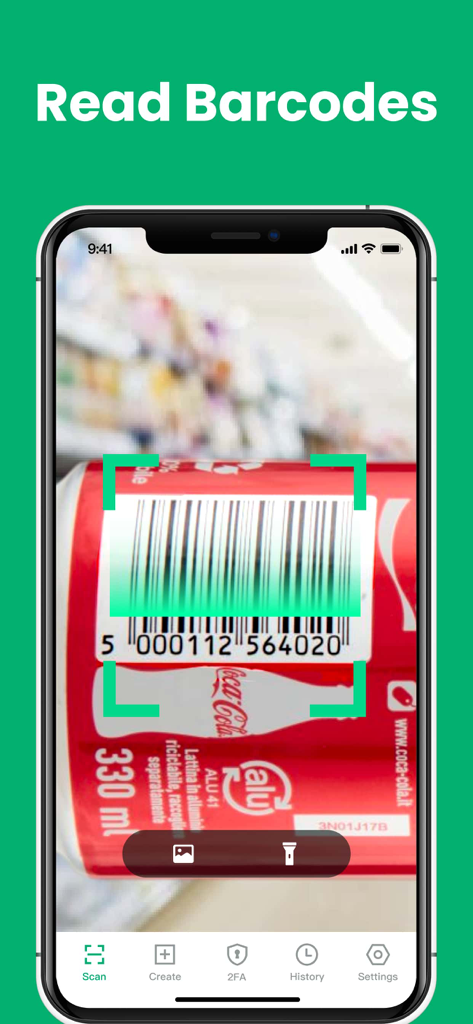
QR/Barcode Scanner for iPhone - iPhoneアプリが、ソーダ缶の製品バーコードをスキャンしている様子。

iPhoneアプリが、ソーダ缶の製品バーコードをスキャンしている様子。
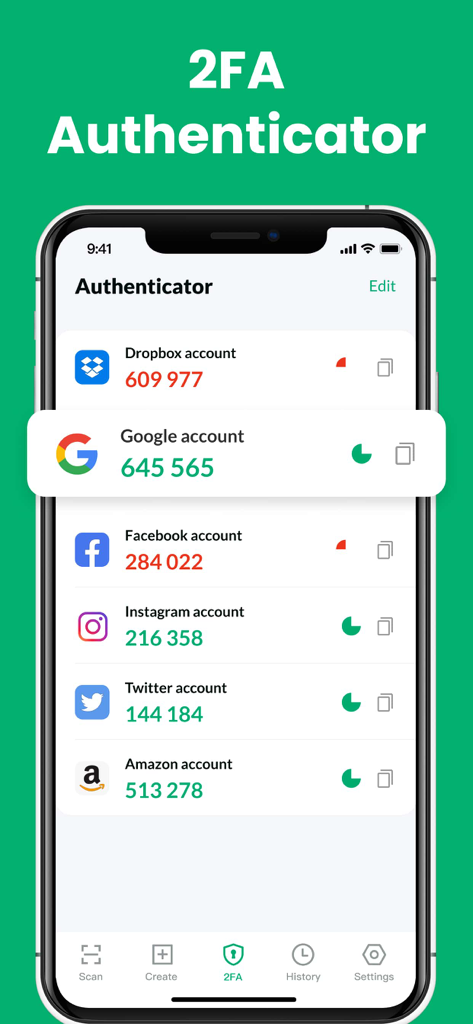
QR/Barcode Scanner for iPhone - 複数のアカウントの確認コードが表示されている2FA認証機能を示すiPhoneアプリ画面。
複数のアカウントの確認コードが表示されている2FA認証機能を示すiPhoneアプリ画面。

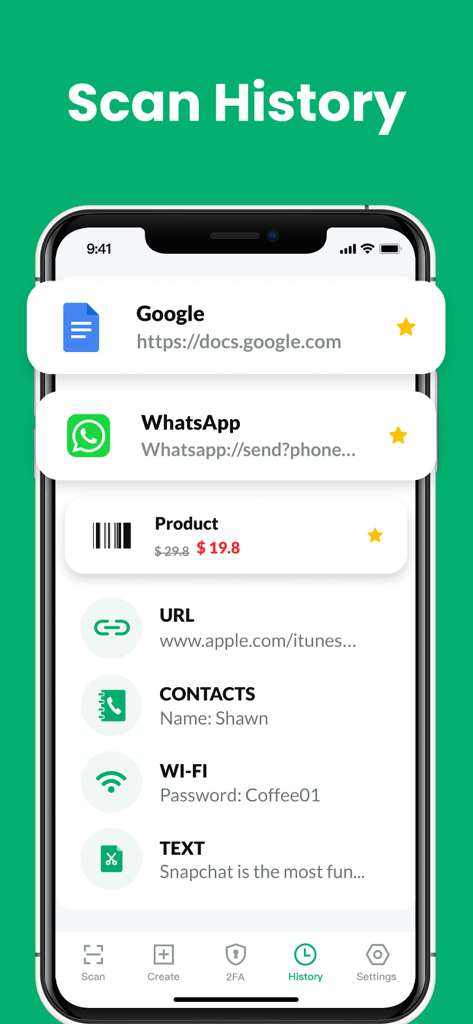
QR/Barcode Scanner for iPhone - QR・バーコードスキャナーアプリのスキャン履歴画面。URL、製品、連絡先を含む以前のスキャンのリストが表示されている。
QR・バーコードスキャナーアプリのスキャン履歴画面。URL、製品、連絡先を含む以前のスキャンのリストが表示されている。

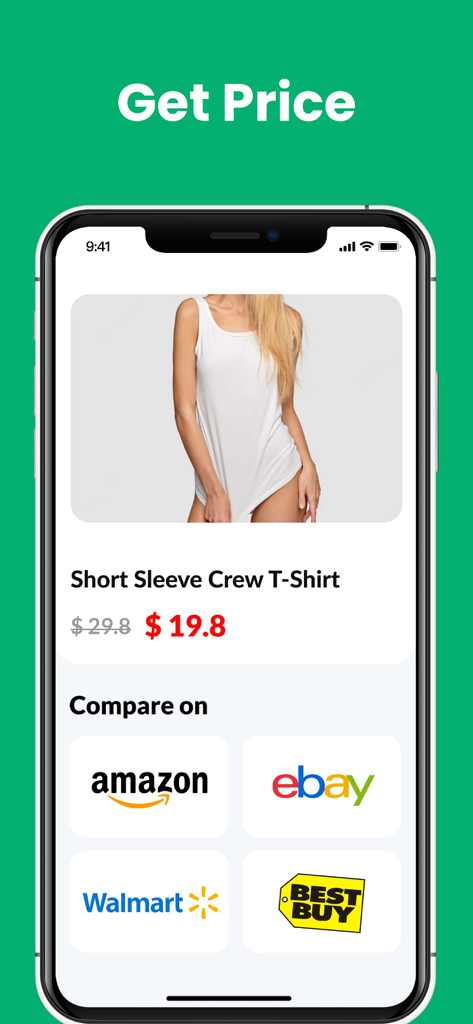
QR/Barcode Scanner for iPhone - Amazon、eBay、Walmart、Best Buyでの製品価格比較を示すiPhoneアプリ画面。
Amazon、eBay、Walmart、Best Buyでの製品価格比較を示すiPhoneアプリ画面。

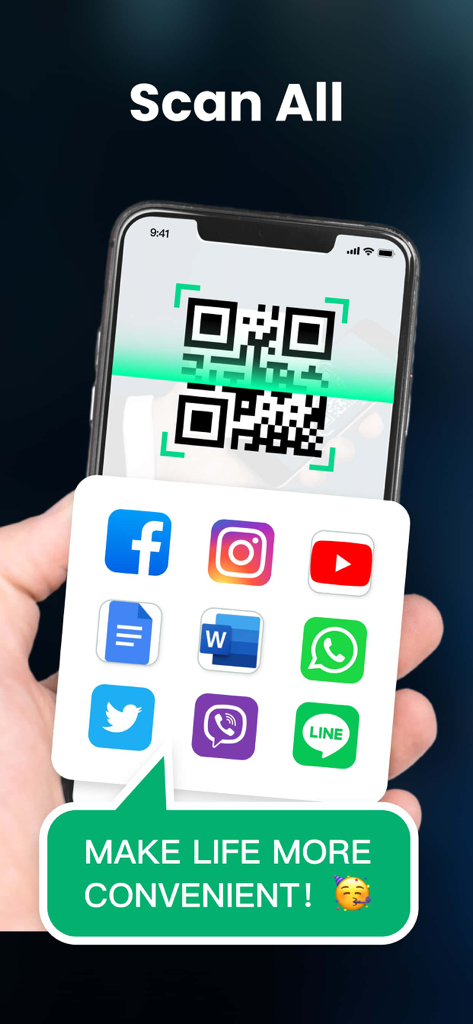
QR/Barcode Scanner for iPhone - ソーシャルメディアや生産性アプリへのリンクが表示されたQRコードをスキャンしているスマートフォン。
ソーシャルメディアや生産性アプリへのリンクが表示されたQRコードをスキャンしているスマートフォン。

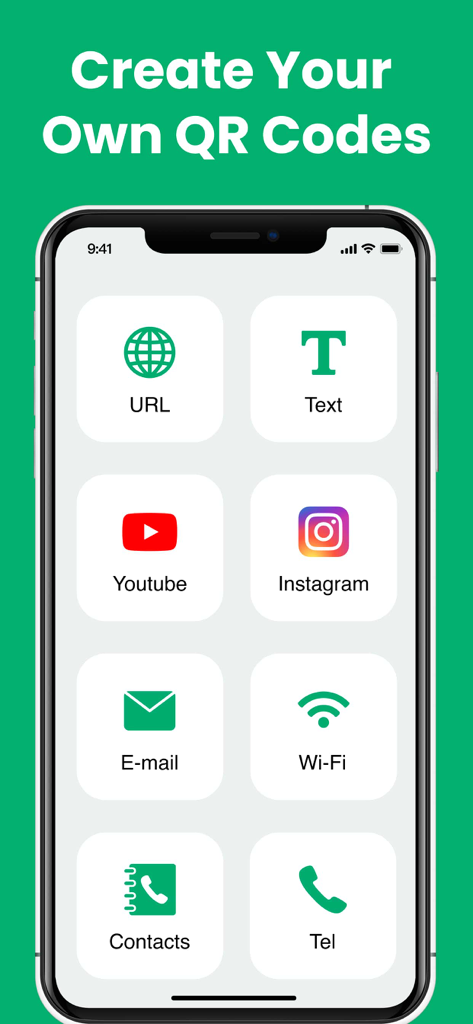
QR/Barcode Scanner for iPhone - URL、テキスト、ソーシャルメディア、連絡先用のカスタムQRコードを作成するための複数のオプションを示すiPhoneアプリ画面。
URL、テキスト、ソーシャルメディア、連絡先用のカスタムQRコードを作成するための複数のオプションを示すiPhoneアプリ画面。

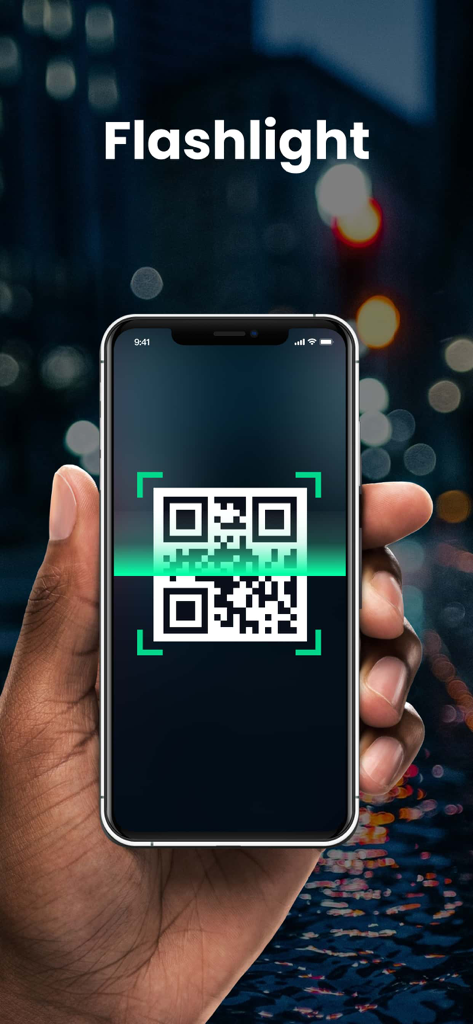
QR/Barcode Scanner for iPhone - 暗い場所で、フラッシュライト対応のQR・バーコードスキャナーアプリを使用しているiPhoneを持っている手。

暗い場所で、フラッシュライト対応のQR・バーコードスキャナーアプリを使用しているiPhoneを持っている手。

説明

Extremely fast QR & barcode scanner that supports all QR & barcode formats! It’s the must-have scanner app for iPhone and iPad. It’s very easy to use, no need to press any buttons or adjust the zoom, just open it and point to the QR code/barcode, it will auto recognize, scan and decode the QR code/barcode. After scanning, several relevant options for the results will be provided, you can search the products online, visit the websites, or connect to Wi-Fi without entering the password. It even supports 2FA authentication to protect your online accounts! QR code reader can scan and decode all kinds of QR codes and barcodes, such as contacts, products, URL, Wi-Fi, text, books, E-mail, location, calendar, and so on. It is also commonly used to scan promotion and coupon codes in shops to get discounts. Key Features: * Safe & easy-to-use scanner app * Instant scan * Privacy safe, only camera permission required * Price scanner * Support scan QR & barcodes from gallery * Support 2FA authentication to secure your online accounts * Scan history saved * Flashlight supported * Auto zoom * No internet connection required How to use: 1. Open the scanner 2. Point the camera to the QR code/barcode 3. Auto recognize, scan and decode 4. Get results and relevant options Support all QR & barcode formats QR code, Data Matrix, Maxi code, Code 39, Code 93, Codabar, UPC-A, EAN-8... Scan history saved All scan history will be saved for instant viewing at any time. Price scanner You can scan product barcodes and compare prices online. 2FA authenticator Two-factor authentication adds an extra layer of security to your sign-ins. You can scan 2FA QR codes, and get verification codes within our app to safeguard all your online accounts. Auto zoom No need to adjust the zoom, it’s easy to scan far away Flashlight supported Easily scan QR code/barcode in dark environment. Subscription Terms and Details - You can subscribe to remove ads and get unlimited access to all features - Subscription options: weekly, yearly, lifetime - The payment will be charged to your iTunes account at confirmation of purchase. - The subscription automatically renews unless auto-renew is turned off at least 24 hours before the end of the current period. - Subscription may be managed and auto-renewal may be turned off by going to Account Settings after purchase. - The account will be charged for renewal within 24 hours prior to the end of the current period. - Any unused portion of a free trial period will be forfeited when the user purchases a subscription to that publication. Privacy Policy: https://qrcodereader.akrura.ltd/privacypolicy.html Terms of Use: https://qrcodereader.akrura.ltd/terms.html

Download

ダウンロード: App Store

このページはアプリまたはその開発者の公式ページではなく、情報提供および論評を目的として作成された独立した編集出版物です。明示的に別段の記載がない限り、アプリおよびその開発者は、MWM、Apple、Google Play、アプリのパブリッシャー、またはアプリの開発者と提携、承認、後援、認可、またはその他の公式的な関係はなく、このページのいかなる内容も、アプリがMWMのサービスを使用して開発されたことを意味するものではありません。すべての商標、ロゴ、スクリーンショット、その他のコンテンツはそれぞれの所有者の財産です。








