
このページはアプリまたはその開発者の公式ページではなく、情報提供および論評を目的として作成された独立した編集出版物です。明示的に別段の記載がない限り、アプリおよびその開発者は、MWM、Apple、Google Play、アプリのパブリッシャー、またはアプリの開発者と提携、承認、後援、認可、またはその他の公式的な関係はなく、このページのいかなる内容も、アプリがMWMのサービスを使用して開発されたことを意味するものではありません。すべての商標、ロゴ、スクリーンショット、その他のコンテンツはそれぞれの所有者の財産です。


QR Code Generator, QR Template
退屈なQRコードは過去の遺物。このアプリは、デジタルフットプリントを視覚的に支配するためのツールを提供する。
ダウンロード
1M+ユーザー評価
評価数
38.5K開発元
カテゴリ
Productivity対応言語
22最新バージョン
2.6.0サイズ
130.7 MBリリース日
2021年7月14日Techアナリストによる主要機能の評価と解説
QR Code Generator, QR Template アプリ分析
高度なカスタマイズ機能
ユーザーは、色、目、パターン、フレーム、ロゴ、テキストなどを用いて、自身のブランドイメージに完全に合致する独自のQRコードを作成し、視覚的な魅力を最大限に高めることができます。これにより、プロフェッショナルな印象を与え、ターゲットからの注目を集めることが可能です。
多様なコンテンツタイプへのQRコード生成
本アプリは、ウェブサイトのURL、連絡先、テキスト、Wi-Fi情報、名刺、SMS、ソーシャルメディアアカウントなど、幅広い種類の情報に対応したQRコード生成機能を提供します。これにより、ユーザーは多様なデジタル情報を効率的に共有し、コミュニケーションを簡素化できます。
柔軟なエクスポート設定
本ツールは、PNG/JPEG/WebPといった複数画像形式でのエクスポート、複数の画像サイズオプション、およびエラー訂正レベルの選択肢を提供します。これにより、ユーザーは、様々な用途やプラットフォームに最適化された高品質なQRコードを柔軟に出力できます。
豊富なデザインテンプレート
アプリは、プロフェッショナルなデザインの多様なQRテンプレートを内蔵しており、ユーザーは簡単なステップで魅力的でユニークなQRコードを迅速に作成できます。テンプレートは定期的に更新され、常に新しいデザインオプションを利用可能です。
よくある質問
について知っておくべきこと QR Code Generator, QR Template
What does the QR-Code Generator & QR Maker app do?
The QR-Code Generator & QR Maker app creates QR codes for various content like website links, text, Wifi, business cards, SMS, and social media accounts. It also functions as a QR code and barcode scanner.
Can users customize QR code colors in QR-Code Generator & QR Maker?
Yes, users can customize QR code colors within the QR-Code Generator & QR Maker app. It offers a variety of solid colors and gradients for both foreground and background, enabling personalized designs.
Does QR-Code Generator & QR Maker allow adding logos to QR codes?
Yes, QR-Code Generator & QR Maker allows users to add their social portrait or company logos directly into their generated QR codes. This feature personalizes the QR code.
Can QR-Code Generator & QR Maker scan existing QR codes and barcodes?
Yes, QR-Code Generator & QR Maker includes a scanner that reads QR codes and barcodes of any type. It supports scanning from the photo library and decorating existing codes.
What export formats does QR-Code Generator & QR Maker support for QR codes?
QR-Code Generator & QR Maker supports exporting generated QR codes in PNG, JPEG, and WebP image formats. It also offers various image sizes (X1, X2, X3) and error correction levels.
What content types can QR-Code Generator & QR Maker generate QR codes for?
The QR-Code Generator & QR Maker app can generate QR codes for website URLs, contacts, text, Wifi networks, business cards, SMS messages, and various social media accounts.
Does QR-Code Generator & QR Maker provide design templates for QR codes?
Yes, QR-Code Generator & QR Maker offers numerous well-designed templates to simplify the creation of beautiful QR codes. These templates are regularly updated to ensure unique designs.
How can users contact support for QR-Code Generator & QR Maker?
Users can contact support for QR-Code Generator & QR Maker by emailing gulooloo2020@gmail.com. This email address is provided for any questions regarding the app.
Where can I find the Privacy Policy for QR-Code Generator & QR Maker?
The Privacy Policy for QR-Code Generator & QR Maker is available at https://guloolootech.com/privacy-policy. This link is provided in the app description.
Can I add text notes under QR codes in QR-Code Generator & QR Maker?
Yes, QR-Code Generator & QR Maker allows users to add text notes beneath their generated QR codes. This feature helps explain the QR code's purpose effectively.
以下のスクリーンショットと説明は、アプリの公式ストアリスティングから直接取得されたものであり、アプリ開発者の所有物です。
アプリストア
スクリーンショット
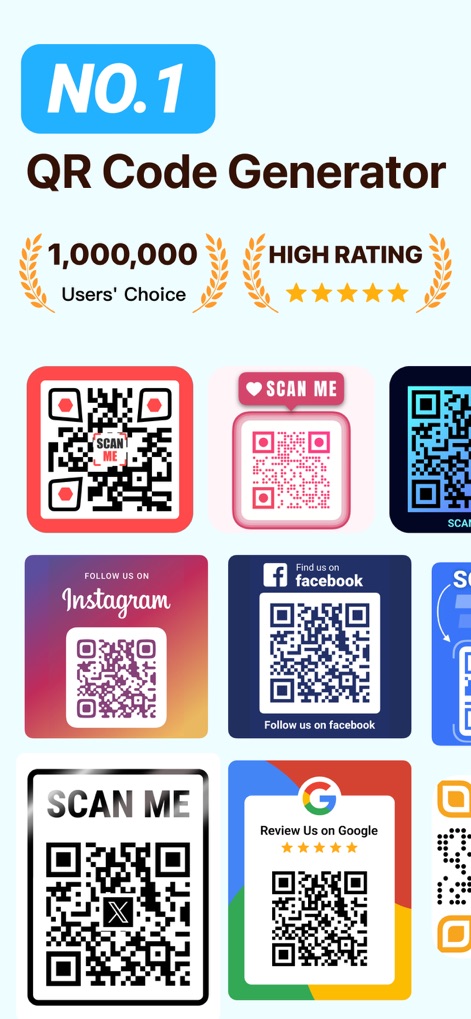
ユーザーは、InstagramやFacebook、Googleレビューなど、多様なカスタマイズQRコードの具体例を通じて、このアプリの広範な利用実績と高い評価を視覚的に確認できます。
最高のQR体験
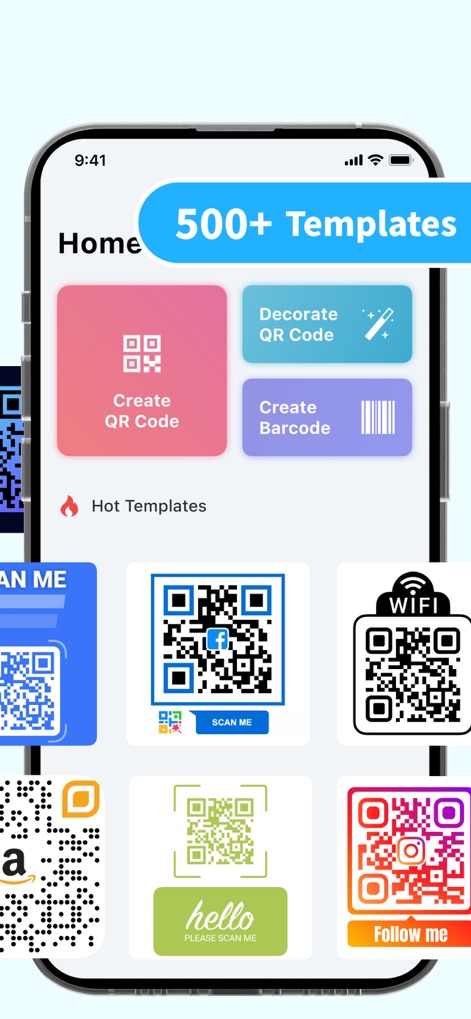
このホーム画面では、ユーザーは「500以上のテンプレート」の存在と、「QRコードの作成」や「装飾」など、アプリの主要機能を直感的に把握できます。
豊富なテンプレート
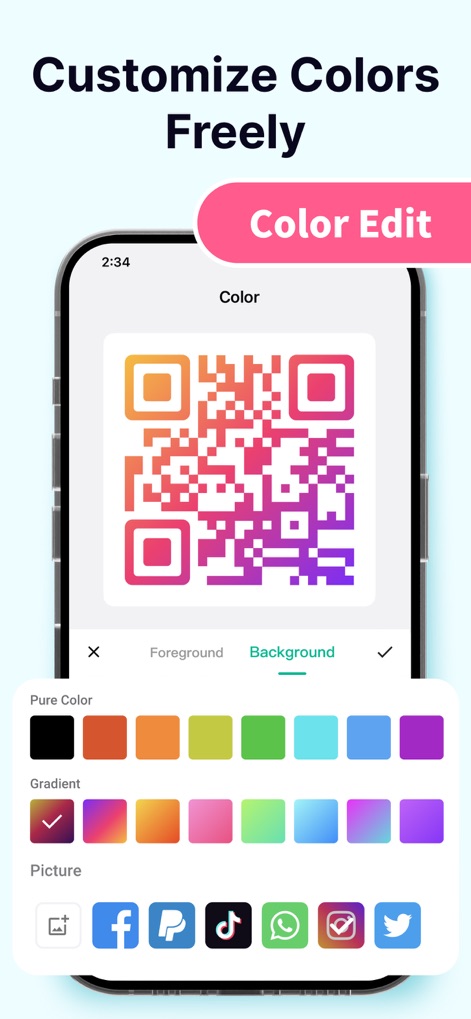
ユーザーは、魅力的な「グラデーションカラーのQRコード」を作成できるだけでなく、多様な「カラーパレット」から背景色や前景色を自由に選択し、独自性を表現できます。
自由に色をカスタマイズ

この機能により、ユーザーは「QRコードの中央に独自のロゴ」を配置してブランディングを強化し、様々な「ソーシャルメディアアイコンやカスタム画像」をロゴとして追加できます。
ブランドロゴを簡単追加
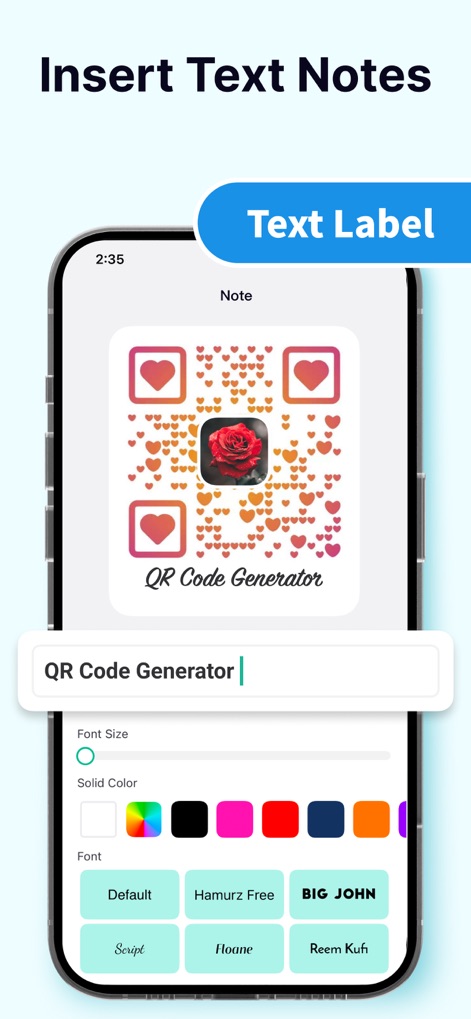
ユーザーは「QRコードの下にテキスト注釈」を追加することで情報を補足し、さらに「フォントサイズやスタイル」を調整して視覚的な魅力を高めることができます。
テキスト注釈を挿入
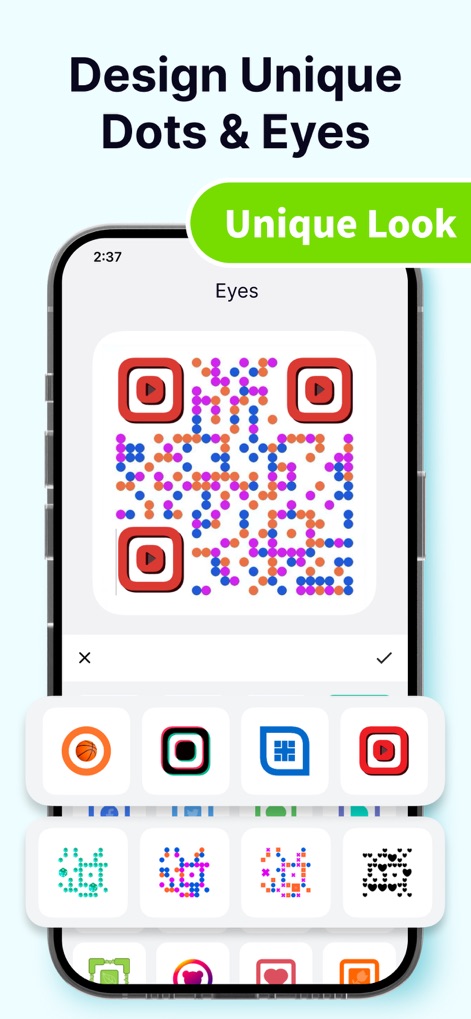
本機能では、ユーザーは「カラフルで個性的なドットパターン」をQRコードに適用し、さらに「多様な目のデザイン」から選択することで、他にはないユニークなQRコードを生成できます。
ユニークなドットと目
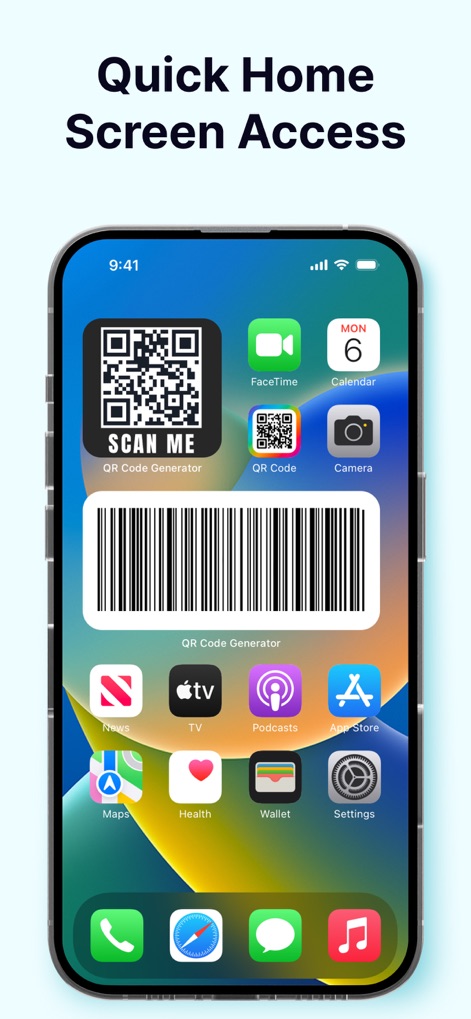
ユーザーは「ホーム画面のウィジェット」からQRコードへ素早くアクセスでき、また「QRコードのアプリアイコン」も視覚的に確認できます。
ホーム画面から素早くアクセス
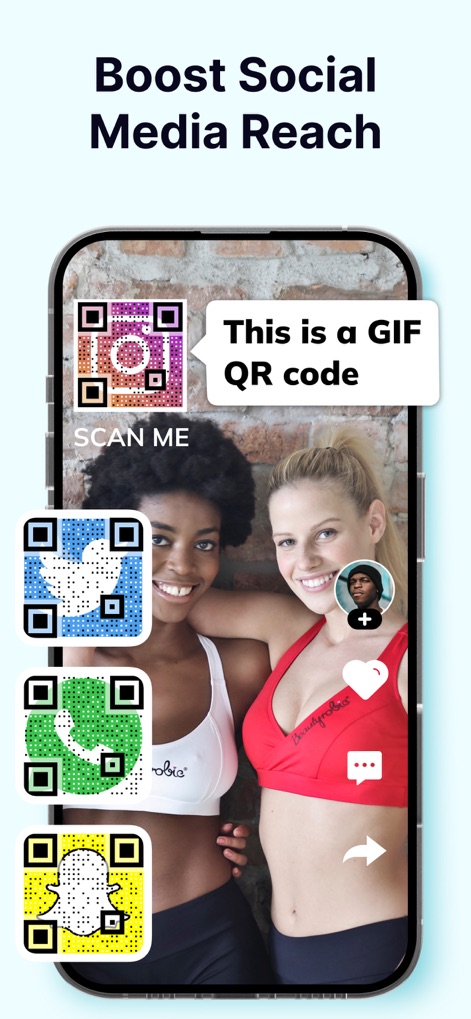
ユーザーは、Instagram、Twitter、Snapchatなどの「多様なソーシャルメディアQRコード」を活用してSNSの露出を増やし、さらに「GIF QRコード」のような動的な表現で注目を集めることができます。
ソーシャルリーチを拡大
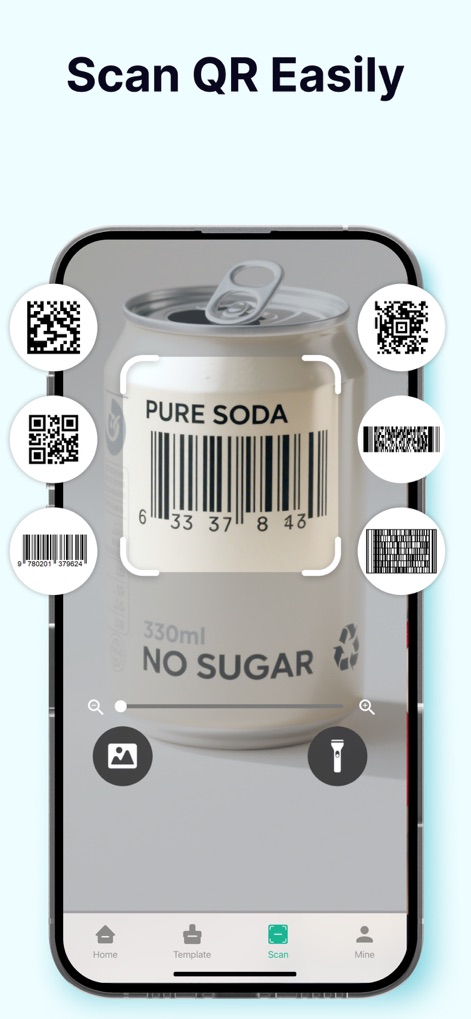
この機能により、ユーザーは「製品のバーコードを簡単にスキャン」できるだけでなく、画面上に「検出された複数のQRコードとバーコード」を同時に確認できます。
簡単QRスキャン
説明
Download
類似アプリ
似た機能とユーザー体験を持つアプリ

Me QR - QR Code Generator
ME TEAM LTD

QR Code Reader/QR Scanner App
MixerBox Inc.

QR Code Barcode: Scanner Maker
DE BITT LTD

QR Code Reader & QR Scanner ·
Simple Health Limited

Scan QR Code & Barcode
Mars Mobile LLC

QR Bot
Petr Polasek

QR Reader- Scanner & Generator
SAN MOBILE YAZILIM TICARET LIMITED SIRKETI

What's App -QR code scanner
DIGITALSTALK PRIVATE LIMITED

Power Barcode Scanner
Irvinesoft Inc
このページはアプリまたはその開発者の公式ページではなく、情報提供および論評を目的として作成された独立した編集出版物です。明示的に別段の記載がない限り、アプリおよびその開発者は、MWM、Apple、Google Play、アプリのパブリッシャー、またはアプリの開発者と提携、承認、後援、認可、またはその他の公式的な関係はなく、このページのいかなる内容も、アプリがMWMのサービスを使用して開発されたことを意味するものではありません。すべての商標、ロゴ、スクリーンショット、その他のコンテンツはそれぞれの所有者の財産です。