QR Stopwatch
QR Stopwatch
ダウンロード: App Store

このページはアプリまたはその開発者の公式ページではなく、情報提供および論評を目的として作成された独立した編集出版物です。明示的に別段の記載がない限り、アプリおよびその開発者は、MWM、Apple、Google Play、アプリのパブリッシャー、またはアプリの開発者と提携、承認、後援、認可、またはその他の公式的な関係はなく、このページのいかなる内容も、アプリがMWMのサービスを使用して開発されたことを意味するものではありません。すべての商標、ロゴ、スクリーンショット、その他のコンテンツはそれぞれの所有者の財産です。

ロゴ: QR Stopwatch
ダウンロード: App Store

QR Stopwatch

クリップボードを捨て、手動のデータ入力をなくしましょう。QRコードをスキャンするだけで複数の参加者を自動的に追跡。体育教師、コーチ、イベント主催者のための究極のハンズフリー・ソリューションです。

主要数値

ダウンロード

54K+

ユーザー評価

1.0/5

評価数

0

開発元

Ursin Tanner

カテゴリ

Sports

対応言語

1

最新バージョン

2.0

サイズ

2.7 MB

リリース日

2016年9月5日
機能

計時タスクを効率化

摩擦ゼロでプロ級の精度を実現。グループの計時を管理する、体育教師やコーチのための究極のツールです。

ハンズフリースキャン

QRコードをかざすだけでタイマーを即座にスタート・ストップ。クリック不要なので、手はホイッスルやクリップボードに自由に使えます。

参加者ログの自動作成

名前を手動で入力する必要はありません。アプリがQRコードから自動的にエントリーを作成するため、忙しい授業や大会中のデータ入力時間を何時間も短縮できます。

以下のスクリーンショットと説明は、アプリの公式ストアリスティングから直接取得されたものであり、アプリ開発者の所有物です。

アプリストア

スクリーンショット
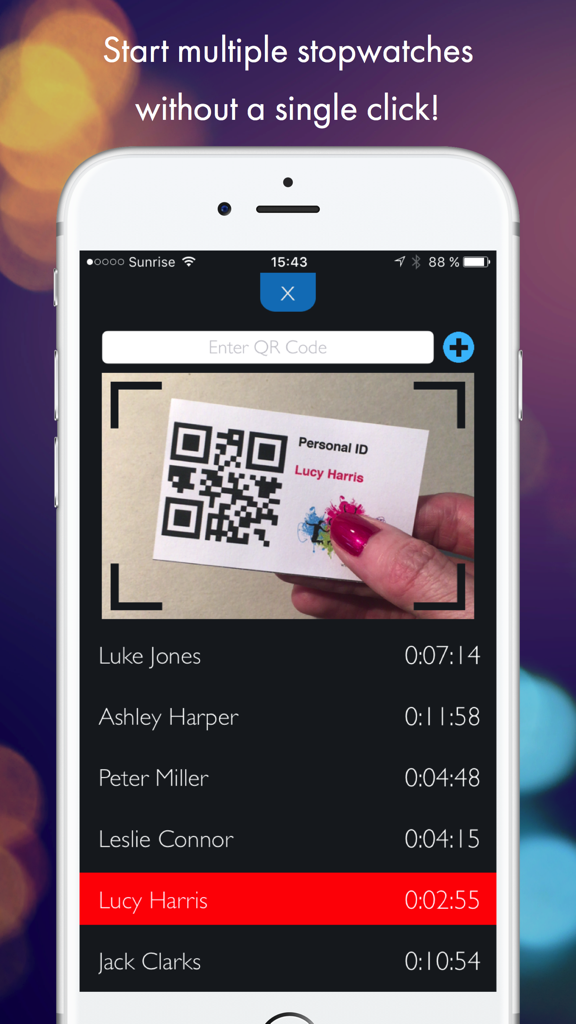
QR Stopwatch - QRストップウォッチのモバイルアプリインターフェース。カメラで個人のQRコードIDカードをスキャンし、さまざまな参加者の記録されたタイムがリスト表示されている様子。
QRストップウォッチのモバイルアプリインターフェース。カメラで個人のQRコードIDカードをスキャンし、さまざまな参加者の記録されたタイムがリスト表示されている様子。

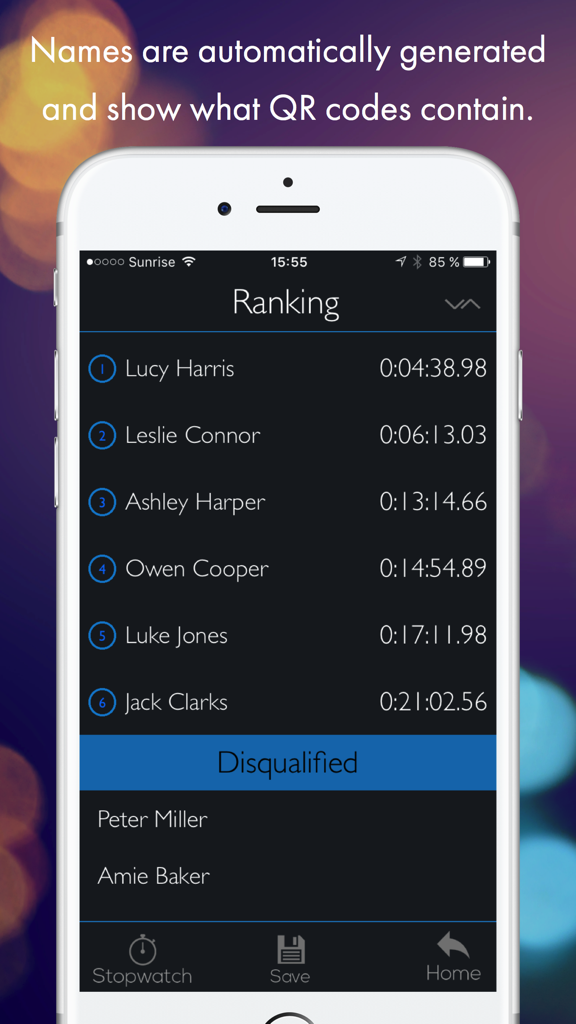
QR Stopwatch - 参加者のランキングリストとそれぞれの完了タイムを表示しているQRストップウォッチアプリのインターフェース
参加者のランキングリストとそれぞれの完了タイムを表示しているQRストップウォッチアプリのインターフェース

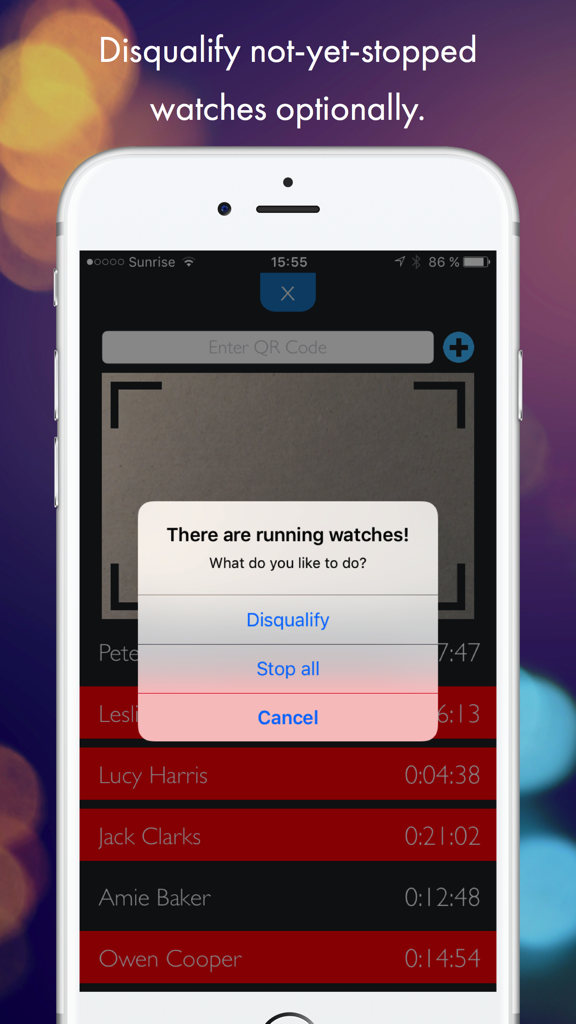
QR Stopwatch - QRストップウォッチアプリのスクリーンショット。ルーシー・ハリスやジャック・クラークスなどの参加者に対して、失格にするか、または進行中の全タイマーを停止するかの選択肢を含むアラートが表示されている。
QRストップウォッチアプリのスクリーンショット。ルーシー・ハリスやジャック・クラークスなどの参加者に対して、失格にするか、または進行中の全タイマーを停止するかの選択肢を含むアラートが表示されている。

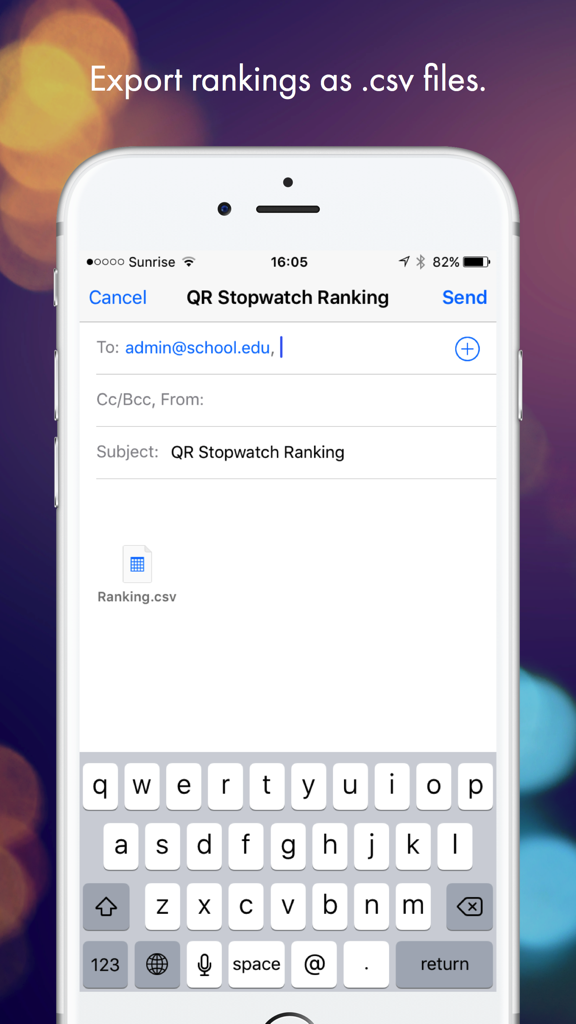
QR Stopwatch - CSV形式のQRストップウォッチランキングファイルをメールでエクスポートしている様子を示すインターフェース
CSV形式のQRストップウォッチランキングファイルをメールでエクスポートしている様子を示すインターフェース

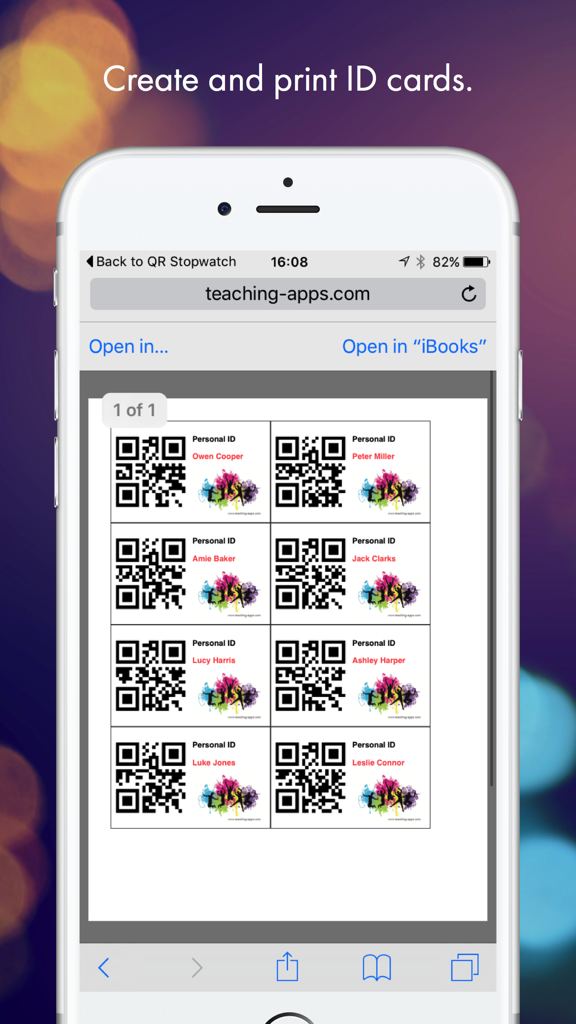
QR Stopwatch - teaching-appsウェブサイトのQRコードと名前が入った印刷可能な個人用IDカードを表示しているスマートフォンの画面

teaching-appsウェブサイトのQRコードと名前が入った印刷可能な個人用IDカードを表示しているスマートフォンの画面

説明

Use this clever app for the timekeeping of several people, starting at different times or as group. It works without a single click - just show it any QR code to start a new stopwatch! HOW IT WORKS 1) SINGLE START: Use this clever app for the timekeeping of various persons, starting at different times. Simply hold the QR code in front of the scanner. The app will then automatically generate your name and a new individual stopwatch will be started. If you scan the code again, the timer stops. It’s also possible to resume the same watch again. 2) MASS START: If all participants are starting at the same time, then you should use the mass start mode. Start the stopwatch without any further adjustments and simply record the finishing time and the name of the runners when they reach the finish line. EXAMPLES OF USE - Reporting of working time. - Timekeeping of sporting events. - Report the students’ work time for special tasks. -> NO CLICKS Start the app and it will automatically take the time of all shown QR codes until you stop the scanner. -> NO TYPING OF NAMES The app automatically creates new items if a new QR code is shown. The name is whatever the QR code contains. -> GET A RANKING Choose the sort order: Would you like to know the fastest or slowest time? Decide if not-yet-stopped watches will be disqualified or stop all operating watches at once. -> SAVE AUTOMATICALLY Close the app and work on the same data the next day. All data is saved automatically. -> EXPORT Save and export rankings by email as .csv files. -> MANUAL INTERVENTION Use your finger to tap on a name to start a stopwatch manually. Tap again to stop it. As administrator you can also stop all running timers at the same time. If there is a person without QR code, it is possible to add a timer manually. -> CREATE MULTIPLE QR CODES ONLINE AT http://www.teaching-apps.com Simply type in all names/items at once and get multiple QR codes in a PDF, which you can then print and save. It couldn’t be any easier! Each QR code is embedded in a student ID card in a credit card size. These cards can be used for different apps and uses. Be sure to subscribe to the newsletter to receive updates on any new apps.

Download

ダウンロード: App Store

このページはアプリまたはその開発者の公式ページではなく、情報提供および論評を目的として作成された独立した編集出版物です。明示的に別段の記載がない限り、アプリおよびその開発者は、MWM、Apple、Google Play、アプリのパブリッシャー、またはアプリの開発者と提携、承認、後援、認可、またはその他の公式的な関係はなく、このページのいかなる内容も、アプリがMWMのサービスを使用して開発されたことを意味するものではありません。すべての商標、ロゴ、スクリーンショット、その他のコンテンツはそれぞれの所有者の財産です。








