Quantiloop Pro - Live Looper
ダウンロード: App Store

このページはアプリまたはその開発者の公式ページではなく、情報提供および論評を目的として作成された独立した編集出版物です。明示的に別段の記載がない限り、アプリおよびその開発者は、MWM、Apple、Google Play、アプリのパブリッシャー、またはアプリの開発者と提携、承認、後援、認可、またはその他の公式的な関係はなく、このページのいかなる内容も、アプリがMWMのサービスを使用して開発されたことを意味するものではありません。すべての商標、ロゴ、スクリーンショット、その他のコンテンツはそれぞれの所有者の財産です。


ロゴ: Quantiloop Pro - Live Looper
ダウンロード: App Store

Quantiloop Pro - Live Looper

4トラックルーピング、シームレスなMIDI統合、ハンズフリーコントロールでパフォーマンスを極めましょう。モバイルリグにハードウェアの信頼性を求めるミュージシャンのために構築されています。

主要数値

ダウンロード

55K+

ユーザー評価

4.8/5

評価数

600

開発元

Stephan Marx

カテゴリ

Music

対応言語

1

最新バージョン

2.98.5

サイズ

15.9 MB

リリース日

2016年9月30日
機能

ライブパフォーマンスを向上させる

かさばるハードウェアを、ハンズフリーコントロール、シームレスな楽曲アレンジ、スタジオ級の統合を実現するために設計されたプロフェッショナルな4トラックルーパーに置き換えましょう。

プロ仕様のMIDI & ハンズフリーコントロール

MIDIフットコントローラーを接続してフロアを完全にコントロール。または、オートレコーディングやカウントインを使用して、iPadに一度も触れることなくループを構築できます。

複雑な楽曲アレンジ

4つの専用トラックで、繰り返しのループから解放されましょう。ヴァース、コーラス、ブリッジのセクションを作成し、シームレスに切り替えてフルバンドのようなサウンドを実現します。

以下のスクリーンショットと説明は、アプリの公式ストアリスティングから直接取得されたものであり、アプリ開発者の所有物です。

アプリストア

スクリーンショット
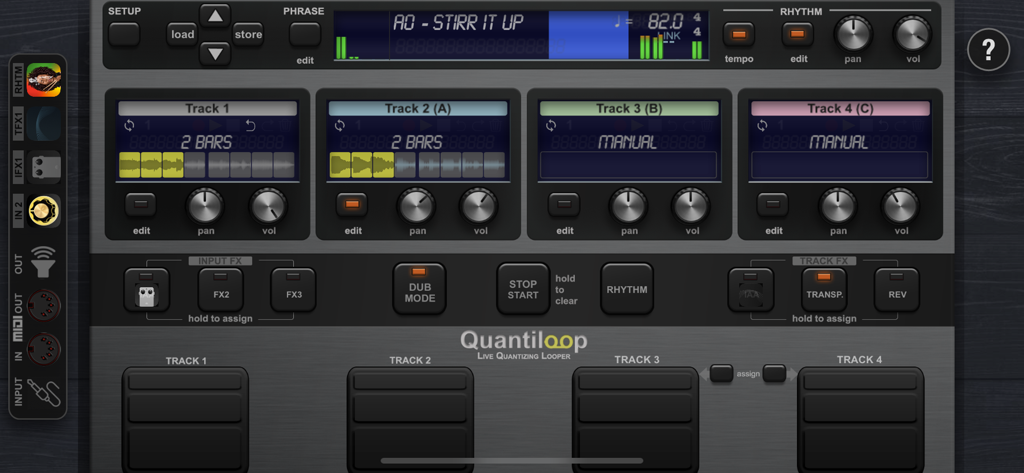
Quantiloop Pro - Live Looper - 4つのトラックとパフォーマンスコントロールを備えたQuantiloop Proライブルーパーのメインインターフェース
4つのトラックとパフォーマンスコントロールを備えたQuantiloop Proライブルーパーのメインインターフェース

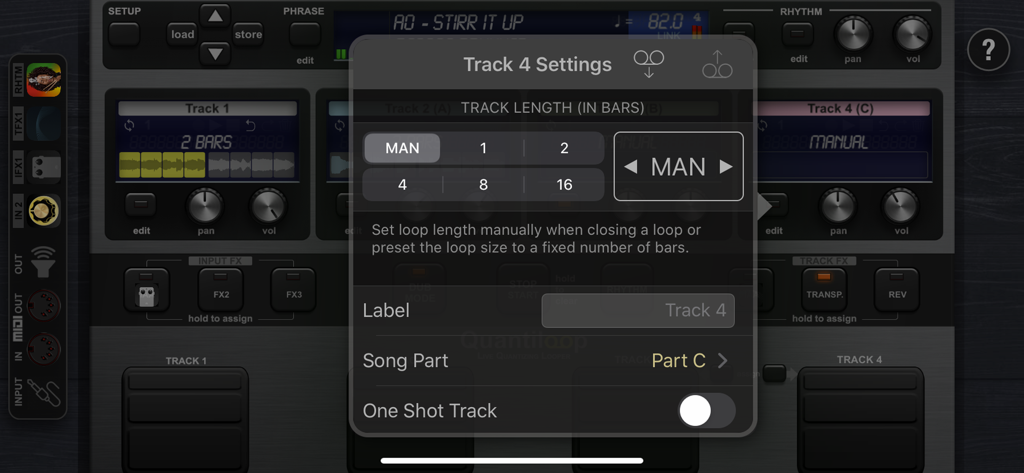
Quantiloop Pro - Live Looper - トラックの長さとソングパーツ設定のオーバーレイを表示するQuantiloop Proアプリのインターフェース
トラックの長さとソングパーツ設定のオーバーレイを表示するQuantiloop Proアプリのインターフェース

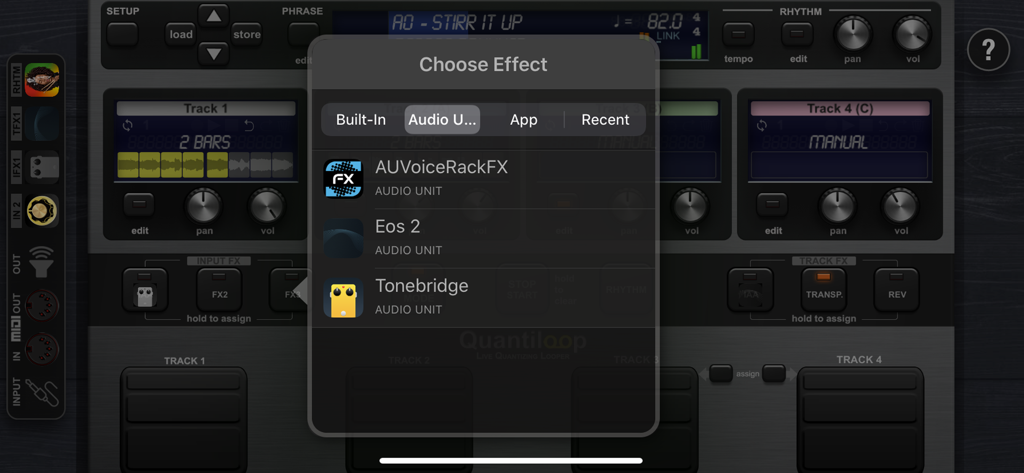
Quantiloop Pro - Live Looper - Audio Unitプラグインのサポートを表示するQuantiloop Proのエフェクト選択メニュー
Audio Unitプラグインのサポートを表示するQuantiloop Proのエフェクト選択メニュー

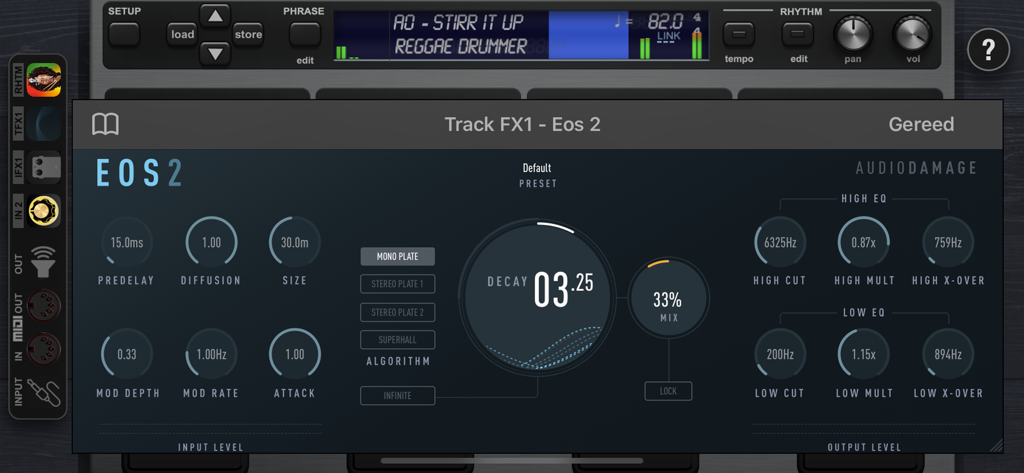
Quantiloop Pro - Live Looper - プロフェッショナルなAUv3オーディオエフェクトプラグインのインターフェースを表示するQuantiloop Proアプリ
プロフェッショナルなAUv3オーディオエフェクトプラグインのインターフェースを表示するQuantiloop Proアプリ

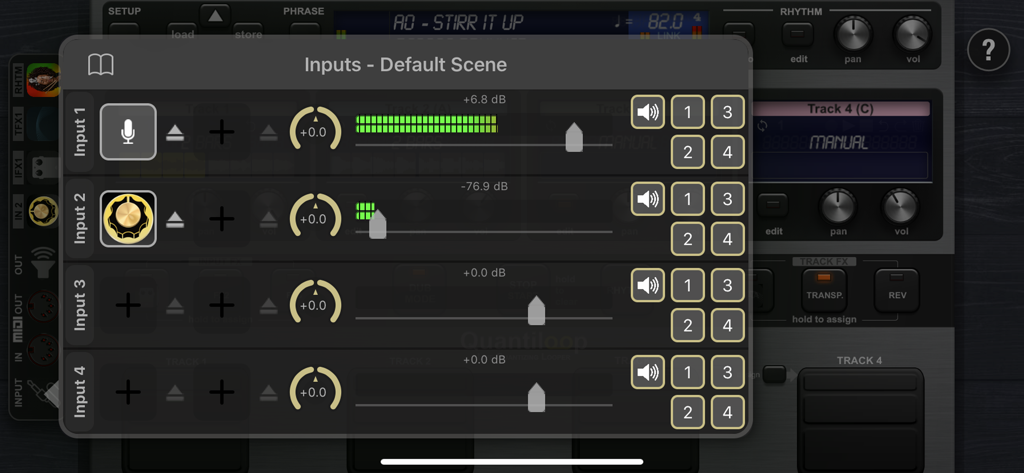
Quantiloop Pro - Live Looper - オーディオレベルメーターとチャネルルーティングを備えたQuantiloop Proの入力設定インターフェース
オーディオレベルメーターとチャネルルーティングを備えたQuantiloop Proの入力設定インターフェース

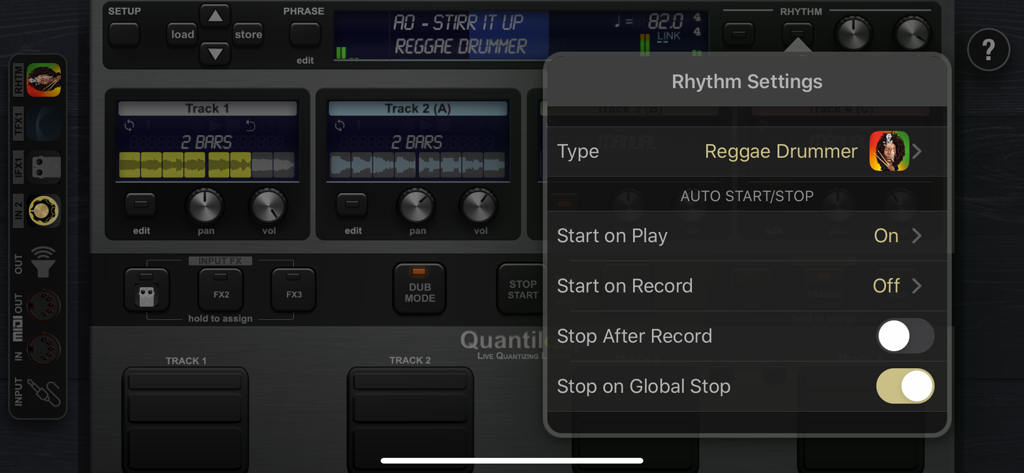
Quantiloop Pro - Live Looper - Reggae Drummerのオプションと自動開始・停止コントロールを表示するQuantiloop Proのリズム設定メニュー
Reggae Drummerのオプションと自動開始・停止コントロールを表示するQuantiloop Proのリズム設定メニュー

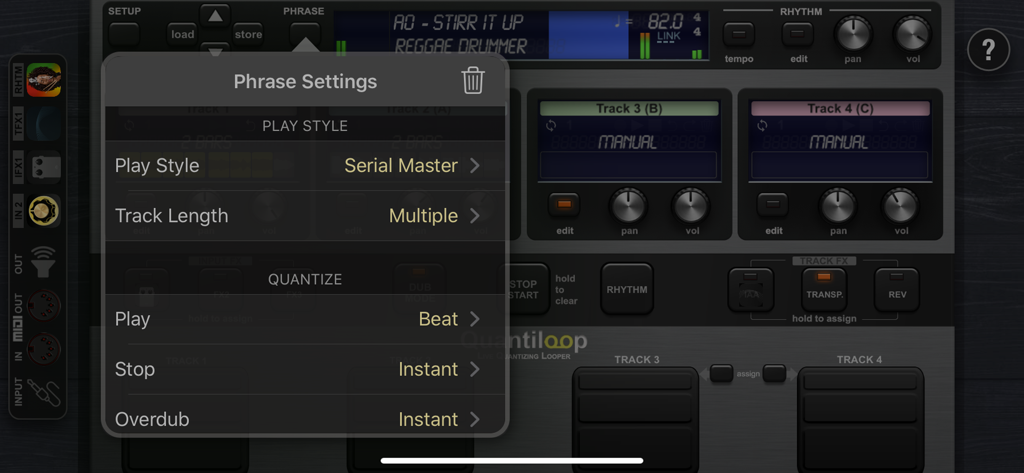
Quantiloop Pro - Live Looper - プレイスタイルとクオンタイズオプションを表示するQuantiloop Proのフレーズ設定メニュー

プレイスタイルとクオンタイズオプションを表示するQuantiloop Proのフレーズ設定メニュー

説明

Built for Live performance and hands free use, Quantiloop recreates the simplicity of a hardware loop pedal in an iOS app. Attach a MIDI foot controller and control it the way you want. No MIDI controller at hand; just preset your loop length, enable auto–record or a count–in and your loops will automatically close, no hands or feet required. Big onscreen controls allow for easy configuration and tactile control by vocalists or beat boxers. Focus on your performance instead of fiddling with dip switches or complex menu’s. Be Creative Create 4 tracks with endless layers of overdubs to build your performance. Record a Chorus, Verse and Bridge and switch between them seamlessly or create a 1 bar percussie loop on track one, a 4 bar chord progression on track two and layer a bass line on top, all in perfect synchronisation. Rhythm Guide The builtin rhythm guide provides a rhythmic backing. Use the internal metronome for practice, import drum loops from virtually anywhere or host and control your favourite rhythm apps to enhance your performance. MIDI master lets you control MIDI hardware, and MIDI slave lets Quantiloop follow it. Ableton Link lets you even play in time over WiFi with external apps and devices. Quantisation aligns your actions to the nearest measure or beat so you stay in time, and real-time tempo control sets the pace. Prefer setting your own pace, disable quantisation and Quantiloop will react to your actions with minimum latency to create tight synchronised recordings. FX Assign up to 3 simultaneous effects to the input. Use the built-in transpose to covert your guitar into a bass, or host your guitar amp sim directly in Quantiloop. The results will be recorded into your loops. Or assign up to 3 simultaneous track effects to the output. Use the tape stop to add drama, introduce a key change to build up your performance, or host an Inter-App audio/AU reverb processor. Track FX may be assigned to a single track, all tracks or the combined output. Features • Free, Synced and Paralel,Serial, Mixed Playing Styles • Multiple Quantise Modes • Multiple Stop Modes • Unique Dub Mode and Mute Mode • Unlimited Overdubs • Overdub Decay • Undo / Redo • Auto Record • High quality stereo audio • Clear loop status display • Rhythm guide with optional auto-start, auto-stop and count-in • Audible and Visual Metronome • Send start, stop and host sync to hosted rhythm apps. • Sync to host when embedded in an Inter-App-Audio host • Real-time Tempo Control • Extensive MIDI control • Multiple Assignments per MIDI controller (tap, hold, double tap) • MIDI Program Change support for changing presets • Supports Audiobus and Inter-App-Audio and Audio Units (AUv3) • Individual outputs for each track and rhythm • Synchronise to other apps and devices with Ableton Link • MIDI clock sync (both slave and master) • 4 physical/iaa/au/audiobus inputs routable to any track • 8 outputs (main, monitor, track 1-4, rhythm, input out) • 3 assignable input Fx, including transpose, reverb and IAA, AUv3 • 3 assignable track Fx, including transpose, reverse, tape stop, fade and IAA, AUv3 • Cloud (iCloud, Dropbox, Audioshare …) import / export • AudioCopy/Paste • Open In • Store Phrase Presets in unlimited banks with 100 presets each • Individual Volume and panning controls for each track

Download

ダウンロード: App Store

このページはアプリまたはその開発者の公式ページではなく、情報提供および論評を目的として作成された独立した編集出版物です。明示的に別段の記載がない限り、アプリおよびその開発者は、MWM、Apple、Google Play、アプリのパブリッシャー、またはアプリの開発者と提携、承認、後援、認可、またはその他の公式的な関係はなく、このページのいかなる内容も、アプリがMWMのサービスを使用して開発されたことを意味するものではありません。すべての商標、ロゴ、スクリーンショット、その他のコンテンツはそれぞれの所有者の財産です。







