QuickNotes X Pro

QuickNotes X Pro

ダウンロード: App Store
ロゴ: QuickNotes X Pro

QuickNotes X Pro:プロフェッショナルなノート作成とPDF注釈が再定義される

iPadをパワフルなデジタルワークスペースに変えましょう。最新のプロフェッショナルやクリエイティブな学生のために設計された軽量ツールで、ノートを整理し、PDFに注釈を付け、プライベートな思考を安全に保ちましょう。

開発元

Alessandro Sassi

カテゴリ

Productivity

ダウンロード

19K+

ユーザー評価

4.3/5

評価数

100

対応言語

3

内部を覗いてみましょう

このインターフェースを利用する 19K+ 人のユーザー.

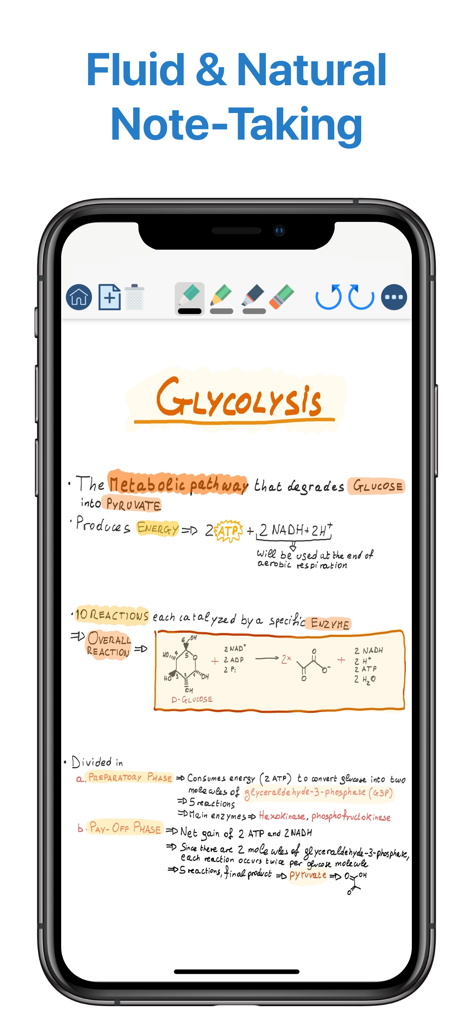
iPhoneのQuickNotes X Proアプリインターフェースに表示された解糖系に関する手書きの生物学学習ノート

iPhoneのQuickNotes X Proアプリインターフェースに表示された解糖系に関する手書きの生物学学習ノート

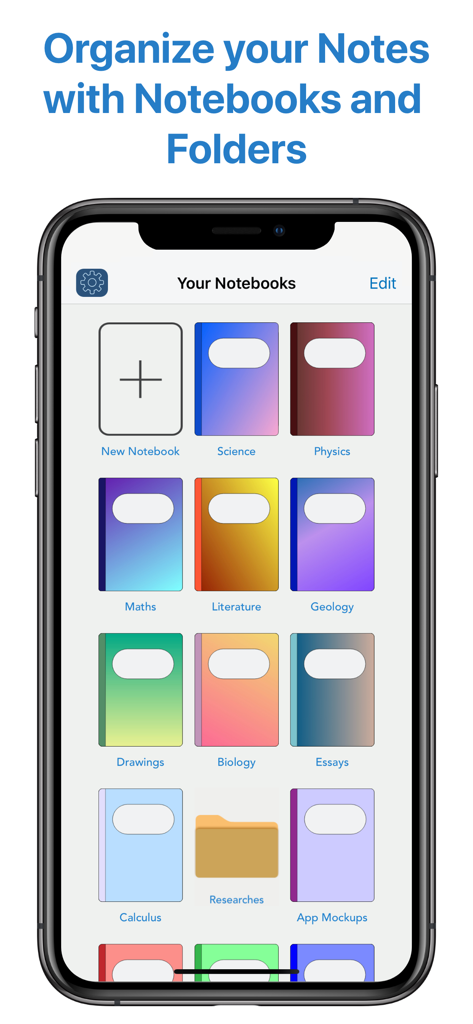
QuickNotes X Proデジタルノートブックライブラリと整理画面

QuickNotes X Proデジタルノートブックライブラリと整理画面

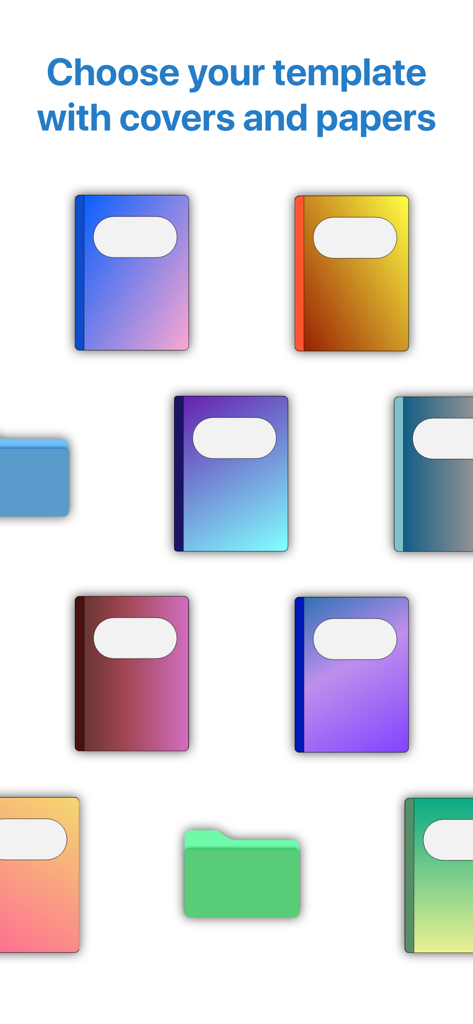
ノートのパーソナライズのための、さまざまなカラフルなデジタルノートカバーと整理フォルダー。

ノートのパーソナライズのための、さまざまなカラフルなデジタルノートカバーと整理フォルダー。

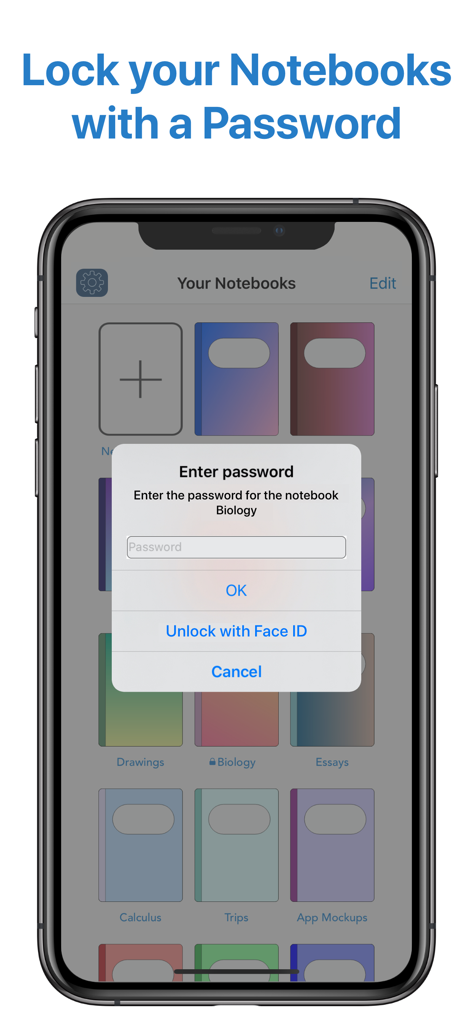
QuickNotes X Proのプライベートノートブックのパスワード入力プロンプトとFace IDロック解除オプションを示すインターフェース

QuickNotes X Proのプライベートノートブックのパスワード入力プロンプトとFace IDロック解除オプションを示すインターフェース

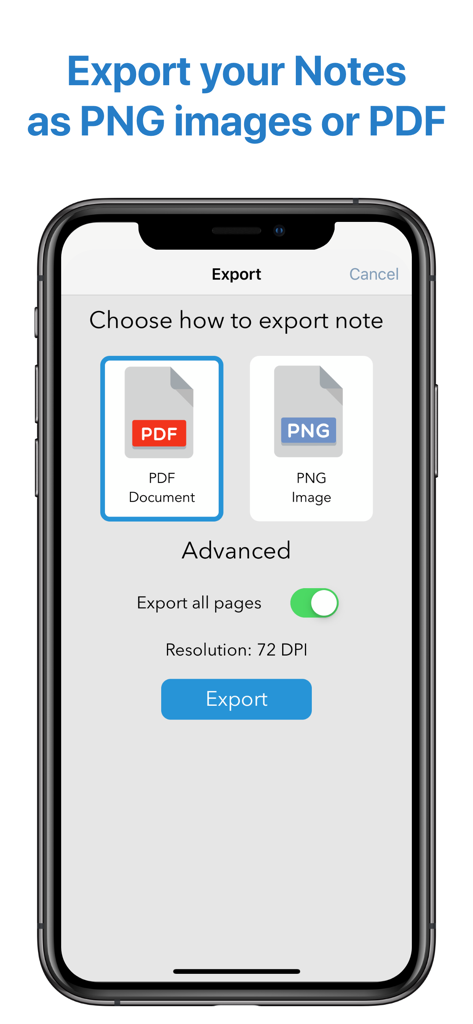
QuickNotes X Proアプリインターフェースに、ノートをPDFまたはPNG画像としてエクスポートするオプションが表示されている。

QuickNotes X Proアプリインターフェースに、ノートをPDFまたはPNG画像としてエクスポートするオプションが表示されている。

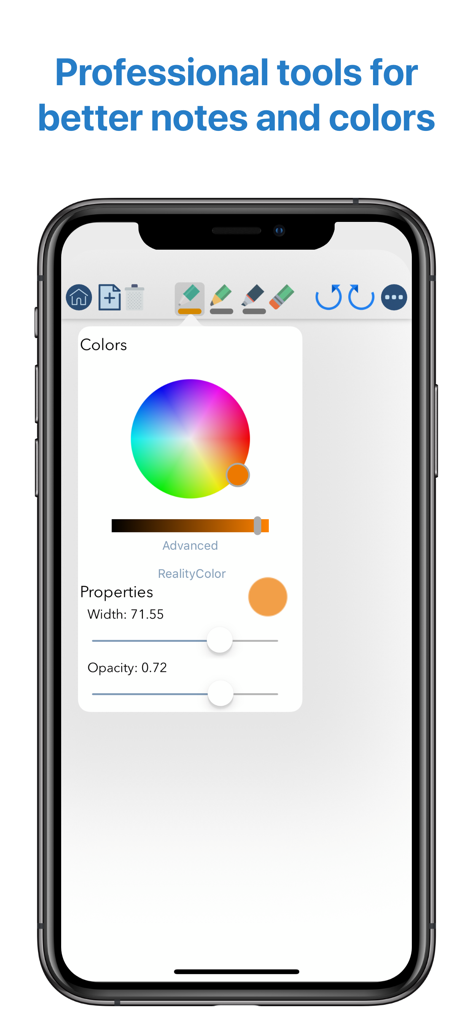
iPhoneのQuickNotes X Proインターフェースに、高度なカラーホイールや幅と不透明度のブラシプロパティスライダーを含むプロフェッショナルな描画ツールが表示されている。

iPhoneのQuickNotes X Proインターフェースに、高度なカラーホイールや幅と不透明度のブラシプロパティスライダーを含むプロフェッショナルな描画ツールが表示されている。

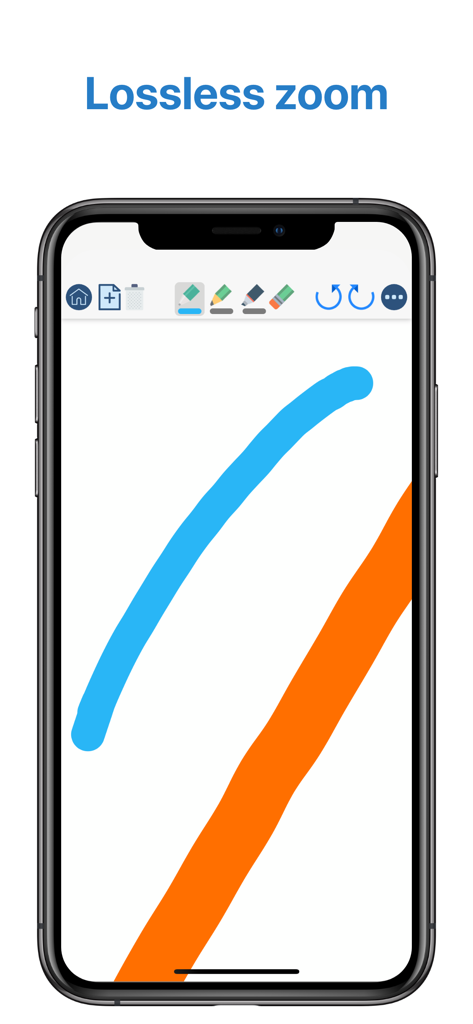
QuickNotes X Proモバイルインターフェースに、スムーズなデジタルインクストロークとロスレスズーム機能が表示されている。

QuickNotes X Proモバイルインターフェースに、スムーズなデジタルインクストロークとロスレスズーム機能が表示されている。

ノート作成体験を向上させる

このアプリを際立たせるツール、 19K+ 人のユーザーが選択.

✍️

プロフェッショナル描画エンジン

ピクセルパーフェクトな精度と、周囲の世界からあらゆる色をキャプチャするRealityPickerのようなユニークなツールで、ゼロ遅延の書き心地を体験してください。

📑

強力なPDF注釈

講義資料やビジネス契約書をインポートして、注釈を付け、ハイライトし、署名しましょう。高品質のドキュメントを即座にエクスポートして、スケジュールを ahead に保ちましょう。

🛡️

プライベート&軽量デザイン

FaceID保護で機密性の高いノートを保護し、20MB未満の軽量アプリで完全なプロフェッショナルツールセットをお楽しみください。

アプリについて

について知っておくべきこと QuickNotes X Pro.

説明

- ORGANIZE YOUR NOTES - Create notebooks to organize your notes. Choose between a selection of paper templates and covers, and choose between vertical or horizontal layout to fit your note-taking needs. You can also rearrange your notebooks and create folders for them for maximum flexibility. - IMPORT & EDIT YOUR PDFs - With QuickNotes X you can import your PDF documents inside an existing notebook or in a new one, and you can edit them using all the tools QuickNotes X offers. Markup, annotate, highlight, insert images and text and more. You can also export these pages as a new PDF to share you edits. - ACCURATE NOTE-TAKING - QuickNotes X has a new accurate drawing engine that never loses detail, even after zooming or moving around the page. It also has the tools necessary to take perfect professional notes, all in one place. - DRAG & DROP SUPPORT - With QuickNotes X, you can easily create multi-media notes: use an image as a background, or import images from your library or from the web with an in-app tool or by using drag & drop from another window. In addition, these images are always resizable and movable, so that you can edit them whenever you want - PROFESSIONAL TOOLS - To create perfect notes, you need the right tools. This is why QuickNotes X has everything you need, from Pen and Highlighter to the Eraser, so that no mistakes are irreversible. Select the perfect line width and opacity to further customize your style, and choose the color you need from a hand-picked selection or by using the new HSV picker. You can even import a color from an image using the unique RealityPicker! - LOCK YOUR PRIVATE NOTEBOOKS - Want to restrict access to a specific notebook? Just set up a password when you create it or long press on its cover to lock it. And when you need to add some pages to it, just enter the password again or use Touch ID or Face ID to unlock it. - TYPE INSTEAD OF WRITING - With the new Text Tool you can add Text Boxes to your notes to type instead of writing. Want a different text style? Choose the font, size and color you like, underline or set to bold important things: now typing and writing notes is easier with QuickNotes X. - EXPORT TO EDIT ON OTHER DEVICES - You can export individual notes or entire notebooks as a QuickNotes X Document, which can be imported on another device to continue editing your notes. If you export your notebooks they will retain all properties, such as background and aspect ratio, so that if you reimport them they will look exactly as you expect. - SEAMLESS SHARING - Export your note as a PNG image or PDF, with the option to export the whole notebook in a single PDF document. Then, open it in your favorite app or share it with Mail, all with a few taps. - USE YOUR STYLUS - Have a Bluetooth stylus? No problem! QuickNotes X support a variety of styluses, from the Apple Pencil (1st & 2nd Generation)* to Adonit Jot, so that you can take notes while resting your palm on the screen, just like on paper. - OPTIMIZED FOR iOS 13 & 14 - With iOS 13 and 14, QuickNotes X is better than ever! A new, more modern look and support for Dark Mode makes taking notes with QuickNotes X a new experience. - BUT THERE IS MORE! - ⊱ Quickly change page by double-tapping on the edge of the screen ⊱ See all your notebook pages at a glance while taking notes with the new "Notes List" feature ⊱ Create a new page while writing with the dedicated button or by double-tapping on the edge of the screen ⊱ Unlimited undo-redo while writing (before leaving the page) ⊱ Clear your page with a single tap ⊱ Change your notebook template while writing thanks to the dedicated button ⊱ Rapidly delete notes and notebooks with just a long press ⊱ Option to reset all content (Notebooks and Notes) and preferences ⊱ Lightweight: all the features of a professional drawing app with less than 20MB of space ⊱ Localized in English, Italian and French. QuickNotes X Pro: note-taking, made easy. *Only on selected iPad models

最新バージョン

2.4.11

サイズ

38.6 MB

リリース日

2016年6月21日

生産性をマスターする準備はできましたか?

正確な手書き、安全なPDF注釈、美しい整理のためにQuickNotes X Proを信頼する19,000人以上の学生やプロフェッショナルに加わりましょう。今すぐApp Storeでダウンロード。

ダウンロード: App Store

App information, icons, screenshots, and descriptions displayed on this page are sourced from the Apple App Store and are the property of their respective developers. Download estimates and rankings are based on MWM's proprietary models and may not reflect actual figures. This page is provided for informational and analytical purposes only.

Believe this page infringes your intellectual property? File a dispute