Notes Writer Pro 2026
ダウンロード: App Store

このページはアプリまたはその開発者の公式ページではなく、情報提供および論評を目的として作成された独立した編集出版物です。明示的に別段の記載がない限り、アプリおよびその開発者は、MWM、Apple、Google Play、アプリのパブリッシャー、またはアプリの開発者と提携、承認、後援、認可、またはその他の公式的な関係はなく、このページのいかなる内容も、アプリがMWMのサービスを使用して開発されたことを意味するものではありません。すべての商標、ロゴ、スクリーンショット、その他のコンテンツはそれぞれの所有者の財産です。

ロゴ: Notes Writer Pro 2026
ダウンロード: App Store

Notes Writer Pro 2026

邪魔されない執筆やMarkdownから高度なPDF注釈や署名まで—リサーチ、ドラフト作成、整理に必要なすべてが、このパワフルなペーパーレスオフィスに集約されています。

主要数値

ダウンロード

379K+

ユーザー評価

4.5/5

評価数

12K+

開発元

Kairoos Solutions S.L.

カテゴリ

Productivity

対応言語

10

最新バージョン

18.7.0

サイズ

362.4 MB

リリース日

2018年8月15日
機能

ワークフローをマスターする

講義室から役員室まで、Notes Writer Pro 2026は、制限なく執筆、リサーチ、整理に必要なプロフェッショナルツールを提供します。

集中できる執筆

Markdownサポート、ライブカウンター、組み込みのAPA/MLAフォーマットスタイルを備えたクリーンなワークスペースで、論文やジャーナルをドラフト作成できます。

完全なPDFパワー

教科書にハイライトを付けたり、法的契約に署名したり、フォームに記入したりできます。Split Viewを使用して、リサーチとノート作成を並行して行えます。

以下のスクリーンショットと説明は、アプリの公式ストアリスティングから直接取得されたものであり、アプリ開発者の所有物です。

アプリストア

スクリーンショット
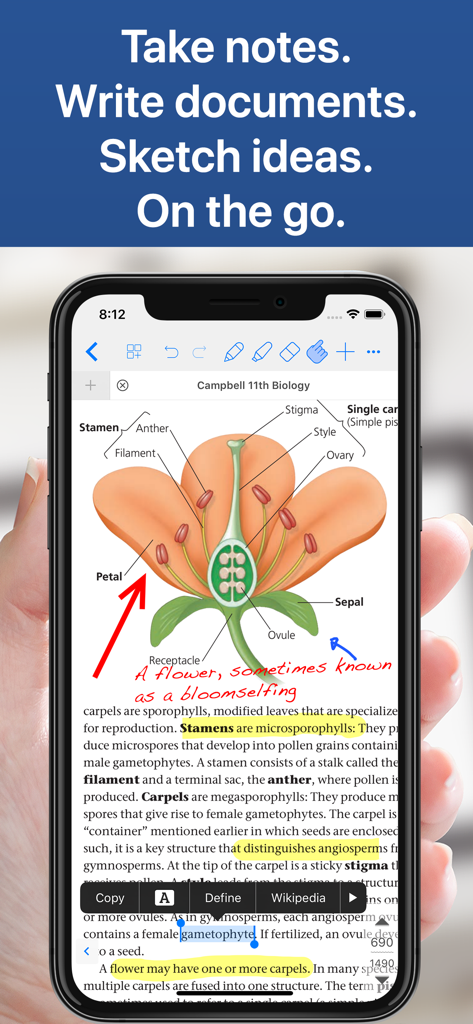
Notes Writer Pro 2026 - iPhoneに表示されたNotes Writer Proアプリ。手書きの注釈とハイライトが付いた生物学の教科書が表示されています。
iPhoneに表示されたNotes Writer Proアプリ。手書きの注釈とハイライトが付いた生物学の教科書が表示されています。

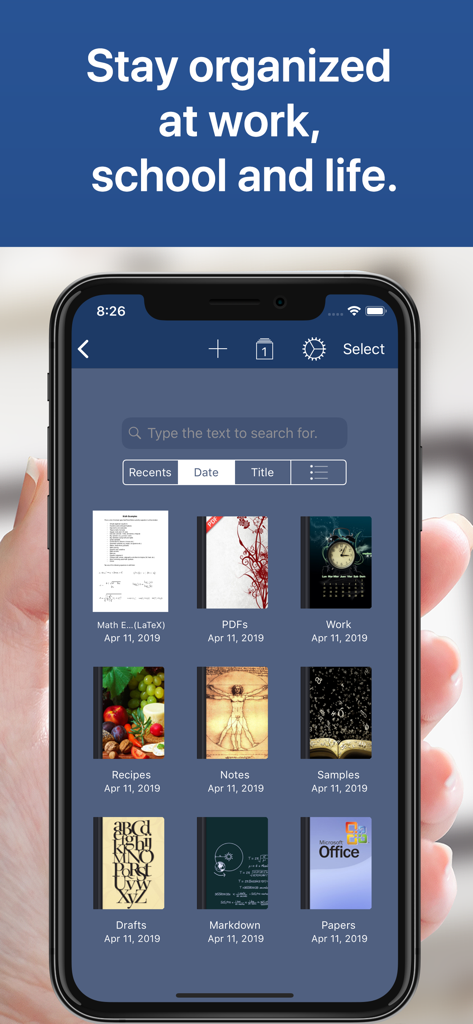
Notes Writer Pro 2026 - Notes Writer Proアプリで整理されたデジタルノートブックを表示するスマートフォン画面
Notes Writer Proアプリで整理されたデジタルノートブックを表示するスマートフォン画面

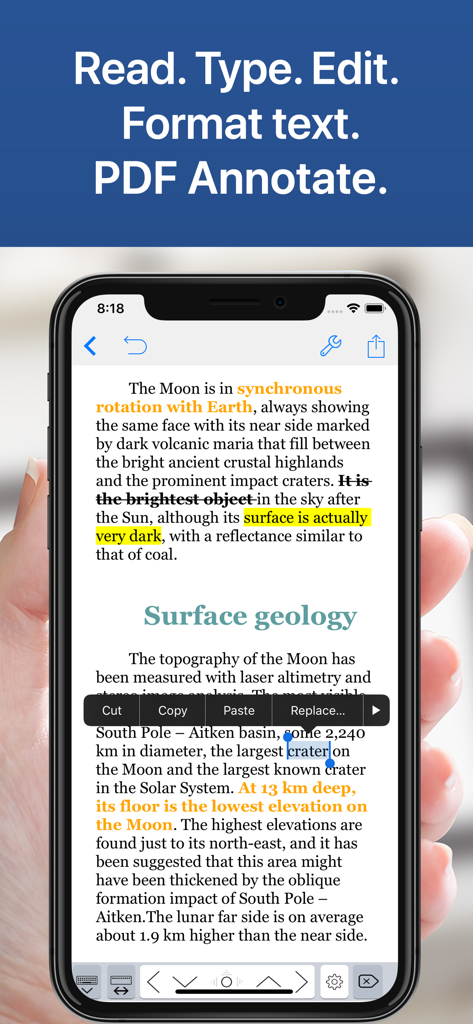
Notes Writer Pro 2026 - Notes Writer Proアプリが表示されたiPhone画面。月に関するドキュメントのテキストハイライト、取り消し線、編集オプションが表示されています。
Notes Writer Proアプリが表示されたiPhone画面。月に関するドキュメントのテキストハイライト、取り消し線、編集オプションが表示されています。

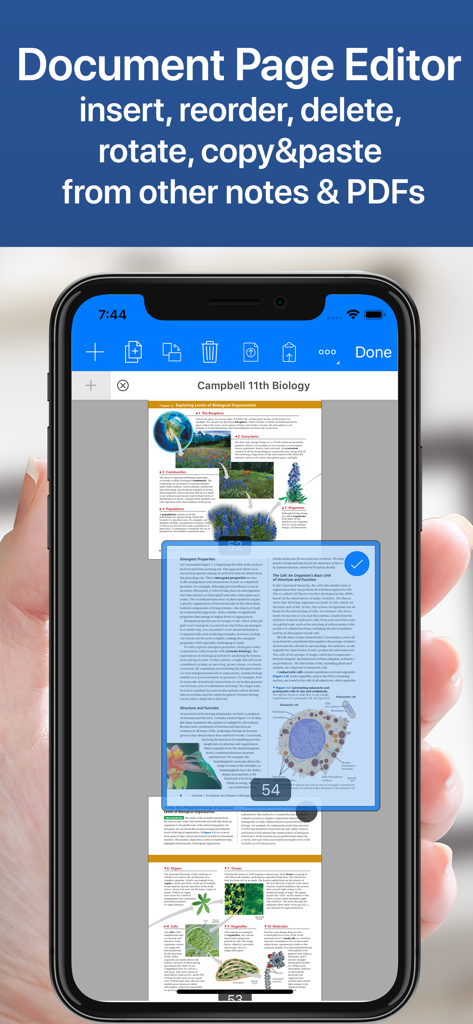
Notes Writer Pro 2026 - Notes Writer Proアプリのドキュメントページエディタを表示するiPhone。PDFページの並べ替えや削除が可能です。
Notes Writer Proアプリのドキュメントページエディタを表示するiPhone。PDFページの並べ替えや削除が可能です。

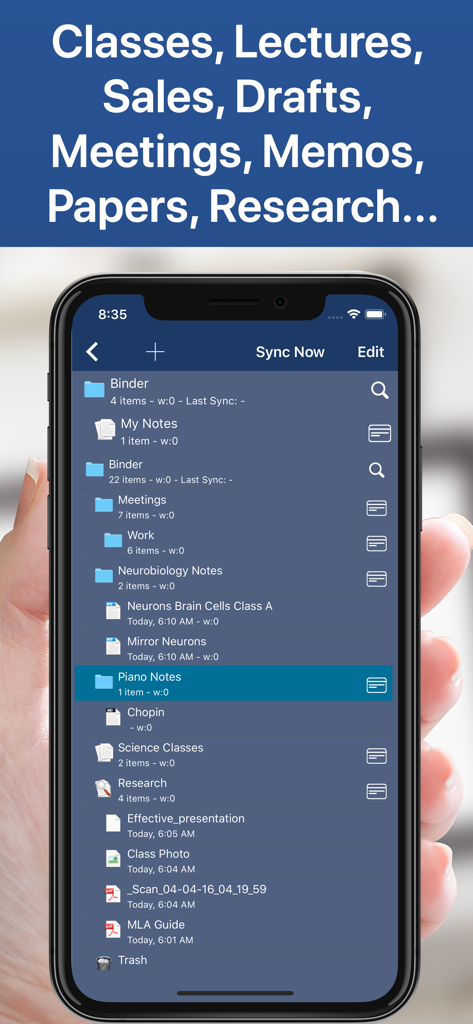
Notes Writer Pro 2026 - Notes Writer Proアプリのノートやドキュメント用の整理されたファイルとフォルダ階層を表示するスマートフォン画面
Notes Writer Proアプリのノートやドキュメント用の整理されたファイルとフォルダ階層を表示するスマートフォン画面

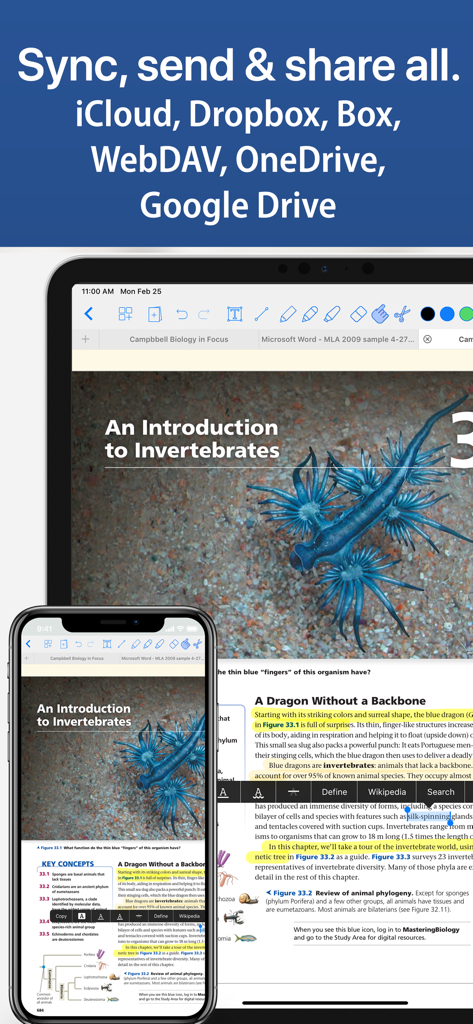
Notes Writer Pro 2026 - Notes Writer Proアプリで、クラウドサービスを使用したiPhoneとiPad間のドキュメント同期を表示

Notes Writer Proアプリで、クラウドサービスを使用したiPhoneとiPad間のドキュメント同期を表示

説明

You have lecture notes to take, a story to tell, article to publish, whether it’s today’s journal entry, tomorrow’s thesis, highlight important things in ebooks and PDFs, fill out a PDF form or get the most from your business meetings. Notes Writer is an excellent assistant in study and business, also being effective for writing down your ideas and thoughts and sharing them! Students, teachers, writers, doctors, journalists, scholars and business professionals use Notes Writer daily to store notes, annotations, memos, signed PDFs, papers, highlighted PDF text-books, lectures and more. With Notes Writer Pro you can: + WRITE. EDIT. FORMAT · Write Everywhere: Use Notes Writer as an stand-alone writing app even if you don’t have a computer or you are offline in the wilds · Create rich text format (RTF) and advanced Markdown (MD) documents · Define margins, headers/footers, paper sizes, MLA and APA style format · Live counters: characters, words, sentences, lines, Avg. Word length, Words per sentence & reading time · Text to Speech for proofreading · Dictation lets you speak text instead of typing · Typewriter: Distraction-Free mode, letting you focus on what you’re writing · Over 30 languages typing support including Japanese, Chinese, Arabic & Hebrew · Extra keys: tab, forward delete, cursor up/down/left/right, etc. + ANNOTATE PDFs. FILL FORMS. SIGN DOCUMENTS. · PDF Annotations: highlight, strikeout, underline, notes, voice notes, pencil, stamp, sign... · Fill out forms. Supports PDF AcroForms standard · Sign with your own signature documents, contracts, forms · Digital Signature Validation + ORGANIZE. STRUCTURE. FIND. · Organize your work in unlimited notebooks, folders and subfolders · Create notebooks and projects in your own tree-like structure: Sections, Classes, Lectures, Grades, Drafts, Folders, Chapters, Research, etc. · Design the cover of your notebooks · Full-text search your library of documents and projects + SCAN NOTES. RESEARCH. PDF LIBRARY · Split view: Open two PDFs or handwritten notes simultaneously on screen. Compare or use them as book and paper · Full PDF reader and manager included for reference files, text books, ebooks, articles, resources, papers, etc. · Use the camera of your iPad/iPhone to scan documents, notes, recipes, tickets, etc. as PDF · Open PowerPoint, Word and Excel files + SHARE NOTES. EXPORT PDF, HTML… · Open attachments directly from the Mail app · Sync via iCloud, Dropbox, Box, WebDAV and Google Drive · Convert to multiple formats RTF, Markdown, PDF, ePub, HTML, RTFD, TXT, etc. · Zip folders/notebooks and email them + AUTOMATIC BACKUPS. BE SAFE. PROTECT YOUR WORK · Protect your work with an app security passcode · Protect any folder or project with a passcode · Automatic Backups of your notes and notebooks Notes Writer is more than an innovative, fast and reliable note-taking, PDF annotator and writing app designed for anyone who take notes or writes. This is a smart notepad and writing workspace for your iPad and iPhone. Privacy Policy http://www.noteswriter.com/Kairoos_Privacy_Policy.html EULA https://www.apple.com/legal/internet-services/itunes/dev/stdeula/

Download

ダウンロード: App Store

このページはアプリまたはその開発者の公式ページではなく、情報提供および論評を目的として作成された独立した編集出版物です。明示的に別段の記載がない限り、アプリおよびその開発者は、MWM、Apple、Google Play、アプリのパブリッシャー、またはアプリの開発者と提携、承認、後援、認可、またはその他の公式的な関係はなく、このページのいかなる内容も、アプリがMWMのサービスを使用して開発されたことを意味するものではありません。すべての商標、ロゴ、スクリーンショット、その他のコンテンツはそれぞれの所有者の財産です。








