
このページはアプリまたはその開発者の公式ページではなく、情報提供および論評を目的として作成された独立した編集出版物です。明示的に別段の記載がない限り、アプリおよびその開発者は、MWM、Apple、Google Play、アプリのパブリッシャー、またはアプリの開発者と提携、承認、後援、認可、またはその他の公式的な関係はなく、このページのいかなる内容も、アプリがMWMのサービスを使用して開発されたことを意味するものではありません。すべての商標、ロゴ、スクリーンショット、その他のコンテンツはそれぞれの所有者の財産です。

Penbook Pencil Notebook
400種類以上のスマートでカスタマイズ可能なペーパーでノート作成をレベルアップ。プロフェッショナルプランナーから科学ジャーナルまで、世界で最も汎用性の高いデジタルノートでアイデアを形にしよう。
ダウンロード
3M+ユーザー評価
評価数
53K+開発元
カテゴリ
Productivity対応言語
2最新バージョン
7.2.12サイズ
104.2 MBリリース日
2019年9月24日よりスマートなペーパーへのアプローチ
Penbookは、手書きの楽しさとデジタルの知能を組み合わせ、400種類以上の専門的な文具タイプで仕事、勉強、生活を整理するお手伝いをします。
400種類以上の専門レイアウト
エンジニアリンググリッド、化学テンプレート、音楽五線譜、習慣トラッカーまで、あらゆるプロジェクトや情熱に最適なペーパーを見つけよう。
インテリジェントライブペーパー
静的なプランナーはもう必要ありません。当社のライブペーパー技術は日付と時刻を理解し、現在の曜日を自動的にハイライトし、カレンダーと同期します。
よくある質問
について知っておくべきこと Penbook Pencil Notebook
Penbookとは何ですか?
Penbookは、Apple Pencilユーザー向けのデジタルノートアプリで、「ライブペーパー」上で400種類以上の文具やPDF注釈機能を使用して自然な書き心地を提供します。
Penbookのライブペーパー機能とは何ですか?
Penbookのライブペーパーは、月間・日刊プランナーのリアルタイムカレンダー更新や、現在の日付を認識するフードダイアリーなどのスマート機能を備えたダイナミックな文具です。
PenbookにPDFをインポートできますか?
はい、ユーザーは独自のPDFをPenbookにインポートし、アプリ内で直接すばやく注釈や編集を行うことができます。
Penbookではノートのカスタマイズと共有はできますか?
はい、Penbookではノートに楽しいアートでカラフルな表紙を付けたり、共有したりすることができ、ノートに常にアクセスできるようにします。
Penbookではどのような文具が利用できますか?
Penbookには、罫線、方眼、ドット、ToDo、プランナー、コーネル式、音楽、化学の用紙など、400種類以上の学術、科学、計画用文具が用意されています。
Penbookは手書きの図形を認識しますか?
はい、Penbookには図形認識機能があり、手書きのストロークを自動的に完璧な図形にスナップします。
Penbookで手書きのメモを検索できますか?
はい、Penbookでは手書きのメモを検索して、特定の単語やフレーズを見つけることができます。
Penbookは無料アプリですか?
Penbookでは、単一のノートで全ての文具と筆記機能を無制限に無料で利用できます。Penbook Premiumにアップグレードすると、無制限のノート作成やその他の特典が利用可能になります。
Penbook Premiumにはどのような機能が含まれていますか?
Penbook Premiumでは、無制限のノート作成とエクスポート、新しい文具やカバーへのアクセス、定期的なアプリアップデートが提供されます。
Penbook Premiumはどのように購入できますか?
Penbook Premiumは、年間サブスクリプションまたは買い切り(生涯)のアプリ内購入で利用できます。年間サブスクリプションには7日間の無料トライアルが付いています。
PenbookはPremiumサブスクリプションの無料トライアルを提供していますか?
はい、Penbookは年間Premiumサブスクリプションの7日間無料トライアルを提供しています。料金が発生するのを避けるためには、トライアル終了の24時間前までにいつでもキャンセルできます。
Penbookのプライバシーポリシーはどこにありますか?
Penbookのプライバシーポリシーは、ウェブサイト https://penbook.app/privacy-policy でご覧いただけます。
Penbookで筆記具をカスタマイズできますか?
はい、Penbookでは、ペンタイプ(例:スタブ万年筆)、インクの太さ、カラーパレットなどの筆記具をカスタマイズできます。これはインターフェースに表示されています。
Penbookは、あらかじめデザインされたノートテンプレートやエディションを提供していますか?
はい、Penbookは「Standard, Multi-Year Planner」や「Yesday」などの「Book Editions」を提供しており、様々な計画ニーズに対応する事前デザインされたテンプレートが含まれています。
以下のスクリーンショットと説明は、アプリの公式ストアリスティングから直接取得されたものであり、アプリ開発者の所有物です。
アプリストア
スクリーンショット
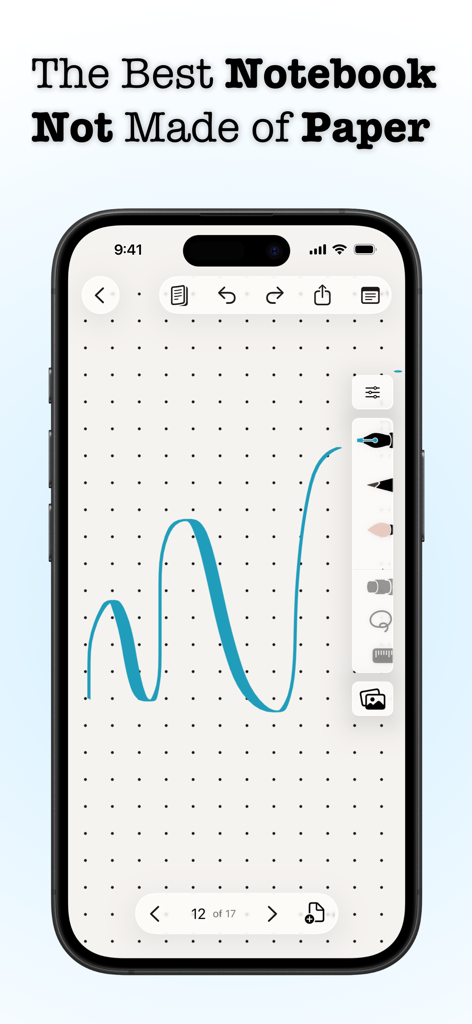
PenbookアプリがiPhone上に表示され、ドットグリッドペーパー文具に青いインクのストロークを描いている
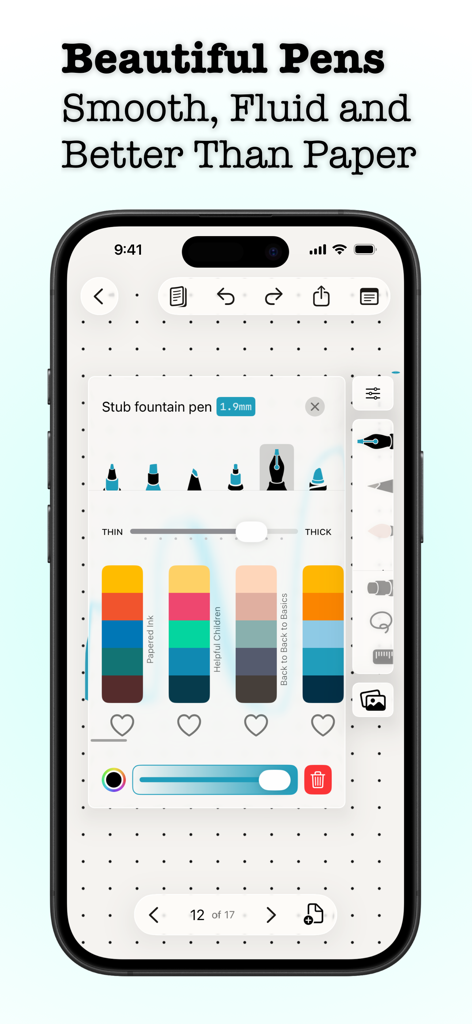
Penbookアプリの画面に、デジタルペンの先端選択、太さスライダー、カラースキームが表示され、ドットグリッドペーパー上に設定されている
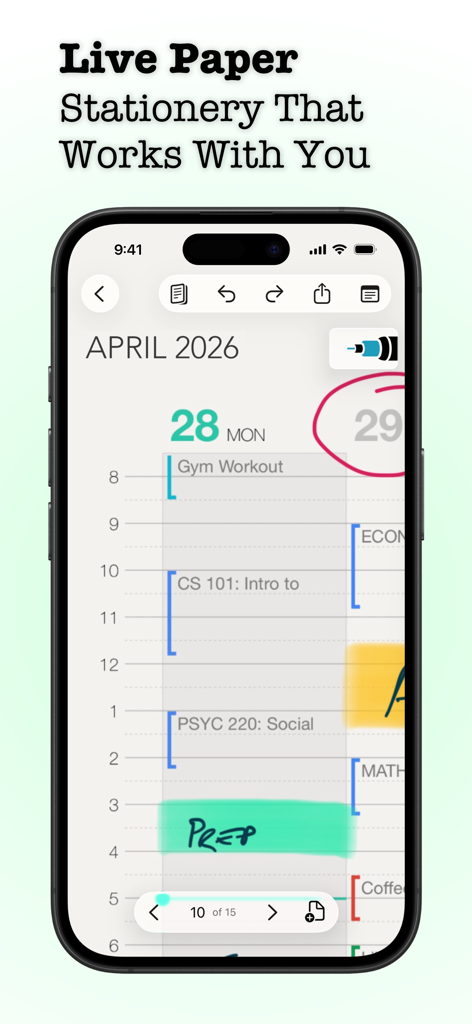
Penbookアプリのデイリープランナーで、手書きのノートとスケジュールがiPhone画面に表示されている
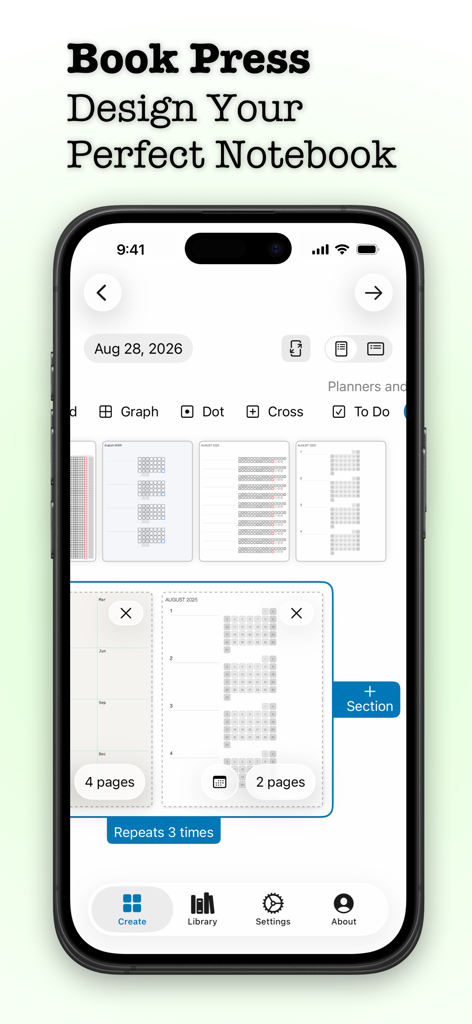
Penbookアプリのノート作成ツールインターフェース。様々な文具テンプレートやプランナーレイアウトが表示されている
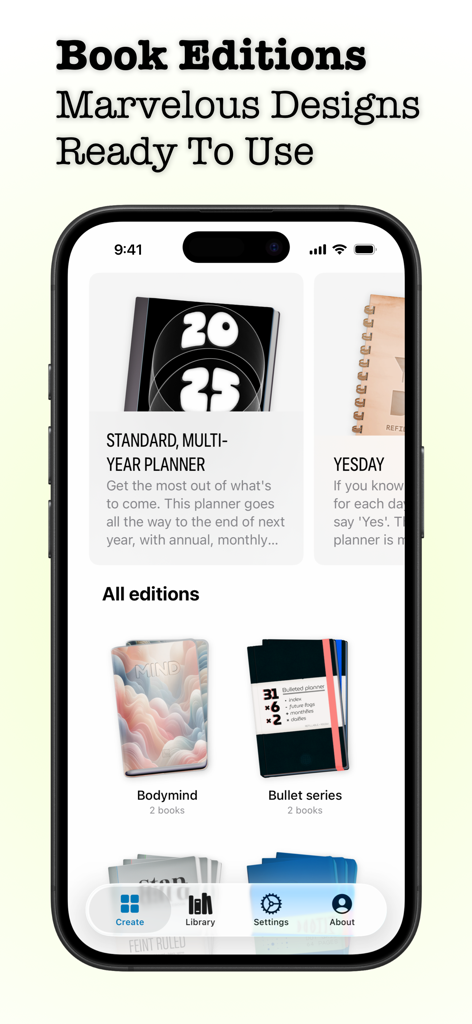
Penbookアプリの様々なデジタルノートエディションとプランナーデザインを表示するモバイルインターフェース
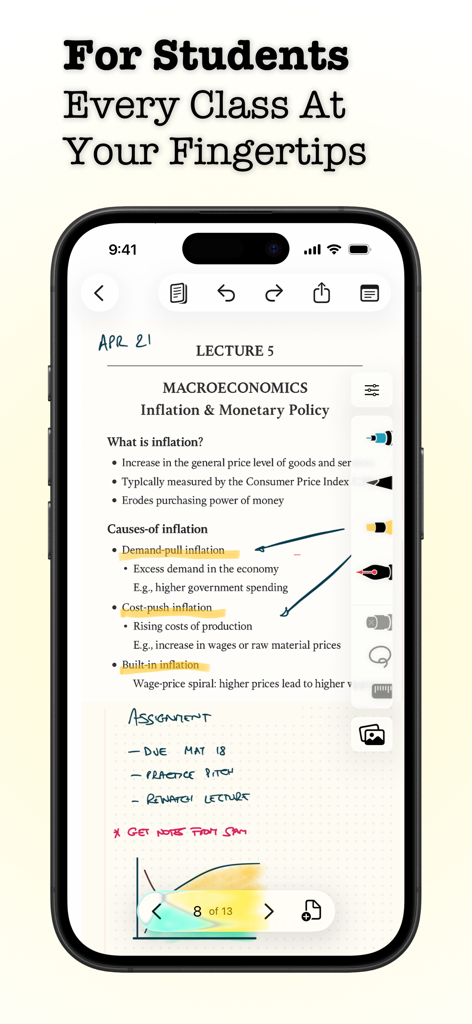
スマートフォンのPenbookアプリに、タイポグラフィと手書きの注釈が特徴のマクロ経済学のデジタル講義ノートが表示されている
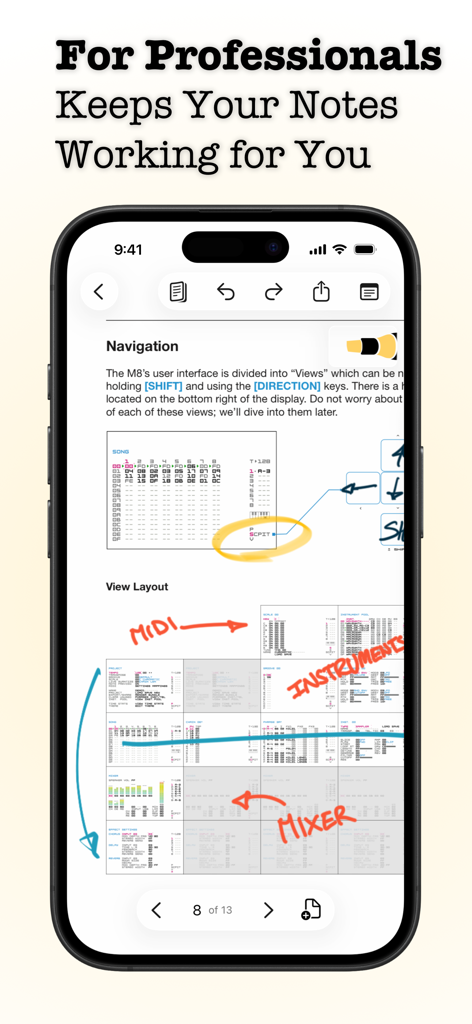
iPhone画面に、手書きの注釈と図が含まれた技術文書を表示するPenbookアプリが表示されている
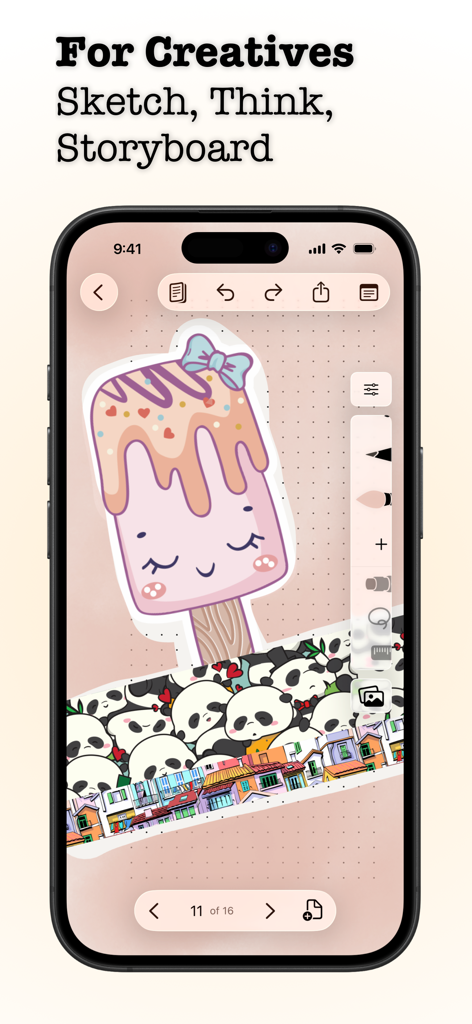
iPhone画面に、Penbookアプリで描かれたアイスキャンディーとパンダのステッカーのクリエイティブなイラストが表示されている
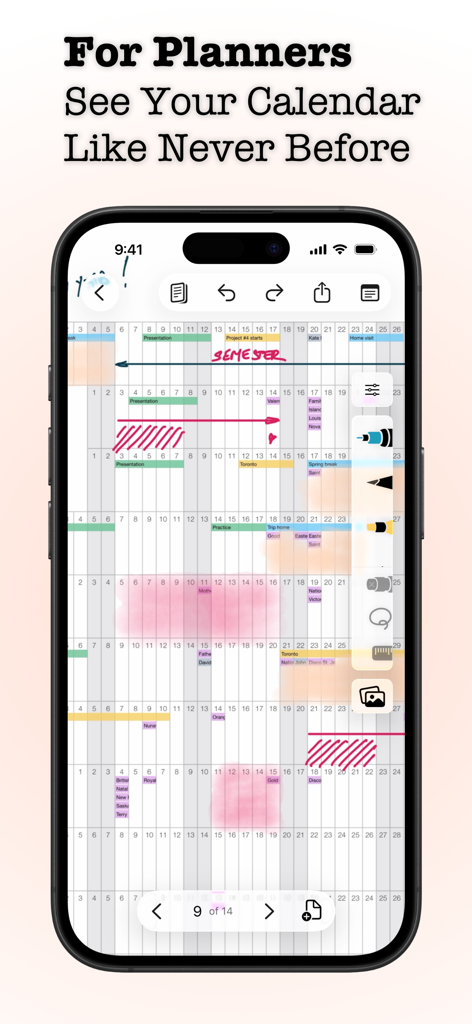
Penbookアプリのデジタルカレンダーとプランナーインターフェースに、手書きのノートと注釈が表示されている
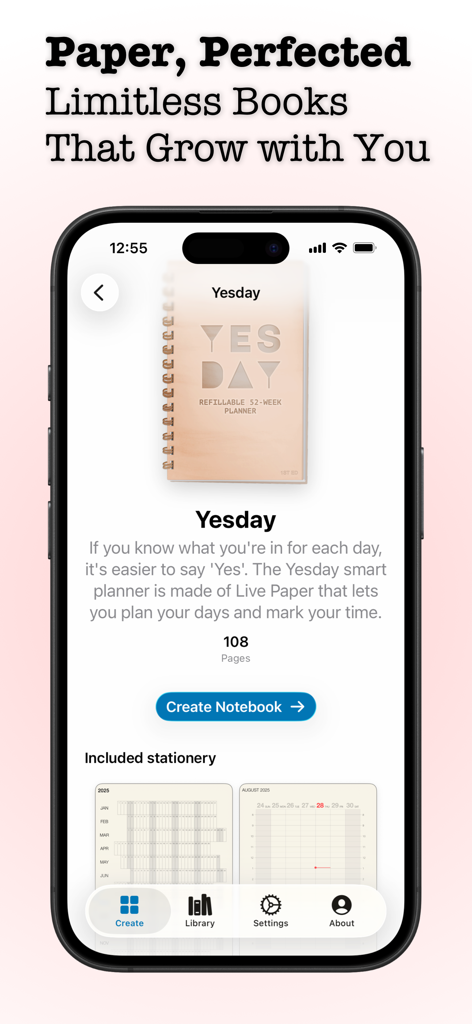
Penbookアプリのインターフェースのスクリーンショット。iPhone上でYesdayスマートプランナー作成画面が表示されている
説明
Download
類似アプリ
似た機能とユーザー体験を持つアプリ

Notepad: Easy Notes & Memos
1381802 Ontario Inc.

EasyNote: Note, Handwrite, PDF
Hangzhou Tensorart Technology Co., Ltd

Wellnote-Notes&PDF
MAXEYE US INC.

AJournal - Planner & Journal
WonderApps AB

Element Note
Soysauce Lab

Notes Writer - Note Taking
Kairoos Solutions S.L.

Notewise - AI Notes, PDF, Docs
ZIIKR Pte. Ltd.

Notes Writer Pro 2026
Kairoos Solutions S.L.

Paintwork - Infinite Notebook
伟典 苏
このページはアプリまたはその開発者の公式ページではなく、情報提供および論評を目的として作成された独立した編集出版物です。明示的に別段の記載がない限り、アプリおよびその開発者は、MWM、Apple、Google Play、アプリのパブリッシャー、またはアプリの開発者と提携、承認、後援、認可、またはその他の公式的な関係はなく、このページのいかなる内容も、アプリがMWMのサービスを使用して開発されたことを意味するものではありません。すべての商標、ロゴ、スクリーンショット、その他のコンテンツはそれぞれの所有者の財産です。