
このページはアプリまたはその開発者の公式ページではなく、情報提供および論評を目的として作成された独立した編集出版物です。明示的に別段の記載がない限り、アプリおよびその開発者は、MWM、Apple、Google Play、アプリのパブリッシャー、またはアプリの開発者と提携、承認、後援、認可、またはその他の公式的な関係はなく、このページのいかなる内容も、アプリがMWMのサービスを使用して開発されたことを意味するものではありません。すべての商標、ロゴ、スクリーンショット、その他のコンテンツはそれぞれの所有者の財産です。

AJournal - Planner & Journal
iPadを美しくパーソナライズされた聖域に変えましょう。デジタルカレンダーと手書きの創造的な自由をシームレスに融合させて、日々を整理し、習慣を追跡し、夢の人生をデザインします。
ダウンロード
1M+ユーザー評価
評価数
10K+開発元
カテゴリ
Lifestyle対応言語
19最新バージョン
9.7サイズ
118.8 MBリリース日
2021年12月16日完璧な一日をデジタルの力で創り出す
スマートデジタルツールの効率性と融合した手書きの触覚的な喜びを体験してください。日々の追跡から長期的な目標まで、AJournalはあなたのユニークなリズムに適応します。
マインドフルな手書き&デザイン
Apple Pencilのサポートで自由に表現しましょう。2,500以上のステッカーと美的テンプレートを使用して、プランナーを機能的であると同時に美しくします。
スマートカレンダー連携
決して見逃さないでください。Appleカレンダーとリマインダーを毎日のページに直接同期して、スケジュールと思考の間のギャップを埋めます。
よくある質問
について知っておくべきこと AJournal - Planner & Journal
AJournalはApple Pencilでの手書きに対応していますか?
はい、AJournalはApple Pencilや指での手書き、描画に対応しており、プランナーやジャーナルのページを作成・カスタマイズできます。
AJournalアプリ内でテンプレートをカスタマイズできますか?
はい、AJournalのテンプレートは完全にカスタマイズ可能です。要素の追加、削除、並べ替え、色やヘッダーの設定ができます。カスタマイズしたページを新しいテンプレートとして保存することも可能です。
AJournalはデバイス間でiCloud同期を提供していますか?
はい、AJournalのデータはiCloud経由で同期でき、iPhoneなどのデバイスで使用できます。iCloud同期機能にはアクティブなサブスクリプションが必要です。
AJournalの無料トライアルはありますか?
はい、7日間の無料トライアルでAJournalを制限なく試すことができます。これにより、サブスクリプションを契約する前に全機能にアクセスできます。
AJournalはデジタルカレンダーと連携できますか?
はい、AJournalはあらゆるデジタルカレンダーと連携し、デイリー/ウィークリープランナーですべてのイベントを表示できます。これらの統合されたイベントと並行して、書き込み、落書き、またはタイピングができます。
AJournalは時間追跡ツールATrackerと連携しますか?
はい、AJournalはATrackerと連携します。このオプションの連携により、ユーザーはATrackerのタスクと目標の進捗状況をAJournal内でリアルタイムで確認できます。
AJournalからジャーナルやプランナーをエクスポートできますか?
はい、ユーザーはジャーナルやプランナーをPDFとしてエクスポートできます。この機能により、他のツールでコンテンツを読んだり、安全に保管したりできます。
AJournalはダークモードインターフェースを提供していますか?
はい、AJournalはダークモードインターフェースをサポートしています。このオプションは、ユーザーの好みに合わせて異なるビジュアルテーマを提供し、目の疲れを軽減します。
AJournalにはいくつのテンプレートがありますか?
AJournalには100以上のプロフェッショナルにデザインされたテンプレートが用意されています。これらは、デイリー、ウィークリー、マンスリー、プロジェクト、ファイナンス、食事、フィットネス、習慣トラッカーなど、さまざまなニーズをカバーしています。
AJournalでジャーナルに画像やステッカーを追加できますか?
はい、AJournalでは画像を追加、リサイズ、回転、トリミングできます。また、2500以上のステッカーと、個人的な画像をステッカーとして保存するオプションも提供されています。
以下のスクリーンショットと説明は、アプリの公式ストアリスティングから直接取得されたものであり、アプリ開発者の所有物です。
アプリストア
スクリーンショット
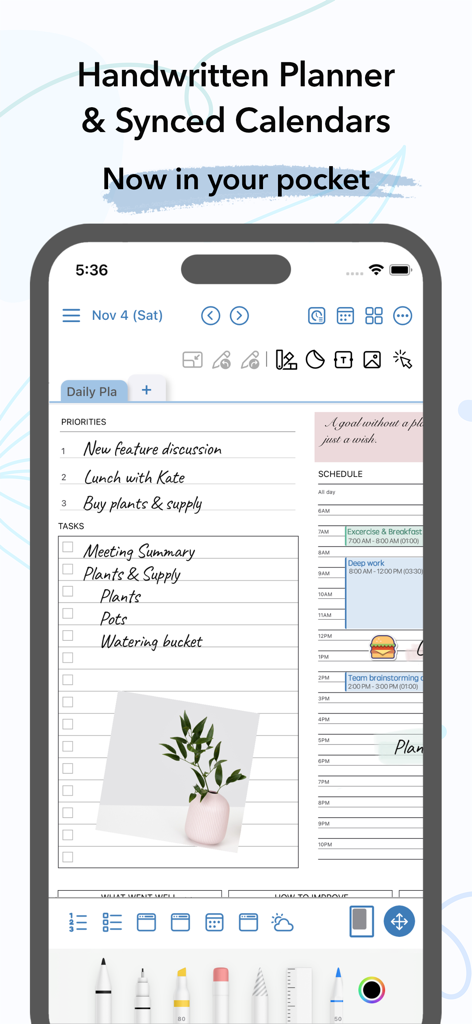
iPhone上のAJournalインターフェース、手書きの毎日のプランナーと同期されたデジタルカレンダーを表示
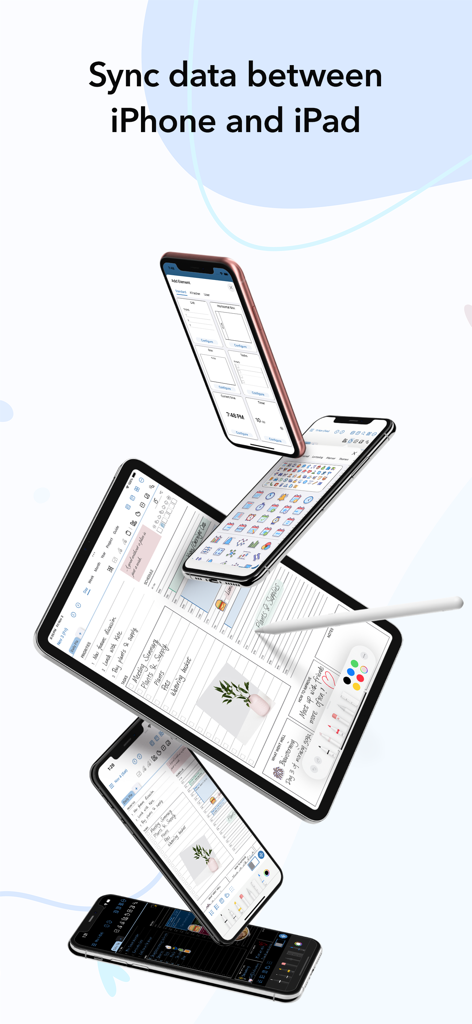
iPhoneとiPad間のAJournalデジタルプランナーの同期、カレンダーと習慣トラッカーのテンプレートを表示
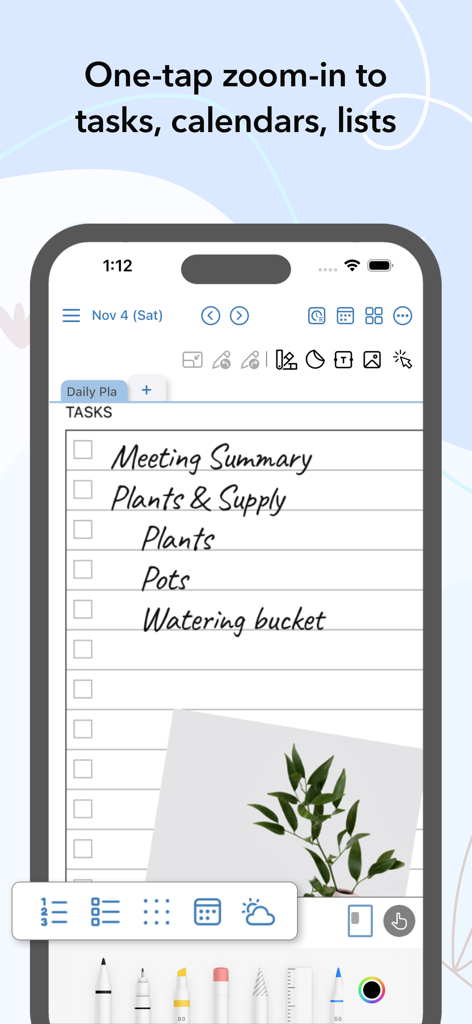
AJournalモバイルアプリ、ズーム機能と植物の写真付きの手書きタスクリストを表示
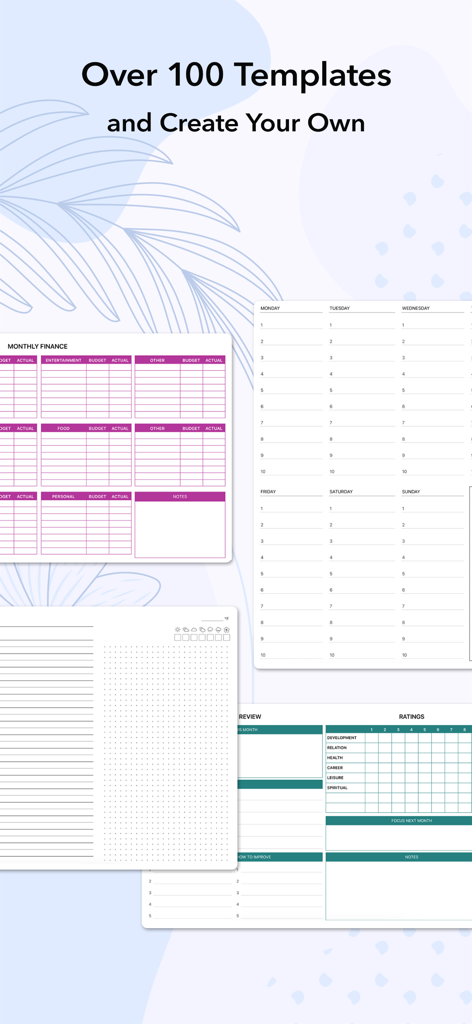
AJournalアプリの財務追跡と毎日のスケジューリングのためのさまざまなデジタルプランナーテンプレートの表示
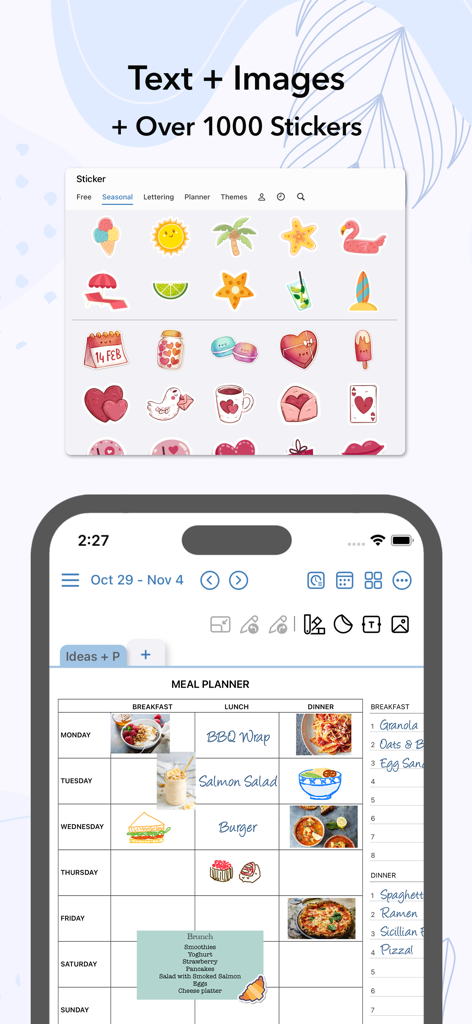
食べ物の画像とさまざまなカラフルなステッカーを特徴とするAJournalデジタルミールプランナ テンプレート。
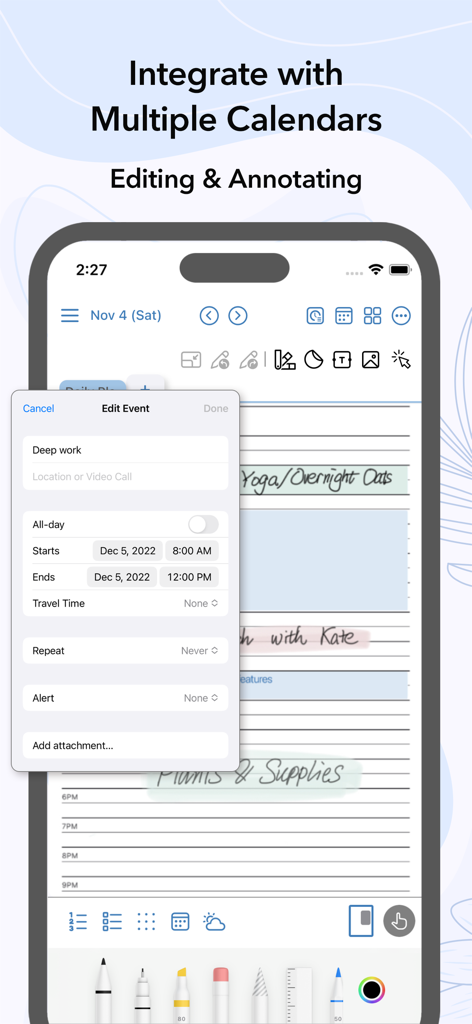
AJournalアプリのスクリーンショット、iPhone上で「Deep work」という名前のカレンダーイベントを編集するインターフェースを手書きとデジタルプランニングの要素で表示。
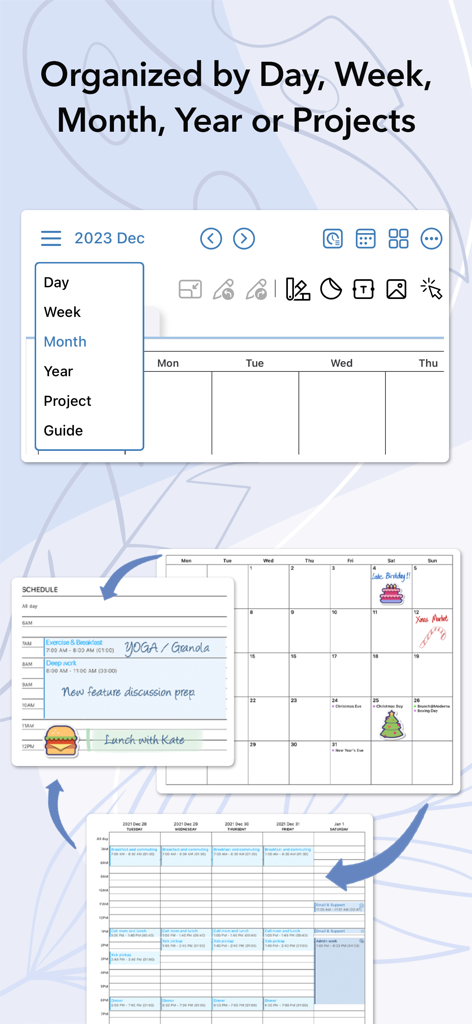
AJournalデジタルプランナー、日、週、月、プロジェクトの整理ビューを表示
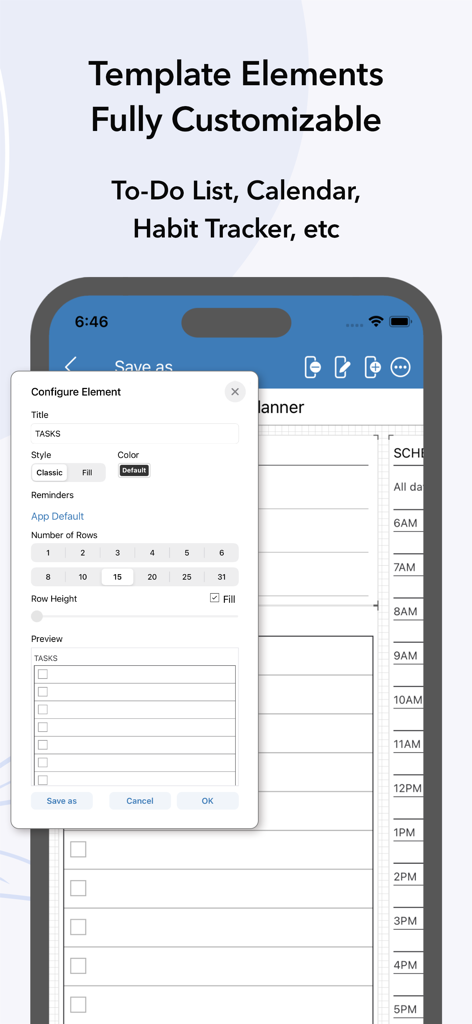
AJournalのToDoリストのようなカスタマイズ可能なテンプレート要素を示すインターフェース
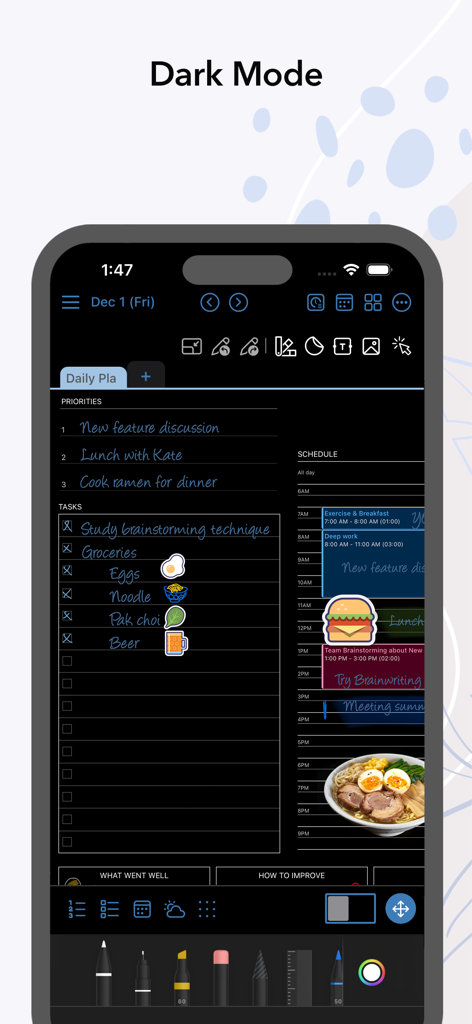
AJournalデジタルプランナーアプリ、ダークモードで毎日のスケジュールとタスクリストを表示
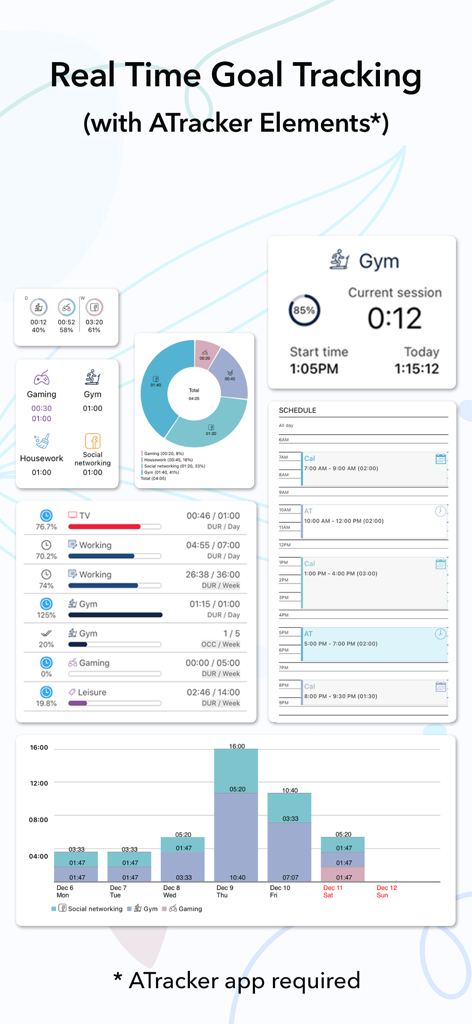
AJournalアプリインターフェース、ATrackerと連携したリアルタイム目標追跡ウィジェットとアクティビティ分析チャートを表示。
説明
Download
類似アプリ
似た機能とユーザー体験を持つアプリ

Notepad: Easy Notes & Memos
1381802 Ontario Inc.

EasyNote: Note, Handwrite, PDF
Hangzhou Tensorart Technology Co., Ltd

Wellnote-Notes&PDF
MAXEYE US INC.

Element Note
Soysauce Lab

Penbook
User Camp Inc.

Notes Writer - Note Taking
Kairoos Solutions S.L.

Notewise - AI Notes, PDF, Docs
ZIIKR Pte. Ltd.

Notes Writer Pro 2026
Kairoos Solutions S.L.

Paintwork - Infinite Notebook
伟典 苏
このページはアプリまたはその開発者の公式ページではなく、情報提供および論評を目的として作成された独立した編集出版物です。明示的に別段の記載がない限り、アプリおよびその開発者は、MWM、Apple、Google Play、アプリのパブリッシャー、またはアプリの開発者と提携、承認、後援、認可、またはその他の公式的な関係はなく、このページのいかなる内容も、アプリがMWMのサービスを使用して開発されたことを意味するものではありません。すべての商標、ロゴ、スクリーンショット、その他のコンテンツはそれぞれの所有者の財産です。