QuillBot: AI Writing, Keyboard

QuillBot: AI Writing, Keyboard

ダウンロード: App Storeダウンロード: Google Play
ロゴ: QuillBot: AI Writing, Keyboard

QuillBot:オールインワンAIライティングキーボード

あらゆるアプリで自信を持ってコミュニケーションできます。何百万人もの学生や専門家に信頼されているライティングツールで、トーンを整え、文法を瞬時に修正し、外出先でアイデアを生成しましょう。

ダウンロード: App Store

開発元

QuillBot, a Learneo Inc. business

カテゴリ

Productivity

ダウンロード

2M+

ユーザー評価

4.7/5

評価数

6K+

対応言語

1

あなたのライティングをレベルアップ

このインターフェースを利用する 2M+ 人のユーザー.

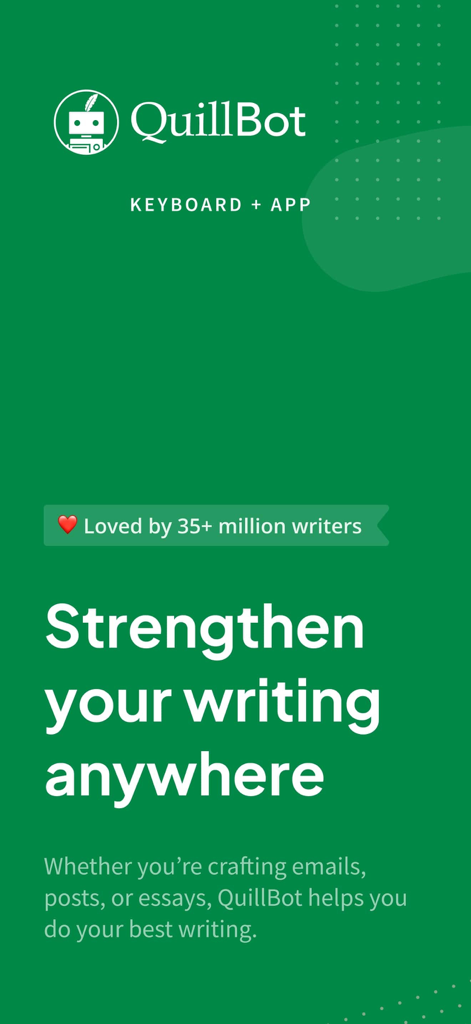
QuillBotの紹介画面、見出しは「どこでもライティングを強化」、3500万ユーザーの言及あり。
QuillBotの紹介画面、見出しは「どこでもライティングを強化」、3500万ユーザーの言及あり。

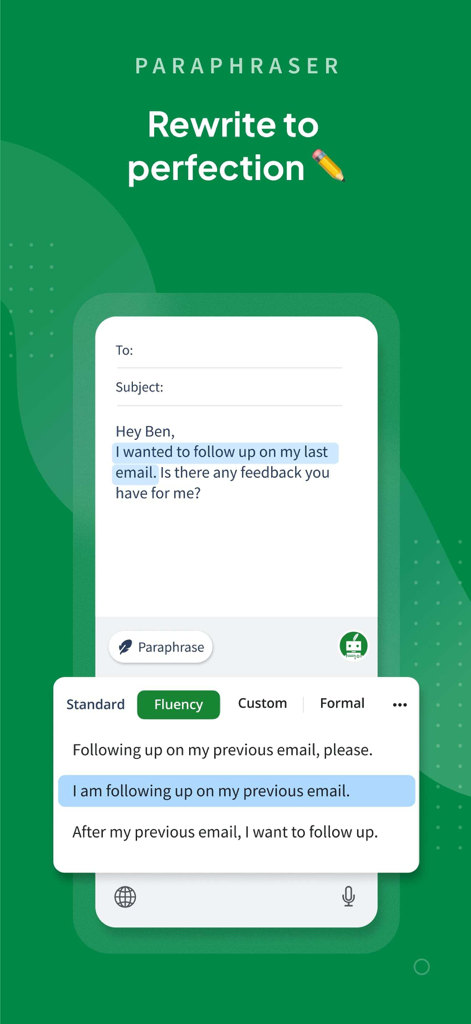
QuillBotモバイルアプリのインターフェース。AIパラフレーザーツールが、より流暢になるようにメールを書き換えている様子。
QuillBotモバイルアプリのインターフェース。AIパラフレーザーツールが、より流暢になるようにメールを書き換えている様子。

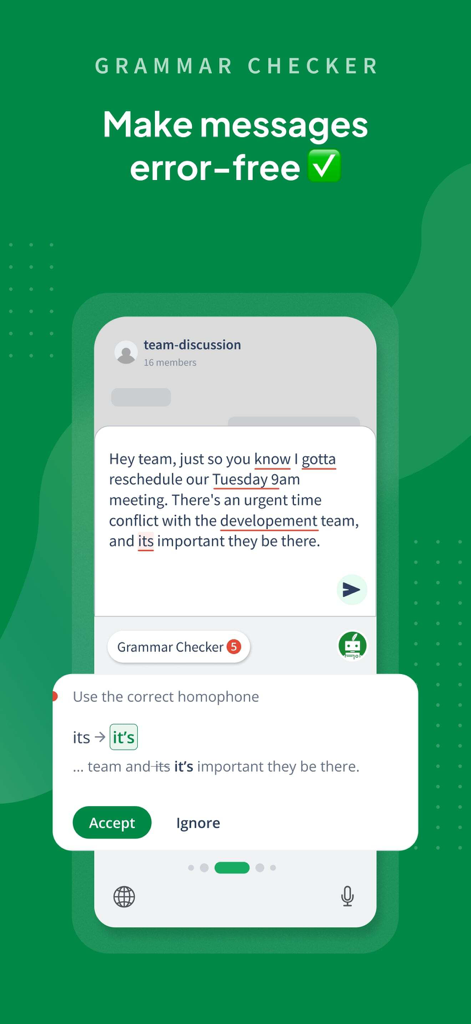
QuillBotモバイルアプリのインターフェース。文法チェッカーツールが、チームメッセージ内の同音異義語の誤りを修正している様子。
QuillBotモバイルアプリのインターフェース。文法チェッカーツールが、チームメッセージ内の同音異義語の誤りを修正している様子。

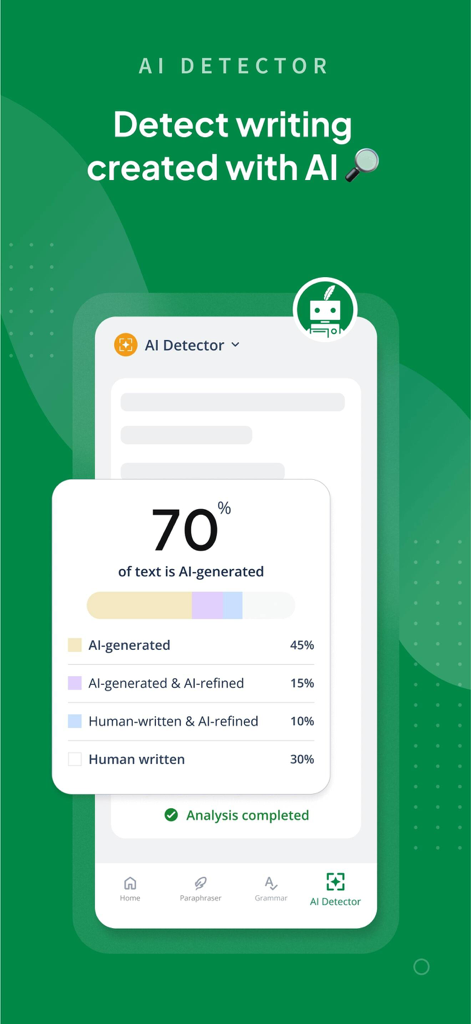
QuillBot AI検出ツールのインターフェース。分析されたテキストの70%がAI生成であると示す詳細なレポートを表示。
QuillBot AI検出ツールのインターフェース。分析されたテキストの70%がAI生成であると示す詳細なレポートを表示。

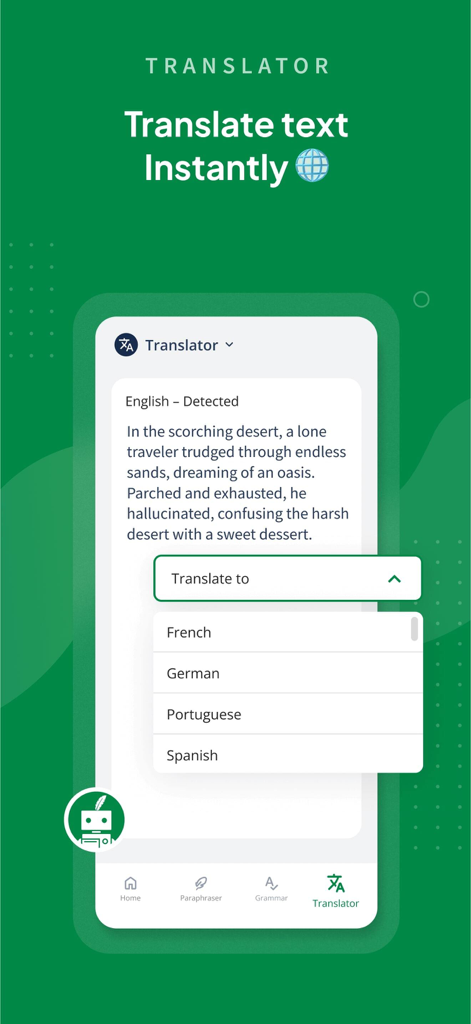
モバイル画面。QuillBot AI翻訳インターフェースが表示され、テキストの即時翻訳のための言語選択メニューが表示されている。
モバイル画面。QuillBot AI翻訳インターフェースが表示され、テキストの即時翻訳のための言語選択メニューが表示されている。

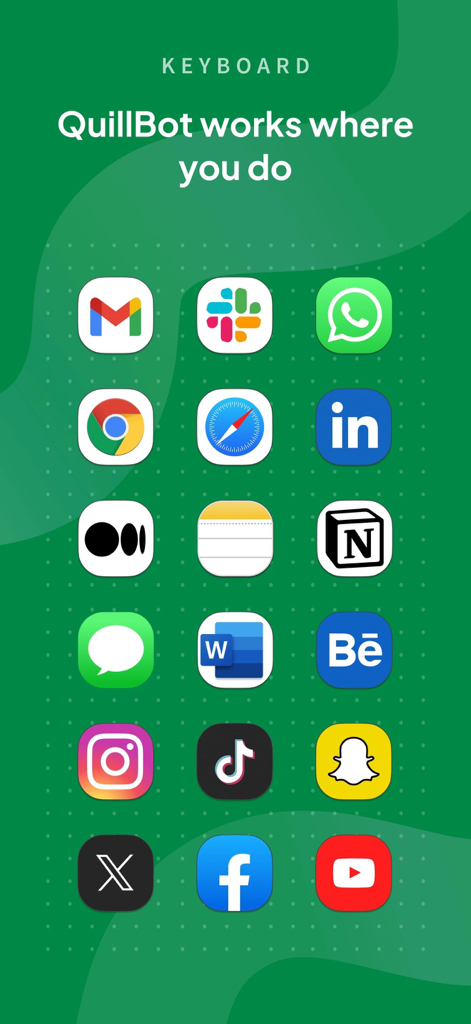
Gmail、Slack、LinkedInなどの人気アプリのアイコンのグリッド。QuillBotキーボードの互換性を示している。
Gmail、Slack、LinkedInなどの人気アプリのアイコンのグリッド。QuillBotキーボードの互換性を示している。

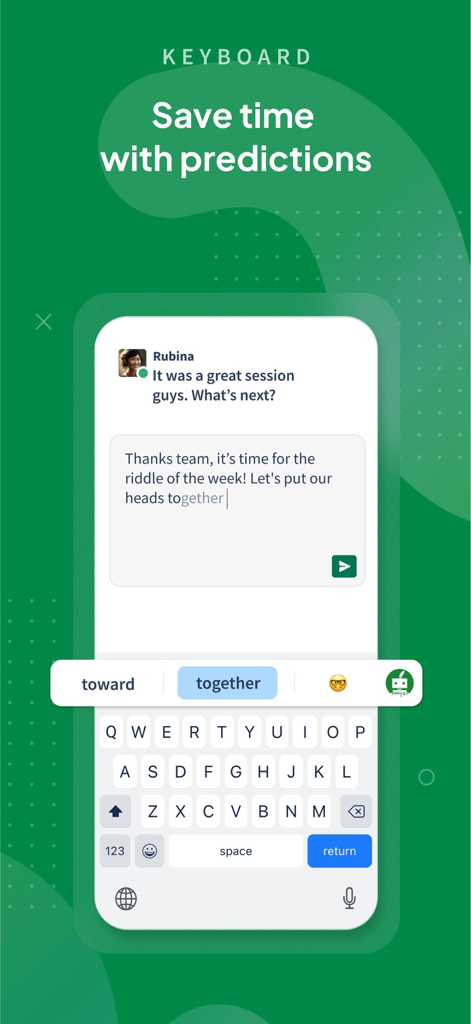
QuillBotモバイルキーボードのインターフェース。タイピング時間を節約するための予測テキスト候補を表示。
QuillBotモバイルキーボードのインターフェース。タイピング時間を節約するための予測テキスト候補を表示。

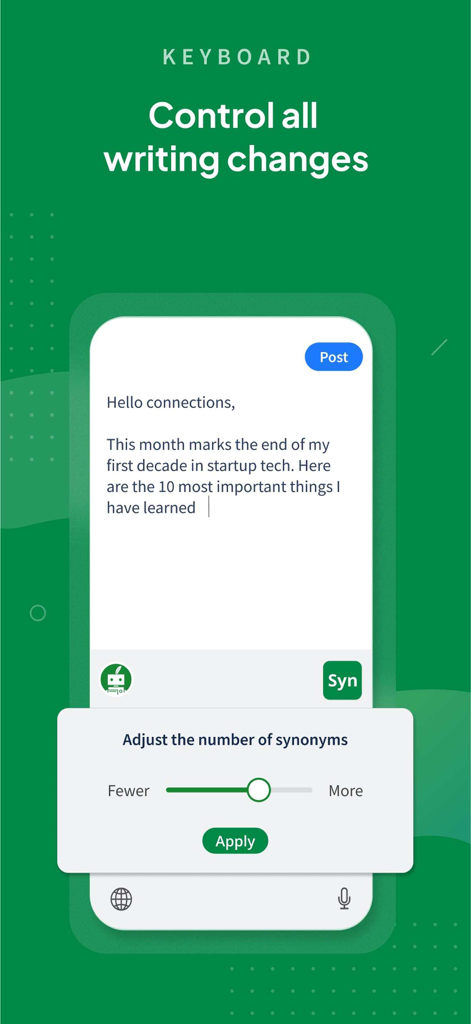
QuillBotモバイルキーボードのインターフェース。テキストドラフト内の同義語の数を調整するためのスライダーを表示。

QuillBotモバイルキーボードのインターフェース。テキストドラフト内の同義語の数を調整するためのスライダーを表示。

ライティングを瞬時にレベルアップ

このアプリを際立たせるツール、 2M+ 人のユーザーが選択.

⌨️

AI搭載キーボード

Slack、Gmail、Instagramなどの使い慣れたアプリ内で、直接言い換え、文法修正、翻訳ができます。

🎓

あらゆるトーンをマスター

アカデミック、フォーマル、クリエイティブのモードを切り替えて、オーディエンスに合わせ、常に最高の自分を表現しましょう。

エラーのない自信

すべてのタイプミスをキャッチし、AI生成テキストをスキャンして、あなたの作品が洗練され、オリジナルでプロフェッショナルであることを確認しましょう。

世界中のユーザーに愛されています

Trusted by 2M+ 人がこのアプリを愛用しています.

"

"母国語が英語ではない大学院生にとって、QuillBotはまさにゲームチェンジャーでした。「アカデミック」モードは、私の論文を専門的かつ技術的に聞こえるように磨き上げるのに役立ち、AI検出機能は提出前に安心感を与えてくれます。まるでポケットの中にパーソナルエディターがいるようです。"

Elena Rodriguez
"

"キーボードの統合は私のワークフローにとって驚異的です。アプリを離れることなく、「フォーマル」モードに切り替えてクライアントのメールに返信したり、「短縮」モードでSlackメッセージをより簡潔にしたりできます。これにより、多くの時間を節約でき、ライティングが楽に見えます。"

Marcus Thompson

アプリについて

について知っておくべきこと QuillBot: AI Writing, Keyboard.

説明

Communicate confidently anywhere with QuillBot - AI Writing and Keyboard QuillBot makes it easy to write on the go for free. Our AI-powered writing app now goes beyond paraphrasing, grammar checking, AI detection, and translation to allow you to generate content with AI and save documents. Whether you’re sending an important text, drafting a work email, or crafting the perfect social media post, QuillBot’s AI keyboard ensures your writing is clear, polished, and effective. Key Features Our AI writing app now includes 6 powerful tools: Paraphraser, Grammar Checker, AI Detector, Translator, Generative AI, and Document Save. Free Grammar Checker Fix punctuation, grammar, and spelling mistakes instantly. In addition to checking spelling, our proofreader can also rephrase unclear or unconventionally phrased sentences. AI Paraphraser Paraphrase your writing in various styles to improve its flow, uniqueness, and impact. AI Detector Scan your writing for AI-generated content and receive a free detailed report on how AI may have been used in your text. Translator Translate text in over 50 languages instantly. Keyboard Our AI Writing Keyboard gives you instant access to Grammar Checker, Paraphraser, and Translator in any app. Enjoy seamless writing support wherever you type; review, rephrase, and translate your text without switching apps. Generative AI Generate new text from scratch, whether it’s emails, captions, or big ideas. Collaborate with AI to brainstorm, refine, and write seamlessly in real time. Document Storage Save and revisit drafts whenever you like with built-in document storage. Our powerful editor combines all your tools in a distraction-free space. It’s perfect for drafting, refining, and sharing your work or saving it for later. Paraphrasing Modes Free - Standard: Paraphrase text with new vocabulary and word order - Fluency: Improve clarity and readability - Generative AI: A free account also allows for 5 AI generations per day Premium - Humanize: Rewrite in a natural, authentic style - Formal: Rephrase in a sophisticated tone - Academic: Make text more technical and scholarly - Simple: Present text in easy-to-understand language - Creative: Produce original, innovative phrasing - Expand: Increase text length - Shorten: Make text more concise - Custom: Rewrite text to match your unique instructions - Generative AI: With Premium, you also get access to unlimited AI generation How the Keyboard App Works - Install QuillBot - AI Writing Keyboard App for iOS from the App Store - Create a free account (optional) - Enable keyboard permissions to allow full use of QuillBot’s AI tools - Start writing, reviewing, and generating with AI anywhere you type QuillBot Premium: Even More Power Premium unlocks 10+ paraphrasing modes, advanced grammar suggestions, unlimited words in Paraphraser, and more. Visit quillbot.com/premium to upgrade. Why Choose QuillBot - The original AI Paraphraser—trusted by millions worldwide - 10+ styles to customize your text - Custom mode for unlimited flexibility - Expert-trained algorithms for high-quality results - Detailed AI detection reports - Support for 20+ languages in paraphrasing, 6 in grammar, and 50+ in translation - Now with Generative AI, chat with AI and offline document saving on the app - Free access to core tools: Paraphraser, Grammar Checker, Translator, AI Detector, and Generative AI App Privacy and Data Safety At QuillBot, we value your data security. To view our Privacy Policy, please visit https://quillbot.com/privacy. For more information about our Terms and Conditions, visit https://quillbot.com/terms. Write better. Everywhere. For free. Install QuillBot - AI Writing Keyboard for iOS today to paraphrase, generate, chat, translate, detect AI, and save your writing anywhere you type.

最新バージョン

2.0.3

サイズ

127.5 MB

リリース日

2023年10月21日

どこでも、より良く書く

自信を持ってコミュニケーションする200万人以上の学生や専門家に参加しましょう。今日QuillBot AIキーボードをインストールして、あらゆるアプリでライティングを完璧にしましょう。

ダウンロード: App Storeダウンロード: Google Play
FAQ

よくある質問

について知っておくべきこと QuillBot: AI Writing, Keyboard

QuillBot: AI Writing, Keyboardとは何ですか?

QuillBot: AI Writing, Keyboardは、AIを活用したライティング支援を提供するアプリです。言い換え、文法チェック、AI検出、翻訳、生成AI、ドキュメント保存などのツールを備え、コミュニケーションを向上させます。

QuillBotアプリの主な機能は何ですか?

QuillBotアプリには、言い換えツール、文法チェッカー、AI検出ツール、翻訳ツール、生成AI、ドキュメント保存の6つの強力なツールが含まれています。これらの機能は、さまざまなアプリケーションでのライティングを強化するように設計されています。

QuillBot: AI Writing, Keyboardは文法の間違いを修正できますか?

はい、QuillBot: AI Writing, Keyboardには無料の文法チェッカーが含まれています。句読点、文法、スペルミスを瞬時に修正し、不明瞭な文章を言い換えて、明瞭さと正確さを向上させることができます。

QuillBotは書かれたコンテンツ用のAI検出ツールを提供していますか?

はい、QuillBotはAI検出ツールを提供しています。あなたの文章をスキャンしてAIによって生成されたコンテンツを特定し、テキスト内のAI使用状況に関する詳細なレポートを提供します。

QuillBot翻訳ツールは何言語をサポートしていますか?

QuillBot翻訳ツールは50以上の言語をサポートしています。テキストの即時翻訳を可能にし、ユーザーがアプリ内でさまざまな言語の壁を越えて効果的にコミュニケーションできるようにします。

QuillBot AI Writing Keyboardのインストールと使用方法

App StoreからQuillBot AI Writing Keyboardアプリをインストールし、オプションで無料アカウントを作成してから、キーボードの権限を有効にします。その後、どこで入力しても、ライティング、レビュー、コンテンツ生成のためのQuillBotのAIツールにアクセスできます。

QuillBot Premiumはどのような限定機能を提供しますか?

QuillBot Premiumは、10以上の言い換えモード、高度な文法提案、言い換えツールでの無制限の単語数、無制限のAI生成をアンロックします。より高度なツールでライティング体験を向上させます。

QuillBot: AI Writing, Keyboardは無料のアプリケーションですか?

はい、QuillBot: AI Writing, Keyboardは、言い換えツール、文法チェッカー、翻訳ツール、AI検出ツール、生成AIなどのコアツールへの無料アクセスを提供します。無料アカウントは1日5回のAI生成を受け取ります。

QuillBotで利用可能な言い換えモードは何ですか?

QuillBotは、Standard(標準)とFluency(流暢)などの無料モードを提供しています。Premiumモードには、Humanize(人間らしく)、Formal(フォーマル)、Academic(アカデミック)、Simple(シンプル)、Creative(クリエイティブ)、Expand(拡張)、Shorten(短縮)、Custom(カスタム)があり、テキストの言い換えのための多様なオプションを提供します。

QuillBot: AI Writing, Keyboardはユーザーデータを安全に保護しますか?

はい、QuillBot: AI Writing, Keyboardはデータセキュリティを優先しています。ユーザーは、QuillBotのウェブサイトでプライバシーポリシーと利用規約を確認することで、データの処理方法に関する詳細を確認できます。