
RØDE Central Mobile


伝説的なAphex®プロセッシングをアンロックし、デバイス設定をカスタマイズし、ファームウェアを最新の状態に保ちます。外出先でもスタジオ品質のサウンドを求めるクリエイターに最適なコンパニオンです。
開発元
カテゴリ
Musicダウンロード
1M+ユーザー評価
評価数
900対応言語
1このインターフェースを利用する 1M+ 人のユーザー.
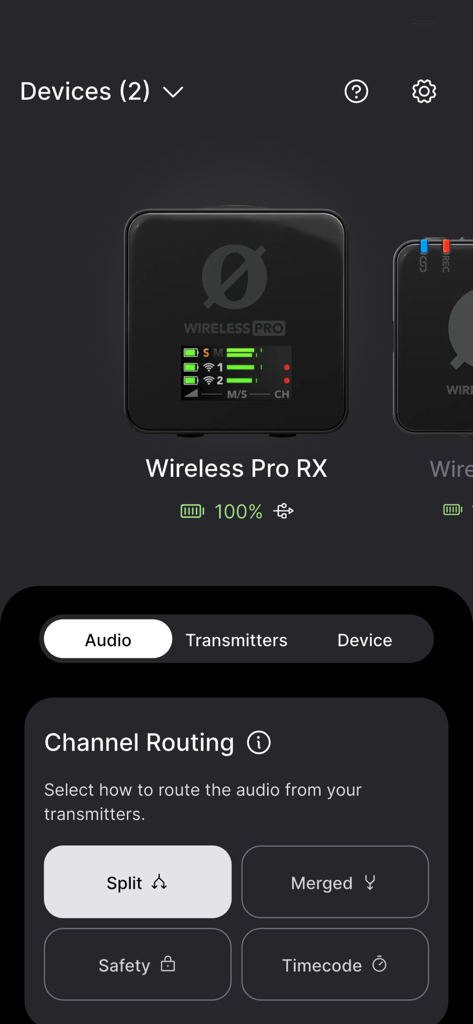
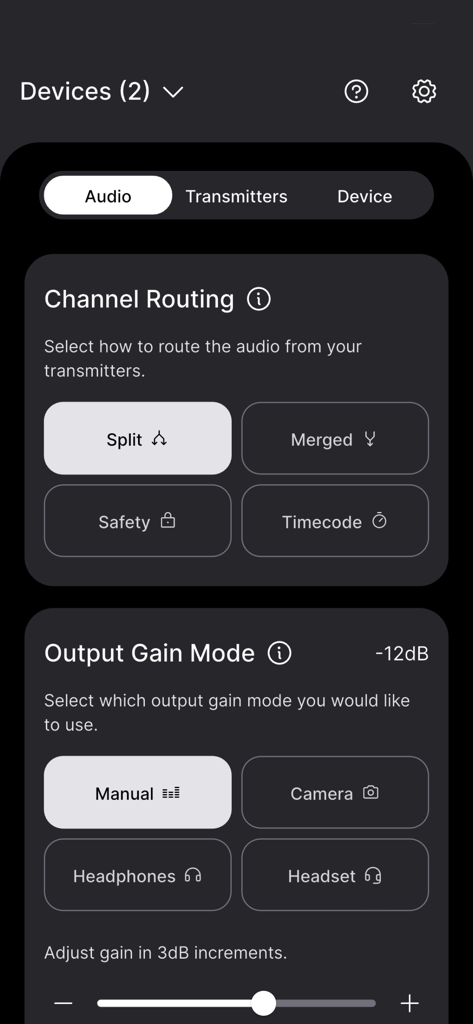
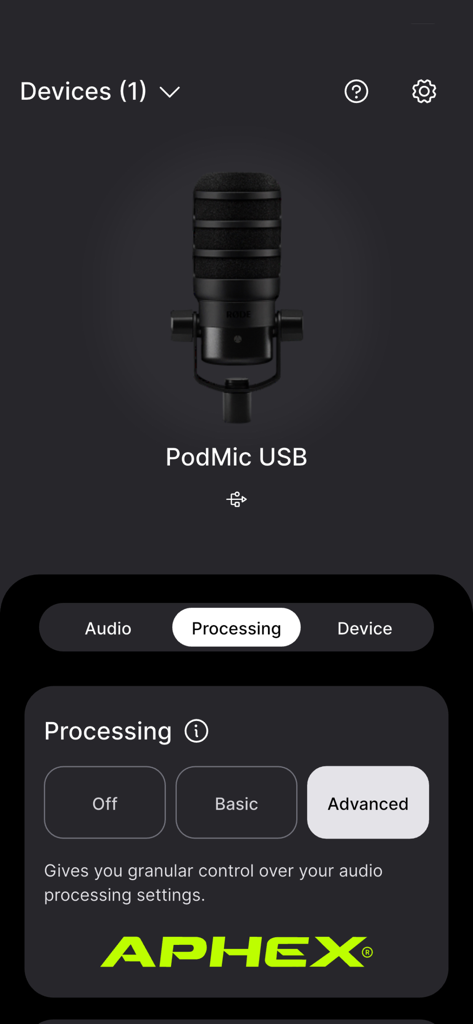
このアプリを際立たせるツール、 1M+ 人のユーザーが選択.
ラップトップを使わずに、ゲインの微調整、セーフティチャンネルの切り替え、ボタン機能のカスタマイズをその場で行えます。
Aural Exciter™やBig Bottom™などの強力なAphex®プロセッシングにアクセスし、あらゆる環境で放送品質のオーディオを実現します。
インスタントファームウェアアップデート、リアルタイムバッテリー監視、重要なデバイス情報で、ギアを最高のパフォーマンスに保ちます。
ユーザーレビューの分析.
感情スコア
概要
The mobile app receives predominantly negative feedback, with widespread complaints about its inability to connect to various Rode microphones, including Wireless Go II, ME, NT-1 5th Gen, and Videomic Go II, across different iOS devices (e.g., iPhone 14, iPhone 17, iOS 26). Many users also experience frustration with firmware updates, which often fail or necessitate a desktop application. A significant number of international users are unable to use the app due to it being stuck in Chinese or Japanese without a language-change option. Despite these issues, a subset of users reports significant improvements and smoother operation after recent updates, praising the redesigned, more intuitive user interface, faster device connections, and convenient settings management. Some also noted improved audio quality and successful firmware updates, albeit sometimes through workarounds.
主なテーマ
について知っておくべきこと RØDE Central Mobile.
説明
最新バージョン
2.0.108
サイズ
68.1 MB
リリース日
2021年9月21日
RØDE Centralをダウンロードして、高度な機能のアンロック、ファームウェアのアップデート、プロフェッショナルなAphex®プロセッシングへのアクセスをスマートフォンから直接行えます。
について知っておくべきこと RØDE Central Mobile
RØDE Central Mobileは、対応するRØDEマイクのコンパニオンアプリです。ユーザーはモバイルデバイスから直接、デバイスの設定、高度な機能のロック解除、デバイス情報の取得、ファームウェアのアップデートができます。
はい、MFi認証済みのLightningアクセサリケーブルを使用してRØDEマイクをRØDE Central Mobileに接続します。RØDE SC15またはSC21ケーブルなどが該当します。
いいえ、RØDE Central MobileはWireless GO IIからのオンボード録音に直接アクセスできません。これらの録音にアクセスするには、RØDE Centralアプリのデスクトップバージョンを使用する必要があります。
RØDE Central Mobileは、強力なオンボードオーディオ処理を提供します。これらの機能には、コンプレッサー、ハイパスフィルター、ノイズゲート、そして伝説的なAphex® Aural Exciter™とBig Bottom™が含まれます。
RØDE Central Mobileは、Wireless ME、Wireless GO II、VideoMic GO II、AI-Micro、NT-USB+など、さまざまなRØDEマイクに対応しています。各デバイスに固有の設定を提供します。
はい、RØDE Central Mobileでは、デバイスのファームウェアをアップデートできます。これにより、対応するRØDEマイクの最新機能や改善点にアプリから直接アクセスできるようになります。
はい、RØDE Central MobileはWireless Pro RXなどのデバイスのチャンネルルーティング制御を提供します。ユーザーは、Split、Merged、Safety、Timecodeなどのオプションを使用して、トランスミッターからのオーディオルーティングを選択できます。
RØDE Central Mobileは、対応デバイスの出力ゲインモードを制御します。オプションには、Manual、Camera、Headphones、Headsetがあり、3dB刻みで正確なゲイン調整が可能です。
RØDE Central Mobileは、Split/Merged Mode、Backlight、各種Gain Mode、Safety Channel、Button機能、On-board Recordingオプション、Pad、Recording Qualityなど、Wireless GO IIの設定を提供します。
はい、RØDE Central MobileはVideoMic GO IIのダイレクトモニタリング機能を提供します。ユーザーはアプリ内でダイレクトモニタリングの有効/無効を切り替え、モニタリングレベルを調整できます。
似た機能とユーザー体験を持つアプリ

Bose Corporation

Marshall Group AB (publ)

Harman International Industries

Bose Corporation

Bose Corporation

Harman International Industries

Power Mobile Life LLC

Harman International Industries

Beijing Xiaomi Co., Ltd
App information, icons, screenshots, and descriptions displayed on this page are sourced from the Apple App Store and are the property of their respective developers. Download estimates and rankings are based on MWM's proprietary models and may not reflect actual figures. This page is provided for informational and analytical purposes only.
Believe this page infringes your intellectual property? File a dispute