
このページはアプリまたはその開発者の公式ページではなく、情報提供および論評を目的として作成された独立した編集出版物です。明示的に別段の記載がない限り、アプリおよびその開発者は、MWM、Apple、Google Play、アプリのパブリッシャー、またはアプリの開発者と提携、承認、後援、認可、またはその他の公式的な関係はなく、このページのいかなる内容も、アプリがMWMのサービスを使用して開発されたことを意味するものではありません。すべての商標、ロゴ、スクリーンショット、その他のコンテンツはそれぞれの所有者の財産です。


Bose
このアプリは、Bose製品の能力を解き放ち、ユーザーに音響体験の絶対的な主導権を与える。環境ノイズの遮断から音質調整、複数部屋での再生制御まで、聴覚環境を意のままに構築させる。
ダウンロード
12.5M+ユーザー評価
評価数
435.7K開発元
カテゴリ
Music対応言語
24最新バージョン
12.1.7サイズ
675.4 MBリリース日
2018年9月22日Boseアプリの機能分析
Bose製品エコシステムを最大限に活用するための主要機能
全Bose製品の一元管理
ユーザーは、互換性のあるBoseスピーカー、サウンドバー、アンプ、ヘッドホン、イヤホン、OpenAudio製品、およびポータブルPAシステムをアプリで一元的に制御できます。
ノイズキャンセリングの調整
QuietComfort製品において、ユーザーはノイズキャンセリングレベルを調整し、完全に遮断するクワイエットモードと、周囲の音を聞き取るアウェアモードを切り替えることで、リスニング環境をパーソナライズできます。
統合された音楽ストリーミングサービス
ユーザーは、Spotify、Pandora、Amazon Music、SiriusXM、iHeartRadio、TuneInなど、様々な音楽ストリーミングサービスをアプリ内で直接閲覧・再生できます。
マルチルームオーディオ制御
ユーザーは、自宅の複数のBose製品で同じコンテンツを再生したり、異なるエリアで異なるコンテンツを楽しんだりすることが可能であり、どの部屋からでも製品を制御できます。
サウンドのカスタマイズ(イコライザー)
ユーザーは、イコライザー設定を調整することで、個人の好みに合わせてオーディオ体験を完全にカスタマイズできます。
お気に入りプリセットの作成とアクセス
ユーザーは、お気に入りのプレイリストやステーションをプリセットとして設定し、アプリ、スピーカーのボタン、またはサウンドバーのリモコンから簡単にアクセスできます。
簡単な製品セットアップ
ユーザーは、製品を簡単にセットアップし、すぐにリスニングを開始することができます。
ActiveSense技術によるアウェアモード
特定の製品では、ActiveSense技術を搭載したアウェアモードが提供され、周囲の音をより快適なレベルに抑えつつ、必要な音を聞き取ることができます。
高度な製品機能へのアクセス
Ultraラインのイマーシブオーディオなど、QuietComfortおよびOpenAudio製品の高度な機能がアプリを通じて利用可能となり、ユーザーはより豊かなオーディオ体験を得られます。
製品のショートカットカスタマイズ
ユーザーは、アプリ内で製品のショートカットをカスタマイズすることで、物理的な操作を自分好みに設定できます。
よくある質問
について知っておくべきこと Bose
What is the purpose of the Bose app?
The Bose app controls compatible Bose products, such as speakers, soundbars, headphones, and portable PA systems, from one central location to enhance your listening experience.
Can I manage noise cancellation for my Bose QuietComfort products using the Bose app?
Yes, the Bose app allows you to control noise cancellation on QuietComfort products. You can choose between Quiet Mode for full cancellation or Aware Mode to hear surroundings and music simultaneously.
Does the Bose app offer audio equalization (EQ) features?
Yes, the Bose app provides full customization of your audio experience. You can balance EQ settings and pick on-product shortcuts for your compatible Bose devices directly within the app.
Which music streaming services are integrated with the Bose app?
The Bose app integrates popular music services including Spotify, Pandora, Amazon Music, SiriusXM, iHeartRadio, and TuneIn, allowing you to browse and play music directly.
Can I set up multi-room audio with the Bose app?
Yes, the Bose app supports multi-room audio. You can play the same content throughout your home or different content in various areas, controlling all your Bose products from any room.
Does the Bose app support one-touch access to favorite music?
Yes, the Bose app features one-touch access. You can set favorite playlists or stations as presets, accessing them effortlessly via the app, speaker buttons, or soundbar remote.
What is Immersive Audio in the Bose app?
Immersive Audio is a feature available for QuietComfort and OpenAudio Ultra line products, accessible through the Bose app, designed to enhance the listening experience.
Can I manage a portable PA system with the Bose app?
Yes, the Bose app is compatible with portable PA systems. You can control settings like volume, treble, bass, reverb, and ToneMatch for devices such as the Bose S1 Pro +.
Is a My Bose account required to use the Bose app?
The Bose app provides an option to sign in or sign up for a My Bose account to harness its features. A "Do It Later" option is also available.
以下のスクリーンショットと説明は、アプリの公式ストアリスティングから直接取得されたものであり、アプリ開発者の所有物です。
アプリストア
スクリーンショット
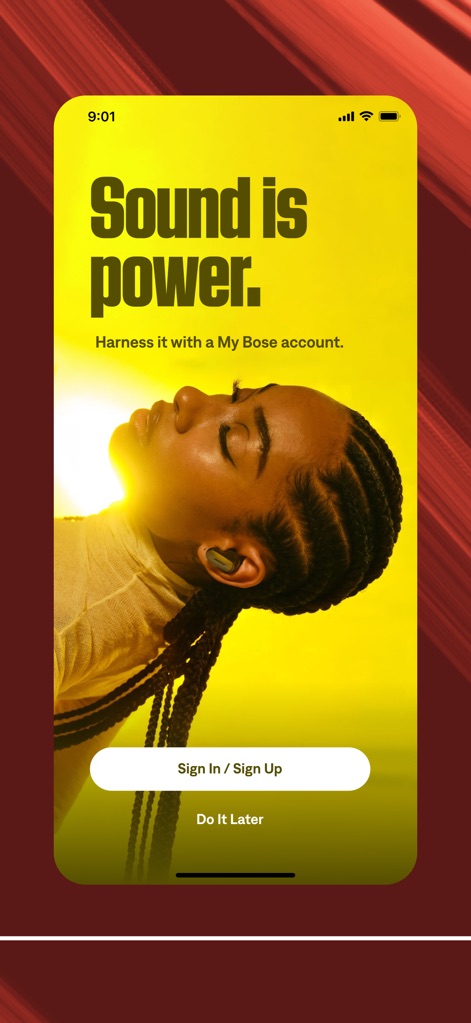
音の力を解き放つ
アプリ起動時に表示されるこの画面では、「Sound is power.」という印象的なキャッチフレーズと共に、My Boseアカウントへのサインインまたはサインアップのオプションが提供されます。
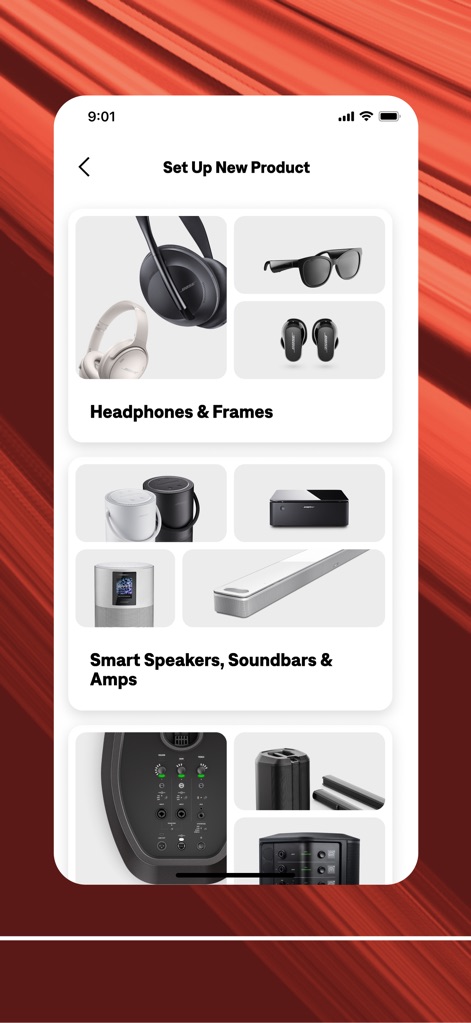
新製品を簡単接続
この画面では、ヘッドホンからスピーカー、PAシステムまで、ユーザーが所有する多様なBose製品をカテゴリ別に確認し、新しい製品をアプリに簡単に追加・セットアップできます。
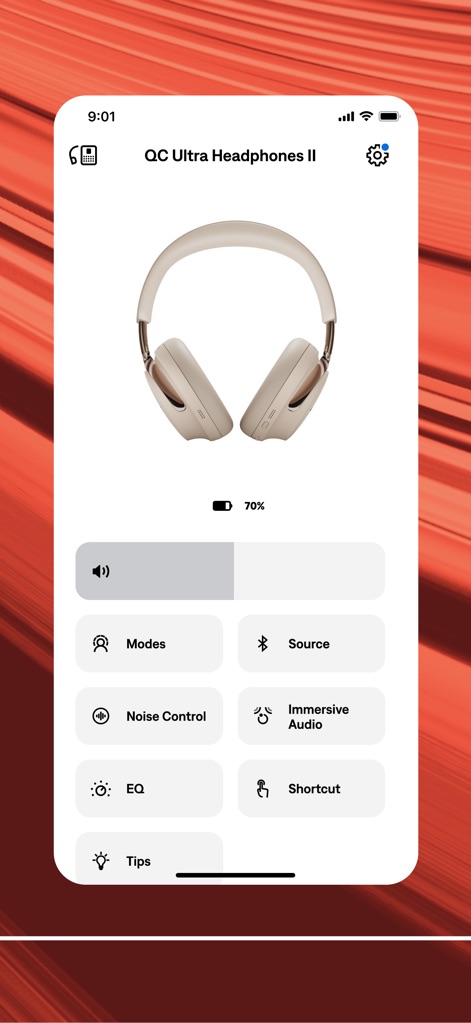
ヘッドホンを自在に操る
Boseアプリは、接続された「QC Ultra Headphones II」の現在の充電残量を表示し、ノイズコントロールレベルの調整やイマーシブオーディオの有効化など、詳細なパーソナライズ設定を可能にします。
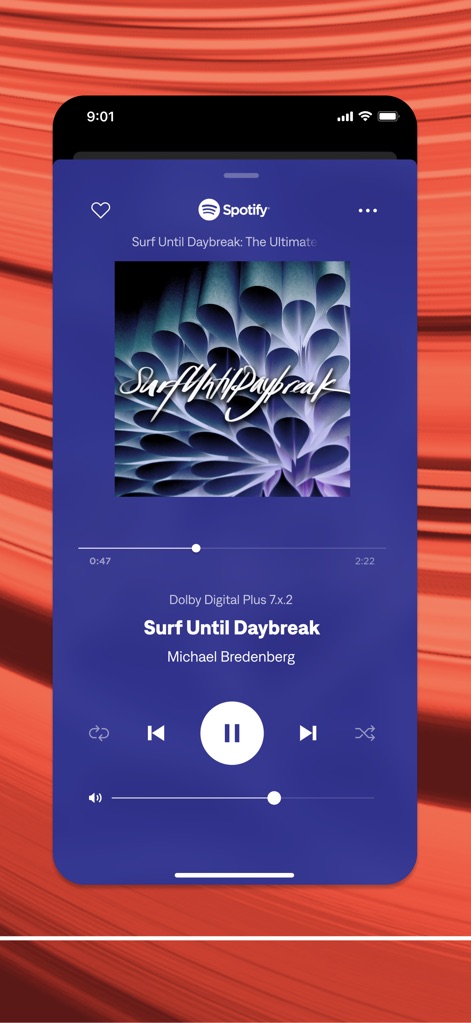
音楽体験をシームレスに
この再生画面では、Spotifyなどの連携サービスからお気に入りの音楽をストリーミング再生し、「Surf Until Daybreak」のようなトラックの詳細情報と共に、直感的な再生/一時停止、スキップ、ボリューム調整コントロールを提供します。
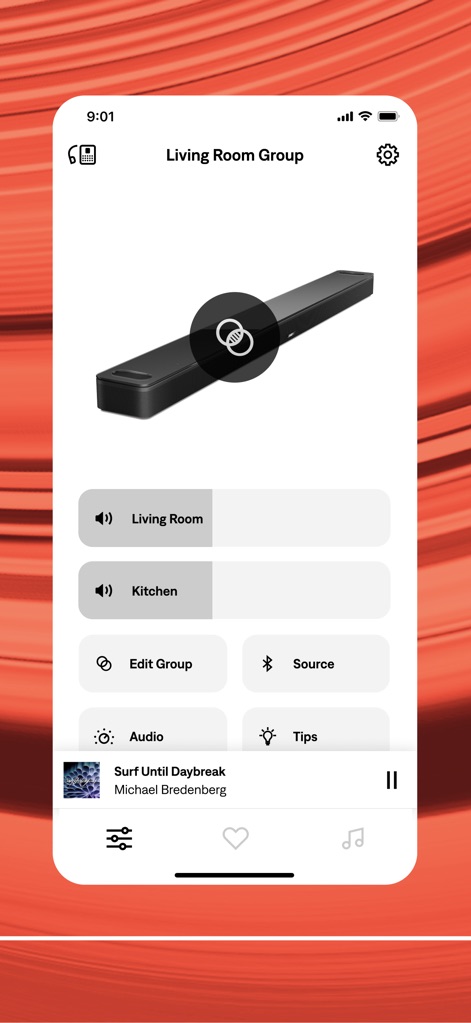
マルチルームで音楽を共有
アプリは、「Living Room Group」のようなマルチルームグループを簡単に作成・管理し、各部屋(例:リビングルーム、キッチン)で再生するオーディオソースを柔軟に選択・制御できます。
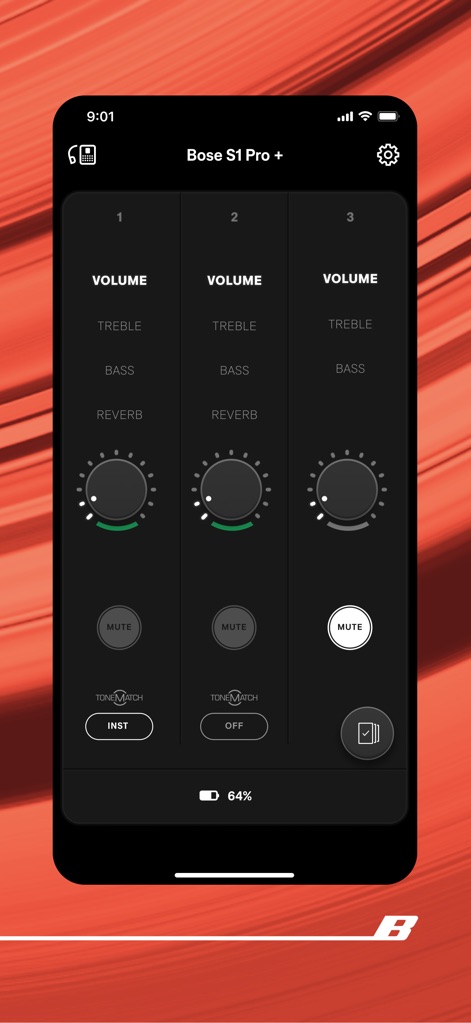
プロのサウンドを調整
この詳細なコントロール画面では、「Bose S1 Pro +」のようなプロフェッショナル向けPAシステムの各チャンネルに対して、ボリューム、トレブル、ベース、リバーブといった音響設定を細かく調整でき、TONEMATCH機能も活用可能です。
説明
Download
類似アプリ
似た機能とユーザー体験を持つアプリ

Marshall Bluetooth
Marshall Group AB (publ)

JBL PartyBox
Harman International Industries

Bose Connect
Bose Corporation

Bose QC Earbuds
Bose Corporation

JBL Headphones
Harman International Industries

soundcore
Power Mobile Life LLC

JBL Portable
Harman International Industries

Xiaomi Earbuds
Beijing Xiaomi Co., Ltd

Shokz
Shenzhen Shokz Co., Ltd.
このページはアプリまたはその開発者の公式ページではなく、情報提供および論評を目的として作成された独立した編集出版物です。明示的に別段の記載がない限り、アプリおよびその開発者は、MWM、Apple、Google Play、アプリのパブリッシャー、またはアプリの開発者と提携、承認、後援、認可、またはその他の公式的な関係はなく、このページのいかなる内容も、アプリがMWMのサービスを使用して開発されたことを意味するものではありません。すべての商標、ロゴ、スクリーンショット、その他のコンテンツはそれぞれの所有者の財産です。