Receipt Scan & Expense Tracker
ダウンロード: App Store

このページはアプリまたはその開発者の公式ページではなく、情報提供および論評を目的として作成された独立した編集出版物です。明示的に別段の記載がない限り、アプリおよびその開発者は、MWM、Apple、Google Play、アプリのパブリッシャー、またはアプリの開発者と提携、承認、後援、認可、またはその他の公式的な関係はなく、このページのいかなる内容も、アプリがMWMのサービスを使用して開発されたことを意味するものではありません。すべての商標、ロゴ、スクリーンショット、その他のコンテンツはそれぞれの所有者の財産です。


ロゴ: Receipt Scan & Expense Tracker
ダウンロード: App Store

Receipt Scan & Expense Tracker

紙のレシートの山を、数秒で税務申告対応のExcelおよびPDFレポートに、手間なく変換します。フリーランサー、職人、中小企業が時間を節約し、手作業でのデータ入力をなくすために設計されたシンプルなAIソリューションです。

主要数値

ダウンロード

0

ユーザー評価

5.0/5

評価数

0

開発元

HIPPOSOFT YAZILIM LIMITED SIRKETI

カテゴリ

Finance

対応言語

1

最新バージョン

1.0.11

サイズ

40.6 MB

リリース日

2025年4月12日
機能

税務シーズンを数秒で乗り切る

請求書作成が嫌いだが、税金の控除は好きなフリーランサーや職人のために設計された、AI搭載の経費トラッカー。

インスタントAIレシートスキャン

写真を撮るだけで、AIが日付、販売店、合計金額を自動抽出します。手入力に何時間も費やすのをやめましょう。

バックログを一括スキャン

ダッシュボードや財布を一度にクリアできます。一度に最大20枚のレシートをスキャンして、1分未満で1週間の経費を処理します。

以下のスクリーンショットと説明は、アプリの公式ストアリスティングから直接取得されたものであり、アプリ開発者の所有物です。

アプリストア

スクリーンショット
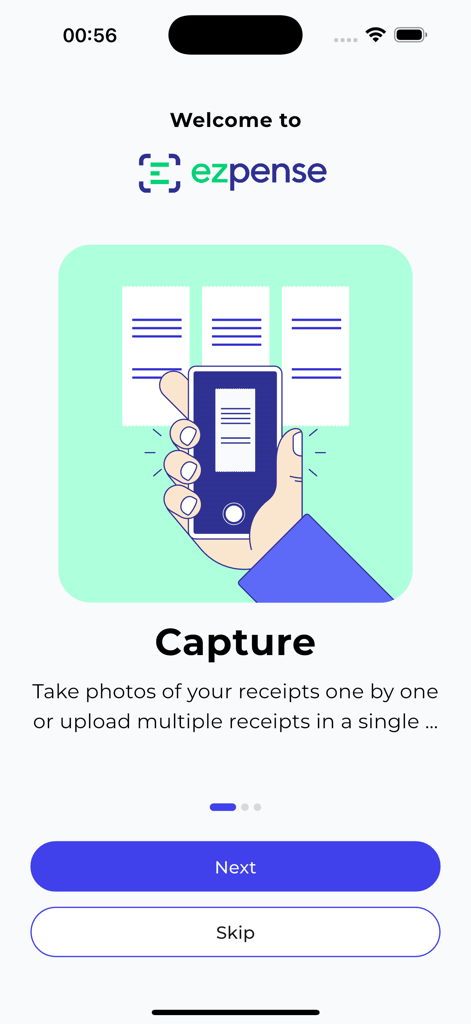
Receipt Scan & Expense Tracker - Ezpenseアプリのオンボーディング画面。紙のレシートをスキャンする手のイラストと共に、レシートキャプチャ機能が表示されています。
Ezpenseアプリのオンボーディング画面。紙のレシートをスキャンする手のイラストと共に、レシートキャプチャ機能が表示されています。

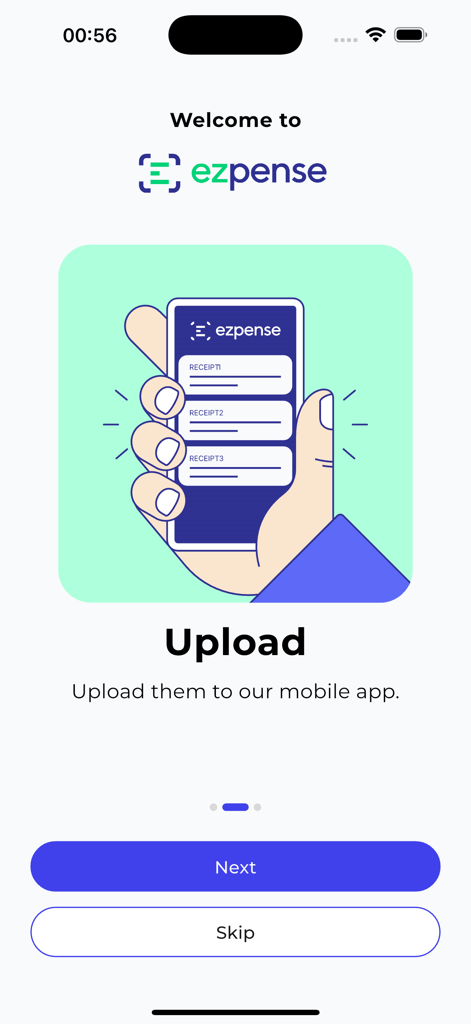
Receipt Scan & Expense Tracker - Ezpenseモバイルアプリのオンボーディング画面。複数のレシートをアップロードするイラストが表示されています。
Ezpenseモバイルアプリのオンボーディング画面。複数のレシートをアップロードするイラストが表示されています。

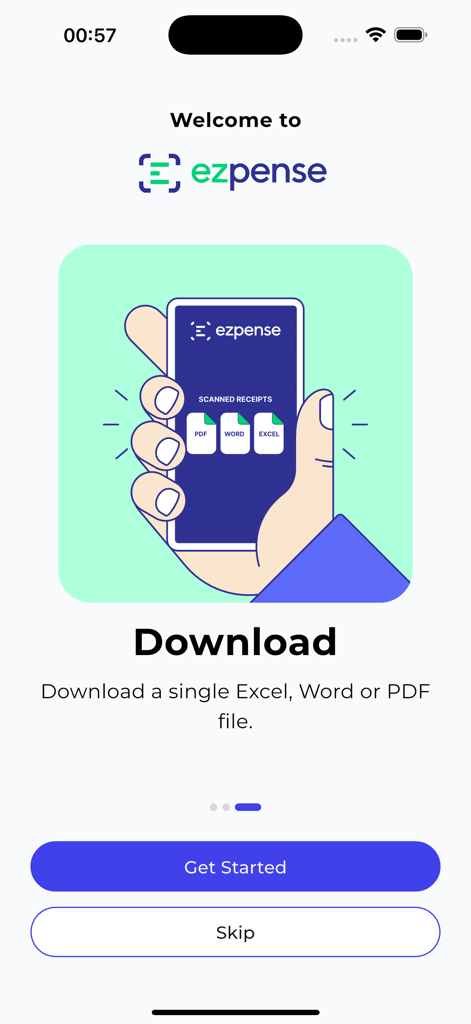
Receipt Scan & Expense Tracker - Ezpenseアプリのオンボーディング画面。スキャンされたレシートをExcel、Word、またはPDFファイルにエクスポートするオプションが表示されています。
Ezpenseアプリのオンボーディング画面。スキャンされたレシートをExcel、Word、またはPDFファイルにエクスポートするオプションが表示されています。

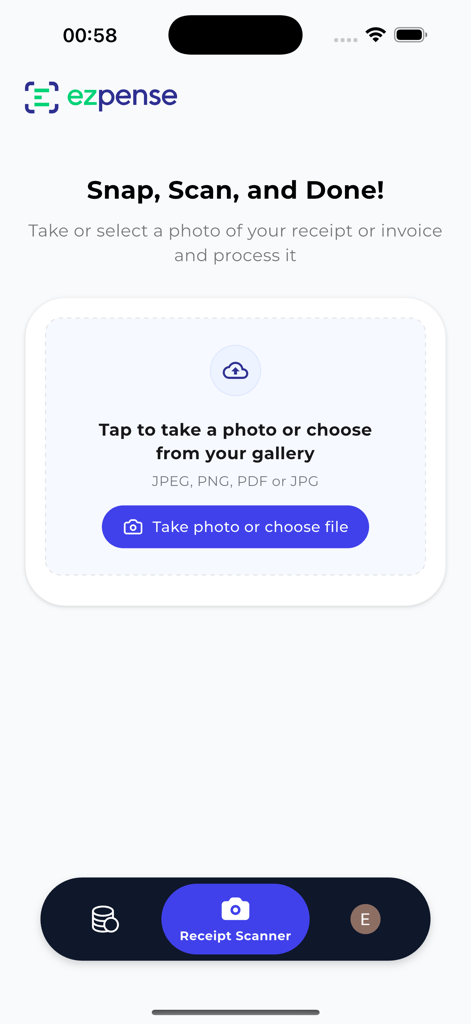
Receipt Scan & Expense Tracker - Ezpenseアプリのビジネスレシートをスキャンまたはアップロードする画面。
Ezpenseアプリのビジネスレシートをスキャンまたはアップロードする画面。

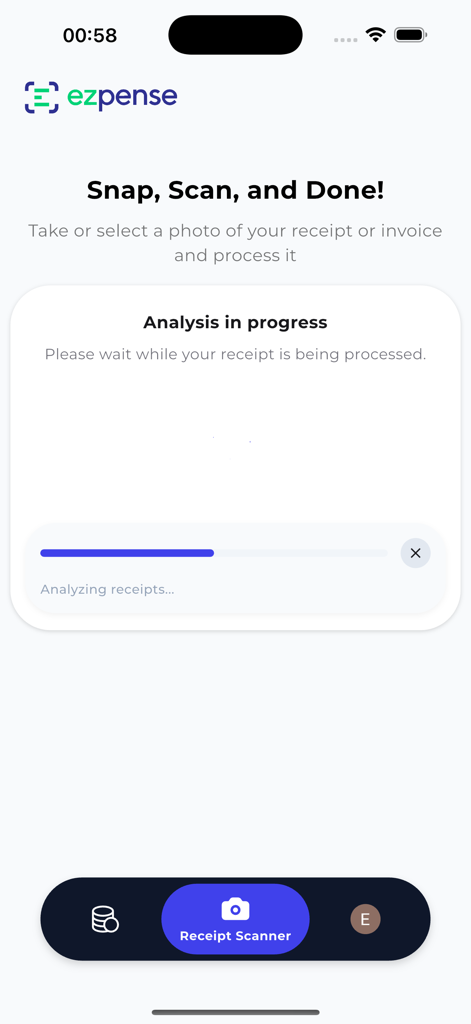
Receipt Scan & Expense Tracker - Ezpenseモバイルアプリのインターフェース。青いステータスバーと共に、レシート分析の進行中画面が表示されています。
Ezpenseモバイルアプリのインターフェース。青いステータスバーと共に、レシート分析の進行中画面が表示されています。

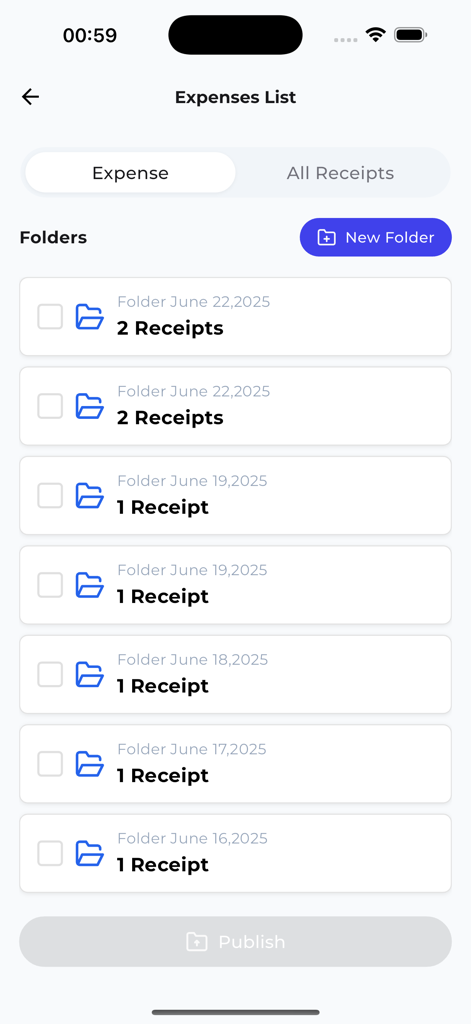
Receipt Scan & Expense Tracker - Ezpenseアプリの画面。レシートと経費追跡のための整理されたフォルダが表示されています。
Ezpenseアプリの画面。レシートと経費追跡のための整理されたフォルダが表示されています。

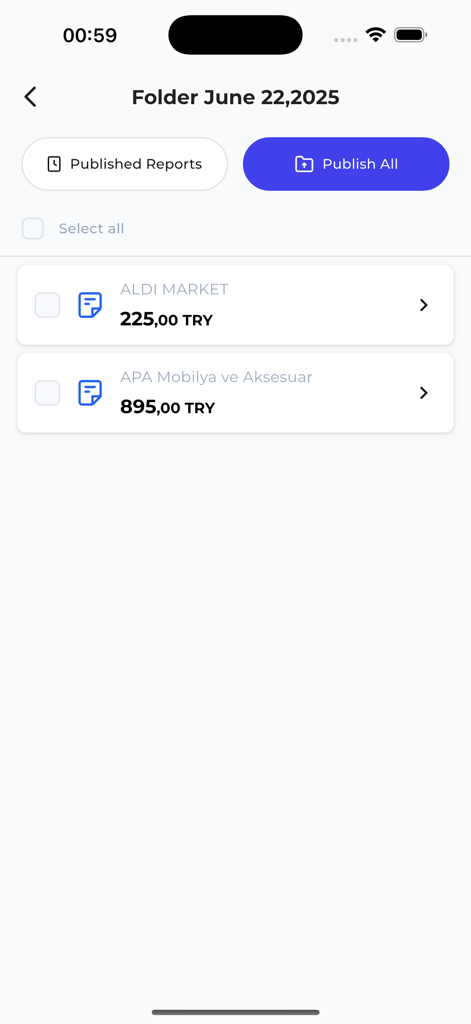
Receipt Scan & Expense Tracker - Ezpenseモバイルアプリの画面。販売店名と合計金額が表示された、スキャンされたレシートのフォルダが表示されています。
Ezpenseモバイルアプリの画面。販売店名と合計金額が表示された、スキャンされたレシートのフォルダが表示されています。

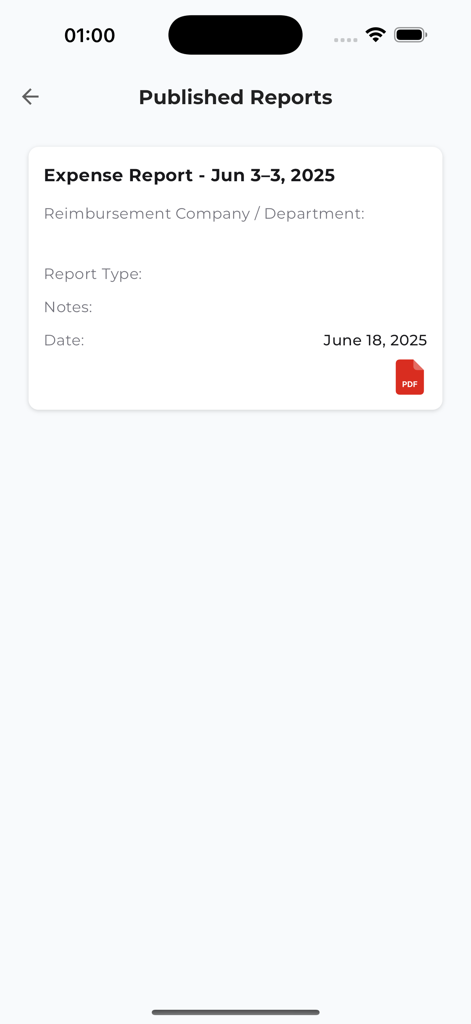
Receipt Scan & Expense Tracker - モバイルアプリの画面。PDFダウンロードオプション付きの、公開された経費レポートのリストが表示されています。

モバイルアプリの画面。PDFダウンロードオプション付きの、公開された経費レポートのリストが表示されています。

説明

Receipt Scanner Track Expense Scan receipts, track expenses, and export reports in seconds. Ezpense turns paper and digital receipts into Excel & PDF files using AI. Ezpense is an AI-powered receipt scanner and expense tracker designed for freelancers, small businesses, and accountants. Ezpense – AI-Powered Receipt Scanner & Expense Tracker Scan receipts. Export expenses. Stay organized. Turn receipts into Excel & PDF reports in seconds with AI-powered OCR. Ezpense is an AI-powered receipt scanner and expense tracker. Are you sick of dealing with stacks of paper receipts, entering data by hand, and the stress of tax season? Say hello to Ezpense. Ezpense is an app that uses AI to scan receipts and keep track of expenses. It was made for freelancers, small business owners, accountants, and finance professionals. It helps you quickly, accurately, and easily digitize your expenses so you can stay organized and focused on what matters. AI OCR for Smart Receipt Scanning Ezpense uses advanced AI-based OCR technology to read receipts and automatically pull out important information, such as: • Date • Name of the merchant • Total amount • Breakdown of taxes • How to pay • Details about each item Just take a picture of a receipt or upload a PDF. Ezpense turns it into clean, organized data in seconds, with no work needed. Ready to Export and Tax-Friendly After your receipts have been processed, you can export your expense data in a number of formats: • Excel (XLSX) • Reports in PDF • Word files Make your own templates for reports and get tax-ready summaries in just a few taps. Important Features • Scanning paper and digital receipts with AI • Bulk upload support lets you scan up to 20 receipts at once • Exports to Excel, PDF, and Word that you can change • Automatic detection of vendors and categories, with the option to add custom tags • Find and sort expenses by date, merchant, amount, or keyword Who Is Ezpense For? • Tracking business costs for freelancers and contractors • Small business owners who want to save time and make fewer mistakes • Accountants and financial advisors handling client payments • Tradespeople such as electricians, plumbers, and carpenters who need to scan on the go • Finance and tax experts who need organized, compliant reports Easy and Affordable Pricing Ezpense has clear, affordable plans: • Free Trial Use all the features for 30 days • Premium Plan – $29.99/year 1,000 receipt scans Standard export options • Enterprise Plan – $49.99/year Unlimited scans Custom templates • API access You can try Ezpense risk-free because all plans come with a money-back guarantee. Why Pick Ezpense? • A better, easier, and cheaper option than complicated tools like Expensify or Dext • A clean, easy-to-use interface that doesn’t require any learning • Made for speed, accuracy, and real-world accounting needs Receipts on paper slow you down. Ezpense turns them into searchable, exportable, tax-ready reports, saving you time every day. Stop wasting time. Ezpense makes expense tracking easier. Stay in Touch • Website: https://ezpense.com • Instagram: @ezpense • X (Twitter): @ezpenseAI • LinkedIn: Ezpense • Blog: https://ezpense.substack.com

Download

ダウンロード: App Store

このページはアプリまたはその開発者の公式ページではなく、情報提供および論評を目的として作成された独立した編集出版物です。明示的に別段の記載がない限り、アプリおよびその開発者は、MWM、Apple、Google Play、アプリのパブリッシャー、またはアプリの開発者と提携、承認、後援、認可、またはその他の公式的な関係はなく、このページのいかなる内容も、アプリがMWMのサービスを使用して開発されたことを意味するものではありません。すべての商標、ロゴ、スクリーンショット、その他のコンテンツはそれぞれの所有者の財産です。