
このページはアプリまたはその開発者の公式ページではなく、情報提供および論評を目的として作成された独立した編集出版物です。明示的に別段の記載がない限り、アプリおよびその開発者は、MWM、Apple、Google Play、アプリのパブリッシャー、またはアプリの開発者と提携、承認、後援、認可、またはその他の公式的な関係はなく、このページのいかなる内容も、アプリがMWMのサービスを使用して開発されたことを意味するものではありません。すべての商標、ロゴ、スクリーンショット、その他のコンテンツはそれぞれの所有者の財産です。

ダウンロード
7M+ユーザー評価
評価数
229K+開発元
カテゴリ
Graphics & Design対応言語
8最新バージョン
2.6.2サイズ
469.4 MBリリース日
2020年6月3日プロのように、即座に編集
高度なAIの力を活用して、数秒でソーシャルフィードに最適な美学を作成するために、邪魔なものを削除し、視野を広げましょう。
マジックオブジェクト消しゴム
フォトボマーや雑然としたものを正確に即座に消し去り、完璧で自然な背景を残します。
AI画像拡張
写真の境界線を拡張して、あらゆるソーシャルメディアフォーマットに完璧にフィットさせることで、ショットに新しい命を吹き込みましょう。
よくある質問
について知っておくべきこと Remove Objects
Remove Objects アプリで写真を編集するにはどうすればよいですか?
Remove Objects を使用するには、写真を選択し、消去または置き換えたい領域を選択し、AI 置換または生成塗りつぶしでレタッチし、必要に応じて AI 拡張を使用します。完成した画像をエクスポートします。
Remove Objects アプリの主な機能は何ですか?
Remove Objects は、AI オブジェクト削除(マジック消しゴム)、AI 生成塗りつぶし(AI 塗りつぶしと AI 置換)、AI 画像拡張を提供します。これらのツールは、完璧な画像を作成し、創造性を高めるのに役立ちます。
Remove Objects アプリで写真から不要な人物を削除できますか?
はい、Remove Objects アプリは、AI オブジェクト削除機能であるマジック消しゴムを使用して、写真から人物や不要なオブジェクトを正確に消去し、自然な背景を残します。
Remove Objects には AI 画像拡張ツールが含まれていますか?
はい、Remove Objects には AI 画像拡張ツールが含まれています。画質を維持しながら画像の境界を拡張し、ユーザーがあらゆる形式に合わせて写真を作成したり、新しい視覚要素を追加したりできるようにします。
Remove Objects アプリの AI 生成塗りつぶしとは何ですか?
Remove Objects の AI 生成塗りつぶしは、写真に完璧に溶け込むコンテンツをインテリジェントに予測および生成します。これには、画像を強化または創造的に変更するための AI 塗りつぶしおよび AI 置換機能が含まれます。
Remove Objects で Smart Eraser のサブスクライブ方法を教えてください。
Remove Objects アプリ内で Smart Eraser のロックを解除するには、サブスクライブできます。現在の期間の終了時に自動更新されます。ただし、24 時間前までにキャンセルされた場合を除きます。
Remove Objects の Smart Eraser 機能は無料で使用できますか?
いいえ、Remove Objects の Smart Eraser 機能は、ロックを解除するにはサブスクリプションが必要です。超リアルな結果を得るための AI ベースのオブジェクト削除を提供します。
Remove Objects アプリのプライバシーポリシーはどこで確認できますか?
Remove Objects アプリのプライバシーポリシーは、提供された URL "https://tapuniverse.com/privacy/" で入手できます。このドキュメントには、データ処理方法が記載されています。
Remove Objects アプリは、写真の服やアクセサリーを置き換えることができますか?
はい、Remove Objects アプリは、アプリのインターフェイスで実証されているように、AI 生成塗りつぶしテクノロジーの一部である AI 置換機能を使用して、服やアクセサリーを置き換えることができます。
以下のスクリーンショットと説明は、アプリの公式ストアリスティングから直接取得されたものであり、アプリ開発者の所有物です。
アプリストア
スクリーンショット
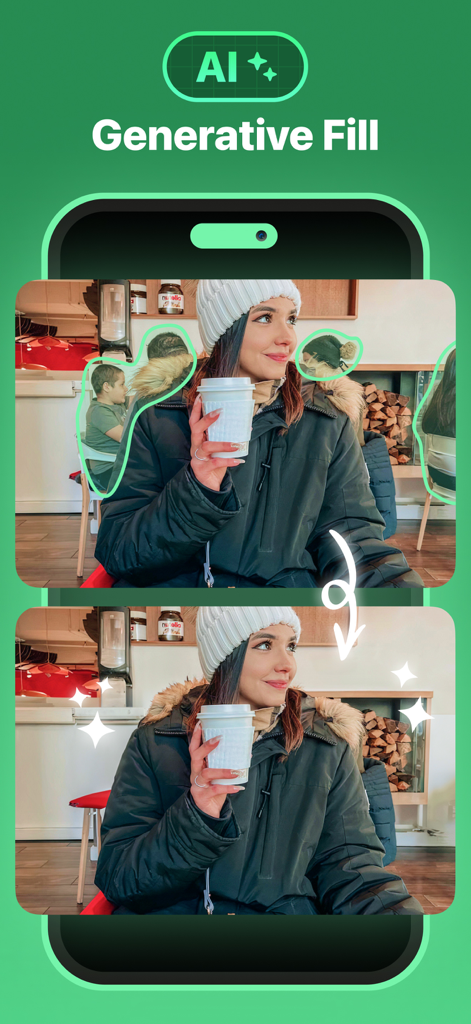
女性の後ろのカフェの背景から人々を削除するAIジェネレーティブフィルを示す、前後の比較
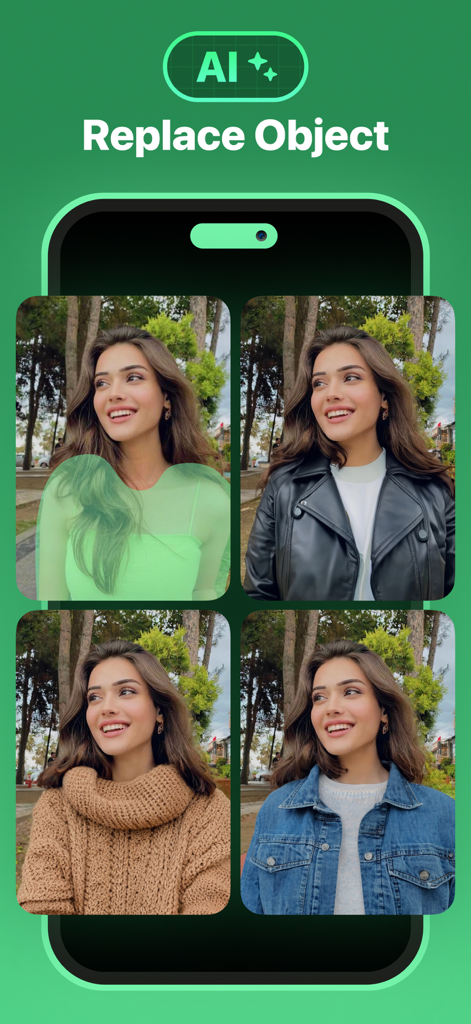
写真の人物の服装を変更するためにAIジェネレーティブフィル機能を示すモバイルアプリ画面
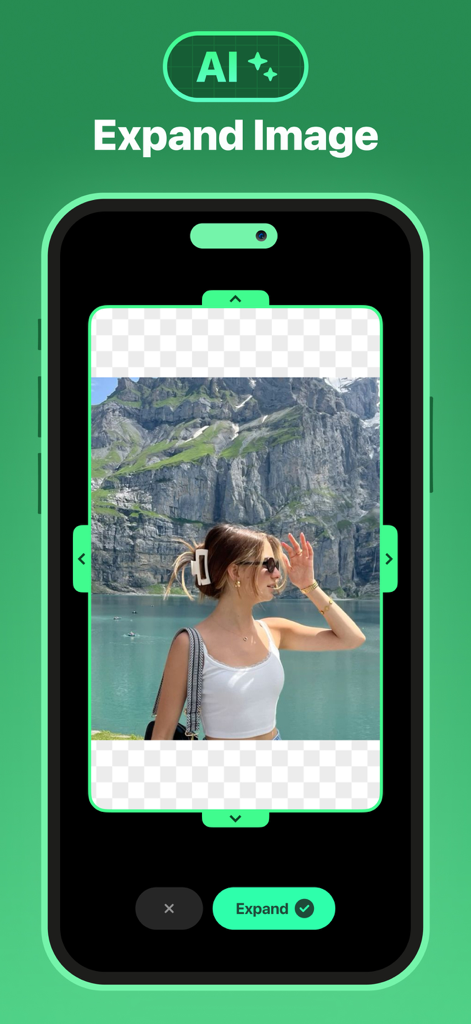
風光明媚な山の写真でAI Expand Imageツールを示す、Remove Objectsアプリのインターフェイス
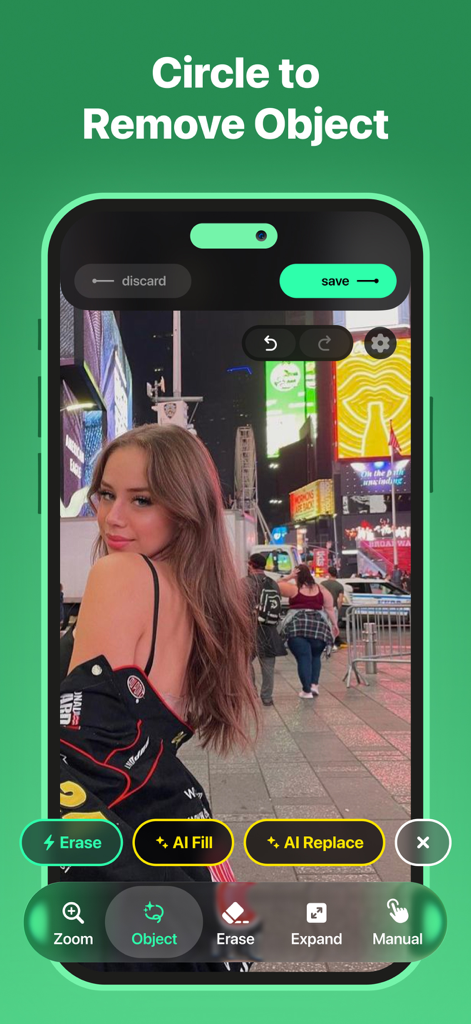
都会の背景写真でオブジェクト削除機能を示す円を表示するRemove Objectsアプリのインターフェイス。
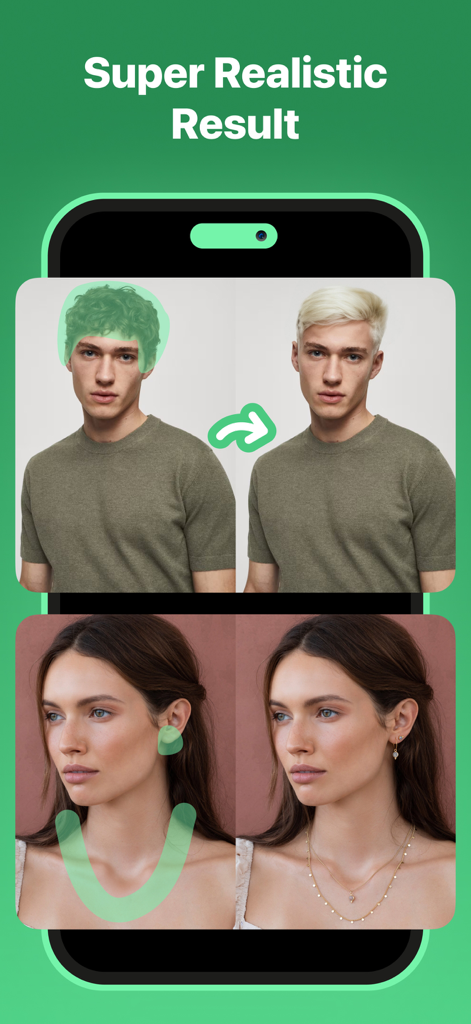
写真編集アプリでAIの髪の色変更とジュエリーの追加を示す、前後の比較
説明
Download
類似アプリ
似た機能とユーザー体験を持つアプリ

ElevenLabs: AI Voice Generator
Eleven Labs Inc.

Viggle AI: Meme Maker
WarpEngine Canada Inc.

可灵AI - AI图片&视频创作工具
Beijing Kwai Technology Co., Ltd.

Leonardo.Ai - Image Generator
Leonardo Interactive Pty Ltd

Reface: Face Swap AI Photo App
NEOCORTEXT, INC.

Shedevrum
DIRECT CURSUS COMPUTER SYSTEMS TRADING LLC

Zaps Collages
Turnip Media Private Limited

Carat - Create Anything
Paradot Corp.

集梦Ai - 智能图像制作工具
嘉俊 陈
このページはアプリまたはその開発者の公式ページではなく、情報提供および論評を目的として作成された独立した編集出版物です。明示的に別段の記載がない限り、アプリおよびその開発者は、MWM、Apple、Google Play、アプリのパブリッシャー、またはアプリの開発者と提携、承認、後援、認可、またはその他の公式的な関係はなく、このページのいかなる内容も、アプリがMWMのサービスを使用して開発されたことを意味するものではありません。すべての商標、ロゴ、スクリーンショット、その他のコンテンツはそれぞれの所有者の財産です。