Retouch: AI Object Remover

Retouch: AI Object Remover

ダウンロード: App Store
ロゴ: Retouch: AI Object Remover

Retouch: AIオブジェクトリムーバー – フィードを楽々完璧に

AIによるワンタップで、フォトボマーを消し、服を着替え、肌をレタッチ。現代のクリエイターのために設計されたプロレベルの編集ツール。

開発元

Anthony Durbin

カテゴリ

Photo & Video

ダウンロード

1M+

ユーザー評価

4.7/5

評価数

14K+

対応言語

1

あなたのビジョンを完璧に

このインターフェースを利用する 1M+ 人のユーザー.

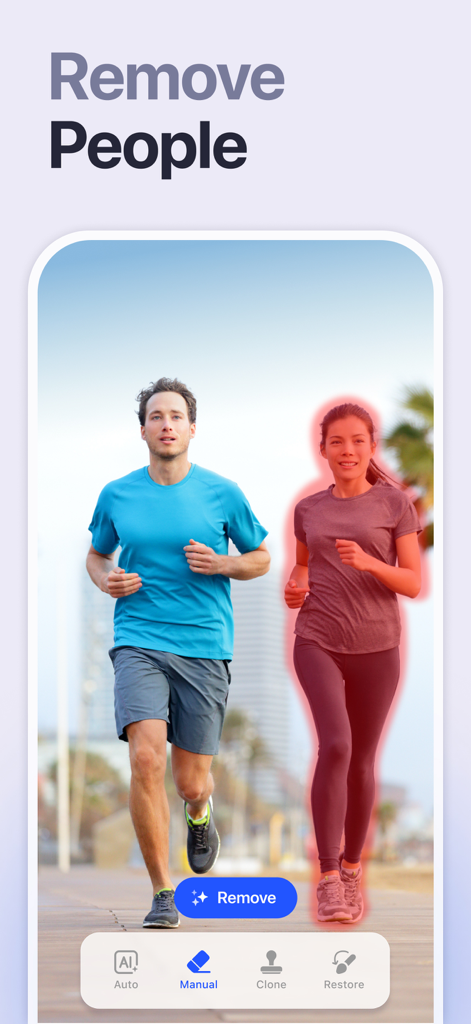
Retouchアプリの画面。2人のジョガーの写真から削除される女性が赤でハイライトされている様子が表示されている。
Retouchアプリの画面。2人のジョガーの写真から削除される女性が赤でハイライトされている様子が表示されている。

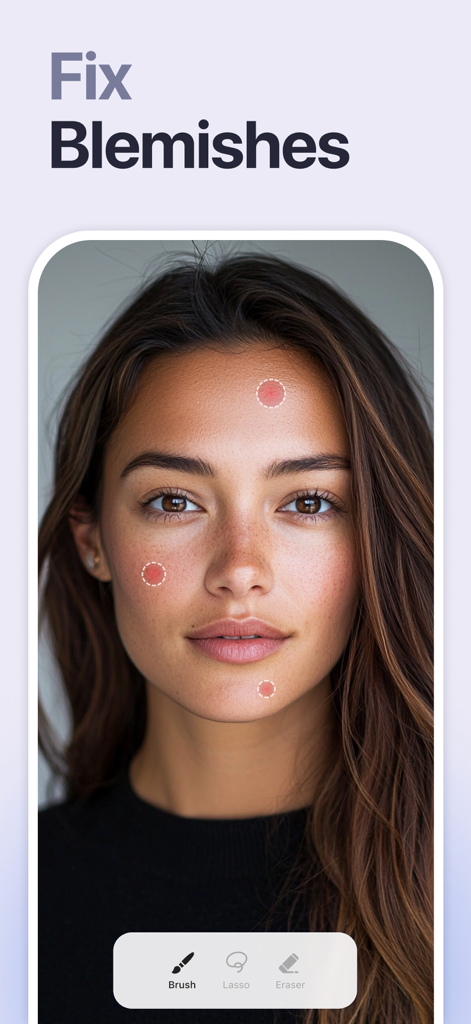
女性のポートレートにAIによるシミ除去ツールが表示されているアプリ画面。
女性のポートレートにAIによるシミ除去ツールが表示されているアプリ画面。

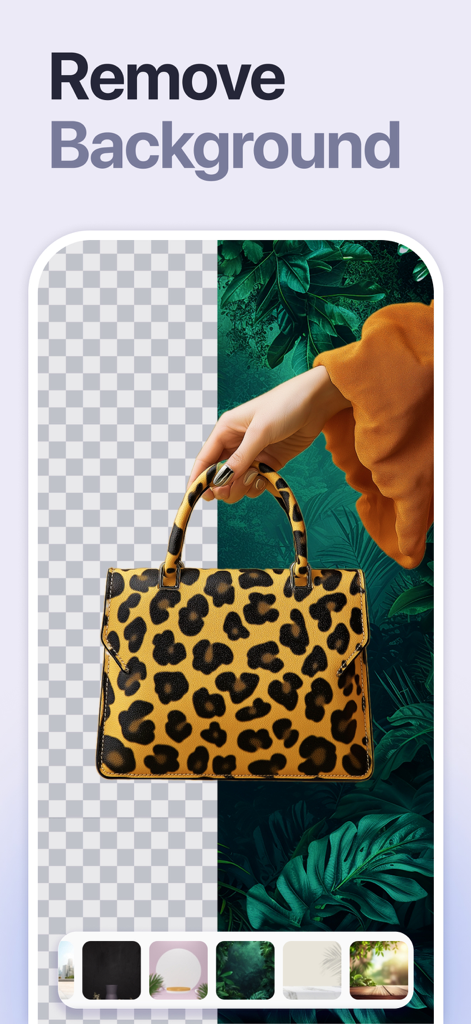
ヒョウ柄のハンドバッグ。Retouch AIアプリを使用して背景が削除され、置き換えられている様子。
ヒョウ柄のハンドバッグ。Retouch AIアプリを使用して背景が削除され、置き換えられている様子。

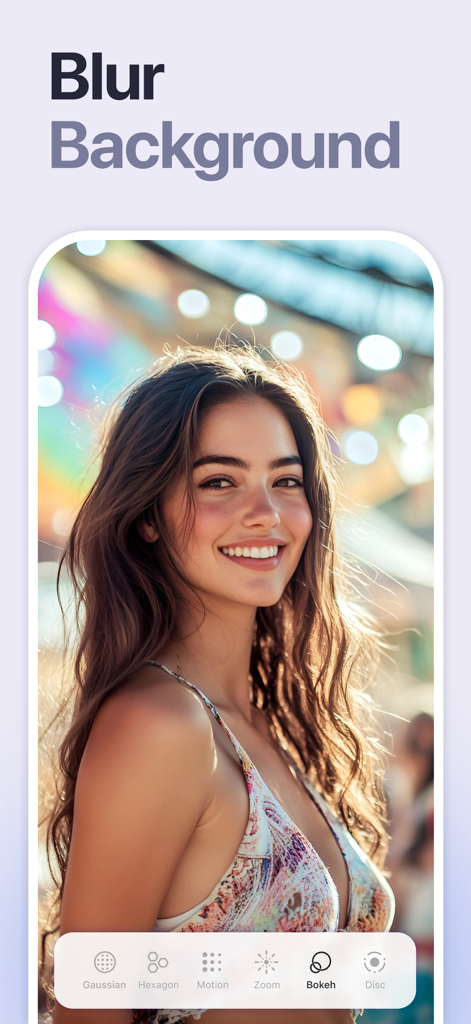
Retouch AIアプリの背景ぼかし機能を使用して、カラフルなボケ効果の背景を持つ笑顔の女性。
Retouch AIアプリの背景ぼかし機能を使用して、カラフルなボケ効果の背景を持つ笑顔の女性。

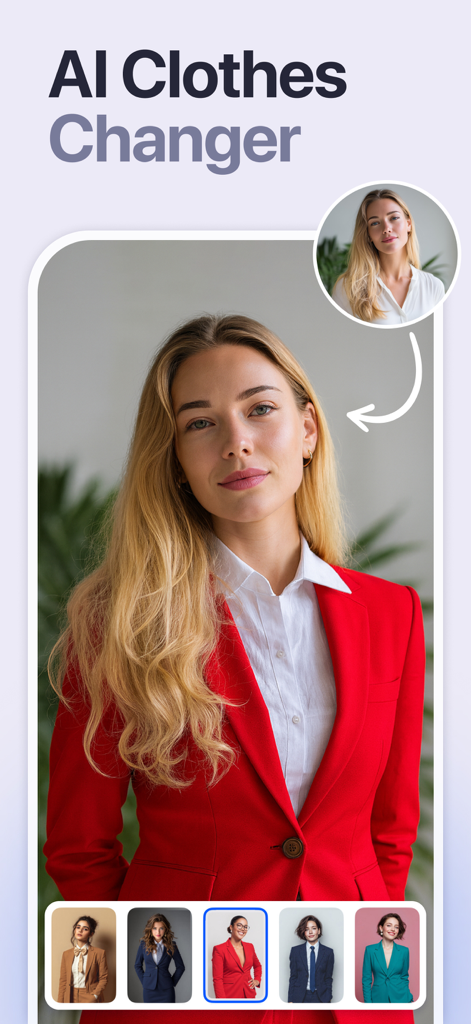
AI衣類チェンジャー機能を使用して、さまざまなプロ仕様のスーツに衣装をスワップしている女性。
AI衣類チェンジャー機能を使用して、さまざまなプロ仕様のスーツに衣装をスワップしている女性。

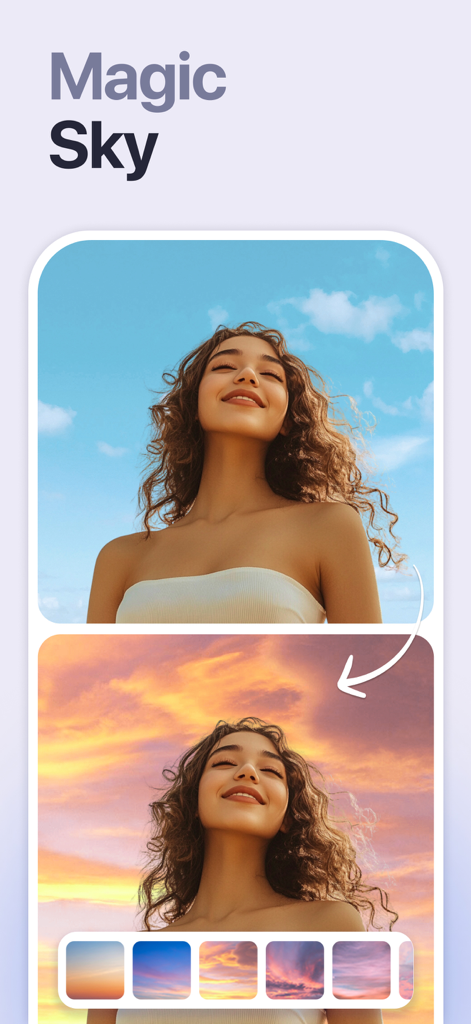
AIマジックスカイ機能を使用して、青い空を夕焼け空に変更する前後のポートレートの比較。
AIマジックスカイ機能を使用して、青い空を夕焼け空に変更する前後のポートレートの比較。

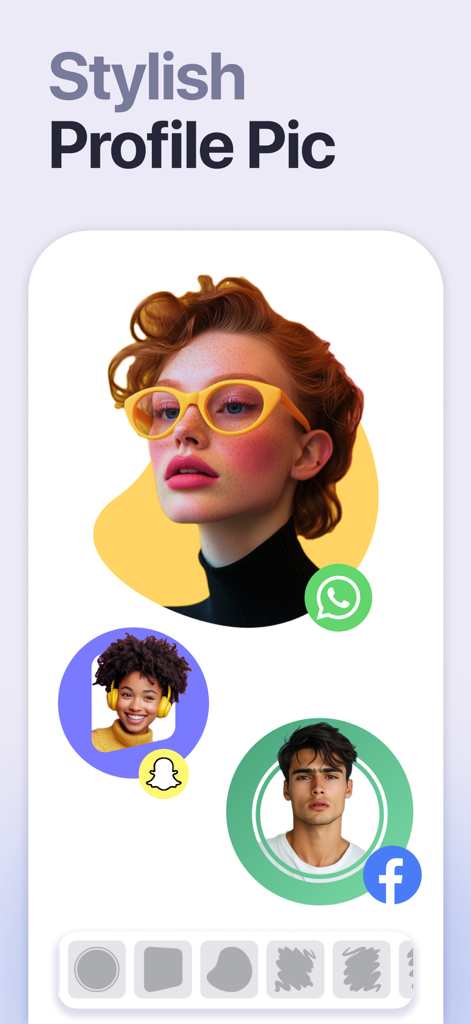
WhatsApp、Snapchat、Facebook用の芸術的な背景を持つスタイリッシュなプロフィール写真の例。

WhatsApp、Snapchat、Facebook用の芸術的な背景を持つスタイリッシュなプロフィール写真の例。

すべてのショットをレベルアップ

このアプリを際立たせるツール、 1M+ 人のユーザーが選択.

🪄

スマートオブジェクトイレーサー

インテリジェントなタップして削除テクノロジーで、フォトボマーや散らかった背景にさよならを告げましょう。

インスタントグロウアップ

肌を滑らかにし、最高の機能を自然に強調するAIで、スタジオ品質のポートレートを実現しましょう。

🌅

背景革命

インスタントな空と背景の置き換えで、どこへでも移動したり、クリーンな商品写真を生成したりしましょう。

レビュー分析

ユーザーレビューの分析.

感情スコア

15%
ネガティブ

概要

This mobile app receives overwhelmingly negative feedback, primarily due to recent updates that have drastically altered its pricing model. Users frequently complain about the transition from a free or ad-supported model to a mandatory, often expensive, subscription, making it impossible to save edited photos without payment. Many report issues with advertisements not working as an alternative to payment, with one user specifically noting this problem since Autumn 2024. Despite these significant drawbacks, the app's core object removal functionality is still acknowledged as effective, its output quality as good, and its ease of use is praised by some users.

主なテーマ

Core Functionality(6)
Historical App Value(5)
Output Image Quality(2)
Ease of Use(2)
AI Features(1)

アプリについて

について知っておくべきこと Retouch: AI Object Remover.

説明

Remove objects, people or text from photos easily with this ai retouch app. Erase backgrounds of a photo and save as transparent with just one tap. Fix your blemishes also with advanced one-tap-retouch feature. Change your outfit with our advanced ai clothes changer feature instantly. Features Remove Object: Tap or brush away tourists, wires, or stains. Quick Mode erases with AI; Brush & Lasso gives pixel-perfect control. AI Outfit Changer: Try-on new dresses with our outfit generator. Clone Stamp: Sample any clean patch and paint over distractions. Edge-aware blending matches texture, light, and perspective. AI Retouch: One swipe zaps blemishes, smooths skin, sharpens eyes, adds a natural glow, and whitens teeth while preserving pores. Replace Background: Auto-cut subjects and drop them onto built-in scenes, your own images, or transparent PNGs for pro-grade product shots. Background Blur: Pop subjects with DSLR-style depth—Gaussian, Motion, Bokeh, Hexagon, Disc, and more—and adjust focus and strength in real time. Photo Overlay & Double Exposure: Layer textures, designer frames, or a second image, then fine-tune opacity and blend modes for instant magazine vibes. Stylish Portrait: Soft-focus backgrounds, polish facial details, and apply studio color toning for a cover-ready finish. Sky Changer: Auto-detect the horizon and swap gray skies for golden sunsets, auroras, or storm clouds with perfect color matching and crisp edges. Photo Blending: AI isolates your subject and fuses it with artistic overlays; refine with manual brush and eraser for cinematic double exposures. Dripping Portrait: Melt edges into flowing paint drips; pick preset shapes or draw your own, then adjust length, direction, and gradients. Spiral Effects: Wrap subjects in neon coils, glitter ribbons, or dotted trails. Tweak thickness, color, and rotation for instant 3-D pop. Unlimited undo/redo, high-resolution exports, and before/after previews keep every experiment safe and speedy—so you can perfect anything from quick selfies to polished product shots without ever losing a pixel of quality. This app includes advertisement. To enjoy ad free experience and using all premium contents, we are offering a Premium subscription package. Retouch Premium Subscription information • Subscription Length: Weekly, Monthly. • Your payment will be charged to your iTunes Account as soon as you confirm your purchase. • You can manage your subscriptions and turn off auto-renewal from your Account Settings after the purchase. • Your subscription will renew automatically unless you turn off auto-renew at least 24 hours before the end of the current period. • The cost of renewal will be charged to your account 24 hours before the end of the current period. • When canceling a subscription, your subscription will stay active until the end of the period. Auto-renewal will be disabled, but the current subscription will not be refunded. • Any unused portion of a free trial period, if offered, will be forfeited when purchasing a subscription. Privacy policy: https://sites.google.com/view/anthonydurbins/privacy Terms of service: https://sites.google.com/view/anthonydurbins/terms Contact for support, reporting bug or improvement suggestions email: app.care.anthony@gmail.com You may also contact our support team through the app’s settings screen.

最新バージョン

5.3

サイズ

224.3 MB

リリース日

2022年4月28日

さらに魅力的なフィードの準備はできましたか?

100万人以上のクリエイターが、ワンタップAIを使用して邪魔なものを消し、細部まで完璧にし、Retouchをダウンロードして、普段の写真をプロレベルのコンテンツに変えましょう。

ダウンロード: App Store
FAQ

よくある質問

について知っておくべきこと Retouch: AI Object Remover

Retouch: AI Object Removerアプリは何に使用されますか?

Retouch: AI Object Removerは、AIを使用して写真からオブジェクト、人物、テキストを簡単に削除したり、背景を消去したり、傷を修正したり、衣装を変更したりするために設計されたアプリです。多様な写真編集機能を提供します。

Retouchアプリで写真から不要なオブジェクトを削除できますか?

はい、Retouch: AI Object Removerアプリでは、写真からオブジェクト、人物、テキストを削除できます。AIによる削除のためのクイックモードと、ピクセル単位の制御のためのブラシと投げ縄ツールが用意されています。

Retouch: AI Object RemoverにはAI衣類チェンジャー機能がありますか?

はい、Retouch: AI Object Removerには高度なAI衣類チェンジャー機能が含まれています。ユーザーは、アウトフィットジェネレーターを使用して、新しいドレスや衣装を瞬時に試着できます。

Retouchアプリで写真の背景を削除するにはどうすればよいですか?

Retouchアプリでは、被写体を自動で切り抜き、組み込みのシーン、独自の画像、または透明なPNGに配置することで背景を置き換えることができます。ワンタップで背景を消去できます。

Retouch: AI Object Removerにはどのようなサブスクリプションがありますか?

Retouch: AI Object Removerは、週単位と月単位のプレミアムサブスクリプションパッケージを提供しています。サブスクリプションにより、広告なしのエクスペリエンスとすべてのプレミアムコンテンツへのアクセスが可能になります。

Retouchプレミアムサブスクリプションの自動更新はどのように機能しますか?

現在の期間が終了する少なくとも24時間前に自動更新をオフにしない限り、Retouchプレミアムサブスクリプションは自動的に更新されます。更新費用は24時間前に請求されます。

Retouchアプリで写真の傷を修正できますか?

はい、Retouchアプリには、傷を修正するための高度なAIレタッチ機能が含まれています。ワンワイプで欠陥を削除し、肌を滑らかにし、目をシャープにすることができます。

Retouch: AI Object Removerアプリには広告が含まれていますか?

はい、Retouch: AI Object Removerアプリには広告が含まれています。ユーザーはプレミアムサブスクリプションパッケージを購入することで、広告なしのエクスペリエンスとプレミアムコンテンツへのアクセスを楽しむことができます。

Retouch: AI Object Removerのプライバシーポリシーはどこで見つけられますか?

Retouch: AI Object Removerのプライバシーポリシーは、https://sites.google.com/view/anthonydurbins/privacy でご覧いただけます。このリンクはアプリの説明内に記載されています。

Retouchアプリで利用できる背景ぼかしオプションは何ですか?

Retouchアプリでは、ガウスぼかし、モーションぼかし、ボケ、六角形、円盤など、さまざまな背景ぼかしオプションを提供しています。ユーザーはリアルタイムでフォーカスと強度を調整できます。

App information, icons, screenshots, and descriptions displayed on this page are sourced from the Apple App Store and are the property of their respective developers. Download estimates and rankings are based on MWM's proprietary models and may not reflect actual figures. This page is provided for informational and analytical purposes only.

Believe this page infringes your intellectual property? File a dispute