Retouch AI - Remove Objects
ダウンロード: App Store

このページはアプリまたはその開発者の公式ページではなく、情報提供および論評を目的として作成された独立した編集出版物です。明示的に別段の記載がない限り、アプリおよびその開発者は、MWM、Apple、Google Play、アプリのパブリッシャー、またはアプリの開発者と提携、承認、後援、認可、またはその他の公式的な関係はなく、このページのいかなる内容も、アプリがMWMのサービスを使用して開発されたことを意味するものではありません。すべての商標、ロゴ、スクリーンショット、その他のコンテンツはそれぞれの所有者の財産です。

ロゴ: Retouch AI - Remove Objects
ダウンロード: App Store

Retouch AI - Remove Objects

写り込んだ人や背景の乱雑さで、お気に入りの瞬間を台無しにするのをやめましょう。高度なAIを使用して、欠陥を消し、歯を白くし、プロのスキルなしでソーシャルメディアにふさわしい完璧な美的感覚を作りましょう。

主要数値

ダウンロード

1M+

ユーザー評価

4.7/5

評価数

27K+

開発元

Yalex FZC LLC

カテゴリ

Photo & Video

対応言語

4

最新バージョン

6.1

サイズ

147.4 MB

リリース日

2020年5月1日
機能

あらゆるショットを傑作に変える

写り込んだ人や小さな欠陥で思い出を台無しにするのをやめましょう。Retouch AIは高度なテクノロジーを使用して、フィードにふさわしいプロフェッショナルで美的感覚のある写真に仕上げます。

スマートAIオブジェクト削除

見知らぬ人、電線、または乱雑なものを自動検出して消去します。ワンクリックマジックで、きれいで邪魔されない写真を手に入れましょう。

完璧なポートレートレタッチ

歯を白くし、シミをきれいにし、スマートストレッチツールを使用して、自然なインフルエンサー風の仕上がりを維持しながら、最高の自分を表現しましょう。

以下のスクリーンショットと説明は、アプリの公式ストアリスティングから直接取得されたものであり、アプリ開発者の所有物です。

アプリストア

スクリーンショット
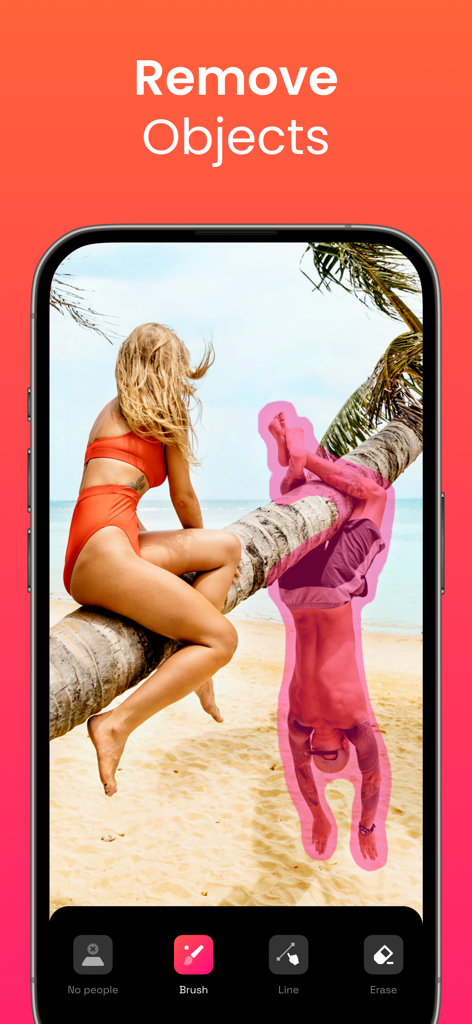
Retouch AI - Remove Objects - AI写真編集アプリのインターフェース。ビーチのシーンから削除するためにピンクのブラシで選択された人物を表示
AI写真編集アプリのインターフェース。ビーチのシーンから削除するためにピンクのブラシで選択された人物を表示

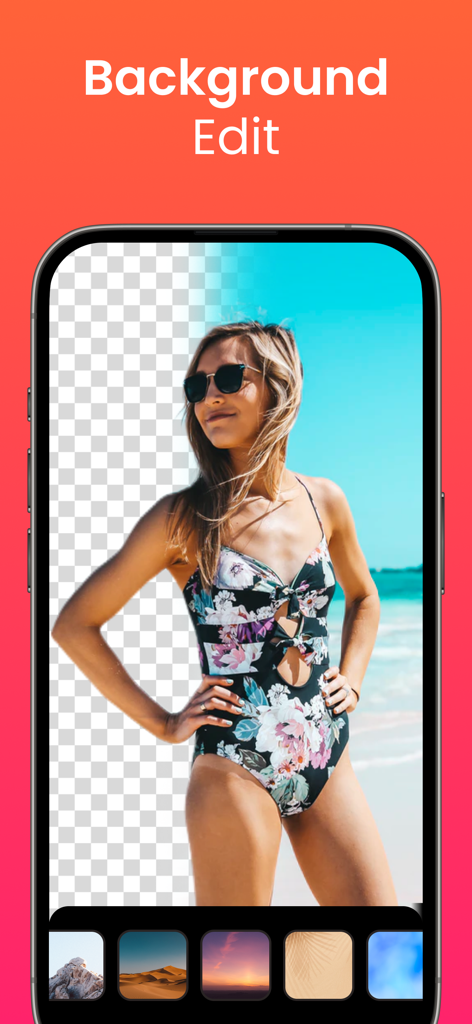
Retouch AI - Remove Objects - ビーチにいる女性がRetouch AIアプリで背景削除および置換機能を使用している様子
ビーチにいる女性がRetouch AIアプリで背景削除および置換機能を使用している様子

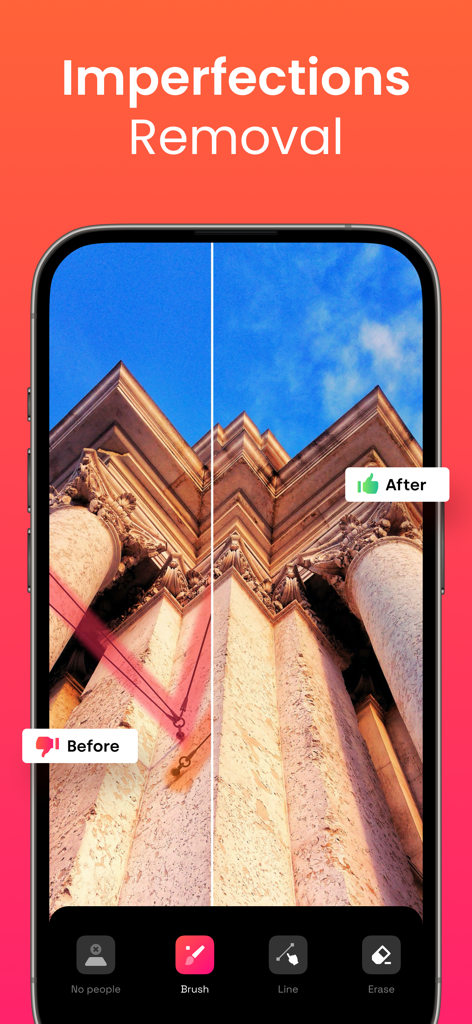
Retouch AI - Remove Objects - Retouch AIアプリを使用して建物の写真から電線を削除した前後の比較
Retouch AIアプリを使用して建物の写真から電線を削除した前後の比較

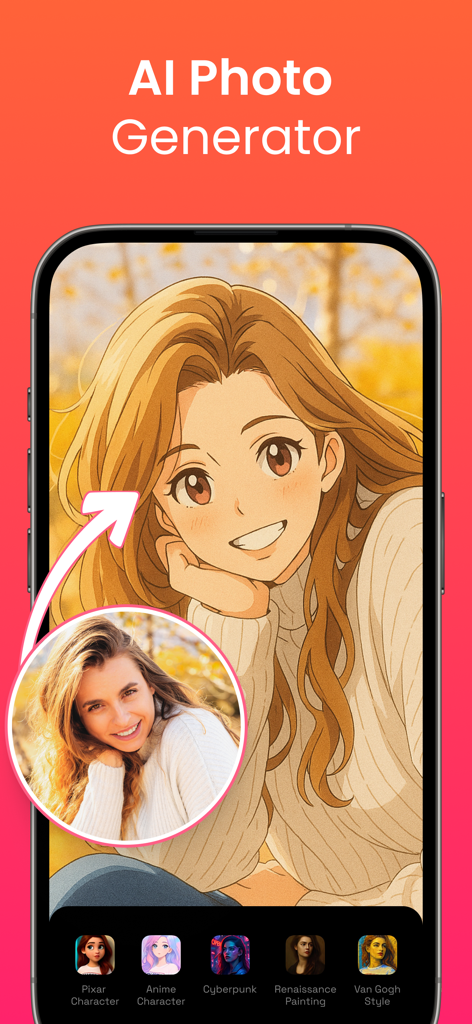
Retouch AI - Remove Objects - 実際の女性のポートレートをアニメキャラクターのスタイルに変換するAI写真ジェネレーター機能のインターフェース
実際の女性のポートレートをアニメキャラクターのスタイルに変換するAI写真ジェネレーター機能のインターフェース

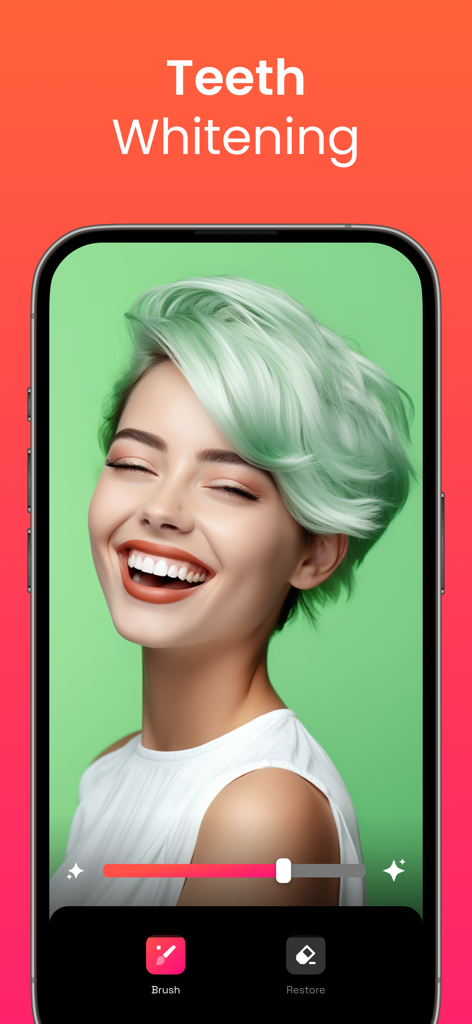
Retouch AI - Remove Objects - Retouch AI写真編集アプリの歯のホワイトニング機能インターフェース
Retouch AI写真編集アプリの歯のホワイトニング機能インターフェース

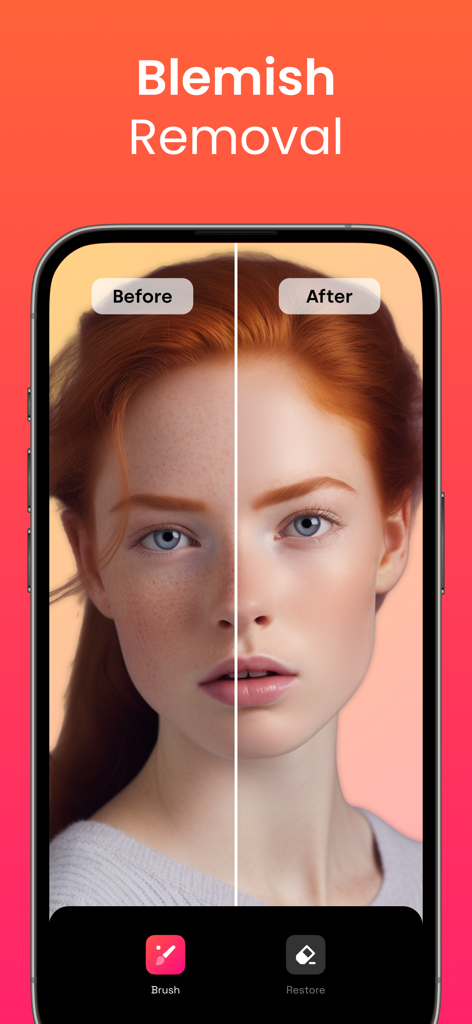
Retouch AI - Remove Objects - Retouch AIアプリのシミ除去機能を示すポートレートの前後の比較

Retouch AIアプリのシミ除去機能を示すポートレートの前後の比較

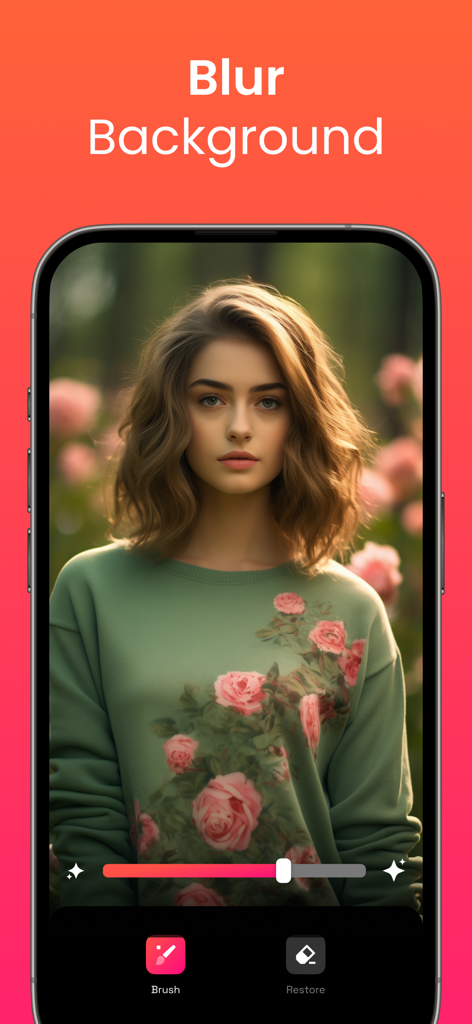
Retouch AI - Remove Objects - Retouch AIモバイルアプリの機能を使用して、ぼかした花畑の背景を持つ女性のポートレート
Retouch AIモバイルアプリの機能を使用して、ぼかした花畑の背景を持つ女性のポートレート

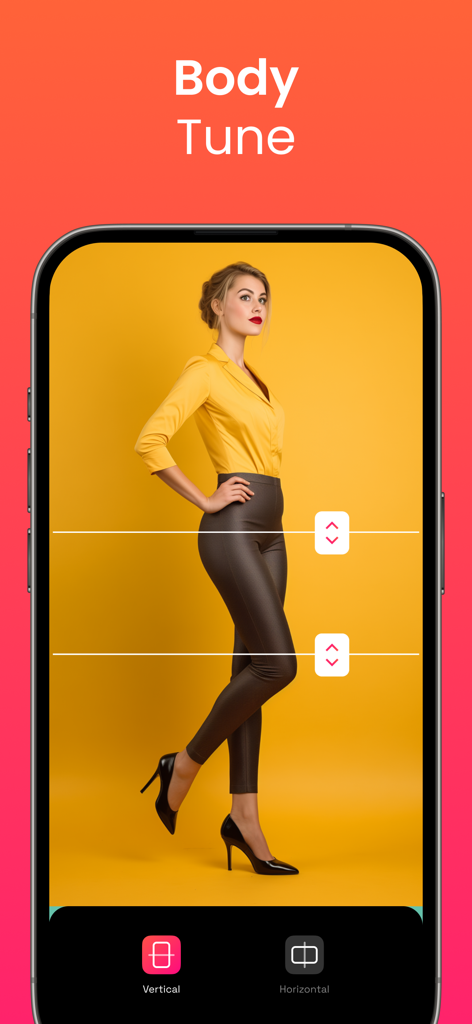
Retouch AI - Remove Objects - 体の比率を調整するための垂直および水平ストレッチツールを備えたRetouch AIモバイルアプリのインターフェース
体の比率を調整するための垂直および水平ストレッチツールを備えたRetouch AIモバイルアプリのインターフェース

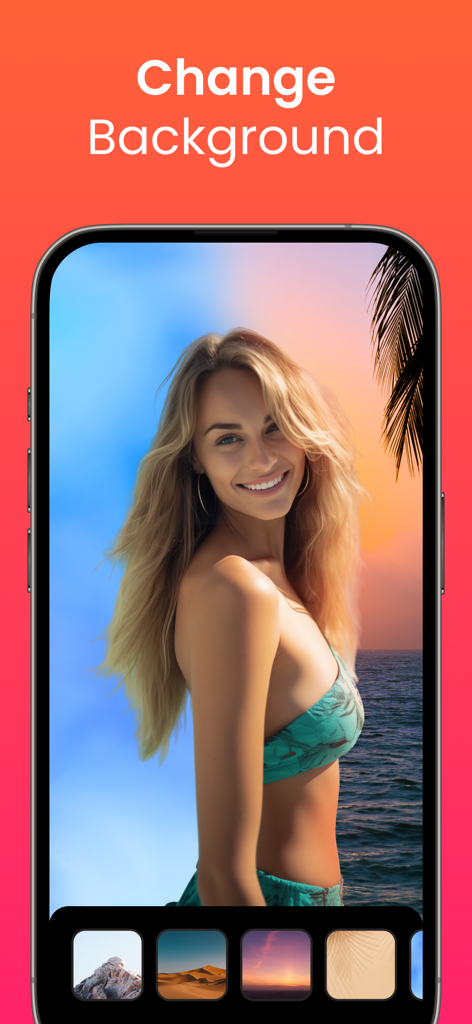
Retouch AI - Remove Objects - ビーチにいる女性と写真の背景を変更するオプションが表示されているRetouch AIアプリのインターフェース
ビーチにいる女性と写真の背景を変更するオプションが表示されているRetouch AIアプリのインターフェース

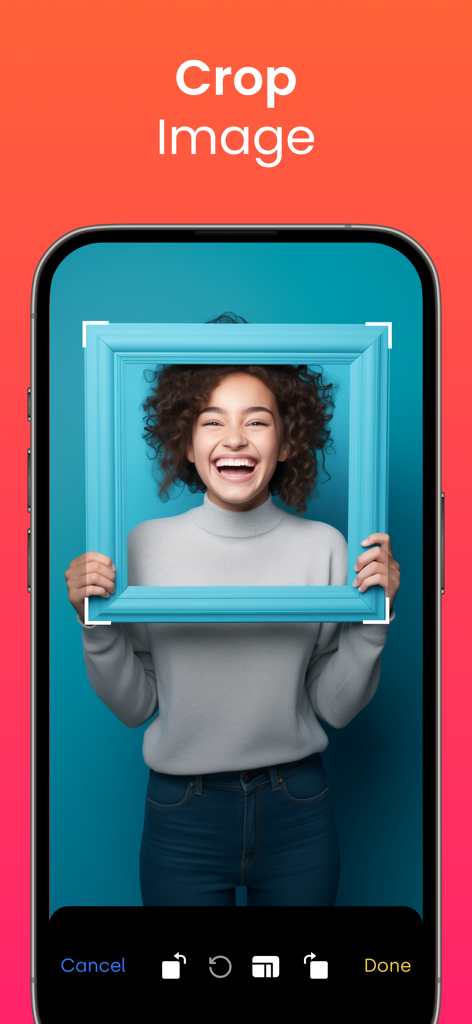
Retouch AI - Remove Objects - 笑顔の女性のポートレートをフィーチャーしたトリミング機能を示すRetouch AIモバイルアプリのインターフェース

笑顔の女性のポートレートをフィーチャーしたトリミング機能を示すRetouch AIモバイルアプリのインターフェース

説明

Tired of being photobombed? Thinking about getting rid of some imperfections in the background of the photo but don’t know how? Need to erase unwanted objects from your pictures to get them just right? All these annoying things shouldn’t be a problem anymore with our AI-driven photo editor. RetouchAI is that magic button that will help you easily transform poorly taken photos into the ones you actually deserve. User-friendly interface, comprehensible functionality, the capability to remove imperfections in “one-click” are features that RetouchAI offers for you, specifically: • People auto-detection RetouchAI offers you highly convenient tools to identify strangers and crowd. The editor will precisely auto-detect the borders and highlight them for further auto removal. You just need to single them out in one tap • Imperfections removal • Lines removal • Blemish removal The app declutters photo imperfections and retouches them in an extremely simplified, yet smart way. The editor makes sure that the chosen area is erased without the photo distortion and is repaired appropriately. • Multiple retouch algorithms Once you select a particular area in your photo that needs to be restored, the app will offer you multiple variants. You may choose the one that looks the most natural and will be the best fit. • Background edit With the RetouchAI photo editor background replacement feature, you can cut out the existing background of your photo easily and replace it with one of the templates from the gallery. In case you don’t want to change the background, the app provides you with the convenient functionality to blur the background to the required extent. • Efficient clone stamp tool When you erase certain objects from the photo, the editor needs to restore the marked area with correctly chosen colors. This is done via the clone stamp tool that uses the surrounding area as a context to restore the photo precisely. • Teeth whitening The tool allows you to whiten your teeth and make your smile even more fabulous than it is now. Everything is simple: select the necessary area, adjust the intensity of the brush, and boom, everything is ready. Explore a natural teeth whitening feature now. • Stretching Allows you to modify the selected area both vertically and horizontally. It's no longer a problem to increase your height, enlarge your hips, or adjust anything else. You just need to choose the place you need to stretch and modify it to the extent you want. • Helpful tooltips & friendly support Despite being rather intuitively obvious, the app has numerous embedded tooltips that pop up once you start using the photo editor. All the tooltips were designed to make your photo editing process seamless and pleasant so that you say goodbye to sophisticated interfaces, confusing buttons, and annoying welcome tutorials. Download RetouchAI and make your photos great again. Enjoy! Don’t forget to check our privacy policy and terms of service: http://retouch-ai.com/privacy-policy.html http://retouch-ai.com/terms-of-service.html SUBSCRIPTION INFO: • Subscription for Retouch AI for full access to all features. • Subscription length: one week, one month, 12 months and lifetime. • Your payment will be charged to your iTunes Account as soon as you confirm your purchase. • You can manage your subscriptions and turn off auto-renewal from your Account Settings after the purchase. • Your subscription will renew automatically, unless you turn off auto-renew at least 24 hours before the end of the current period. • The cost of renewal will be charged to your account in the 24 hours prior to the end of the current period. • When canceling a subscription, your subscription will stay active until the end of the period. Auto-renewal will be disabled, but the current subscription will not be refunded. • Any unused portion of a free trial period, if offered, will be forfeited when purchasing a subscription.

Download

ダウンロード: App Store

このページはアプリまたはその開発者の公式ページではなく、情報提供および論評を目的として作成された独立した編集出版物です。明示的に別段の記載がない限り、アプリおよびその開発者は、MWM、Apple、Google Play、アプリのパブリッシャー、またはアプリの開発者と提携、承認、後援、認可、またはその他の公式的な関係はなく、このページのいかなる内容も、アプリがMWMのサービスを使用して開発されたことを意味するものではありません。すべての商標、ロゴ、スクリーンショット、その他のコンテンツはそれぞれの所有者の財産です。