RetroFix - Old Picture Restore

RetroFix - Old Picture Restore

ダウンロード: App Store
ロゴ: RetroFix - Old Picture Restore

RetroFix - 古い写真修復:家族の最も大切な思い出に新たな命を吹き込む

色あせた、傷ついた、またはぼやけた写真を、クリスタルクリアなデジタル記念品に変えましょう。AIを使って、歴史を即座に修復・カラー化する30万人以上のユーザーに加わりましょう。簡単なワンタップ操作です。

開発元

Denys Shevchenko

カテゴリ

Photo & Video

ダウンロード

369K+

ユーザー評価

4.6/5

評価数

9K+

対応言語

30

変身を目撃する

このインターフェースを利用する 369K+ 人のユーザー.

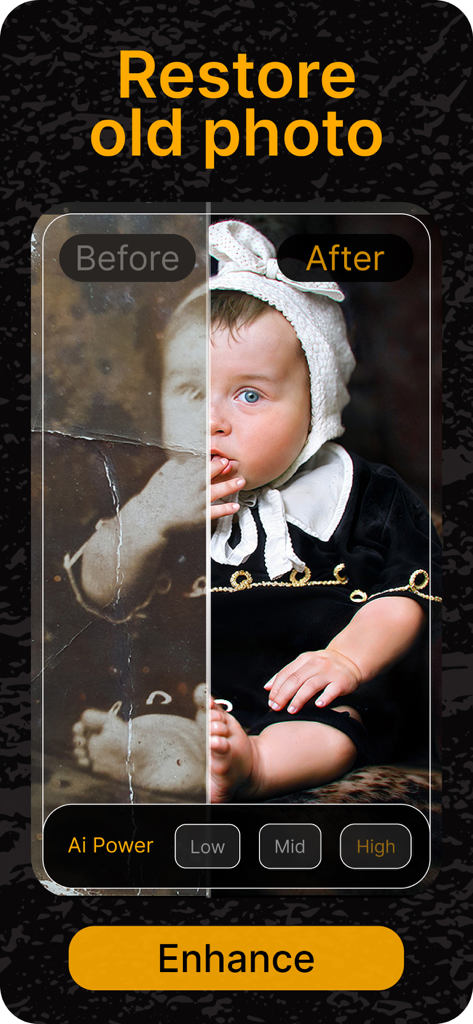
RetroFix AIを使用して復元およびカラー化されたビンテージ赤ちゃんの写真の比較(前と後)
RetroFix AIを使用して復元およびカラー化されたビンテージ赤ちゃんの写真の比較(前と後)

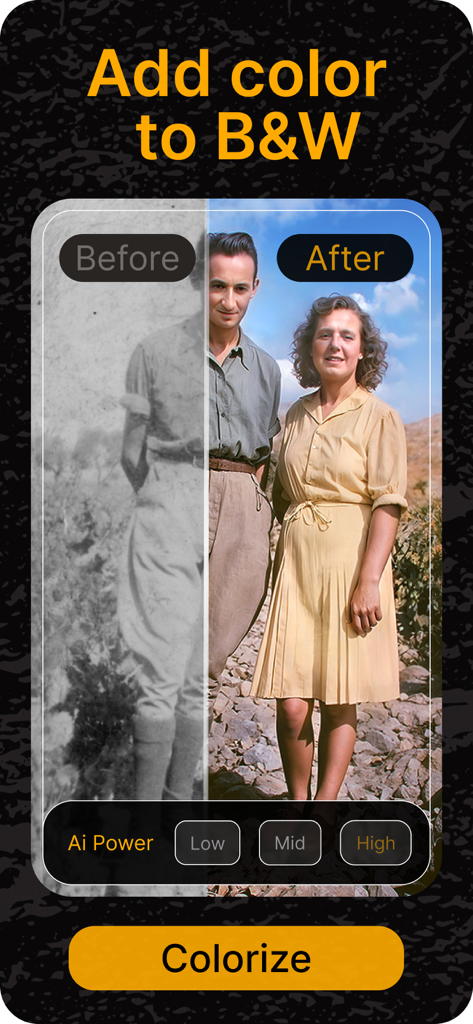
RetroFix AIを使用して鮮やかな色で復元された白黒ビンテージ写真の比較(前と後)
RetroFix AIを使用して鮮やかな色で復元された白黒ビンテージ写真の比較(前と後)

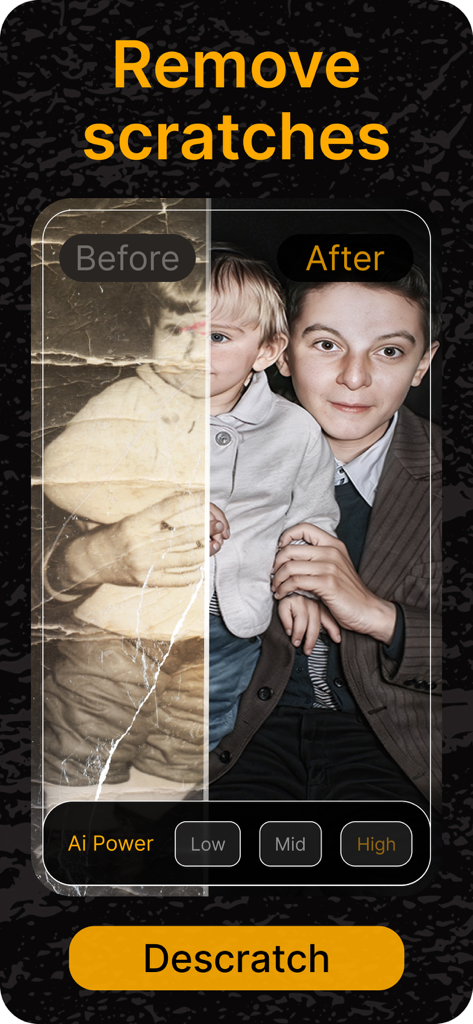
RetroFix AIによって傷が除去され、鮮明さが向上した古い男の子のポートレートの比較(前と後)
RetroFix AIによって傷が除去され、鮮明さが向上した古い男の子のポートレートの比較(前と後)

色と照明の復元を示す古い写真の比較(前と後)
色と照明の復元を示す古い写真の比較(前と後)

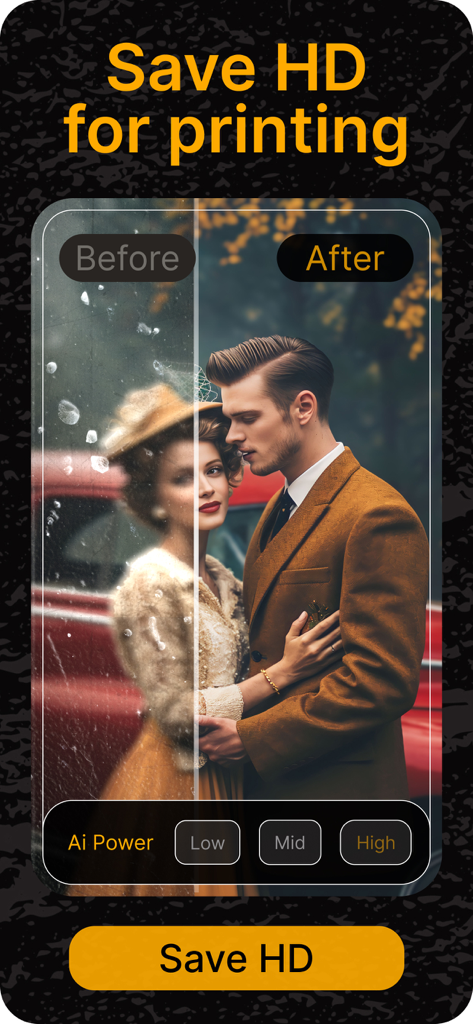
高品質印刷のために復元されたビンテージカップルの写真のAI復元(前と後)

高品質印刷のために復元されたビンテージカップルの写真のAI復元(前と後)

4枚の高品質に復元されたビンテージ家族ポートレートのコラージュ
4枚の高品質に復元されたビンテージ家族ポートレートのコラージュ

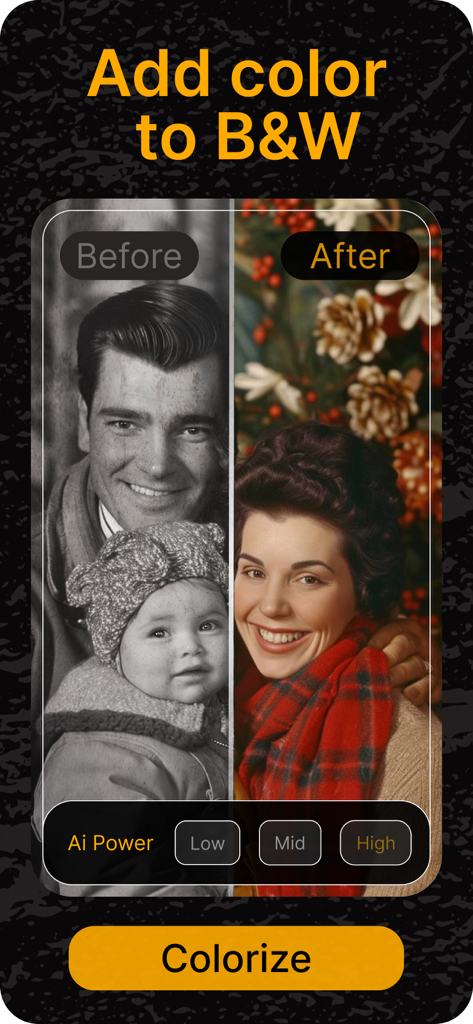
RetroFixアプリでカラー化される前の白黒家族写真とカラー化後の比較を示す分割画面
RetroFixアプリでカラー化される前の白黒家族写真とカラー化後の比較を示す分割画面

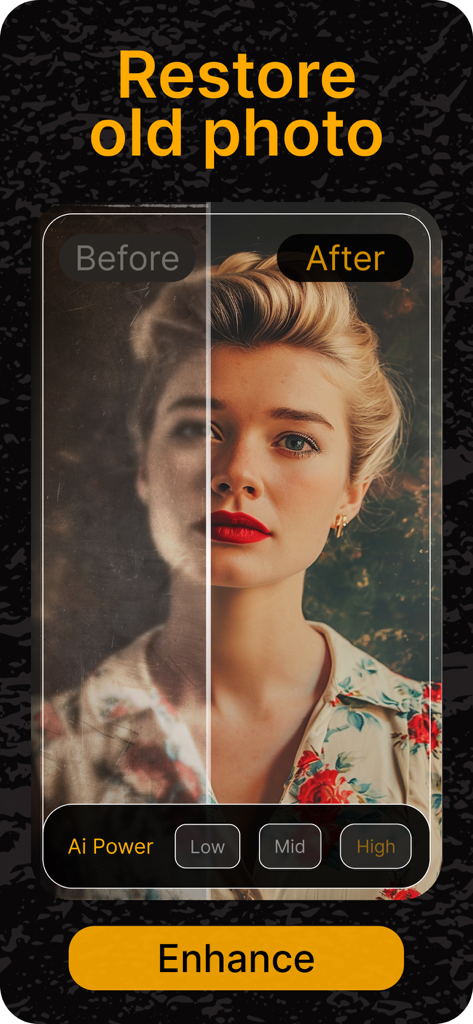
RetroFixアプリのAI強化を使用して古い写真を復元した比較(前と後)
RetroFixアプリのAI強化を使用して古い写真を復元した比較(前と後)

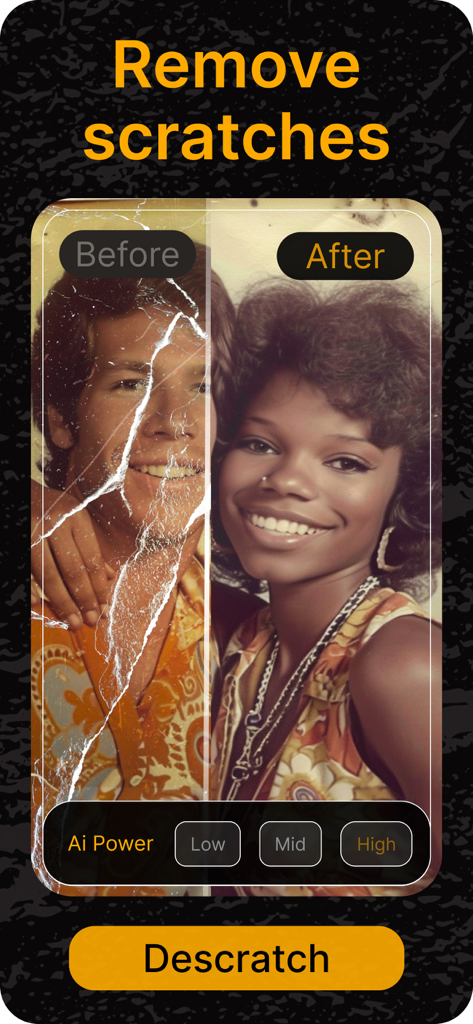
RetroFixによって傷が除去されている古い写真の前後比較(サイドバイサイドビュー)
RetroFixによって傷が除去されている古い写真の前後比較(サイドバイサイドビュー)

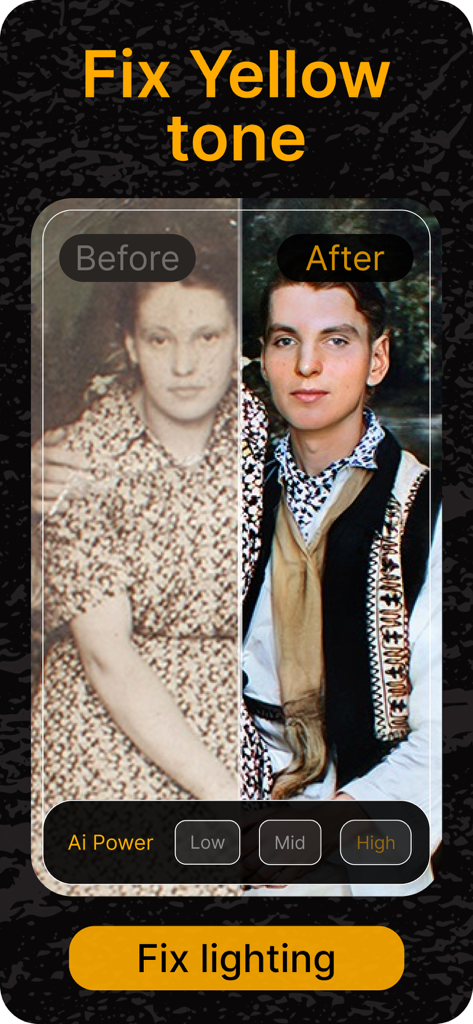
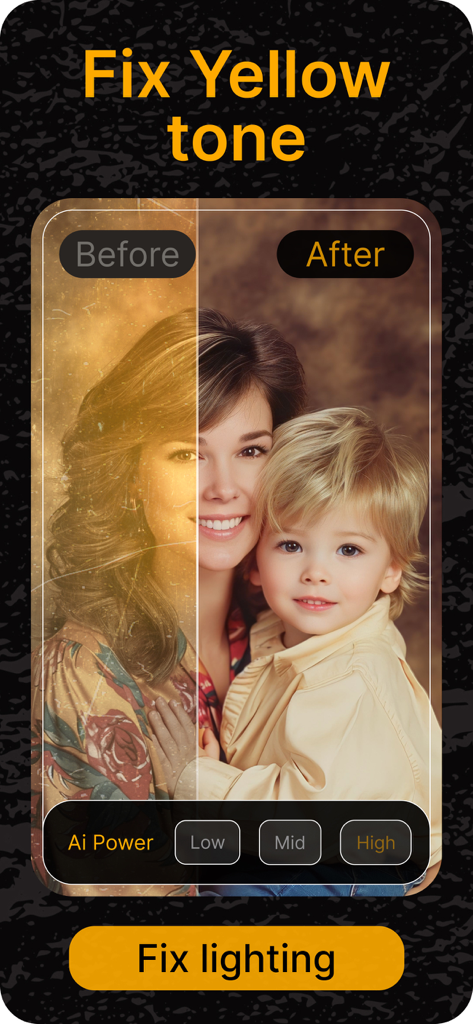
AIを使用して黄ばみや照明の問題を修正して復元された古い写真の前後比較(サイドバイサイド)

AIを使用して黄ばみや照明の問題を修正して復元された古い写真の前後比較(サイドバイサイド)

家族の遺産を保存する

このアプリを際立たせるツール、 369K+ 人のユーザーが選択.

インスタントAI復元

傷、破れ、長年の摩耗を魔法のように修復し、物理的なプリントを元の輝きに戻します。

🎨

リアルなカラー化

白黒の思い出に、祖先の物語を現在のように感じさせるリアルな色で新たな命を吹き込みましょう。

🔍

クリスタルクリアな鮮明さ

ぼやけた顔を鮮明にし、細部を強化して、現代の精度で笑顔や表情をすべて見ることができます。

アプリについて

について知っておくべきこと RetroFix - Old Picture Restore.

説明

Transform old photos into clear, vibrant memories with RetroFix! This AI-powered photo restoration app makes it easy to enhance, restore, and clean up old photos, so your cherished images look like new again. RetroFix is the ultimate app for old photo restoration on iPhone, perfect for bringing life back to faded, damaged, or black-and-white photos. Whether you want to remove scratches, repair damaged images, or make old photos clear, RetroFix has all the tools you need. 【Key Features】 • AI-Powered Restoration: RetroFix’s advanced AI can make old photos clear by removing blur, restoring photo quality, and enhancing image clarity. Ideal for photo repair, it’s the best app to fix old pictures and revive old photos instantly. • Old Photo Colorizer: Make old black-and-white photos come to life with realistic colors! Our app is the ultimate tool for adding vibrant hues to faded images. • Repair and Enhance: Fix underexposed photos, adjust lighting, and enhance sharpness effortlessly. RetroFix improves photo quality with ease, making your memories fresh and clear. • Scratch & Damage Repair: Remove scratches, discoloration, and years of wear from old photos. RetroFix is your go-to app to repair damaged photos and renew old memories. 【Why Choose RetroFix?】 • Comprehensive Restoration Solution: RetroFix specializes in making old photos clear and restoring their original beauty. From minor adjustments to full restorations, it’s the best app to fix old photos on iPhone. • User-Friendly & Fast: RetroFix offers powerful photo restoration tools that anyone can use, making it the best app to restore old photos on iPhone. • Instant Results: See your photos transform in seconds! With easy comparisons, RetroFix is perfect for clearing up old photos and bringing them back to life. Rediscover and restore your memories effortlessly with RetroFix. From cleaning up old photos to enhancing photo quality, RetroFix is the all-in-one app to restore and revive old pictures. Download now and see how RetroFix can make your memories new again! For subscriptions, we follow the standard Apple Terms of Use (https://www.apple.com/legal/internet-services/itunes/dev/stdeula/).

最新バージョン

1.0.34

サイズ

112.7 MB

リリース日

2024年4月4日

家族の歴史を蘇らせよう

RetroFixを使って、最も大切な写真を即座に修復、カラー化、保護する36万人以上の思い出保存家に加わりましょう。あなたの遺産を救うのに必要なのは、ワンタップだけです。

ダウンロード: App Store

App information, icons, screenshots, and descriptions displayed on this page are sourced from the Apple App Store and are the property of their respective developers. Download estimates and rankings are based on MWM's proprietary models and may not reflect actual figures. This page is provided for informational and analytical purposes only.

Believe this page infringes your intellectual property? File a dispute