Road Trip Planner™
Road Trip Planner™
ダウンロード: App Store

このページはアプリまたはその開発者の公式ページではなく、情報提供および論評を目的として作成された独立した編集出版物です。明示的に別段の記載がない限り、アプリおよびその開発者は、MWM、Apple、Google Play、アプリのパブリッシャー、またはアプリの開発者と提携、承認、後援、認可、またはその他の公式的な関係はなく、このページのいかなる内容も、アプリがMWMのサービスを使用して開発されたことを意味するものではありません。すべての商標、ロゴ、スクリーンショット、その他のコンテンツはそれぞれの所有者の財産です。

ロゴ: Road Trip Planner™
ダウンロード: App Store

Road Trip Planner™

細部にこだわる旅行者のためのプライバシー重視のツールキット。ルート作成、燃料費の追跡、詳細な旅程管理を一度の購入で実現。サブスクリプション不要、データ追跡なし、オフラインにも完全対応し、これからの旅を強力にサポートします。

主要数値

ダウンロード

209K+

ユーザー評価

4.2/5

評価数

3K+

開発元

William Modesitt

カテゴリ

Travel

対応言語

1

最新バージョン

4.8.4

サイズ

7.6 MB

リリース日

2016年3月31日
機能

旅のあらゆる道のりをマスター

精度、プライバシー、そして自由な旅を大切にする旅行者のための、サブスクリプション不要のプロ仕様プランニングツール。

プライベート & サブスクリプション不要

一度の支払いで、完全なデジタル主権を。データの収集や月額料金の請求は一切ありません。

精密なルートロジスティクス

燃料費の自動見積もり、移動時間、各目的地の到着スケジュールにより、推測に頼らない旅を実現します。

以下のスクリーンショットと説明は、アプリの公式ストアリスティングから直接取得されたものであり、アプリ開発者の所有物です。

アプリストア

スクリーンショット
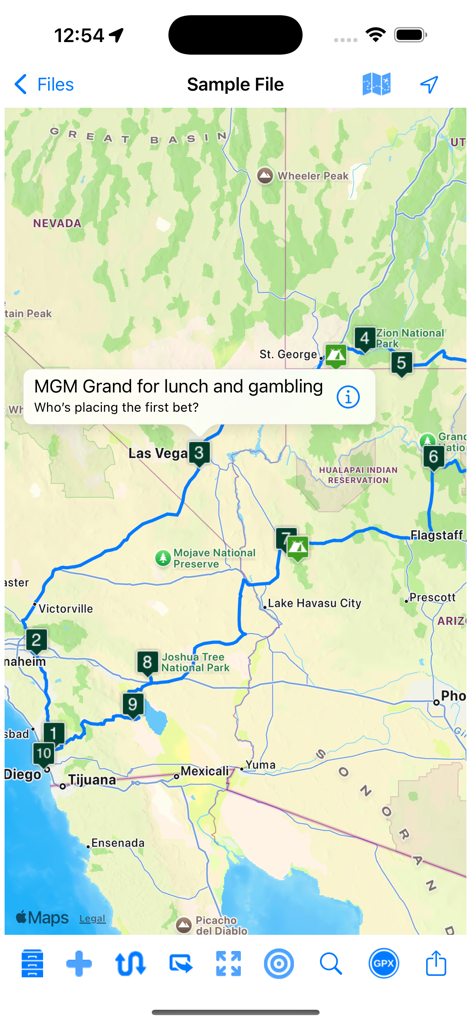
Road Trip Planner™ - 米国南西部の番号付きの立ち寄り先を含む旅行ルートを表示しているRoad Trip Plannerアプリのマップビュー。
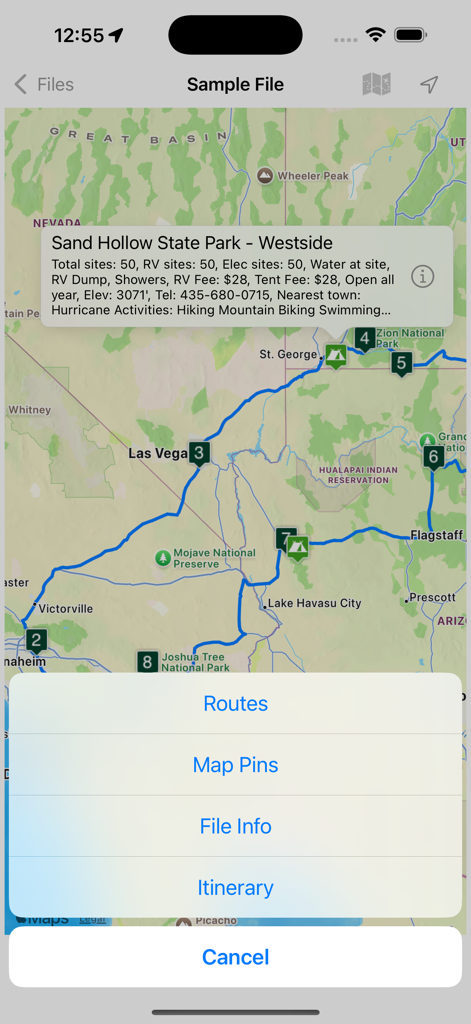
米国南西部の番号付きの立ち寄り先を含む旅行ルートを表示しているRoad Trip Plannerアプリのマップビュー。

Road Trip Planner™ - 旅行ルートとキャンプ場の情報を表示しているRoad Trip Plannerアプリのマップインターフェース。
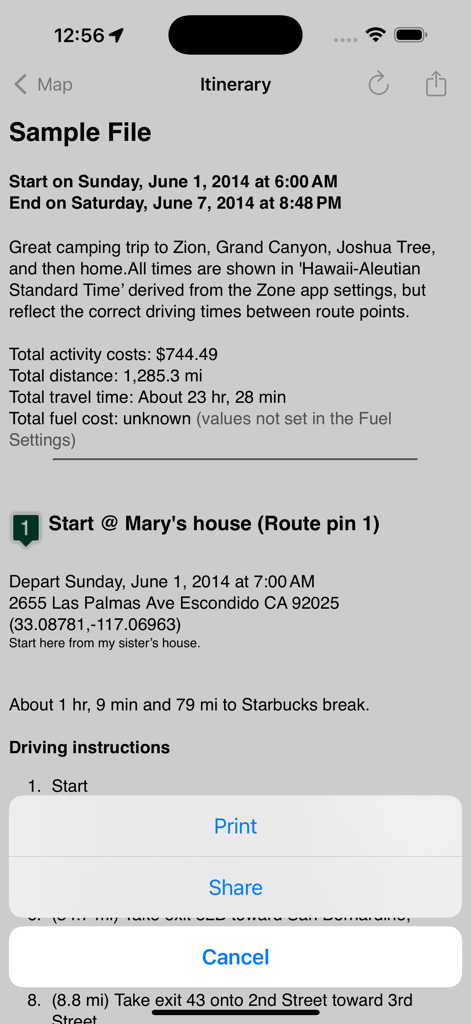
旅行ルートとキャンプ場の情報を表示しているRoad Trip Plannerアプリのマップインターフェース。

Road Trip Planner™ - 費用と運転ルートを含む詳細な旅程を表示しているRoad Trip Plannerアプリのインターフェース。
費用と運転ルートを含む詳細な旅程を表示しているRoad Trip Plannerアプリのインターフェース。

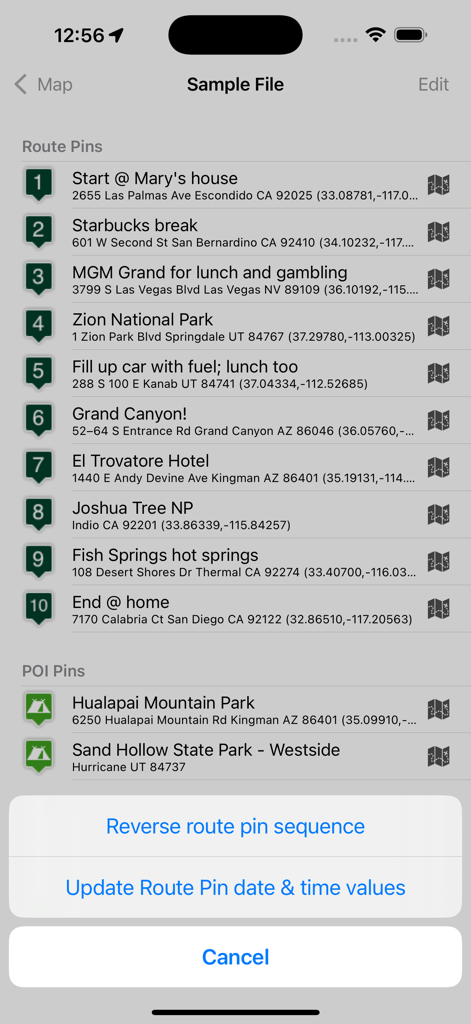
Road Trip Planner™ - ルートピンと観光スポットを含む順序立てられた旅程を表示しているRoad Trip Plannerアプリ。
ルートピンと観光スポットを含む順序立てられた旅程を表示しているRoad Trip Plannerアプリ。

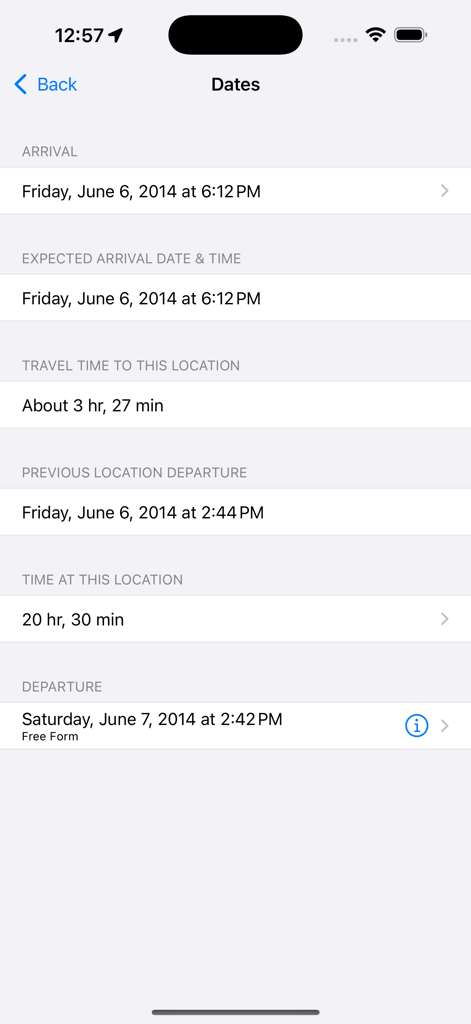
Road Trip Planner™ - ロードトリップの詳細な旅程の日付と移動時間。

ロードトリップの詳細な旅程の日付と移動時間。

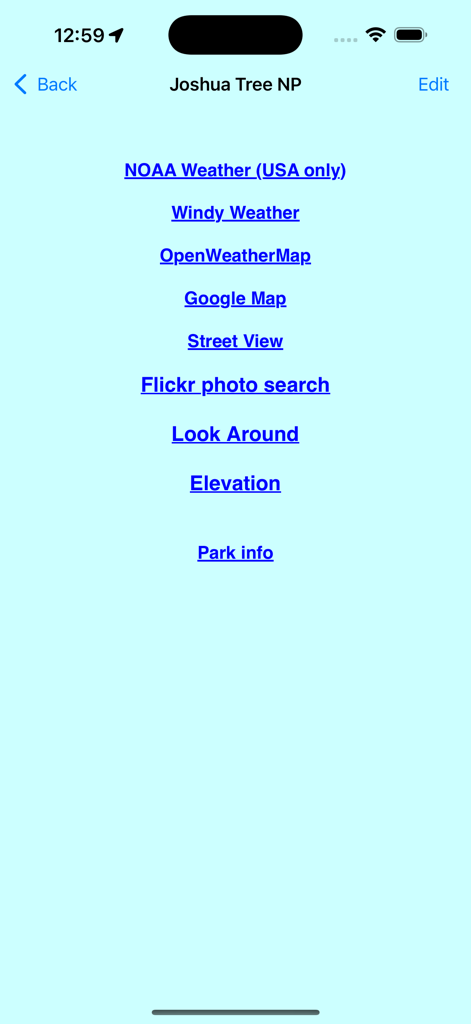
Road Trip Planner™ - ジョシュア・ツリー国立公園の天気とマップの外部リンク一覧。

ジョシュア・ツリー国立公園の天気とマップの外部リンク一覧。

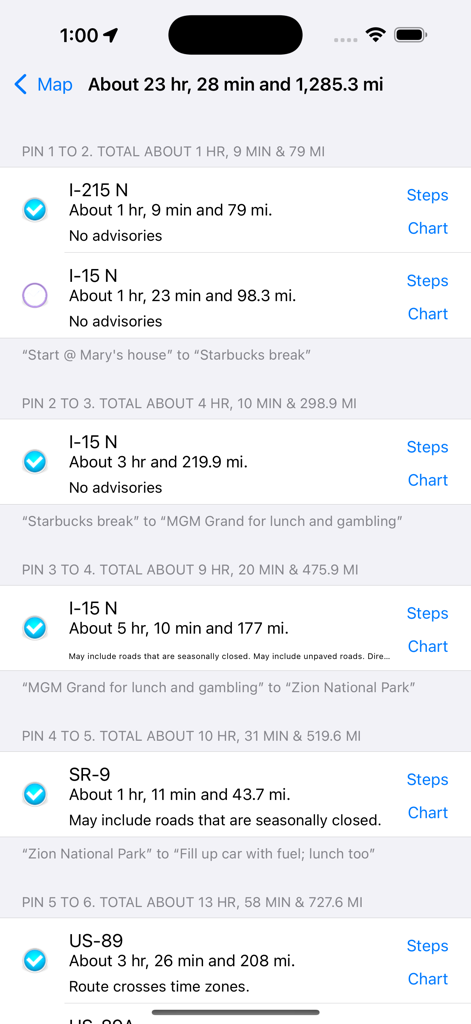
Road Trip Planner™ - 計画された旅の距離と移動時間を示すロードトリップの区間リスト。

計画された旅の距離と移動時間を示すロードトリップの区間リスト。

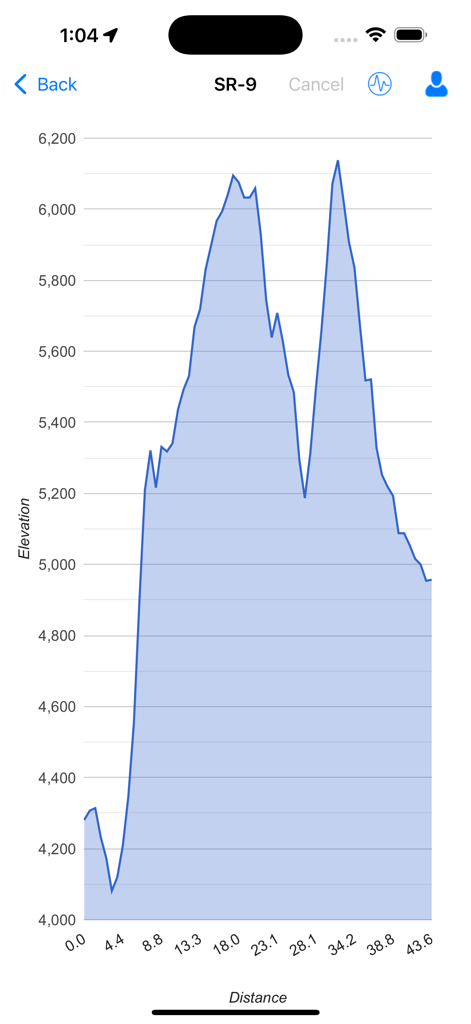
Road Trip Planner™ - 旅行ルートの距離に対する高度の変化を示す標高断面図。

旅行ルートの距離に対する高度の変化を示す標高断面図。

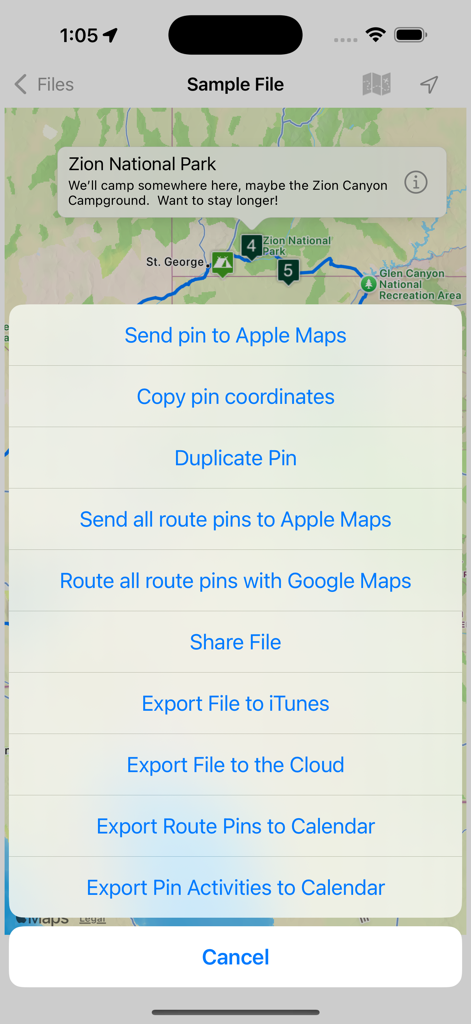
Road Trip Planner™ - エクスポートメニューとルートピンが表示されたザイオン国立公園のマップを表示しているRoad Trip Plannerアプリ。

エクスポートメニューとルートピンが表示されたザイオン国立公園のマップを表示しているRoad Trip Plannerアプリ。

説明

Place pins on a worldwide map for each location you want to visit, then see your route. Enter trip details for each location and create a complete trip itinerary. Multiple sample files are available, including an informative Route 66 sample file. You can demo this app by downloading our free RTP Viewer app. RPT Viewer is virtually identical to this app except with RTP Viewer you can’t save your edits. Road Trip Planner does not require any subscription and respects your privacy by not collecting any of your data. MAP PINS HOLD WHAT YOU NEED. Each pin shows: - arrival date & time - departure date & time - travel time to this location - time spent at this location - name of pin (such as John’s house) - address of pin - notes and images - custom pin color and icon - URL for related information - weather reports - transport type (driving or walking) - Internet Search results - list of activities (lodging, sights to see, etc.) - choose between multiple routes (if available) - view driving distance between pins, driving time, fuel cost, travel advisories, turn-by-turn driving directions - Export pin data to your calendar. EACH PIN CAN HAVE MANY ACTIVITIES. For each activity you can record: - name of activity - activity date, time and duration - cost - phone - FAX - address - URL - email address - confirmation number - notes - picture There are two types of pins. Route Pins are used to create the route. POI Pins mark points of interest on the map. Choose between Apple Maps or OpenStreet Maps. Cache non-Apple maps to disk for offline use. See the settings and Help for more info. For air and rail routes a straight line can be displayed between pins. Add, remove or rearrange the pins in any order you wish. Routes and pins can be sent to Apple Maps. Import and export GPX data files. Each trip can be saved as a separate document. Perfect for anyone who wants to maintain a record of past trips. VIEW YOUR TRIP ON YOUR MAC with our Road Trip Planner app available from the Mac App Store. Send location data to Road Trip Planner directly from any of our location-savvy apps. THE ITINERARY HOLDS ALL OF THE DETAILS. Share it and take it with you. - print the itinerary or share it easily - includes a map image with pins and routes, activities for each Route Pin, costs for each activity, total fuel cost, total trip cost, information for Points of Interest Pins, and driving instructions. USE THE TO-DO CHECKLIST. Make sure you don’t forget anything. We respond quickly to suggestions and questions in our forum. PLEASE CONTACT US IF YOU HAVE A QUESTION OR AN ISSUE. We promise we'll respond as quickly as we can. For more info visit the Road Trip Planner web site at https://roadtripplanner.modesittsoftware.com PLEASE READ CAREFULLY BEFORE PURCHASING: The mapping and routing functionality Road Trip Planner uses is based upon Apple’s maps technology. If Apple Maps cannot find a route between map pins, then neither can Road Trip Planner. Please test the area you wish to travel using Apple’s Maps app to ensure that the area can be routed. If it cannot be routed, please submit the issue to Apple. If Apple Maps cannot perform routing in the area you wish to travel then neither can Road Trip Planner.

Download

ダウンロード: App Store

このページはアプリまたはその開発者の公式ページではなく、情報提供および論評を目的として作成された独立した編集出版物です。明示的に別段の記載がない限り、アプリおよびその開発者は、MWM、Apple、Google Play、アプリのパブリッシャー、またはアプリの開発者と提携、承認、後援、認可、またはその他の公式的な関係はなく、このページのいかなる内容も、アプリがMWMのサービスを使用して開発されたことを意味するものではありません。すべての商標、ロゴ、スクリーンショット、その他のコンテンツはそれぞれの所有者の財産です。