RunwayMap - #1 Pilot Community
ダウンロード: App Store

このページはアプリまたはその開発者の公式ページではなく、情報提供および論評を目的として作成された独立した編集出版物です。明示的に別段の記載がない限り、アプリおよびその開発者は、MWM、Apple、Google Play、アプリのパブリッシャー、またはアプリの開発者と提携、承認、後援、認可、またはその他の公式的な関係はなく、このページのいかなる内容も、アプリがMWMのサービスを使用して開発されたことを意味するものではありません。すべての商標、ロゴ、スクリーンショット、その他のコンテンツはそれぞれの所有者の財産です。


ロゴ: RunwayMap - #1 Pilot Community
ダウンロード: App Store

RunwayMap - #1 Pilot Community

3Dアプローチプレビュー、リアルタイムの航空気象、そして最高の空港レストランへの究極のガイドで、あらゆる着陸をマスターしましょう。

主要数値

ダウンロード

62K+

ユーザー評価

4.7/5

評価数

1K+

開発元

RedDev GmbH

カテゴリ

Weather

対応言語

2

最新バージョン

3.9.8

サイズ

76.7 MB

リリース日

2017年6月28日
機能

計画から接地まで、フライトを完璧に。

No.1のパイロットコミュニティに参加して、3Dアプローチを可視化し、直感的な気象インサイトを入手し、次の「100ドルのハンバーガー」の目的地を見つけましょう。

3Dアプローチプレビュー

初めての空港への不安を、3Dでの仮想着陸で解消しましょう。距離とグライドパスを設定し、離陸前にあらゆるアプローチをマスターできます。

視覚的な航空気象

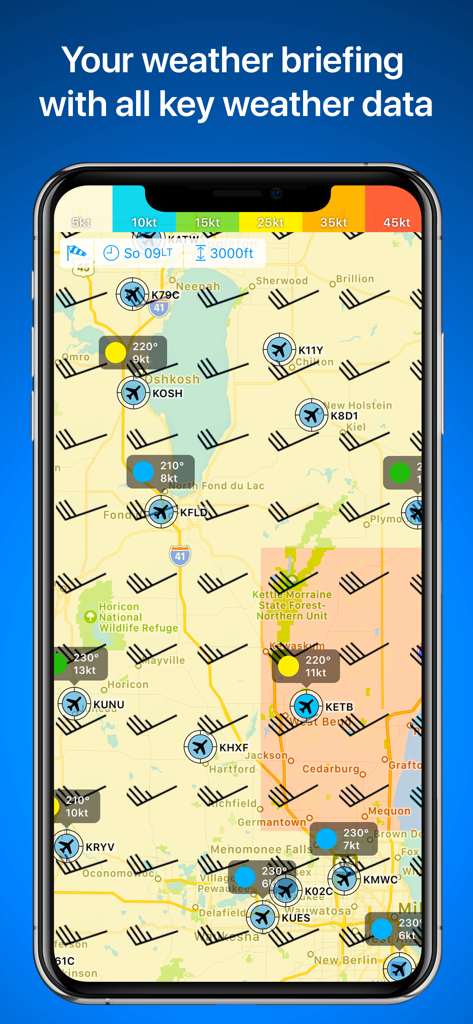
テキストの解読はやめて、空を視覚的に捉えましょう。視覚的なMETAR、FL150までの上空風、そして最適な滑走路選択のための計算された横風成分を入手できます。

以下のスクリーンショットと説明は、アプリの公式ストアリスティングから直接取得されたものであり、アプリ開発者の所有物です。

アプリストア

スクリーンショット
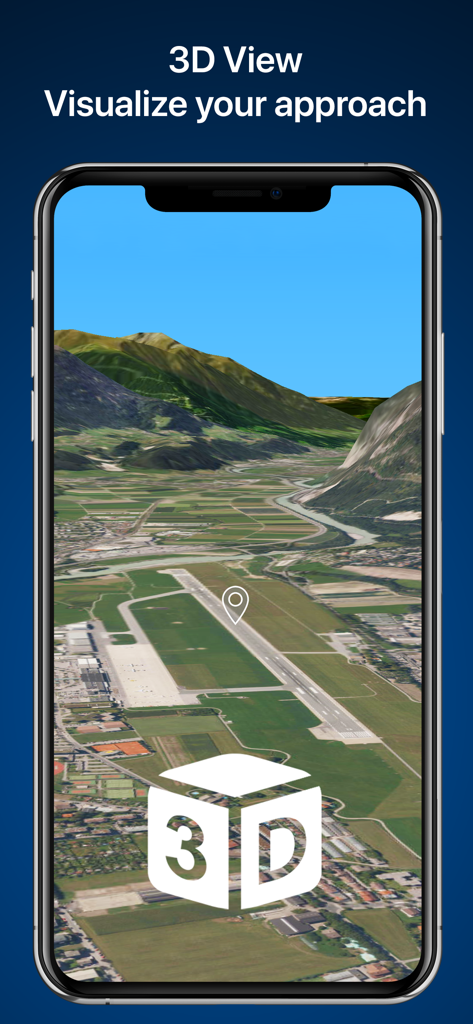
RunwayMap - #1 Pilot Community - スマートフォンの画面に表示された空港滑走路の3Dアプローチ可視化

スマートフォンの画面に表示された空港滑走路の3Dアプローチ可視化

RunwayMap - #1 Pilot Community - 風向・風速記号と空港の飛行状態を表示するRunwayMapの航空気象マップ
風向・風速記号と空港の飛行状態を表示するRunwayMapの航空気象マップ

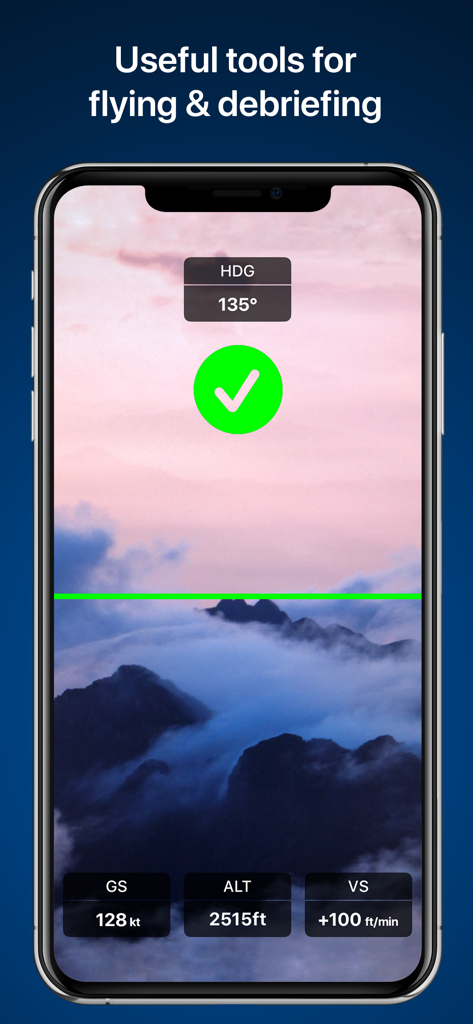
RunwayMap - #1 Pilot Community - 高度と速度データのオーバーレイを表示するRunwayMapのフライトツール画面
高度と速度データのオーバーレイを表示するRunwayMapのフライトツール画面

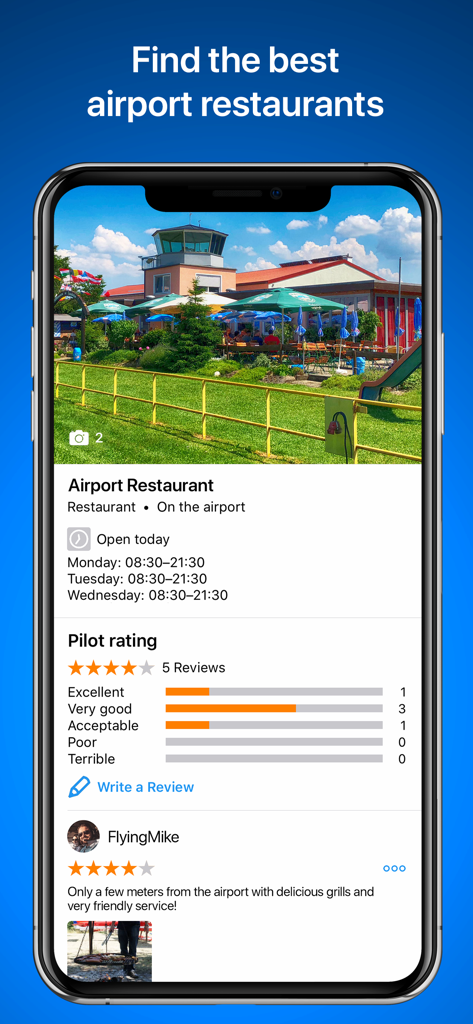
RunwayMap - #1 Pilot Community - 空港レストランの評価とパイロットのレビューを表示するRunwayMapアプリのインターフェース

空港レストランの評価とパイロットのレビューを表示するRunwayMapアプリのインターフェース

RunwayMap - #1 Pilot Community - 空港にある軽飛行機を投稿したパイロットの、RunwayMapアプリ内のユーザープロフィールとソーシャルフィード
空港にある軽飛行機を投稿したパイロットの、RunwayMapアプリ内のユーザープロフィールとソーシャルフィード

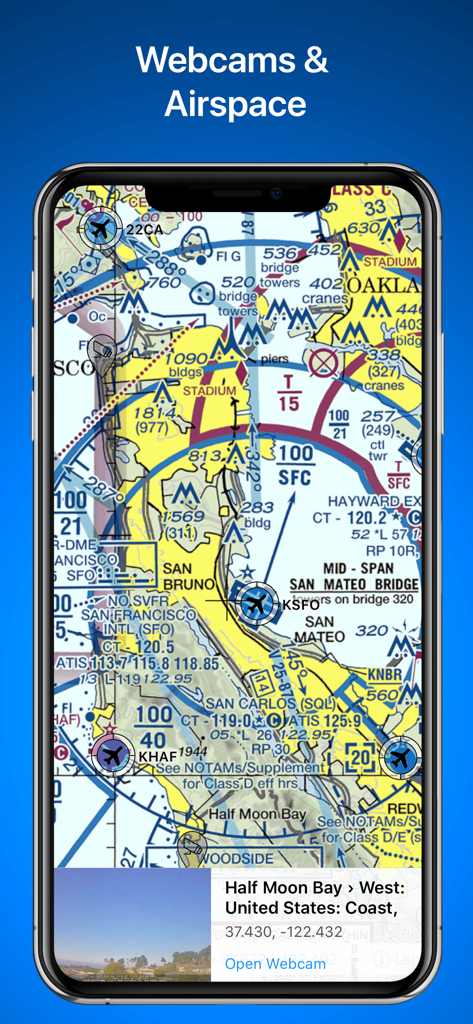
RunwayMap - #1 Pilot Community - 空域の詳細を含む航空用区分航空図とハーフムーンベイのライブ空港ウェブカメラプレビューを表示するRunwayMapアプリ
空域の詳細を含む航空用区分航空図とハーフムーンベイのライブ空港ウェブカメラプレビューを表示するRunwayMapアプリ

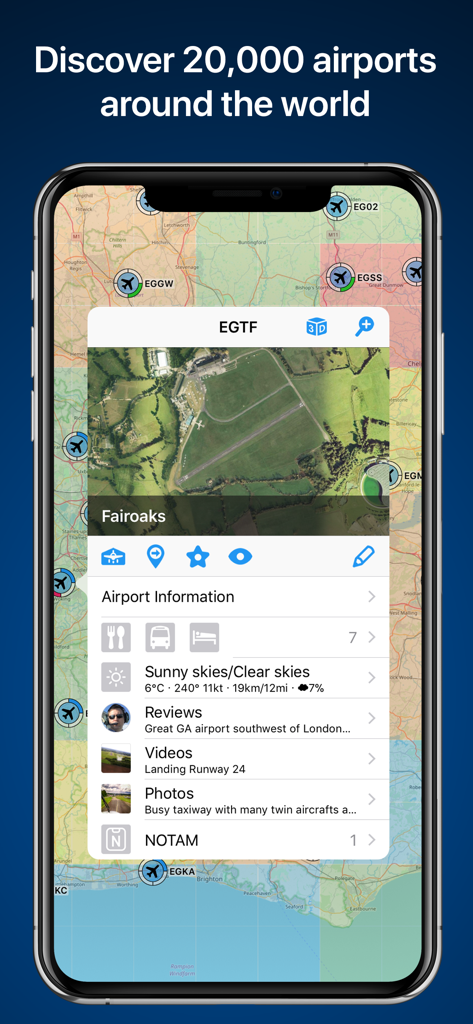
RunwayMap - #1 Pilot Community - フェアオークス空港の詳細情報を伴う空港マップを表示するRunwayMapアプリ画面

フェアオークス空港の詳細情報を伴う空港マップを表示するRunwayMapアプリ画面

説明

The interactive map gives you an overview of the airports. We have collected important information on every airport: • Aviation Weather Forecasts • 3D Approach View and 3D Airport Surroundings View • NOTAM and Runways • Airport Restaurants • Webcams and much more Download the versatile pilot app while you are at it. Features: VISUALIZE YOUR APPROACH AND LANDING IN 3D The 3D feature is available for over 20,000 airports. Get a 3D approach view and a 3D airport surroundings view. With 3D PLUS you can preview your approach like you're right there in the cockpit. You can set your distance from the runway and adjust your glide path. AVIATION WEATHER See a visual display of the METAR and flight conditions on the map. In addition, you can see the decoded METAR with wind, clouds, gusts, and visibility on the airport's detail page. Sunrise and sunset On each airport's detail page, you can find the times for sunrise and sunset as well as the beginning and end of civil twilight. Winds aloft See winds displayed on the map at 6 different levels, from surface winds up to FL 150. Weather PLUS Based on the wind data from METAR or the forecast, the best runway for landing and the crosswind component will be displayed for the desired time. For GAFOR and the weather parameters, you see the forecast for the next 5 days in 3-hour increments. Check winds aloft, cloud cover, precipitation volume, and temperatures as well as the icing conditions. MAP Search by name or ICAO to discover new airports. Receive important information such as the address, position, runways, and airport restaurants. Mark and save what airports you’ve already flown to or those you’d like to fly to next. Save your personal notes for every airport. AIRPORT RESTAURANTS Where can you call in an order over the radio while you’re still up in the air? Which airport restaurant has a great sun deck with a view of the runway? In RunwayMap, you’ll find restaurants at and near airports. Easily find the restaurant’s opening times and contact info and see how far it is from the airport. DOCUMENTS With just a few clicks, add your flight documents, such as the Jeppesen approach charts, FAA terminal procedures and airport diagrams, ForeFlight manuals or the Garmin pilot’s guide. That way you always have them close at hand. TOOLS & AVIATION CALCULATOR Use the handy aviation calculator for conversions for distance, weight, temperature, and more. Have it display your QNH and QFE. RUNWAYMAP APP Download and use basic RunwayMap features free of charge. The Weather PLUS feature and the 3D PLUS feature are available as in-app subscriptions. Prices are clearly displayed in the app and may vary per country. You can choose between Weather PLUS / 3D PLUS as a monthly subscription or an annual subscription. Payment will be charged to your App Store Account at confirmation of purchase. Your subscription will be automatically renewed (another month for monthly subscribers, another year for annual subscribers) if you do not cancel it at least 24 hours before expiry of the current term. Your account will be debited for the next term within 24 hours of expiry of the current subscription. You cannot cancel the current subscription during the ongoing subscription period. After purchasing, you can manage your subscription in the account settings. RunwayMap’s privacy policy can be found at www.runwaymap.com/privacypolicy and terms of service at www.runwaymap.com/termsofservice Important note: RunwayMap is not intended to provide aeronautical information or navigation aids. For navigation purposes, we strongly recommend using only approved and updated aviation information such as ForeFlight, Skydemon or Garmin Pilot. The weather data shown in RunwayMap is only general information about possible weather development. It does not replace professional weather briefing by an official body before the flight. Learn more about RunwayMap at runwaymap.com

Download

ダウンロード: App Store

このページはアプリまたはその開発者の公式ページではなく、情報提供および論評を目的として作成された独立した編集出版物です。明示的に別段の記載がない限り、アプリおよびその開発者は、MWM、Apple、Google Play、アプリのパブリッシャー、またはアプリの開発者と提携、承認、後援、認可、またはその他の公式的な関係はなく、このページのいかなる内容も、アプリがMWMのサービスを使用して開発されたことを意味するものではありません。すべての商標、ロゴ、スクリーンショット、その他のコンテンツはそれぞれの所有者の財産です。