Samposium: Performance Sampler
ダウンロード: App Store

このページはアプリまたはその開発者の公式ページではなく、情報提供および論評を目的として作成された独立した編集出版物です。明示的に別段の記載がない限り、アプリおよびその開発者は、MWM、Apple、Google Play、アプリのパブリッシャー、またはアプリの開発者と提携、承認、後援、認可、またはその他の公式的な関係はなく、このページのいかなる内容も、アプリがMWMのサービスを使用して開発されたことを意味するものではありません。すべての商標、ロゴ、スクリーンショット、その他のコンテンツはそれぞれの所有者の財産です。

ロゴ: Samposium: Performance Sampler
ダウンロード: App Store

Samposium: Performance Sampler

あなたのiOSデバイスを、実験的なサウンドデザインのためのタクタイルな楽器に変えましょう。サブスクリプション料金なしで、流れるようなマルチタッチ・コントロール、プロフェッショナルなFXチェーン、シームレスなMIDI統合を体験してください。

主要数値

ダウンロード

400

ユーザー評価

5.0/5

評価数

0

開発元

SynthFam DSP LLC

カテゴリ

Music

対応言語

1

最新バージョン

1.02

サイズ

398.2 MB

リリース日

2025年11月29日
機能

あなたのサウンドアイデンティティを形成

リアルタイム操作のために設計された、タクタイルでモジュラー風のパフォーマンス・サンプラーを体験してください。サブスクリプション不要のプロフェッショナルツールで、オーディオを変形、ねじり、シーケンスしましょう。

タクタイルなサンプル形成

臨床的なクリックを超えて。流れるようなマルチタッチジェスチャーを使用して、サンプルを「粘土」のようにオーディオを形成し、あなたのiPadを真に表現力豊かな楽器に変えます。

モジュラーグレードのFXチェーン

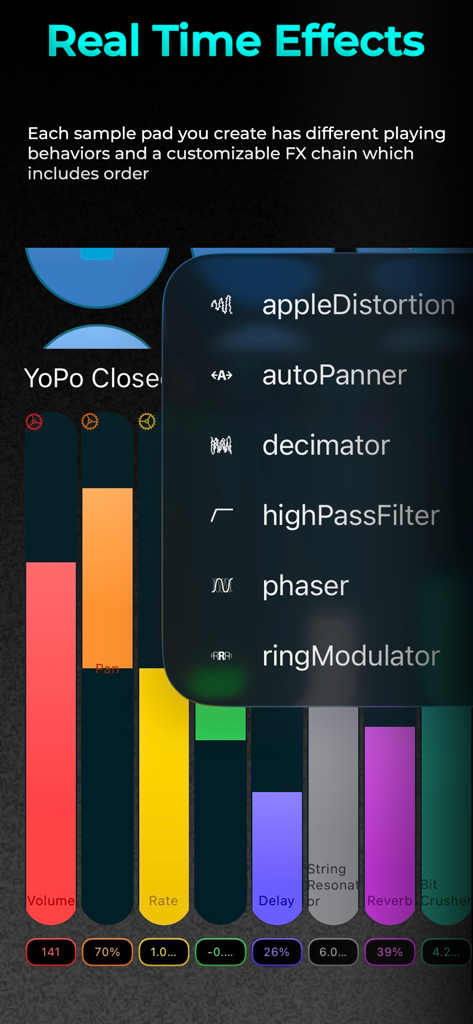
各パッドにカスタム信号パスを構築します。豊かなアンビエントテクスチャからカオスなノイズまで、各サンプルは独自の独立した、並べ替え可能なFXチェーンを備えています。

以下のスクリーンショットと説明は、アプリの公式ストアリスティングから直接取得されたものであり、アプリ開発者の所有物です。

アプリストア

スクリーンショット
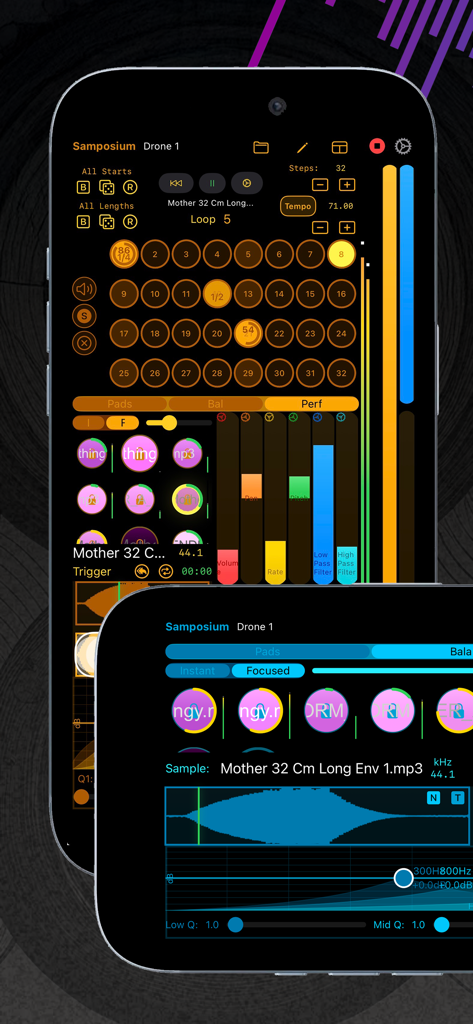
Samposium: Performance Sampler - Samposiumパフォーマンス・サンプラーアプリのインターフェイス、スマートフォン画面に32ステップシーケンサーとオーディオ波形編集を表示
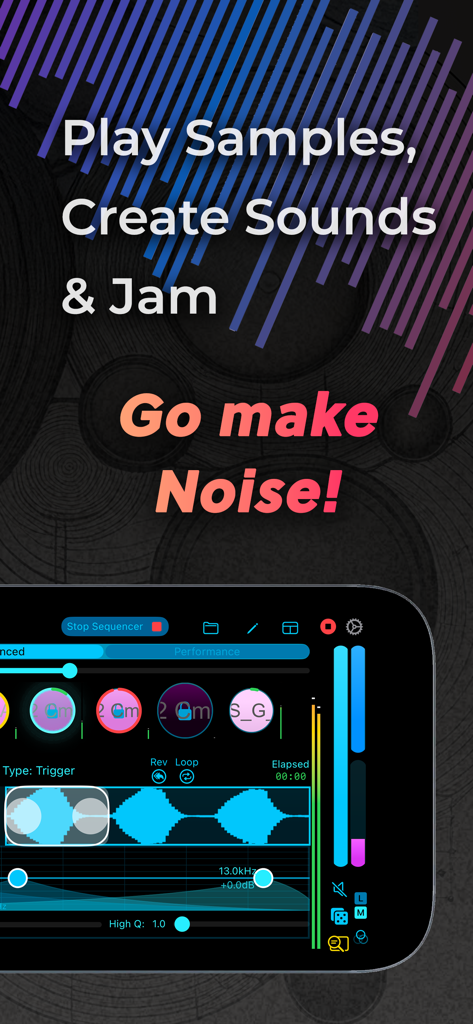
Samposiumパフォーマンス・サンプラーアプリのインターフェイス、スマートフォン画面に32ステップシーケンサーとオーディオ波形編集を表示

Samposium: Performance Sampler - Samposium音楽パフォーマンス・サンプラーのインターフェイスを表示するスマートフォン画面、オーディオ波形とタッチコントロールが表示
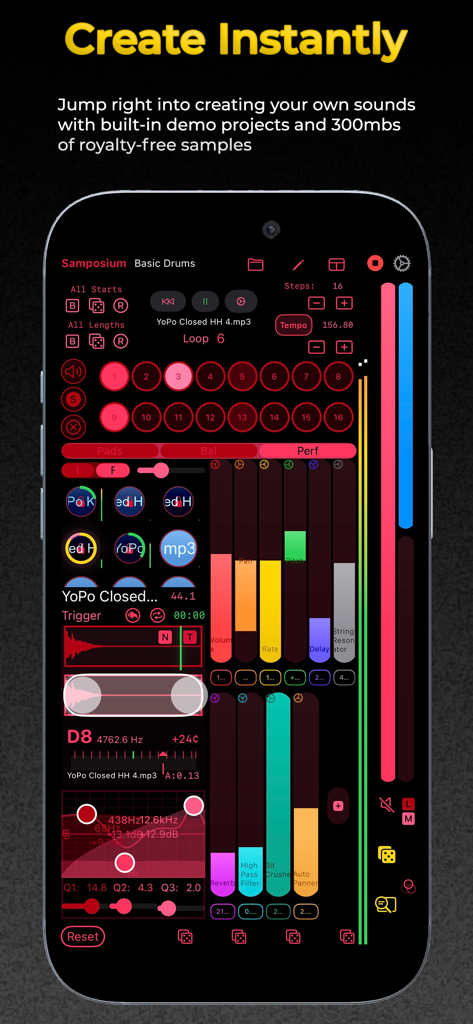
Samposium音楽パフォーマンス・サンプラーのインターフェイスを表示するスマートフォン画面、オーディオ波形とタッチコントロールが表示

Samposium: Performance Sampler - iPhone上のSamposiumパフォーマンス・サンプラーアプリのインターフェイス、カラフルなオーディオフェーダーとサンプルパッドを表示
iPhone上のSamposiumパフォーマンス・サンプラーアプリのインターフェイス、カラフルなオーディオフェーダーとサンプルパッドを表示

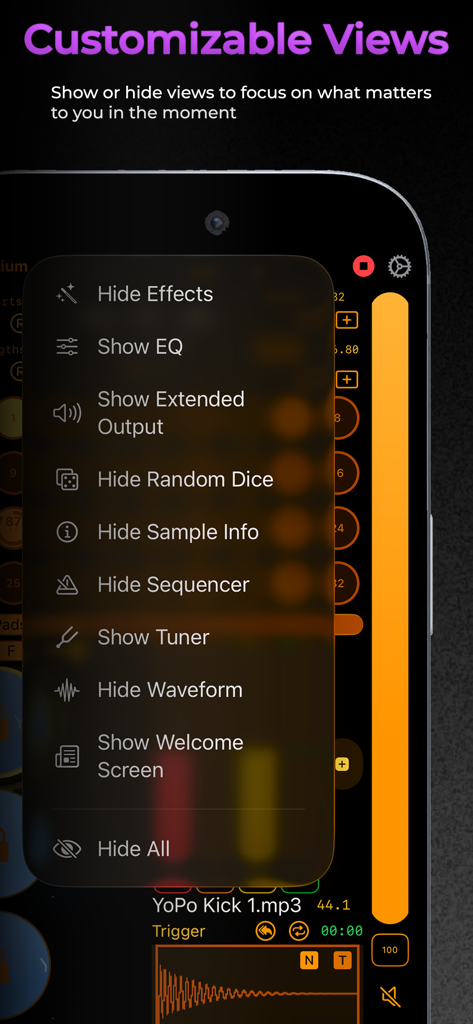
Samposium: Performance Sampler - Samposiumアプリのスクリーンショット、音楽制作ワークフローを最適化するためのカスタマイズ可能なインターフェイスビューメニューを表示
Samposiumアプリのスクリーンショット、音楽制作ワークフローを最適化するためのカスタマイズ可能なインターフェイスビューメニューを表示

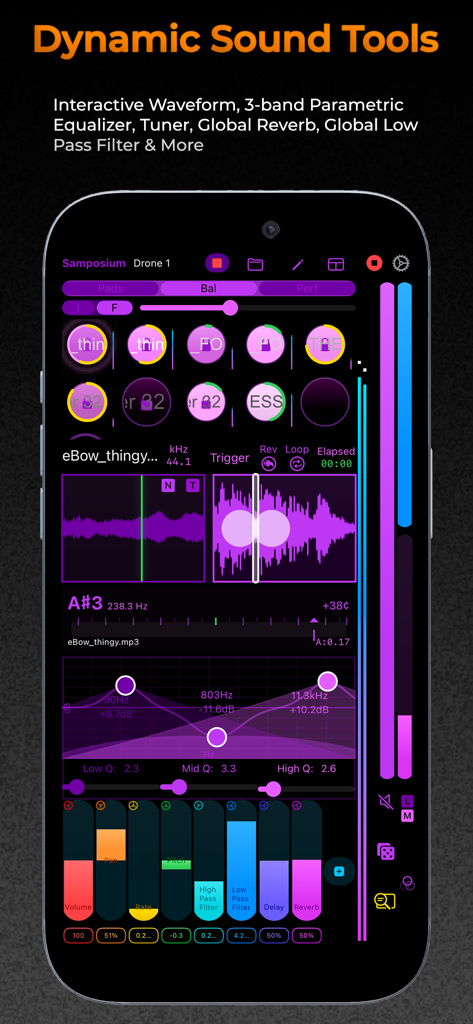
Samposium: Performance Sampler - Samposiumアプリのインターフェイス、モバイル音楽制作のためのインタラクティブな波形と3バンドパラメトリックイコライザーを表示
Samposiumアプリのインターフェイス、モバイル音楽制作のためのインタラクティブな波形と3バンドパラメトリックイコライザーを表示

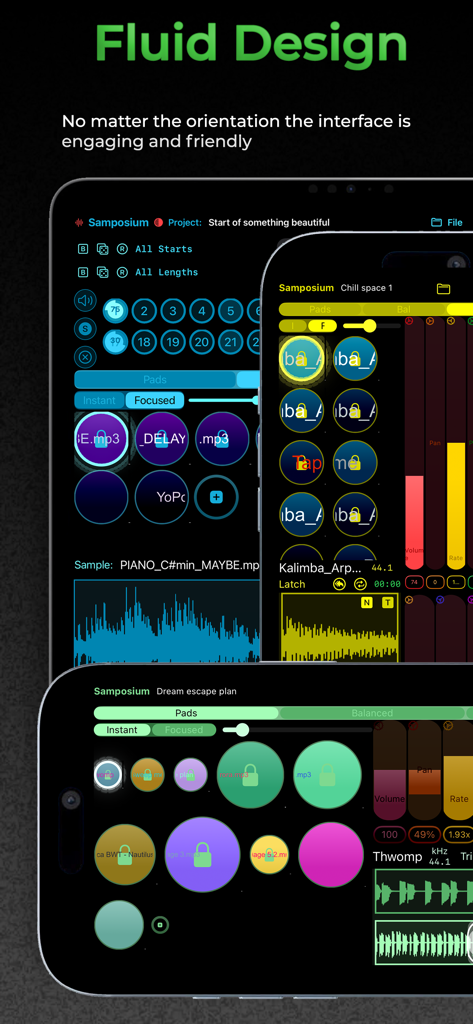
Samposium: Performance Sampler - Samposium音楽サンプラーアプリのインターフェイスが、複数のデバイスにポートレートおよびランドスケープ表示で表示され、その流れるようなデザインを強調
Samposium音楽サンプラーアプリのインターフェイスが、複数のデバイスにポートレートおよびランドスケープ表示で表示され、その流れるようなデザインを強調

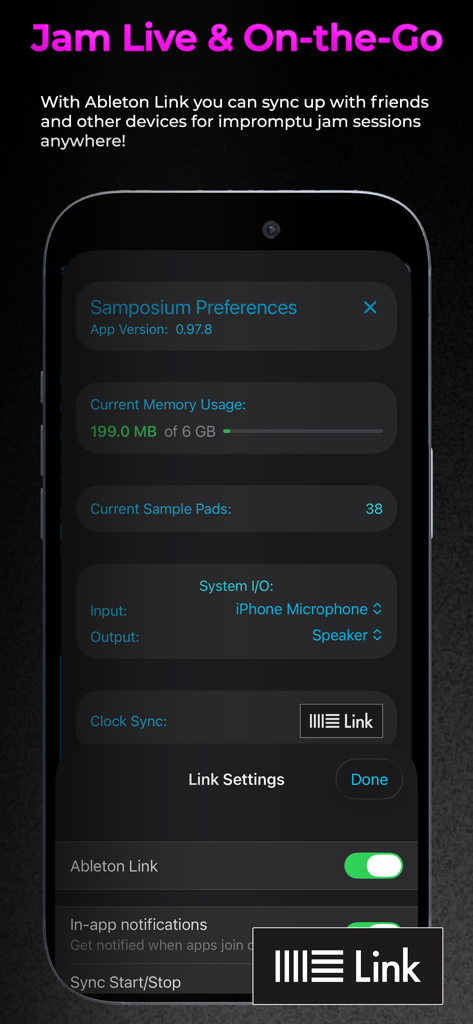
Samposium: Performance Sampler - Samposiumアプリの設定画面、ライブ音楽パフォーマンスのためのAbleton Link同期設定を表示
Samposiumアプリの設定画面、ライブ音楽パフォーマンスのためのAbleton Link同期設定を表示

Samposium: Performance Sampler - Samposiumアプリのインターフェイス、リアルタイムオーディオエフェクトメニューとカラフルなサウンドパラメータコントロールを表示
Samposiumアプリのインターフェイス、リアルタイムオーディオエフェクトメニューとカラフルなサウンドパラメータコントロールを表示

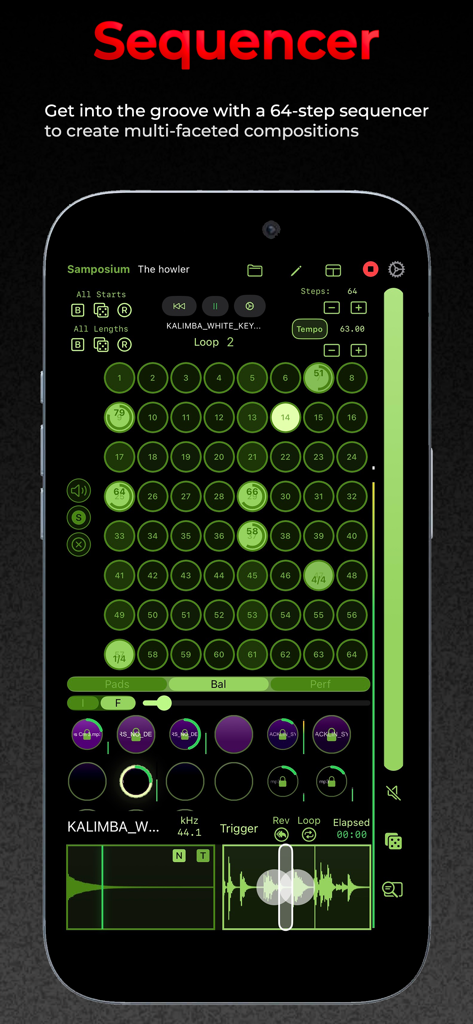
Samposium: Performance Sampler - Samposiumモバイル音楽制作アプリの64ステップシーケンサーインターフェイス、緑色のサンプルパッドとオーディオ波形のグリッドを表示

Samposiumモバイル音楽制作アプリの64ステップシーケンサーインターフェイス、緑色のサンプルパッドとオーディオ波形のグリッドを表示

説明

Samposium is an immersive music sampler app built for real-time audio manipulation and performance. It gives you powerful flexibility for creating “sample putty,” malleable, performative sound that invokes creativity using dynamic, real-time effects on one or more samples. Samposium’s clean, fluid interface combines modern iOS design with robust sound-shaping tools. Whether you’re performing live, jamming on the go, or just exploring new sounds, Samposium invites you to play and experiment with audio all with the touch of your fingertips. Samposium’s tactile approach to sample-based music creation was influenced by the experience of modular synthesizers and the vibe of improvisation. Through multi-touch gestures, Samposium lets you fluidly bend, shape, twist and sculpt samples into rich textured arrangements. Each sample pad you create has a customizable FX chain which includes order, different playing behaviors, interactive waveforms, a parametric EQ, tuner and more. Sequencing one or multiple sample pads gives you the flexibility to create beautifully layered ambient textures or descend into destructive chaotic noise. Another key feature is resampling Samposium’s main output which enables you to record your performance or create sub compositions to add to your projects. Samposium turns your iOS device into an interactive musical instrument. Now available on iPad and iPhone. -== Features Include: ==- -- Intuitive multi-touch controls and gestures -- Fully customizable sample pads: colors, behaviors, sizes, and positions -- Each sample pad has its own FX chain, including effects order -- Waveform selection to customize a sample -- 3-band parametric EQ -- Per sample pad tuner -- 6 choke groups -- Resampling and Mic/Line In recording -- UI adapts fluidly to any orientation -- Color customization for a personal and colorblind-friendly setup -- Light/Dark mode -- Different layouts to prioritize workflows -- Show or hide views to focus on what matters -- Sequencer with up to 64 steps, with capabilities of 512 steps -- Ableton Link integration -- MIDI Learn to map MIDI CC to each sample pad -- Quick inspiration randomizing with dice -- Bundled project demos to get you creating right away -- 300mbs of royalty-free samples -- Available as a standalone app (AUv3 plugin is in beta) -- High quality, detailed user guide -- No subscription fee Questions? help@synthfamdsp.com Join our community on Discord https://www.synthfamdsp.com

Download

ダウンロード: App Store

このページはアプリまたはその開発者の公式ページではなく、情報提供および論評を目的として作成された独立した編集出版物です。明示的に別段の記載がない限り、アプリおよびその開発者は、MWM、Apple、Google Play、アプリのパブリッシャー、またはアプリの開発者と提携、承認、後援、認可、またはその他の公式的な関係はなく、このページのいかなる内容も、アプリがMWMのサービスを使用して開発されたことを意味するものではありません。すべての商標、ロゴ、スクリーンショット、その他のコンテンツはそれぞれの所有者の財産です。







