
このページはアプリまたはその開発者の公式ページではなく、情報提供および論評を目的として作成された独立した編集出版物です。明示的に別段の記載がない限り、アプリおよびその開発者は、MWM、Apple、Google Play、アプリのパブリッシャー、またはアプリの開発者と提携、承認、後援、認可、またはその他の公式的な関係はなく、このページのいかなる内容も、アプリがMWMのサービスを使用して開発されたことを意味するものではありません。すべての商標、ロゴ、スクリーンショット、その他のコンテンツはそれぞれの所有者の財産です。

Samsung Smart TV remote myTifi
ジェスチャー操作、素早い検索のためのフルキーボード、Apple Watch連携でシームレスな操作を体験してください。信頼性が高くプライバシーを重視したホームリモコンにアップグレードした900万人以上のユーザーに加わりましょう。
ダウンロード
2M+ユーザー評価
評価数
21K+開発元
カテゴリ
Utilities対応言語
8最新バージョン
9.45.0サイズ
48.9 MBリリース日
2011年10月21日エンターテイメントを完全にコントロール
iPhone、iPad、Apple Watchのために設計された、超高速でプライバシーを最優先するリモコンで、Samsung TV体験をアップグレードしましょう。
簡単なタイピングとナビゲーション
Dパッドでの面倒な操作はやめましょう。iPhoneのキーボードで映画を検索し、タッチパッドで正確にウェブを閲覧できます。
シームレスなApple連携
Apple Watchから手首でテレビを操作し、「自動ミュート」機能で、電話がかかってきた瞬間に音量をミュートします。
よくある質問
について知っておくべきこと Samsung Smart TV remote myTifi
myTifi for Samsung Smart TVとは何ですか?
myTifiは、Samsung Smart TV向けの非公式なサードパーティ製リモコンアプリです。ユーザーは、ジェスチャーでテレビを操作したり、アプリを起動したり、iPhone、iPad、Apple Watchからキーボードを使用したりできます。
myTifiはどのSamsung Smart TVモデルと互換性がありますか?
myTifiは、2010年(Cシリーズ)から最新の2025年モデルまでのすべてのSamsung Smart TVをサポートしています。アプリ起動にはHシリーズ、電源オンにはKシリーズ以降のテレビなど、さまざまなシリーズに対応しています。
myTifiはSamsung Smart TVのジェスチャーコントロールを提供していますか?
はい、myTifiではジェスチャーでSamsung Smart TVを操作できます。スワイプジェスチャーで音量やチャンネルを変更でき、2本指タップでオーディオをミュートできます。
myTifiアプリを使用してテレビアプリを直接起動できますか?
はい、myTifiを使用すると、カスタマイズ可能なリモコンボタンでお気に入りのテレビアプリを即座に起動できます。この機能は、2014年以降のSamsung Hシリーズテレビで利用可能です。
myTifiはSamsung Smart TVのテキスト入力用のキーボードを提供していますか?
はい、myTifiにはキーボード機能が含まれています。「ナビゲート」タブを使用して、iOSキーボード経由でWebアドレスなどのテキストをSamsung TVに送信できます。
myTifi Samsung TVリモコンアプリを使用するためにサブスクリプションは必要ですか?
いいえ、myTifiはサブスクリプションベースではありません。最初の25回のテレビ接続中にプレミアム機能の評価期間を経て、1回限りの購入でプレミアムユーザーになることができます。
myTifiアプリはユーザープライバシーにどのように対処していますか?
myTifiはユーザーのプライバシーを保護します。プレミアムまたは広告なしバージョンでは、「あなたにリンクされないデータ」のみが内部診断に使用されます。標準バージョンでは、広告目的で「あなたを追跡するために使用されるデータ」が使用されます。
チャンネルロゴを使用してmyTifiでチャンネルを変更できますか?
はい、myTifiではネットワークロゴが付いた設定可能なボタンを使用してチャンネルを切り替えることができます。ユーザーがロゴを押すと、デジタルメディアボックスを使用している場合でも、テレビは対応するチャンネルに直接移動します。
myTifiでSamsung Smart TVの電源を入れることはできますか?
はい、myTifiはSamsung Kシリーズ以降のテレビの電源を入れることができます。この特定の機能は、購入後または評価期間中に利用可能なプレミアム機能です。
myTifiはSamsung TVコントロールのためにApple Watchと互換性がありますか?
はい、myTifiはApple Watchにもコントロールを拡張します。ユーザーはApple Watchから直接ジェスチャーを使用してSamsung Smart TVを管理できます。これはプレミアム機能です。
myTifiをSamsung Smart TVに接続するにはどうすればよいですか?
myTifiを接続するには、まず互換性のあるテレビの電源を入れ、ネットワークに接続します。次に、iPhoneでWi-Fiを有効にし、myTifiにテレビを検索させて、お使いのテレビを選択します。承認またはPINが必要な場合があります。
myTifiは複数のSamsung Smart TVを制御できますか?
はい、myTifiを使用すると、複数のSamsung TVを管理できます。アプリは検出されたすべてのテレビを記憶し、異なるネットワークで見つかった場合でも、それらを切り替えることができます。
以下のスクリーンショットと説明は、アプリの公式ストアリスティングから直接取得されたものであり、アプリ開発者の所有物です。
アプリストア
スクリーンショット
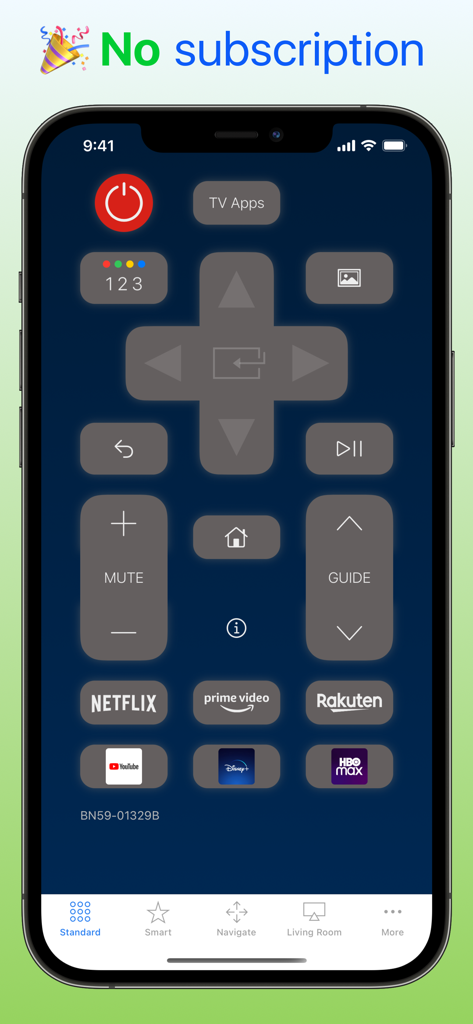
ストリーミングショートカット付きのiPhone上のデジタルSamsung Smart TVリモコンインターフェース
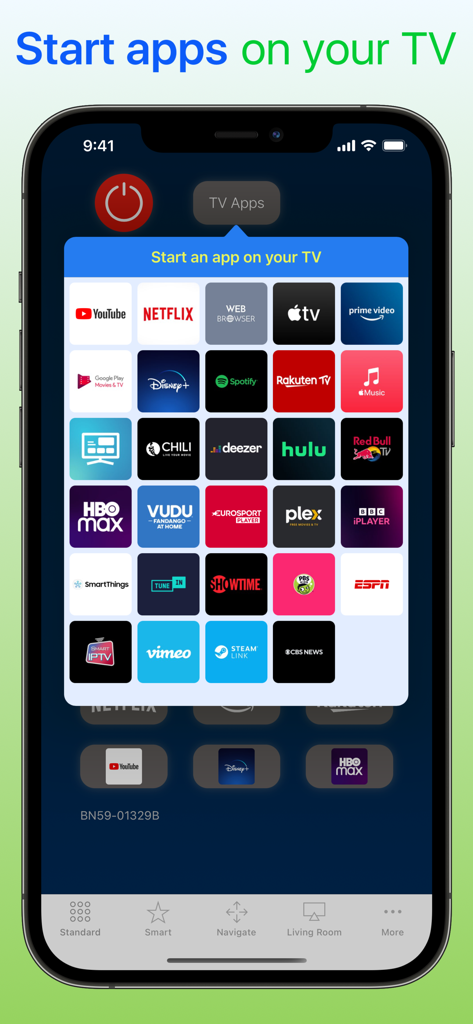
NetflixやYouTubeなどのストリーミングサービスアイコンのグリッドが表示されたmyTifiアプリを示すスマートフォン画面、Samsung TVで起動可能
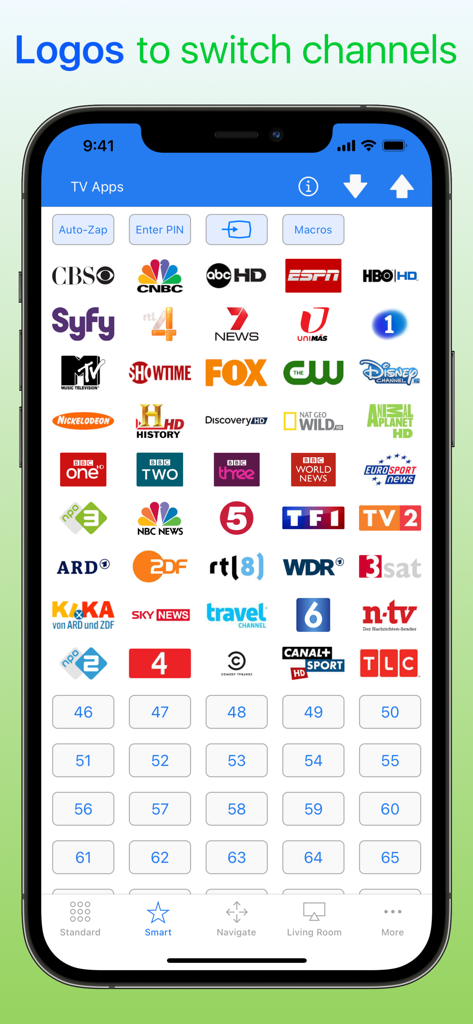
クイックチャンネル切り替えのためのテレビチャンネルロゴのビジュアルグリッドが表示されたmyTifiアプリインターフェースを示すスマートフォン画面
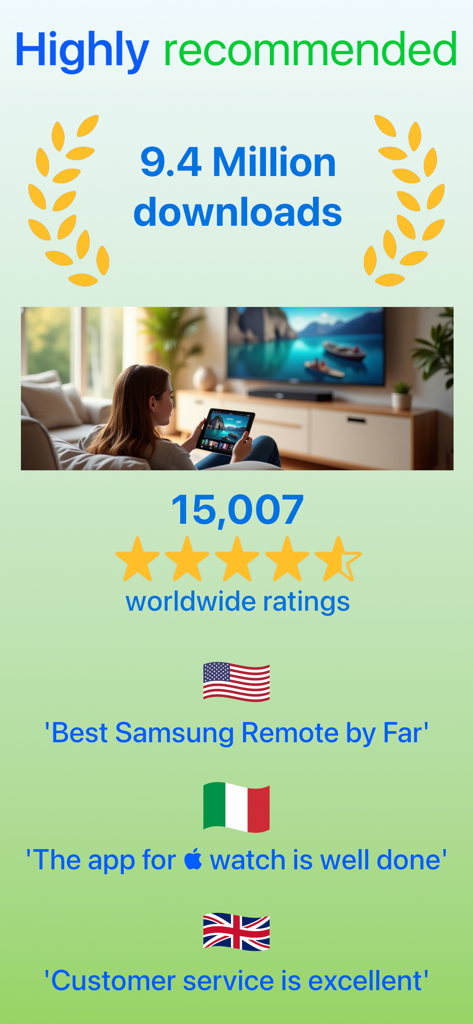
900万ダウンロード以上と世界中の肯定的なユーザーレビューを示すmyTifiのプロモーション画面
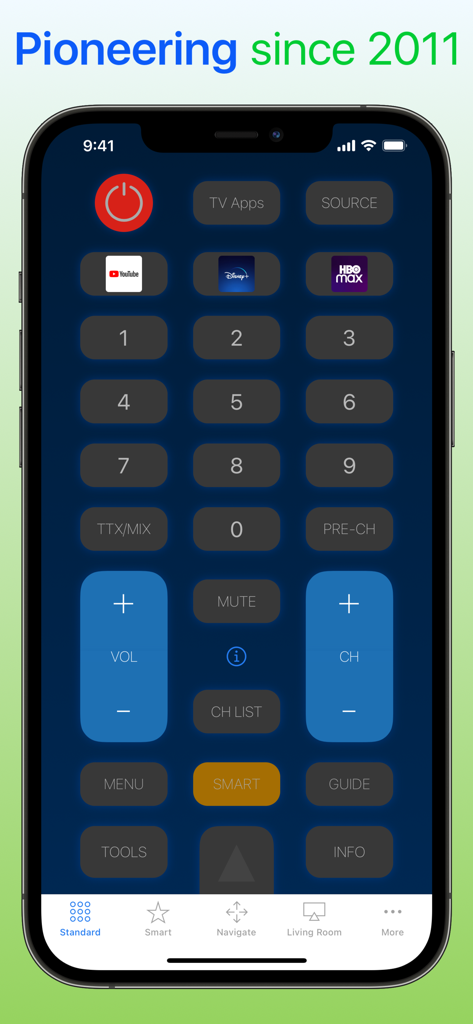
iPhone上の音量コントロール、チャンネルボタン、ストリーミングショートカットが表示されたSamsung Smart TV用myTifiリモコンアプリのユーザーインターフェース
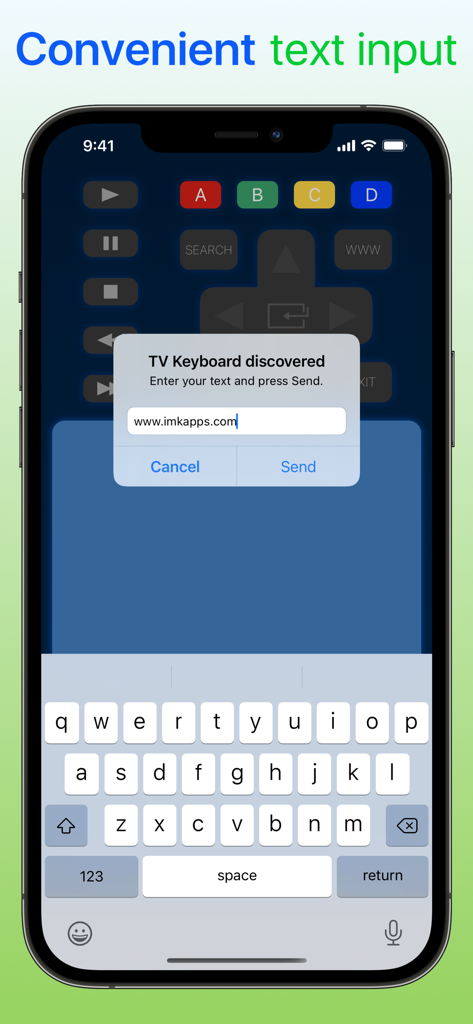
Samsung Smart TVでテキスト入力をするためのmyTifiアプリキーボードを示すiPhone画面
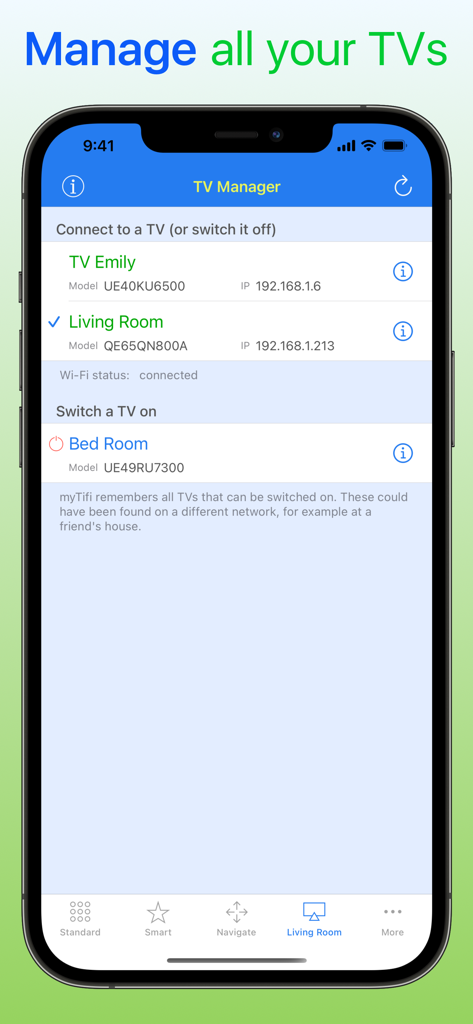
複数のSamsung Smart TVをリスト表示するmyTifiアプリのTVマネージャー画面
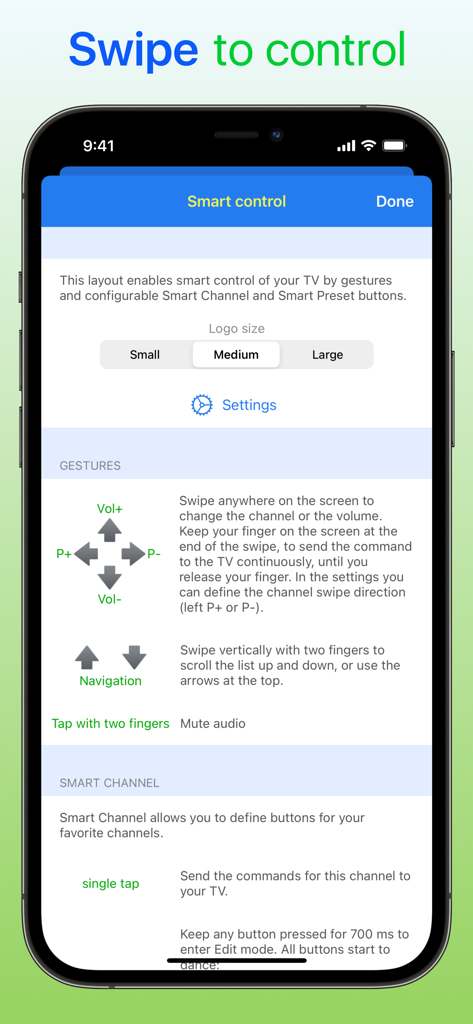
Samsung TVリモコンアプリのジェスチャーコントロール設定を示すスマートフォン画面
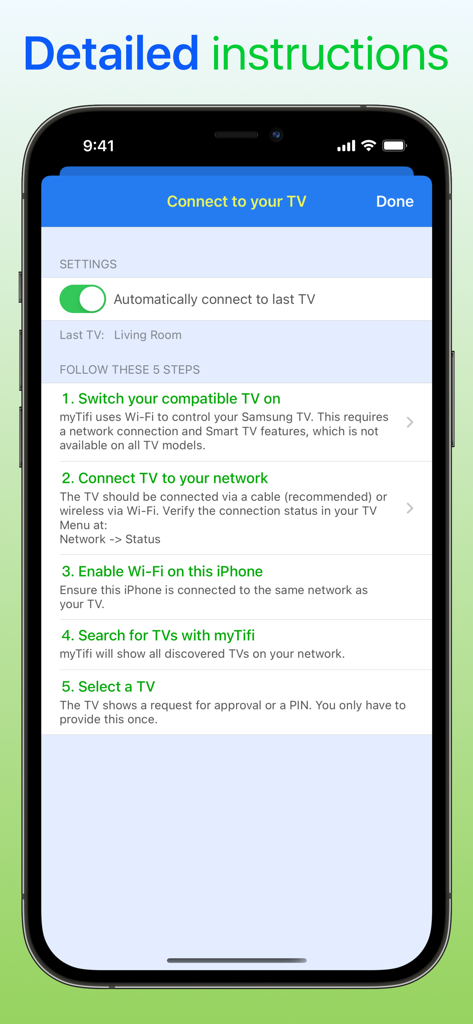
Wi-Fi経由でiPhoneをSamsung Smart TVに接続するための5つの詳細なステップを示すmyTifiアプリのスクリーンショット。
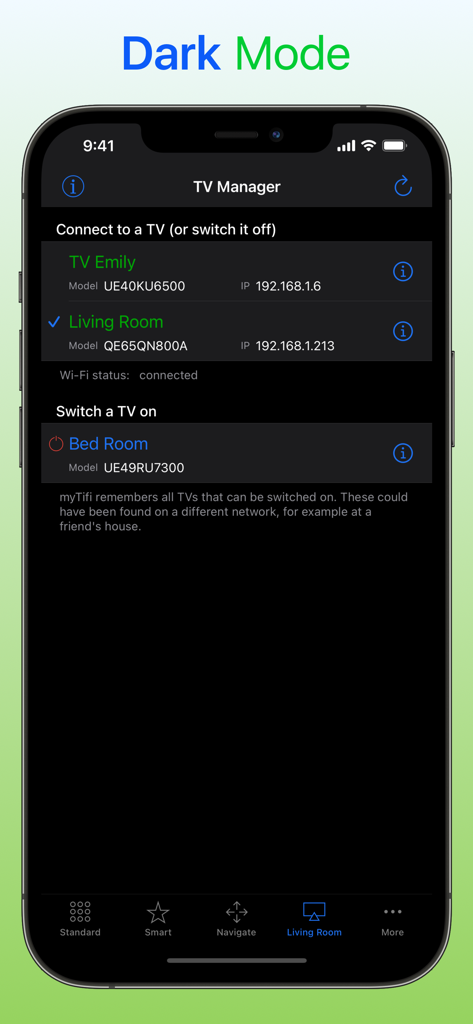
接続された複数のSamsung Smart TVのリストを表示するダークモードのmyTifiアプリTVマネージャー画面
説明
Download
類似アプリ
似た機能とユーザー体験を持つアプリ

小米音箱
Beijing Xiaomi Co., Ltd

Starlink
Space Exploration Technologies Corp.

Bambu Handy
Shanghai Lunkuo Technology Co., Ltd

DREO
HESUNG INNOVATION LIMITED

My Verisure
Securitas Direct

Whisker
Automated Pet Care Products Inc.

geeni
Merkury Innovations LLC

ADT+
ADT LLC

X-Sense Home Security
X-Sense USA LLC.
このページはアプリまたはその開発者の公式ページではなく、情報提供および論評を目的として作成された独立した編集出版物です。明示的に別段の記載がない限り、アプリおよびその開発者は、MWM、Apple、Google Play、アプリのパブリッシャー、またはアプリの開発者と提携、承認、後援、認可、またはその他の公式的な関係はなく、このページのいかなる内容も、アプリがMWMのサービスを使用して開発されたことを意味するものではありません。すべての商標、ロゴ、スクリーンショット、その他のコンテンツはそれぞれの所有者の財産です。