SanDisk Memory Zone
SanDisk Memory Zone
ダウンロード: App Store

このページはアプリまたはその開発者の公式ページではなく、情報提供および論評を目的として作成された独立した編集出版物です。明示的に別段の記載がない限り、アプリおよびその開発者は、MWM、Apple、Google Play、アプリのパブリッシャー、またはアプリの開発者と提携、承認、後援、認可、またはその他の公式的な関係はなく、このページのいかなる内容も、アプリがMWMのサービスを使用して開発されたことを意味するものではありません。すべての商標、ロゴ、スクリーンショット、その他のコンテンツはそれぞれの所有者の財産です。


ロゴ: SanDisk Memory Zone
ダウンロード: App Store

SanDisk Memory Zone

空き容量を即座に確保し、思い出を自動でバックアップ、ファイルを暗号化して保護。すべて月額クラウド料金なしで利用できます。

主要数値

ダウンロード

2M+

ユーザー評価

4.4/5

評価数

50K+

開発元

SanDisk Corporation

カテゴリ

Productivity

対応言語

18

最新バージョン

2.3.1

サイズ

111.8 MB

リリース日

2024年8月12日
機能

デジタルスペースを完全に管理

iPhoneとSanDisk Driveの究極のコンパニオン。月額クラウドサブスクリプションなしで、ファイルを簡単にバックアップ、整理、保護できます。

電話の空き容量を即座に確保

大容量の4K動画や高解像度の写真を数秒でドライブに移動。最も重要な瞬間に「ストレージがいっぱいです」という警告を心配する必要はもうありません。

スマート自動バックアップ

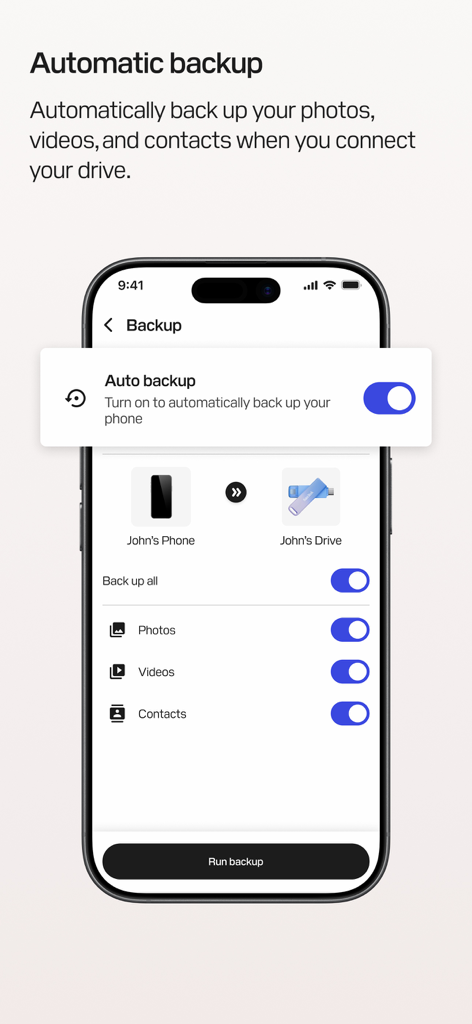
設定すればあとはお任せ。写真、動画、連絡先は、SanDiskデバイスを接続するたびに自動的に保存され、思い出を安全に保ちます。

FAQ

よくある質問

について知っておくべきこと SanDisk Memory Zone

SanDisk Memory Zoneアプリは何に使われますか?

SanDisk Memory Zoneアプリは、iOSデバイス上のデジタルコンテンツのバックアップ、管理、保護をユーザーが支援します。これにより、スペースの解放、ファイルの整理、パスワード保護による思い出の保護が可能になります。

SanDisk Memory Zoneアプリを使用するために外部SanDiskドライブが必要ですか?

はい、SanDisk Memory Zoneアプリを機能させるには、互換性のあるSanDisk製電話ドライブ製品が必要です。これらのドライブはアプリに含まれておらず、別途販売されています。

SanDisk Memory Zoneアプリを使用してiPhoneのスペースを解放するにはどうすればよいですか?

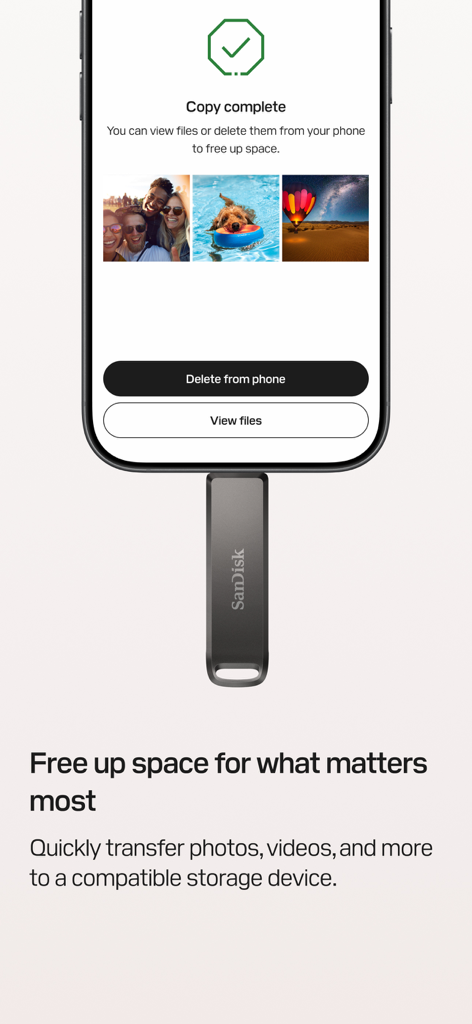
SanDisk Memory Zoneアプリを使用すると、写真、ビデオ、その他のファイルをiPhoneから互換性のあるSanDiskストレージデバイスにすばやく転送できます。この操作により、電話のスペースが解放されます。

以下のスクリーンショットと説明は、アプリの公式ストアリスティングから直接取得されたものであり、アプリ開発者の所有物です。

アプリストア

スクリーンショット
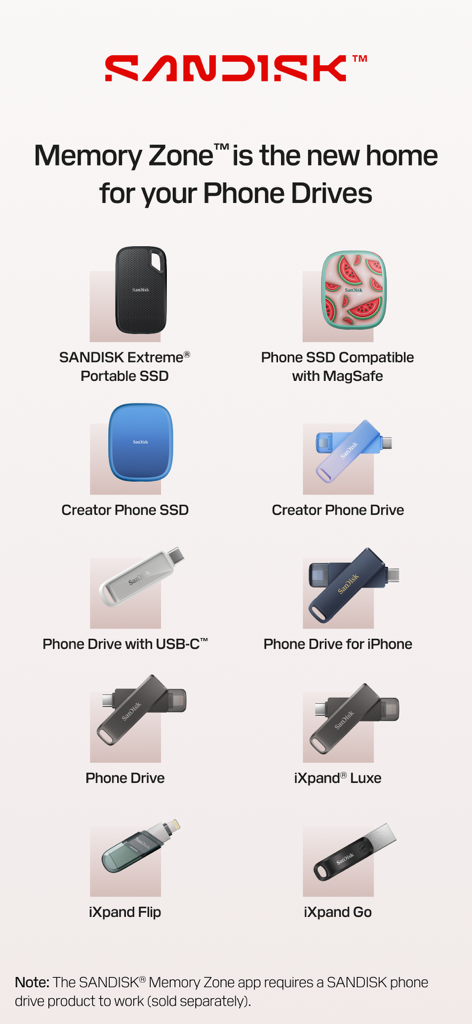
SanDisk Memory Zone - SanDisk Memory Zoneアプリに対応するSanDiskポータブルSSDおよびPhone Driveのリスト
SanDisk Memory Zoneアプリに対応するSanDiskポータブルSSDおよびPhone Driveのリスト

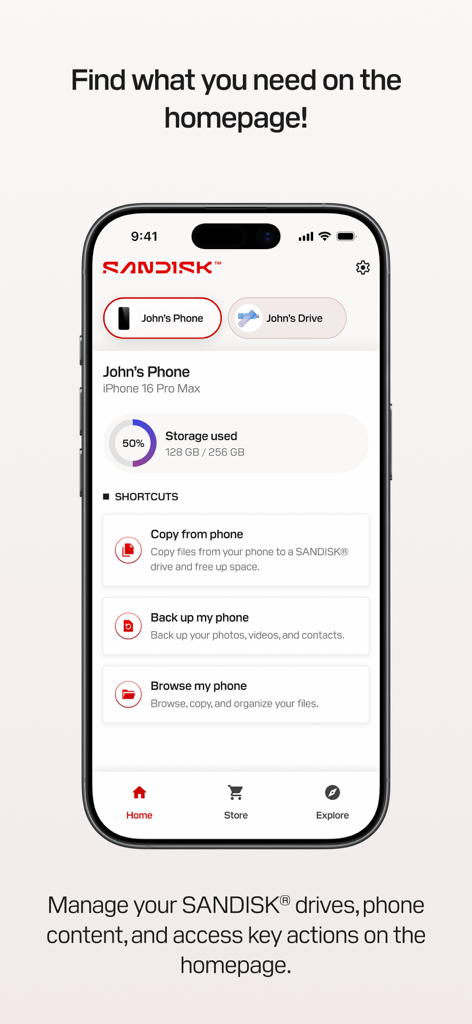
SanDisk Memory Zone - SanDisk Memory Zoneアプリのホーム画面(iPhone)に、ストレージ使用量と、バックアップおよびファイル管理のクイックアクションショートカットが表示されています。
SanDisk Memory Zoneアプリのホーム画面(iPhone)に、ストレージ使用量と、バックアップおよびファイル管理のクイックアクションショートカットが表示されています。

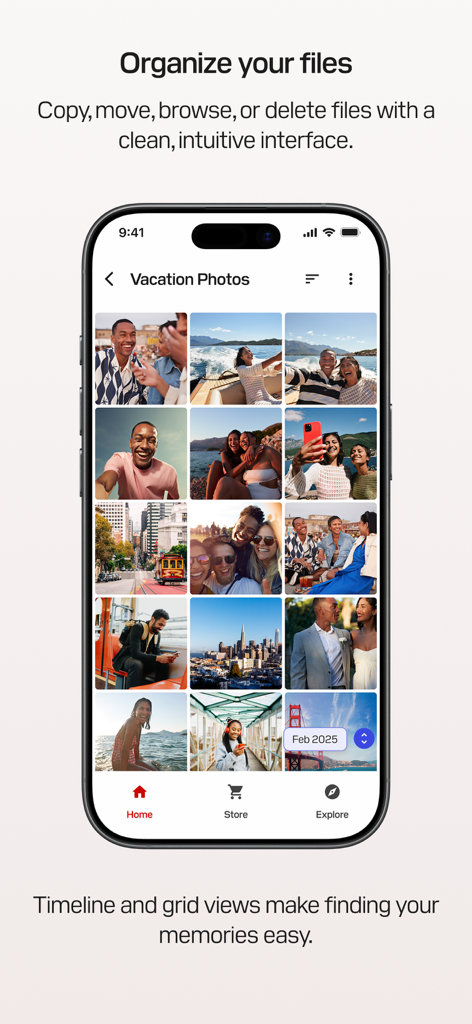
SanDisk Memory Zone - SanDisk Memory Zoneアプリのインターフェースに、グリッド表示された整理された休暇写真が表示されています
SanDisk Memory Zoneアプリのインターフェースに、グリッド表示された整理された休暇写真が表示されています

SanDisk Memory Zone - SanDisk Memory Zoneアプリのインターフェースに、物理ドライブに写真が転送された後のコピー完了画面が表示されています
SanDisk Memory Zoneアプリのインターフェースに、物理ドライブに写真が転送された後のコピー完了画面が表示されています

SanDisk Memory Zone - SanDisk Memory ZoneアプリのiPhoneでの写真、動画、連絡先の自動バックアップ設定を表示
SanDisk Memory ZoneアプリのiPhoneでの写真、動画、連絡先の自動バックアップ設定を表示

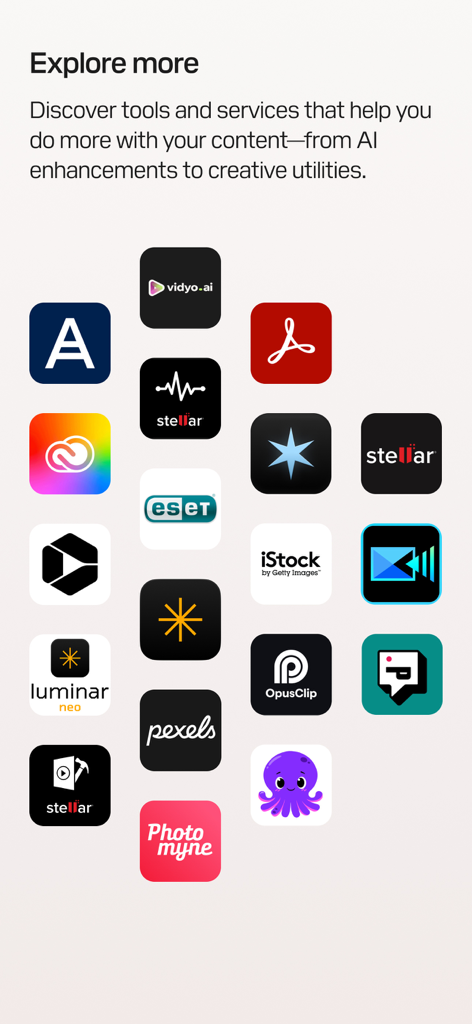
SanDisk Memory Zone - SanDisk Memory Zoneアプリの画面に、「さらに探す」という見出しの下に、クリエイティブツールやAI機能強化のためのサードパーティアプリアイコンのグリッドが表示されています

SanDisk Memory Zoneアプリの画面に、「さらに探す」という見出しの下に、クリエイティブツールやAI機能強化のためのサードパーティアプリアイコンのグリッドが表示されています

説明

SANDISK® Memory Zone™ is a powerful, easy-to-use app that helps you back up, manage, and protect your digital content.¹ Whether you're freeing up space, organizing files, or helping safeguard your memories with password protection, the SANDISK® Memory Zone™ app gives you complete control over your photos, videos, contacts, and more. This app replaces the legacy iXpand® Drive app for iOS. Please use this app for all future use with supported storage devices. When used with a compatible SANDISK® Phone Drive, the SANDISK® Memory Zone™ app makes it easy to back up,² transfer, and manage your photos, videos, and contacts between your iPhone and your computer. What is a SANDISK® Phone Drive? A SANDISK® Phone Drive is a USB drive designed to conveniently share your files on your iPhone and your computer while on-the-go — whether you’re connected online or offline. Simply connect the drive to your iPhone to quickly free up space on your device, or use it to transfer photos, videos, and other files to your Mac or PC devices. To learn more about all products compatible with SANDISK® Memory Zone™ app, go to our support page: https://support-en.sandisk.com/app/answers/detailweb/a_id/52065 Key Features Organize Your Files Browse, move, copy, or delete files with a clean, intuitive interface that puts you in control of your content. Media Timeline & Grid Views Navigate your photos and videos in a timeline or immersive grid layout to quickly find and relive your memories. Free Up Space Quickly transfer files from your iPhone to a compatible storage device so you can make room for what matters most. Automatic Backup Set it once and your photos, videos, and contacts will automatically back up² when your device is connected. Help secure Your Files Add an extra layer of protection with encryption and password-secured storage for your most important content. Storage Insights Easily view available, used, and total space on your connected device—no more guessing. Explore More Discover tools and services that help you do more with your content—from AI enhancements to creative utilities. Support: Please visit Sandisk support at: https://shop.sandisk.com/support Third-Party Notices: https://downloads.sandisk.com/downloads/temp/sandisk-memory-zone-ios.txt Company Info http://www.sandisk.com Legal 1. iOS 15 or higher required for SANDISK® Memory Zone™ app. SANDISK® drives not included with SANDISK® Memory Zone™ app. 2. SANDISK® Memory Zone™ app required. Available for download from the App Store. iOS 15 or higher required. Set up automatic backup within app settings. Terms and conditions apply. For more information on Sandisk’s Vulnerability Disclosure Policy, please visit: https://shop.sandisk.com/support/product-security/vulnerability-disclosure-policy SANDISK, the SANDISK logo, and Memory Zone are registered trademarks or trademarks of Sandisk Corporation or its affiliates in the US and/or other countries. All other marks are the property of their respective owners. Product specifications subject to change without notice. Pictures shown may vary from actual products. © 2025 Sandisk Corporation or its affiliates. All rights reserved.

Download

ダウンロード: App Store

このページはアプリまたはその開発者の公式ページではなく、情報提供および論評を目的として作成された独立した編集出版物です。明示的に別段の記載がない限り、アプリおよびその開発者は、MWM、Apple、Google Play、アプリのパブリッシャー、またはアプリの開発者と提携、承認、後援、認可、またはその他の公式的な関係はなく、このページのいかなる内容も、アプリがMWMのサービスを使用して開発されたことを意味するものではありません。すべての商標、ロゴ、スクリーンショット、その他のコンテンツはそれぞれの所有者の財産です。