Santander Bank US

Santander Bank US

ダウンロード: App Store
ロゴ: Santander Bank US

Santander Bank US:指先で安全なバンキングを

安心してお金を管理しましょう。小切手の入金、請求書の支払い、インスタントカードホールドによる保護など、北東部の忙しい生活のために設計されたアプリで全てが可能です。

ダウンロード: App Store

開発元

Santander Bank

カテゴリ

Finance

ダウンロード

2M+

ユーザー評価

4.7/5

評価数

403K+

対応言語

1

指先でバンキング

このインターフェースを利用する 2M+ 人のユーザー.

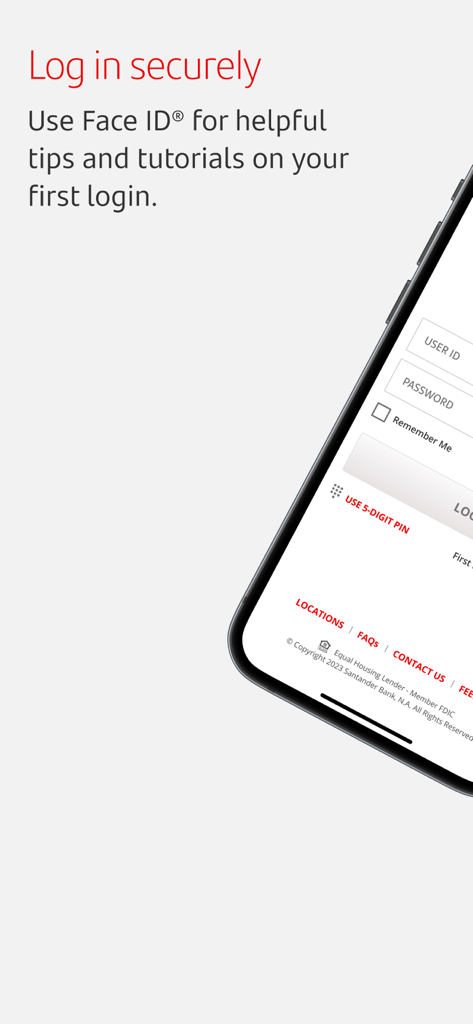
Face ID認証を備えたSantander Bank USモバイルアプリのログイン画面
Face ID認証を備えたSantander Bank USモバイルアプリのログイン画面

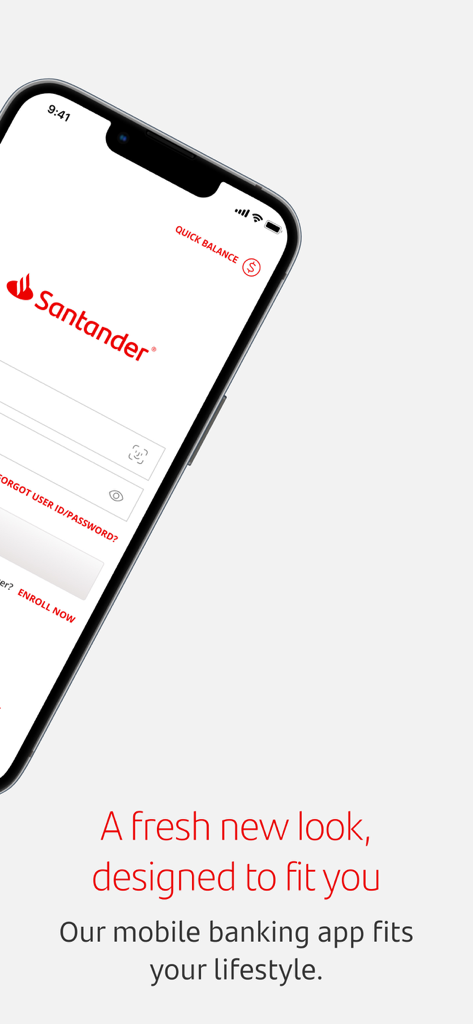
Santander Bank USモバイルバンキングアプリのログイン画面
Santander Bank USモバイルバンキングアプリのログイン画面

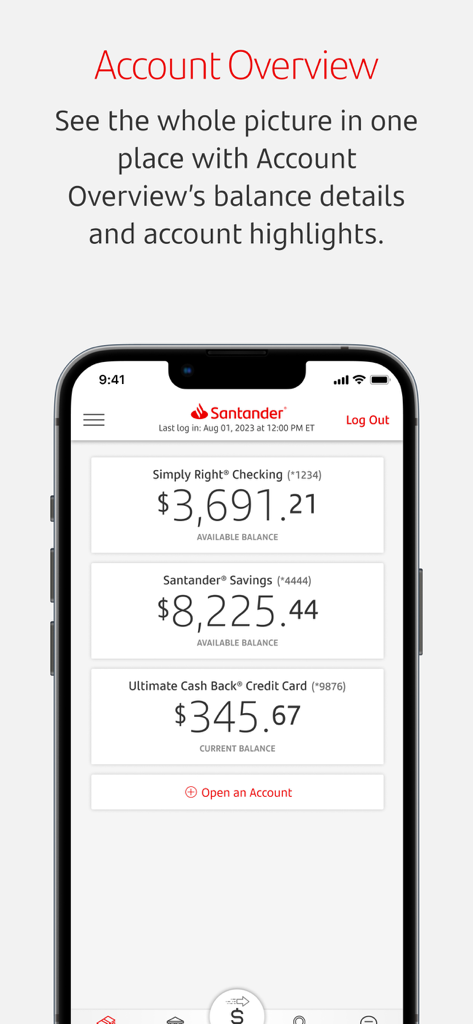
当座預金、普通預金、クレジットカードの残高が表示されたSantander Bank USアプリの口座概要画面を表示するスマートフォン
当座預金、普通預金、クレジットカードの残高が表示されたSantander Bank USアプリの口座概要画面を表示するスマートフォン

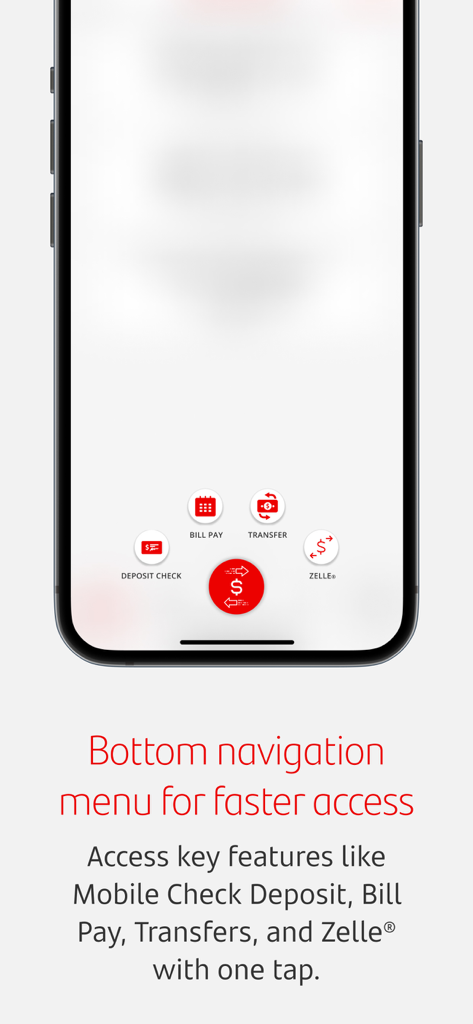
小切手入金、請求書払い、送金、Zelleのアイコンが表示されたSantander Bank USモバイルアプリの下部ナビゲーションメニュー
小切手入金、請求書払い、送金、Zelleのアイコンが表示されたSantander Bank USモバイルアプリの下部ナビゲーションメニュー

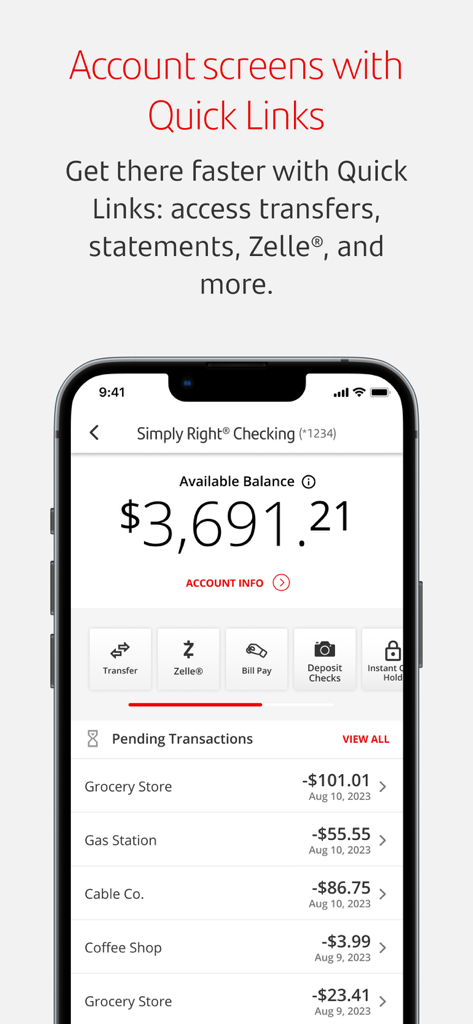
Santander Bankモバイルアプリのインターフェース。当座預金口座の残高、送金とZelleのクイックリンク、および最近の取引リストが表示されています。
Santander Bankモバイルアプリのインターフェース。当座預金口座の残高、送金とZelleのクイックリンク、および最近の取引リストが表示されています。

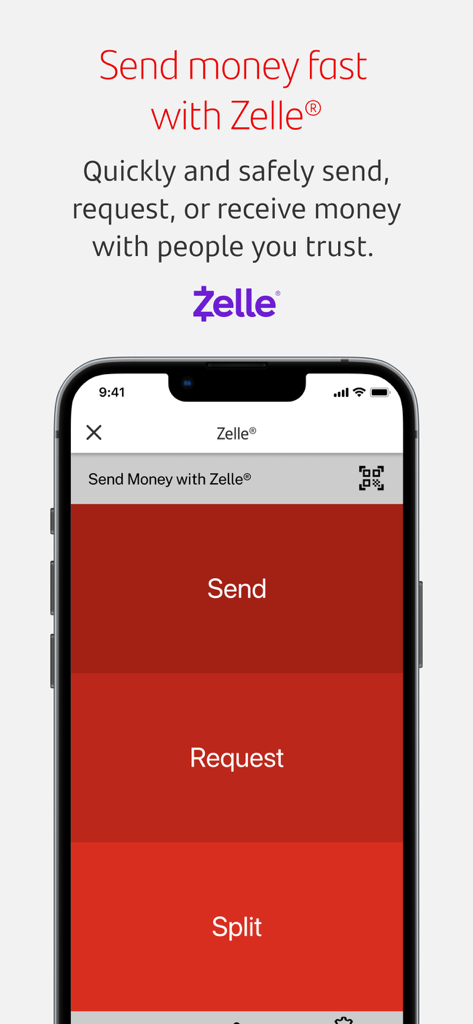
送金、リクエスト、または分割払いのオプションが表示されたZelle連携を示すSantanderモバイルバンキングアプリの画面
送金、リクエスト、または分割払いのオプションが表示されたZelle連携を示すSantanderモバイルバンキングアプリの画面

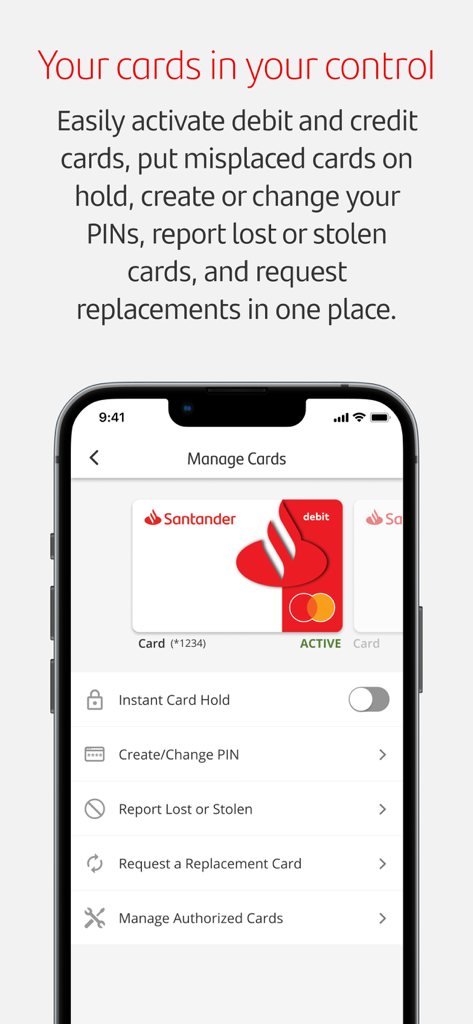
インスタントホールドやPIN変更オプションなどのカード管理機能が表示されたSantander Bank USモバイルアプリの画面
インスタントホールドやPIN変更オプションなどのカード管理機能が表示されたSantander Bank USモバイルアプリの画面

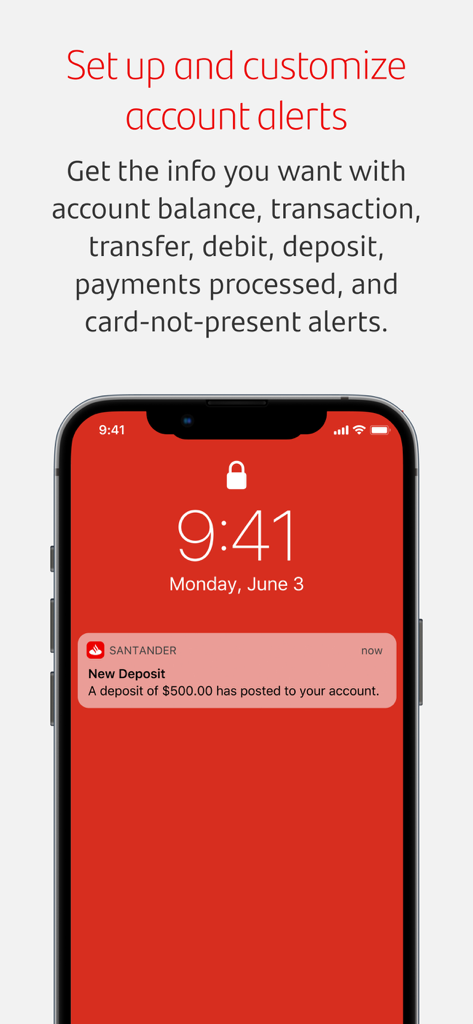
500ドルの新しい入金に関するSantander Bankのプッシュ通知が表示されたiPhoneのロック画面

500ドルの新しい入金に関するSantander Bankのプッシュ通知が表示されたiPhoneのロック画面

忙しいあなたの生活に合わせたバンキング

このアプリを際立たせるツール、 2M+ 人のユーザーが選択.

🛡️

完全な管理とセキュリティ

紛失したカードを凍結できるSantander®インスタントカードホールドで安心を得て、Face ID®またはTouch ID®を使用した安全な生体認証ログインをお楽しみください。

📲

数秒でお金を動かす

モバイル小切手入金でATMに並ぶ必要がなくなり、あらゆる金融機関の個人銀行口座間での請求書払いや送金を簡単に管理できます。

📊

あなたの完全な財務状況

当座預金、普通預金、投資の残高を1か所で監視するか、ログインする前にワンタッチでステータスを確認できるクイックバランスを使用します。

アプリについて

について知っておくべきこと Santander Bank US.

説明

Manage Your Account • Enroll in Mobile and Online Banking through your app. • Manage cards: activate debit and credit cards, create or change your card PIN, report lost or stolen cards, and order replacements. • View balances with one touch before logging in with Quick Balance or by using Siri®. • View deposit, credit card, lending statements and loan/line of credit and investment* account balances. • Manage, select, and customize your alerts; pick alert settings and choose how to receive them (text, email, or push messages). • Set up, change, or cancel Autopay credit card payments. • Manage your contact details: edit, add, or delete contact information. Stay Secure • Put your misplaced debit or credit card on hold with Santander® Instant Card Hold. (Santander® Instant Card Hold will block most types of transactions, including purchases made with your card. Please note that some types of transactions will continue to process, including recurring debit/credit transactions presented to us by certain merchants for monthly membership or subscription fees.) • Retrieve your User ID and change or reset your Password securely from your mobile device using password reset. • Verify your identity on certain transactions using One-Time Passcode (OTP) security. • Log in using Touch ID® or Face ID®. (If you share your device with other people, please note any fingerprints or face image stored on your device may be used to log in to the Santander Mobile Banking App and access your account.) Navigate with Ease • Tutorials and tips guide you through updates and improved Mobile Banking features when you first log in to your Mobile Banking App. Deposit Checks • Skip the ATM and deposit checks from your app. Pay Bills • Add and select Bill Pay payees to make payments. • Schedule payments for future dates. • Review your Bill Pay activity and pay your unpaid e-Bills. Transfer Funds • Make one-time and recurring transfers between your Santander accounts. • Move money from your personal bank accounts at other financial institutions to your Santander checking, savings or money market accounts. • Transfer money to other Santander customers. • Make transfers to accounts at other banks within the U.S. (Restrictions apply. Please refer to the Digital Banking Agreement for details). Contact Us Anytime for Assistance • Use One-touch calling to Santander Customer Service. • Schedule a Meeting to meet with a banker. • Find directions to the nearest Santander branch or ATM. Get Started Today. It's Easy! If you have a personal account with Santander Bank, download the Mobile Banking App today and bank when you want to! *Securities and advisory services are offered through Santander Investment Services, a division of Santander Securities LLC. Santander Securities LLC is a registered broker-dealer, Member FINRA(finra.org) and SIPC(sipc.org) and a Registered Investment Adviser. Insurance is offered through Santander Securities LLC or its affiliates. Santander Investment Services is affiliated with Santander Bank N.A. INVESTMENT AND INSURANCE PRODUCTS ARE: • NOT FDIC INSURED • NOT BANK GUARANTEED • MAY LOSE VALUE • NOT INSURED BY ANY FEDERAL GOVERNMENT AGENCY • NOT A BANK DEPOSIT ------------------------------------------------------------------------------------------------------------------------ Santander Bank N.A., Equal Housing Lender - Member FDIC ©2025 Santander Bank, N.A. All rights reserved.

最新バージョン

5.9.16

サイズ

103.8 MB

リリース日

2013年3月13日

どこにいても、自信を持って銀行取引

すでに200万人以上のお客様が簡単に金融取引を行っています。Santander Bank USアプリを今すぐダウンロードして、指先で安全かつシームレスなバンキングを体験してください。

ダウンロード: App Store
FAQ

よくある質問

について知っておくべきこと Santander Bank US

How can I enroll in mobile banking with the Santander Bank US app?

はい、Santander Bank USアプリから直接モバイルバンキングとオンラインバンキングに登録できます。これにより、アカウントを便利に管理できます。

Does the Santander Bank US app support Face ID for login?

はい、Santander Bank USアプリは安全なログインのためにFace IDをサポートしています。互換性のあるデバイスでは、Touch ID®を使用して認証することもできます。

Can I view my account balances quickly in the Santander Bank US app?

はい、Santander Bank USアプリでは、ログイン前にQuick BalanceまたはSiri®を使用して、ワンタッチで素早く残高を確認できます。

How do I deposit checks using the Santander Bank US mobile app?

はい、Santander Bank USアプリを使用して、モバイルデバイスから直接チェックを入金できます。ATMに行く必要はありません。

Can I manage my credit card payments with Autopay in the Santander Bank US app?

はい、Santander Bank USアプリでは、アプリケーション内で直接、クレジットカードの支払いのAutopayを設定、変更、またはキャンセルできます。

How do I activate a new debit or credit card using the Santander Bank US app?

はい、Santander Bank USアプリから直接、デビットカードとクレジットカードを有効化できます。カードのPINを作成または変更することもできます。

Can I temporarily block my Santander Bank US debit or credit card if it's misplaced?

はい、Santander Bank USアプリにはSantander® Instant Card Hold機能があり、紛失したデビットカードまたはクレジットカードを一時的に保留することができます。

Does the Santander Bank US app support sending money with Zelle®?

はい、Santander Bank USアプリはZelle®と統合されており、ユーザーは信頼できる連絡先と安全かつ迅速にお金を送受信、またはリクエストすることができます。

How can I find a Santander branch or ATM using the app?

はい、Santander Bank USアプリには、モバイルデバイスから直接最寄りのSantander支店またはATMへの道順を見つける機能が用意されています。

Can I set up account alerts in the Santander Bank US app?

はい、Santander Bank USアプリ内でアラートを管理、選択、カスタマイズできます。テキスト、メール、またはプッシュメッセージで受信する方法を選択してください。

App information, icons, screenshots, and descriptions displayed on this page are sourced from the Apple App Store and are the property of their respective developers. Download estimates and rankings are based on MWM's proprietary models and may not reflect actual figures. This page is provided for informational and analytical purposes only.

Believe this page infringes your intellectual property? File a dispute