Scan-IT to Office
Scan-IT to Office
ダウンロード: App Store

このページはアプリまたはその開発者の公式ページではなく、情報提供および論評を目的として作成された独立した編集出版物です。明示的に別段の記載がない限り、アプリおよびその開発者は、MWM、Apple、Google Play、アプリのパブリッシャー、またはアプリの開発者と提携、承認、後援、認可、またはその他の公式的な関係はなく、このページのいかなる内容も、アプリがMWMのサービスを使用して開発されたことを意味するものではありません。すべての商標、ロゴ、スクリーンショット、その他のコンテンツはそれぞれの所有者の財産です。


ロゴ: Scan-IT to Office
ダウンロード: App Store

Scan-IT to Office

スマートフォンをプロ仕様のスキャナーに変えましょう。バーコード、NFCタグ、画像をExcel、Google Sheets、またはPC/Macアプリケーションに、エンドツーエンド暗号化で即座に取り込みます。

主要数値

ダウンロード

171K+

ユーザー評価

4.8/5

評価数

6K+

開発元

TEC-IT Datenverarbeitung GmbH

カテゴリ

Business

対応言語

7

最新バージョン

5.5.3

サイズ

67.3 MB

リリース日

2017年7月20日
機能

データ収集を効率化

スマートフォンをプロ仕様のスキャナーに変え、デスクトップのスプレッドシートやデータベースと即座に同期させます。

リアルタイムデスクトップ同期

ケーブル、メール、手動エクスポートなしで、モバイルデバイスからExcel、Word、Google Sheetsに直接データが流れます。

オールインワンデータキャプチャ

バーコード以上のものをキャプチャできます。NFCタグ、高品質画像、タイムスタンプ、GPS座標を、1つの効率化されたワークフローで収集します。

以下のスクリーンショットと説明は、アプリの公式ストアリスティングから直接取得されたものであり、アプリ開発者の所有物です。

アプリストア

スクリーンショット
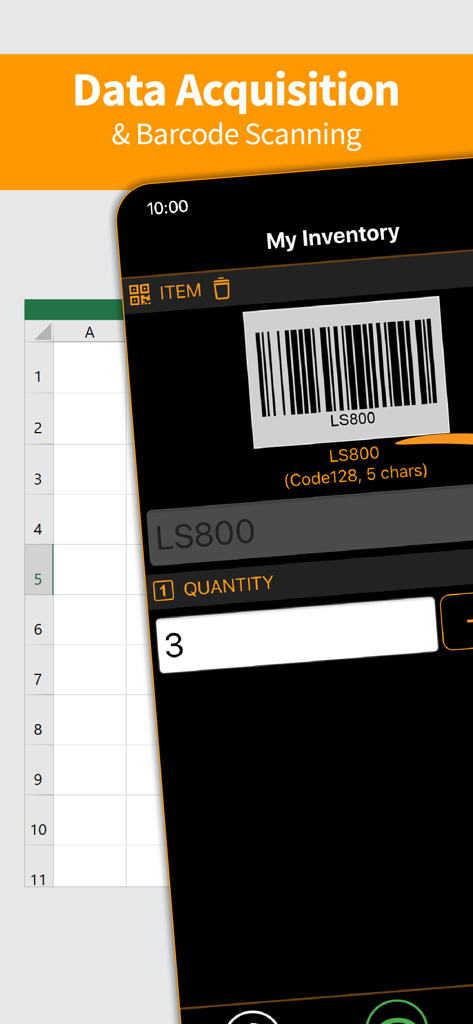
Scan-IT to Office - バーコードスキャンと在庫データ入力を実演し、オフィスとのシームレスな統合を実現するモバイルアプリインターフェース
バーコードスキャンと在庫データ入力を実演し、オフィスとのシームレスな統合を実現するモバイルアプリインターフェース

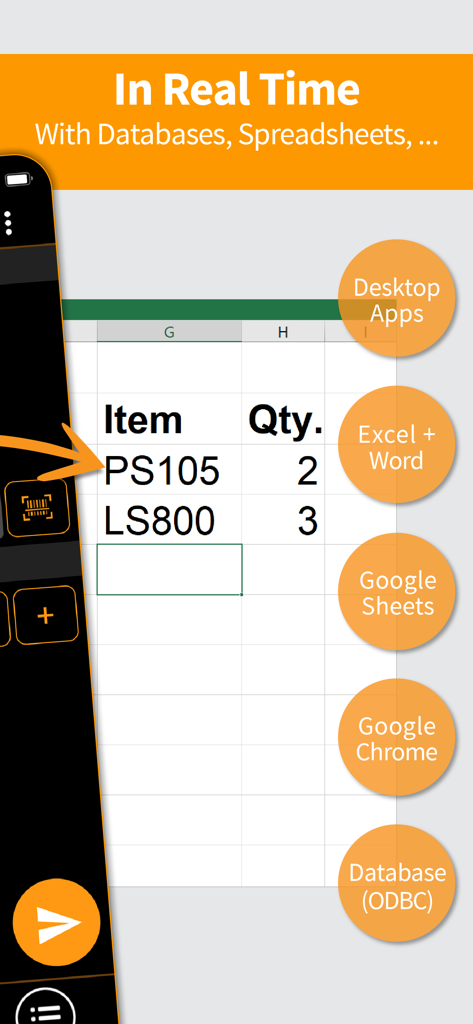
Scan-IT to Office - モバイルフォンからスプレッドシートおよびデータベースへのリアルタイムバーコードデータ転送を実演するScan-IT to Officeアプリ
モバイルフォンからスプレッドシートおよびデータベースへのリアルタイムバーコードデータ転送を実演するScan-IT to Officeアプリ

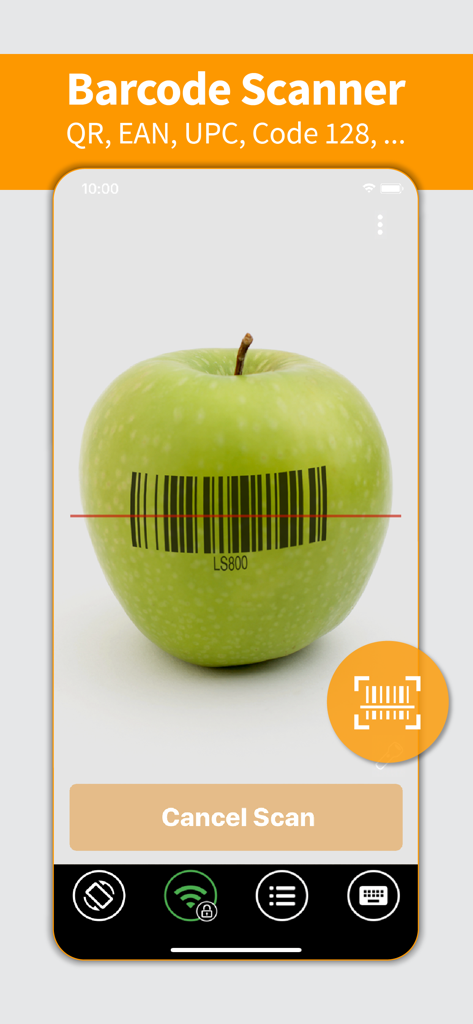
Scan-IT to Office - 緑色のリンゴでバーコードがスキャンされている様子を示すScan-IT to Officeモバイルアプリインターフェース
緑色のリンゴでバーコードがスキャンされている様子を示すScan-IT to Officeモバイルアプリインターフェース

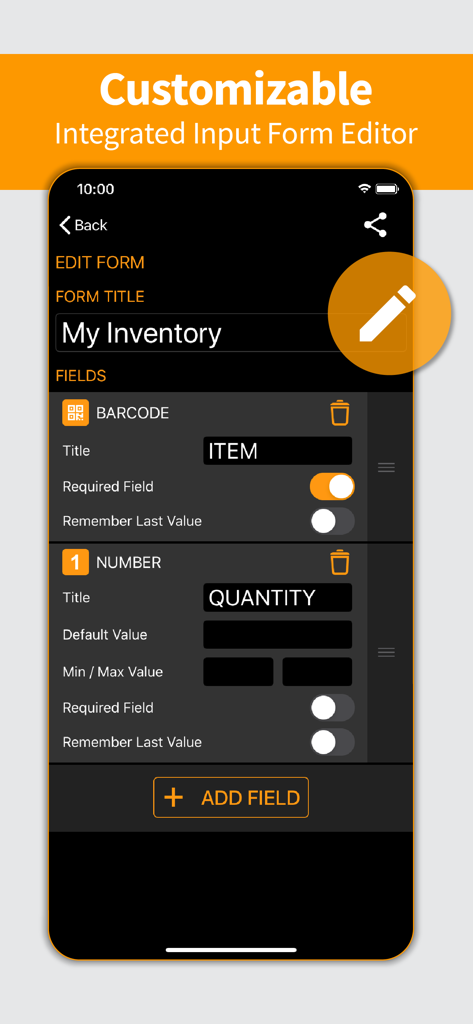
Scan-IT to Office - 在庫追跡のためのカスタマイズ可能な入力フォームエディターを示すScan-IT to Officeアプリのモバイルインターフェース
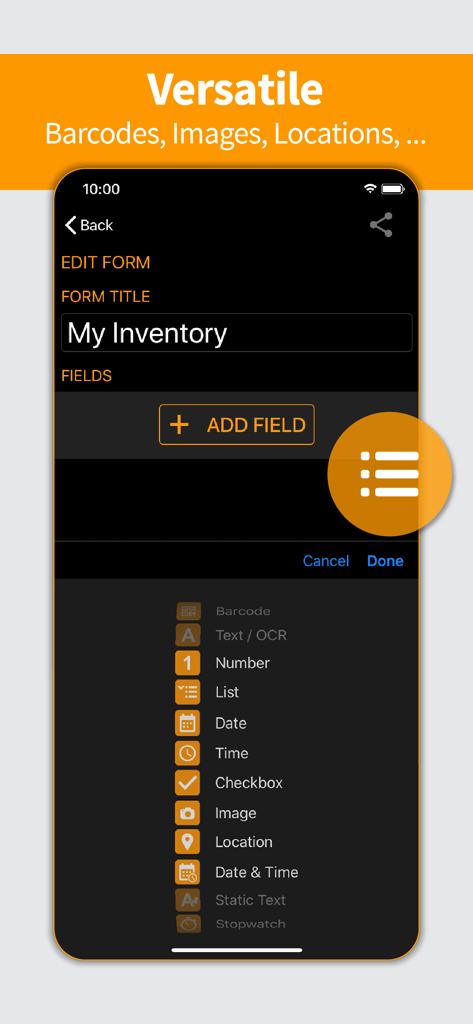
在庫追跡のためのカスタマイズ可能な入力フォームエディターを示すScan-IT to Officeアプリのモバイルインターフェース

Scan-IT to Office - バーコード、画像、位置データフィールドオプションを備えたカスタム在庫フォームビルダーを示すScan-IT to Officeアプリのインターフェース
バーコード、画像、位置データフィールドオプションを備えたカスタム在庫フォームビルダーを示すScan-IT to Officeアプリのインターフェース

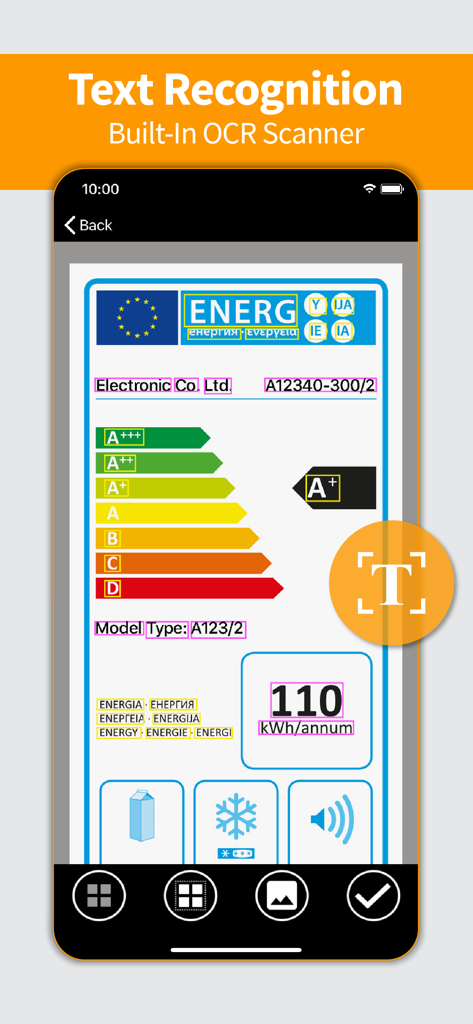
Scan-IT to Office - ラベルのテキスト認識のための内蔵OCRスキャナーを実演するScan-IT to Officeアプリインターフェース
ラベルのテキスト認識のための内蔵OCRスキャナーを実演するScan-IT to Officeアプリインターフェース

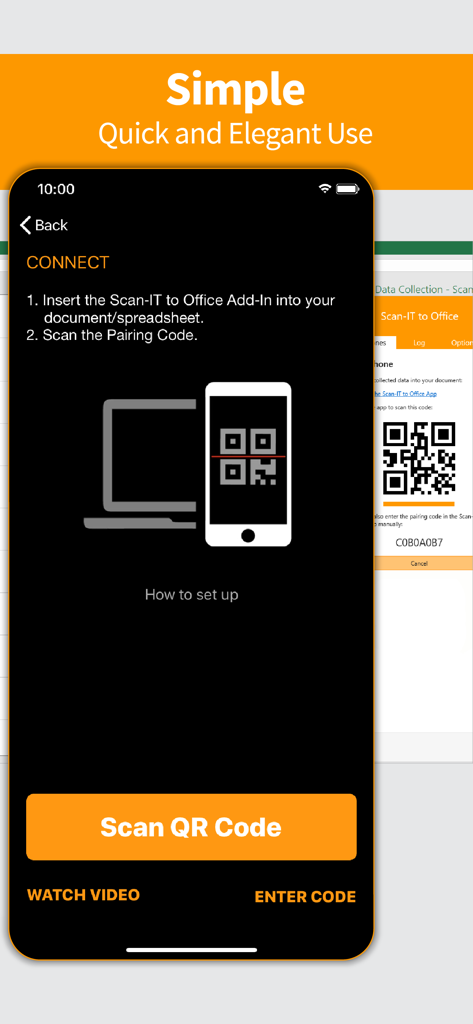
Scan-IT to Office - QRコード経由でデスクトップアプリケーションに接続するための指示を示すScan-IT to Officeモバイルアプリペアリング画面
QRコード経由でデスクトップアプリケーションに接続するための指示を示すScan-IT to Officeモバイルアプリペアリング画面

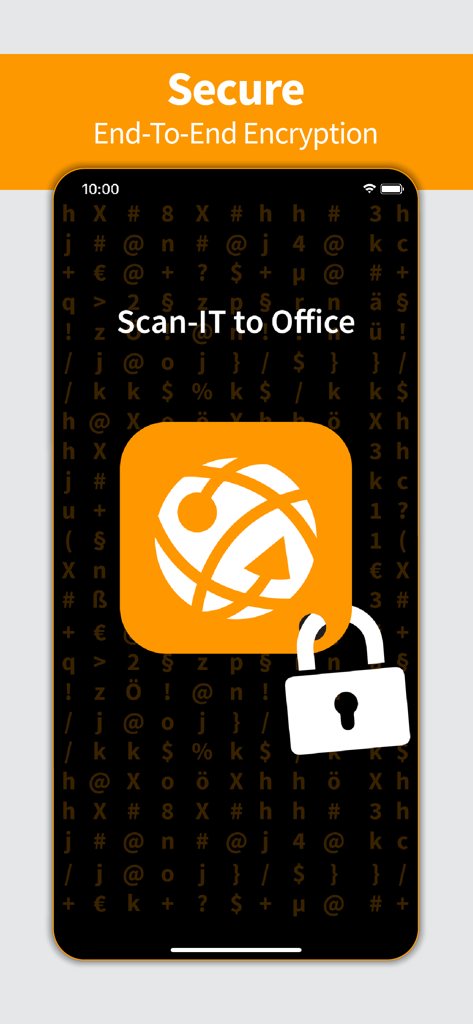
Scan-IT to Office - データ収集のための安全なエンドツーエンド暗号化を強調するScan-IT to Officeモバイルアプリインターフェース

データ収集のための安全なエンドツーエンド暗号化を強調するScan-IT to Officeモバイルアプリインターフェース

説明

Scan-IT to Office is the efficient solution for mobile data acquisition with real-time connectivity to arbitrary PC or Mac applications and databases accessible via ODBC - with enhanced support for Microsoft Excel, Microsoft Word, Google Sheets and Google Chrome. Captured data like barcodes, NFC tags, texts, numbers, locations or images is transferred via cloud services immediately to targets on your desktop computer. This works regardless of your location, even across different offices, facilities or countries. VERSATILE Data is captured into clearly structured input forms on the smartphone or tablet. Users can select from predefined standard forms or create their own input forms if required. EASY TO USE Scan-IT to Office is ready to use in just a few steps: This data acquisition app is paired with the corresponding target by scanning a QR code. Now the data transfer works on its own: captured bar-codes, pictures, manual inputs, timestamps or location data are automatically sent to their destination. FEATURES • Mobile data collection app for smartphones and tablets • Captures barcodes, NFC tags, images, timestamps, texts, location data and numbers • Real-time data transfer to any PC or Mac application • Store data in any database accessible via ODBC • Insert data directly into Word, Excel, Google Sheets or Google Chrome • Custom and predefined data acquisition forms • End-to-end encryption guarantees maximum privacy & security • Works worldwide, independent of time and place • For single and multi-user scenarios FREE DEMO The app is available as free trial, a paid subscription unlocks all functions. Without a subscription, the app replaces collected data at random intervals with a demo text and/or a notification is displayed. IMPORTANT NOTICE To use this app, you need to install the additionally required Scan-IT to Office software (available for free) on your desktop computer: Scan-IT to Office Tools enable arbitrary PC or Mac applications and ODBC-databases to receive data collected with the app. Download the tools using this link: https://www.tec-it.com/stodownload Scan-IT to Office Add-Ins are dedicated Add-Ins for Microsoft Word, Microsoft Excel, Google Sheets and Google Chrome, which provide optimized and seamless data acquisition functionality. Install the desired Add-In directly in the host application or from the respective store: • Microsoft Word / Microsoft Excel: https://appsource.microsoft.com/product/office/wa104381026 • Google Sheets: https://chrome.google.com/webstore/detail/scan-it-to-office/oeggkbdldochacapfbnbmhghcfinaehh • Google Chrome: https://chrome.google.com/webstore/detail/scan-it-to-office/ijemakhbbjajapbmdonhjmfkkcpliafp FREE SUPPORT In case of questions, please contact us at support@tec-it.com (E-Mail), TECITSupport (Skype) or visit https://www.tec-it.com/sto. SUBSCRIPTION POLICY • Monthly, quarterly or yearly subscriptions are available • When buying a subscription, payment will be charged to your iTunes Account at confirmation of purchase. • Subscription automatically renews unless auto-renew is turned off at least 24-hours before the end of the current period. • Account will be charged for renewal within 24-hours prior to the end of the current period, and identify the cost of the renewal. • You may also manage your subscriptions via App Store. • Auto-renewal of a subscription may be turned off by going to your Account Settings in the App Store after purchase. Terms of use and privacy: https://www.tec-it.com/download/PDF/TEC-IT_AGB_EN.pdf

Download

ダウンロード: App Store

このページはアプリまたはその開発者の公式ページではなく、情報提供および論評を目的として作成された独立した編集出版物です。明示的に別段の記載がない限り、アプリおよびその開発者は、MWM、Apple、Google Play、アプリのパブリッシャー、またはアプリの開発者と提携、承認、後援、認可、またはその他の公式的な関係はなく、このページのいかなる内容も、アプリがMWMのサービスを使用して開発されたことを意味するものではありません。すべての商標、ロゴ、スクリーンショット、その他のコンテンツはそれぞれの所有者の財産です。