Scanner App: Documents & Sign

Scanner App: Documents & Sign

ダウンロード: App Store
ロゴ: Scanner App: Documents & Sign

スキャナーアプリ:オールインワンプロフェッショナルスキャナー&電子署名ツール

リモートワークフローを強化しましょう。プロフェッショナル向けに構築された、最も安全でOCR対応のモバイルオフィスで、高品質PDFを瞬時にスキャン、署名、共有できます。

ダウンロード: App Store

開発元

Seven Mile Apps LLC

カテゴリ

Business

ダウンロード

5K+

ユーザー評価

4.7/5

評価数

100

対応言語

15

オフィスがあなたのポケットに

このインターフェースを利用する 5K+ 人のユーザー.

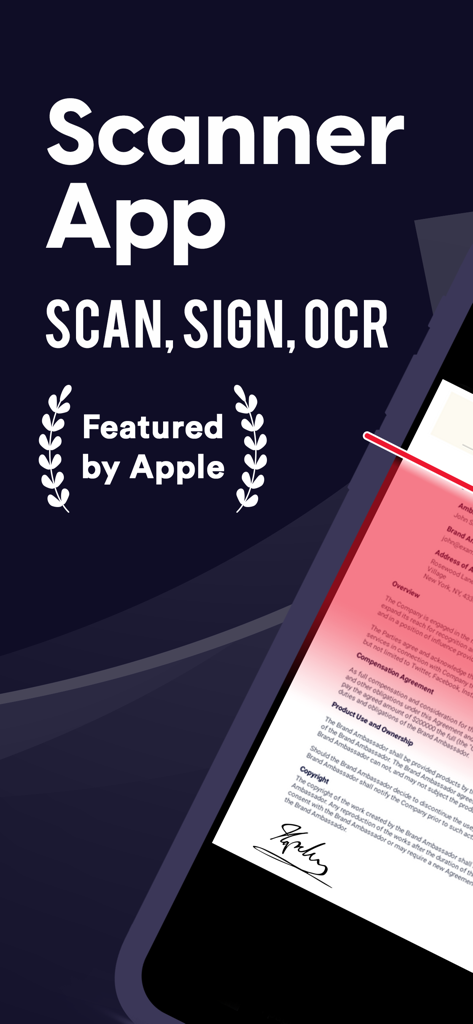
スキャナーアプリが書類のスキャンと署名機能を表示している様子

スキャナーアプリが書類のスキャンと署名機能を表示している様子

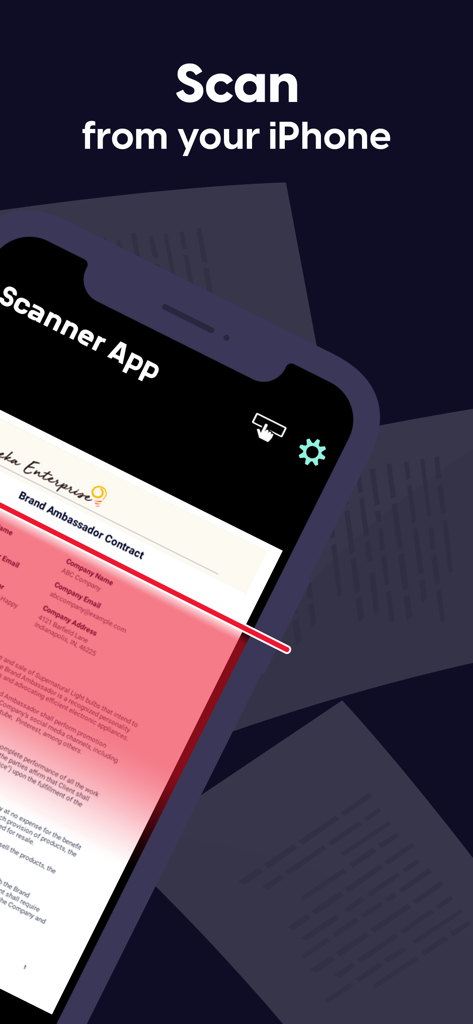
iPhoneがスキャナーアプリを使用してブランドアンバサダー契約書をスキャンしている様子

iPhoneがスキャナーアプリを使用してブランドアンバサダー契約書をスキャンしている様子

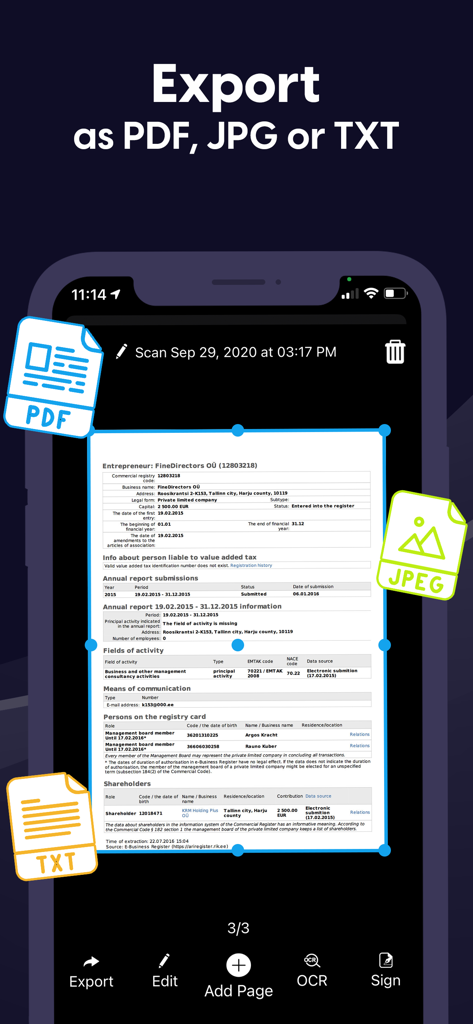
PDF、JPG、TXT形式で書類をエクスポートするためのスキャナーアプリのインターフェース

PDF、JPG、TXT形式で書類をエクスポートするためのスキャナーアプリのインターフェース

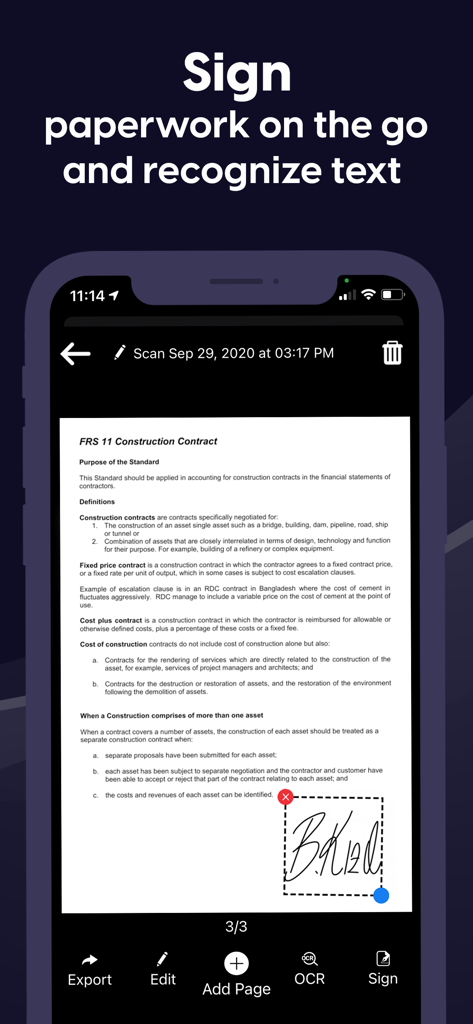
契約書にデジタル署名を追加しているユーザーを示すモバイルアプリのインターフェース

契約書にデジタル署名を追加しているユーザーを示すモバイルアプリのインターフェース

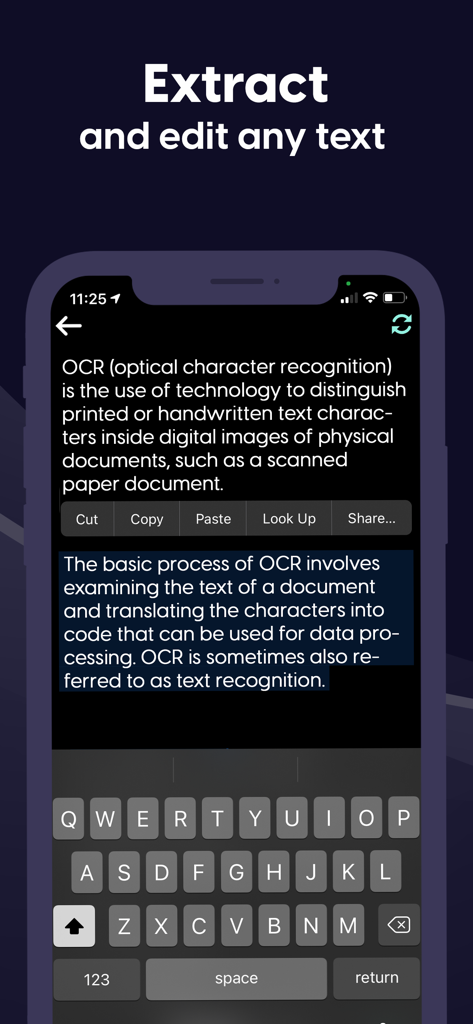
ドキュメントからテキストを抽出および編集するOCR機能を実証するモバイルインターフェース

ドキュメントからテキストを抽出および編集するOCR機能を実証するモバイルインターフェース

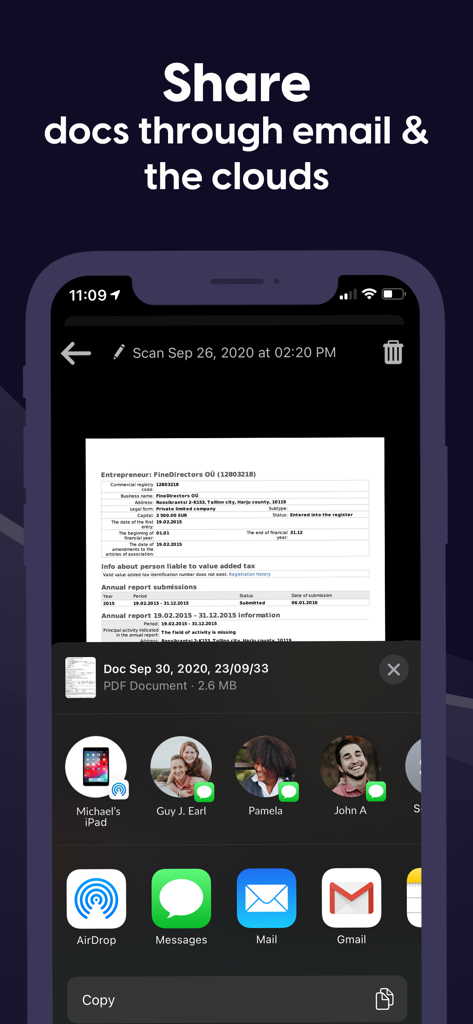
iPhoneでメールやクラウドサービス経由でスキャンした書類を共有する様子

iPhoneでメールやクラウドサービス経由でスキャンした書類を共有する様子

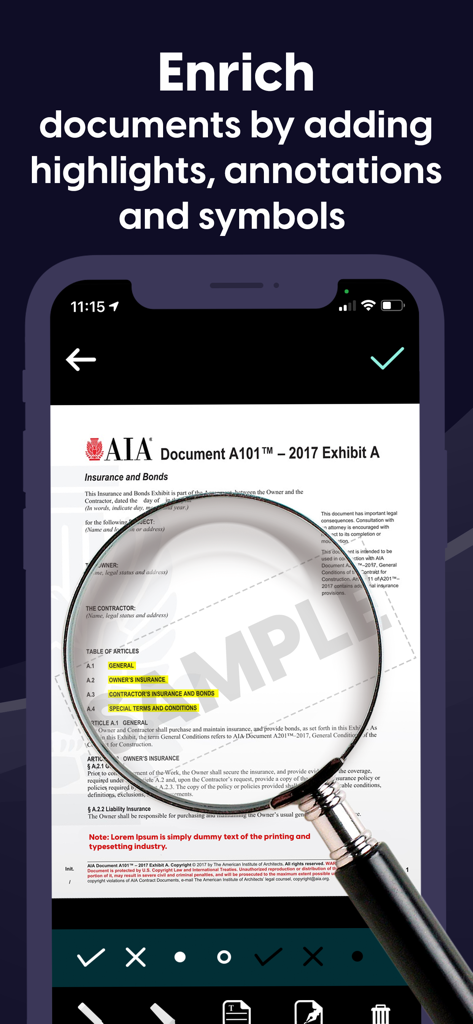
虫眼鏡ツールを使用してハイライトや注釈でドキュメントを編集している様子を示すモバイルアプリのインターフェース

虫眼鏡ツールを使用してハイライトや注釈でドキュメントを編集している様子を示すモバイルアプリのインターフェース

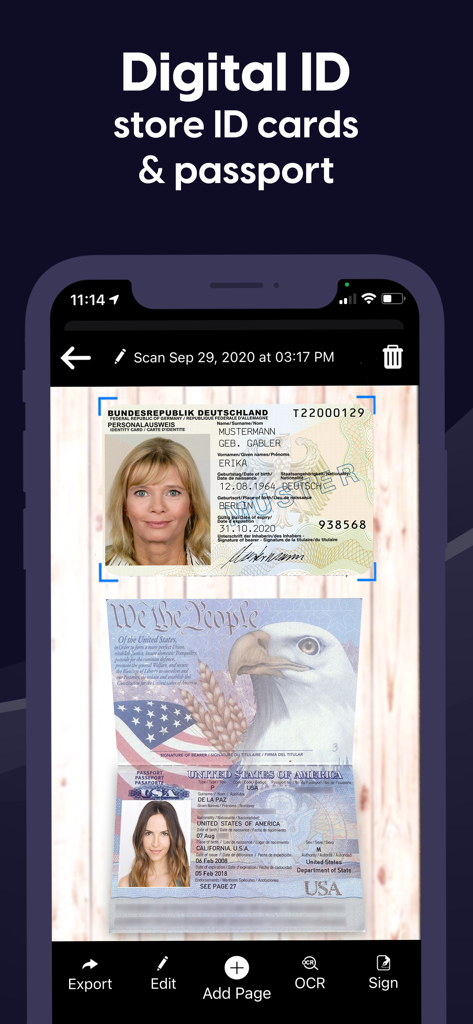
IDカードとパスポートのスキャンを表示し、エクスポート、編集、署名のオプションを提供するモバイルアプリのインターフェース

IDカードとパスポートのスキャンを表示し、エクスポート、編集、署名のオプションを提供するモバイルアプリのインターフェース

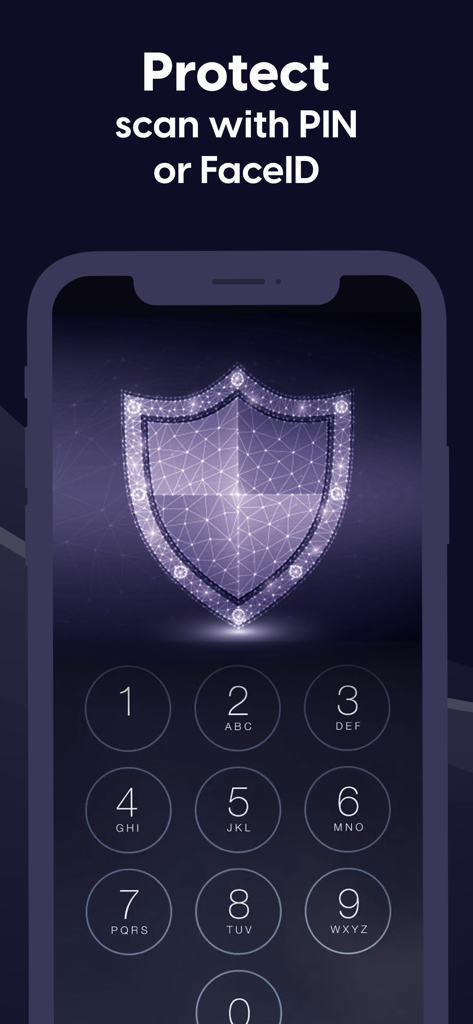
書類のPINおよびFaceID保護を示すデジタルシールドアイコンと数字キーパッドを特徴とするモバイルアプリ画面

書類のPINおよびFaceID保護を示すデジタルシールドアイコンと数字キーパッドを特徴とするモバイルアプリ画面

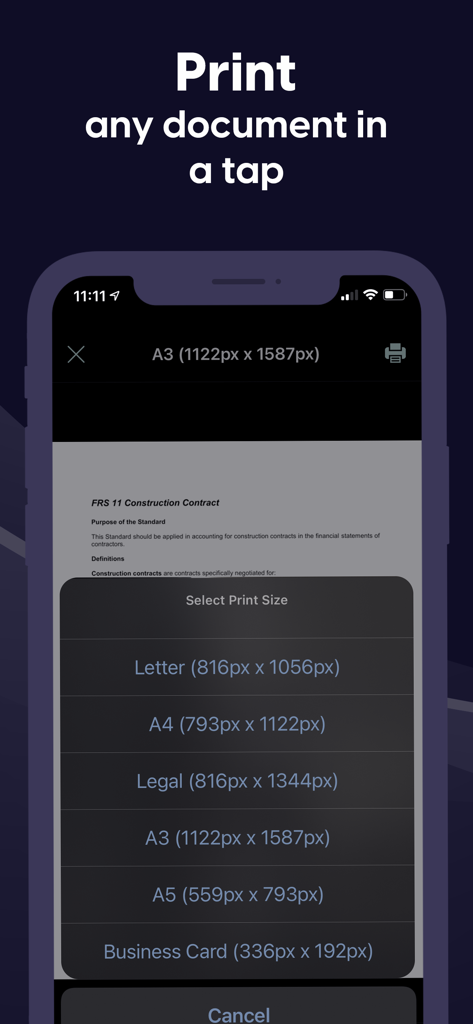
LetterやA4などのさまざまなサイズで書類を印刷するオプションを示すスキャナーアプリのモバイルインターフェース

LetterやA4などのさまざまなサイズで書類を印刷するオプションを示すスキャナーアプリのモバイルインターフェース

プロ仕様のオフィスがポケットに

このアプリを際立たせるツール、 5K+ 人のユーザーが選択.

✍️

インスタント電子署名&注釈

契約を締結し、書類を数秒で完成させましょう。プリンターやペンを使わずに、プロフェッショナルな署名やカスタムテキストをあらゆる書類に追加できます。

🔍

高精度スキャン&OCR

物理的なページを高画質PDFまたは編集可能なテキストに変換します。当社の高度なOCRテクノロジーは複数言語を認識し、データ抽出を容易にします。

🔒

銀行レベルのセキュリティ

FaceID、TouchID、またはPIN暗号化で機密契約書や個人IDを保護します。書類はローカルに保存されるため、個人データは厳密にプライベートに保たれます。

アプリについて

について知っておくべきこと Scanner App: Documents & Sign.

説明

Have to work from home? Scanner App makes it easy. Join our community of users who scan, sign and share docs with iPhone! Scanner App is a friendly scanner app that will turn your iPhone or iPad device into an impressive mobile scanner. It is the best way to scan, save and share any document in PDF or JPEG format. You can conveniently scan all types of items from long multipage contract documents to receipts, books, homework, notes and I.D. documents. Scans can be stored as multipage PDF and JPEG files. Scanner App will become a necessity in your normal routine and you won’t know how much need it until you are without it. Forget your clunky office scanner and get this ultra-fast pdf scanner app now! Save more time with our e-sign and add text features. These features allow you to add your signature or text to electronic documents with just a simple few taps! Use our text recognition feature to convert any scan into text and then edit it to your liking. The advanced text scanner supports multiple languages such as English, German, French, Spanish, Italian,Japanese, Chinese, Portuguese, Russian, Korean, Dutch, Swedish, Norwegian, Turkish, Ukrainian, Arabic, Hindi, Hebrew and even converts different languages in the same document. The app is also a fast QR scanner. Scanner App is the perfect travel companion for your business needs. All scanned documents are stored locally on your device, they are inaccessible to us and to any third-party. You can easily share the documents by using the export option. If you need to protect your scans you can setup a password for the app or use FaceID to protect your documents. We offer: an Enhanced PDF Scanner app, Document Editor, File Manager, and Document Sharing Tools PDF Scanner: – Scan to high-quality PDF or JPEG – Multipage scanning - scan as many pages as you need – OCR (convert any scan into text) – Automatic shutter and border detection for any scannable object Document Editor: – E-Sign or add text to any documents in a few taps – Save your scans in black and white, grayscale or color File Manager: – Full featured file manager with folders, drag & drop and document editing – Protect your scans with Touch/Face ID or pin code – Sort documents by name, date or time Document Sharing Tools: – Share via email, messengers and cloud services such as Dropbox and Google Drive as PDF, JPEG – Print your scans with any Wi-Fi printer – Save scans to Camera Roll Information about the auto-renewal of subscription: – Free trial period is provided – Payment will be charged to iTunes Account at confirmation of purchase - Subscription automatically renews unless auto-renew is turned off at least 24-hours before the end of the current period - Subscriptions may be managed by the user and auto-renewal may be turned off by going to the user’s Account Settings after purchase – Any unused portion of the free trial will be forfeited when the user purchases a subscription – If you have an active subscription, please restore by opening the settings menu and tapping restore purchase The following subscription plans are available (price may vary depending on location): • 1 week subscription with 3-day trial version – US$ 9.99 • Lifetime access – US$ 159.99 Privacy Policy: https://sevenmileapps.com/pdfscanner/PrivacyPolicy.html Terms of Service: https://sevenmileapps.com/pdfscanner/termsofservice.html Billing Terms: https://sevenmileapps.com/pdfscanner/subscriptionterms.html We value your comments and suggestions. Please don’t hesitate to email us at support@sevenmileapps.com

最新バージョン

1.48

サイズ

80.5 MB

リリース日

2019年12月19日

ワークフローに革命を起こす準備はできましたか?

数千人ものリモートプロフェッショナルに加わり、書類を簡単にスキャン、署名、共有しましょう。今すぐスキャナーアプリをダウンロードして、iPhoneを高性能モバイルオフィスに変えましょう。

ダウンロード: App Store

App information, icons, screenshots, and descriptions displayed on this page are sourced from the Apple App Store and are the property of their respective developers. Download estimates and rankings are based on MWM's proprietary models and may not reflect actual figures. This page is provided for informational and analytical purposes only.

Believe this page infringes your intellectual property? File a dispute