Scanner App Pro: Scan Edit PDF

Scanner App Pro: Scan Edit PDF

ダウンロード: App Store
ロゴ: Scanner App Pro: Scan Edit PDF

Scanner App Pro:文書を瞬時にスキャン、編集、ファックス

iPhoneを高機能ポケットオフィスに変えましょう。契約書にデジタル署名し、OCRでテキストを抽出し、世界中にファックスを送信できます。移動の多い現代のプロフェッショナルのために設計されています。

開発元

IFUNPLAY CO., LTD.

カテゴリ

Business

ダウンロード

307K+

ユーザー評価

4.7/5

評価数

1K+

対応言語

1

あなたのオフィス、どこでも

このインターフェースを利用する 307K+ 人のユーザー.

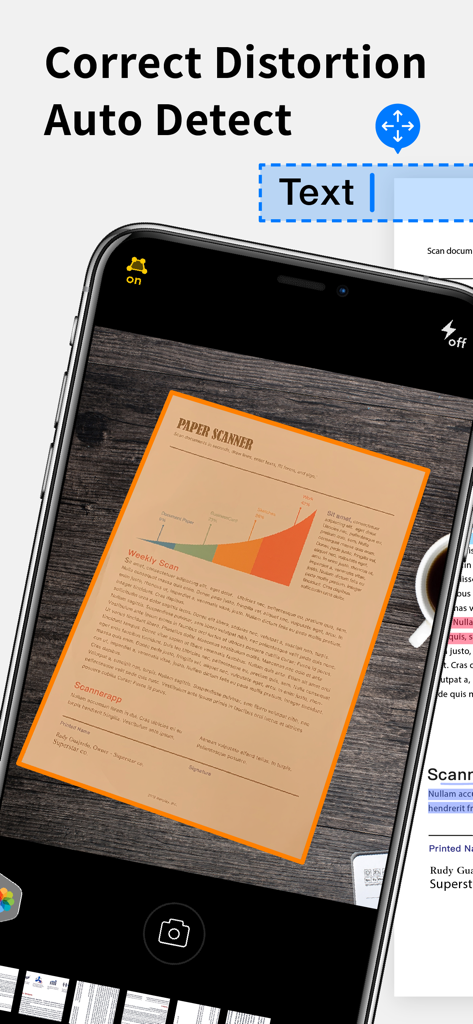
Scanner App Proが自動検出と歪み補正を使用して紙の文書をスキャンしているiPhone画面を表示

Scanner App Proが自動検出と歪み補正を使用して紙の文書をスキャンしているiPhone画面を表示

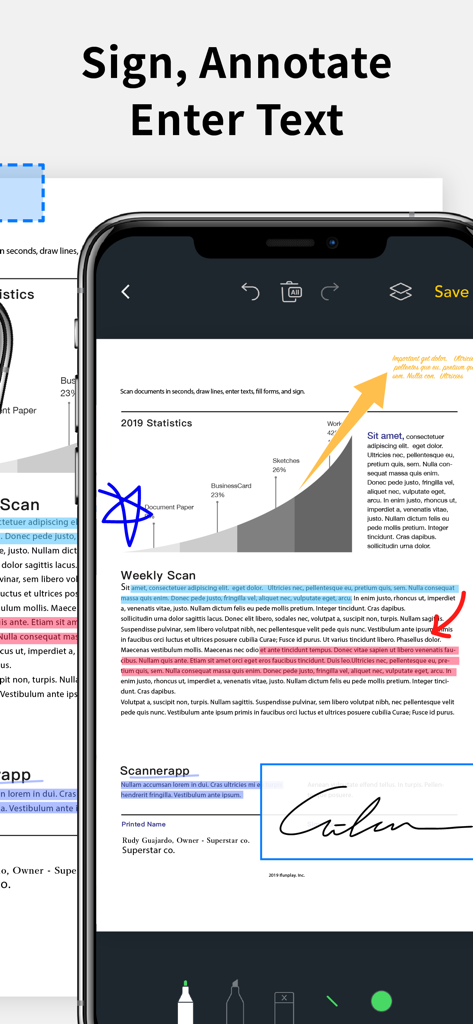
PDFドキュメントに署名、注釈付け、ハイライト表示するためのScanner App Proインターフェイスを示すiPhone画面を表示

PDFドキュメントに署名、注釈付け、ハイライト表示するためのScanner App Proインターフェイスを示すiPhone画面を表示

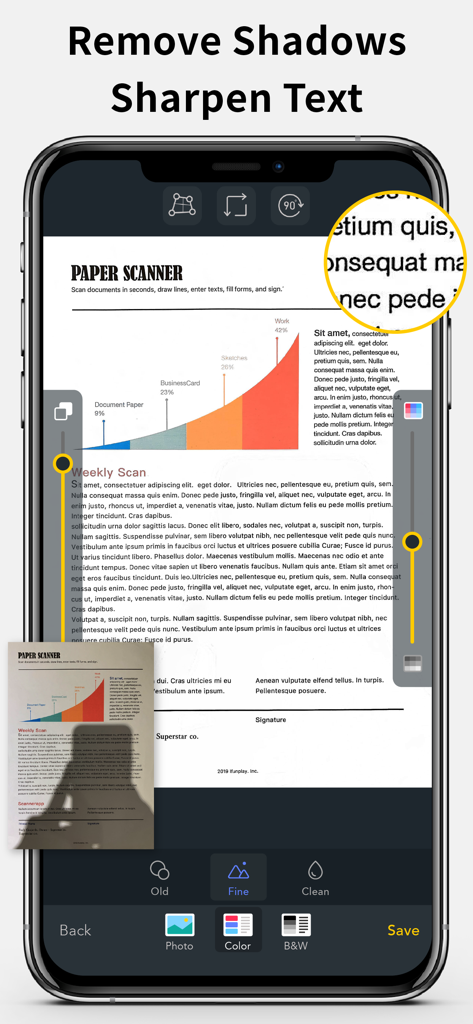
クリアなPDFスキャン用の影除去およびテキストシャープ機能を示すドキュメントスキャナーアプリインターフェイス

クリアなPDFスキャン用の影除去およびテキストシャープ機能を示すドキュメントスキャナーアプリインターフェイス

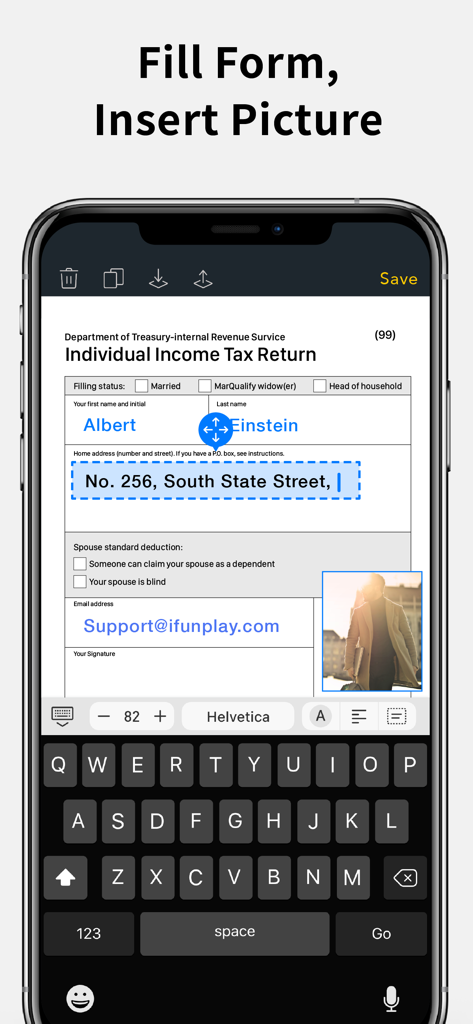
税務フォームに記入して画像挿入に使用されるScanner App Proインターフェイスを示すスマートフォンの画面を表示

税務フォームに記入して画像挿入に使用されるScanner App Proインターフェイスを示すスマートフォンの画面を表示

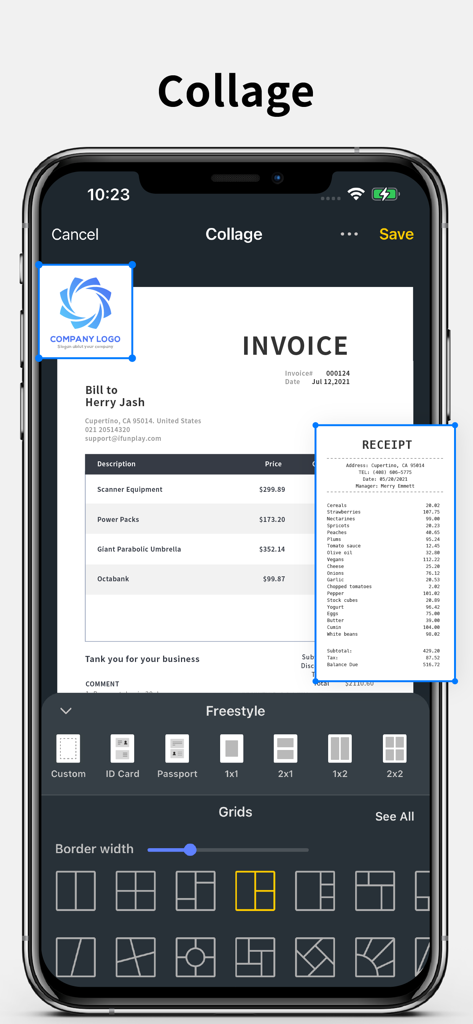
請求書と領収書のレイアウトオプションを備えたドキュメントコラージュ機能を示すiPhoneスクリーンショット

請求書と領収書のレイアウトオプションを備えたドキュメントコラージュ機能を示すiPhoneスクリーンショット

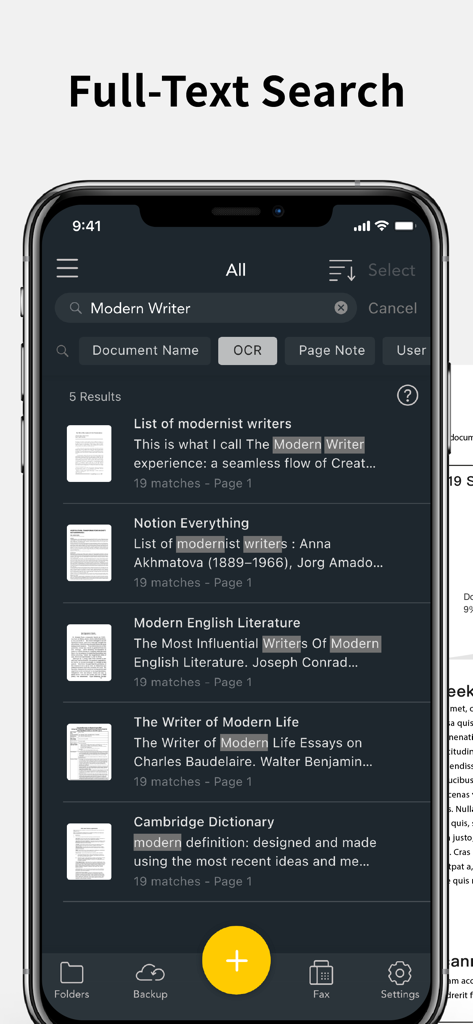
OCRを使用してスキャンされたドキュメント内のキーワードを検索するScanner App Proのフルテキスト検索機能を示すiPhoneスクリーンショット

OCRを使用してスキャンされたドキュメント内のキーワードを検索するScanner App Proのフルテキスト検索機能を示すiPhoneスクリーンショット

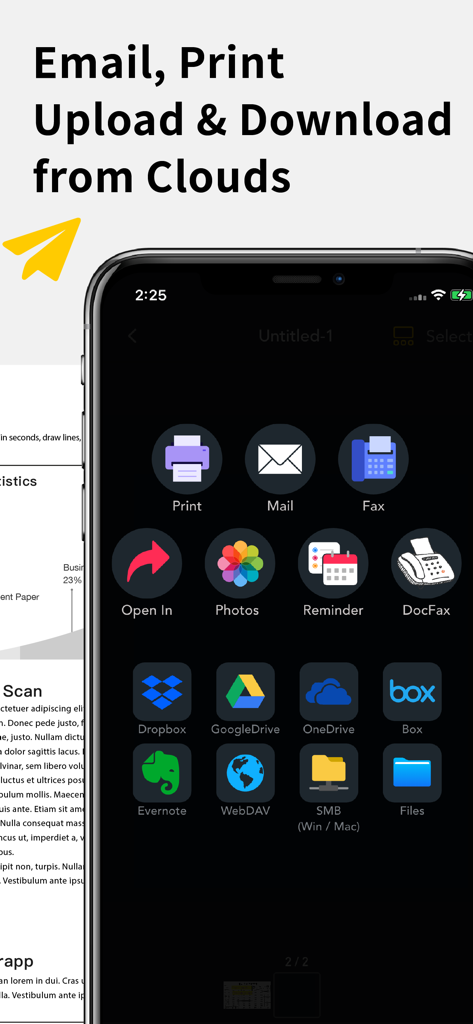
Scannerアプリインターフェイスは、Google DriveやDropboxなどのクラウドストレージサービスにドキュメントをメール、印刷、ファックス、アップロードするためのオプションを表示

Scannerアプリインターフェイスは、Google DriveやDropboxなどのクラウドストレージサービスにドキュメントをメール、印刷、ファックス、アップロードするためのオプションを表示

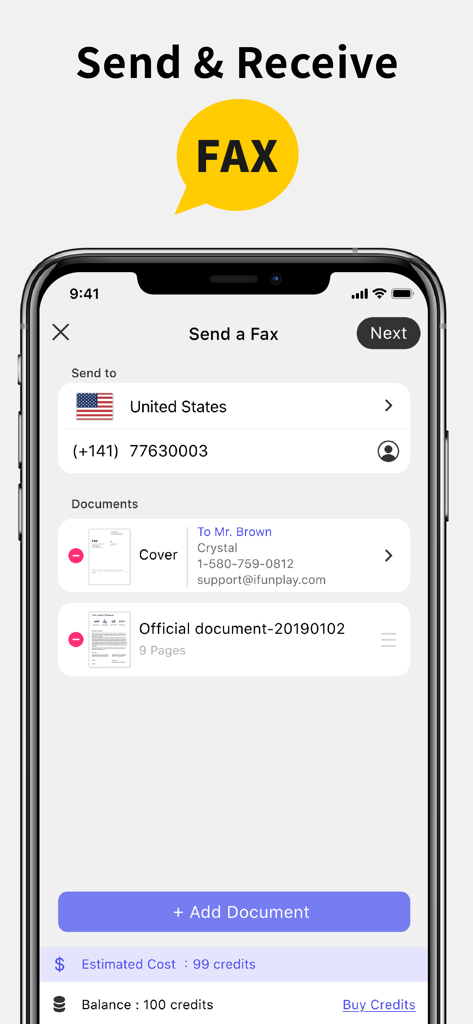
ドキュメント選択とクレジット残高が表示されるファックス送信画面を示すScanner App Proのインターフェイス

ドキュメント選択とクレジット残高が表示されるファックス送信画面を示すScanner App Proのインターフェイス

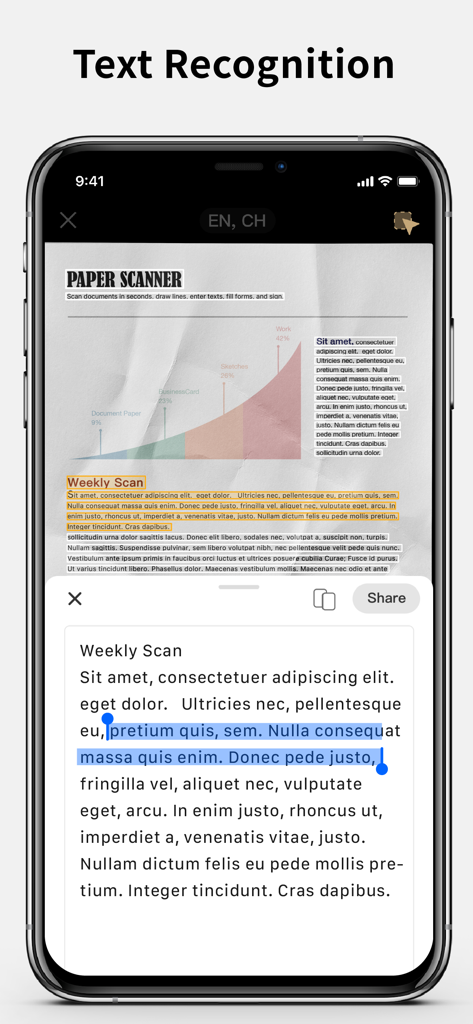
スキャンされたドキュメントからテキストを抽出するテキスト認識機能を示すiPhone画面を表示

スキャンされたドキュメントからテキストを抽出するテキスト認識機能を示すiPhone画面を表示

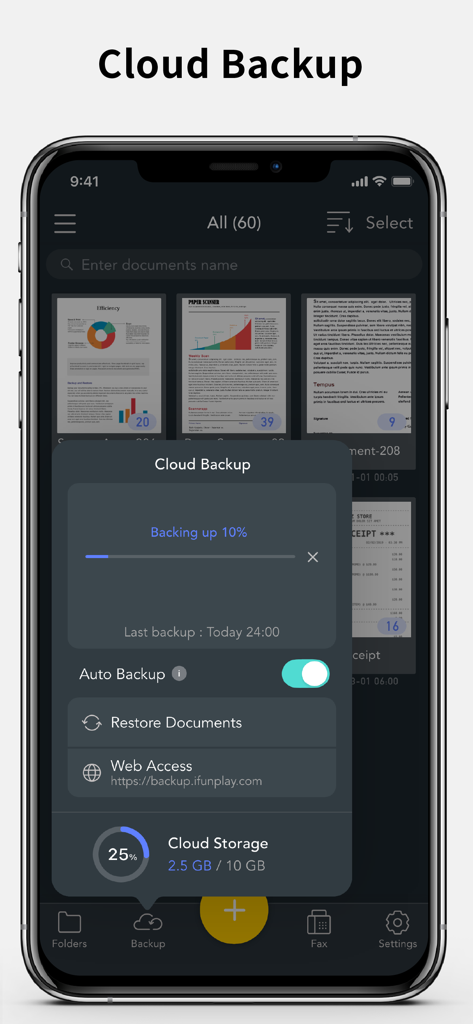
Scanner App Proクラウドバックアップインターフェイスは、iPhoneでのドキュメントアップロードの進捗状況とストレージステータスを表示

Scanner App Proクラウドバックアップインターフェイスは、iPhoneでのドキュメントアップロードの進捗状況とストレージステータスを表示

書類業務のためのオールインワンパワフルツール

このアプリを際立たせるツール、 307K+ 人のユーザーが選択.

📄

クリアなモバイルスキャン

紙の文書を瞬時にプロフェッショナルなPDFに変換します。高精度のOCRでテキストを抽出し、自動的に歪みを補正して、常に完璧な結果を得られます。

✍️

その場で署名&編集

デスクに戻るのを待つ必要はありません。画面上で直接署名を追加したり、フォームに記入したり、文書に注釈を付けたりして、数秒で共有できます。

📠

内蔵グローバルファックス

オフィスまで行く必要はありません。リアルタイムのステータス更新で、100カ国以上にファックスを送受信できます。かさばるハードウェアは不要です。

アプリについて

について知っておくべきこと Scanner App Pro: Scan Edit PDF.

説明

Scan and OCR documents in seconds, draw lines, edit texts, fill forms, collage, and sign. Share as PDF / JPEG by email, WiFi file sharing, cloud storages, smb, webdav, and fax. Powerful Scanning & OCR • Instantly scan paper documents, whiteboards, business cards, books, posters, and receipts with sharp clarity. • Auto-detect document edges to correct perspective distortion. • Enhance readability by removing background shadows and sharpening text in “Color” or “B&W” mode. • Adjust brightness and saturation in “Photo” mode. • Edit text, draw lines, and insert images. • Extract text from scanned images using OCR and export as TXT or DOCX. Photo Collage & Multi-Page Printing • Merge multiple pages into a single sheet—perfect for printing double-sided ID cards on A4/Letter paper. Save, Print & Organize • Save scans as JPEG or export as PDF. • Print wirelessly with AirPrint-supported printers. • Organize scans into folders, browse with thumbnail previews, and search by file name, OCR text, or notes. • Add annotations, signatures, and password protection for documents. Convenient Faxing • Send and receive faxes anywhere—no fax machine needed. • Receive push notifications for fax status updates. • Fax to 100+ countries (cost based on page count and recipient country). • Subscribe to a fax number for incoming faxes or disable fax reception when not needed. Seamless File Sharing & Export • Support exporting searchable PDFs • Transfer files between devices effortlessly. • Share as JPEG/PDF via email or open in other apps. • Save to Photos, iCloud Drive, Google Drive, Dropbox, OneDrive, Evernote, WebDAV, and more. • Access files from a PC using a web browser over WiFi. • Export to Reminders and sync with Apple, Google, or Outlook calendars. Easy File Import • Import JPEG images from other apps for cropping and enhancement. • Import PDFs as scanned pages. • Import files from cloud storage services. Effortlessly manage and digitize your documents—anytime, anywhere! Subscription Plans Unlock premium features with Silver, or Gold plans, including: • Cloud Backup & Restore: Access previous versions of your documents anytime • Flexible subscription options: Monthly or annual plans available • Subscription renews automatically unless auto-renew is turned off at least 24 hours before the end of the current period • Account will be charged for renewal within 24 hours before the end of the current period. The cost depends on the selected plan • Subscriptions may be managed by the user, and auto-renewal may be turned off by going to the user's Account Settings after purchase • Any unused portion of the free trial will be forfeited when the user purchases a subscription or cancel it Terms of Service: https://ifunplay.com/legal.html

最新バージョン

18.4.9

サイズ

261.9 MB

リリース日

2012年12月20日

あなたの完全なモバイルオフィスがワンタップで利用可能に

30万人以上のプロフェッショナルが簡単に文書をスキャン、署名、ファックスしています。Scanner App Proをダウンロードして、今日のワークフローを簡素化しましょう。

ダウンロード: App Store

App information, icons, screenshots, and descriptions displayed on this page are sourced from the Apple App Store and are the property of their respective developers. Download estimates and rankings are based on MWM's proprietary models and may not reflect actual figures. This page is provided for informational and analytical purposes only.

Believe this page infringes your intellectual property? File a dispute