Scanner: PDF Document Scan App
ダウンロード: App Store

このページはアプリまたはその開発者の公式ページではなく、情報提供および論評を目的として作成された独立した編集出版物です。明示的に別段の記載がない限り、アプリおよびその開発者は、MWM、Apple、Google Play、アプリのパブリッシャー、またはアプリの開発者と提携、承認、後援、認可、またはその他の公式的な関係はなく、このページのいかなる内容も、アプリがMWMのサービスを使用して開発されたことを意味するものではありません。すべての商標、ロゴ、スクリーンショット、その他のコンテンツはそれぞれの所有者の財産です。

ロゴ: Scanner: PDF Document Scan App
ダウンロード: App Store

Scanner: PDF Document Scan App

プロフェッショナルや学生がドキュメントをデジタル化するための最速の方法。高品質の PDF をスキャン、強化、エクスポートして、お気に入りのクラウド サービスに数秒で送信します。

主要数値

ダウンロード

0

ユーザー評価

1.0/5

評価数

0

開発元

Jayshree Chudasma

カテゴリ

Business

対応言語

2

最新バージョン

1.0.7

サイズ

11.5 MB

リリース日

2020年12月29日
機能

ポケットに入るプロフェッショナル オフィスのパワーを体験

かさばる機械や邪魔な広告に別れを告げましょう。外出先でのプロフェッショナルや学生向けに設計された直感的なスキャンツールを使用して、高品質のドキュメントを即座にデジタル化、強化、共有します。

超高速バッチ スキャン

手作業はスキップしてください。AI が自動的にエッジを検出し、1 回のセッションで複数のページをキャプチャし、数秒で書類の山を整理された PDF に変換します。

クリアなドキュメント品質

スキャンを元の状態よりも良く見せましょう。スマート トリミングとプロフェッショナル フィルターを使用して、契約書、レシート、メモが常にシャープでプロフェッショナルであることを確認してください。

以下のスクリーンショットと説明は、アプリの公式ストアリスティングから直接取得されたものであり、アプリ開発者の所有物です。

アプリストア

スクリーンショット
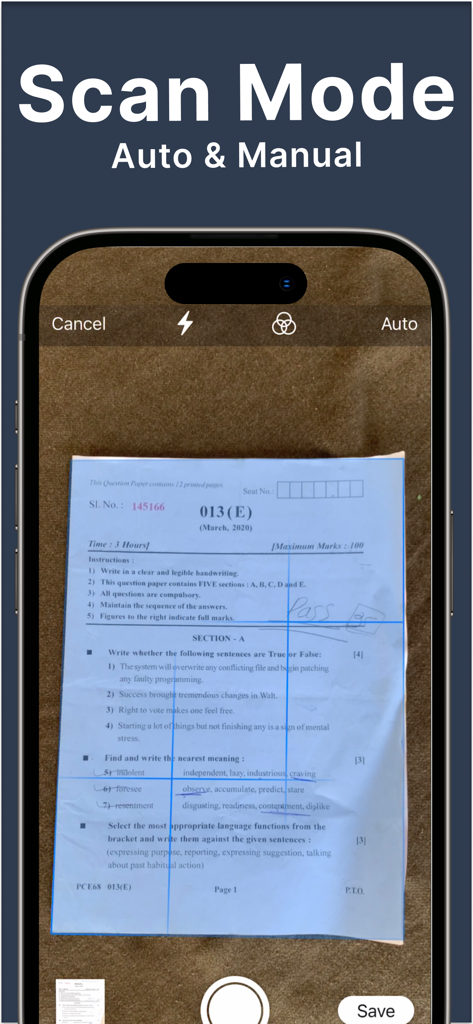
Scanner: PDF Document Scan App - スキャン用の自動ドキュメント エッジ検出を示すモバイル アプリ インターフェイス
スキャン用の自動ドキュメント エッジ検出を示すモバイル アプリ インターフェイス

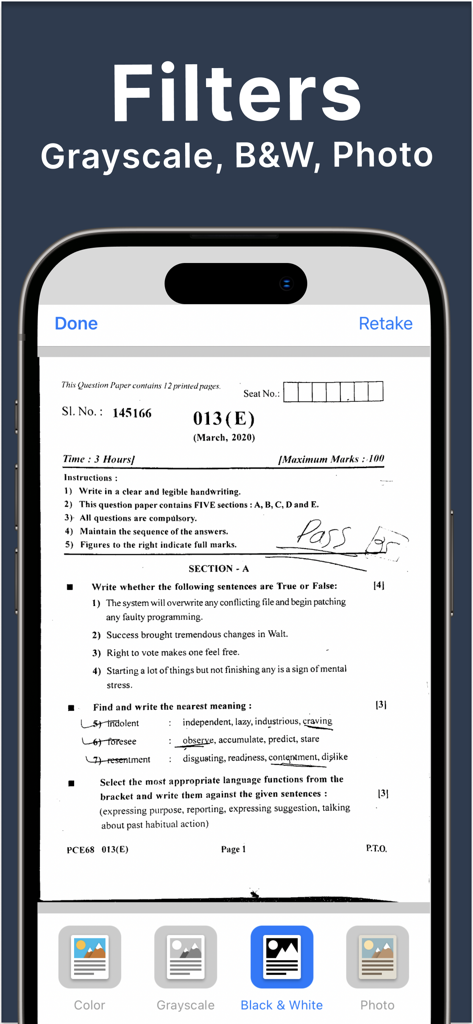
Scanner: PDF Document Scan App - グレースケールや白黒などのドキュメント スキャン フィルターを表示するスマートフォン インターフェイス
グレースケールや白黒などのドキュメント スキャン フィルターを表示するスマートフォン インターフェイス

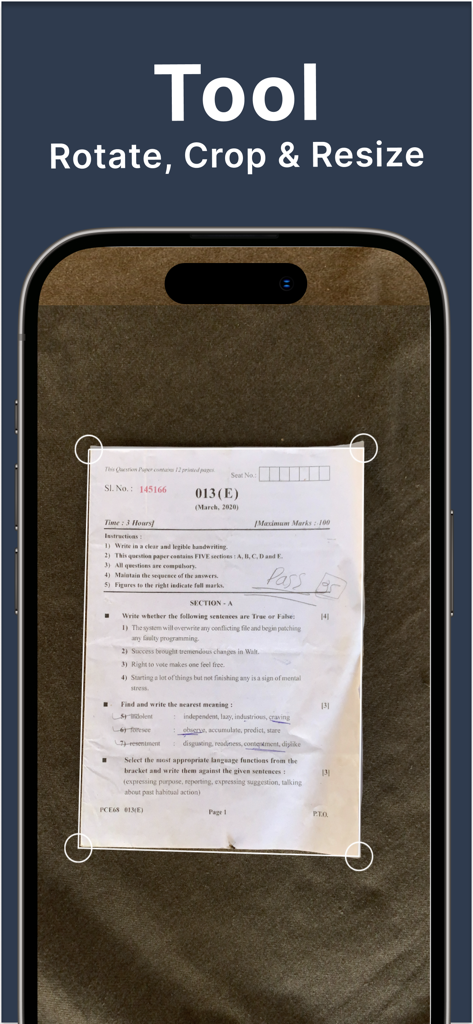
Scanner: PDF Document Scan App - ドキュメント スキャナー アプリの回転、トリミング、サイズ変更ツールを表示する iPhone 画面
ドキュメント スキャナー アプリの回転、トリミング、サイズ変更ツールを表示する iPhone 画面

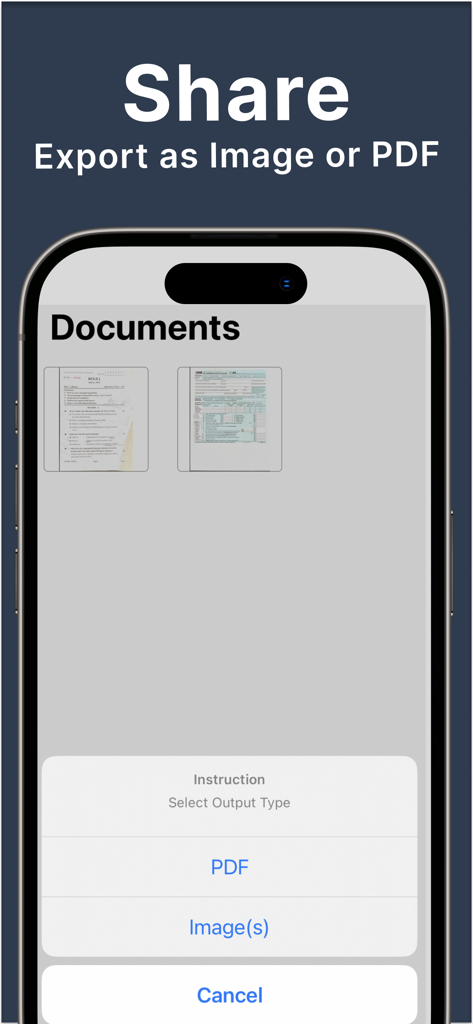
Scanner: PDF Document Scan App - スキャンを PDF または画像ファイルとしてエクスポートするオプションを示すドキュメント スキャナー アプリのインターフェイス

スキャンを PDF または画像ファイルとしてエクスポートするオプションを示すドキュメント スキャナー アプリのインターフェイス

説明

Scanner: PDF Document Scan App is the best & easy document scanner. Scanner App allows you to work and study anywhere, even if you don’t have access to a laptop or scanning and printing machine.  Cam Scanner is portable. It’s Ads free. ***** DOCUMENT SCANNER ***** Our Scanner Guru App is a must-have for those who work remotely or on the go, students and educators, and anyone involved in a small business: accountants, realtors, managers, or lawyers. Digitize the files you need – contracts, tax forms, tickets, receipts, handwritten notes, assignments – and export them as PDF or JPG The Genius Turbo App Available for iPhone and iPad. ***** FEATURES ***** - Scan your documents - Auto/Manual scanning mode - Batch scanning: multiple docs scan in a single session - Automatically detects page edges - Simple scan are optimized to run very fast - Filters: Scan color, grayscale, or black & white - Enhancement includes smart cropping, rotation and many more - Output as Image OR PDF & Images to PDF Converter - Export high-quality PDF or Image - Upload to the cloud: Google Drive, Dropbox etc via share ***** ADDITIONAL FEATURES ***** - Thumbnail or list view, sorted by date or title - Export as individual images - Export and share all your PDF/Images right from the app with a single tap. Send via iMessage, Open in other apps, Print, etc. ***** REAL-WORLD USAGE OF THE SCAN APP ***** - Can be used in an office, school, home and any place you want - Government: Passport, Licence, Identity Document, Memo - Business: Bill, Invoice, Contract, Business Card, Receipts - Education: Notebooks Scans & Print, Whiteboard, Script, Letter, Blackboard, Article, Painting & Drawing Genius App: Making your documents better than they are! ***** IN-APP SUBSCRIPTION TERMS ***** - Subscription automatically renews for the same price and duration period as the original "one month"/"one year" package unless auto-renew is turned off at least 24-hours before the end of the current period - Payment will be charged to iTunes Account at confirmation of purchase - Subscriptions may be managed by the user and auto-renewal may be turned off by going to the user's Account Settings after purchase - Any unused portion of a free trial period, if offered, will be forfeited when the user purchases a subscription to that publication, where applicable Privacy Policy: http://bpmob.com/scannerfree/privacy Terms of Use: http://bpmob.com/scannerfree/terms Free Download the best free mobile scanner to convert photos and documents into PDFs or Images. We’d love to hear from you! Please leave a review to help us make Scanner App even better.  You can also get in touch with us at app.dev.team99@gmail.com

Download

ダウンロード: App Store

このページはアプリまたはその開発者の公式ページではなく、情報提供および論評を目的として作成された独立した編集出版物です。明示的に別段の記載がない限り、アプリおよびその開発者は、MWM、Apple、Google Play、アプリのパブリッシャー、またはアプリの開発者と提携、承認、後援、認可、またはその他の公式的な関係はなく、このページのいかなる内容も、アプリがMWMのサービスを使用して開発されたことを意味するものではありません。すべての商標、ロゴ、スクリーンショット、その他のコンテンツはそれぞれの所有者の財産です。








