SCANNER - PDF Document Scan

SCANNER - PDF Document Scan


ダウンロード: App Store
ロゴ: SCANNER - PDF Document Scan

SCANNER - PDFドキュメントスキャン:あなたのプロフェッショナルモバイルオフィス

OCR精度で書類をスキャン、署名、変換する、ハイブリッドプロフェッショナル向けオールインワンツール。FaceIDで機密データを保護し、デバイス間で即座に同期します。

開発元

Zafar Ullah

カテゴリ

Business

ダウンロード

2M+

ユーザー評価

4.4/5

評価数

30K+

対応言語

11

あなたのモバイルオフィスを視覚化

このインターフェースを利用する 2M+ 人のユーザー.

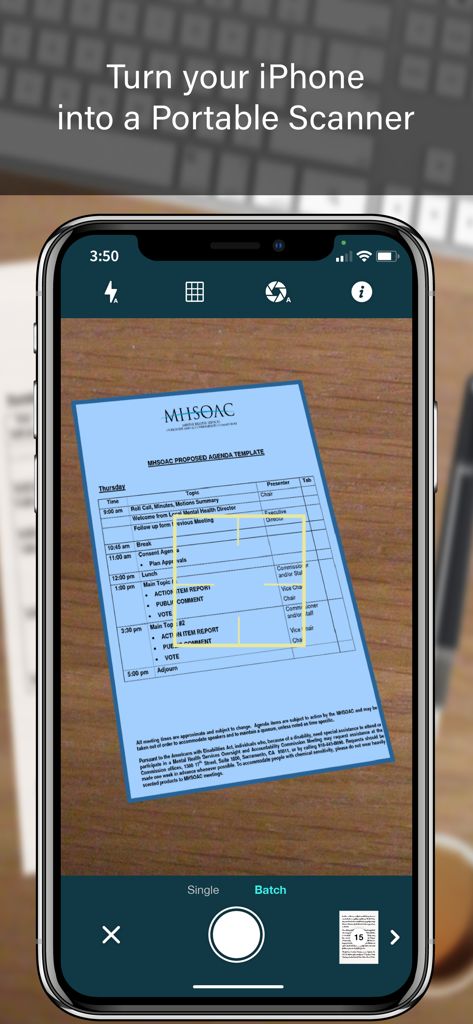
iPhone画面に、自動エッジ検出とバッチスキャンモードでドキュメントをキャプチャしているSCANNERアプリのインターフェースを表示

iPhone画面に、自動エッジ検出とバッチスキャンモードでドキュメントをキャプチャしているSCANNERアプリのインターフェースを表示

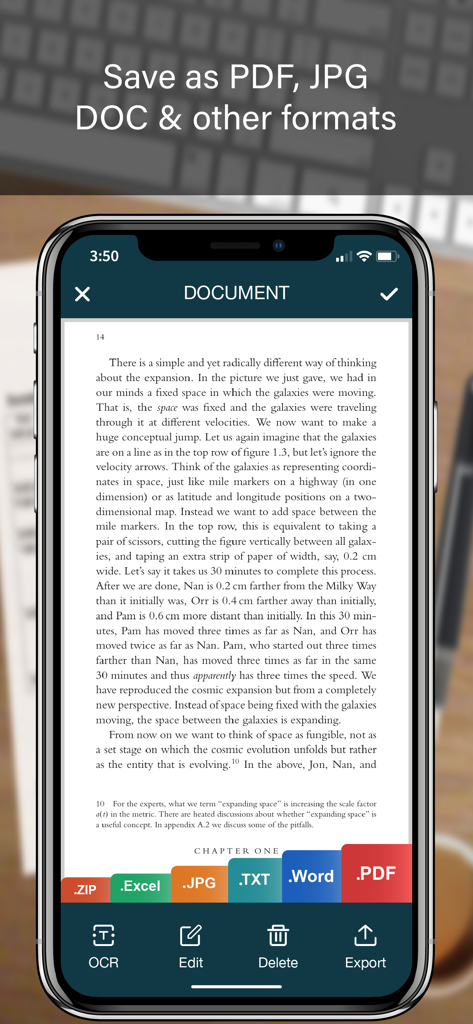
PDF JPG WordおよびExcelのエクスポートオプションが表示されたドキュメントのモバイルスキャナーアプリインターフェース

PDF JPG WordおよびExcelのエクスポートオプションが表示されたドキュメントのモバイルスキャナーアプリインターフェース

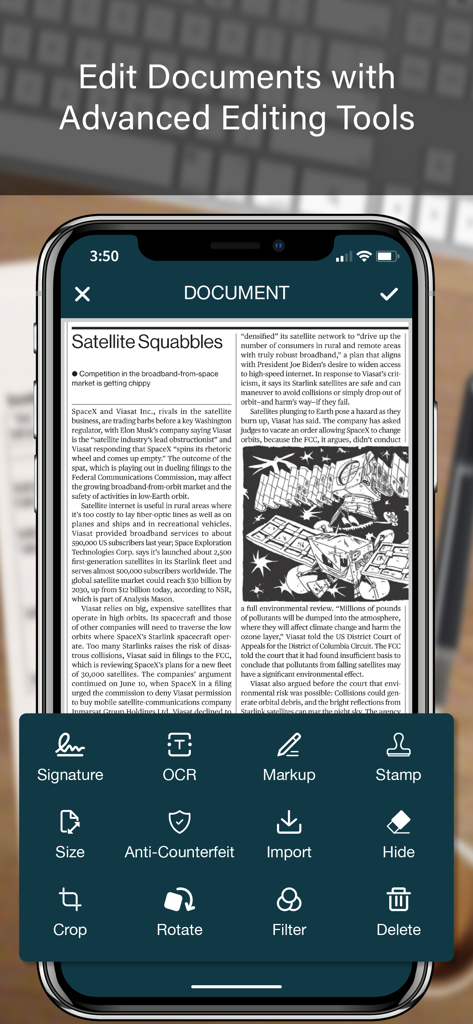
SCANNERアプリのインターフェースで、OCR、デジタル署名、マークアップなどの高度なドキュメント編集ツールを表示

SCANNERアプリのインターフェースで、OCR、デジタル署名、マークアップなどの高度なドキュメント編集ツールを表示

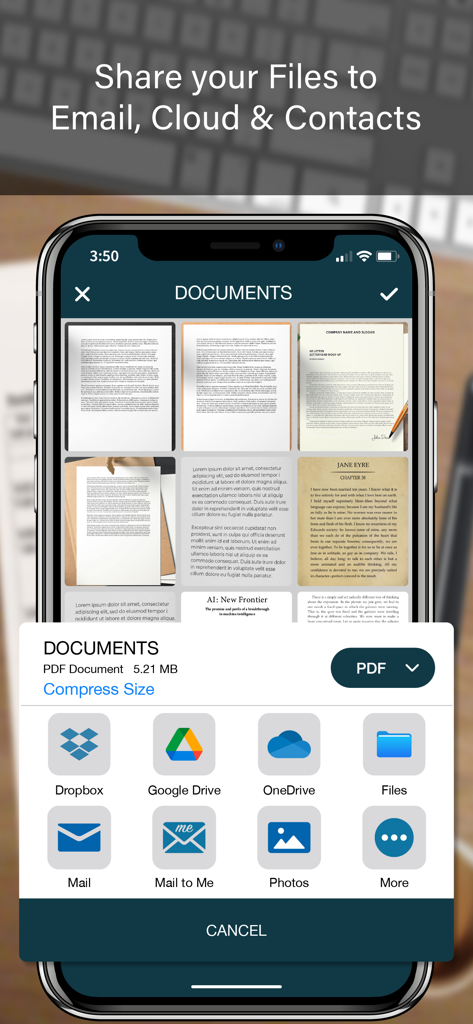
クラウドストレージやメールなどのPDFスキャナーアプリのドキュメント共有オプションを表示するモバイルインターフェース

クラウドストレージやメールなどのPDFスキャナーアプリのドキュメント共有オプションを表示するモバイルインターフェース

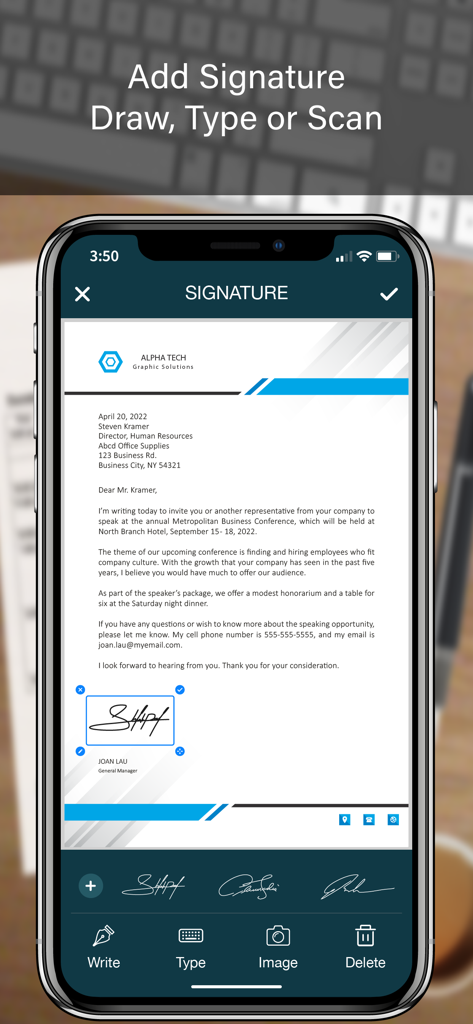
ビジネス文書にデジタル署名を追加する方法を示すモバイルアプリインターフェース

ビジネス文書にデジタル署名を追加する方法を示すモバイルアプリインターフェース

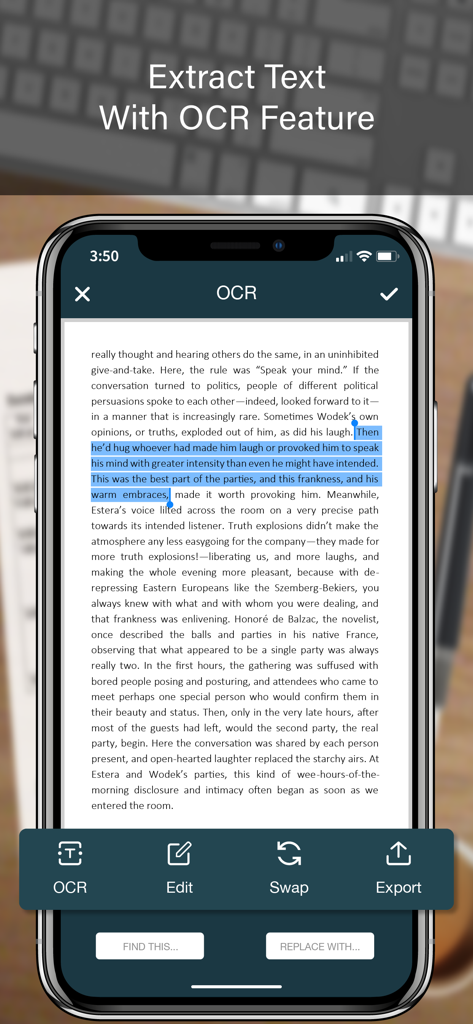
スキャンされたドキュメントからのOCRテキスト抽出を示すモバイルアプリ画面

スキャンされたドキュメントからのOCRテキスト抽出を示すモバイルアプリ画面

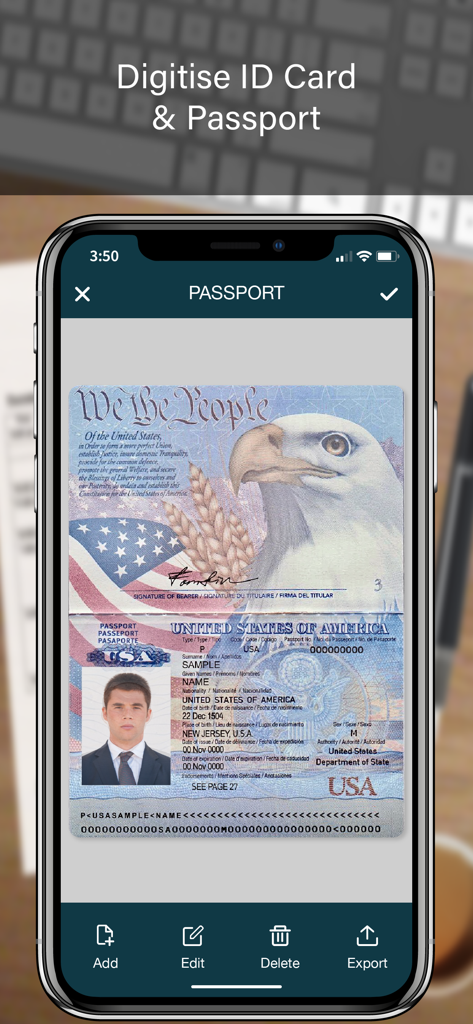
デジタルドキュメントストレージのためにスキャンされた米国パスポートを示すモバイルアプリ画面

デジタルドキュメントストレージのためにスキャンされた米国パスポートを示すモバイルアプリ画面

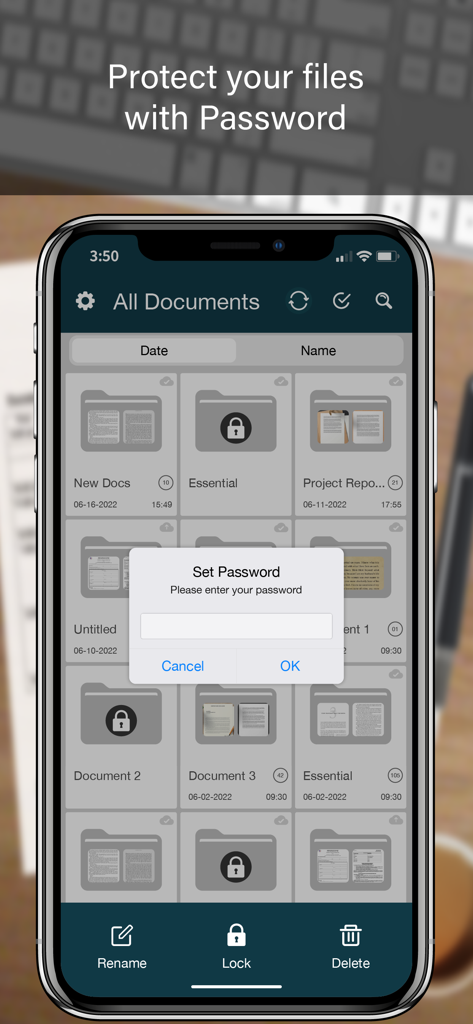
フォルダリストの上にパスワードロックプロンプトが表示されたドキュメントスキャナーアプリを示すスマートフォン画面

フォルダリストの上にパスワードロックプロンプトが表示されたドキュメントスキャナーアプリを示すスマートフォン画面

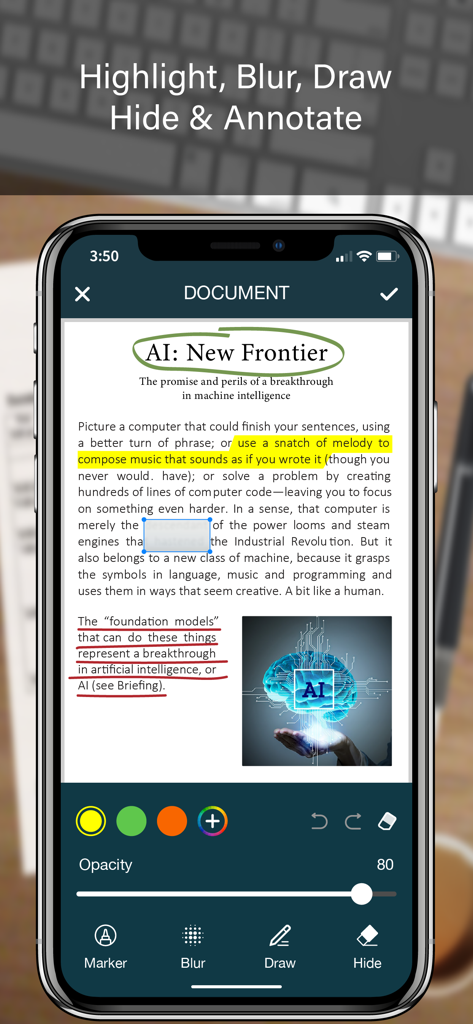
スキャンされたPDFドキュメントにハイライト、ぼかし、描画などのドキュメント注釈機能を表示するiPhone画面

スキャンされたPDFドキュメントにハイライト、ぼかし、描画などのドキュメント注釈機能を表示するiPhone画面

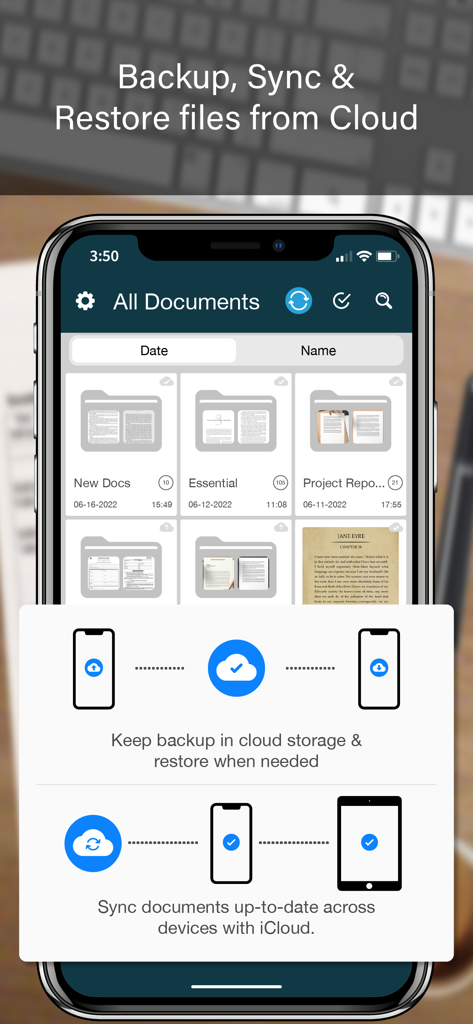
iPhone上のドキュメント整理とクラウドバックアップ機能を表示するSCANNERアプリのインターフェース

iPhone上のドキュメント整理とクラウドバックアップ機能を表示するSCANNERアプリのインターフェース

モバイルオフィスに必要なすべて

このアプリを際立たせるツール、 2M+ 人のユーザーが選択.

🖋️

即座に署名&封印

どこにいても、デジタル署名と公式スタンプで契約を締結し、プロフェッショナルとしての信頼性を維持します。

📊

スマートOCR&データ抽出

高精度認識により、紙の領収書や表を編集可能なExcel、Word、テキストファイルに変換し、手入力の手間を省きます。

🛡️

安全なドキュメント保管庫

Face IDフォルダロックと偽造防止透かしで、機密性の高い顧客データを保護し、プロ仕様のセキュリティを提供します。

アプリについて

について知っておくべきこと SCANNER - PDF Document Scan.

説明

SCANNER is the easiest & simple app to use, which will turn your iPhone into a portable mobile scanner. Use SCANNER to scan receipts, notes, invoices, whiteboard discussions, business cards, certificates, photo & just anything you want. Easily scan, save and share any document in PDF, DOC, EXCEL, TEXT, ZIP & JPEG format. ** Key Feature ** ============== ADVANCED & HIGHLY OPTIMIZED SCANNER : - Scan to create high quality PDF, DOC, EXCEL, TEXT, ZIP & JPEG file. - Auto edge detection for easy, fast and accurate scanning. - Batch Scan feature to scan multiple documents simultaneously. - Control flash and capture mode very easily. - Turn camera grid on/off based on needs. - Auto enhancement make the graphics & text look more clear & sharper. - Automatic noise removing, color correction & perspective correction. EXTRACT TEXT FROM IMAGE (OCR) : - Extract text from image & Turn your images into text file. - Best OCR performance to get most accurate text output from the image. - Search & replace specific text or phrase in OCR. BACKUP & SYNC: - Create backup of documents and restore it when needed. - Sync data with iCloud to keep it up-to-date. - Sync data across multiple devices. ADD DIGITAL SIGNATURE : - Sign in your documents just right in the app. - Add signature by drawing and typing. - Extract signature from image by scanning. - Adjust the size, color & rotation of your signature easily. CONVERTER : - Convert your files into PDF, DOC, EXCEL, TEXT, ZIP & JPEG format. - Compress and control file size very easily. FOLDER LOCK : - Keep you documents safe with folder lock. - Use Pin Code, Face ID & Touch ID to lock and unlock folder. FILE MANAGER : - Full featured file manager with custom folder creation. - Organize documents by copying and moving from one folder to another. - Edit, Sort, Rename & Delete your folder. DOCUMENT EDITOR : - Smart polygonal cropping with auto edge detection feature. - Professional filters to turn image into document. - Draw, mark and annotate document with markup. - Change document dimension into different paper sizes (Such as: A3, A4, A5, Letter, Legal). - Import image from camera and gallery to add on documents. - Hide unwanted/confidential parts of the document with color and blur effects. - Use stamp & seal to make official document. - Add anti-counterfeit watermark. - File rotation feature. SHARING : - 3rd Party Cloud Storage Service : Dropbox, OneDrive, Google Drive & Email. - Airdrop sharing to share your files to any cloud or social media you want. - Easily Print out your files with any WiFi printer. - Save scans to camera roll. Premium Subscription: - With premium subscription, you have access to all features. - Premium subscription is billed monthly or annually at the rate corresponding to the selected plan. - Payment will be charged to iTunes Account at confirmation of purchase. - Subscription automatically renews unless auto-renew is turned off at least 24-hours before the end of the current period. - Account will be charged for renewal within 24-hours prior to the end of the current period, and identify the cost of the renewal. - Subscriptions may be managed by the user and auto-renewal may be turned off by going to the user's Account Settings after purchase. - Any unused portion of a free trial period, if offered, will be forfeited when the user purchases a subscription to that publication, where applicable. Privacy Policy https://zalgotech.com/privacy-policy/ Terms of Use https://zalgotech.com/terms-of-use/ Feel free to contact us: info@zalgotech.com, your feedback and suggestions are important to us!

最新バージョン

2.9

サイズ

67.5 MB

リリース日

2017年1月9日

iPhoneをプロフェッショナルモバイルオフィスに変えよう

外出先で書類をスキャン、署名、保護する200万人以上のプロフェッショナルに加わりましょう。手のひらサイズのデスクトップスキャナーの効率を体験してください。

ダウンロード: App Store

App information, icons, screenshots, and descriptions displayed on this page are sourced from the Apple App Store and are the property of their respective developers. Download estimates and rankings are based on MWM's proprietary models and may not reflect actual figures. This page is provided for informational and analytical purposes only.

Believe this page infringes your intellectual property? File a dispute