ScanPlus - OCR & PDF Scanner

ScanPlus - OCR & PDF Scanner

ダウンロード: App Store
ロゴ: ScanPlus - OCR & PDF Scanner

ScanPlus - OCR & PDFスキャナー:ペーパーレスな世界のためのオールインワン・モバイルオフィス

クリアなスキャン、61言語対応OCR、安全な電子署名でワークフローを強化。アメリカのプロフェッショナルや学生が外出先で書類をデジタル化、署名、整理するための究極のツール—安全かつオフラインで利用可能。

ダウンロード: App Store

開発元

Mihail Salari

カテゴリ

Business

ダウンロード

1K+

ユーザー評価

1.0/5

評価数

0

対応言語

1

完璧なワークフロー

このインターフェースを利用する 1K+ 人のユーザー.

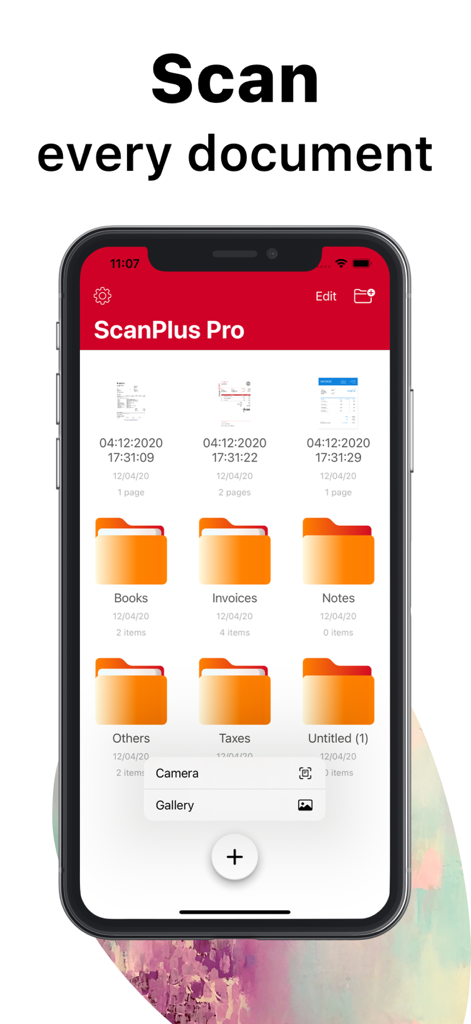
ScanPlus Proモバイルアプリのインターフェース。整理用の書類フォルダとスキャンオプションが表示されています。

ScanPlus Proモバイルアプリのインターフェース。整理用の書類フォルダとスキャンオプションが表示されています。

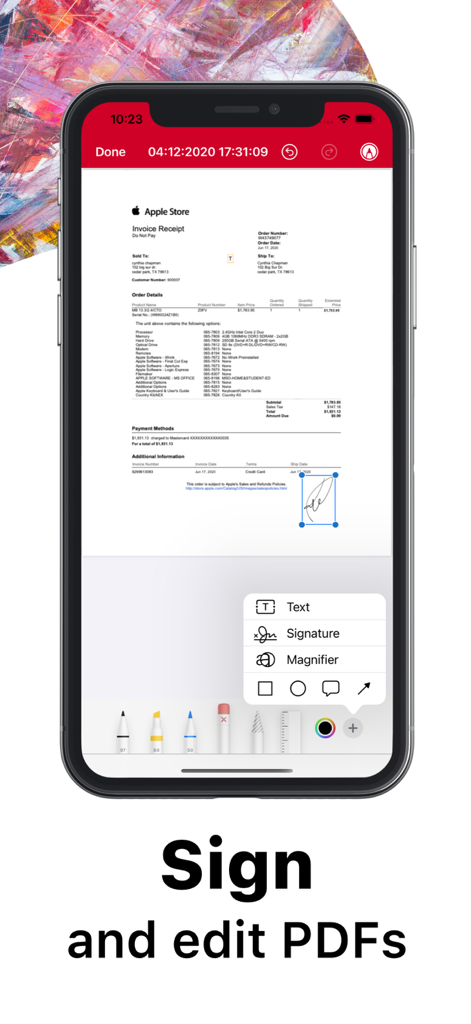
iPhone上のScanPlusアプリのインターフェース。スキャンされた書類にデジタル署名と編集ツールが表示されています。

iPhone上のScanPlusアプリのインターフェース。スキャンされた書類にデジタル署名と編集ツールが表示されています。

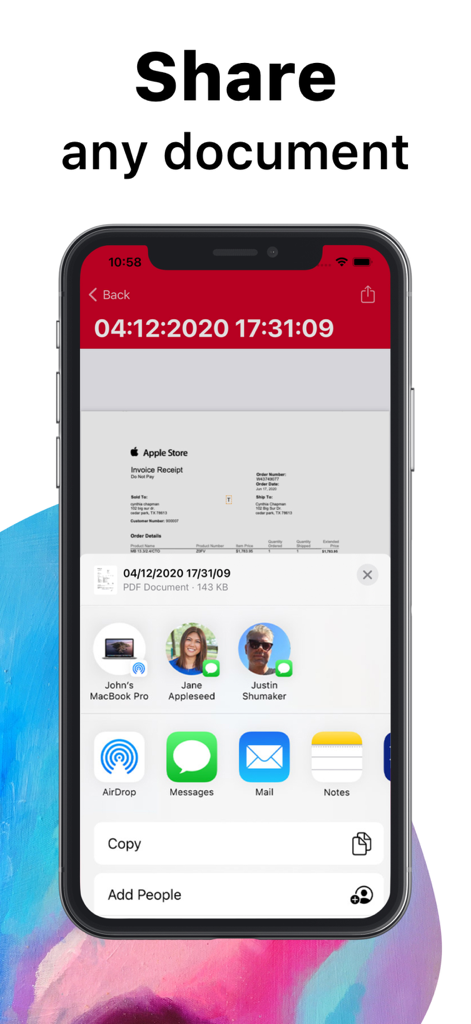
ScanPlusアプリの書類共有機能を示すiPhone画面。

ScanPlusアプリの書類共有機能を示すiPhone画面。

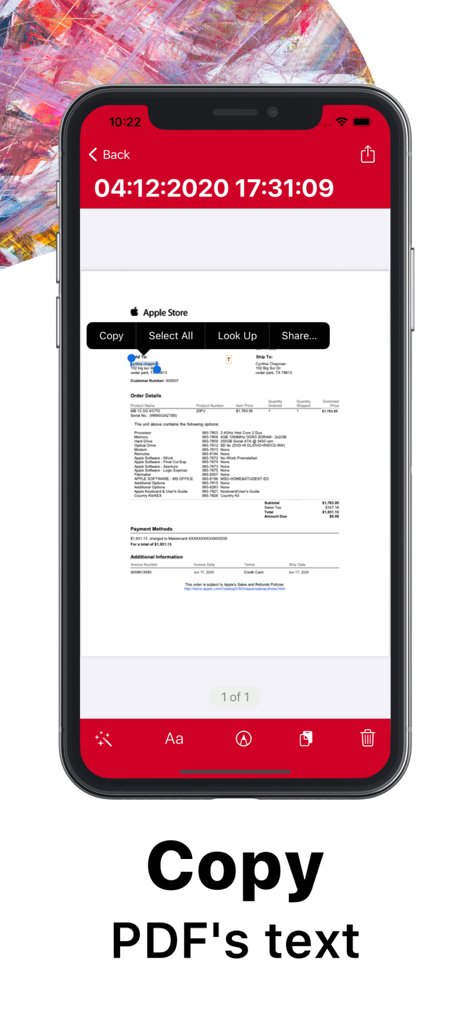
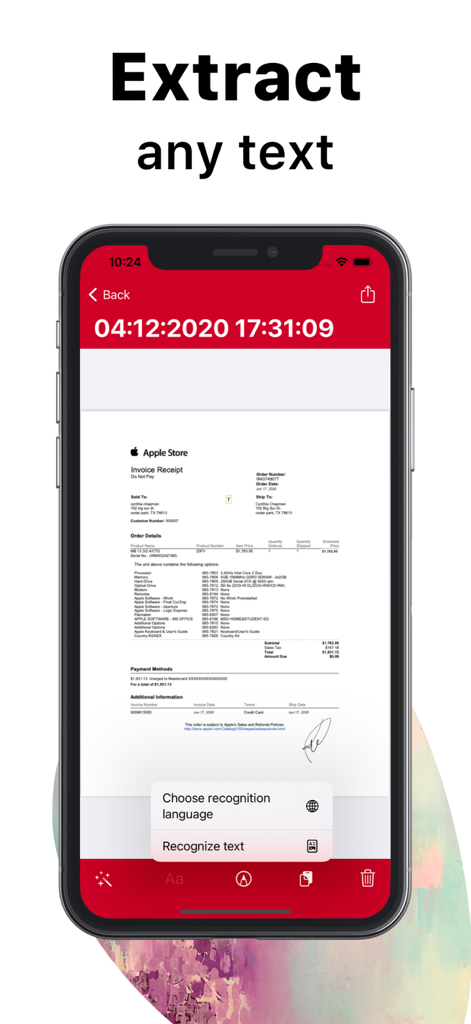
スキャンされたレシートのOCR文字認識とコピー機能を強調するScanPlusモバイルアプリのインターフェース。

スキャンされたレシートのOCR文字認識とコピー機能を強調するScanPlusモバイルアプリのインターフェース。

スキャンされたApple StoreのレシートからOCRテキストを抽出するScanPlusモバイルアプリ画面。

スキャンされたApple StoreのレシートからOCRテキストを抽出するScanPlusモバイルアプリ画面。

ペーパーレス生産性を向上させる

このアプリを際立たせるツール、 1K+ 人のユーザーが選択.

🔍

インテリジェントな文字認識

61言語でスキャンから編集可能なテキストを抽出。書類をコピー、貼り付け、検索して、整理整頓と効率化を実現します。

✍️

どこでも署名&注釈付け

モバイルデバイスから直接、契約書やフォームにデジタル署名やメモを追加して、取引を迅速に完了させましょう。

🔒

銀行グレードのプライバシー

ローカルストレージとパスコード保護で機密ファイルを安全に保管。データはサードパーティサーバーではなく、デバイス上に保持されます。

アプリについて

について知っておくべきこと ScanPlus - OCR & PDF Scanner.

説明

ScanPlus OCR, PDF & E-Signature Scanner: Your Ultimate Mobile Document Scanner Transform your iPhone or iPad into a powerful, all-in-one scanner with ScanPlus. Effortlessly scan, store, and share documents in high-quality PDF format. Whether it's receipts, contracts, notes, or even books, ScanPlus is your go-to solution for fast, efficient scanning on the go. Why Choose ScanPlus? This intuitive mobile scanner will quickly become your indispensable tool for managing documents. Scan anything you need and store it as multipage PDFs, all without the need for bulky office equipment. With cutting-edge features like Optical Character Recognition (OCR) and e-signature capabilities, you'll save time and streamline your workflow. Key Features: High-Quality PDF Scanning: Scan documents in crisp, clear PDF format. Choose from multiple color modes: grayscale, black and white, color, and more. Automatic shutter and border detection for accurate scans. Advanced image processing for enhanced quality, including perspective correction and noise removal. Text Recognition (OCR): Extract editable text from scans with Optical Character Recognition (OCR). Recognize text in 61 languages, including English, Spanish, French, Chinese, Arabic, Russian, and more. Copy and paste recognized text directly into your documents. Multipage Scanning: Scan multiple pages into a single PDF file with ease. Document Annotation and e-Signature: Annotate documents and add signatures digitally with a few taps. Easily sign contracts, agreements, or notes on the go. File Management: Organize your scans with folders and custom file management tools. Merge multiple PDFs into one document. Secure your documents by adding password protection to the app or specific files. Document Sharing & Cloud Integration: Share your scanned documents via email, messaging apps, or directly to cloud services like Dropbox, Google Drive, and iCloud. Print documents wirelessly to any Wi-Fi-enabled printer. Privacy & Security: Lock your app or specific documents with a passcode for extra security. Keep your scanned files safe and private, stored locally on your device. Perfect for Business, School, and Personal Use: Whether you're working on business reports, school assignments, or organizing personal documents, ScanPlus is designed to handle it all. No internet connection required, and your data is stored securely on your device. Say Goodbye to Traditional Scanners: No more bulky scanners or complicated setups. ScanPlus makes scanning documents ultra-fast and easy, wherever you are. Download ScanPlus now and start scanning smarter!

最新バージョン

1.3

サイズ

71.0 MB

リリース日

2020年12月8日

ペーパーレス・ワークフローをマスターする準備はできましたか?

ScanPlusを信頼し、外出先で書類をスキャン、署名、デジタル化している何千人ものプロフェッショナルや学生に加わりましょう。今日からモバイルファーストなオフィスを始めましょう。

ダウンロード: App Store

App information, icons, screenshots, and descriptions displayed on this page are sourced from the Apple App Store and are the property of their respective developers. Download estimates and rankings are based on MWM's proprietary models and may not reflect actual figures. This page is provided for informational and analytical purposes only.

Believe this page infringes your intellectual property? File a dispute