Share-A-Cart
Share-A-Cart
ダウンロード: App Store

このページはアプリまたはその開発者の公式ページではなく、情報提供および論評を目的として作成された独立した編集出版物です。明示的に別段の記載がない限り、アプリおよびその開発者は、MWM、Apple、Google Play、アプリのパブリッシャー、またはアプリの開発者と提携、承認、後援、認可、またはその他の公式的な関係はなく、このページのいかなる内容も、アプリがMWMのサービスを使用して開発されたことを意味するものではありません。すべての商標、ロゴ、スクリーンショット、その他のコンテンツはそれぞれの所有者の財産です。


ロゴ: Share-A-Cart
ダウンロード: App Store

Share-A-Cart

やり取りをやめて、買い物をシンプルに。家族の食料品から教室の備品まで、単一のリンクで誰とでもカートを共有できます。Amazon、Walmart、およびオンラインストアの95%で利用可能です。

主要数値

ダウンロード

47K+

ユーザー評価

2.0/5

評価数

100

開発元

UNIVERSAL CARTING SERVICES CORPORATION

カテゴリ

Shopping

対応言語

1

最新バージョン

3.14.0

サイズ

47.7 MB

リリース日

2020年10月30日
機能

より良い共同購入、より速いショッピング

アカウント共有の手間なく、数千の小売業者間でショッピングカートを共有できる、忙しい親、教師、チーム向けの究極のツール。

あなたの買い物先で利用可能

AmazonやWalmartを含む1,400以上の小売業者から、カートを瞬時に共有。家族やオフィス用に個別の商品リンクをコピー&ペーストする必要はありません。

プライバシー重視の共有

パスワードや個人アカウント情報を共有せずに、カートを送信。受信者は自分のデバイスでリストを読み込み、安全にチェックアウトできます。

以下のスクリーンショットと説明は、アプリの公式ストアリスティングから直接取得されたものであり、アプリ開発者の所有物です。

アプリストア

スクリーンショット
Share-A-Cart - Share-A-Cartアプリのウェルカム画面。2つのショッピングカートのイラストと「ショッピングリスト共有が簡単に」というスローガンが表示されています。
Share-A-Cartアプリのウェルカム画面。2つのショッピングカートのイラストと「ショッピングリスト共有が簡単に」というスローガンが表示されています。

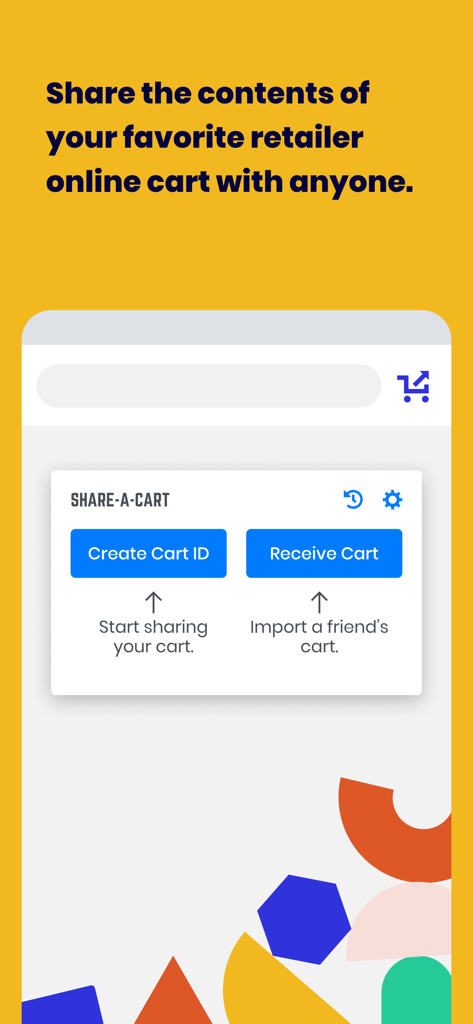
Share-A-Cart - Share-A-Cartのモバイルアプリインターフェース。カートIDの作成や、簡単なオンラインショッピング共有のためのカート受信オプションが表示されています。
Share-A-Cartのモバイルアプリインターフェース。カートIDの作成や、簡単なオンラインショッピング共有のためのカート受信オプションが表示されています。

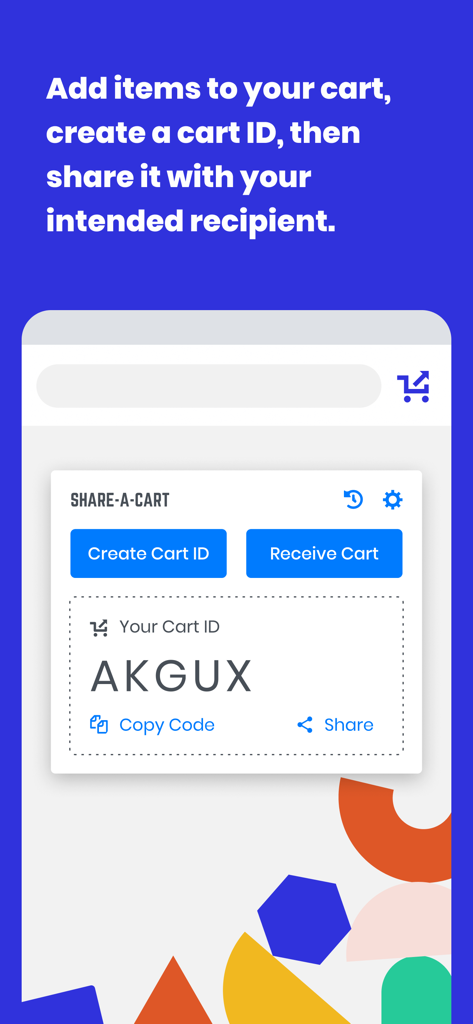
Share-A-Cart - Share-A-Cartモバイルアプリ画面。オンラインショッピングカートの共有のために生成されたカートIDが表示されています。
Share-A-Cartモバイルアプリ画面。オンラインショッピングカートの共有のために生成されたカートIDが表示されています。

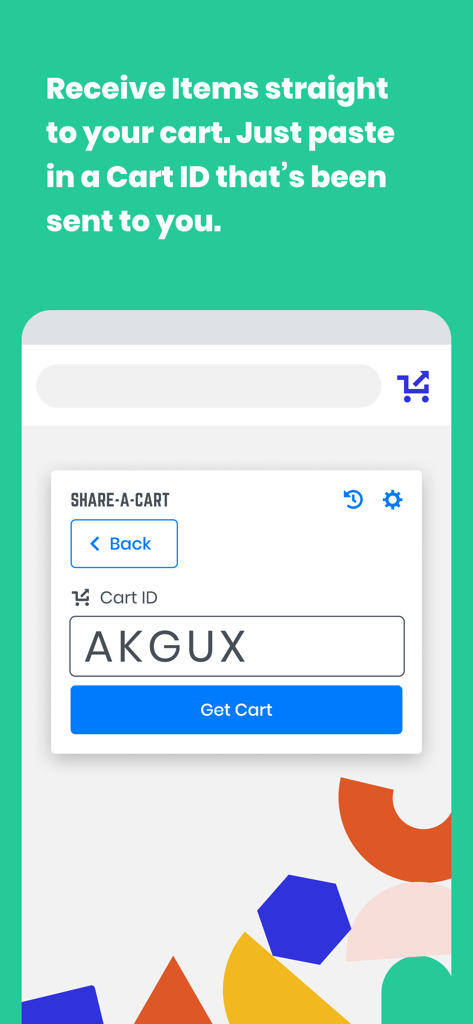
Share-A-Cart - カートIDコードを入力してアイテムを受け取るためのインターフェース。

カートIDコードを入力してアイテムを受け取るためのインターフェース。

説明

Share-A-Cart allows you to share the contents of your cart with anyone else. Affiliate Disclosure: Share-A-Cart may earn an affiliate commission on purchases facilitated by the extension. What Is Share-A-Cart? Share-A-Cart is a free browser extension that lets you share your online shopping cart with anyone. Whether you're planning a grocery trip, sending a gift list, or managing a classroom supply order, Share-A-Cart makes collaborative shopping simple and efficient. How to Share a Shopping Cart 1. Shop online like usual at your favorite retailer. 2. Use Share-A-Cart to generate a unique cart sharing link. 3. Send the link to anyone - they can instantly view and load your cart on their device. Great for Home Use - Share grocery lists with family - Send birthday or holiday gift ideas - Organize back-to-school shopping with kids or co-parents Perfect for Work - Teachers can share classroom supply lists with administrators - Office staff can streamline purchasing with centralized supply lists - Small businesses and teams can collaborate on procurement and restocking Supports Thousands of Retailers - Including Amazon, Walmart, Wayfair, Apple, and many more! - See all supported stores here: https://share-a-cart.com/supported Top Features - Free to use – no sign-up required - Supports 95% of all online stores - View & organize carts with tags and keywords - Reorder easily from cart history - Print & export carts you've created or received Who's Using Share-A-Cart? - Families & friends planning meals and gifts - Teachers and staff organizing supplies - Offices and businesses streamlining orders - Influencers sharing promoted products with followers - Homebuilders managing client needs Why Choose Us? - Trusted since 2018 - Over 2 million carts shared - Used in 1,400+ schools - We don't sell your data to any third parties or data brokers - Responsive customer support FAQs Q: Where is the extension icon? A: It's on the right side of your toolbar. You may want to pin it so that it's always there. Just click the icon that looks like a puzzle piece, and then click the pin icon next to Share-A-Cart. Q: What does Share-A-Cart do with my user data? A: We don't sell user data to any data brokers. You can access most of our features for free and without giving us your email address or going through any registration process. Q: If I send a link to a cart to someone, do they need the extension as well? A: Not always. Many major retailers are fully supported without requiring the extension on the recipient's end. Q: What if I find a retailer that you don't support? Or if I have an issue? A: Email us at info@share-a-cart.com, and we'll get back to you right away. We are adding support for new retailers every week. Q: Can the person I send a cart link to edit my cart? A: Yes! The receiver of the cart can add or remove items and change quantities. This is really helpful if you are sending a giant wishlist (like a Christmas gift list) to someone because it allows them to choose exactly what they want to order. Q: Why should I use Share-A-Cart instead of other extensions that do the same thing? A: No other extension supports as many stores as Share-A-Cart, and we have many helpful features that our competitors don't. We have been in business since 2018, and this is not a 'side project' for us. And if you report an idea for a feature, new retailer, or a bug, we get back to you right away! NOTE: Share-A-Cart does not complete any purchases on your behalf. It only helps shoppers move items from their cart to a recipient's cart. All checkouts must still be completed by the user. Share-A-Cart is not related to or endorsed by any of our listed retailers. Email: info@share-a-cart.com

Download

ダウンロード: App Store

このページはアプリまたはその開発者の公式ページではなく、情報提供および論評を目的として作成された独立した編集出版物です。明示的に別段の記載がない限り、アプリおよびその開発者は、MWM、Apple、Google Play、アプリのパブリッシャー、またはアプリの開発者と提携、承認、後援、認可、またはその他の公式的な関係はなく、このページのいかなる内容も、アプリがMWMのサービスを使用して開発されたことを意味するものではありません。すべての商標、ロゴ、スクリーンショット、その他のコンテンツはそれぞれの所有者の財産です。