ShareFile®

ShareFile®

ダウンロード: App Store
ロゴ: ShareFile®

ShareFile®:プロフェッショナルなファイル共有と安全なコラボレーション

モバイルワークフォースが機密文書を安全に交換できるように支援します。権限を管理し、Office 365で編集し、あらゆるデバイスから会社のデータを保護します。

ダウンロード: App Store

開発元

Progress Software Corporation

カテゴリ

Business

ダウンロード

189K+

ユーザー評価

3.4/5

評価数

400

対応言語

9

あなたのモバイルコマンドセンター

このインターフェースを利用する 189K+ 人のユーザー.

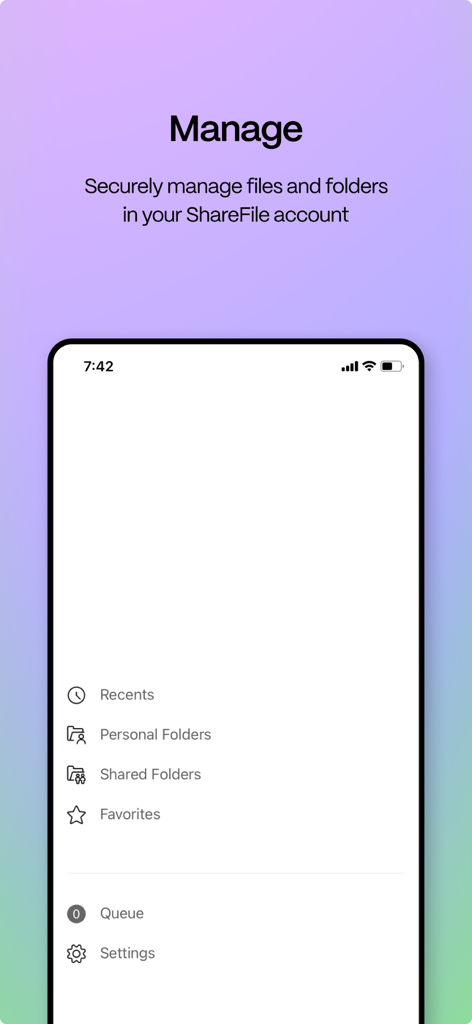
ShareFileモバイルアプリのインターフェイスで、個人用フォルダと共有フォルダを安全に管理するオプションが表示されます。

ShareFileモバイルアプリのインターフェイスで、個人用フォルダと共有フォルダを安全に管理するオプションが表示されます。

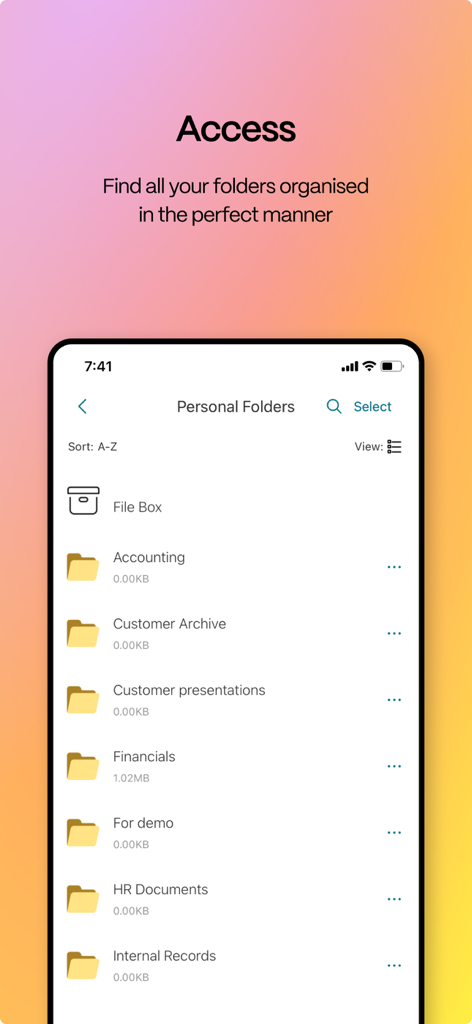
ShareFileモバイルアプリに、会計および財務文書を含むビジネスフォルダの整理されたリストが表示されます。

ShareFileモバイルアプリに、会計および財務文書を含むビジネスフォルダの整理されたリストが表示されます。

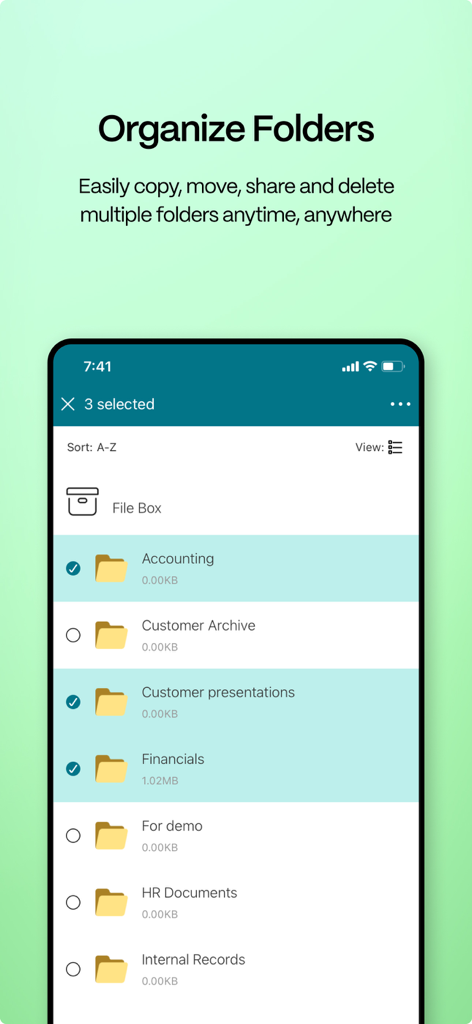
ShareFileアプリのインターフェイスで、複数のビジネスフォルダを整理および選択する画面が表示されたスマートフォンの画面。

ShareFileアプリのインターフェイスで、複数のビジネスフォルダを整理および選択する画面が表示されたスマートフォンの画面。

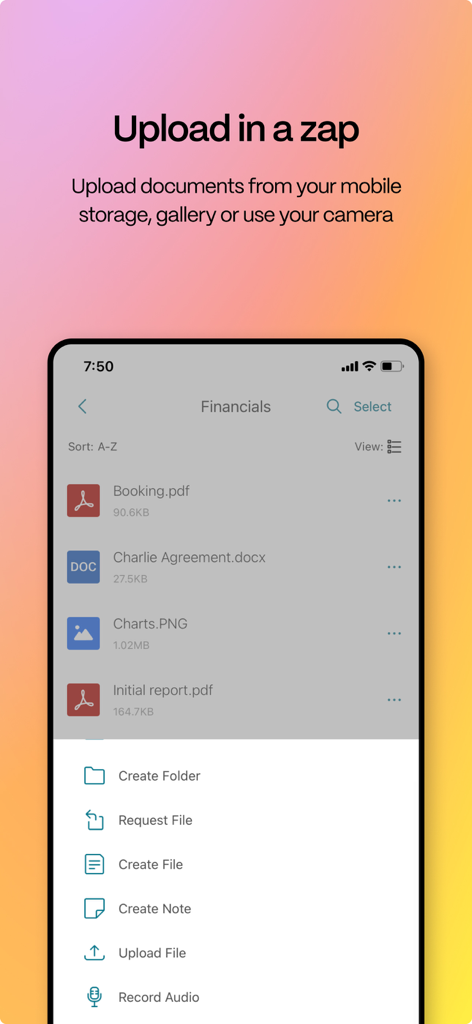
ShareFileモバイルインターフェイスに、ドキュメントアップロードメニューと、ビジネスプロフェッショナル向けのファイル管理画面が表示されます。

ShareFileモバイルインターフェイスに、ドキュメントアップロードメニューと、ビジネスプロフェッショナル向けのファイル管理画面が表示されます。

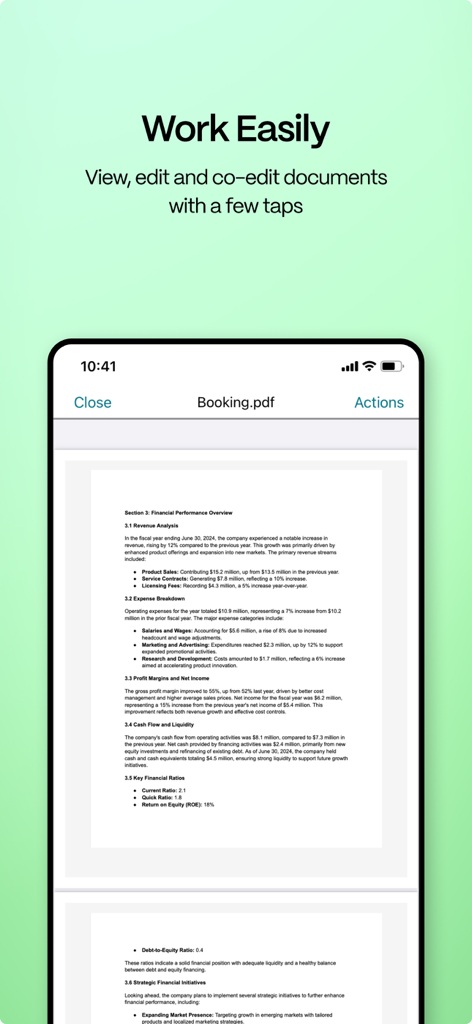
ShareFileアプリのインターフェイスがスマートフォンに表示され、PDFドキュメントの表示と編集画面が表示されます。

ShareFileアプリのインターフェイスがスマートフォンに表示され、PDFドキュメントの表示と編集画面が表示されます。

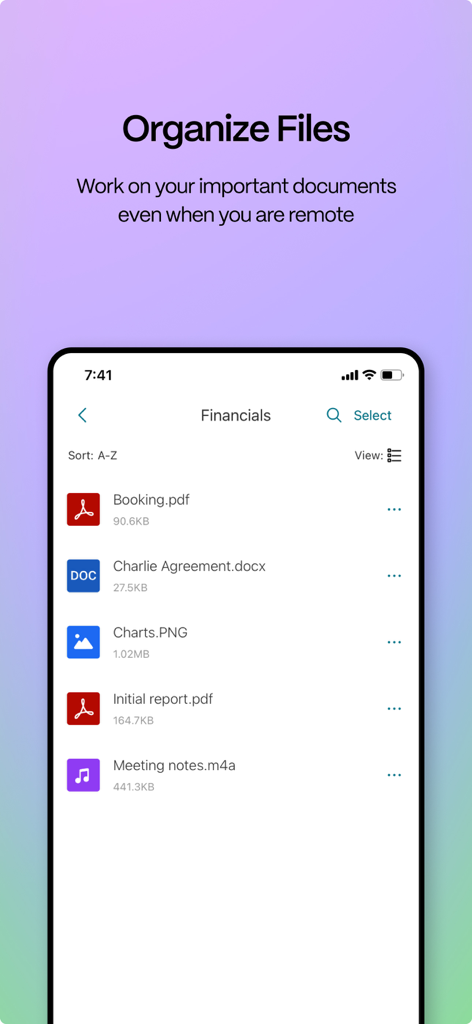
ShareFileアプリのインターフェイスに、モバイルデバイス上の整理されたビジネス文書のリストが表示されます。

ShareFileアプリのインターフェイスに、モバイルデバイス上の整理されたビジネス文書のリストが表示されます。

プロフェッショナリズムとセキュリティのために構築

このアプリを際立たせるツール、 189K+ 人のユーザーが選択.

🛡️

エンタープライズグレードのセキュリティ

カスタムパスコードとリモートワイプ機能で機密データを保護し、会社がコンプライアンスを維持し、クライアントの信頼が決して損なわれないことを保証します。

💼

モバイル生産性と同期

Microsoft 365ドキュメントにデバイスから直接アクセスして編集できるため、どこからでもいつでも契約を完了したり、監査をレビューしたりできます。

🤝

プロフェッショナルなクライアント交換

安全でないメールの添付ファイルを、クライアントが機密文書を安全なポータルに直接アップロードできるブランド化された安全なリンクに置き換えます。

アプリについて

について知っておくべきこと ShareFile®.

説明

ShareFile helps people exchange files easily, securely and professionally. Designed for business, ShareFile is a file manager that offers secure data sharing and storage, customizable usage and settings, award-winning customer service and tools that allow you to collaborate more easily and get your work done from any device — anytime, anywhere. With your ShareFile account and app, you can: Share -Access files and folders located in your ShareFile account. -Edit files located in your ShareFile account (not available on all plans, and O365 Licenses is required) -Download and upload files between your ShareFile account and mobile device. -Sync files in your ShareFile account from all of your devices. -Share or sync multiple files with multiple users at once. -Email files from your ShareFile account, mail or Gmail apps on your mobile device. -Request files and provide secure links for recipients to upload files to your ShareFile account. Manage -Set custom access permissions to files and folders for individual users. -Specify a passcode for additional protection for your ShareFile account. -Add users to existing folders in your ShareFile account. -Use your ShareFile account as a secure file manager. -Remotely wipe or lock your ShareFile account in the event of a lost or stolen mobile device. You can access data using corporate credentials, and IT administrators can control and audit access directly from the app. ShareFile will request access to device capabilities or data to enable advanced features, including: Contacts This allows ShareFile to let you choose co-workers among the contacts in your phone address book. Camera This allows ShareFile to let you capture a photo or video for upload. Microphone This allows ShareFile to let you record audio for upload. Photos and Media Library This allows ShareFile to let you choose photos and videos from your Library to upload.

最新バージョン

26.1.0

サイズ

40.3 MB

リリース日

2011年5月2日

安全なワークスペースをどこへでも

安全でコンプライアンスに準拠した効率的なファイル管理のためにShareFileを信頼する何千人もの専門家にご参加ください。あらゆるデバイスで生産性を維持するために、今すぐアプリをダウンロードしてください。

ダウンロード: App Store

App information, icons, screenshots, and descriptions displayed on this page are sourced from the Apple App Store and are the property of their respective developers. Download estimates and rankings are based on MWM's proprietary models and may not reflect actual figures. This page is provided for informational and analytical purposes only.

Believe this page infringes your intellectual property? File a dispute