
このページはアプリまたはその開発者の公式ページではなく、情報提供および論評を目的として作成された独立した編集出版物です。明示的に別段の記載がない限り、アプリおよびその開発者は、MWM、Apple、Google Play、アプリのパブリッシャー、またはアプリの開発者と提携、承認、後援、認可、またはその他の公式的な関係はなく、このページのいかなる内容も、アプリがMWMのサービスを使用して開発されたことを意味するものではありません。すべての商標、ロゴ、スクリーンショット、その他のコンテンツはそれぞれの所有者の財産です。


ダウンロード
2.5M+ユーザー評価
評価数
153.0K開発元
カテゴリ
Lifestyle対応言語
14最新バージョン
5.0.2サイズ
192.1 MBリリース日
2018年8月5日このレポートは、個人ジャーナリングに特化した「Simple Diary - Daily Journal」アプリの主要機能を技術アナリストの視点から評価します。
アプリケーション分析: Simple Diary - Daily Journal
強固なパスコードロック
本アプリはパスコードロック機能を提供し、Face IDやTouch IDにも対応しています。これにより、ユーザーは個人的な記録のプライバシーとセキュリティを高度に保護できます。
記事内画像挿入機能
ユーザーは、日記のエントリーに最大10枚の画像を挿入できます。これにより、記録された思い出がより鮮やかになり、個人の体験を豊かに表現することが可能です。
一日複数回の日記作成
本アプリは、一日に複数回の日記を記録する柔軟性を提供します。ユーザーはメモや業務記録のように、日々の出来事や思考を詳細に記録できます。
データバックアップ
本ツールは重要な日記データのバックアップ機能を提供します。ユーザーはiTunesやPCに保存するだけでなく、EvernoteやDropboxなどの他のアプリにデータを転送することも可能です。
リマインダー機能
アプリは、ユーザーが設定した時間にプッシュ通知を送信するリマインダー機能を備えています。これにより、ユーザーは日記の書き忘れを防ぎ、継続的な記録習慣を維持できます。
テーマカラー変更
19種類のテーマカラーが用意されており、ユーザーはアプリのデザインやホーム画面アイコンを個人の好みに合わせて変更できます。これにより、審美的なカスタマイズが可能です。
タグ検索
本アプリにはタグ検索機能が搭載されており、ユーザーはタグ付けされたキーワードを使って特定の日記を効率的に見つけることができます。
文字フォント調整
ユーザーは、テキストのフォントサイズ、色の濃さ、および行間を調整できます。これにより、読解のしやすさが向上し、視覚的なニーズに合わせて表示を最適化できます。
よくある質問
について知っておくべきこと Simple Diary - Daily Journal
What is the Simple Diary - Daily Journal app?
The Simple Diary - Daily Journal is an easy-to-use diary app with high functionality for journaling. It allows users to back up data without requiring account registration.
Does Simple Diary - Daily Journal offer security features?
Yes, Simple Diary - Daily Journal includes a secure passcode lock. It supports Face ID and Touch ID, providing robust protection against unauthorized access to your diary entries.
Can users customize the appearance of the Simple Diary - Daily Journal app?
Yes, Simple Diary - Daily Journal allows extensive customization. Users can choose from 19 theme colors and change the app's icon on the home screen, providing a personalized experience.
How does Simple Diary - Daily Journal handle data backup?
Simple Diary - Daily Journal facilitates data backup without account registration. Users can save data to iTunes, PC, or transfer it to other apps like Evernote or Dropbox, and it outputs RTFD files.
Can I add pictures to my diary entries in Simple Diary - Daily Journal?
Yes, Simple Diary - Daily Journal enables users to insert up to 10 pictures directly into their diary entries. It supports photos from the camera roll and images saved from the web.
Does Simple Diary - Daily Journal have a search function for entries?
Yes, Simple Diary - Daily Journal includes a tag search function. Users can conveniently search through their diary entries by using tags or specific keywords.
Can users adjust text appearance in Simple Diary - Daily Journal?
Yes, Simple Diary - Daily Journal allows users to adjust character font settings. You can enlarge or reduce text size, modify color depth, and change spacing between texts for readability.
Does Simple Diary - Daily Journal have a reminder feature?
Yes, Simple Diary - Daily Journal features a reminder function. Users can set a preferred time, and the app sends push notifications to remind them to write diary entries.
Can I write multiple diary entries in Simple Diary - Daily Journal on the same day?
Yes, Simple Diary - Daily Journal supports writing multiple diary entries on a single day. Users can utilize this feature for memos or work records, offering flexibility.
以下のスクリーンショットと説明は、アプリの公式ストアリスティングから直接取得されたものであり、アプリ開発者の所有物です。
アプリストア
スクリーンショット
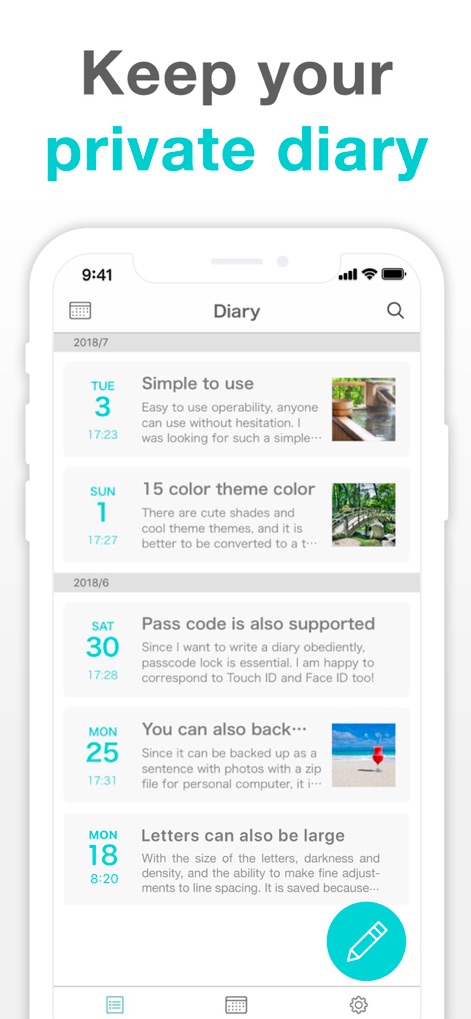
この画面では、ユーザーの日記が日付順に表示され、各エントリのプレビューと関連するサムネイル画像が確認できます。
日々の記録

この画面は、日記に複数の画像を文章中に挿入できる機能と、プライバシーを保護するパスコードロック機能を示しています。
写真と安全
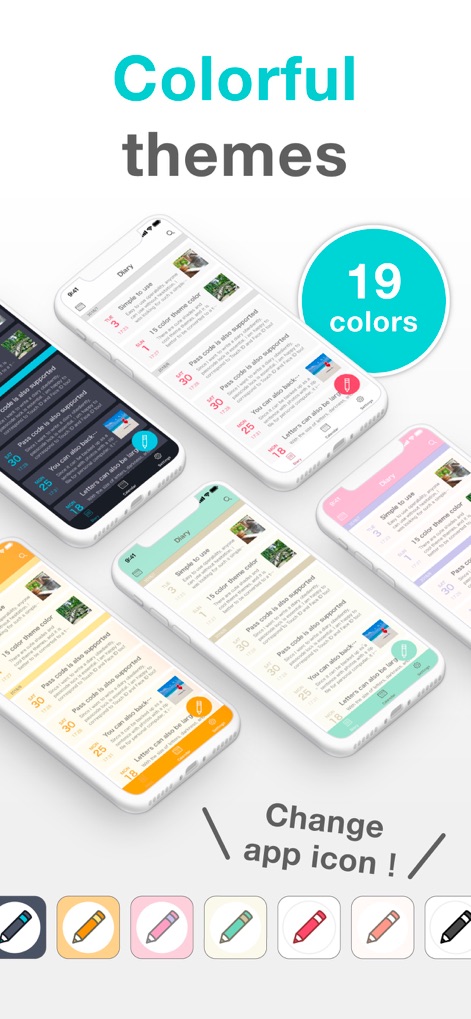
ユーザーは19種類のテーマカラーから好みの色を選び、さらにホーム画面に表示されるアプリアイコンも変更できるため、アプリの見た目を自由にカスタマイズできます。
個性的なデザイン
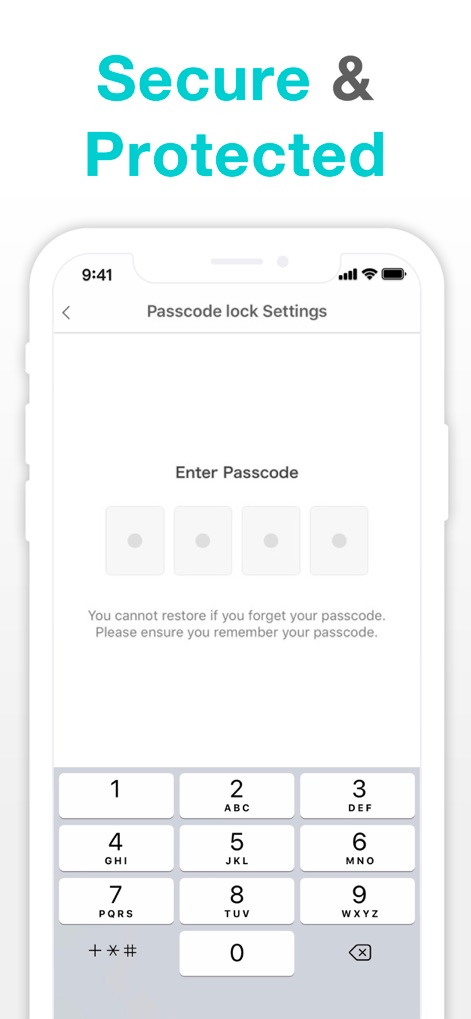
この画面は、本アプリのパスコード入力画面を示しており、ユーザーのプライバシーを保護するための堅牢なセキュリティ機能と、パスコード忘れに関する注意書きが提供されています。
確かな安心
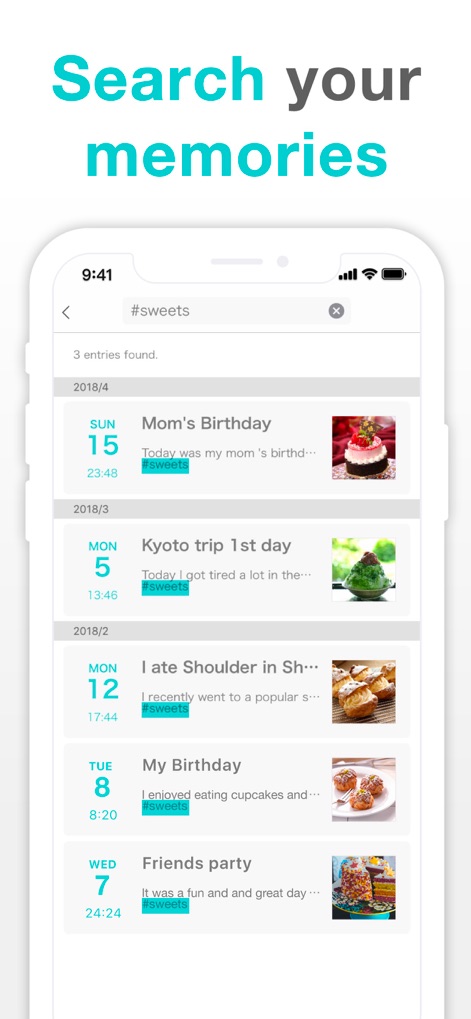
この画面では、ユーザーがキーワードやタグで過去の日記を検索できる機能と、検索結果に該当する日記エントリがタグとともに表示される様子が確認できます。
瞬時に発見
説明
Download
類似アプリ
似た機能とユーザー体験を持つアプリ

Day One: Daily Journal & Diary
Bloom Built Inc

EMMO - 日记与笔记
EMMO Corp.

Mininote - Cute note and diary
Xiamen iScreen Information Technology Co., Ltd.

吾记 - 日记本,记事本
健祥 林

独响—你的AI朋友圈
Beijing Burst Fruit Technology Co., Ltd

Moo日记 - 你的心情树洞
Chongqing Shuman Cultural Diffusion Co., Ltd.
墨记-精美日记本·笔记本
佳鹏 柯
Diarium Journal: Private Diary
Timo Partl

Card Diary - Journal, Diary
Dreamkit Co., Ltd.
このページはアプリまたはその開発者の公式ページではなく、情報提供および論評を目的として作成された独立した編集出版物です。明示的に別段の記載がない限り、アプリおよびその開発者は、MWM、Apple、Google Play、アプリのパブリッシャー、またはアプリの開発者と提携、承認、後援、認可、またはその他の公式的な関係はなく、このページのいかなる内容も、アプリがMWMのサービスを使用して開発されたことを意味するものではありません。すべての商標、ロゴ、スクリーンショット、その他のコンテンツはそれぞれの所有者の財産です。