Simple Flowchart
Simple Flowchart
ダウンロード: App Store

このページはアプリまたはその開発者の公式ページではなく、情報提供および論評を目的として作成された独立した編集出版物です。明示的に別段の記載がない限り、アプリおよびその開発者は、MWM、Apple、Google Play、アプリのパブリッシャー、またはアプリの開発者と提携、承認、後援、認可、またはその他の公式的な関係はなく、このページのいかなる内容も、アプリがMWMのサービスを使用して開発されたことを意味するものではありません。すべての商標、ロゴ、スクリーンショット、その他のコンテンツはそれぞれの所有者の財産です。

ロゴ: Simple Flowchart
ダウンロード: App Store

Simple Flowchart

モバイルデバイスでビジネスプロセスを視覚化し、アイデアを整理するための最も直感的な方法。アカウント不要ですぐに作成を開始できます。

主要数値

ダウンロード

1K+

ユーザー評価

1.0/5

評価数

0

開発元

YUKI TANAIKE

カテゴリ

Business

対応言語

2

最新バージョン

1.1.3

サイズ

51.1 MB

リリース日

2025年9月2日
機能

摩擦のないワークフローデザイン

モバイルデバイスから直接、プロセスを視覚化し、プロジェクトを管理し、複雑なアイデアを整理するための、プロフェッショナルおよび起業家にとって最も直感的な方法。

摩擦ゼロのスタート

サインアップの煩わしさから解放されます。アプリを起動し、スピードとシンプルさのために設計されたモバイルファーストのインターフェースで、アイデアのマッピングを即座に開始できます。

シームレスなデバイス間同期

Googleドライブ連携を活用して、通勤中にフローチャートを作成し、PCで仕上げましょう。プロフェッショナルなワークフローは常に同期されています。

以下のスクリーンショットと説明は、アプリの公式ストアリスティングから直接取得されたものであり、アプリ開発者の所有物です。

アプリストア

スクリーンショット
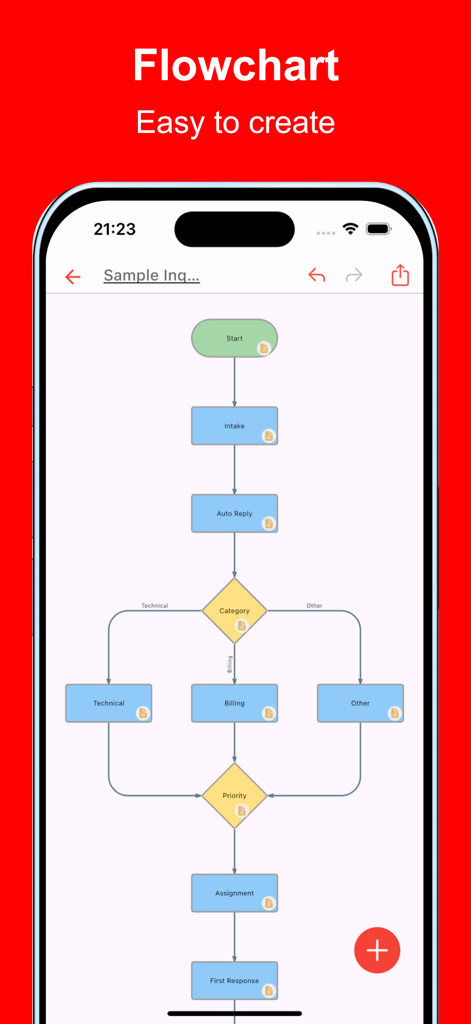
Simple Flowchart - iPhone画面にカラフルなプロセスワークフローを表示するSimple Flowchartアプリ
iPhone画面にカラフルなプロセスワークフローを表示するSimple Flowchartアプリ

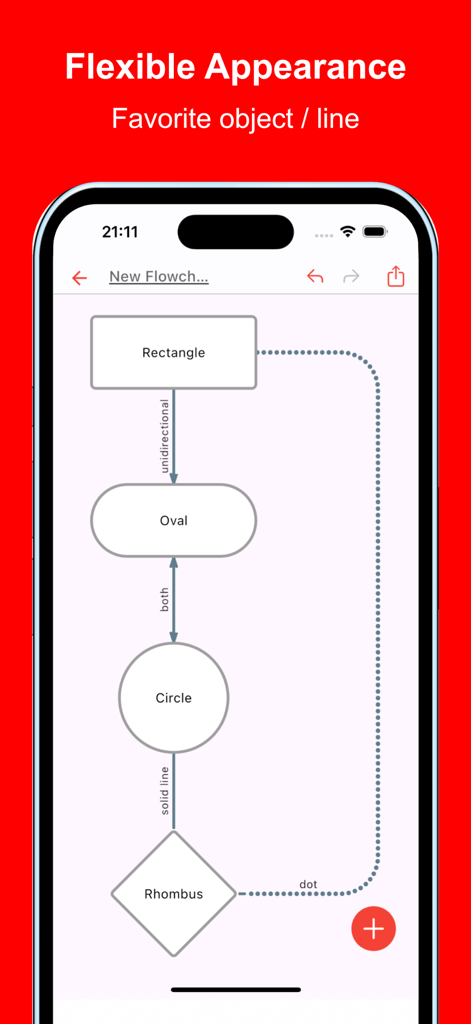
Simple Flowchart - 長方形や円などのさまざまな図形がさまざまな線で接続されたフローチャートを表示するモバイルアプリケーション
長方形や円などのさまざまな図形がさまざまな線で接続されたフローチャートを表示するモバイルアプリケーション

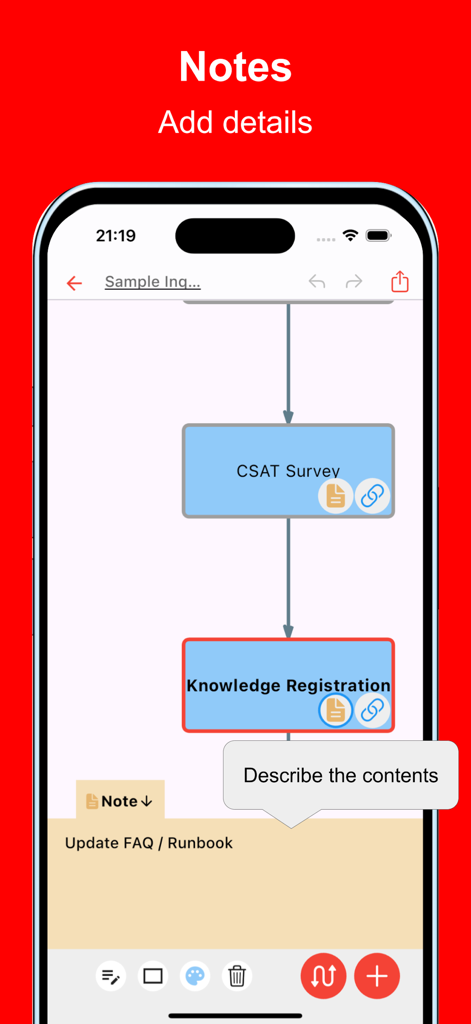
Simple Flowchart - ワークフロー図に詳細なメモを追加するプロセスを示すSimple Flowchartのモバイルアプリインターフェース
ワークフロー図に詳細なメモを追加するプロセスを示すSimple Flowchartのモバイルアプリインターフェース

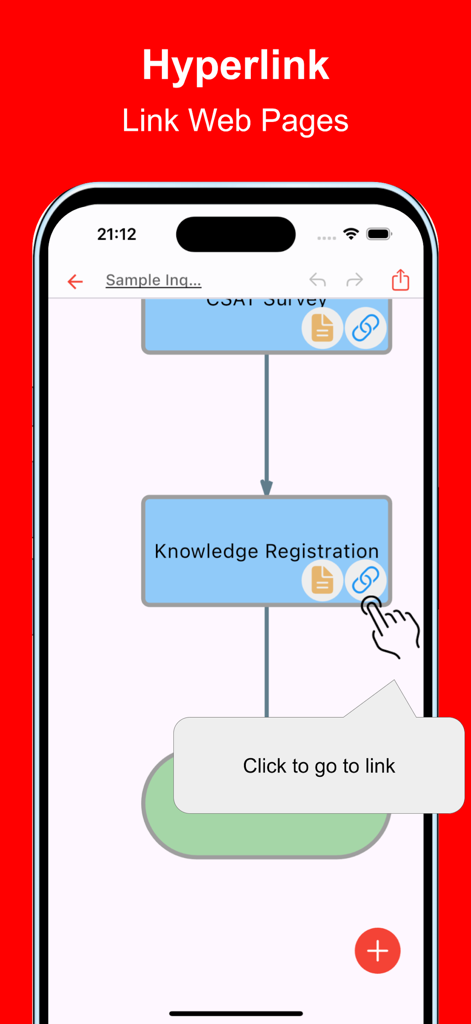
Simple Flowchart - プロセスノードにハイパーリンクを追加する方法を示すSimple Flowchartのモバイルアプリインターフェース
プロセスノードにハイパーリンクを追加する方法を示すSimple Flowchartのモバイルアプリインターフェース

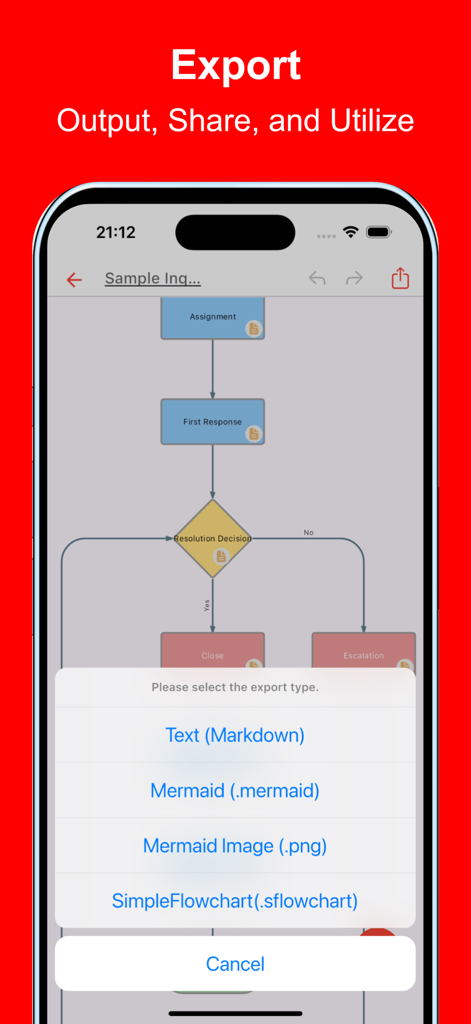
Simple Flowchart - Markdown MermaidおよびPNG形式のオプションを示すSimple Flowchartアプリのエクスポートメニュー
Markdown MermaidおよびPNG形式のオプションを示すSimple Flowchartアプリのエクスポートメニュー

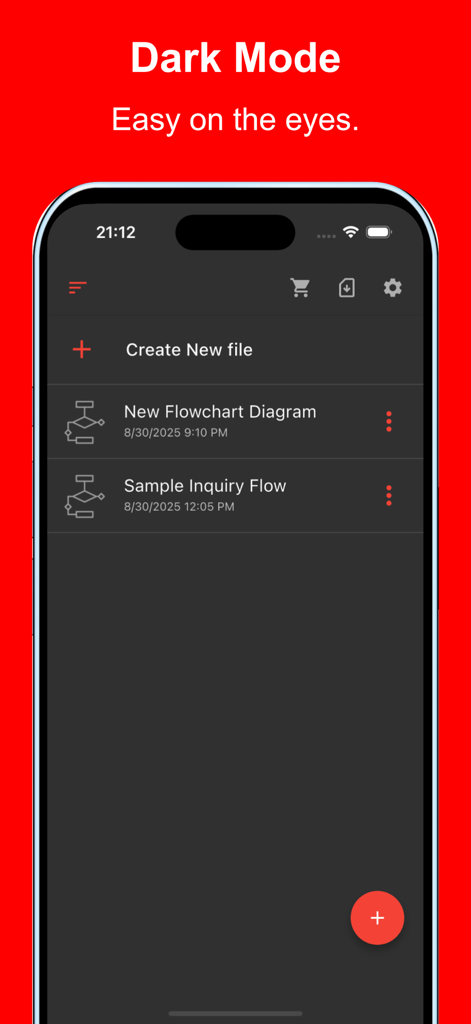
Simple Flowchart - iPhoneのダークモードでファイルリストを表示するSimple Flowchartアプリのインターフェース

iPhoneのダークモードでファイルリストを表示するSimple Flowchartアプリのインターフェース

説明

This is an app that allows you to easily create flowcharts on your smartphone or tablet. It supports not only a variety of shapes and lines but also essential business expressions such as inserting links and adding detailed notes. Visualizing with flowcharts is very important for organizing ideas. By creating them, multiple stakeholders can better understand the content, making them useful in a wide range of situations. With this app, you can quickly create flowcharts even on your mobile device. It is used in various situations such as: - Optimizing and visualizing business processes - Managing and sharing project progress - Designing sales processes and workflows - Structuring customer support and service operations - Planning and managing projects from conception to execution - Managing new product or service launch processes - Visualizing budget planning and funding processes - Organizing internal approval flows and decision-making processes - Creating training programs and operational manuals - Planning and executing marketing strategies Please try it out whenever you need to create a flowchart. [Features] - Intuitive operability Ease of use is the most important factor. It runs smoothly, and you can intuitively edit your maps. - Rich expression You can assign your preferred color to each item for expressive representation. - Link Since you can insert links, it is also useful when you want to manage reference sites. - Note Include descriptive text for each item to manage the details. - Ready to use You can use it immediately without registering an account. - Multi-device support It supports Google Drive integration, allowing seamless editing across multiple devices. - Export and Share You can export and share your Flowchart, and even edit them on a PC. - Import Exported files can be imported and edited. - Dark theme support Since it supports a dark theme, it is also ideal for use at night.

Download

ダウンロード: App Store

このページはアプリまたはその開発者の公式ページではなく、情報提供および論評を目的として作成された独立した編集出版物です。明示的に別段の記載がない限り、アプリおよびその開発者は、MWM、Apple、Google Play、アプリのパブリッシャー、またはアプリの開発者と提携、承認、後援、認可、またはその他の公式的な関係はなく、このページのいかなる内容も、アプリがMWMのサービスを使用して開発されたことを意味するものではありません。すべての商標、ロゴ、スクリーンショット、その他のコンテンツはそれぞれの所有者の財産です。








