
このページはアプリまたはその開発者の公式ページではなく、情報提供および論評を目的として作成された独立した編集出版物です。明示的に別段の記載がない限り、アプリおよびその開発者は、MWM、Apple、Google Play、アプリのパブリッシャー、またはアプリの開発者と提携、承認、後援、認可、またはその他の公式的な関係はなく、このページのいかなる内容も、アプリがMWMのサービスを使用して開発されたことを意味するものではありません。すべての商標、ロゴ、スクリーンショット、その他のコンテンツはそれぞれの所有者の財産です。

Simple Notes - Notepad Manager
あなたの美学のための究極のミニマリストノートブック。アカウント不要、月額料金ゼロで、写真、色分けされたフォルダ、iCloud同期を使ってアイデアを安全にキャプチャしましょう。
ダウンロード
1M+ユーザー評価
評価数
36K+開発元
カテゴリ
Productivity対応言語
35最新バージョン
4.1.0サイズ
183.9 MBリリース日
2019年8月30日あなたの生活を、あなたのやり方で整理する
シンプルさのためにデザインされた、美的でオールインワンのメモ帳。サブスクリプションもアカウントも不要で、あなたのアイデアのための美しくプライベートな空間だけがあります。
完全にカスタマイズ可能な美的デザイン
23色のテーマカラー、12の厳選されたフォント、カスタムアプリアイコンで、あなたのユニークなスタイルと雰囲気に合わせて体験をパーソナライズしましょう。
視覚的なフォルダ管理
24色の鮮やかなフォルダカラーと専用の写真ギャラリーを使用して整理し、思い出とメモを完璧に分類しましょう。
よくある質問
について知っておくべきこと Simple Notes - Notepad Manager
Simple Notes - Notepad Manager は無料アプリですか?
Simple Notes は無料のメモ帳アプリです。アカウント登録や月額料金は不要なので、メモの管理に便利で手軽に利用できます。
Simple Notes - Notepad Manager でメモに写真を追加できますか?
はい、Simple Notes では任意のメモに画像を添付できます。写真ライブラリから直接挿入したり、その場でデバイスのカメラで新しい写真を撮ったりすることができます。
Simple Notes - Notepad Manager でメモを整理するにはどうすればよいですか?
Simple Notes ではフォルダによる整理が可能です。フォルダを作成してメモをきれいに並べたり、24種類の色からフォルダの色を選んでカテゴリを簡単に識別したりできます。
Simple Notes - Notepad Manager はメモのカレンダー表示を提供していますか?
はい、Simple Notes にはカレンダー表示機能が搭載されています。これにより、日付ごとにメモを表示し、特定の日付をタップしてその日に保存されたすべてのエントリを確認できます。
Simple Notes - Notepad Manager でメモを保護するにはどうすればよいですか?
Simple Notes はパスコードロックでメモを保護します。Face ID や Touch ID のような安全なアクセス方法をサポートしており、素早く強化されたプライバシーを提供します。
Simple Notes - Notepad Manager でフォントスタイルを変更できますか?
はい、Simple Notes ではフォントスタイルのカスタマイズが可能です。25種類のフォントから選択して、アプリ内のメモの外観をパーソナライズできます。
Simple Notes - Notepad Manager はテーマやアプリアイコンのカスタマイズを許可していますか?
はい、Simple Notes は豊富なカスタマイズオプションを提供しています。23種類のテーマカラーやアプリアイコンから選択して、アプリの外観やホーム画面のアイコンをパーソナライズできます。
Simple Notes - Notepad Manager でメモをバックアップするにはどうすればよいですか?
Simple Notes では、メモを iCloud に無料でバックアップできます。また、Evernote や Dropbox などの外部アプリにエクスポートしたり、画像が埋め込まれた RTFD ファイルとしてエクスポートすることもできます。
Simple Notes - Notepad Manager は iCloud 同期をサポートしていますか?
はい、Simple Notes は iCloud を利用して、iPhone と iPad の間でメモを同期します。これにより、データが安全に保たれ、新しいデバイスへの簡単な復元が可能になります。
Simple Notes - Notepad Manager の広告を削除するにはどうすればよいですか?
Simple Notes の広告は、一度だけの支払いで永続的に削除されます。これは月額サブスクリプションではなく、再インストールやデバイス変更後も広告は表示されません。
Simple Notes - Notepad Manager にはメモの検索機能がありますか?
はい、Simple Notes にはスマート検索機能が搭載されています。これにより、キーワードでメモを素早く見つけたり、「#Important」のようなタグを使って簡単に検索したりできます。
Simple Notes - Notepad Manager で文字サイズや読みやすさを調整できますか?
はい、Simple Notes ではテキスト表示設定が提供されています。文字サイズ、コントラスト、行間を調整して、特に大きなフォントを好むユーザーにとって読みやすさを最適化できます。
Simple Notes - Notepad Manager のデータエクスポート機能は何ですか?
Simple Notes では、メモを画像が埋め込まれた RTFD ファイルとしてエクスポートできます。iCloud バックアップは無料ですが、Evernote や Dropbox などの他のアプリへのエクスポートオプションはプレミアム機能です。
Simple Notes - Notepad Manager に専用の写真アルバムまたはギャラリーはありますか?
はい、Simple Notes にはフォトアルバムが付属しています。メモに追加されたすべての画像を1か所にまとめて表示できるため、写真で特定のコンテンツを素早く検索できます。
以下のスクリーンショットと説明は、アプリの公式ストアリスティングから直接取得されたものであり、アプリ開発者の所有物です。
アプリストア
スクリーンショット
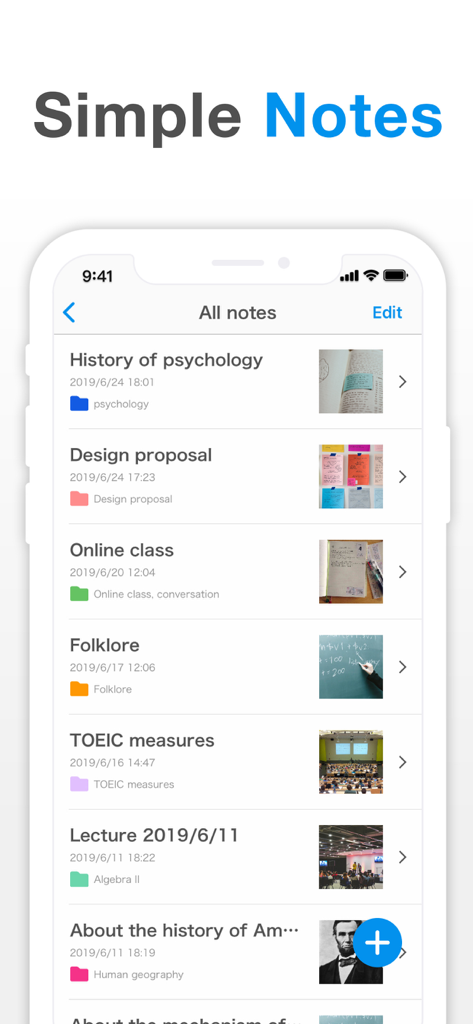
Simple Notesアプリのインターフェースが表示されたスマートフォン画面、整理されたメモのリスト、色付きフォルダ、画像添付ファイルが表示されています。
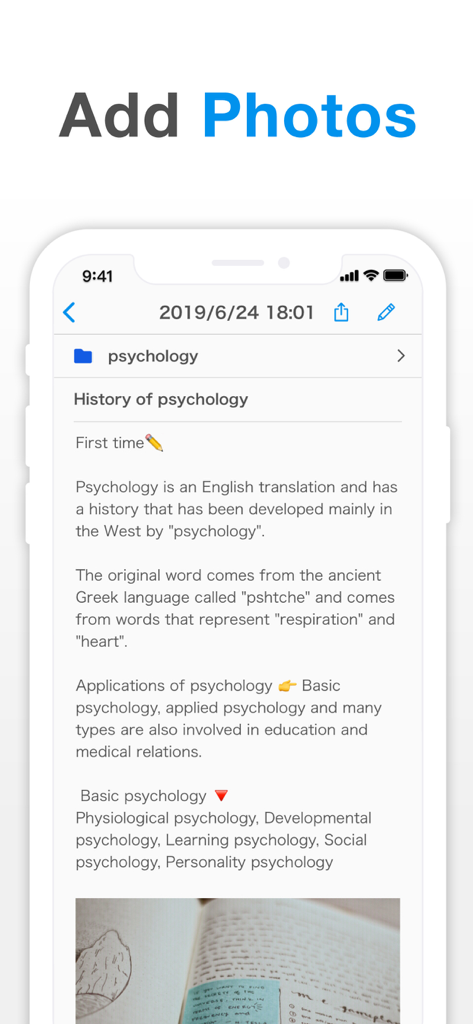
埋め込み写真付きの心理学ノートを示すSimple Notesアプリのユーザーインターフェース。
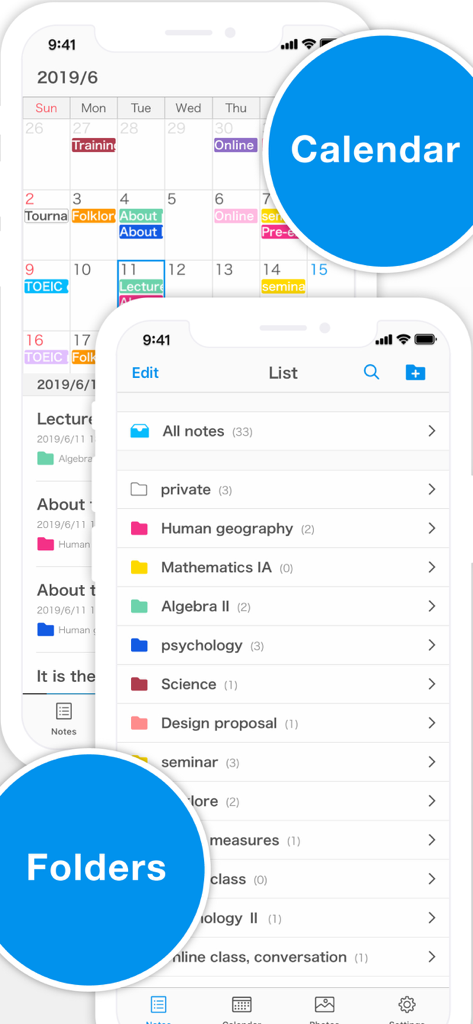
色分けされたカレンダーと整理されたフォルダのリストを示すSimple Notesアプリのインターフェース。
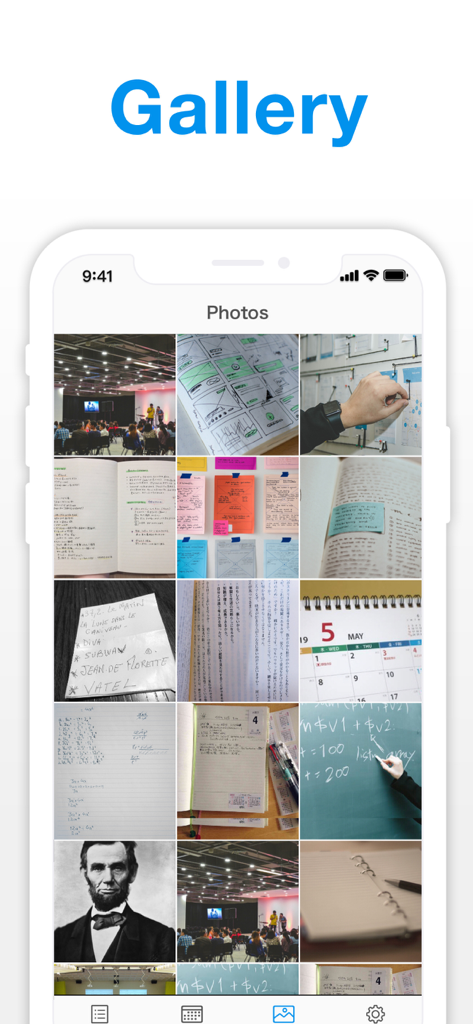
Simple Notesアプリのギャラリー機能に保存された画像と写真のグリッドビュー。
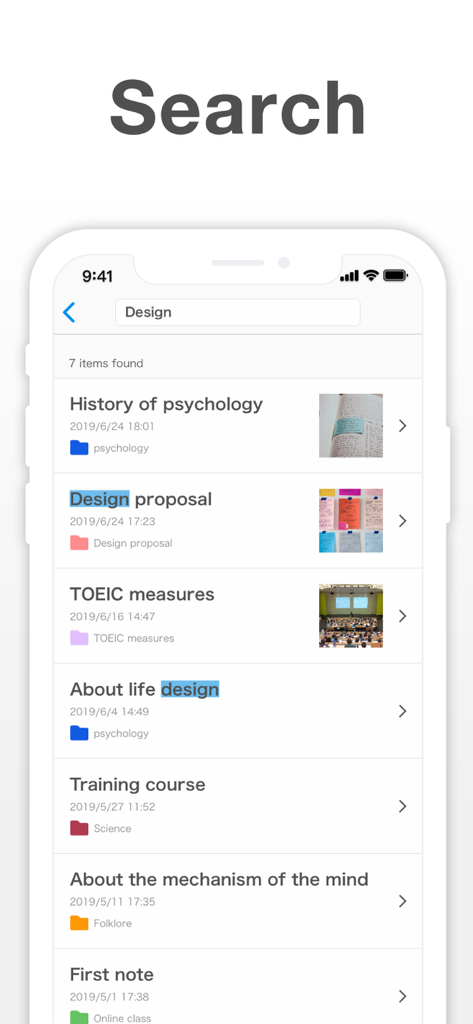
ハイライトされたキーワードと画像サムネイル付きのメモリストを表示するSimple Notesアプリの検索インターフェース。
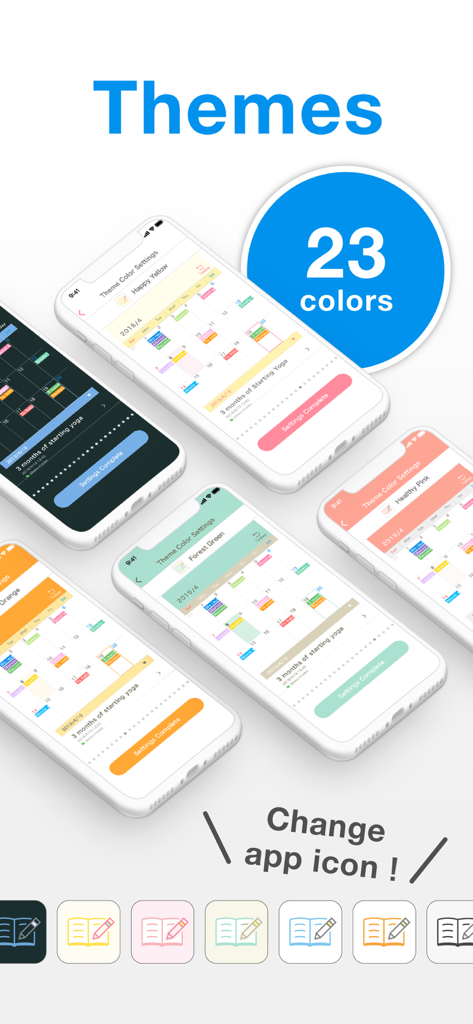
Simple Notesアプリの23種類のカラーテーマとカスタマイズ可能なアプリアイコンのショーケース。
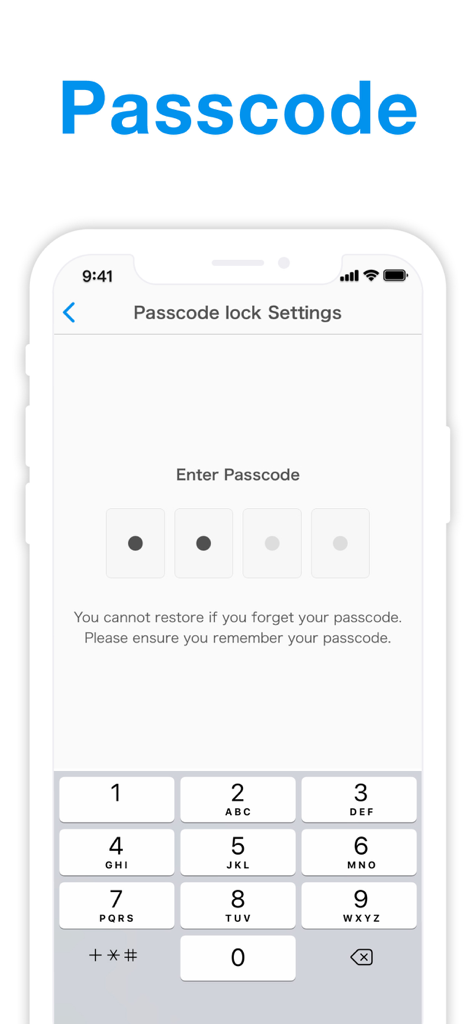
Simple Notesアプリのパスコードロック設定と数字キーパッドを表示するスマートフォンの画面。
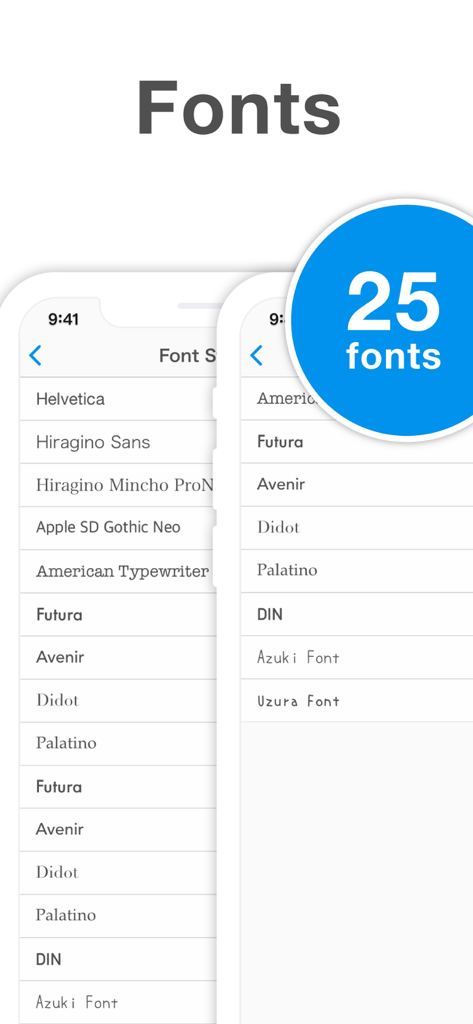
メモのカスタマイズのための25種類のフォントスタイルを表示するSimple Notesアプリのスクリーンショット。
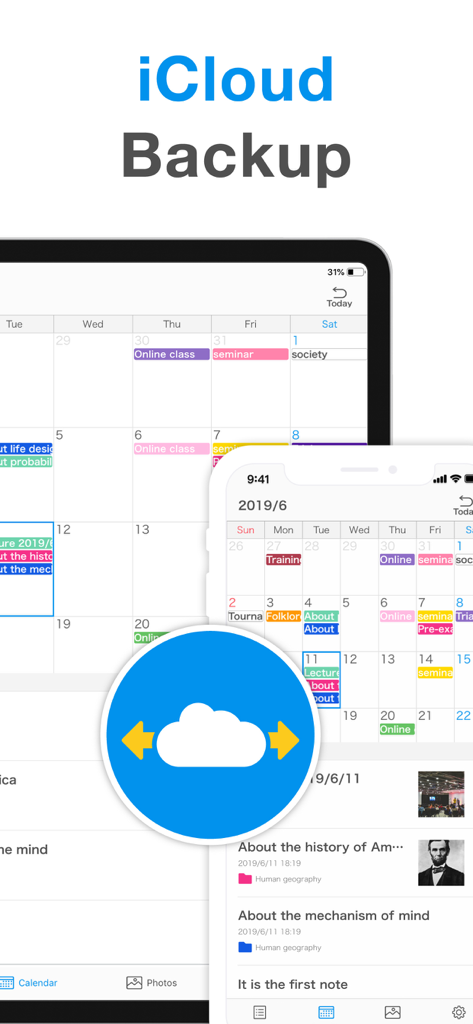
iPhoneおよびiPad用のSimple NotesのiCloudバックアップおよび同期機能。
説明
Download
類似アプリ
似た機能とユーザー体験を持つアプリ
mumbler
SEOYOUNG JO
SyncTasks
Toh Kar Le

Notes, Journal, Diary: PenCake
Diffathy, Inc.

Malpon:QuickNotes
BACKEND IQ LLC

Superquote: Diary Book
BRYONY EVERLY

小记录-轻量级日记应用
Eve Southey
Brain Dump: Notes & Writing
Francesco Leoni

Notes Book PRO
Dylan Zaoui

Nutbox: save, organize, find
Anders Klausen
このページはアプリまたはその開発者の公式ページではなく、情報提供および論評を目的として作成された独立した編集出版物です。明示的に別段の記載がない限り、アプリおよびその開発者は、MWM、Apple、Google Play、アプリのパブリッシャー、またはアプリの開発者と提携、承認、後援、認可、またはその他の公式的な関係はなく、このページのいかなる内容も、アプリがMWMのサービスを使用して開発されたことを意味するものではありません。すべての商標、ロゴ、スクリーンショット、その他のコンテンツはそれぞれの所有者の財産です。