Simple Scanner - PDF Doc Scan

Simple Scanner - PDF Doc Scan

ダウンロード: App Store
ロゴ: Simple Scanner - PDF Doc Scan

Simple Scanner: オールインワン・ポータブルPDFドキュメントスキャナー

あなたのスマホを高解像度スキャニングパワフルデバイスに変身させます。書類を瞬時にデジタル化、OCR処理、クラウドに同期し、よりスマートなペーパーレスワークフローを実現します。

開発元

TongSoft Information Co., Ltd.

カテゴリ

Business

ダウンロード

892K+

ユーザー評価

4.9/5

評価数

4K+

対応言語

31

あなたのオフィスをポケットに

このインターフェースを利用する 892K+ 人のユーザー.

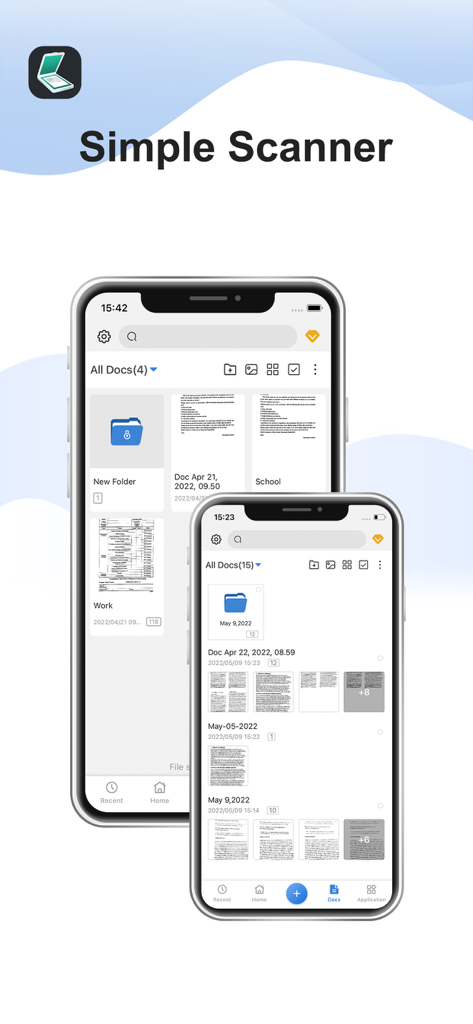
Simple Scannerアプリのドキュメント管理インターフェースを表示する2台のiPhone

Simple Scannerアプリのドキュメント管理インターフェースを表示する2台のiPhone

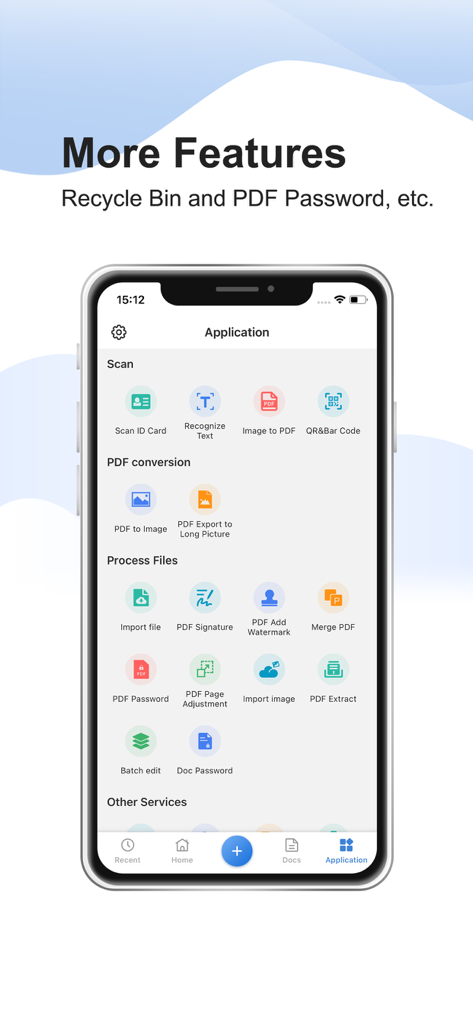
PDF変換、署名、ドキュメントセキュリティなどの機能を強調するSimple Scannerアプリのインターフェース。

PDF変換、署名、ドキュメントセキュリティなどの機能を強調するSimple Scannerアプリのインターフェース。

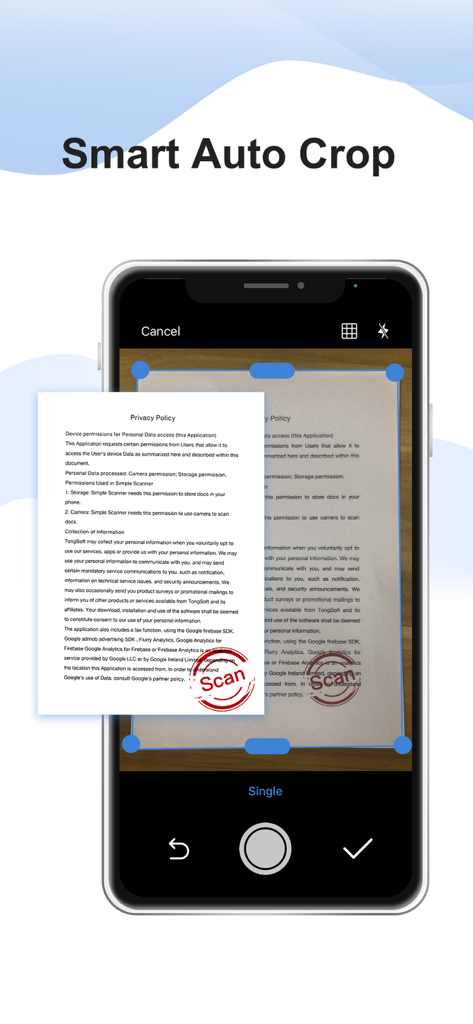
紙のドキュメントでSimple Scannerアプリのスマート自動クロップ機能を実演するスマートフォンの画面

紙のドキュメントでSimple Scannerアプリのスマート自動クロップ機能を実演するスマートフォンの画面

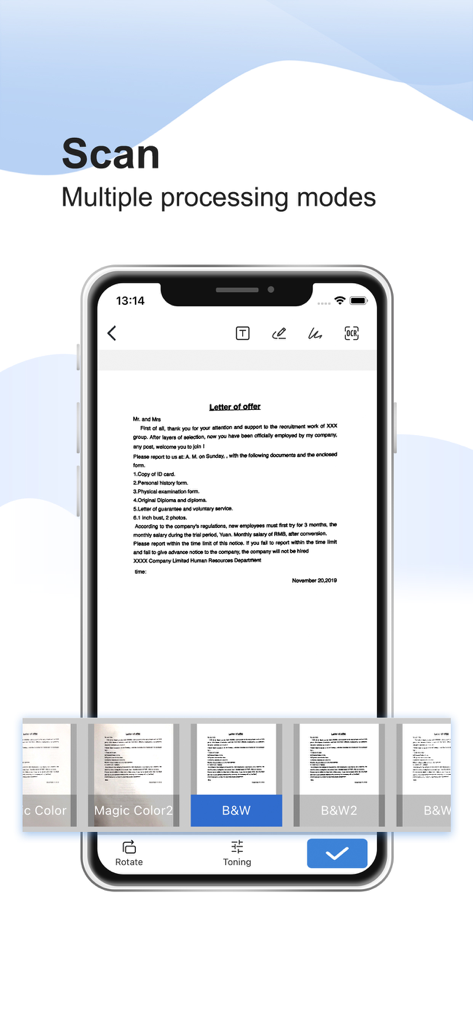
スキャンされた手紙と白黒などの複数の画像処理フィルターを表示するSimple Scannerアプリのインターフェースを示すスマートフォン

スキャンされた手紙と白黒などの複数の画像処理フィルターを表示するSimple Scannerアプリのインターフェースを示すスマートフォン

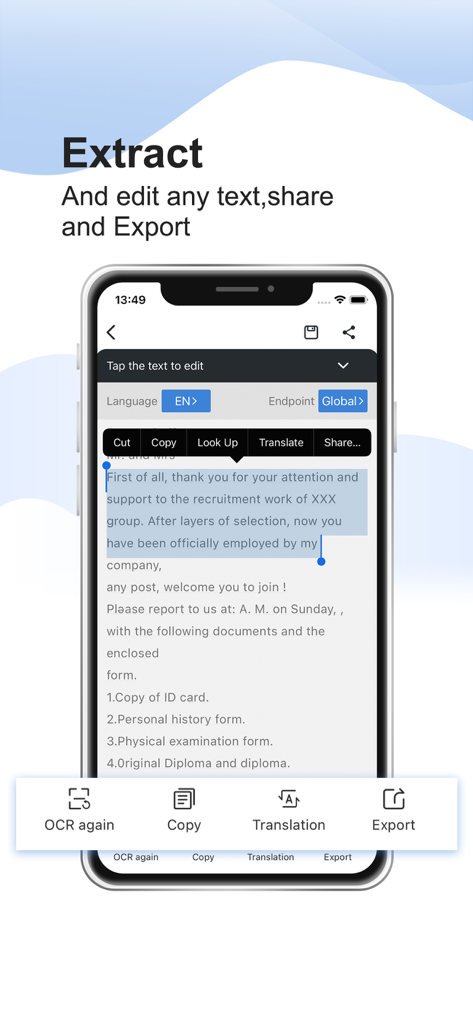
モバイルデバイスでOCRテキスト抽出と編集機能を示すSimple Scannerアプリのインターフェース。

モバイルデバイスでOCRテキスト抽出と編集機能を示すSimple Scannerアプリのインターフェース。

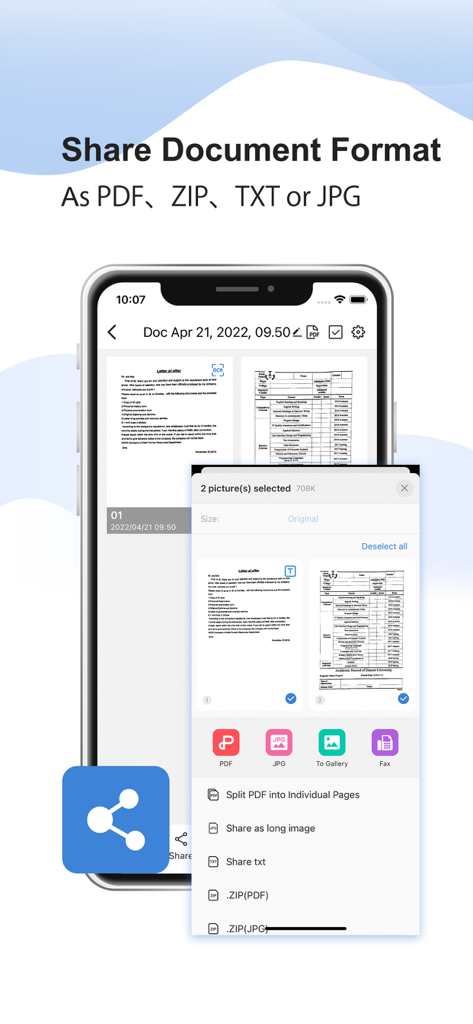
PDF、ZIP、TXT、JPG形式のドキュメント共有オプションを表示するモバイルアプリのインターフェース

PDF、ZIP、TXT、JPG形式のドキュメント共有オプションを表示するモバイルアプリのインターフェース

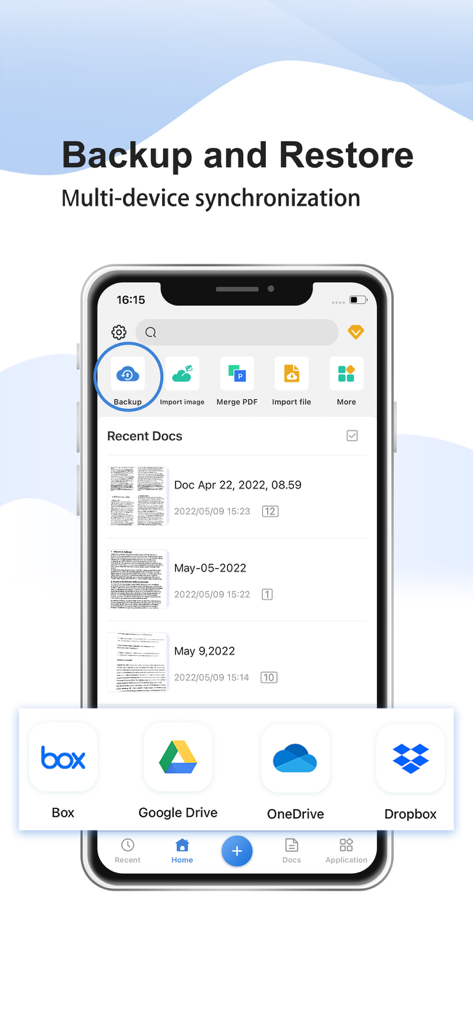
Google DriveやDropboxなどのクラウドストレージオプションを使用して、バックアップと復元機能を示すSimple Scannerアプリのインターフェース

Google DriveやDropboxなどのクラウドストレージオプションを使用して、バックアップと復元機能を示すSimple Scannerアプリのインターフェース

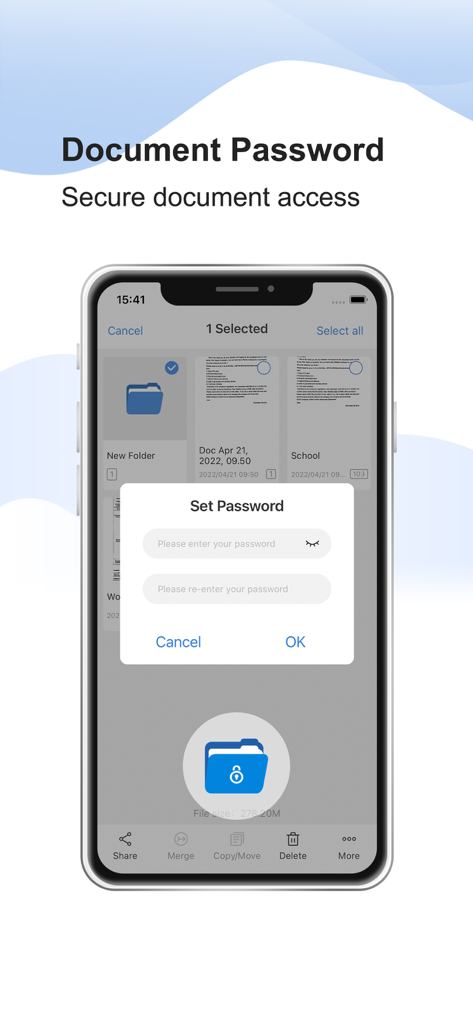
安全なファイルアクセス用のドキュメントパスワード保護機能を示すSimple Scannerアプリのインターフェース

安全なファイルアクセス用のドキュメントパスワード保護機能を示すSimple Scannerアプリのインターフェース

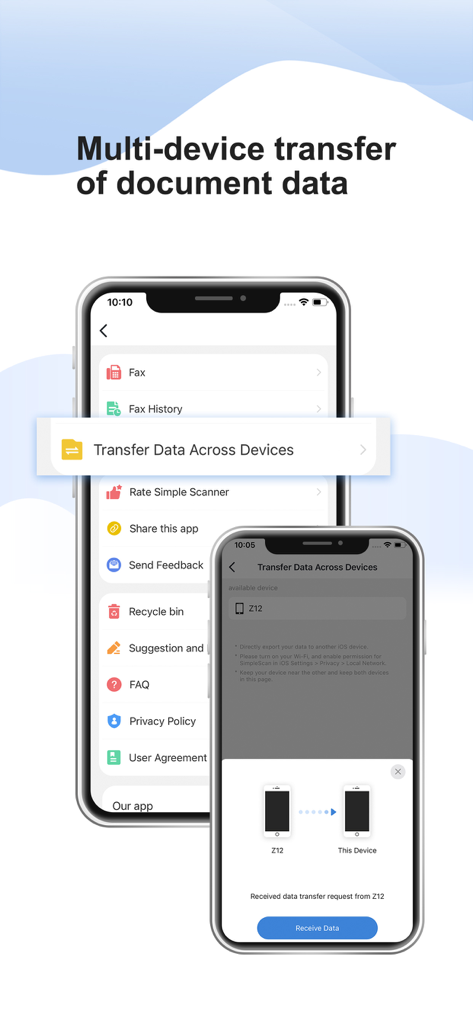
Simple Scannerアプリで2台のiPhone間でのドキュメントデータのマルチデバイス転送を示すインターフェース

Simple Scannerアプリで2台のiPhone間でのドキュメントデータのマルチデバイス転送を示すインターフェース

よりスマートにスキャン、より楽に

このアプリを際立たせるツール、 892K+ 人のユーザーが選択.

クリスタルクリアなデジタル化

プロレベルの画像処理が、影を自動的に除去し、コントラストを強調して、完璧なA4およびリーガルサイズのドキュメントを作成します。

🔍

OCRによる検索可能なテキスト

スキャンしたものを検索可能なデータに変えます。レシート、契約書、メモからテキストを抽出し、手間なく整理整頓しましょう。

☁️

インスタントクラウド同期

あなたのオフィスはあなたについてきます。Google Drive、Dropbox、iCloudに書類を自動同期し、どこからでも安全にアクセスできるようにします。

アプリについて

について知っておくべきこと Simple Scanner - PDF Doc Scan.

説明

Want a moving scanner? The Simple Scanner is a PDF document scanner application that turns your phone into a portable scanner. you can scan documents, photos, receipts, reports, or just about anything. The scan will be saved to the device in image or PDF format. Name and organize your scan to a folder, or share it in the following ways: -Automatically upload JPG and PDF files to the cloud disk -Backup and restore synchronization files between multiple devices  - E-mail, print, Fax  - Dropbox, Evernote, Google Drive, WhatsApp, or more  - Wifi connects directly to your computer - Support importing PDF files into JPG. - Support for adding tags for quick file search. - Support OCR text recognition, export text. The Document Scanner application has all the features you need: - Mobile phone document, automatically remove the clutter background, generate high-definition JPEG pictures or PDF files. - A variety of image processing mode, you can manually adjust the image parameters, with a mobile phone can be paper documents, quickly turned into a clear electronic draft. - Scan color, grayscale, or black and white - Can be used in office, school, home and any place you want - Automatically detects page edges - 5 levels of contrast for clear monochrome text - Set the PDF page size (Letter, Legal, A4, etc.) - Thumbnail or list view, sorted by date or title - Simple scanner are optimized to run very fast. - Quick search by document title - Use a password to protect your documents - General - A single application that works on your phone! By agreeing to use the app, you agree to the following Privacy Policy and User Terms. Privacy Policy: https://www.tongsoftinfo.com/Simple-Scanner/Privacy-Policy.html Terms of Use: https://www.tongsoftinfo.com/Termsofuse.html If you like simple scanner or have any other comments, please take a moment to write us a comment, or simply email us at simple.scanner@tongsoftinfo.com, which will help us improve our products and give you a better experience.

最新バージョン

2.9.7

サイズ

195.9 MB

リリース日

2020年9月12日

ワークフローをペーパーレスのパワフルなシステムへ

Simple Scannerを信頼し、書類を瞬時にデジタル化、同期、保護している890,000人以上のプロフェッショナルに加わりましょう。今日、あなたのiPhoneに4.8つ星評価のオフィスハブをダウンロードしてください。

ダウンロード: App Store

App information, icons, screenshots, and descriptions displayed on this page are sourced from the Apple App Store and are the property of their respective developers. Download estimates and rankings are based on MWM's proprietary models and may not reflect actual figures. This page is provided for informational and analytical purposes only.

Believe this page infringes your intellectual property? File a dispute