Sketchbook: Create Digital Art

Sketchbook: Create Digital Art


ダウンロード: App Store
ロゴ: Sketchbook: Create Digital Art

Sketchbook: プロフェッショナルな精度でデジタルアートを作成

モバイルデバイスをパワフルなスタジオに変えましょう。60種類以上のリアルなブラシと、クリエイティブな流れのためにデザインされたプロレベルのツールを備えた、受賞歴のある邪魔されない描画環境を体験してください。

開発元

Loyal Foundry, Inc.

カテゴリ

Graphics & Design

ダウンロード

766K+

ユーザー評価

3.9/5

評価数

1K+

対応言語

1

あなたのビジョン、実現。

このインターフェースを利用する 766K+ 人のユーザー.

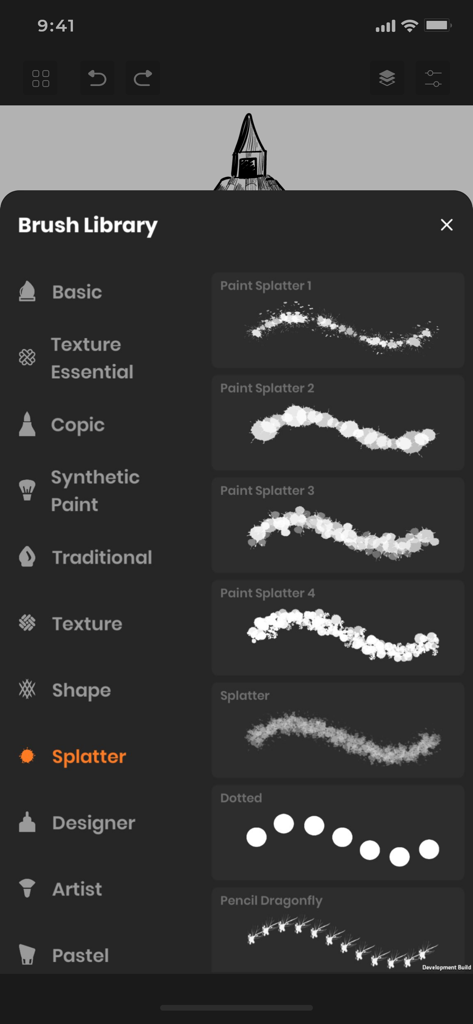
Sketchbookアプリのブラシライブラリメニューで、さまざまなペイントスプラッターブラシタイプが表示されています

Sketchbookアプリのブラシライブラリメニューで、さまざまなペイントスプラッターブラシタイプが表示されています

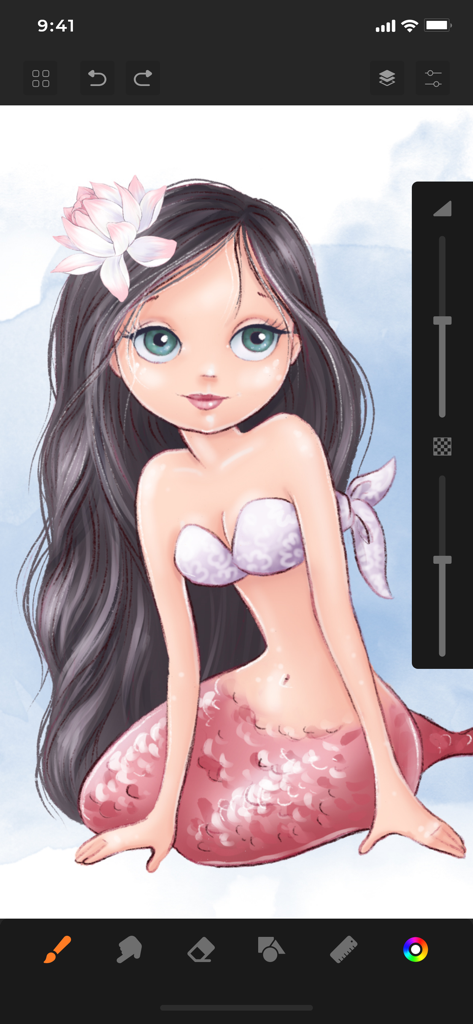
Sketchbookアプリのインターフェースで作成中のマーメイドキャラクターのデジタルイラスト

Sketchbookアプリのインターフェースで作成中のマーメイドキャラクターのデジタルイラスト

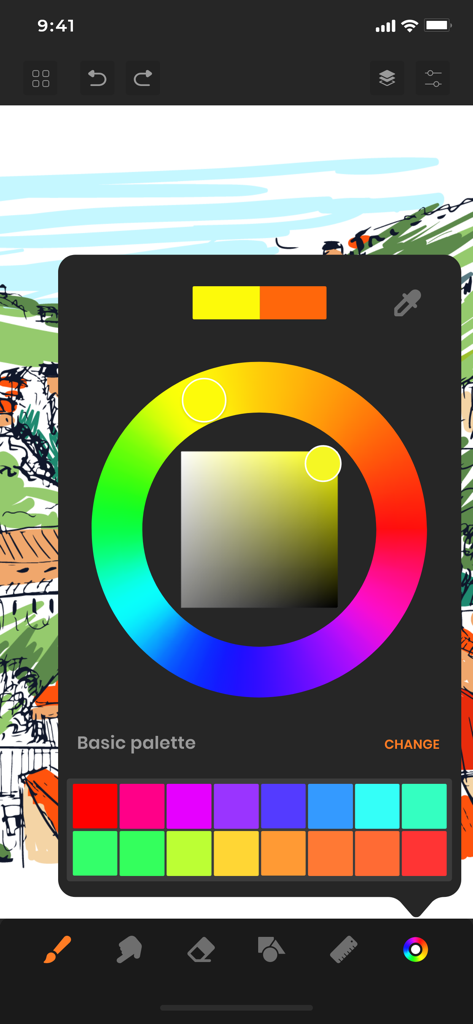
Sketchbookアプリのインターフェースで、デジタルスケッチの上にカラーホイールとカスタムパレットが表示されています。

Sketchbookアプリのインターフェースで、デジタルスケッチの上にカラーホイールとカスタムパレットが表示されています。

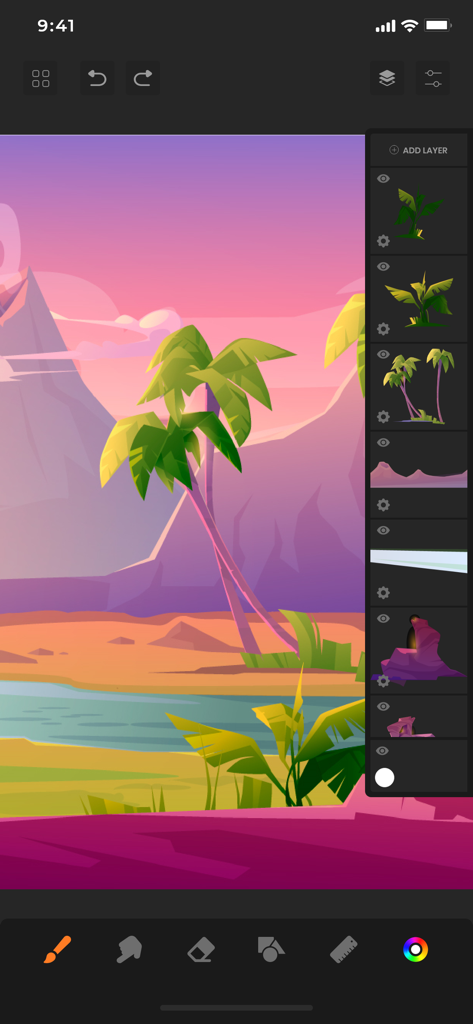
Sketchbookアプリのレイヤーパネルが表示された熱帯の風景のデジタルイラスト

Sketchbookアプリのレイヤーパネルが表示された熱帯の風景のデジタルイラスト

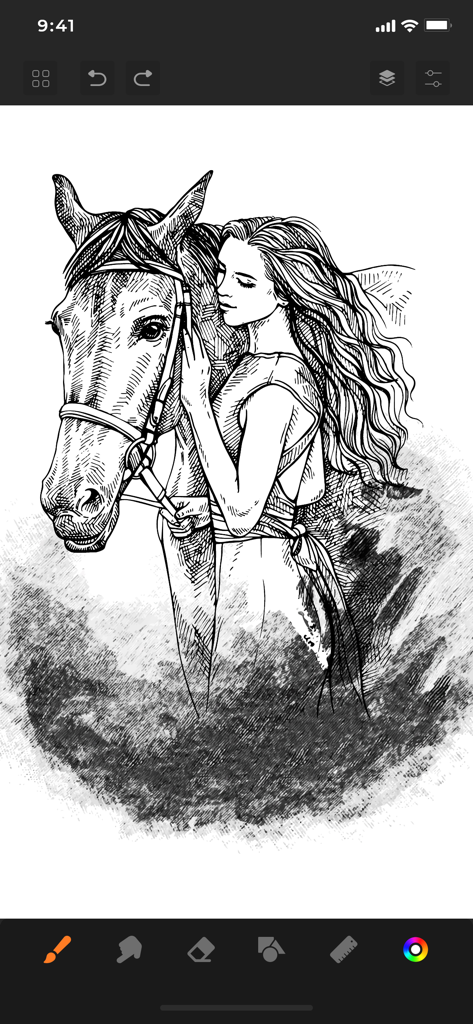
Sketchbookアプリで、女性が馬を抱きしめているデジタル白黒スケッチ

Sketchbookアプリで、女性が馬を抱きしめているデジタル白黒スケッチ

あなたのクリエイティブな流れのためのプロフェッショナルツール

このアプリを際立たせるツール、 766K+ 人のユーザーが選択.

🖌️

超リアルなアートツール

コピックマーカーや本物のメディアの感触を模倣したテクスチャを含む、60種類以上のプロフェッショナルブラシであなたの技術をマスターしましょう。

🏗️

高度なレイヤー&精度

複数のレイヤー、シェイプアシストガイド、完璧なパースペクティブのための特殊な定規を使用して、複雑なイラストを楽に作成しましょう。

邪魔されないワークスペース

描画スペースを最大化し、中断を最小限に抑える、クリーンで反射的なインターフェースで、あなたの芸術に完全に集中しましょう。

レビュー分析

ユーザーレビューの分析.

感情スコア

24%
ネガティブ

概要

The app receives overwhelmingly negative feedback, primarily due to aggressive paywalls and mandatory subscriptions that restrict basic functionalities like saving and exporting drawings. Many users report frequent, intrusive advertisements, even appearing when switching apps, and numerous critical bugs such as the app not opening, crashing, or drawing functionality not working. While some users praise the full version for its good features and intuitive design, a significant number express frustration over lost work and the inability to use core drawing tools without payment. Overall, the app is perceived as a scam attempting to force subscriptions.

主なテーマ

Paywall & Subscriptions(18)
App Functionality & Bugs(11)
Aggressive Ads(8)
Saving & Export Issues(8)
Limited Free Features(7)
Positive User Experience(6)
Unintuitive UI/UX(4)

アプリについて

について知っておくべきこと Sketchbook: Create Digital Art.

説明

SketchBook is the most practical, versatile and user-friendly sketching app designed for mobile gadgets. This exhaustive artist's toolbox helps users create dazzling sketches, cheerful paintings and smashing illustrations on the go. A reflexive way to produce a custom drawing! Whether you want to create graffiti or you want to create a doodle, or you want to learn to paint and draw, SketchBook is your tool of choice. Sketchbook is an award-winning sketching, artwork, and drawing app for anyone who loves to draw. Artists and illustrators love Sketchbook for its professional-grade characteristic set and highly customizable mechanisms. Everyone loves Sketchbook for its elegant interface and natural drawing experience, free of distractions so you can focus on capturing and articulating your idea. FEATURES - Shape draw assist - Paint. Draw, Sketch. Repeat - Draw smoothly like never before on iPad or iPhone with super realistic brushes. - Draw creative sketches using 60 brushes and tools - Enhance your drawing by importing pictures and photos - Zoom to paint fine details - Share instantly - Import photos for Reference - Ruler - 16 Shape Rulers - Color Palette - Custom Color Wheel - Multiple Layers drawings - Layer settings - Undo - Redo steps - Hard and soft Eraser with opacity settings Beautiful tools make beautiful drawings, we endlessly refined SketchBook brushes to create the most realistic drawing tools. List of BRUSH tools - Basic - Texture Essentials - Copic - Pen Brush - Synthetic Paint - Traditional - Texture - Shape - Splatter - Designer - Artist - Pastel - Eraser - Cutter - Smudge tool Create amazing drawing ideas to life. Use SketchBook state-of-the-art brushes and tools to sketch, type, paint, and draw. Take your drawing creations to wherever your thoughts want to go! Unlimited access to all the premium features and future updates during the subscription period. The subscriptions are $6.99 per month with 3 days trial period and $24.99 yearly or equal to the same price tier as Apple App Store Matrix, determined as the equivalent of subscription price in $USD. You may cancel a subscription or free-trial anytime via the subscription setting through your iTunes account. This must be done 24 hours before the end of the free trial or subscription period to avoid being charged. The subscription will automatically renew unless auto-renew is turned off at least 24 hours before the end of the current period. No cancellation of the current subscription is allowed during the active subscription period. Any unused portion of a free trial period will be forfeited when the user purchases a SketchBook Premium Features subscription. Privacy Policy and Terms of Use : https://www.loyal.app/privacy-policy

最新バージョン

6.1.3

サイズ

198.5 MB

リリース日

2021年2月28日

あなたのビジョンを実現する準備はできましたか?

766,000人以上のアーティストの仲間入りをして、iPadをプロフェッショナルなデジタルスタジオに変えましょう。本日3日間の無料トライアルを開始して、手のひらで60種類以上のリアルなブラシのパワーを体験してください。

ダウンロード: App Store
FAQ

よくある質問

について知っておくべきこと Sketchbook: Create Digital Art

Sketchbook: Create Digital Artとは何ですか?

Sketchbook: Create Digital Artは、モバイルデバイス向けの受賞歴のある多用途な描画アプリです。網羅的なアーティストツールボックスを提供し、ユーザーは自然な描画体験でスケッチ、ペイント、イラストを作成できます。

Sketchbook: Create Digital Artは、いくつのブラシとツールを提供していますか?

Sketchbook: Create Digital Artは、クリエイティブなスケッチのために60個のブラシとツールを提供しています。これには、ベーシック、コピック、スプラッター、デザイナー、シンセティックペイントなどのカテゴリが含まれ、幅広い芸術的なオプションが利用可能です。

Sketchbook: Create Digital Artでは、カスタムカラー選択ができますか?

はい、Sketchbook: Create Digital Artではカスタムカラー選択が可能です。このアプリにはカラーパレットとカスタムカラーホイールがあり、ユーザーはアートワークの正確な色を選択および定義できます。

Sketchbook: Create Digital Artでレイヤーを使用できますか?

はい、Sketchbook: Create Digital Artは描画のために複数のレイヤーをサポートしています。ユーザーはこれらのレイヤーを管理し、設定を調整して、複雑で整理されたアートワークを作成できます。

Sketchbook: Create Digital Artのサブスクリプション価格はいくらですか?

Sketchbook: Create Digital Artは、月額6.99ドルの月間サブスクリプションを提供しており、3日間のトライアルが含まれています。年間サブスクリプションは24.99ドルで利用でき、すべてのプレミアム機能に無制限でアクセスできます。

Sketchbook: Create Digital Artのサブスクリプションまたはトライアルをキャンセルするにはどうすればよいですか?

Sketchbook: Create Digital Artのサブスクリプションまたはトライアルは、iTunesアカウント設定からキャンセルできます。自動更新料金を避けるためには、現在の期間が終了する少なくとも24時間前にキャンセルする必要があります。

Sketchbook: Create Digital Artは画像のインポートをサポートしていますか?

はい、Sketchbook: Create Digital Artは画像のインポートをサポートしています。ユーザーは写真や画像をインポートして、描画を強化したり、アプリ内で参照資料として使用したりできます。

Sketchbook: Create Digital Artには、元に戻す/やり直し機能がありますか?

はい、Sketchbook: Create Digital Artには、元に戻す/やり直しステップ機能があります。この機能により、ユーザーはアクションを簡単に修正し、作成中に描画の進捗を効果的に管理できます。

Sketchbook: Create Digital Artでは、定規を利用できますか?

はい、Sketchbook: Create Digital Artでは定規を利用できます。このアプリには定規機能が含まれており、16個のシェイプルールを提供して、ユーザーが正確で構造化された描画を作成するのを支援します。

App information, icons, screenshots, and descriptions displayed on this page are sourced from the Apple App Store and are the property of their respective developers. Download estimates and rankings are based on MWM's proprietary models and may not reflect actual figures. This page is provided for informational and analytical purposes only.

Believe this page infringes your intellectual property? File a dispute