Smart Planner: Calendar, Tasks

Smart Planner: Calendar, Tasks


ダウンロード: App Store
ロゴ: Smart Planner: Calendar, Tasks

Smart Planner: カレンダー、タスク – 人生のための、おしゃれなオールインワンオーガナイザー

カレンダー、タスク、メモ、日記を、美しくプライベートな空間にまとめましょう。すぐに使えるように完全にカスタマイズ可能。登録不要です。

開発元

Komorebi Inc.

カテゴリ

Business

ダウンロード

928K+

ユーザー評価

4.5/5

評価数

26K+

対応言語

33

静寂の一瞥

このインターフェースを利用する 928K+ 人のユーザー.

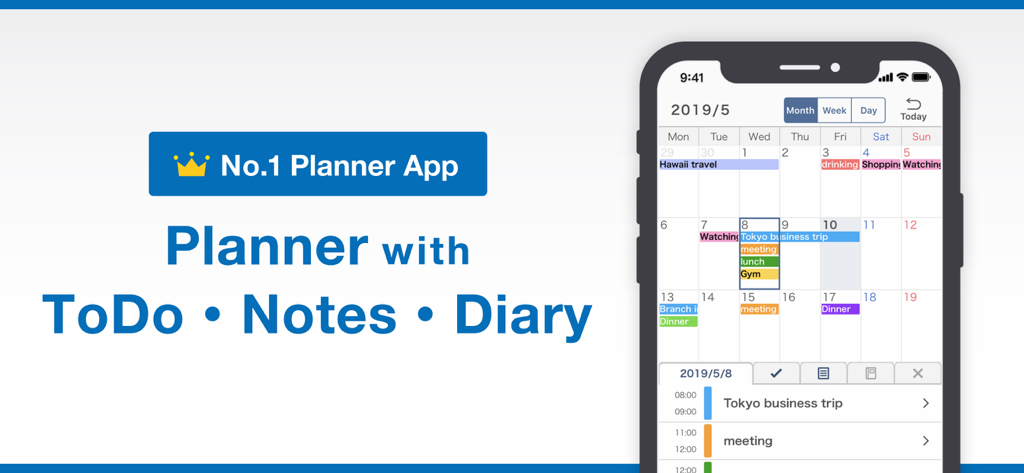
Smart Plannerモバイルアプリ。統合されたカレンダー、ToDoリスト、日記機能を表示。

Smart Plannerモバイルアプリ。統合されたカレンダー、ToDoリスト、日記機能を表示。

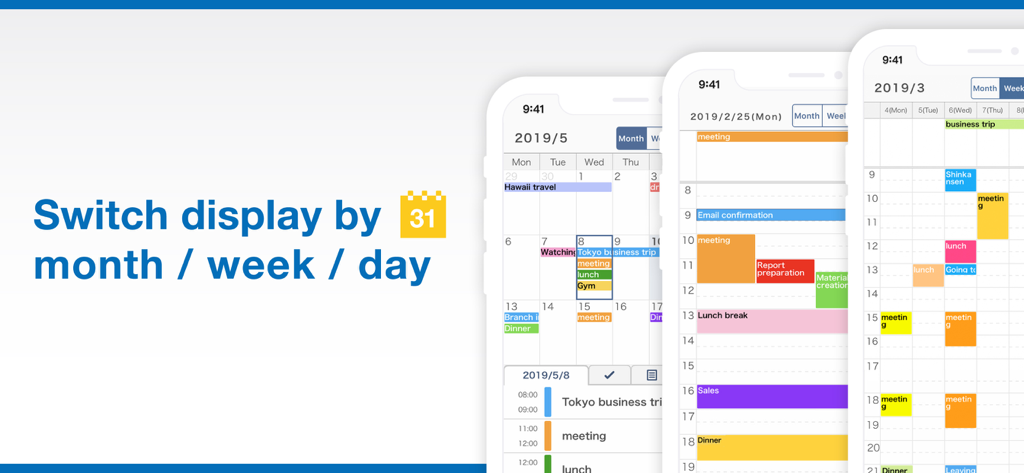
Smart Plannerアプリが月、週、日のカレンダー表示を切り替える様子を示す3つのiPhone画面。

Smart Plannerアプリが月、週、日のカレンダー表示を切り替える様子を示す3つのiPhone画面。

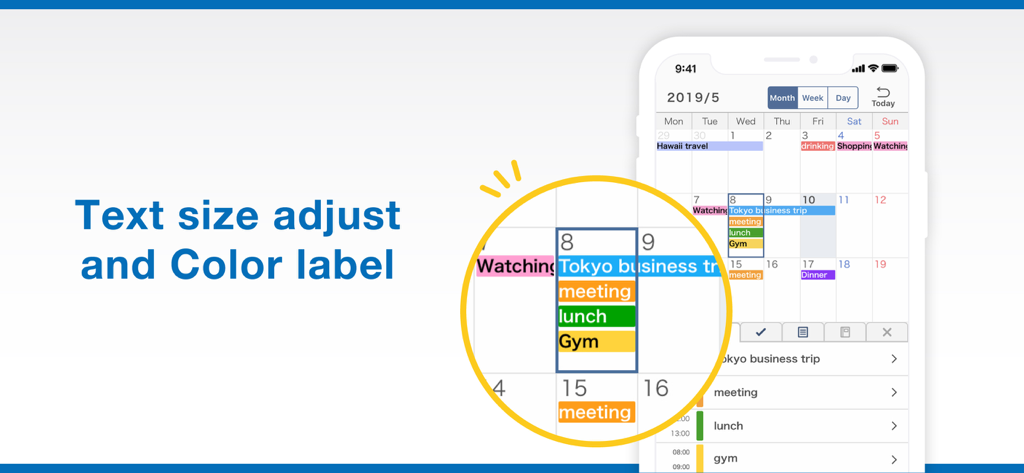
Smart Plannerアプリ画面。テキストサイズ調整とカレンダーのカラーコーディングされたラベルを表示。

Smart Plannerアプリ画面。テキストサイズ調整とカレンダーのカラーコーディングされたラベルを表示。

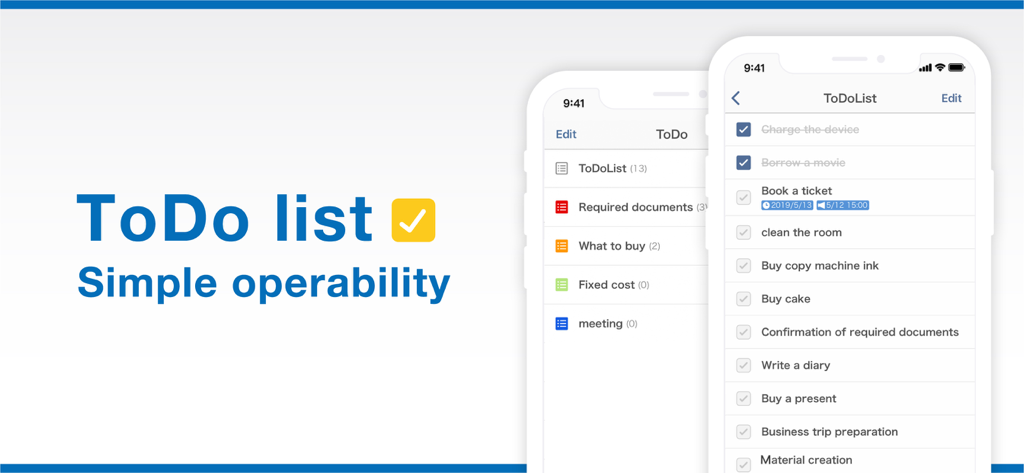
Smart Plannerアプリ。シンプルでおしゃれなToDoリストインターフェースを表示。

Smart Plannerアプリ。シンプルでおしゃれなToDoリストインターフェースを表示。

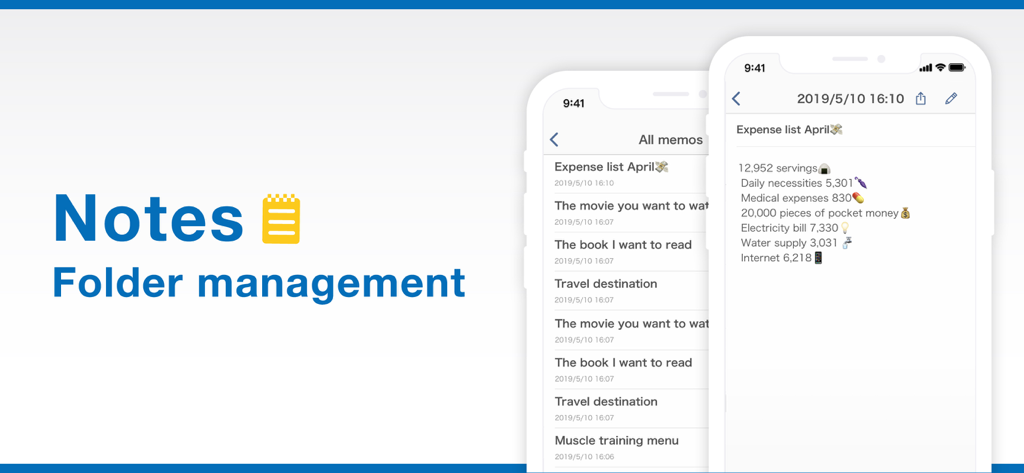
Smart Plannerアプリのメモとフォルダ管理画面。経費リストを表示。

Smart Plannerアプリのメモとフォルダ管理画面。経費リストを表示。

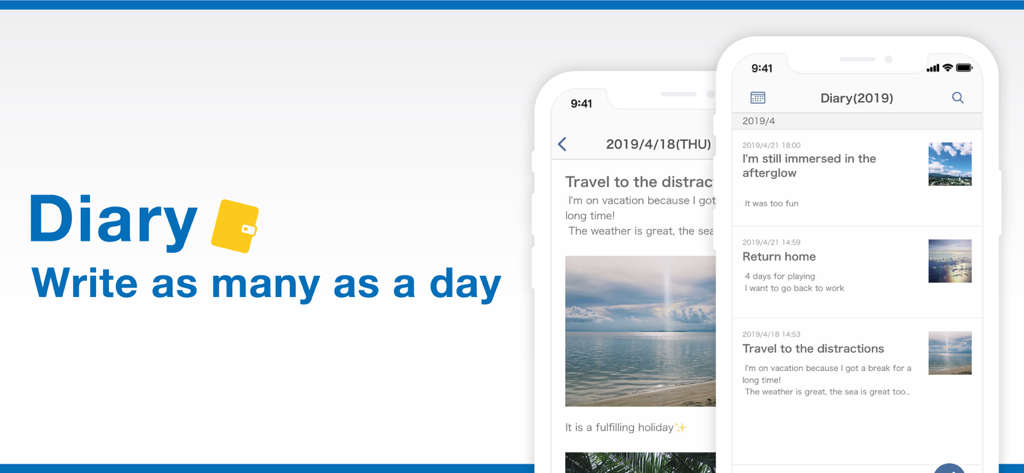
Smart Plannerアプリのデジタル日記インターフェース。写真とテキストを含む毎日のエントリを表示。

Smart Plannerアプリのデジタル日記インターフェース。写真とテキストを含む毎日のエントリを表示。

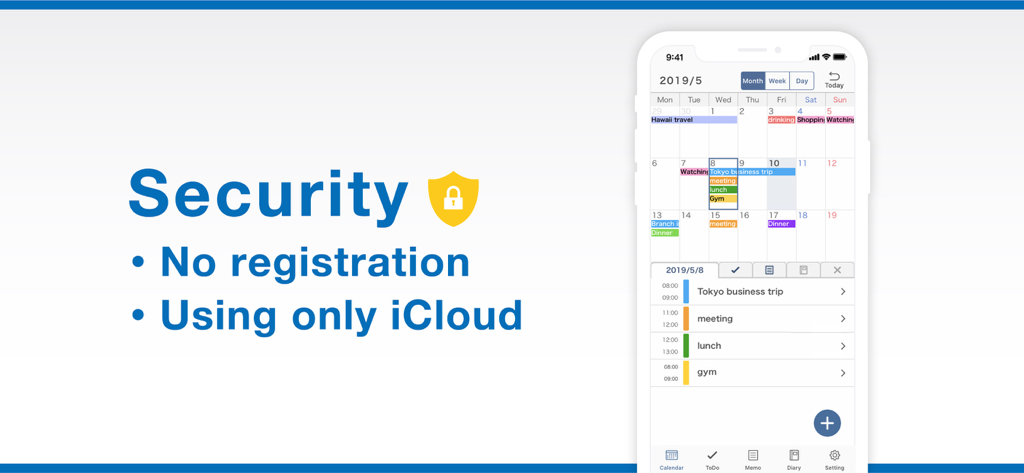
Smart Plannerのセキュリティ機能画面。登録不要、iCloud同期のハイライト、カレンダーモックアップを表示。

Smart Plannerのセキュリティ機能画面。登録不要、iCloud同期のハイライト、カレンダーモックアップを表示。

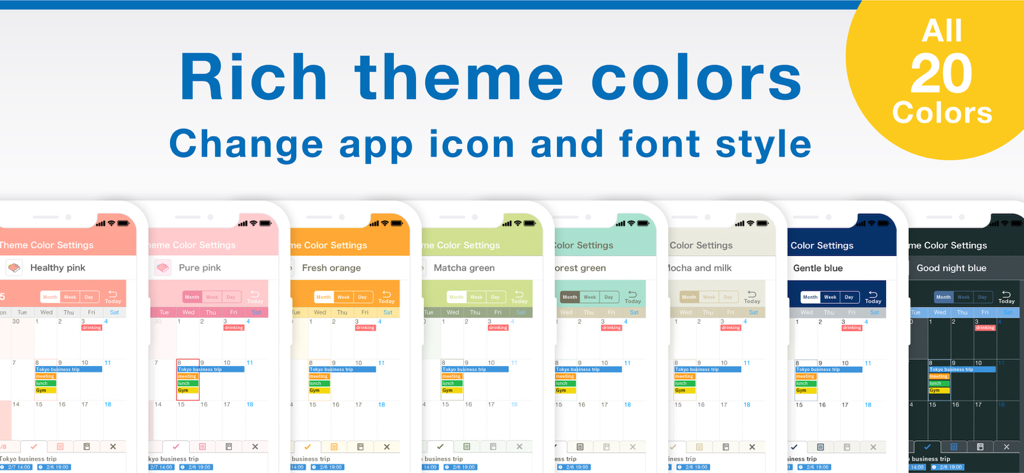
複数のスマートフォンに表示されたSmart Plannerアプリカレンダーインターフェースの、さまざまなカラフルでおしゃれなテーマオプション。

複数のスマートフォンに表示されたSmart Plannerアプリカレンダーインターフェースの、さまざまなカラフルでおしゃれなテーマオプション。

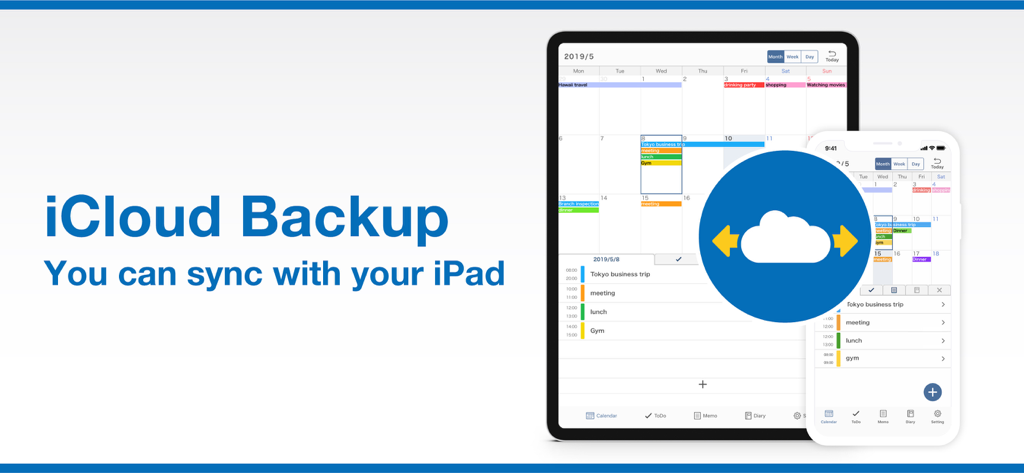
Smart Plannerアプリインターフェース。iPadとiPhone間のiCloud同期とバックアップ機能を表示。

Smart Plannerアプリインターフェース。iPadとiPhone間のiCloud同期とバックアップ機能を表示。

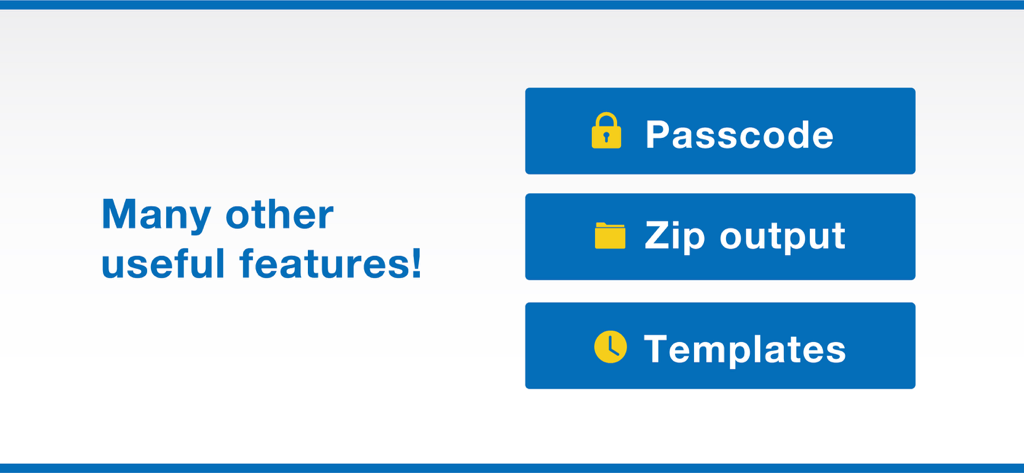
Smart Plannerアプリの追加機能リスト。パスコード保護、zip出力、テンプレートを含む。

Smart Plannerアプリの追加機能リスト。パスコード保護、zip出力、テンプレートを含む。

あなたの人生を、美しく整理整頓

このアプリを際立たせるツール、 928K+ 人のユーザーが選択.

🗓️

究極のオールインワンハブ

カレンダー、タスクリスト、メモを1か所にまとめましょう。単一のダッシュボードで、仕事の締め切りと個人的な思い出を管理することで、精神的なエネルギーを節約できます。

無限のおしゃれなカスタマイズ

50種類以上のテーマカラーと18種類のおしゃれなフォントで、あなたのスタイルを表現しましょう。機能的であると同時に美しい、デジタルプランニングサンクチュアリを作成しましょう。

🔒

プライバシー最優先、摩擦ゼロ

登録不要で、すぐに計画を始めましょう。Face ID保護と安全なiCloud同期で、あなたのデータをプライベートに保ちましょう – データ収集は一切なし、あなたの人生だけです。

アプリについて

について知っておくべきこと Smart Planner: Calendar, Tasks.

説明

All-in-One Planner App! Smart Planner combines a calendar, to-do list, notepad, and diary in a single easy-to-use app. No registration needed — just open the app and start planning. Main Features: ● Calendar - View by month, week, or day - Sync with iCloud and Google Calendar - Add memos, links, and maps to events - Supports recurring events and templates - Includes widgets for quick access - Adjust text size and font style ● To-Do - Set deadlines and reminders - Organise tasks with colour-coded lists - Check tasks directly on the calendar ● Notes - Organise notes into folders - Customise font size, spacing, and density - Export notes to your computer ● Diary - Write multiple entries per day - Attach multiple photos to each entry - Export diary entries to your computer ● Customisation & Security - Choose from 50+ theme colours and app icons - Select from 18 different fonts - Supports passcode, Face ID, and Touch ID - iCloud sync and backup - Set default startup tab - Hide unused features ◆ About Premium Plan The Premium Plan is available as a monthly or yearly subscription. First-time users can enjoy a one-month free trial. Subscriptions renew automatically unless cancelled at least 24 hours before the end of the period. Manage your subscription via iPhone or iPad settings anytime. Note: Cancelling mid-period does not refund the current month or year. Terms of Use: https://komorebi-studio.com/planner/tos.html Privacy Policy: https://komorebi-studio.com/planner/policy.html

最新バージョン

7.0.1

サイズ

210.9 MB

リリース日

2019年5月8日

完璧な1日をデザインする準備はできましたか?

90万人以上のユーザーが、オールインワンのデジタルサンクチュアリを見つけました。登録不要で、すぐに計画を始めましょう – あなたとあなたの目標、そしてあなたのスタイルだけです。

ダウンロード: App Store
FAQ

よくある質問

について知っておくべきこと Smart Planner: Calendar, Tasks

Smart Plannerの主な機能は何ですか?

Smart Plannerは、カレンダー、ToDoリスト、メモ帳、日記を統合しています。イベント同期、タスク管理、フォルダによるメモ整理、写真付き日記エントリを提供します。

Smart Plannerはアカウントまたは登録が必要ですか?

いいえ、Smart Plannerは登録不要です。ユーザーはアプリを開くだけで、アカウントを作成せずにすぐに計画を開始できます。

Smart Plannerの外観をカスタマイズするにはどうすればよいですか?

Smart Plannerは豊富なカスタマイズオプションを提供しています。50色以上のテーマカラー、18種類のフォントから選択でき、アプリのアイコンを変更して外観をパーソナライズできます。

Smart PlannerはGoogleカレンダーのような外部カレンダーと同期できますか?

はい、Smart PlannerはiCloudとGoogleカレンダーの両方との同期をサポートしています。この機能により、プラットフォームを横断してイベントを統合管理できます。

Smart Plannerのプレミアムプランには無料トライアルがありますか?

はい、Smart Plannerはプレミアムプランに興味のある初めてのユーザー向けに1ヶ月の無料トライアルを提供しています。トライアル期間中にキャンセルしない限り、サブスクリプションは自動的に更新されます。

Smart Plannerはどのようなセキュリティ機能を提供していますか?

Smart Plannerは、パスコード、Face ID、Touch IDのサポートによりセキュリティを強化しています。また、iCloud同期を使用してバックアップを行い、データの保護とアクセス可能性を確保します。

Smart Plannerからメモや日記エントリをエクスポートできますか?

はい、Smart Plannerではメモや日記エントリをコンピューターにエクスポートできます。この機能により、重要なデータの外部バックアップや共有が容易になります。

App information, icons, screenshots, and descriptions displayed on this page are sourced from the Apple App Store and are the property of their respective developers. Download estimates and rankings are based on MWM's proprietary models and may not reflect actual figures. This page is provided for informational and analytical purposes only.

Believe this page infringes your intellectual property? File a dispute