Smart Printer App & Scanner ´
ダウンロード: App Store

このページはアプリまたはその開発者の公式ページではなく、情報提供および論評を目的として作成された独立した編集出版物です。明示的に別段の記載がない限り、アプリおよびその開発者は、MWM、Apple、Google Play、アプリのパブリッシャー、またはアプリの開発者と提携、承認、後援、認可、またはその他の公式的な関係はなく、このページのいかなる内容も、アプリがMWMのサービスを使用して開発されたことを意味するものではありません。すべての商標、ロゴ、スクリーンショット、その他のコンテンツはそれぞれの所有者の財産です。


ロゴ: Smart Printer App & Scanner ´
ダウンロード: App Store

Smart Printer App & Scanner ´

iPhoneから直接、課題、講義ノート、書類を簡単にスキャン&印刷。プロフェッショナルなレイアウトと高品質なモバイルスキャンで、学業や仕事のワークフローを効率化しましょう。

主要数値

ダウンロード

100

ユーザー評価

1.0/5

評価数

0

開発元

Ayesha Jabbar

カテゴリ

Business

対応言語

25

最新バージョン

1.2

サイズ

7.9 MB

リリース日

2026年1月8日
機能

学業と仕事の成功を支えるパワフルなツール

iPhoneを高パフォーマンスのスキャナー&プリンターステーションに変え、ワークフローを合理化。学生、教育者、多忙なプロフェッショナル向けに設計されています。

スマートドキュメントスキャン

配布資料、教科書のページ、署名済み契約書などをカメラで即座にデジタル化。高品質PDFで出力します。

シームレスなワイヤレス印刷

PDF、講義ノート、ウェブページなどを、AirPrint対応プリンターへ直接、きれいなフォーマットで印刷できます。

以下のスクリーンショットと説明は、アプリの公式ストアリスティングから直接取得されたものであり、アプリ開発者の所有物です。

アプリストア

スクリーンショット
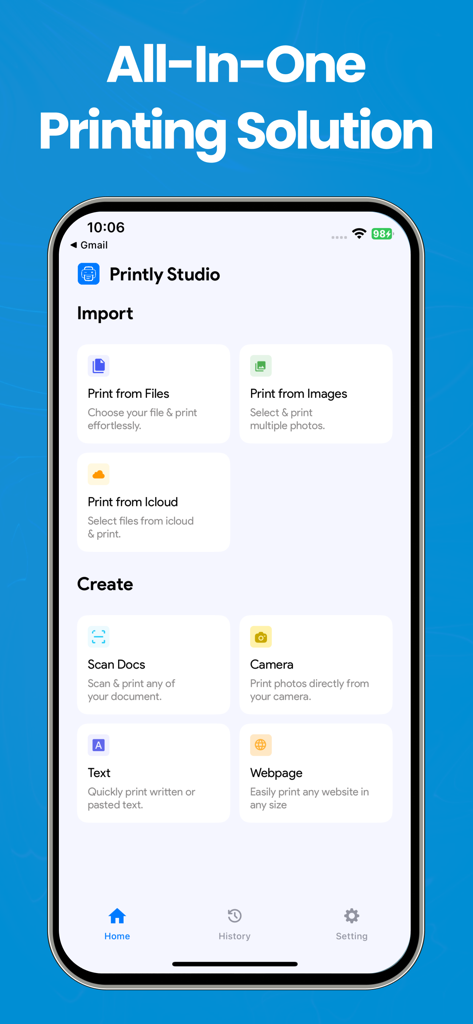
Smart Printer App & Scanner ´ - プリンターアプリのダッシュボードが表示されたスマートフォンの画面。ファイル印刷、ドキュメントスキャン、ウェブからの印刷オプションがあります。
プリンターアプリのダッシュボードが表示されたスマートフォンの画面。ファイル印刷、ドキュメントスキャン、ウェブからの印刷オプションがあります。

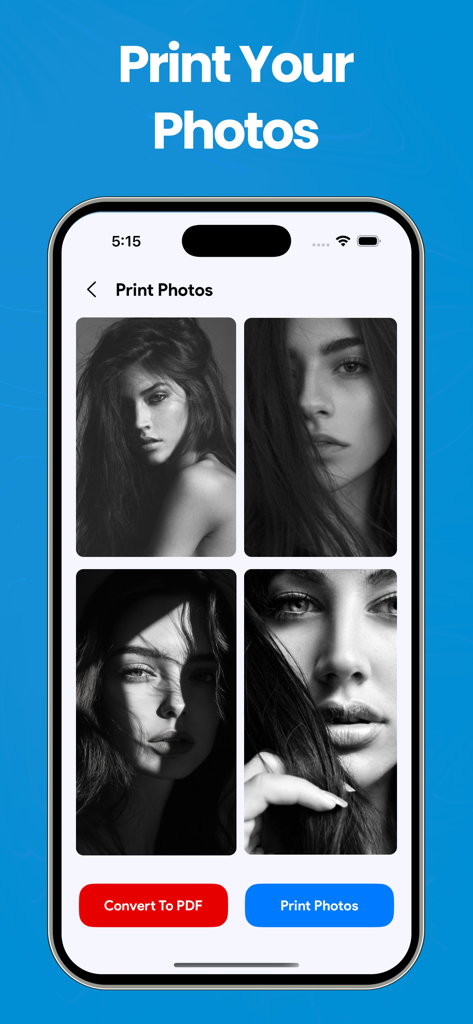
Smart Printer App & Scanner ´ - iPhoneで写真印刷とPDFへの変換を行うスマートプリンターアプリのインターフェース。
iPhoneで写真印刷とPDFへの変換を行うスマートプリンターアプリのインターフェース。

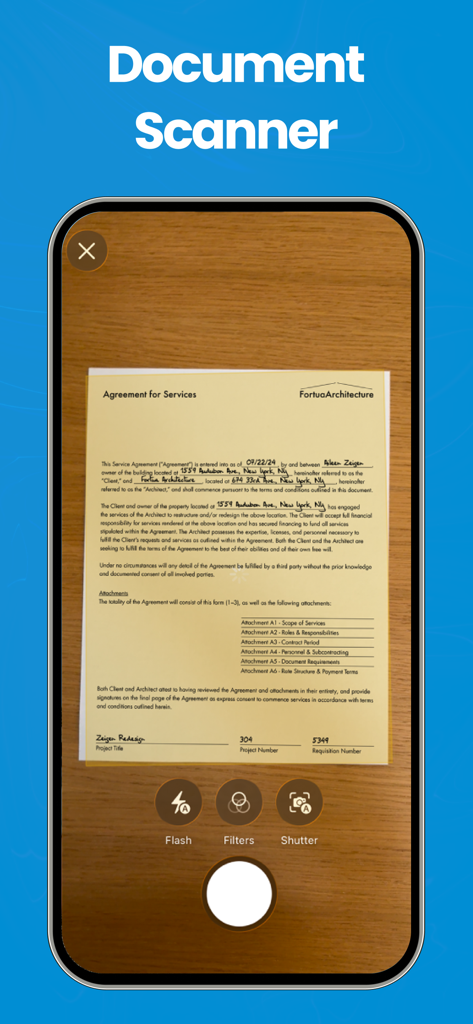
Smart Printer App & Scanner ´ - スマートフォンの画面で、物理的な契約書をキャプチャするスマートプリンターアプリのドキュメントスキャナー機能。
スマートフォンの画面で、物理的な契約書をキャプチャするスマートプリンターアプリのドキュメントスキャナー機能。

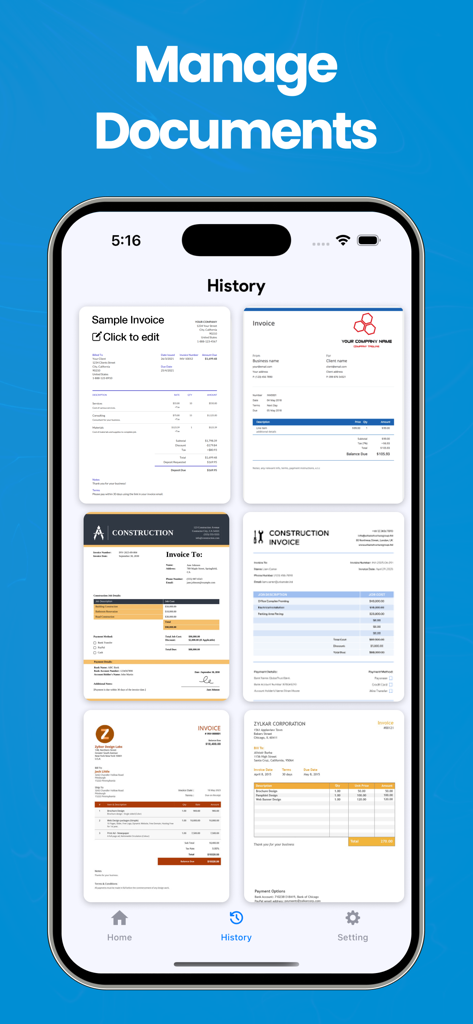
Smart Printer App & Scanner ´ - 管理されたドキュメントやスキャンされた請求書の履歴を表示するモバイルアプリの画面。
管理されたドキュメントやスキャンされた請求書の履歴を表示するモバイルアプリの画面。

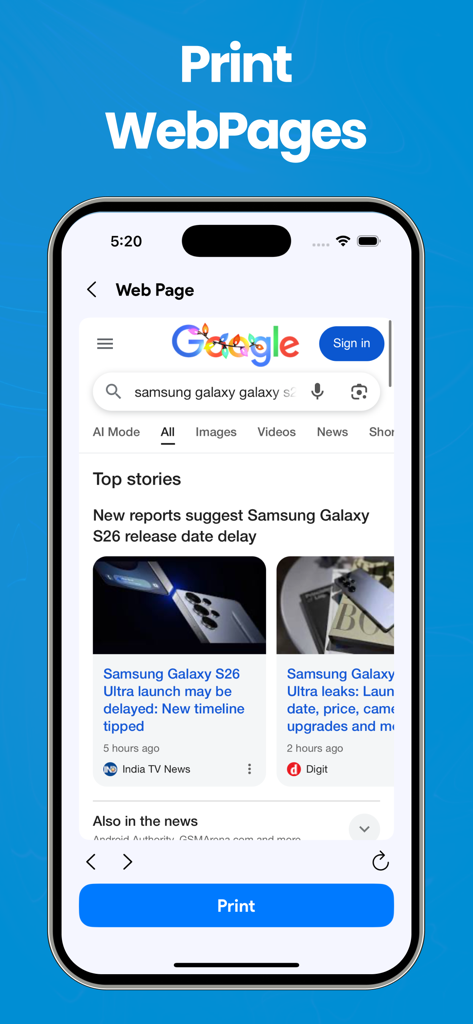
Smart Printer App & Scanner ´ - Google検索結果と青い印刷ボタンが表示された、ウェブページ印刷機能を示すモバイルアプリの画面。
Google検索結果と青い印刷ボタンが表示された、ウェブページ印刷機能を示すモバイルアプリの画面。

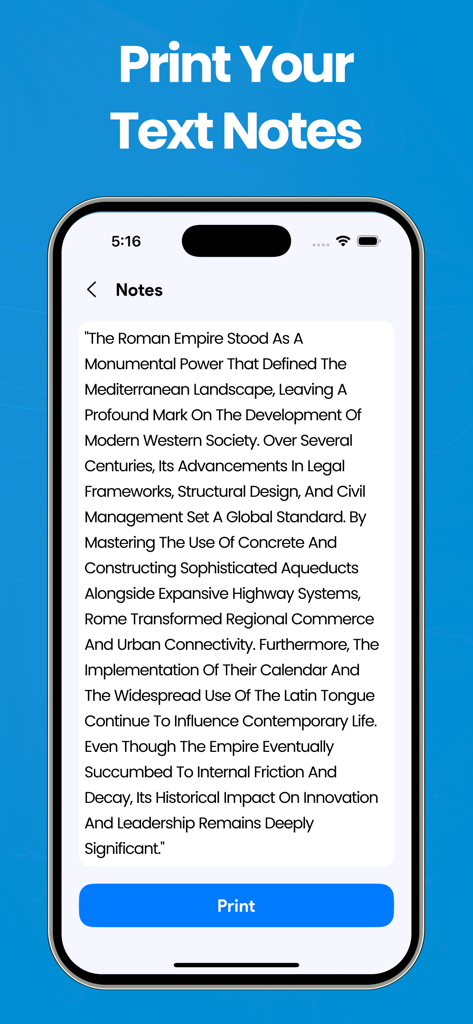
Smart Printer App & Scanner ´ - ローマ帝国に関する学習ノートと印刷ボタンが表示された、テキストノート印刷機能を示すインターフェース。

ローマ帝国に関する学習ノートと印刷ボタンが表示された、テキストノート印刷機能を示すインターフェース。

説明

Smart Printer App & Document Scanner This app helps students and teachers print and scan content directly from an iPhone, making it easier to manage academic materials in one place. It brings together common printing tasks such as printing documents, photos, notes, and scanned pages through a simple and organized interface. Built for everyday academic use, the app supports multiple content types and allows users to prepare files quickly for printing or scanning. Whether working on class assignments, lecture notes, homework, or study resources, it provides a practical way to handle printing needs both at school and at home. Features Print Photos Print images from your photo library with adjustable layout options. Print Documents Print PDF files and supported document formats stored on your device or imported from other apps. Scan Documents Scan paper documents using the camera and save them as digital files. Print Web Pages Print web content directly from a URL with clean formatting. Print from Camera Capture photos using the camera and print them instantly. Print Text Notes Create or paste text notes and print them in a simple layout. Note : Purchase the plan to unlock all the features & unlimited access. Payment will be charged to your iTunes account at confirmation of purchase. Your subscription will automatically renew unless auto-renew is turned off at least 24-hours before the end of the current subscription period. Your account will be charged for renewal within 24-hours prior to the end of the current subscription period. Automatic renewals will cost the same price you were originally charged for the subscription. You can manage your subscriptions and turn off auto-renewal by going to your Account Settings on the App Store after purchase. Read our terms of service and Privacy Policy for more information. Privacy Policy: https://sites.google.com/view/ventureapps/privacy-policy Terms and Conditions: https://sites.google.com/view/ventureapps/terms-conditions

Download

ダウンロード: App Store

このページはアプリまたはその開発者の公式ページではなく、情報提供および論評を目的として作成された独立した編集出版物です。明示的に別段の記載がない限り、アプリおよびその開発者は、MWM、Apple、Google Play、アプリのパブリッシャー、またはアプリの開発者と提携、承認、後援、認可、またはその他の公式的な関係はなく、このページのいかなる内容も、アプリがMWMのサービスを使用して開発されたことを意味するものではありません。すべての商標、ロゴ、スクリーンショット、その他のコンテンツはそれぞれの所有者の財産です。








