Smart Scan Receipts: Receiptly
ダウンロード: App Store

このページはアプリまたはその開発者の公式ページではなく、情報提供および論評を目的として作成された独立した編集出版物です。明示的に別段の記載がない限り、アプリおよびその開発者は、MWM、Apple、Google Play、アプリのパブリッシャー、またはアプリの開発者と提携、承認、後援、認可、またはその他の公式的な関係はなく、このページのいかなる内容も、アプリがMWMのサービスを使用して開発されたことを意味するものではありません。すべての商標、ロゴ、スクリーンショット、その他のコンテンツはそれぞれの所有者の財産です。


ロゴ: Smart Scan Receipts: Receiptly
ダウンロード: App Store

Smart Scan Receipts: Receiptly

一人起業家や忙しい家庭が、レシートスキャン、経費精算の自動化、製品保証の整理を、プロフェッショナルなPDFエクスポートで行うためのオールインワンツール。

主要数値

ダウンロード

1K+

ユーザー評価

4.4/5

評価数

100

開発元

Karmjit Singh

カテゴリ

Finance

対応言語

30

最新バージョン

7.1.6

サイズ

228.5 MB

リリース日

2020年10月19日
機能

あなたの財務生活をシンプルに

インスタントAIスキャンからプロフェッショナルな税務レポートまで、Receiptlyはあなたの時間を節約し、購入品を保護するためのツールを提供します。

インスタントAIスマートスキャン

タップ一つで日付、合計金額、税金情報を自動抽出。手作業でのデータ入力や紙の散らかりにさよならしましょう。

税務申告準備レポート

整理されたPDFまたはExcelスプレッドシートを、数秒で会計士や会社への経費精算のためにエクスポートできます。

以下のスクリーンショットと説明は、アプリの公式ストアリスティングから直接取得されたものであり、アプリ開発者の所有物です。

アプリストア

スクリーンショット
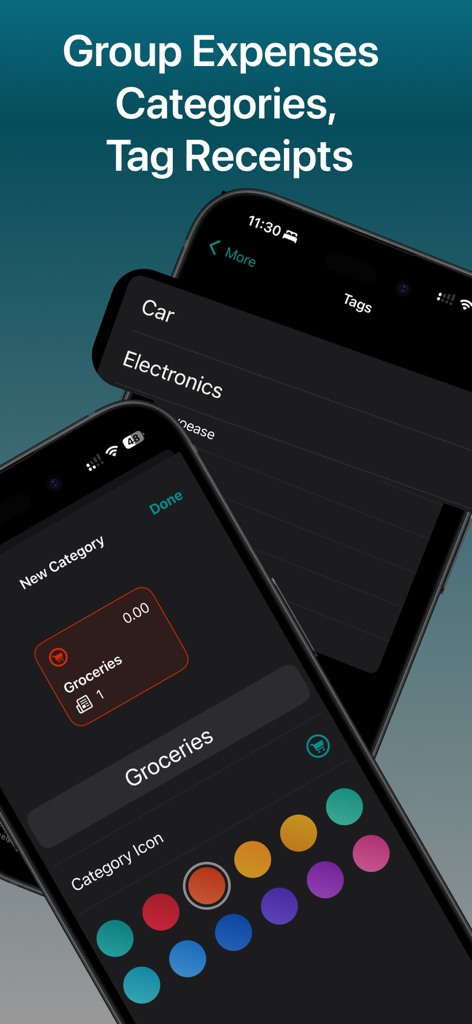
Smart Scan Receipts: Receiptly - Receiptlyアプリのインターフェース。経費のグループ化やレシートのタグ付けのためのAppleショートカット自動化を表示
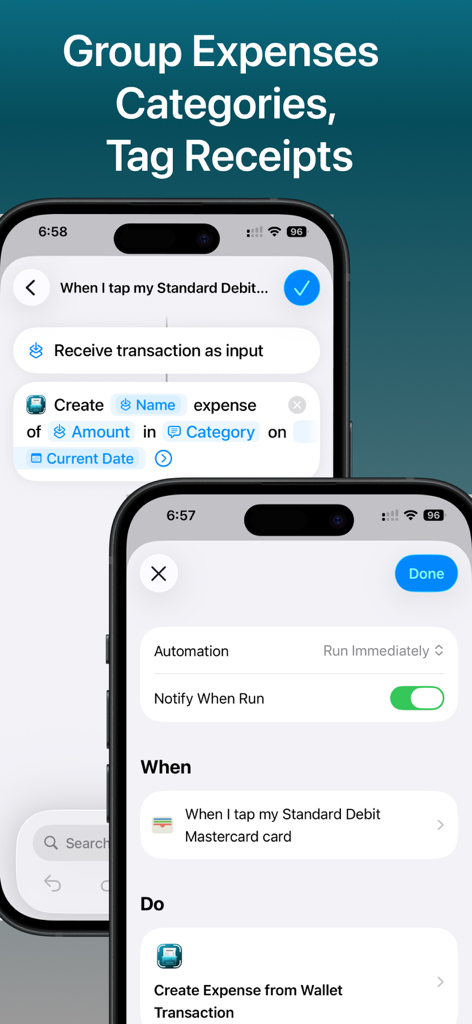
Receiptlyアプリのインターフェース。経費のグループ化やレシートのタグ付けのためのAppleショートカット自動化を表示

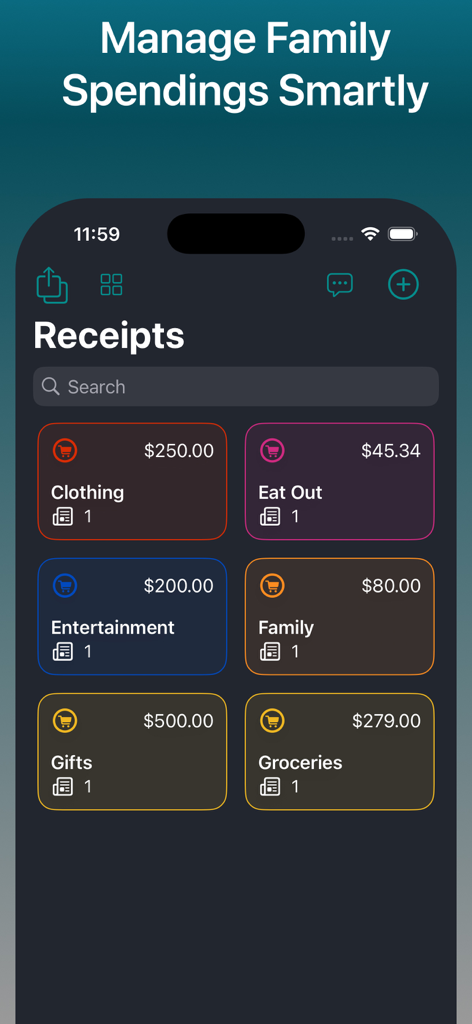
Smart Scan Receipts: Receiptly - Receiptlyアプリのダッシュボード。衣料品、食料品、娯楽などのさまざまな経費カテゴリと総支出額を表示
Receiptlyアプリのダッシュボード。衣料品、食料品、娯楽などのさまざまな経費カテゴリと総支出額を表示

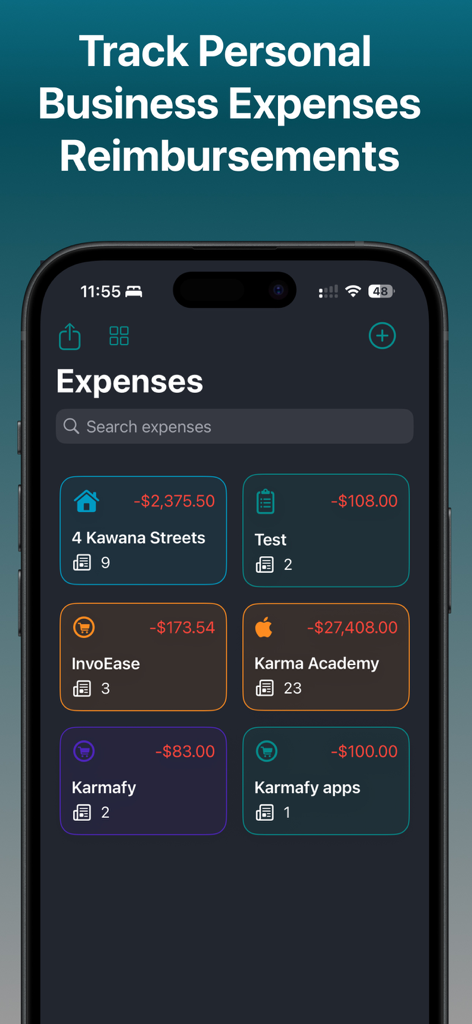
Smart Scan Receipts: Receiptly - Receiptlyアプリで、個人およびビジネスの経費がカテゴリ別に表示されたダッシュボード
Receiptlyアプリで、個人およびビジネスの経費がカテゴリ別に表示されたダッシュボード

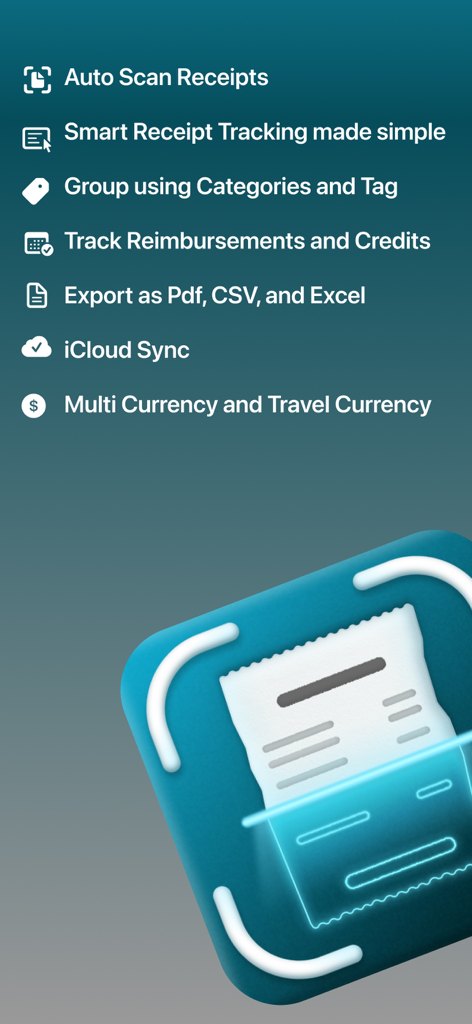
Smart Scan Receipts: Receiptly - Receiptlyアプリの機能概要。自動スキャンやクラウド同期を含む

Receiptlyアプリの機能概要。自動スキャンやクラウド同期を含む

Smart Scan Receipts: Receiptly - Receiptlyアプリのインターフェース。iPhoneでカテゴリとカスタムタグを使用して経費を整理する方法を表示
Receiptlyアプリのインターフェース。iPhoneでカテゴリとカスタムタグを使用して経費を整理する方法を表示

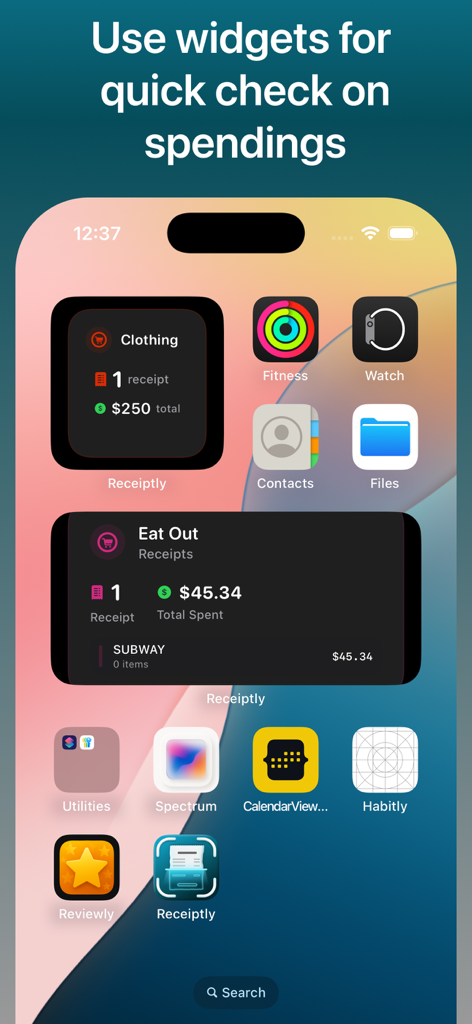
Smart Scan Receipts: Receiptly - iPhoneのホーム画面。衣料品やレストランの経費を追跡するためのReceiptlyアプリウィジェットを表示
iPhoneのホーム画面。衣料品やレストランの経費を追跡するためのReceiptlyアプリウィジェットを表示

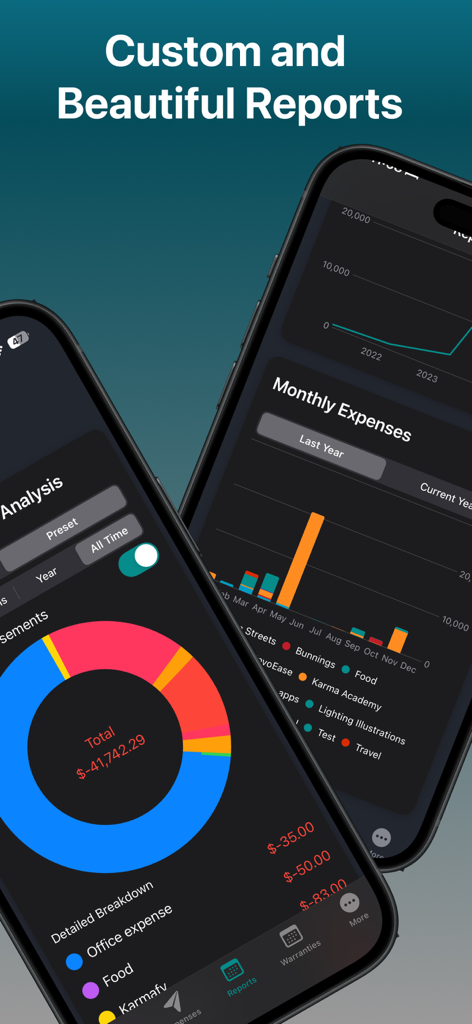
Smart Scan Receipts: Receiptly - 2台のスマートフォン。Receiptlyアプリで詳細な経費内訳チャートと月次財務レポートを表示
2台のスマートフォン。Receiptlyアプリで詳細な経費内訳チャートと月次財務レポートを表示

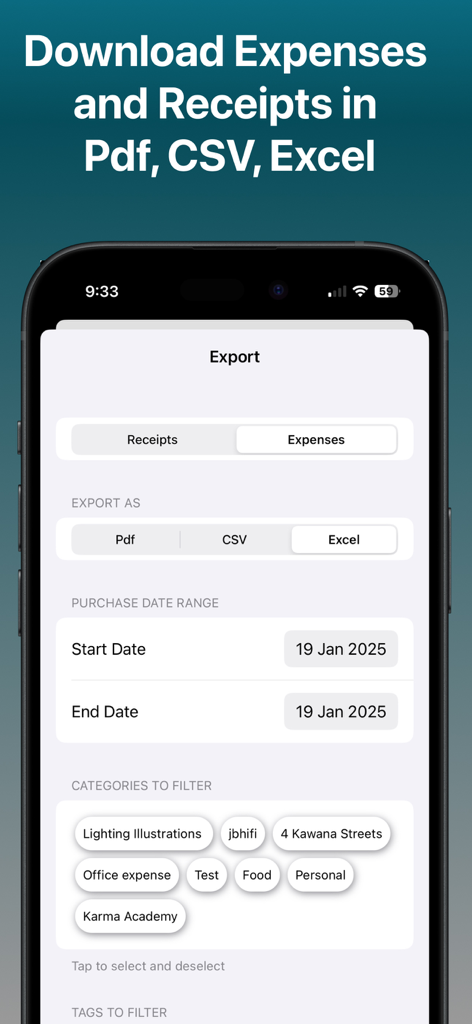
Smart Scan Receipts: Receiptly - Receiptlyアプリのインターフェース。レシートや経費をPDF、CSV、Excel形式でエクスポートするオプションを表示
Receiptlyアプリのインターフェース。レシートや経費をPDF、CSV、Excel形式でエクスポートするオプションを表示

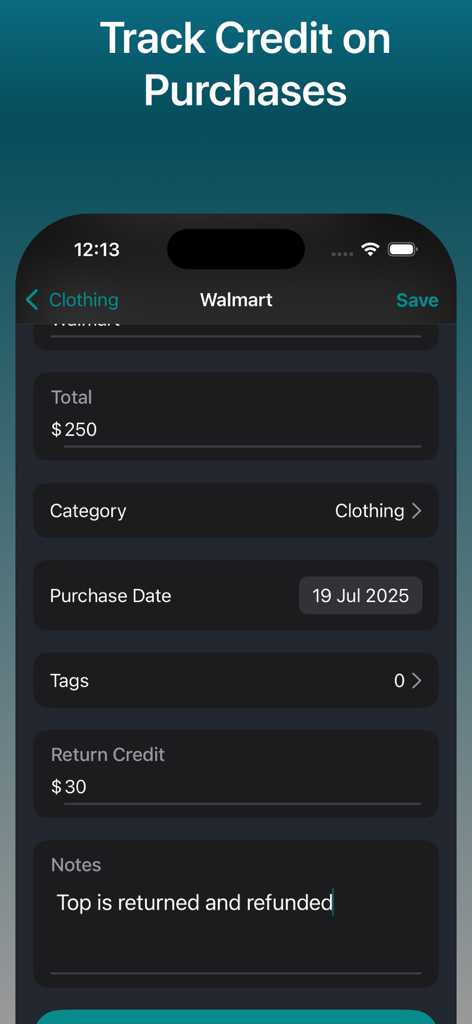
Smart Scan Receipts: Receiptly - レシート購入品の返品クレジットと払い戻しを追跡する方法を示すモバイルアプリのインターフェース
レシート購入品の返品クレジットと払い戻しを追跡する方法を示すモバイルアプリのインターフェース

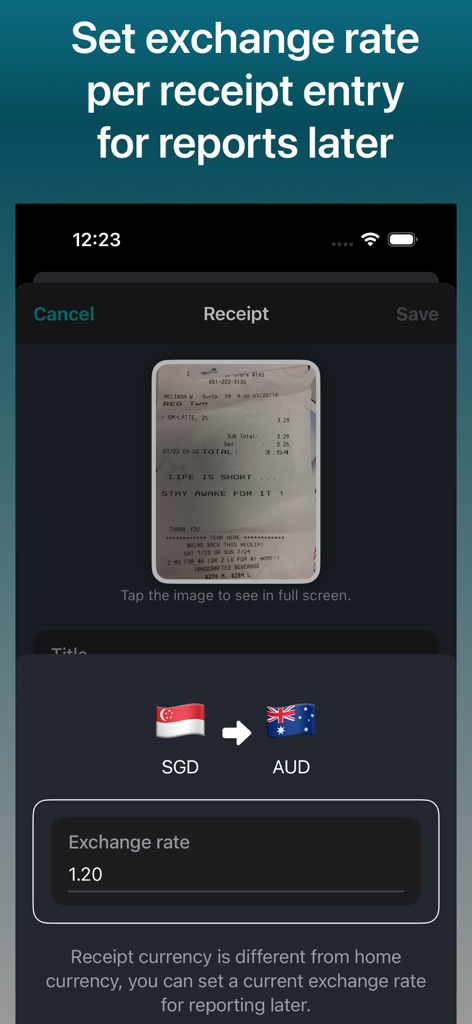
Smart Scan Receipts: Receiptly - スキャンされたレシートのSGDとAUD間の交換レートを設定するためのモバイルインターフェース。

スキャンされたレシートのSGDとAUD間の交換レートを設定するためのモバイルインターフェース。

説明

Smart Receipt Scanner and Expense Tracker. Track Reimbursements against your expenses. PDF/CSV/EXCEL export of receipts and expenses. Maintain your receipts across your iPhone and iPads with iCloud sync. Drag and drop images on iPads to quickly create receipts entries. Maintain your Business Travel receipts in different currencies and set exchange rates to later submit your reimbursements. Receiptly is not restricted to only receipts, you can save your vouchers, invoices, or gift cards to keep track of their expiry date. RECEIPTLY: ALL IN ONE Business and Personal Accounting Solution Whether you are an individual trying to track home expenses, groceries, and tracking all the home purchases receipts to claim your warranties or person running a small business. This is one app that is made for you. Organise your receipts and expenses into Categories. Use tags to quickly filter your related receipts or expenses. Quickly saves a photo of receipt or Invoice on the go while shopping. Customises the details regarding receipts for easy search and tracking. App offers widgets to view a quick summary of the store. Medium size widget helps you keep track of top receipts/invoices for selected stores and/or to keep an eye on upcoming warranties of your products. Features: > Smart Scan: Automatically extract the important information from the receipts. > Quick create: Quickly create using a camera or choose from your photo library. Add existing receipts from the photo library. > Support for Apple Shortcut automations! Automatically create expenses whenever you make a payment. > Set home currency for the receipts and have the ability to set the currency for receipt if you are travelling and can set an exchange rate to use for later for reporting. > Track warranties if products added to the receipts and get notifications. > Track Expenses and reimbursements to get a overview of your incoming and outgoing amount. > Beautiful reports to view your expanses. > Export: Export your receipts data to CSV, PDF or even Excel(spreadsheet) to share with accountants. > Widgets: Beautiful widgets to keep an eye on the spending summary on a store or configure the widget to keep track of product warranties. > Easy Organisation: The app helps you keep your receipts in an organized way for easy search. > Product Tracking > Keep an eye on the product warranties. > Tagging: Tag the receipts to search them easily later. You may purchase an auto-renewing subscription through an In-App Purchase to upgrade to plus and you get > Unlimited Smart scans: Unlimited smart scans to easily create receipts. > Export: Export your receipts to share with your tax agents or others. > App Icons: Choose from different app icons of your liking. > Access to the reports for quick summary. For support and suggestions reach at karm.singh@outlook.com • Auto-renewable subscription • Your subscription will be charged to your iTunes account at confirmation of purchase and will automatically renew (at the duration selected) unless auto-renew is turned off at least 24 hours before the end of the current period. • Current subscription may not be canceled during the active subscription period; however, you can manage your subscription and/or turn off auto-renewal by visiting your iTunes Account Settings after purchase • Privacy policy: https://receiptly.karmaacademy.com.au/privacypolicy/ • Terms of use: https://receiptly.karmaacademy.com.au/termsofuse/

Download

ダウンロード: App Store

このページはアプリまたはその開発者の公式ページではなく、情報提供および論評を目的として作成された独立した編集出版物です。明示的に別段の記載がない限り、アプリおよびその開発者は、MWM、Apple、Google Play、アプリのパブリッシャー、またはアプリの開発者と提携、承認、後援、認可、またはその他の公式的な関係はなく、このページのいかなる内容も、アプリがMWMのサービスを使用して開発されたことを意味するものではありません。すべての商標、ロゴ、スクリーンショット、その他のコンテンツはそれぞれの所有者の財産です。